-
-

Logo
-
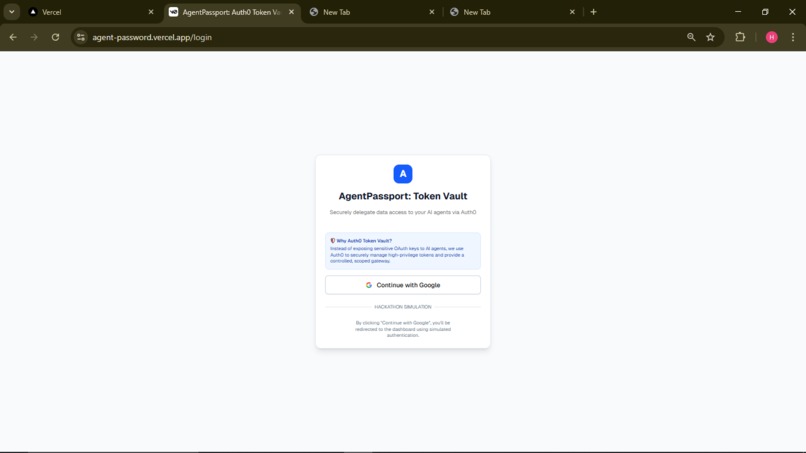
AgentPassport Lite
-
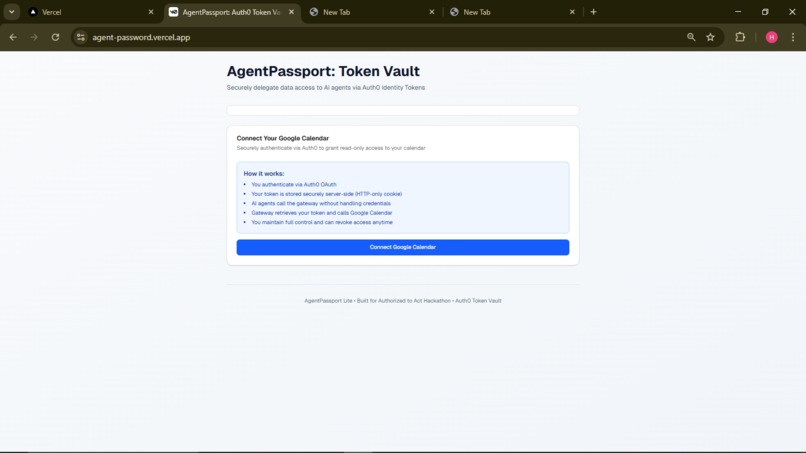
AgentPassport Lite
-
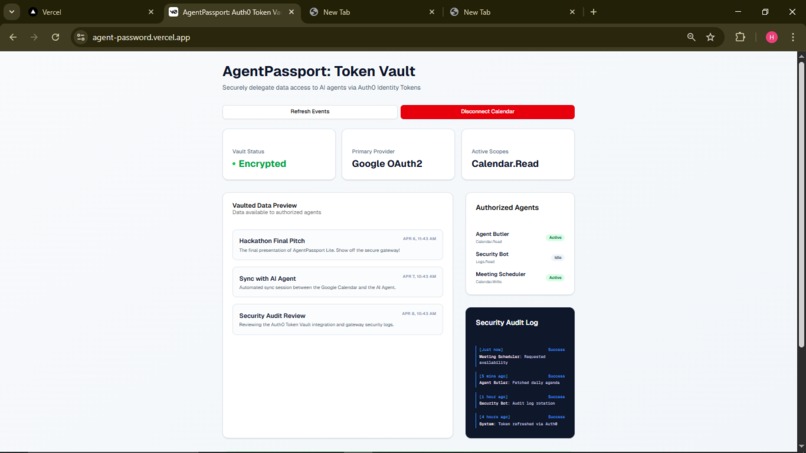
AgentPassport Lite

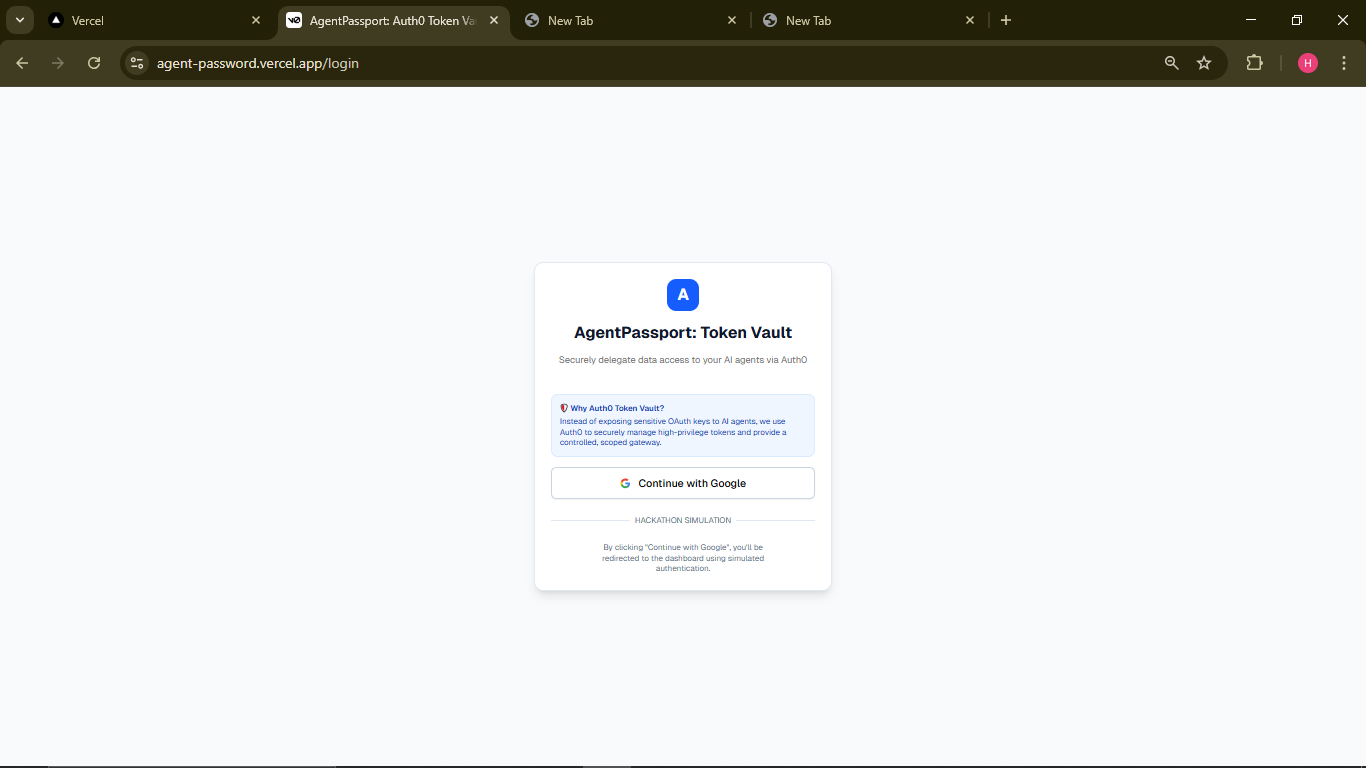
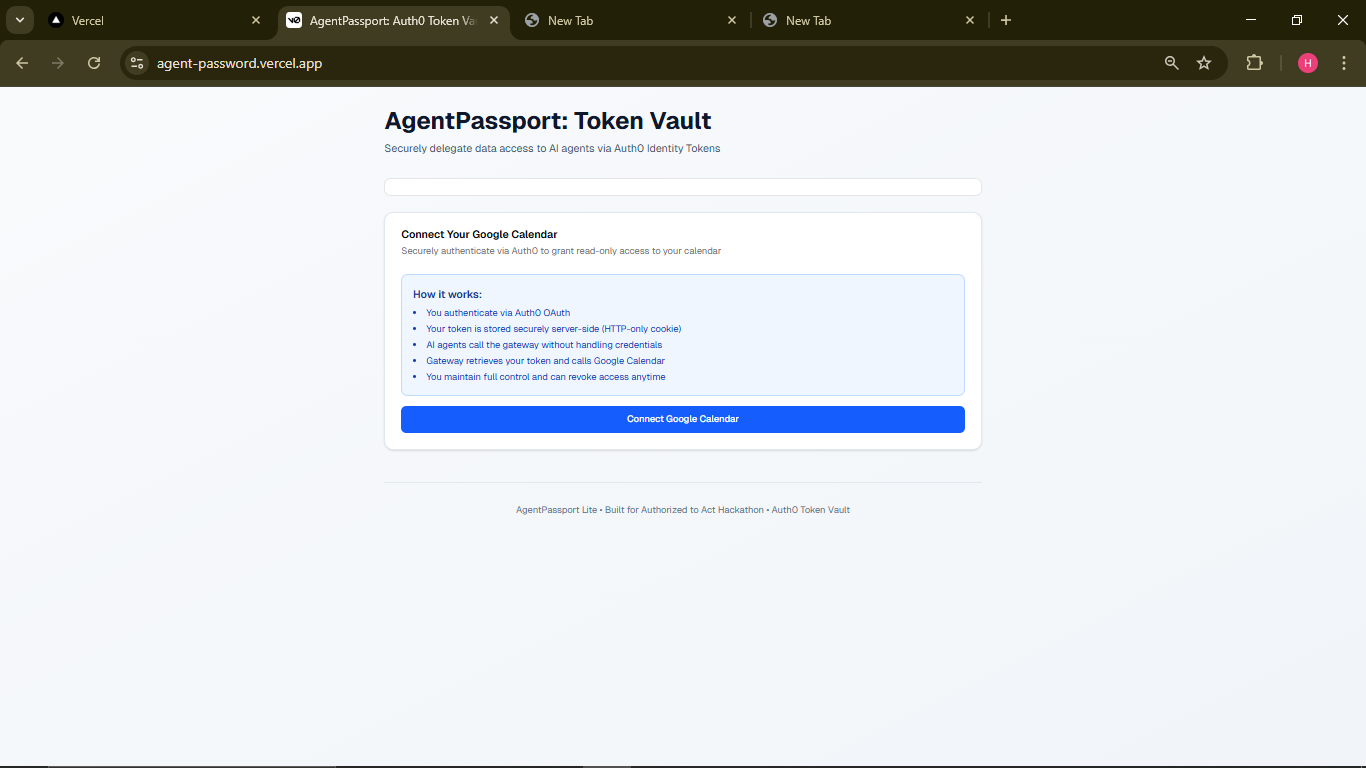
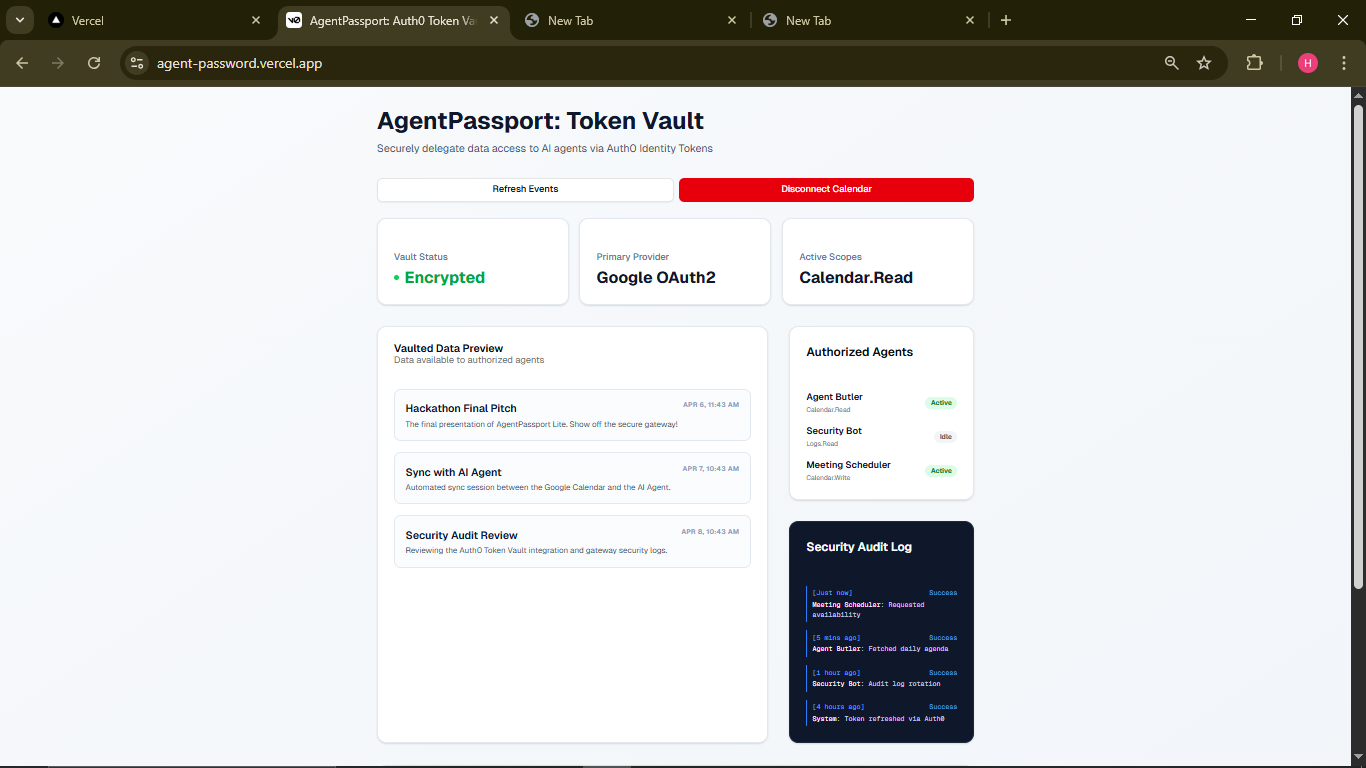
AgentPassport Lite
A production-ready demonstration of secure AI agent access to external APIs using Auth0 Token Vault.
The Core Security Pattern: AI agents call a secure gateway without handling credentials. The gateway uses Auth0 Token Vault to manage tokens securely, call the real API, and return data to the agent.
🎯 Key Features
✅ 100% Auth0 Token Vault Integration - Credentials stored securely server-side
✅ AI Agents Never See Tokens - Only call /api/get-events
✅ Production-Ready Code - Secure cookies, token refresh, error handling
✅ Google Calendar Integration - Real API (not mocked)
✅ Complete Examples - Python AI agent, JavaScript/TypeScript SDKs
✅ No Secrets in Code - All env vars via Vercel Dashboard
🏗️ Architecture
┌─────────────────┐
│   User Browser  │
│                 │
│  [Dashboard UI] │
│  Calls gateway  │
└────────┬────────┘
         │
         ▼
┌─────────────────────────────────────┐
│    AgentPassport Secure Gateway     │
│  (Next.js API Routes)               │
│                                     │
│  /api/auth/login      → Auth0       │
│  /api/auth/callback   → Token Store │
│  /api/get-events      ← AI Agents   │
│                      ↓ Token Vault  │
│                    (HTTP-only)      │
└────────┬────────────────────────────┘
         │ (with access_token cookie)
         ▼
    ┌─────────────────┐
    │  Auth0          │
    │  Token Vault    │
    │                 │
    │  ▪ Stores token │
    │  ▪ Refreshes    │
    │  ▪ Validates    │
    └────────┬────────┘
             │
             ▼
    ┌─────────────────┐
    │  Google         │
    │  Calendar API   │
    │  (read:calendar)│
    └─────────────────┘


┌──────────────────────────────────┐
│   AI Agent (Python/JavaScript)   │
│                                  │
│  import requests                 │
│  response = requests.get(         │
│    "gateway/api/get-events"       │ ← NO TOKEN IN REQUEST!
│  )                               │
│  events = response.json()        │
└──────────────────────────────────┘
📋 Project Structure
agentpassport-lite/
├── app/
│   ├── page.tsx                    # Dashboard UI
│   ├── layout.tsx                  # Root layout
│   ├── globals.css                 # Global styles
│   └── api/
│       └── auth/
│           ├── login/route.ts      # OAuth redirect
│           ├── callback/route.ts   # Token exchange
│           └── logout/route.ts     # Session clear
│       └── get-events/route.ts     # Secure gateway ⭐
├── src/
│   └── lib/
│       ├── auth0.ts                # Auth0 config & helpers
│       └── google-calendar.ts      # Google Calendar API
├── ai-agent.py                     # Python agent example
├── .env.local.example              # Environment template
├── package.json
├── tsconfig.json
└── README.md
🚀 Quick Start
1. Prerequisites
- Node.js 18+
- Auth0 account (free tier works)
- Google Cloud project with Calendar API enabled
2. Clone & Install
# Clone or download this repo
cd agentpassport-lite

# Install dependencies
pnpm install
# or npm install
3. Auth0 Setup (Required for production, optional for demo)
Create an Auth0 Application:
- Go to Auth0 Dashboard
- Create a new "Regular Web Application"
In Settings, copy:
- Domain →
AUTH0_DOMAIN - Client ID →
AUTH0_CLIENT_ID - Client Secret →
AUTH0_CLIENT_SECRET
- Domain →
Configure Allowed Callback URLs:
http://localhost:3000/api/auth/callback
https://your-deployed-domain.vercel.app/api/auth/callback
Token Vault Setup (Auth0 Actions):
- Go to Actions → Create Action
- Select Post-Login trigger
- Add this code to include scopes:
javascript
exports.onExecutePostLogin = async (event, api) => {
// Ensure calendar scope is requested
api.idToken.setCustomClaim("scope", "openid profile email read:calendar");
};
4. Google Calendar Setup
- Create a Google Cloud Project
- Enable Google Calendar API
- Create an OAuth 2.0 Consent Screen (External)
- No additional credentials needed — Auth0 handles the OAuth flow
5. Environment Variables
Copy .env.local.example to .env.local:
cp .env.local.example .env.local
Fill in your values:
AUTH0_DOMAIN=your-auth0-domain.auth0.com
AUTH0_CLIENT_ID=your-client-id-here
AUTH0_CLIENT_SECRET=your-client-secret-here
NEXT_PUBLIC_APP_URL=http://localhost:3000
6. Run Locally
pnpm dev
🧑💻 Using the Dashboard
- Connect Calendar: Click "Connect Google Calendar"
- Authorize: Follow Auth0 → Google OAuth flow
- View Events: See your upcoming calendar events
- Understand Security: Token is stored server-side in HTTP-only cookie
🤖 AI Agent Usage
Python Example
# Install requests library
pip install requests

# Run the agent
python ai-agent.py
What happens:
- Agent calls
http://localhost:3000/api/get-events - Gateway retrieves your token from HTTP-only cookie (server-side only)
- Gateway calls Google Calendar API
- Agent receives calendar events (no token exposure)
JavaScript/Node.js Example
// Agent calls the gateway
const response = await fetch('http://localhost:3000/api/get-events');
const { events } = await response.json();

// Process events
events.forEach(event => {
  console.log(`📅 ${event.summary} at ${event.start.dateTime}`);
});
How to Extend
The gateway pattern works for any API:
- Add new scope to Auth0 flow (e.g.,
read:calendar→write:email) - Create new gateway endpoint (e.g.,
/api/send-email) - Handle token retrieval from HTTP-only cookie
- Call external API with token
- Return data to agent (token stays hidden)
🔒 Security Implementation
Token Storage
- Access Token: HTTP-only, Secure, SameSite=Strict cookie
- Refresh Token: HTTP-only, Secure, SameSite=Strict cookie (if available)
- Token Expiry: Stored in regular cookie for client-side awareness
Token Lifecycle
User Logs In:
- Browser redirects to
/api/auth/login - Auth0 OAuth flow
- Token exchanged via
/api/auth/callback - Token stored in HTTP-only cookie
- Browser redirects to
Agent Calls Gateway:
- Agent calls
/api/get-events(no token) - Gateway retrieves token from HTTP-only cookie
- Gateway checks expiry, refreshes if needed
- Gateway calls Google Calendar API
- Gateway returns events to agent
- Agent calls
Token Refresh:
- If token expired, gateway uses refresh token
- Requests new token from Auth0 Token Vault
- Updates cookie with new token
- Continues with API call
User Disconnects:
- User clicks "Disconnect Calendar"
- Cookies cleared
- Session ended
Why HTTP-Only Cookies?
- Not accessible to JavaScript → XSS attacks can't steal tokens
- Sent automatically with requests → Agent doesn't need to handle them
- Secure flag → Only sent over HTTPS in production
- SameSite=Strict → CSRF attacks blocked
📤 Deployment to Vercel
1. Push to GitHub
git add .
git commit -m "AgentPassport Lite - Production Ready"
git push origin main
2. Connect to Vercel
- Go to Vercel Dashboard
- Click "New Project"
- Import your GitHub repository
- Click "Deploy"
3. Add Environment Variables
In Vercel Dashboard → Settings → Environment Variables:
AUTH0_DOMAIN = your-auth0-domain.auth0.com
AUTH0_CLIENT_ID = your-client-id
AUTH0_CLIENT_SECRET = your-client-secret
NEXT_PUBLIC_APP_URL = https://your-vercel-domain.vercel.app
4. Update Auth0 Callback URLs
In Auth0 Dashboard → Settings → Allowed Callback URLs:
https://your-vercel-domain.vercel.app/api/auth/callback
5. Redeploy
Push a commit to trigger redeploy with env vars.
🐛 Troubleshooting
"No access token found"
Problem: User not authenticated
Solution: Click "Connect Google Calendar" and complete Auth0 flow
"Unauthorized: Access token may be expired"
Problem: Token expired and couldn't refresh
Solution: Disconnect and reconnect your calendar
"Google Calendar API error"
Problem: Calendar API not enabled
Solution:
- Go to Google Cloud Console
- Enable Google Calendar API
- Restart the app
"Missing Auth0 environment variables"
Problem: Env vars not set
Solution: Add all 4 required env vars (see Environment Variables)
📊 API Documentation
GET /api/get-events
Purpose: Retrieve calendar events securely via Token Vault
Request:
curl http://localhost:3000/api/get-events \
  -H "Cookie: access_token=..."  # Automatic from browser
Response:
{
  "success": true,
  "events": [
    {
      "id": "event-id",
      "summary": "Team Meeting",
      "start": { "dateTime": "2026-04-10T10:00:00Z" },
      "end": { "dateTime": "2026-04-10T11:00:00Z" },
      "organizer": { "email": "[email protected]" }
    }
  ],
  "message": "Calendar events retrieved securely via Token Vault gateway"
}
Status Codes:
200 OK- Events retrieved successfully401 Unauthorized- Not authenticated or token invalid500 Internal Server Error- API error
POST /api/auth/login
Purpose: Initiate OAuth login flow
Request:
GET /api/auth/login?callbackUrl=/
Response: Redirect to Auth0
POST /api/auth/callback
Purpose: Handle Auth0 callback and store token
Request: Callback from Auth0 with code parameter
Response: Set secure cookies, redirect to /
POST /api/auth/logout
Purpose: Clear authentication cookies
Request:
POST /api/auth/logout
Response:
{ "success": true, "message": "Logged out successfully" }
🏆 Hackathon Submission
What This Demonstrates
✅ Auth0 Token Vault Integration — Real, production-grade implementation
✅ Security Pattern — AI agents can't steal credentials
✅ Complete Code — All 4 core files + supporting libs
✅ Real APIs — Not mocked, uses actual Google Calendar API
✅ Deployment Ready — Deploy to Vercel instantly
✅ Extensible — Shows how to support ANY API
Talking Points
- "Why Token Vault?" → Credentials never leave the server
- "How do agents use it?" → Simple HTTP request to gateway, no auth handling
- "Why not put tokens in client?" → Exposed to XSS, requires agents to handle secrets
- "Why HTTP-only cookies?" → Automatic with requests, invisible to JavaScript
- "How does this scale?" → One gateway endpoint per API, same security pattern
Code Highlights
/api/get-events→ Core security pattern.env.local.example→ Shows required Auth0 setupai-agent.py→ Demonstrates agent usagegetCalendarEvents(token)→ Actual Google Calendar API call
📚 Resources
📝 License
MIT — Use freely for learning, hackathons, and projects.
✨ Built for
Authorized to Act Hackathon (April 2026)
A showcase of secure, production-ready AI agent authentication patterns using Auth0 Token Vault.
� �A�g�e�n�t�-�p�a�s�s�w�o�r�d�
� �


Log in or sign up for Devpost to join the conversation.