-
-
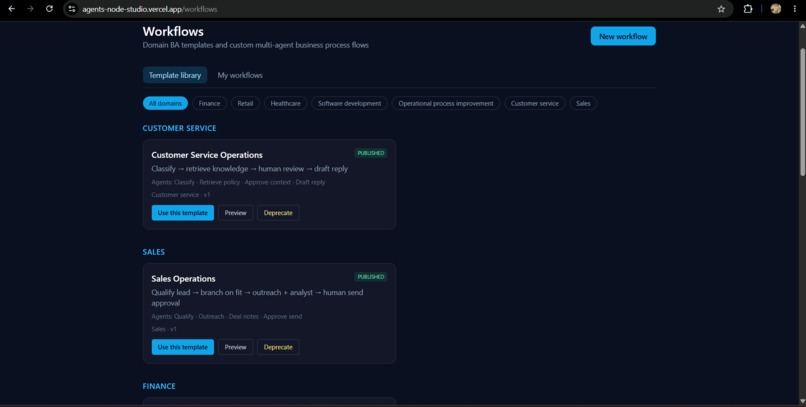
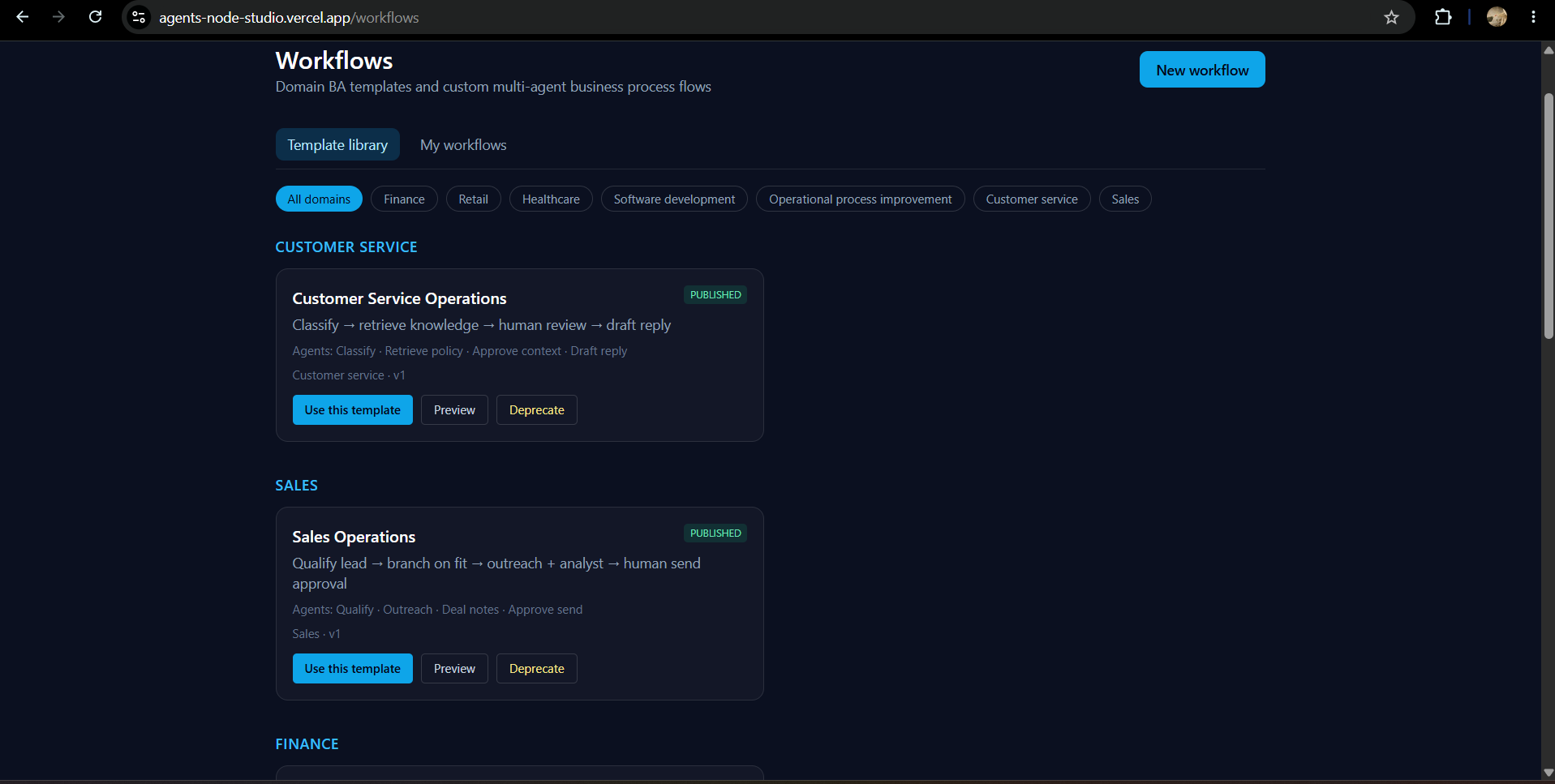
Workflows Template Library
-
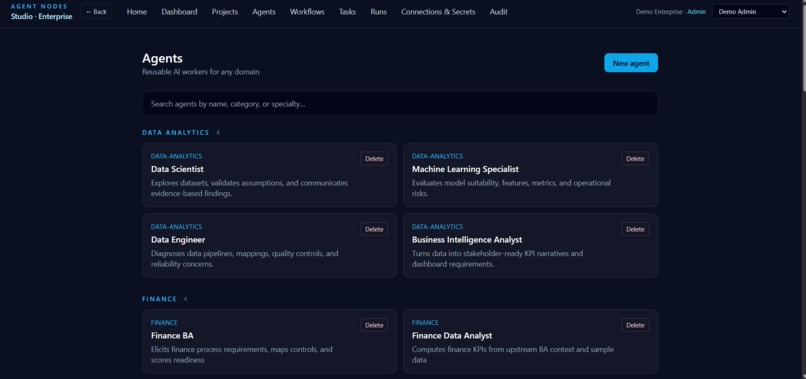
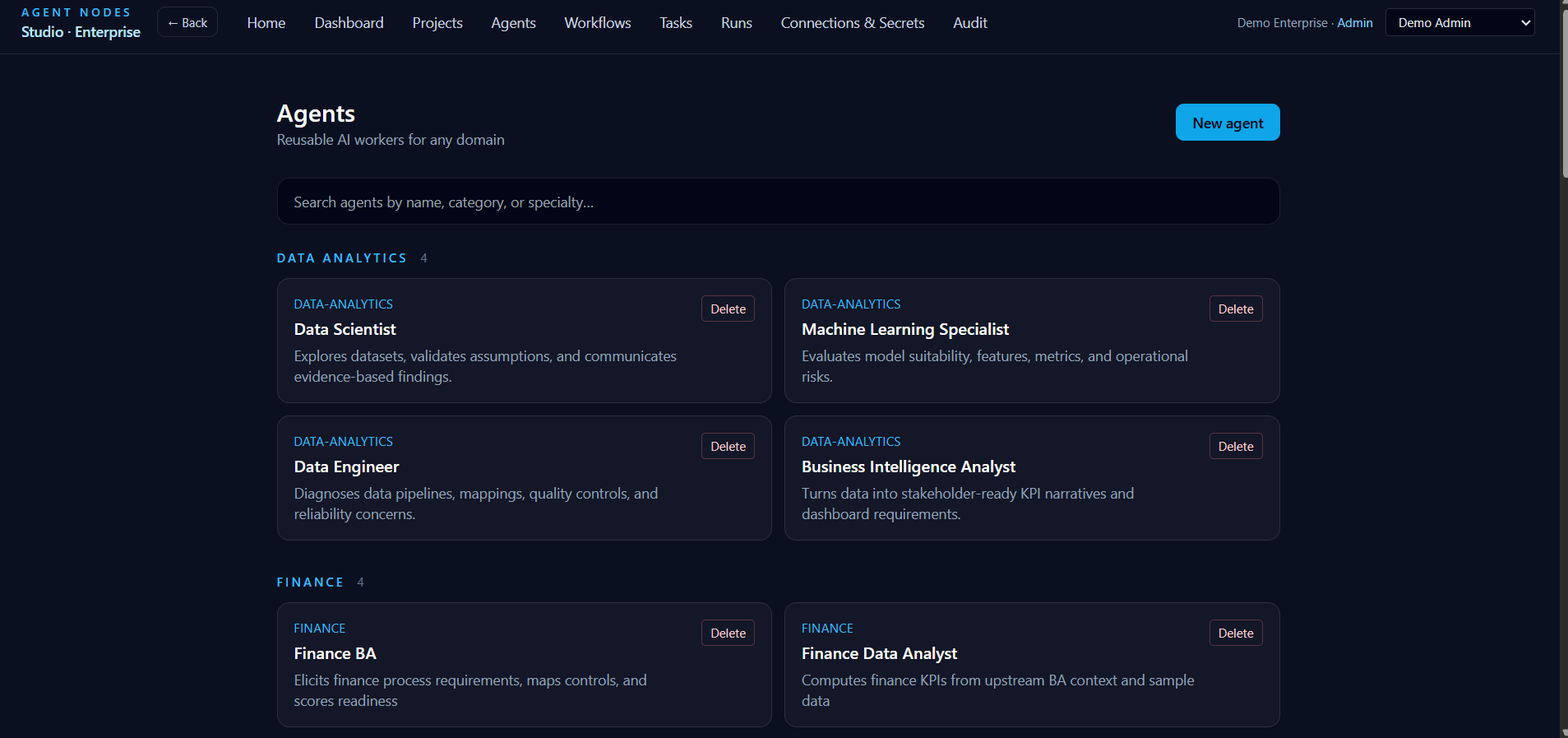
Agents
-
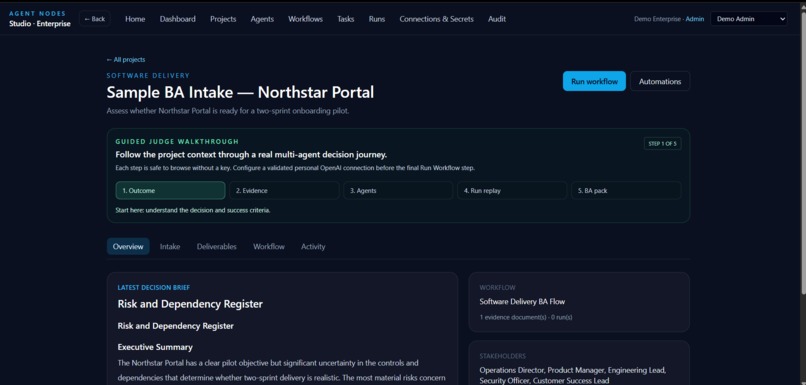
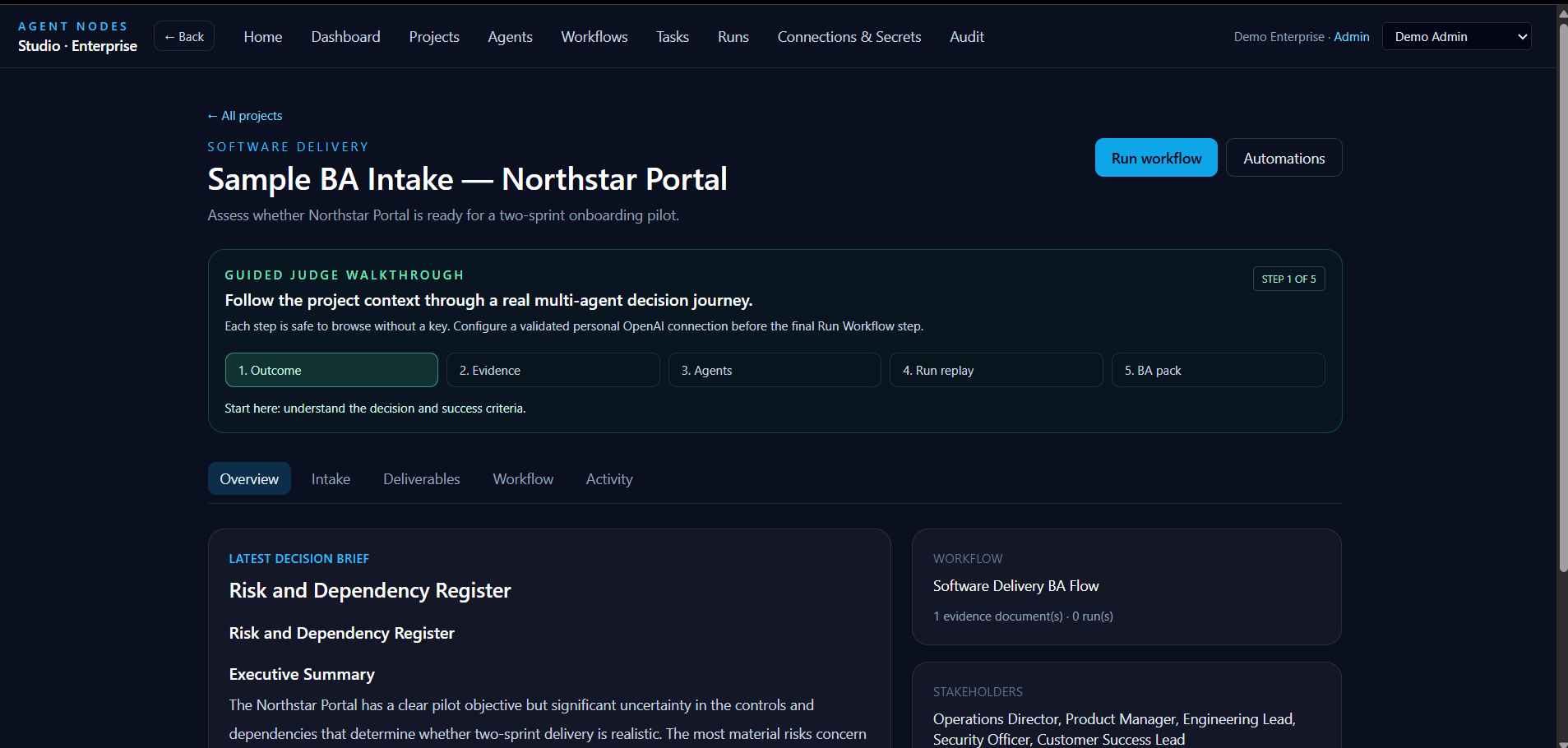
Sample BA Intake Project
-
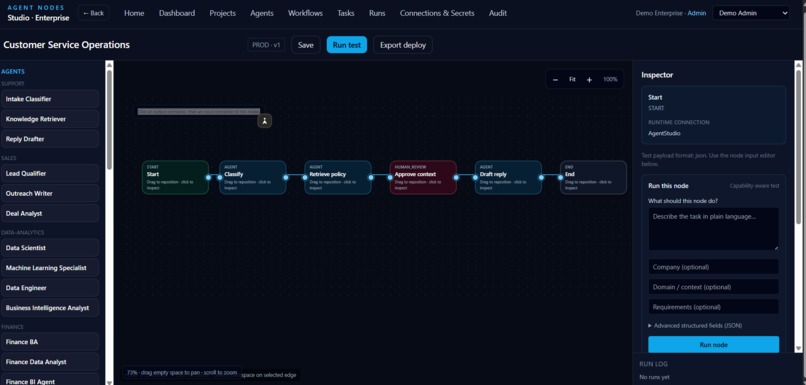
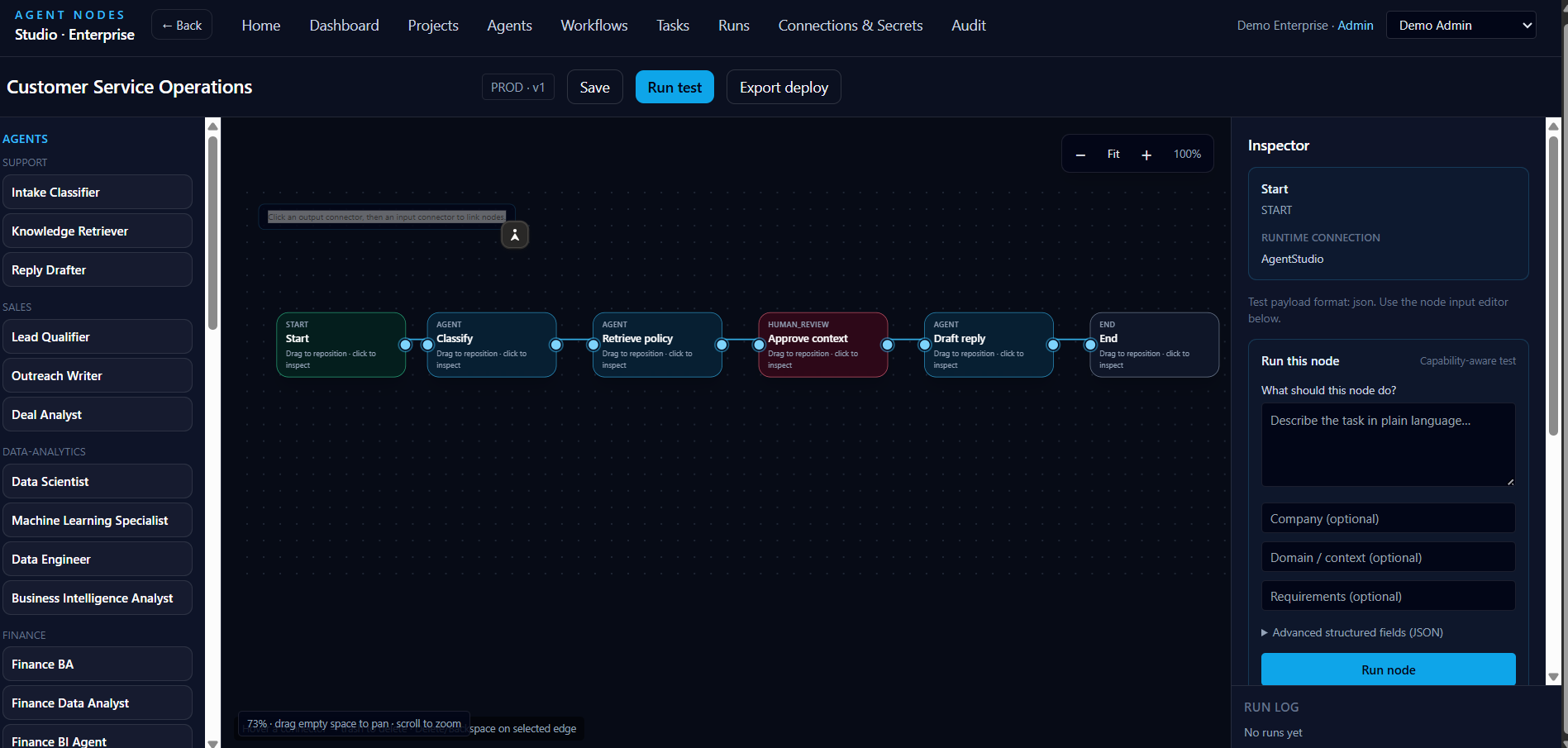
Workflow Canvas
-
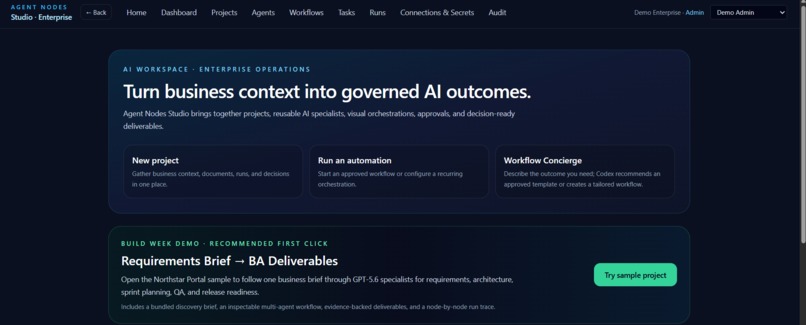
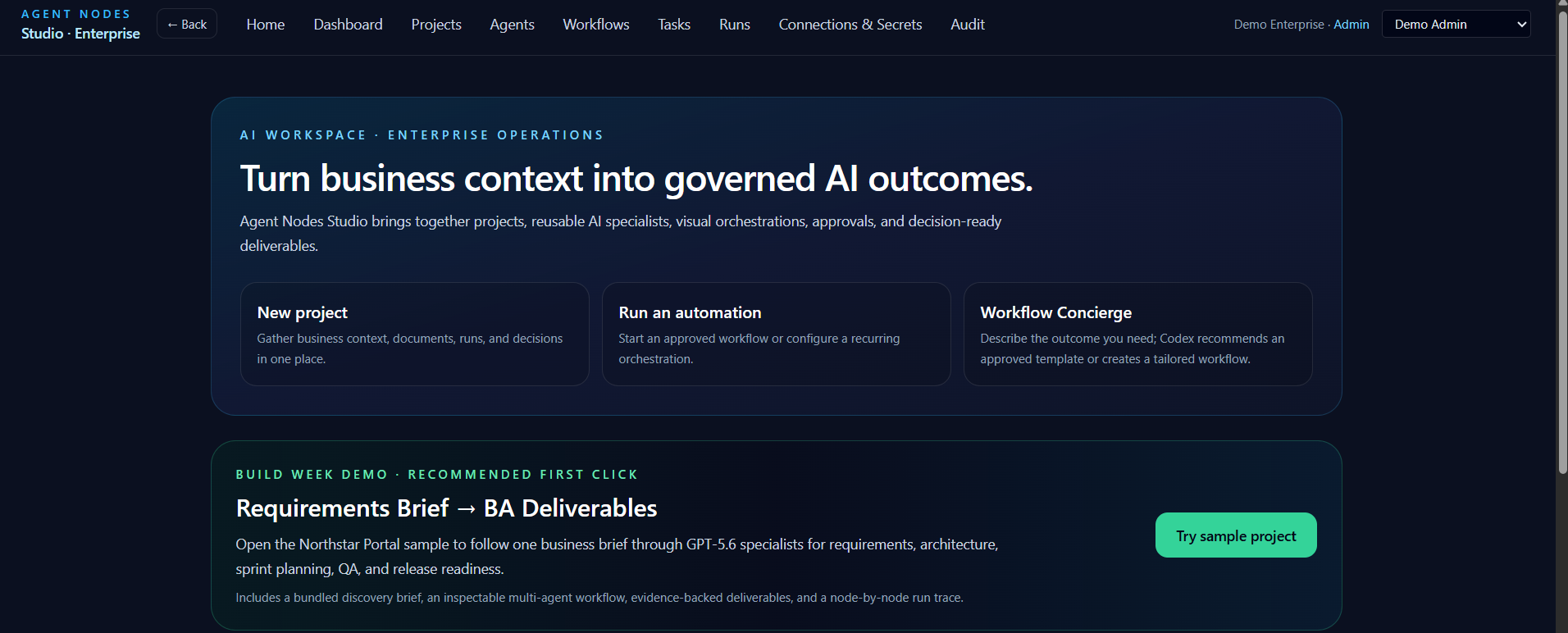
Homepage
-
Logo
Inspiration
Agent Nodes Studio started from a simple frustration: as business analysts, we spent more time wiring together ad‑hoc prompts and one‑off scripts than actually reasoning about the client’s problem. We wanted a place where project context, documents, and multi‑agent workflows could live together instead of being scattered across chats, notebooks, and dashboards.
What it does
Agent Nodes Studio is a project‑centric web app where you create a “project” for each real‑world engagement and then design a workflow of OpenAI‑powered agents that collaborate to produce BA‑ready deliverables.
Within a project, you can upload briefs and files, drop agents onto a canvas (like Data Scientist, Machine Learning, Data Engineer, BI, Finance BA, etc.), connect them, and then inspect each node’s inputs, outputs, and tools in an interactive inspector. The studio turns messy inputs—emails, PDFs, spreadsheets—into structured analyses, summaries, and artefacts you can hand to stakeholders.
How we built it
We built Agent Nodes Studio as a modern web application with a workflow canvas, an agents catalog, a deliverables view, and a run center wired to Codex/GPT‑5.6 models via the official OpenAI SDK, rather than via hand‑rolled HTTP calls to the REST API. The canvas manages nodes, edges, and configuration state, while the inspector panel lets you test each node in isolation with real prompts and files.
On the backend, we treat projects, workflows, nodes, tools, and runs as first‑class entities so we can track run history and tie outputs back to specific inputs and configuration. The server talks to OpenAI via the SDK’s client (e.g., new OpenAI()), using the Responses interface to call Codex/GPT‑5.6 models behind a clean abstraction layer, making it easy to add new agent types or swap in additional tools without rewriting the UI.
Challenges we ran into
The hardest part was designing a UX that feels natural for business analysts but still exposes enough power for advanced workflows. We iterated a lot on how to present nodes, tools, and connections so that the canvas doesn’t feel like a low‑level orchestration engine.
Tool management and configuration were another challenge: we had to support adding/removing tools, mapping them to specific agents, and surfacing validation errors (like missing SDK configuration or API keys) in a way that’s understandable to non‑developers. Making the run center actually useful—showing meaningful run results instead of just logs—also required several redesigns.
Accomplishments that we're proud of
We’re proud that Agent Nodes Studio feels like a single, coherent “console” for projects rather than a collection of disconnected demos. You can start from a business problem, wire a few agents, run the workflow, and end up with structured deliverables without ever leaving the app.
We’re also proud of the node‑level inspector: being able to click a node, see its instructions, test it with a sample input, and immediately understand what it’s doing makes multi‑agent systems much less opaque. That local transparency is what turns the canvas into a real analysis tool instead of just a pretty diagram.
What we learned
We learned that multi‑agent systems live or die on observability: if users can’t see what each node is doing, they won’t trust the overall workflow. Building good inspectors, run history, and error reporting is just as important as choosing the right models.
We also learned how important guardrails and defaults are for non‑developer users—things like picking a default validated OpenAI connection (via SDK configuration), clearly warning when an API key is missing, and offering preconfigured agent/tool templates dramatically reduce friction and mistakes
What's next for Agent Nodes Studio
Next, we want Agent Nodes Studio to feel even more “agentic” and less like a manual canvas. That means smarter defaults, reusable workflow templates for common BA tasks (like invoice analysis, requirements extraction, and impact assessments), and richer run center views that highlight insights instead of just showing raw logs.
We also plan to deepen the agents catalog (e.g., more specialized data and BI agents), add collaboration features & more app integrations so multiple analysts can work on the same project, and explore deploying workflows as reusable “services” that other tools or teams can call directly.
Built With
- codex
- next.js
- node.js
- openai
- openai-sdk
- supabase
- typescript
- vercel

Log in or sign up for Devpost to join the conversation.