-
-
Agent Mission Control — Giving AI Agents a Native Interface to the Web
-
testing guidance 1
-
testing guidance 2
Agent Mission Control — Giving AI Agents a Native Interface to the Web
I built Agent Mission Control to test a simple question: can a human and an AI agent work on the same application state through two different interfaces?
The web was designed for humans to click. What if it were also designed for agents to act?
Inspiration
AI agents are becoming increasingly capable, but interacting with the web still often feels like teaching a machine to imitate a human.
Find a button. Read its label. Guess what it does. Click it. Wait for the page to change. Repeat.
Humans need visual interfaces because we navigate by seeing and clicking.
Agents shouldn't have to.
That led to the question behind Agent Mission Control:
What would a web application look like if it were designed for both humans and AI agents from the beginning?
WebMCP gave me a way to explore that question, and gave me a new way to explore thtis idea..
Instead of treating the browser as a collection of pixels that an agent must interpret, a website can expose structured capabilities that describe what the agent is actually allowed to do.
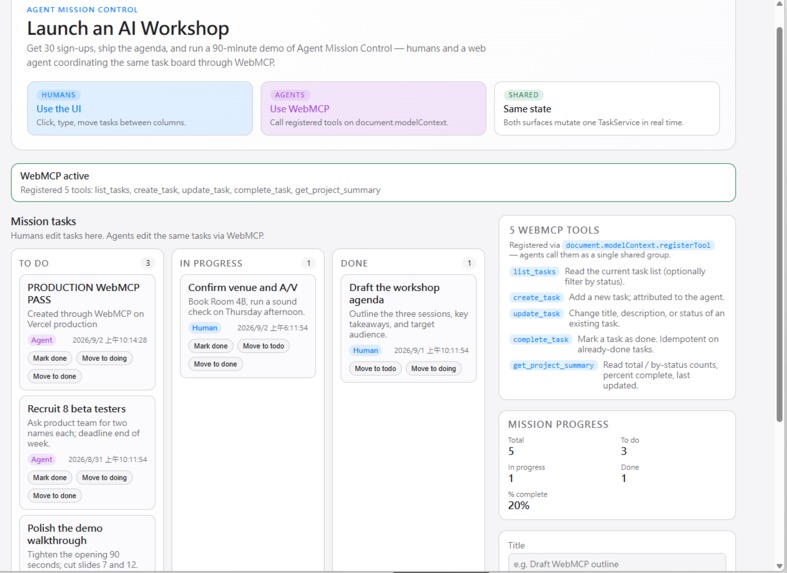
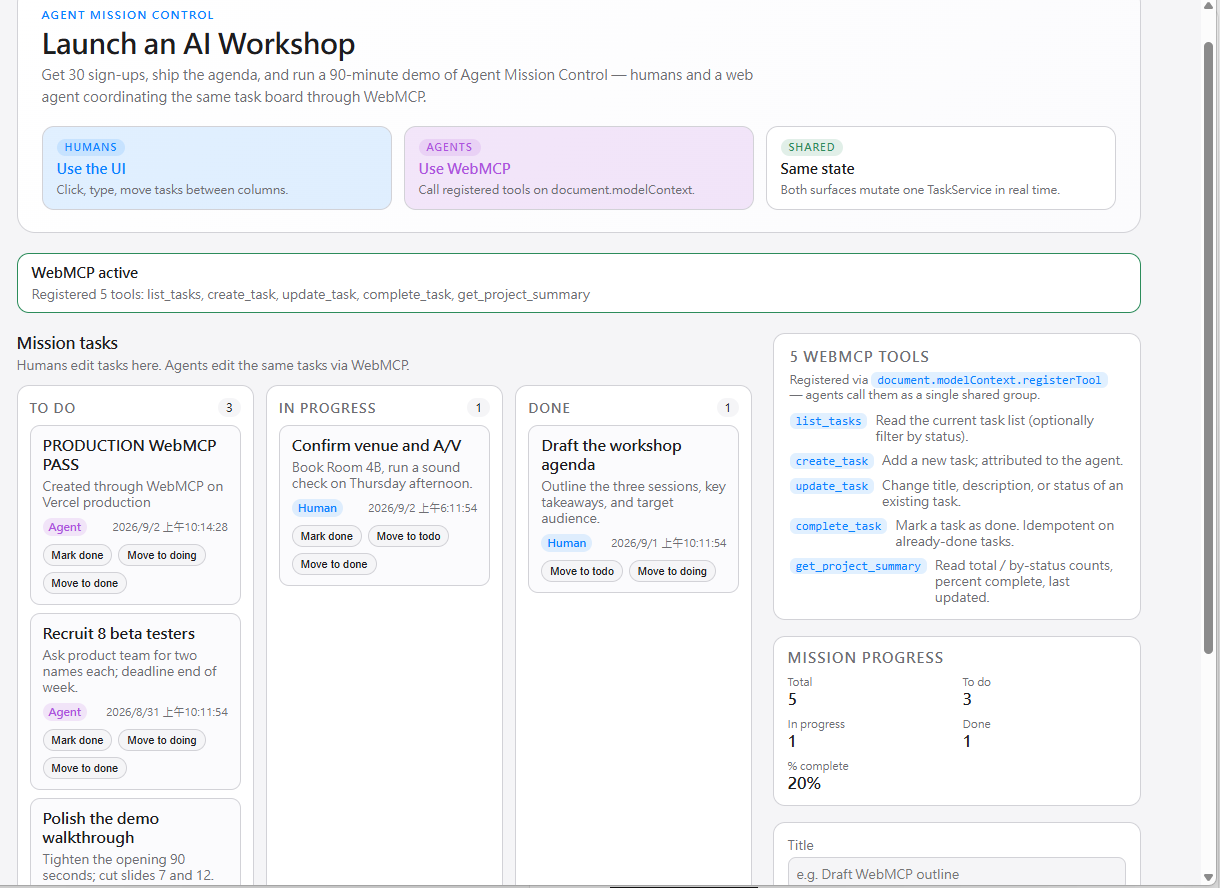
So I built Agent Mission Control, an experimental WebMCP-native task environment where a human can manage work visually while an AI agent can interact with the same application through structured tools.
The goal isn't to replace the interface.
It's to give the web two interfaces to the same application:
a visual interface for humans, and a semantic tool interface for agents.
So I built agent-mission-control-webmcp to test a different model: one application with two interfaces — a visual interface for humans and a structured capability interface for AI agents — both operating on the same underlying application logic.
What it does
Agent Mission Control turns a normal task-management web application into an agent-addressable workspace.
A human can interact with the application through the UI.
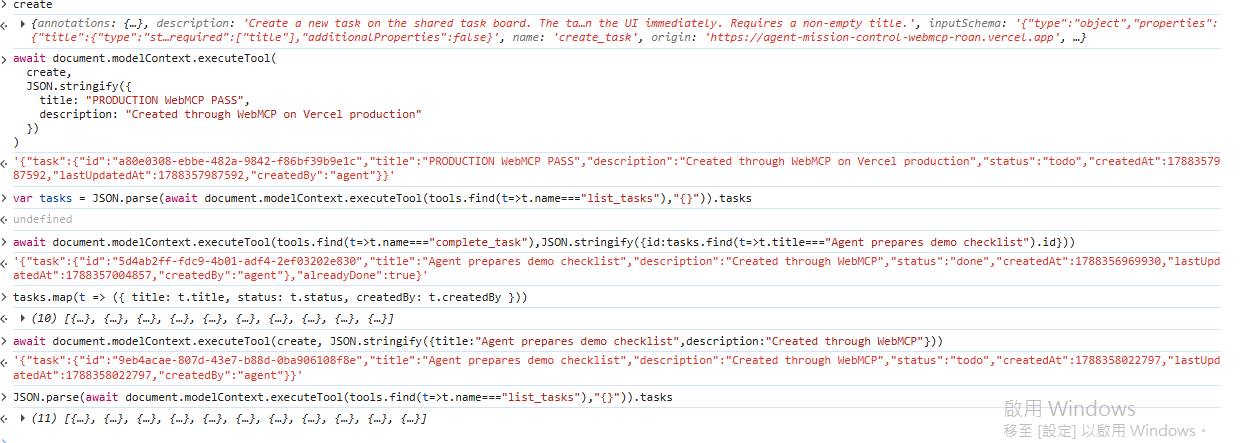
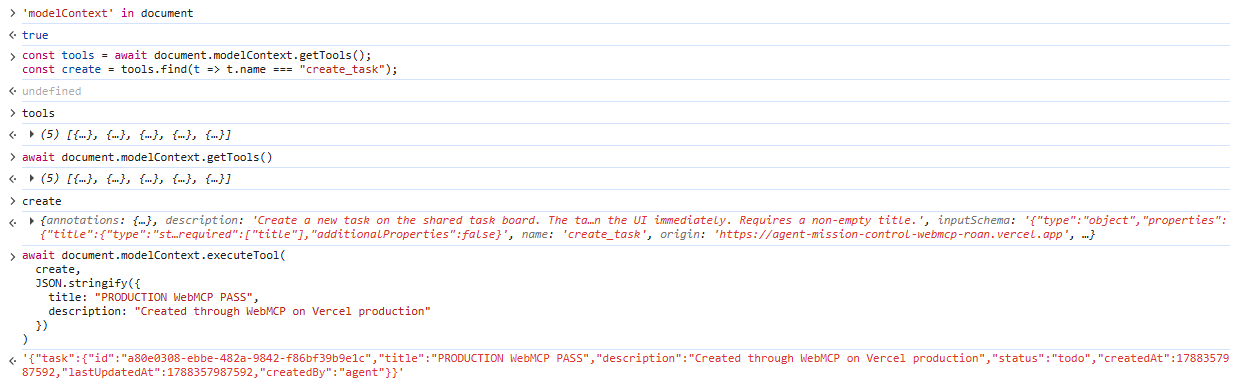
An AI agent can discover WebMCP tools exposed by the page and use those structured capabilities to work with the same underlying tasks.
Instead of asking an agent to:
"Look around the page, find the right button, click it, and hope the UI hasn't changed..."
the application can expose explicit operations the agent can understand and invoke.
The important part is not simply that an agent can control a task app.
The important part is how.
The agent is no longer pretending to be a human operating a website.
The website is speaking to the agent directly.
Why WebMCP?
Traditional browser automation often starts from the presentation layer.
WebMCP lets us start from intent.
A button might visually say:
Complete
But the capability behind it can communicate something much richer:
complete_task(taskId)
with structured parameters, predictable behavior, and application-defined semantics.
That changes the relationship between websites and AI agents.
Instead of:
Agent
  ↓
interpret pixels / DOM
  ↓
guess user interface
  ↓
click
  ↓
Application
Agent Mission Control explores:
Human ───────→ Visual UI ───────┐
                                │
                                ▼
                         Shared Task Logic
                                ▲
                                │
AI Agent ───→ WebMCP Tools ─────┘
Both interfaces operate on the same application logic.
That was a key architectural decision.
WebMCP isn't an automation layer bolted onto the side of the application.
It becomes another interface into the application itself.
Human + Agent Collaboration
The most interesting possibility isn't fully autonomous agents.
It's shared control.
Humans are good at goals, judgment, context, and deciding what should happen.
Agents are good at translating intent into structured actions and carrying out repetitive operations.
Agent Mission Control explores a simple model:
Human defines the mission. The application defines the allowed capabilities. The agent executes through those capabilities. The human remains in control.
This creates an interesting middle ground between a traditional website and unrestricted browser automation.
The website itself participates in defining what an agent can do.
How I built it
Agent Mission Control is built as a web application with WebMCP integrated directly into its task workflow.
The application exposes a small set of task-oriented WebMCP tools.
Rather than implementing separate automation logic, the WebMCP layer connects to the same task service used by the React interface.
Conceptually:
             ┌── Human UI
             │
TaskService ─┤
             │
             └── WebMCP Tools → AI Agent
This was deliberate.
If the human interface and agent interface implement separate business logic, they can eventually disagree.
By sharing the same underlying service, actions performed through WebMCP can follow the same application behavior as actions performed through the UI.
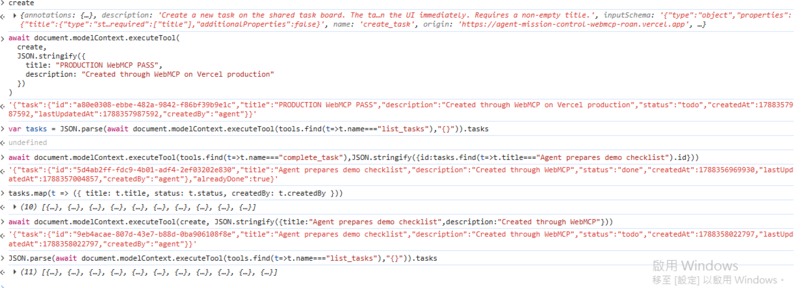
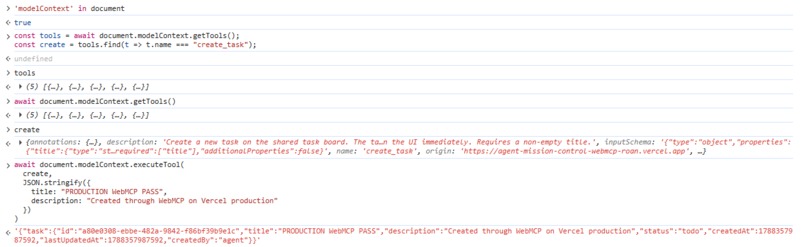
The project also includes a browser test path for discovering registered tools, invoking them with structured arguments, and verifying that the resulting state is reflected back in the application.
Challenges I ran into
1. Designing tools instead of exposing buttons
My first challenge was conceptual.
A WebMCP tool shouldn't simply be a remote-control version of every button on the page.
The question became:
What capability should the application expose to an agent?
That forced me to think in terms of application semantics rather than UI components.
2. Keeping humans and agents on the same source of truth
It would have been easy to create a separate "AI API."
But then I would effectively have two applications:
one for humans and one for agents.
Instead, I structured the project so both paths converge on shared task logic.
That made WebMCP feel less like an integration and more like a second interface to the application.
3. Testing an emerging browser capability
WebMCP is still an emerging technology.
Testing required thinking beyond normal frontend tests:
- Are tools actually registered?
- Can an agent discover them?
- Are arguments structured correctly?
- Does execution reach the same application logic?
- Does the resulting state appear correctly in the human UI?
Building around an emerging browser capability was one of the most challenging — and interesting — parts of the project.
Accomplishments I'm proud of
The thing I'm most proud of isn't the number of tools.
It's proving a simple architectural idea:
A web application doesn't have to choose between being human-friendly and agent-friendly.
The same application can expose a visual experience to a person and structured capabilities to an AI agent without duplicating the underlying workflow.
Agent Mission Control is intentionally small, but that makes the experiment easier to see.
This isn't a task manager with AI added to it.
The task manager is the demonstration of a different interface model for the web.
What I learned
Before building this project, I mostly thought about agent/browser interaction as automation.
WebMCP changed the question.
Instead of asking:
"How can an AI operate this website?"
I started asking:
"How should this website expose itself to AI?"
That sounds like a small distinction.
It isn't.
It shifts responsibility from agents constantly reverse-engineering interfaces toward applications explicitly describing safe, meaningful capabilities.
And it suggests that the future web may not have one interface.
It may have at least two:
one optimized for people, and one optimized for agents.
What's next
Agent Mission Control is a proof of concept, but the pattern extends far beyond task management.
Imagine websites exposing carefully designed agent capabilities for:
- project management,
- commerce,
- scheduling,
- content workflows,
- developer tools,
- administrative systems,
- and collaborative workspaces.
The next step is exploring richer permission boundaries, confirmation flows, tool discovery, multi-step missions, and clearer visibility into what an agent is doing on behalf of a human.
Ultimately, I want to explore a web where agents don't need to pretend to be humans.
Humans get interfaces. Agents get tools. Both collaborate through the same application.
That's the web Agent Mission Control is trying to prototype.

Log in or sign up for Devpost to join the conversation.