
AgentGuard
Inspiration
AI coding agents are powerful—but with great power comes rm -rf /.
I've been recommending tools like Claude Code and Cursor to junior devs and non-technical folks lately. These agents can execute shell commands autonomously, which is useful. But it also means a single hallucination could wipe their SSH keys, nuke a folder, or brick a meticulously created dev environment.
Frontier models do come with guardrails, but I wanted control over project-specific no-nos too—like pushing to master or running that one script that drops the staging database.
An LLM deciding whether a command is "safe" is probabilistic. I wanted something classical—a system where I define exactly what's allowed and what's blocked, with no ambiguity.
Inspired by .gitignore: simple pattern matching, one rule per line, easy for anyone to read and modify.
What it does
AgentGuard intercepts shell commands before they execute and validates them against a simple rules file. If a command matches a block pattern, it gets stopped. If it's allowed, it runs normally.
Here's what that looks like in practice:
> run nuketown.sh

⏺ Bash(./nuketown.sh)
  ⎿  Error: PreToolUse:Bash hook error: [node ./dist/bin/claude-hook.js]: 🚫
     AgentGuard BLOCKED: ./nuketown.sh
     Rule: *nuketown*
     Reason: Blocked by rule: *nuketown*
The agent tried to run the command. AgentGuard caught it. Nothing bad happened.
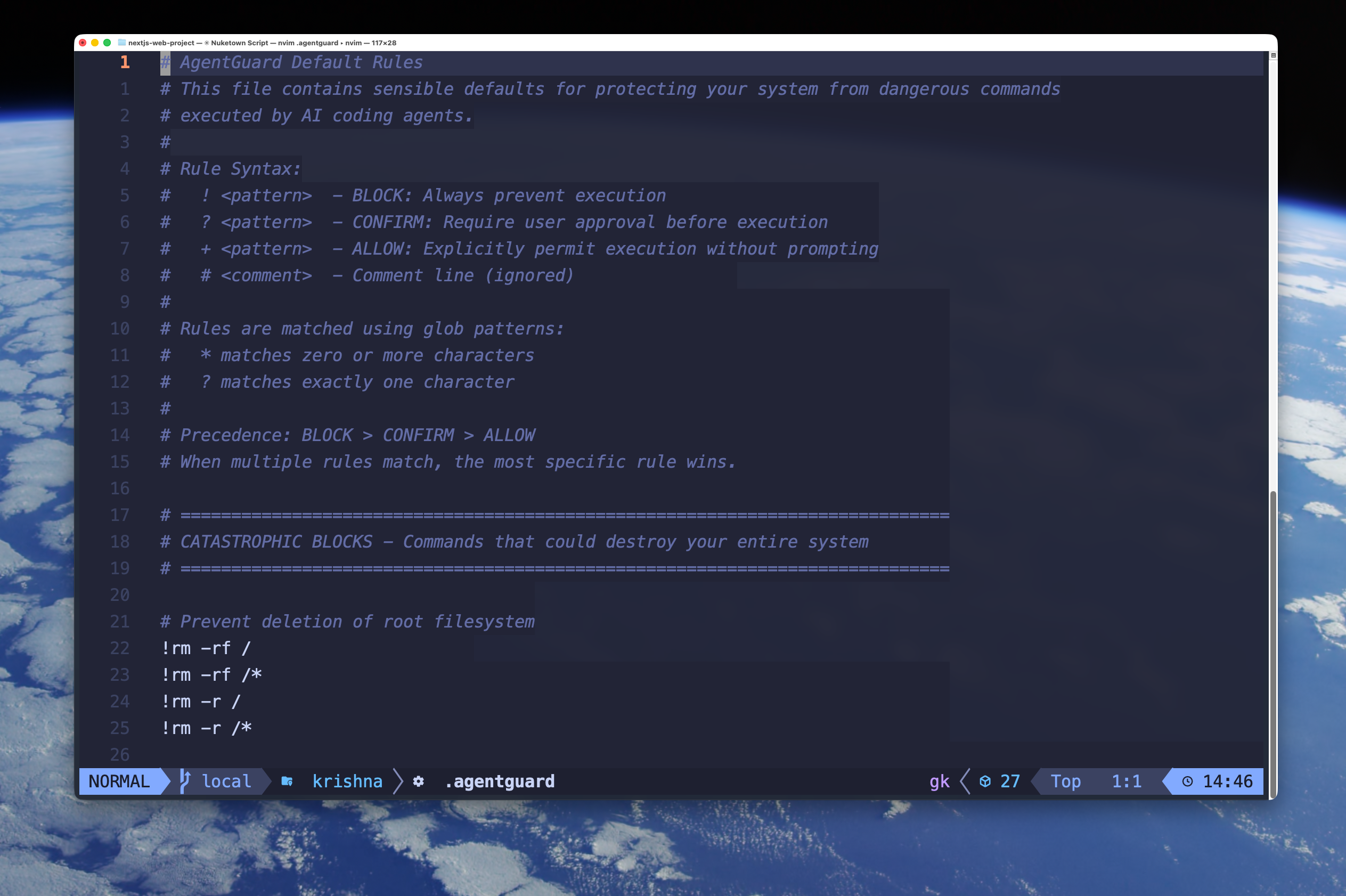
The rules file uses .gitignore-style syntax:
# The obvious dangerous stuff
!rm -rf /
!rm -rf /*
!mkfs*

# Don't let agents read my secrets
!cat ~/.ssh/*
!cat ~/.aws/*

# Block that sketchy script I use for demos
!*nuketown*
The syntax is deliberately simple. ! means block, * is a wildcard. That's basically it.
How we built it
Category: Frankenstein — Stitches together shell parsing, glob pattern matching, Claude Code's hook system, and process wrapping into one security layer.
Kiro usage:
- Spec-driven development: Started with
requirements.md(23 requirements) anddesign.md(system architecture, component interfaces). Gave Kiro full context for consistent implementation decisions. - Steering docs: Five docs (
product.md,tech.md,structure.md,security-policies.md,typescript-standards.md) kept code generation consistent. - Vibe coding: Iterating on specific features like the pattern matcher.
- Tasks:
tasks.mdtracked implementation phases, helped prioritize what to cut when time ran short.
Challenges we ran into
- Shell parsing edge cases (quotes, escapes, pipes, chained commands)
- Keeping hook response time low—every millisecond is felt
- Deciding fail-open vs fail-closed (chose fail-open with logging)
Accomplishments that we're proud of
- Zero runtime dependencies in the validation path
- Clean
.gitignore-style syntax anyone can read - Works as a Claude Code hook—no wrapper scripts needed
What we learned
- Spec-driven development with Kiro pays off—fewer rewrites, better architecture
- Steering docs dramatically improve code generation consistency
- Claude Code's hook system is the perfect interception point
What's next for AgentGuard
- Support for Cursor, Windsurf as they add hook APIs
@protectdirective for path-based security- Learning mode that suggests rules based on observed commands
Try it:
npm install -g ai-agentguard
agentguard init
agentguard install claude

Log in or sign up for Devpost to join the conversation.