AgentForge
From natural-language ideas to engineered applications.
AgentForge is an AI-powered, multi-agent software engineering platform designed to transform natural-language application ideas into functional software through coordinated AI agents.
Rather than relying on a single AI model, AgentForge divides software development into specialized responsibilities such as planning, frontend development, backend engineering, reviewing, testing, and deployment.
Project status note: This document distinguishes documented implementations from features that still require integration or validation. A component being part of the architecture does not automatically mean its complete end-to-end integration is finished.
Table of Contents
- The Problem
- Our Approach
- How AgentForge Works
- Core Components
- Development Workflow
- Technology Stack
- Reliability and Security
- Deployment
- Project Status
- Getting Started
- Testing
- Roadmap
- Contributing
- Project Vision
The Problem
Building a software application requires several connected activities:
- Understanding and structuring requirements.
- Designing the application architecture.
- Defining frontend and backend interfaces.
- Implementing the user interface and server-side logic.
- Testing functionality and API contracts.
- Finding and repairing defects.
- Managing changes and deployment safely.
A single AI coding assistant can generate code, but coordinating these activities as a reliable engineering process is a broader challenge. Generated code also needs to be checked against requirements rather than accepted simply because a model produced it.
Our Approach
AgentForge uses a multi-agent software engineering workflow.
Each specialized agent is assigned a defined responsibility. A central orchestration layer coordinates stages, while shared contracts and deterministic checks help keep the work consistent.
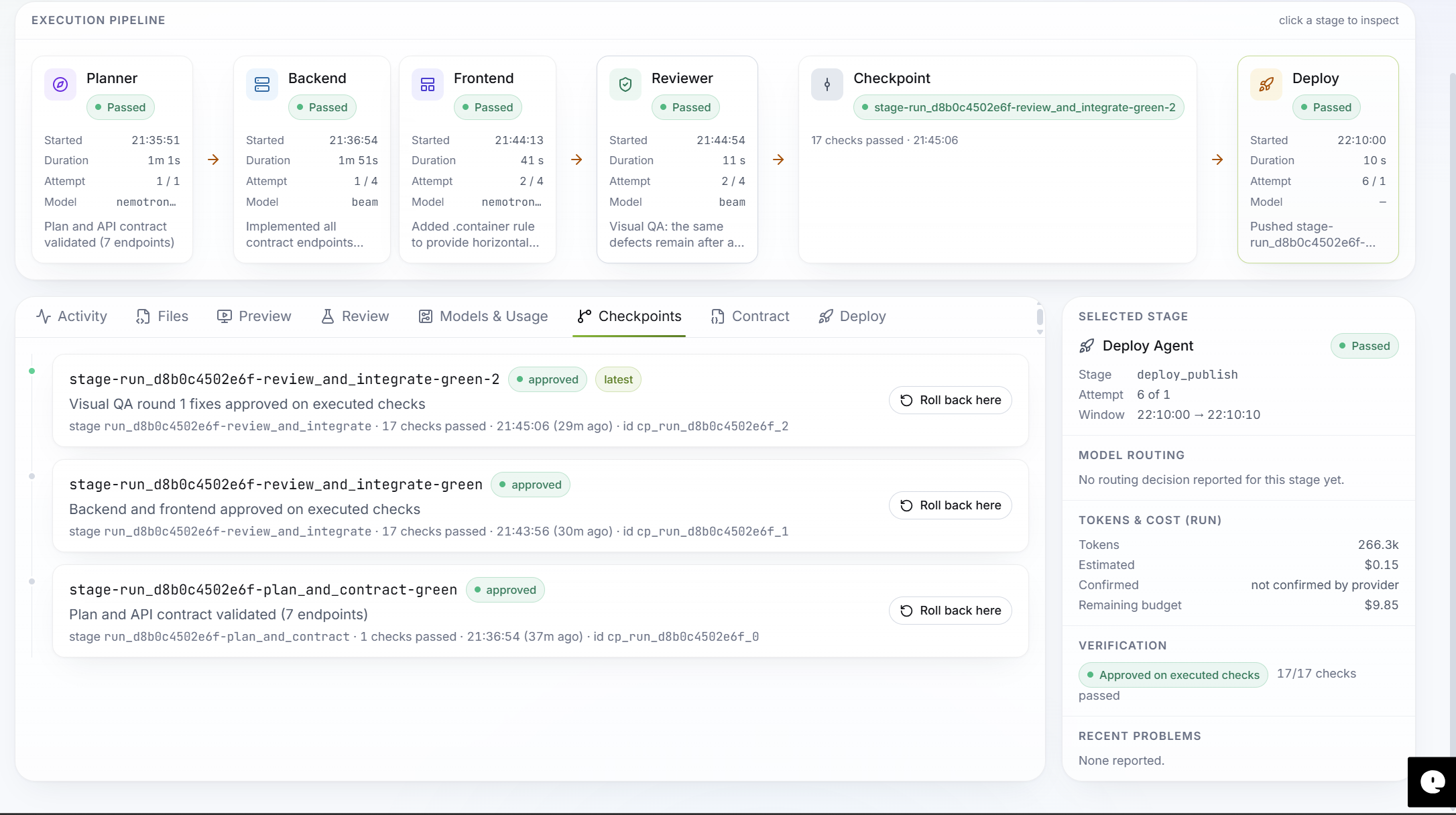
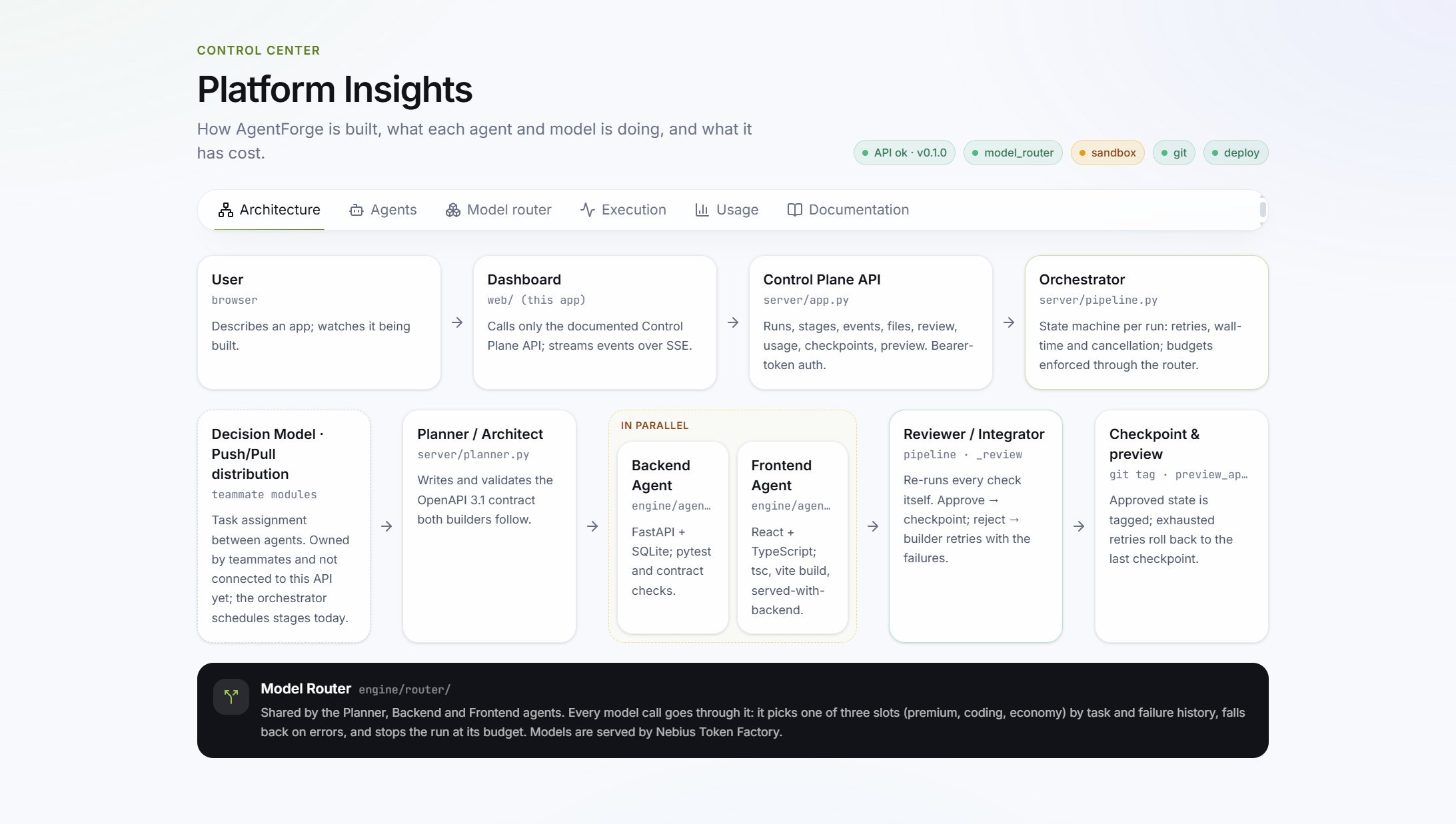
The intended workflow is:
User's Application Idea
          |
          v
   Planner / Architect
          |
          v
 Structured Plan + API Contract
          |
          v
   Orchestrator / Scheduler
       /           \
      v             v
Frontend Agent   Backend Agent
       \           /
        \         /
          v
    Reviewer / Integrator
          |
     +----+----+
     |         |
   Pass      Failure
     |         |
     v         v
 Checkpoint  Repair / Retry
     |
     v
 Optional Deployment
The frontend and backend can work in parallel only after the required interface contract is valid and their file ownership boundaries are established.
How AgentForge Works
1. Requirement Intake
The user describes the application in natural language. The platform receives the request and starts a development run.
2. Planning and Architecture
The Planner analyses the request and creates structured development tasks. It can generate:
- A development plan.
- Task assignments and dependencies.
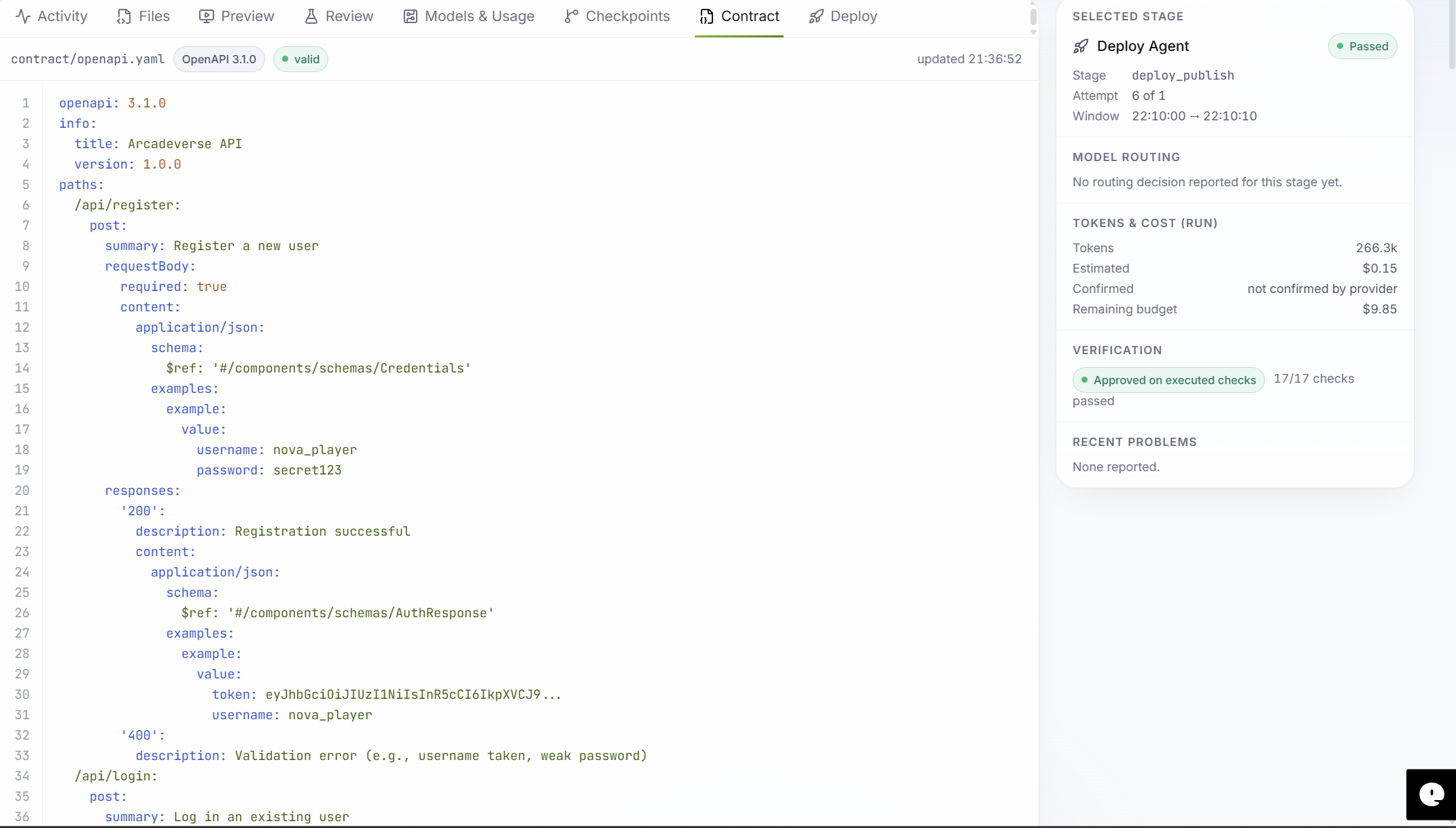
- An OpenAPI 3.1 contract for the generated application.
- Shared TypeScript definitions for frontend/backend communication.
The plan and contract provide a common source of truth for the implementation agents.
3. Task Coordination
The Orchestrator manages the run lifecycle and stage transitions. It is responsible for coordinating execution, tracking status, handling cancellation and retries, and publishing workflow events.
Deterministic Python services are preferred for predictable state transitions and other operations that do not require model reasoning.
4. Frontend Development
The Frontend Agent is responsible for implementing the user interface. It should follow the project requirements and the shared API contract.
Frontend quality should be evaluated through actual browser execution, not only by checking whether source files were generated. Useful checks include:
- Page rendering and styling.
- Desktop and mobile responsiveness.
- Browser console errors.
- Failed network requests.
- Form and navigation behaviour.
- Visual consistency and usability.
5. Backend Development
The Backend Agent implements server-side functionality according to the Planner's OpenAPI contract.
The documented implementation uses:
- Python and FastAPI.
- SQLite for application data.
- Contract-driven API implementation.
- Automated tests and API behaviour checks.
- A pluggable execution runner, including a constrained Docker runner where available.
The Backend Agent is designed to work within its assigned backend file boundary and to report its status, changed files, checks, model usage, tokens, cost, iterations, and notes.
6. Review and Verification
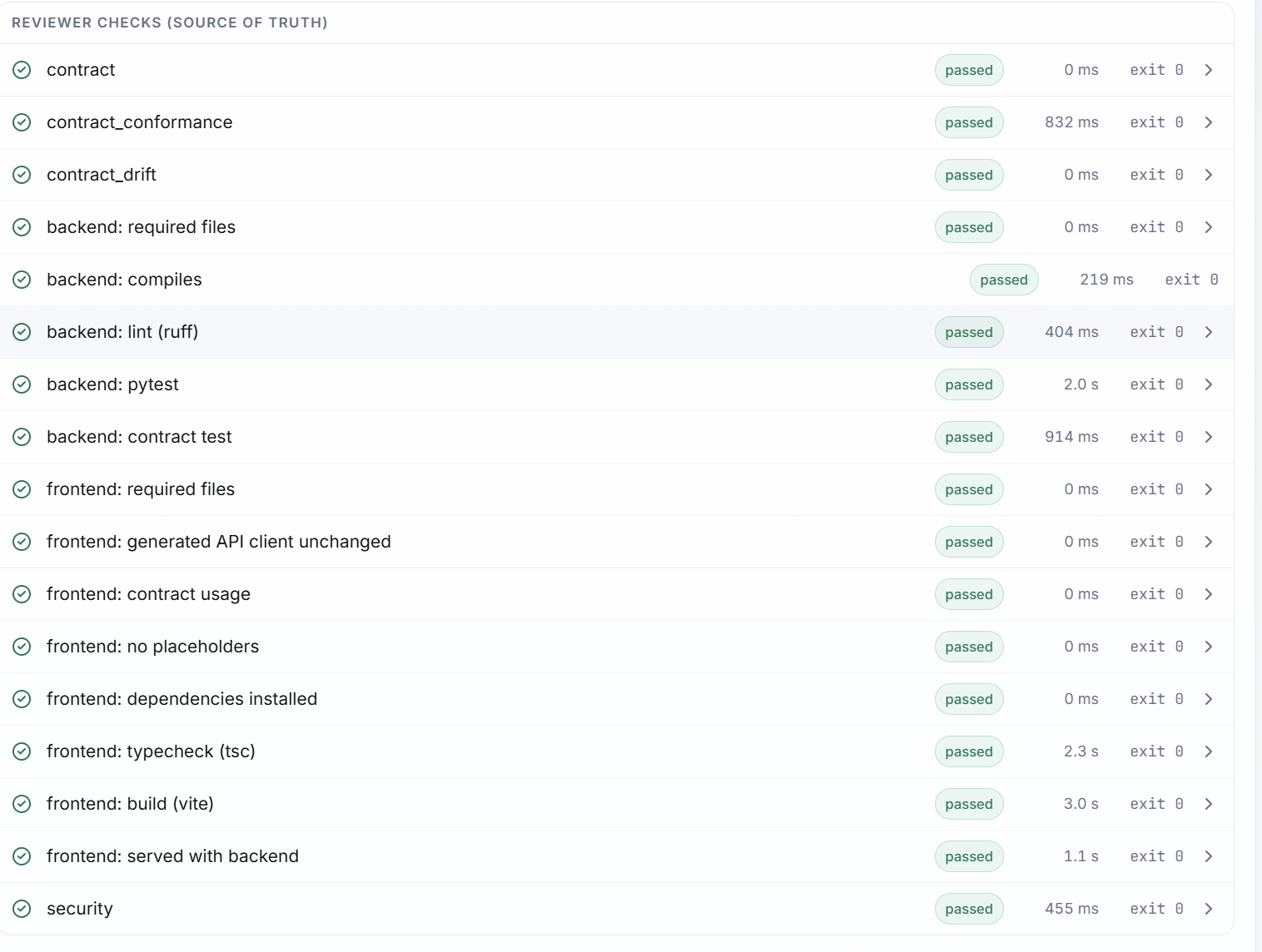
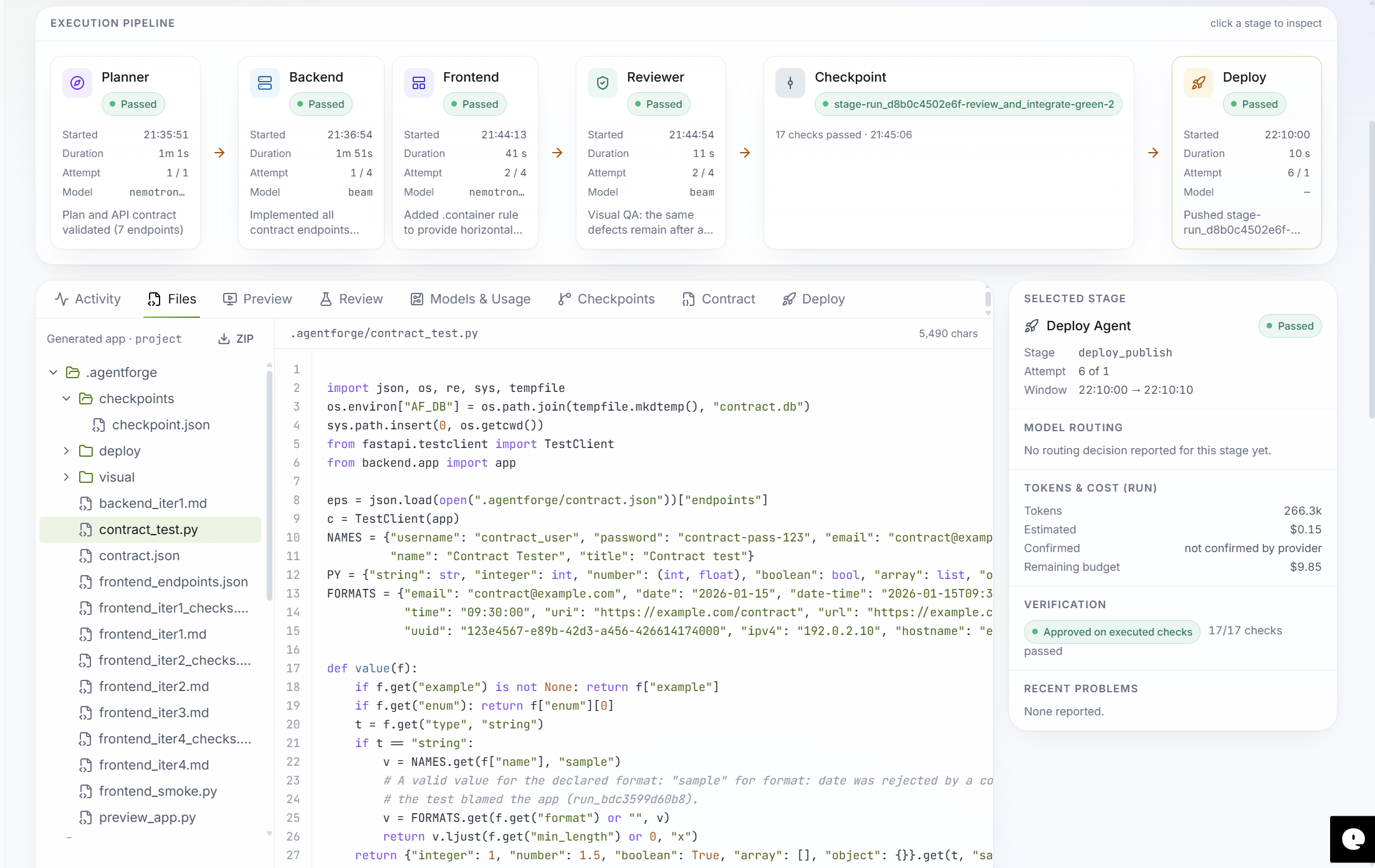
The Reviewer evaluates the generated work. Deterministic checks and executed tests are authoritative.
A model-generated explanation must not override a failed mandatory check. A stage should not be approved until its required checks pass.
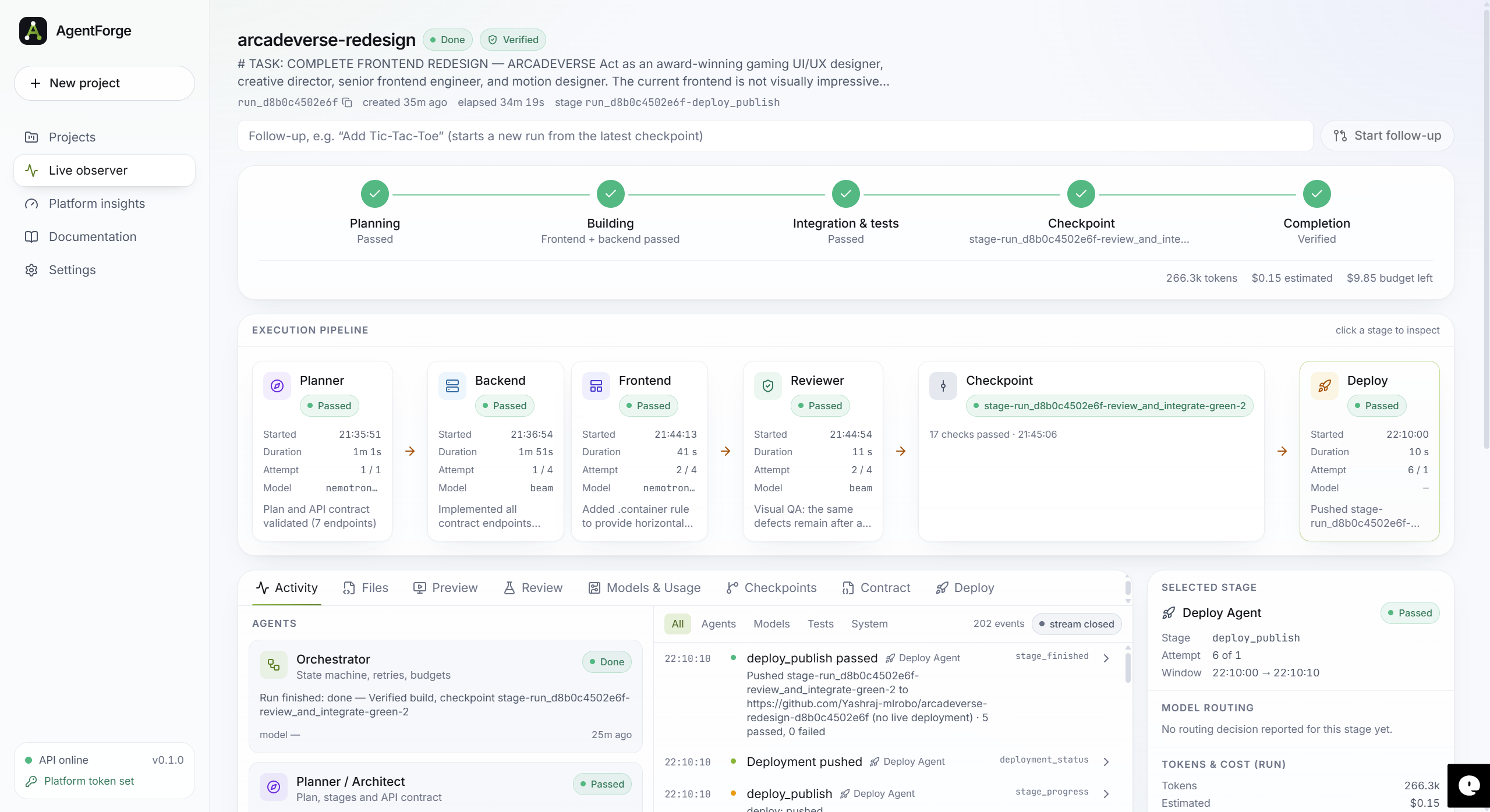
When a stage passes, the workflow can create a checkpoint. When checks fail, the system can return the work for bounded repair and re-review.
7. Checkpoint and Recovery
Checkpoints preserve verified progress. Rollback capabilities help recover from unsuccessful changes.
8. Optional Deployment
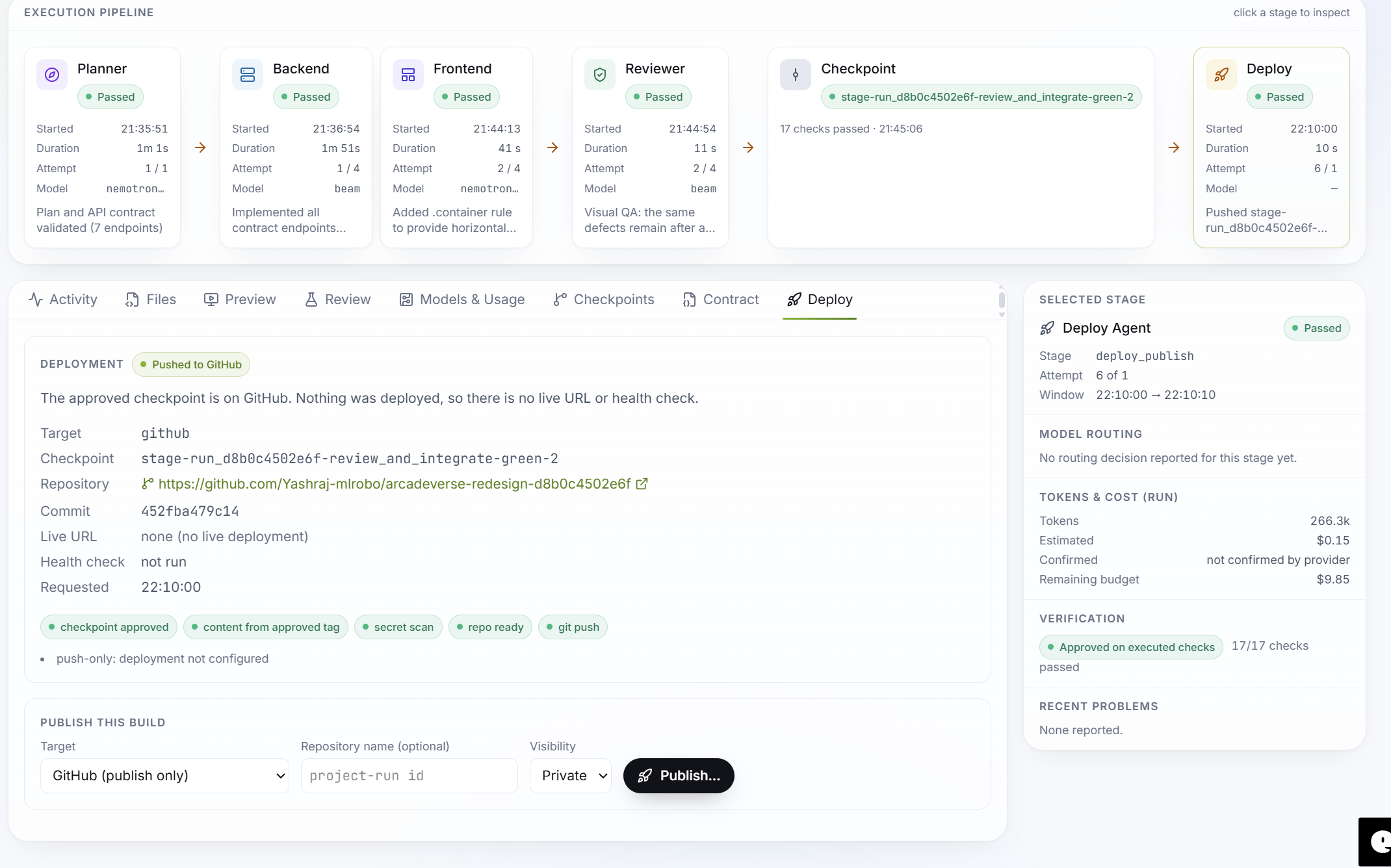
The Deployment Agent provides a deployment workflow implementation. Its documented capabilities include repository operations, checkpoint verification, secret scanning, health checks, and rollback support.
A deployment target must be explicitly configured and verified. A stub or unconfigured target must never be represented as a successful live deployment.
Core Components
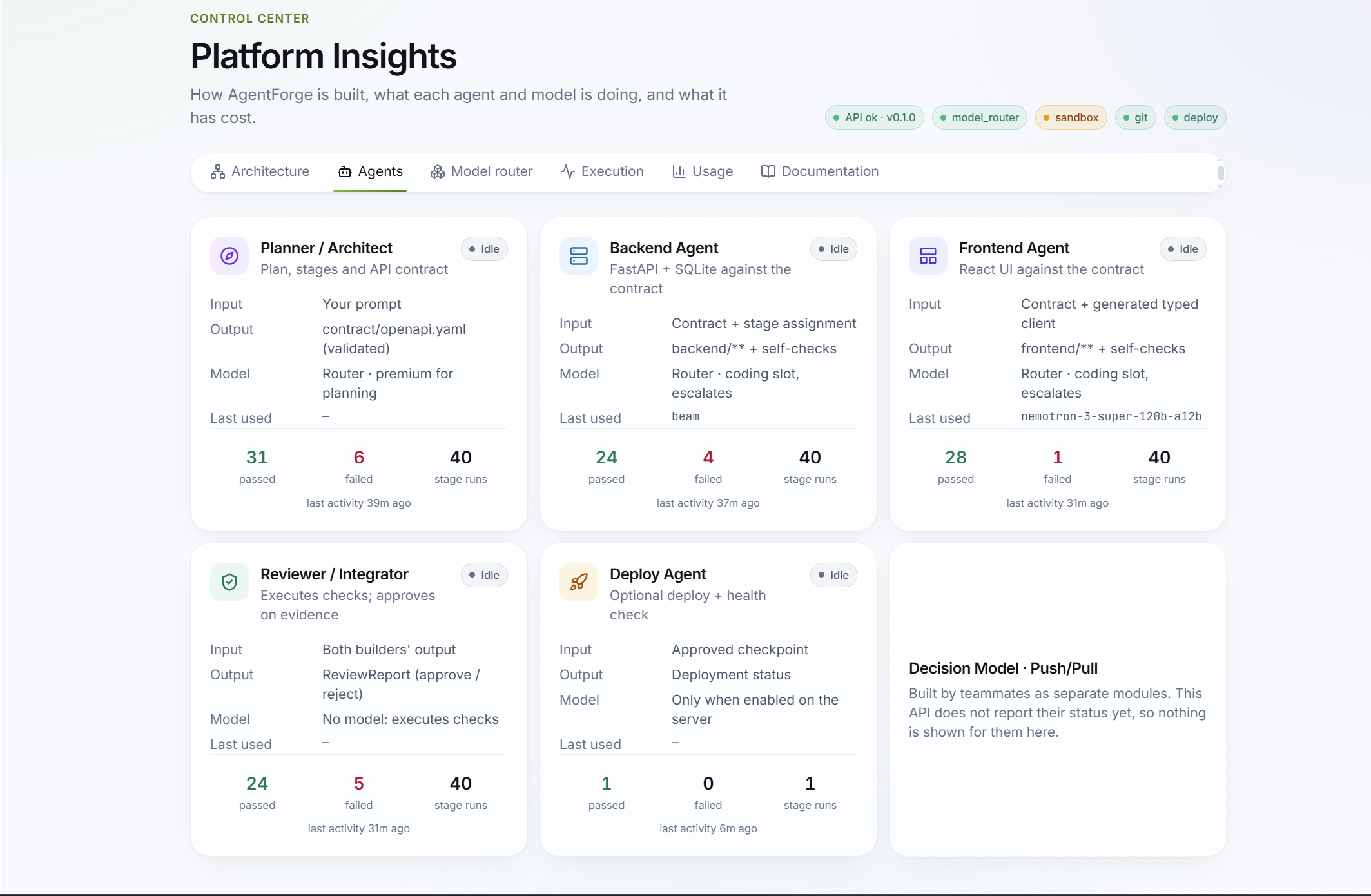
| Component | Responsibility |
|---|---|
| Planner / Architect | Converts user requirements into a structured plan, tasks, and application API contract. |
| Orchestrator / API Server | Owns run lifecycle, stage transitions, persistence, events, cancellation, and coordination. |
| Decision Model | Supports decisions that require reasoning. Its integration status should be verified in the current repository. |
| Push/Pull Task Distribution | Intended to support task distribution and assignment. Its implementation and integration status should be verified. |
| Frontend Agent | Builds the user-facing application from the requirements and shared contract. |
| Backend Agent | Builds server-side functionality against the OpenAPI contract. |
| Reviewer / Integrator | Runs deterministic checks, evaluates results, and controls approval. |
| Debug / Repair | Supports correction of failed work through bounded retries. Verify the current implementation and integration. |
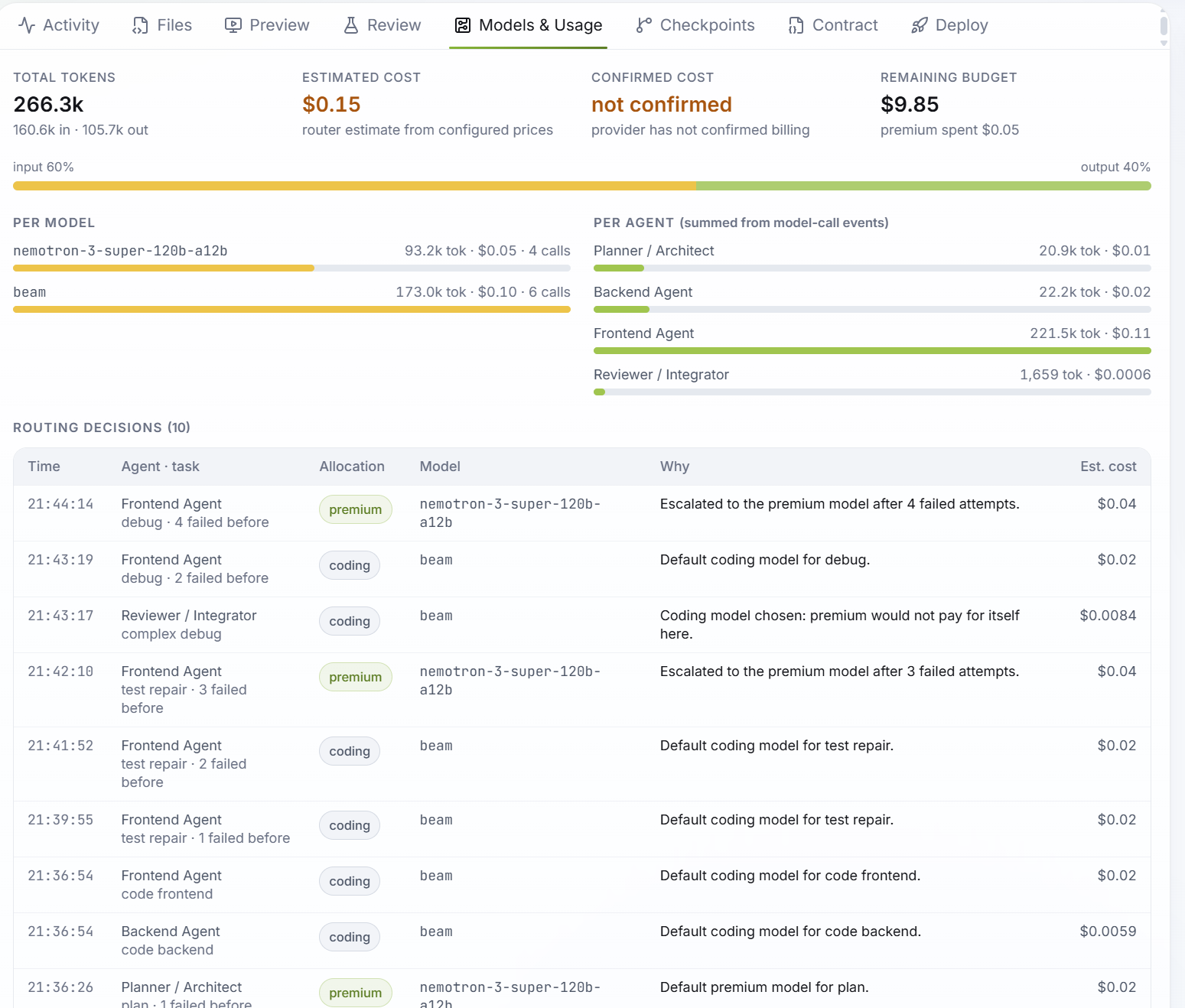
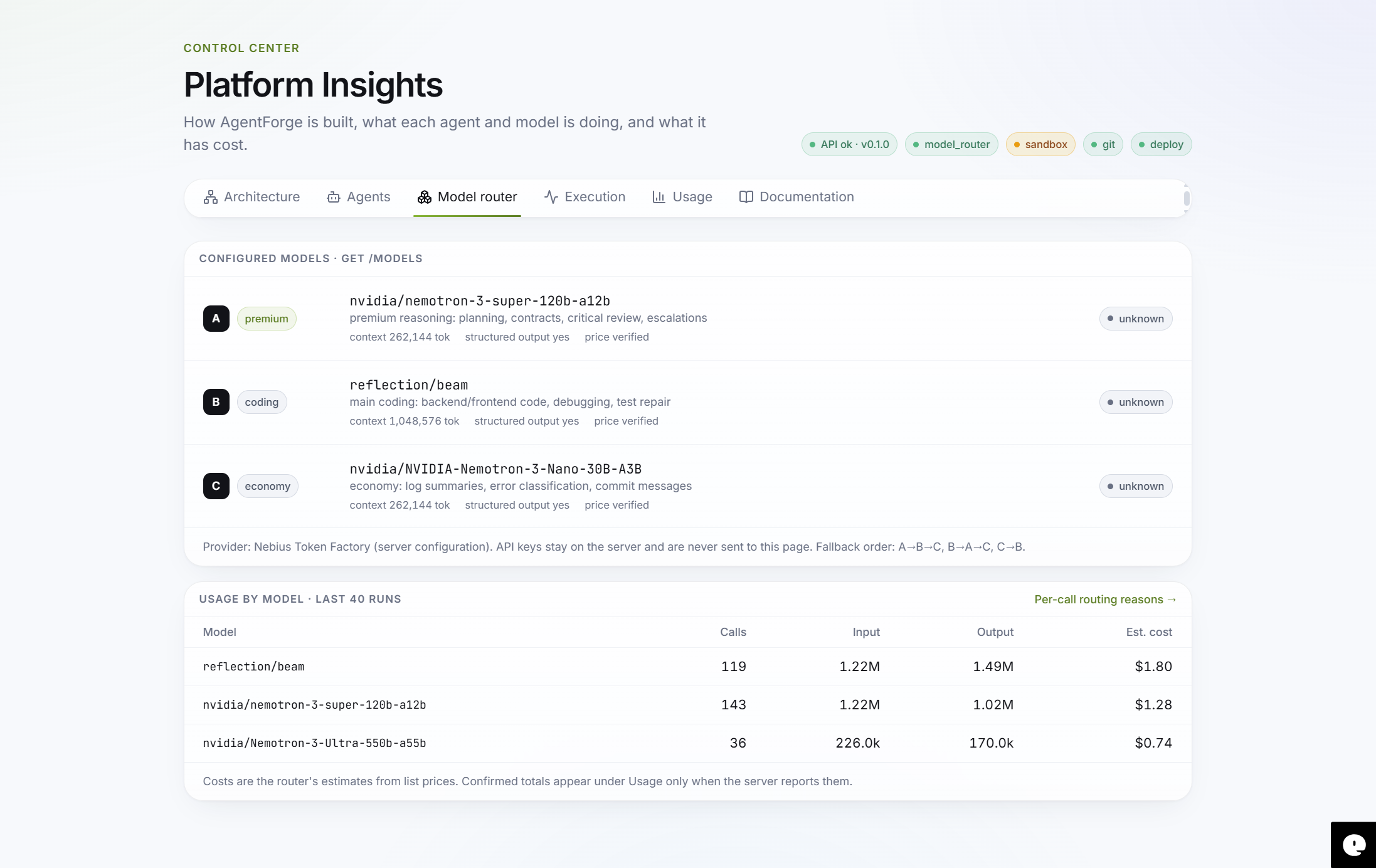
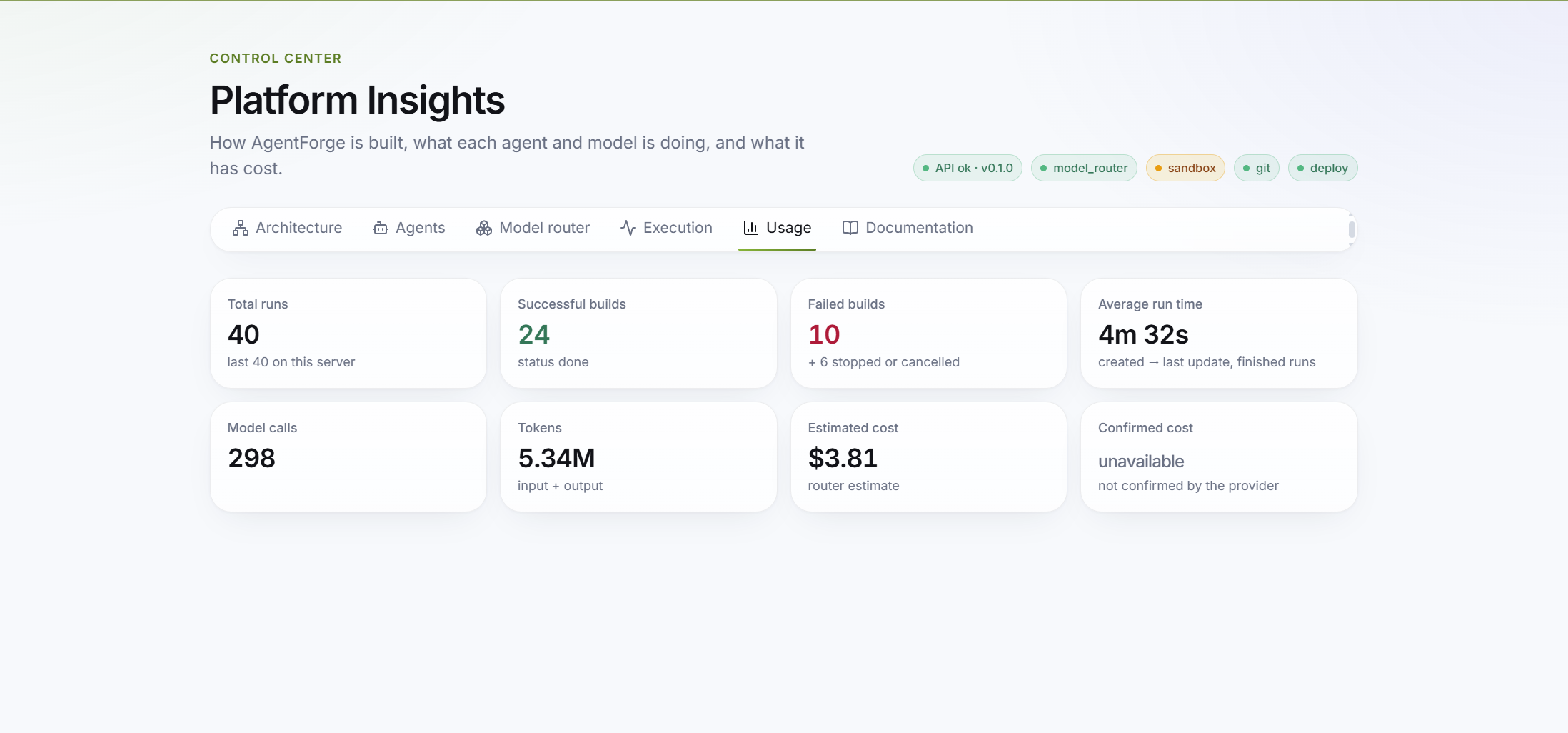
| Model Router | Selects models, handles fallback decisions, and tracks model usage and cost. |
| Checkpoint / Rollback | Preserves approved progress and supports recovery. |
| Deployment Agent | Handles the deployment workflow where a real target is configured and verified. |
| Security and Test Services | Provide deterministic security, contract, and test checks. |
Development Workflow
A typical run follows these principles:
- Create a run from the user's request.
- Generate and validate the plan and application contract.
- Assign tasks to the appropriate agents.
- Start independent frontend and backend work when contract and ownership requirements are satisfied.
- Collect agent outputs and execution results.
- Run mandatory reviewer checks.
- Approve and checkpoint successful stages.
- Retry or repair failed stages within configured limits.
- Offer deployment only when the final result and deployment capability are verified.
Event Visibility
The platform is designed to expose workflow events so that the interface can show real progress rather than fabricated status.
Documented event examples include:
run_createdroute_decisionmodel_call_okmodel_call_failedstage_finished
Use the event schema and actual API contract in the repository as the source of truth for event names and payloads.
Technology Stack
| Area | Technology / Approach |
|---|---|
| Backend services | Python, FastAPI |
| Generated application backend | FastAPI and SQLite in the documented Backend Agent |
| API contracts | OpenAPI 3.1 |
| Frontend/backend types | TypeScript definitions |
| Model access | OpenAI-compatible model API through Nebius Token Factory |
| Execution | Pluggable runner; constrained Docker execution where available |
| Verification | Pytest, API contract checks, deterministic validation |
| Version safety | Checkpoints, Git tags, rollback |
| Deployment workflow | Git/GitHub integration and configurable deployment targets |
The exact frontend framework, database configuration, model identifiers, and deployment target must be taken from the current repository configuration. Do not assume that every technology listed in an earlier design proposal is already active.
Engineering Principles
- Contract first: Agents share a validated interface before parallel implementation.
- Clear ownership: Agents should write only within their assigned file boundaries.
- Deterministic verification: Mandatory checks decide whether work passes.
- Bounded retries: Failed work must not cause unlimited model calls.
- Observable execution: Report real events, model usage, and confirmed costs where available.
- Safe execution: Restrict filesystem access, secrets, network access, and resource usage.
- Human approval: Production model changes and sensitive deployment actions require appropriate authorization.
Reliability and Security
AgentForge aims to evaluate generated software using evidence from execution.
Examples of verification include:
- Unit and integration tests.
- API contract validation.
- Authentication and authorization checks.
- Invalid-input handling.
- Frontend browser checks.
- Responsive layout checks.
- Console and network error inspection.
- Secret scanning and dependency/security checks.
- Deployment health checks, when deployment is configured.
A successful model response is not equivalent to a successful application. The system should report a feature as verified only when the corresponding checks have actually run and passed.
Deployment
The Deployment Agent is a separate component of the platform. Its documented workflow includes:
- Git and GitHub repository operations.
- Checkpoint verification and Git tagging.
- Secret scanning before publishing.
- Health checks against a configured target.
- Rollback support.
- Dry-run behaviour by default in its CLI workflow.
Real deployment depends on a supported, configured target and valid credentials. Do not claim that an application has been deployed unless a real deployment and health check have succeeded.
Project Status
The following table separates documented implementation from areas that require current repository verification.
| Area | Documented status | Presentation guidance |
|---|---|---|
| Planner | Implemented component with plan and contract generation | Demonstrate actual generated plan and contract. |
| Backend Agent | Implemented and tested with real model calls, according to its team report | Show current test output and a real generated backend. |
| Reviewer | Deterministic review and checkpoint workflow documented | Show actual mandatory checks and verdict. |
| Deployment Agent | Deployment workflow implementation documented | Distinguish workflow code from a successful live deployment. |
| Frontend Agent | Part of the platform architecture; quality work has been under improvement | Verify current generation and browser results. |
| Orchestrator integration | Defined by the platform API contract | Verify complete end-to-end integration. |
| Decision Model | Identified as a project component | Verify implementation and integration. |
| Push/Pull Model | Identified as a project component | Verify implementation and integration. |
| Debug / Repair integration | Intended workflow capability | Verify actual retry and repair behaviour. |
| Full end-to-end workflow | Requires integrated validation | Claim completion only after a complete successful run. |
Important: This table is a documentation baseline, not a live status report. Update it after inspecting the current source tree and running the full test suite.
Getting Started
The exact startup commands depend on the current repository layout and environment. The following are examples from the documented development setup; confirm that the corresponding files and scripts exist before using them.
1. Prepare the Environment
On Windows:
python -m venv .venv
.venv\Scripts\activate
pip install -r requirements.txt
2. Configure Environment Variables
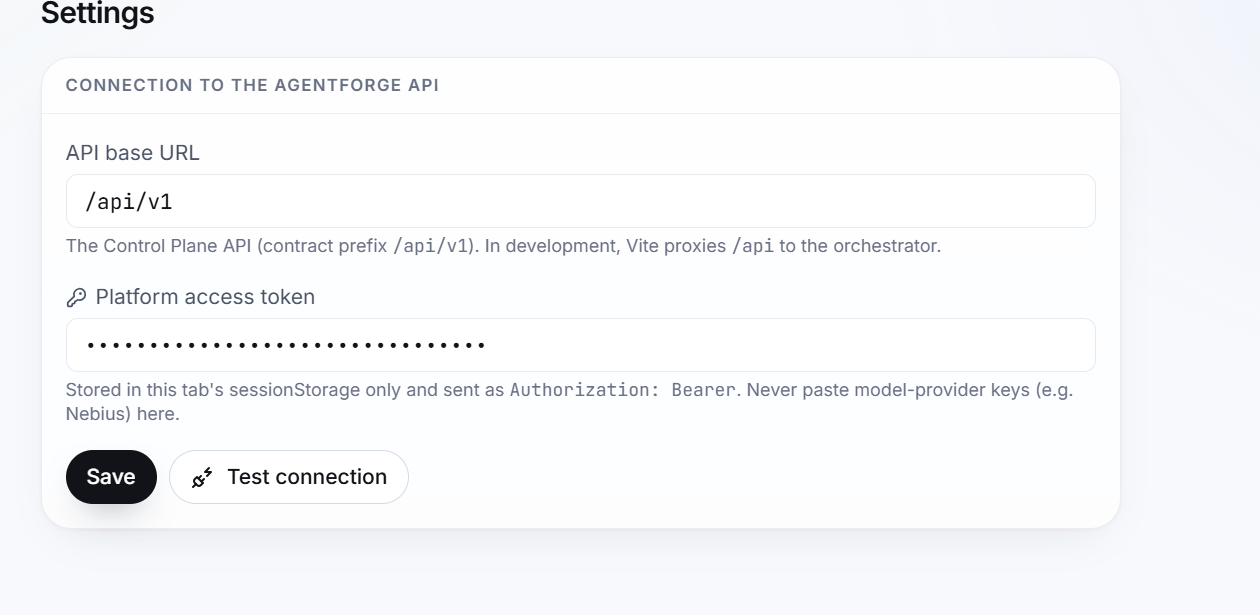
Create a local environment file based on the project's example configuration, if provided. Do not commit API keys or secrets.
Example variables used by the model client:
NEBIUS_API_KEY=your_api_key
NEBIUS_BASE_URL=your_openai_compatible_base_url
NEBIUS_MODEL=your_configured_model
Use the actual model and endpoint configuration required by the current repository.
3. Start the API Server
A documented development service has used:
python -m uvicorn backend.app:app --reload
Confirm the actual application module and configuration before running this command.
4. Start the Frontend
Use the package manager and scripts declared in the frontend's package.json. Do not assume a development command without checking the repository.
Testing
Run the tests relevant to the component being changed, followed by the full project test suite.
A documented Backend Agent test command is:
.venv\Scripts\python -m pytest -q tests/test_backend_agent.py
A documented backend agent runner is:
.venv\Scripts\python scripts/run_backend_agent.py
Check that these paths still exist in the current repository before running them.
For an end-to-end test, verify:
- A user can create a run.
- The Planner produces a valid plan and contract.
- Tasks are assigned to the correct agents.
- Frontend and backend work respects file ownership.
- Real workflow events reach the interface.
- Mandatory tests execute.
- Failed checks prevent approval.
- Successful stages create checkpoints.
- Retry limits are enforced.
- Deployment is reported successful only after a real health check.
Roadmap
The following are development priorities, not claims that the work is already complete:
- Complete and validate end-to-end integration across all agents.
- Strengthen frontend visual quality and responsive behaviour.
- Validate the Decision Model and Push/Pull task distribution integration.
- Improve bounded debugging and repair loops.
- Improve live observability of agent activity and model usage.
- Strengthen sandbox, security, and resource controls.
- Validate real deployment targets and rollback behaviour.
- Measure application quality, execution time, reliability, and cost across repeatable benchmarks.
Contributing
Before modifying the project:
- Inspect the existing architecture and relevant team ownership documents.
- Identify the component and files that the change is allowed to modify.
- Preserve existing API contracts and interfaces unless a change is explicitly approved.
- Add or update tests for the change.
- Run the relevant test suite.
- Report files changed, tests run, test results, model usage, and known limitations.
Avoid replacing working components or introducing duplicate services when an existing shared implementation already provides the required functionality.
Project Vision
AgentForge is designed to move AI-assisted development beyond isolated code generation. It coordinates specialized agents through structured plans, shared contracts, controlled execution, deterministic verification, and recoverable development stages.
The central idea is simple: AI agents should not merely write code independently. They should collaborate through an observable and verifiable engineering workflow.
AgentForge — From ideas to engineered applications.
Built With
- agent
- ai-orchestration
- ai-powered-development
- autonomous-coding
- developer-tools
- full-stack
- generative-ai
- llm
- multi-agent-system
- python
- software-engineering
