Agent City: An Agent-Native Web Experiment
The web was made for people. Every button, form, and checkout flow assumes a human is staring at the screen and deciding what to click.
AI agents are changing that, but most current browser agents just mimic humans. They inspect a page, find an element, click it, and wait for the result. It is a slow, repetitive loop.
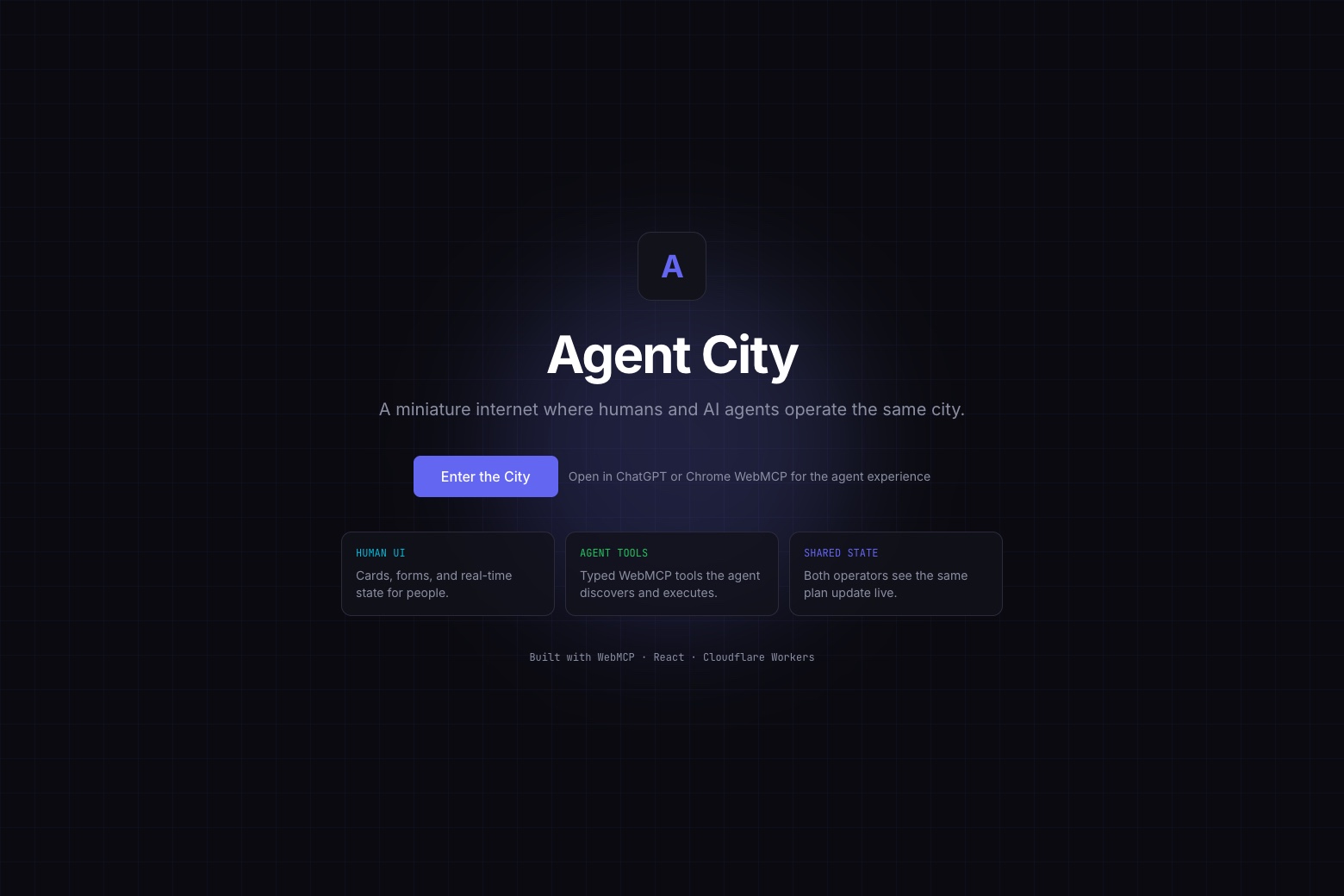
We wanted to see what happens when agents are treated as first-class users. So we built Agent City, a small, simulated internet where humans and AI agents work together. The event planning scenario is just an easy way to show the concept, but the real experiment is about what an “agent-native” web actually looks like.
The Four Districts
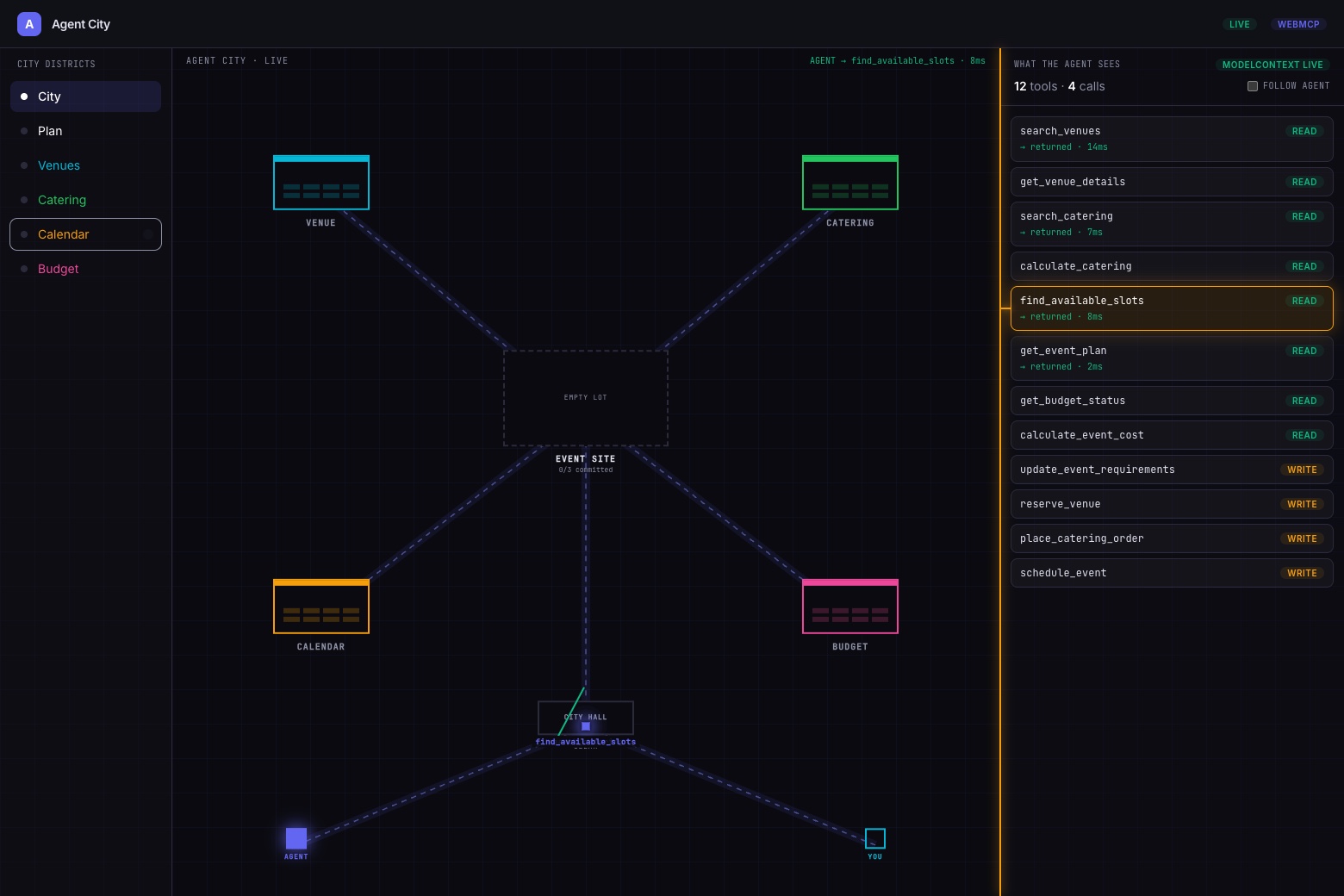
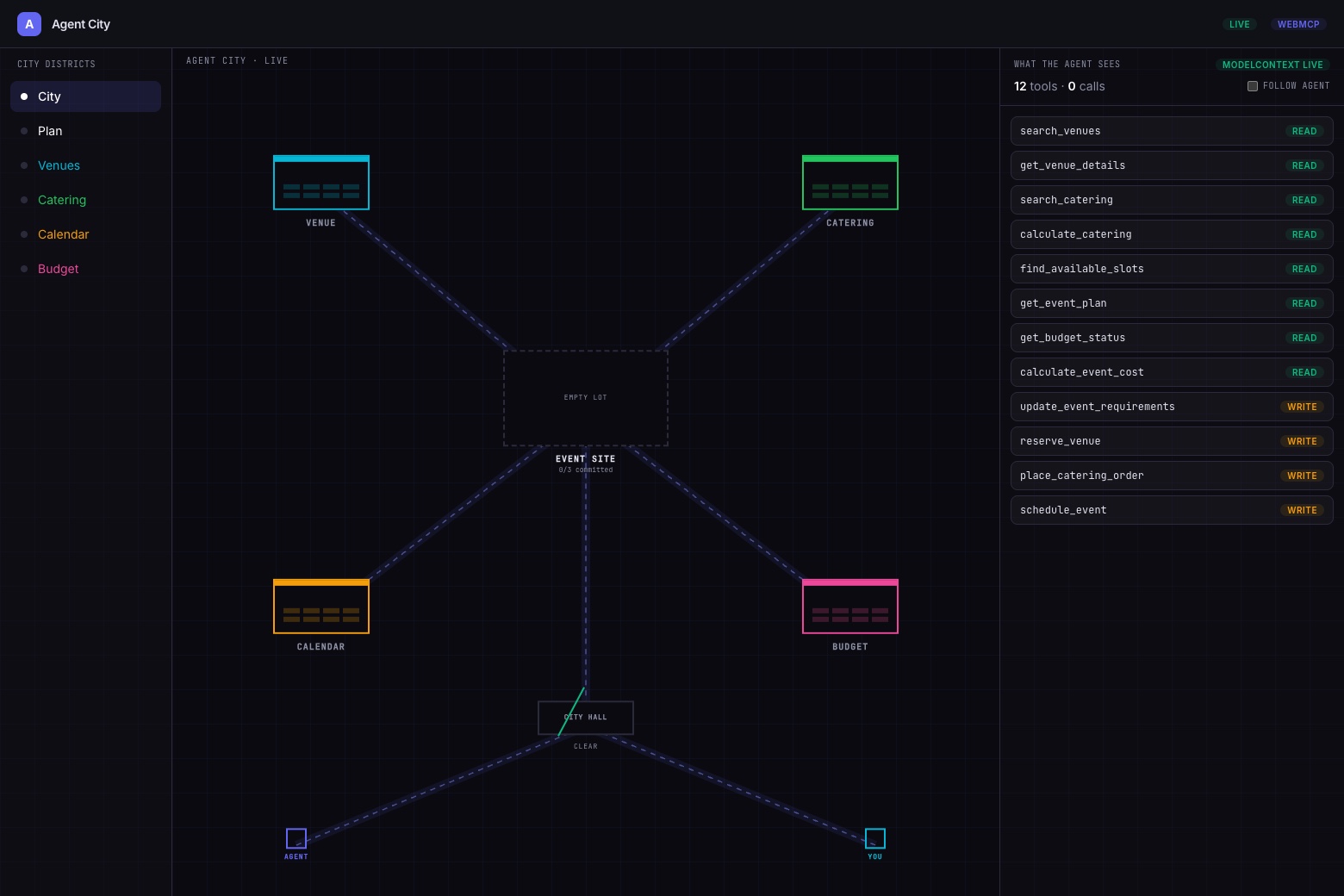
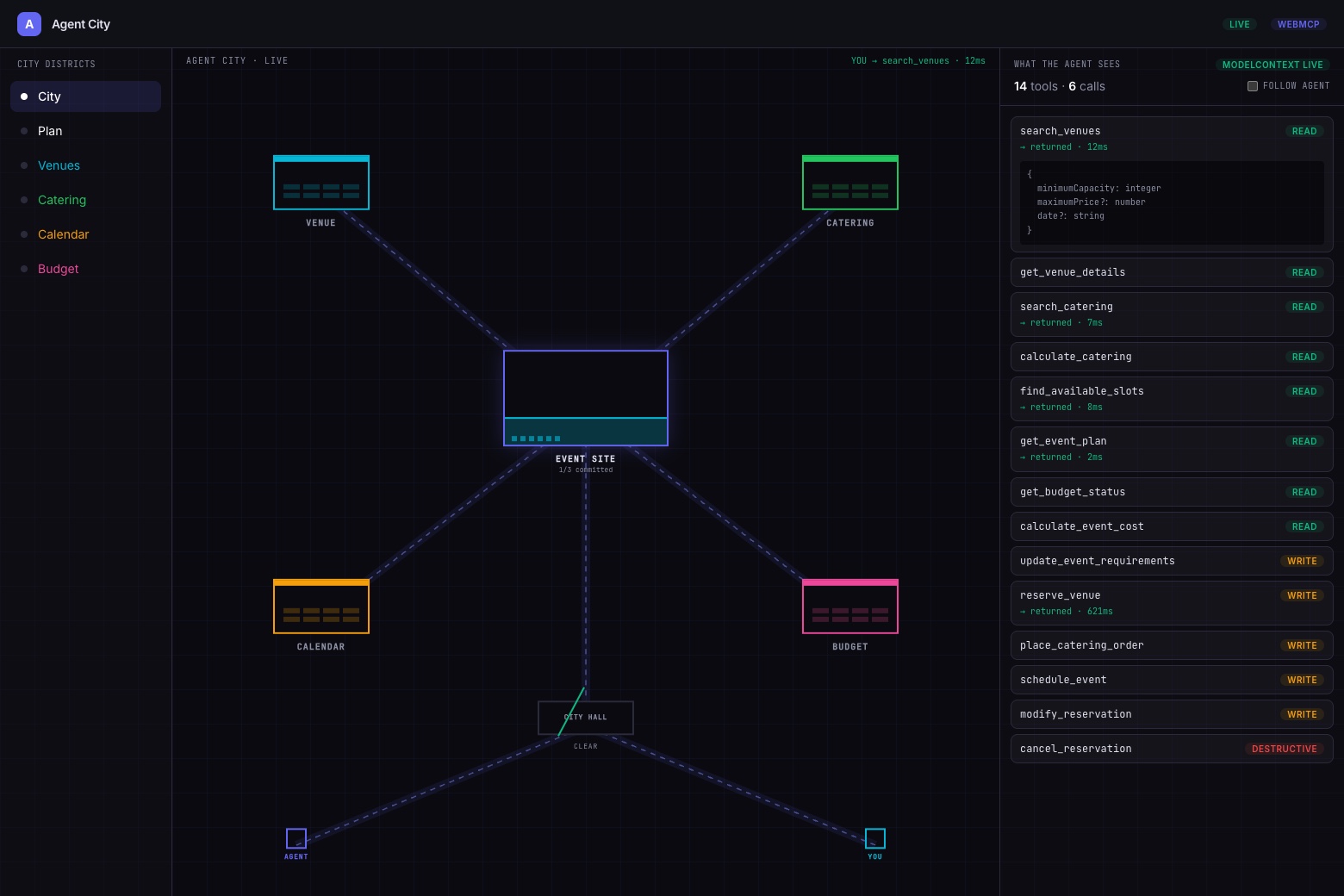
Agent City has four districts:
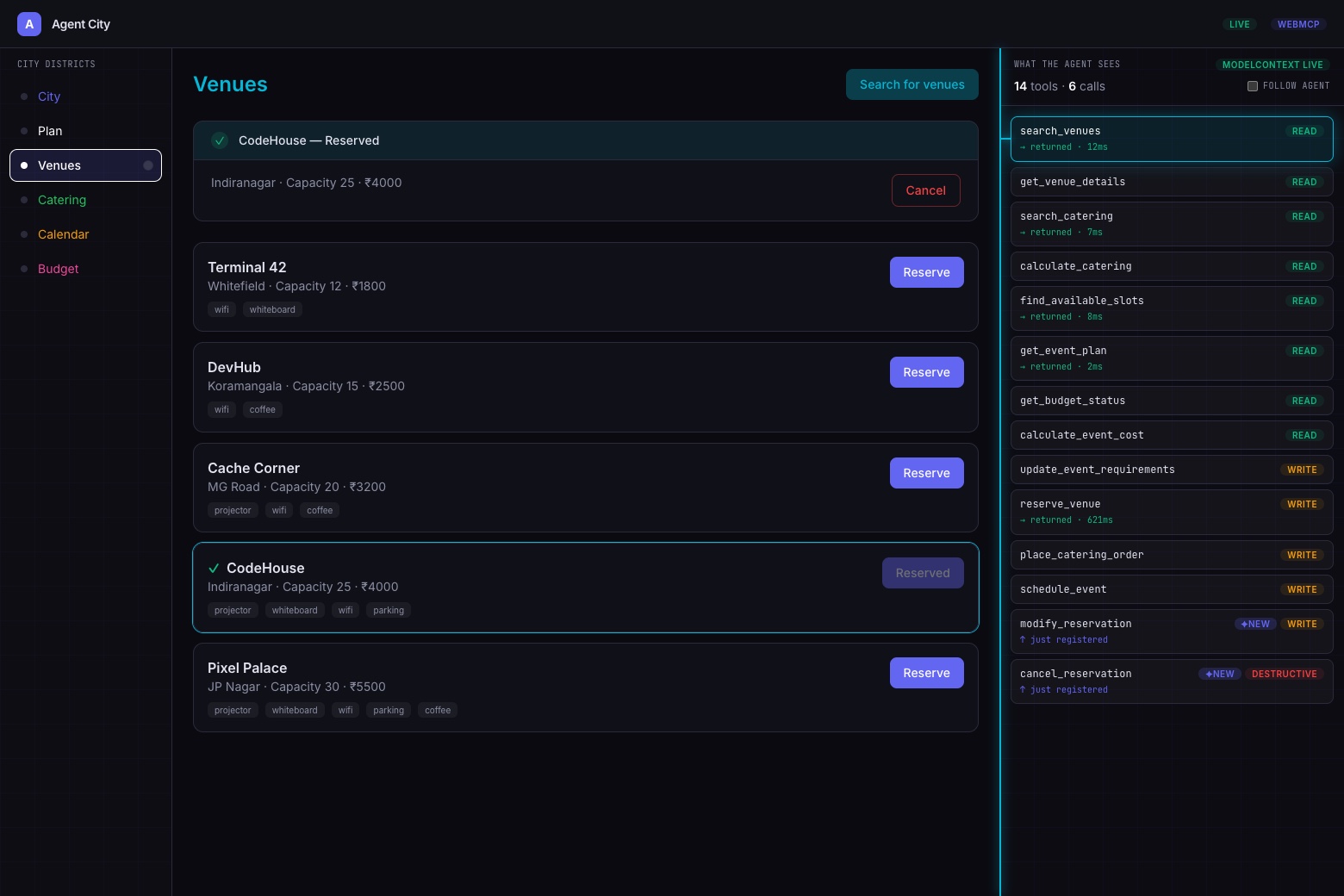
- Venue District: Searches for and reserves spaces.
- Catering District: Finds food based on headcounts and budgets.
- Calendar District: Manages scheduling.
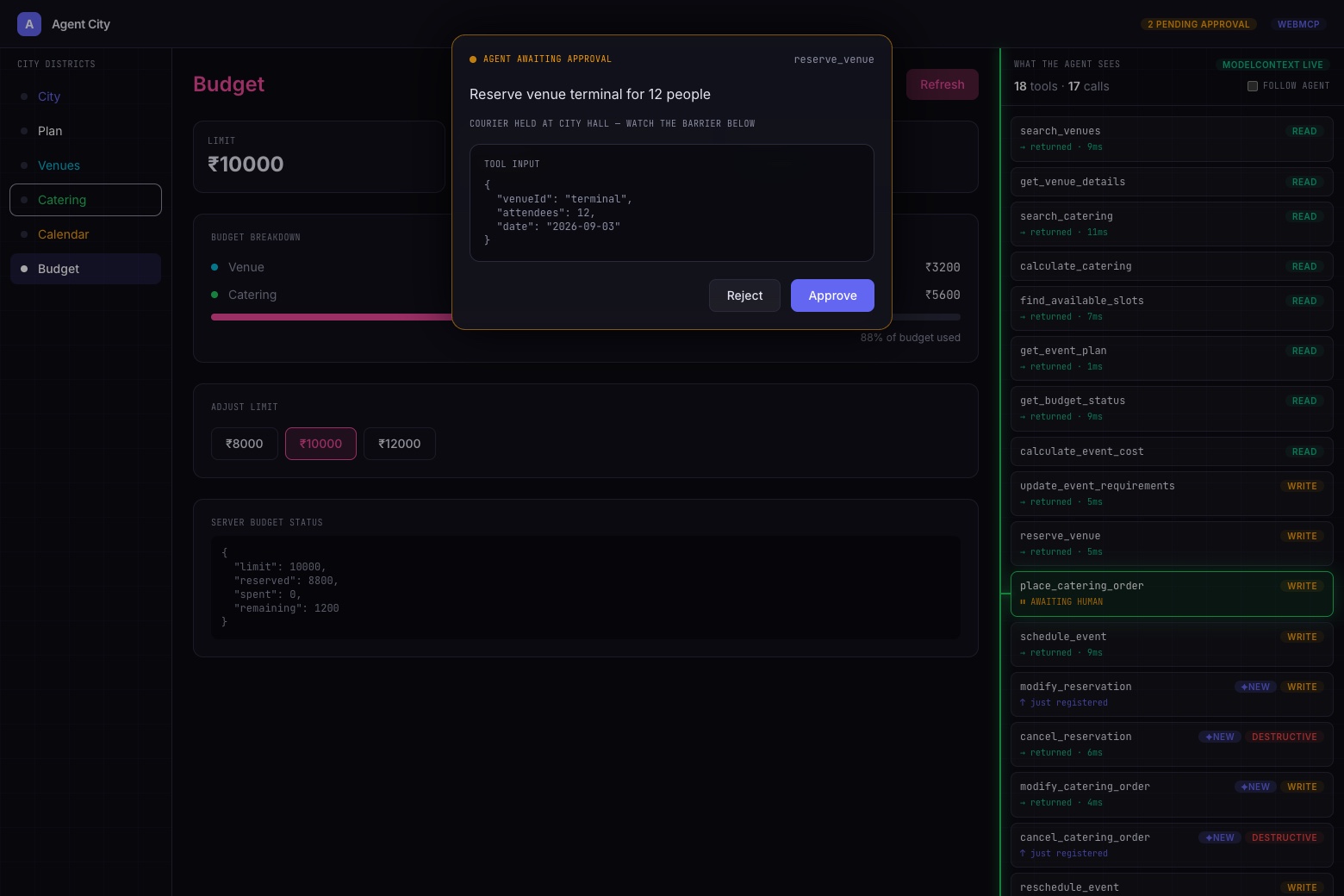
- Budget District: Tracks spending.
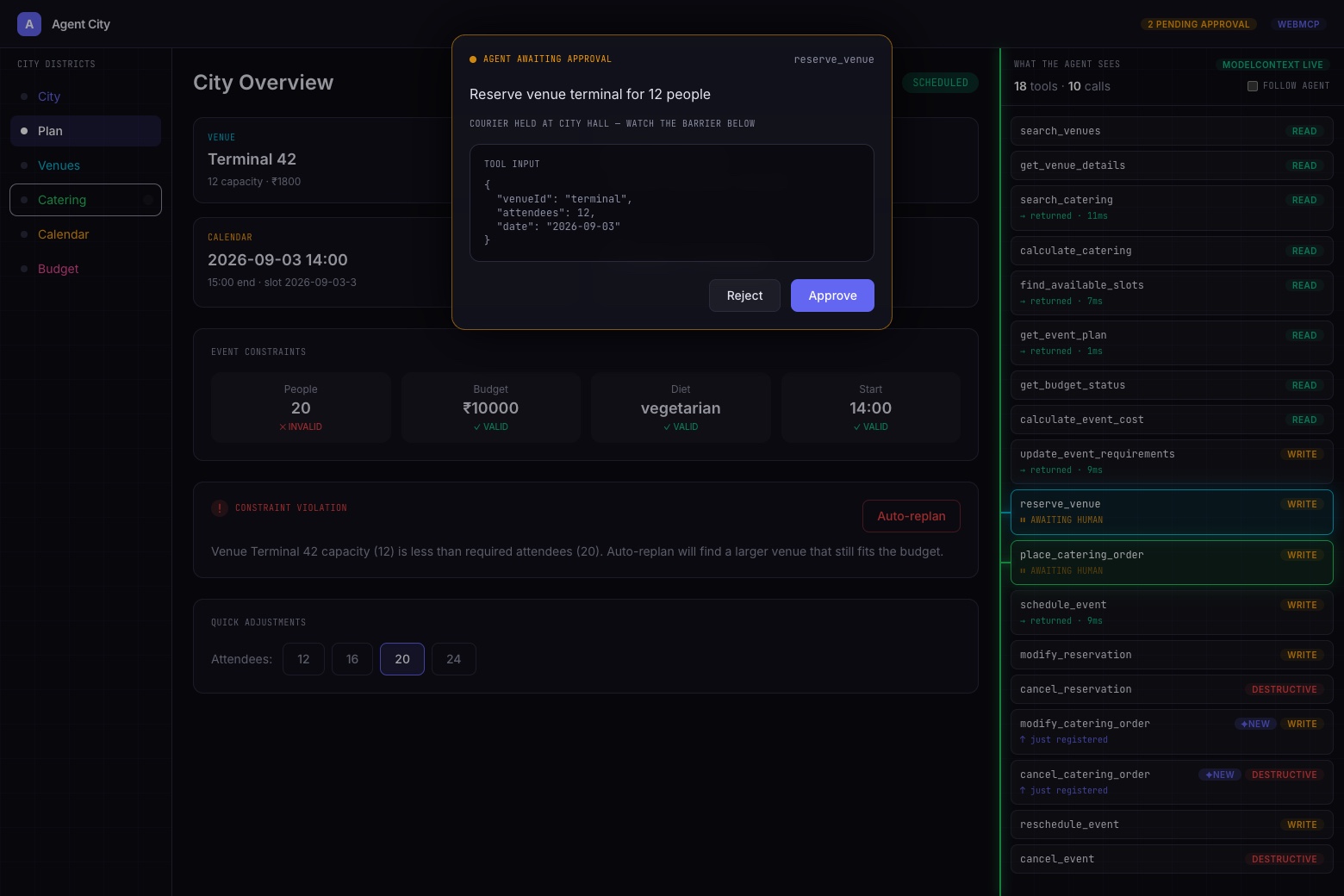
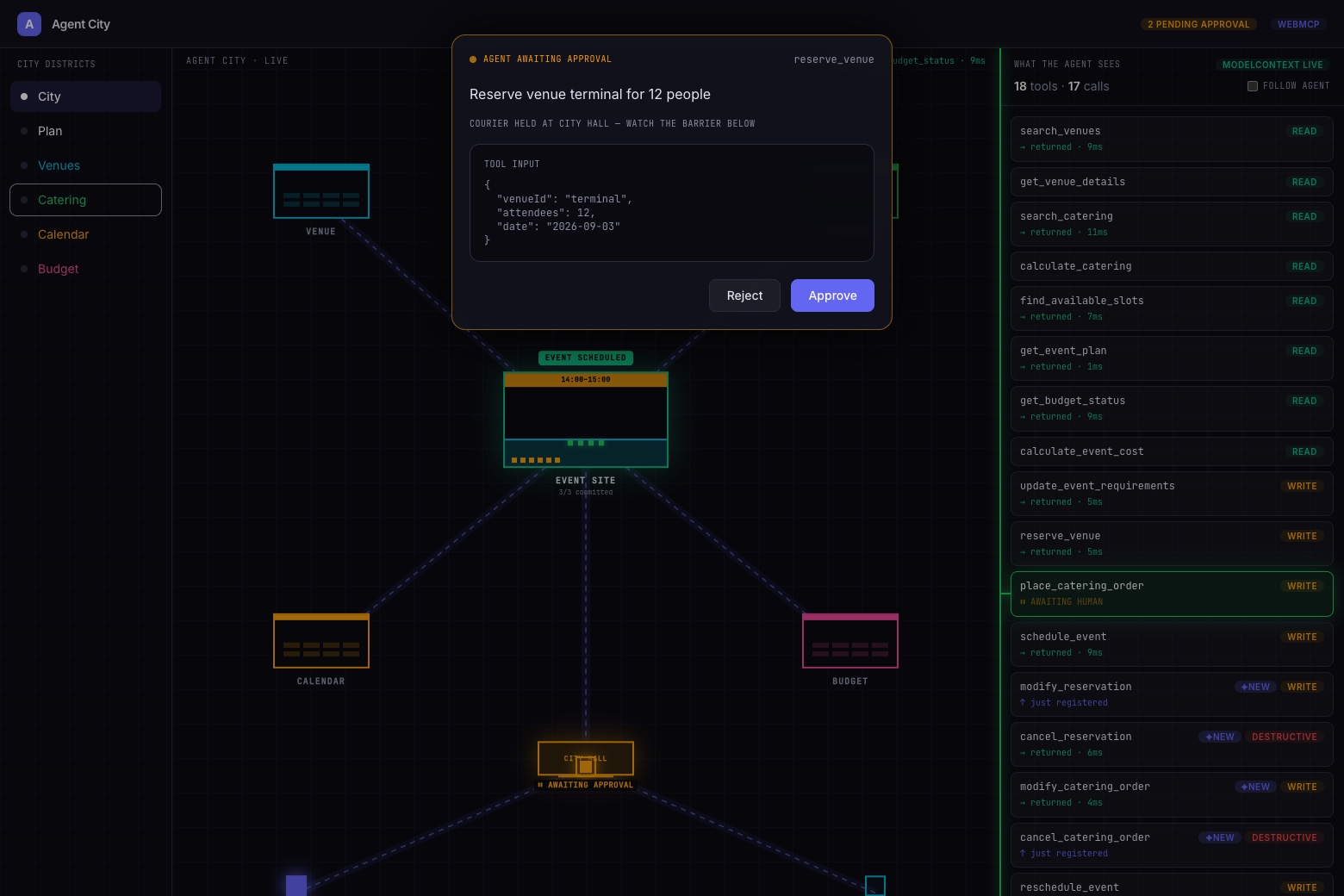
Humans use a standard visual UI. Agents use WebMCP tools such as search_venues() and schedule_event(). Both interfaces interact with the same underlying state.
How It Works
If a user asks for a vegetarian meetup for 12 people tomorrow after 2 PM under ₹10,000, the agent finds the venue and food, checks the budget, and builds the plan.
Things get interesting when requirements change.
If the guest list jumps to 20 and the venue only holds 15, the system flags the conflict. The agent then has to find a bigger venue and redo the catering and budget.
It is not just browser automation; it is collaboration over shared data.
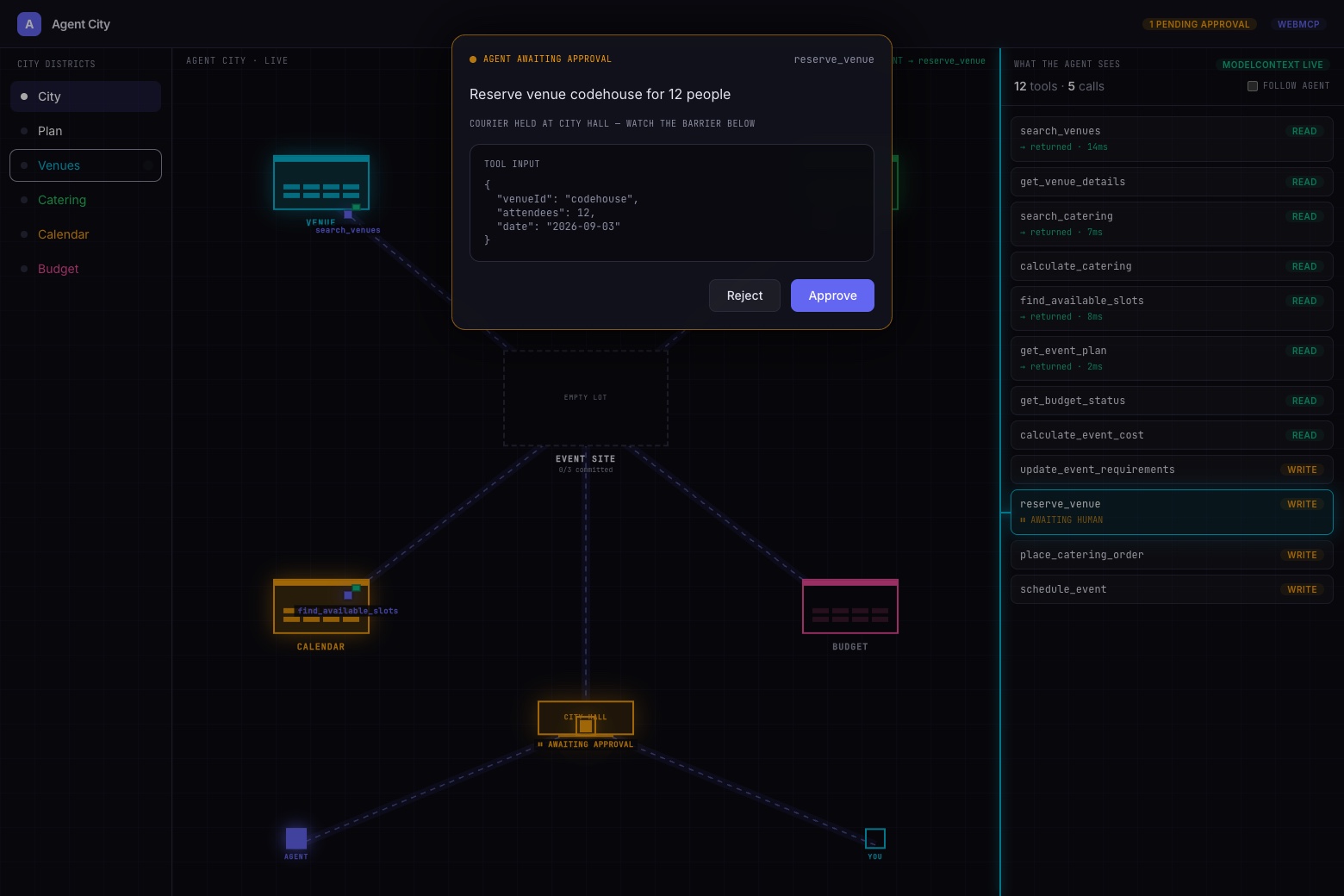
To make this visible, we added:
- An Agent Activity Graph
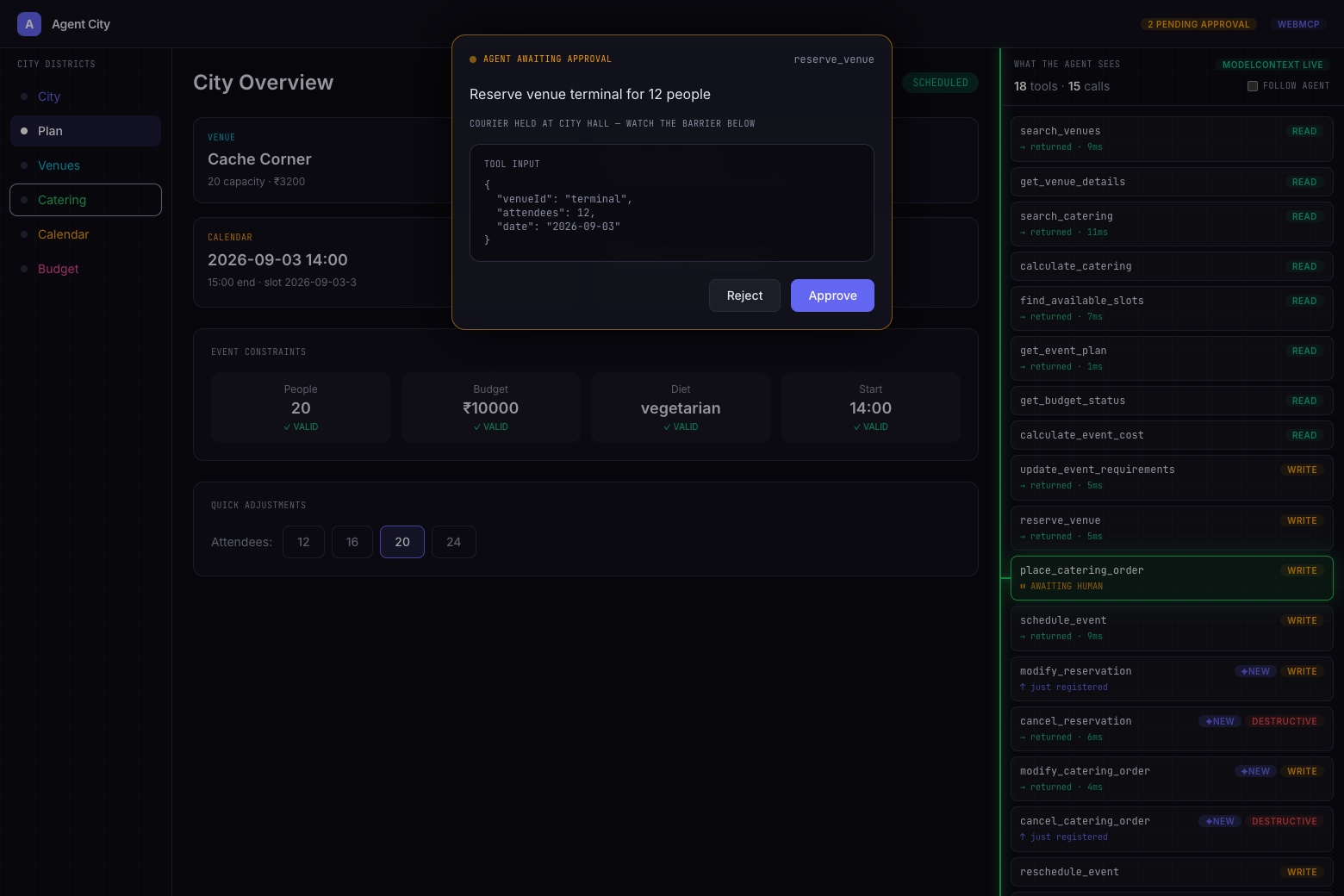
- A WebMCP Inspector
These tools allow humans to see the agent’s work in real time.
Technology
We built the city using:
- React
- TypeScript
- Vite
- Cloudflare Workers
- D1
The architecture is straightforward:
$$ \text{Human} \rightarrow \text{Visual Interface} \rightarrow \text{Shared State} \rightarrow \text{WebMCP Layer} \rightarrow \text{AI Agent} $$
Designing the Tools
Instead of one giant “do everything” tool, we gave agents small, composable capabilities.
We also made these tools context-aware. An agent sees reserve_venue() before a booking exists, but sees modify_reservation() once the booking is made.
The hardest part was the tool design.
A tool needs:
- A clear name
- A predictable result
- A well-defined purpose
If tools overlap, the agent gets confused. If they are too broad, the agent stops reasoning. If they are too small, the task takes too many calls.
Keeping Humans and Agents in Sync
We also had to keep the human and agent views in sync.
When an agent books a venue, the UI has to show it immediately. When a human changes the attendee count, the agent has to react to that new state.
We found that building for agents does not mean killing the UI. Humans and agents just need different views of the same world:
- Humans want visual exploration and direct control.
- Agents want typed inputs and predictable results.
What Comes Next
Agent City is currently focused on event planning, but the idea could work for anything from finance to infrastructure.
Next, we want to explore:
- Better permission systems
- Human approval flows
- More complex agent collaboration
- Safer handling of high-impact actions
The core question is simple.
If agents are now normal participants on the web, why force them to use interfaces made only for humans?
Built With
- chatgpt
- cloudflare
- css
- html
- javascript
- react
- typescript
- vite
- webmcp

Log in or sign up for Devpost to join the conversation.