-
-
-
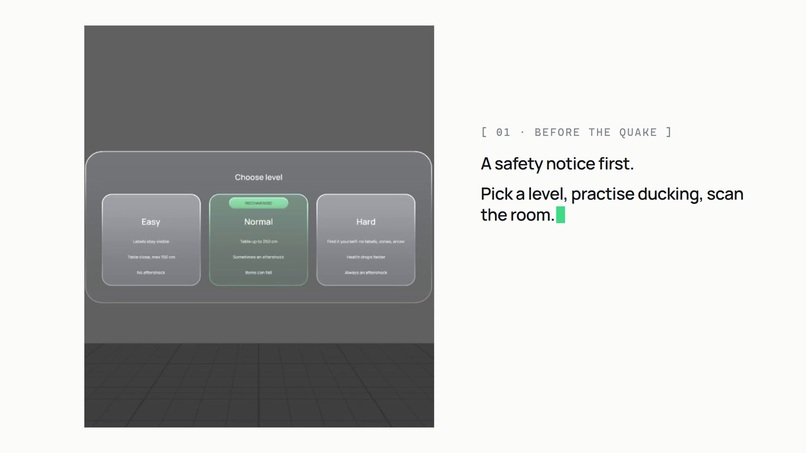
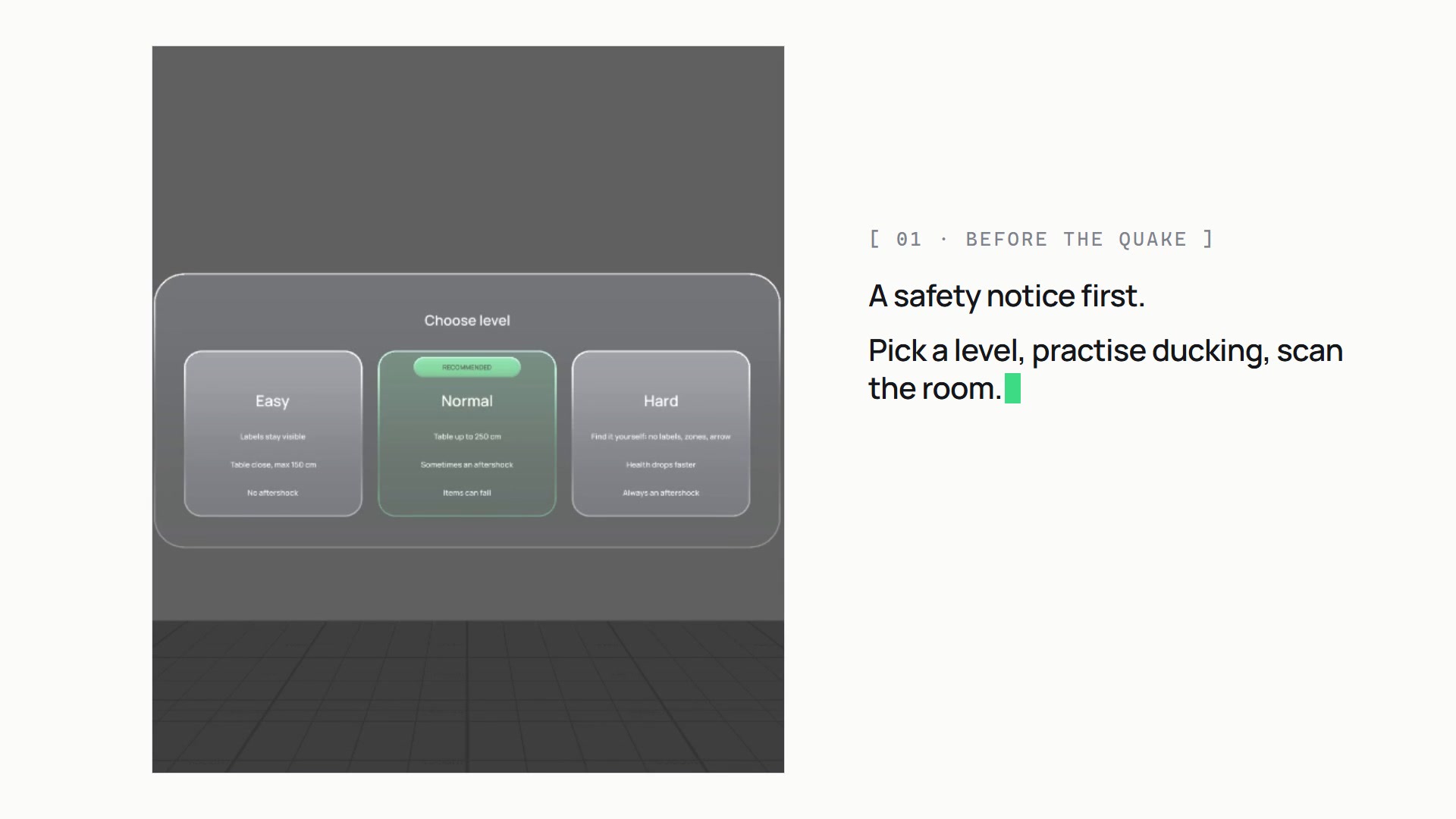
A new room every drill: pick a level, practise ducking, then the room is scanned and labelled.
-
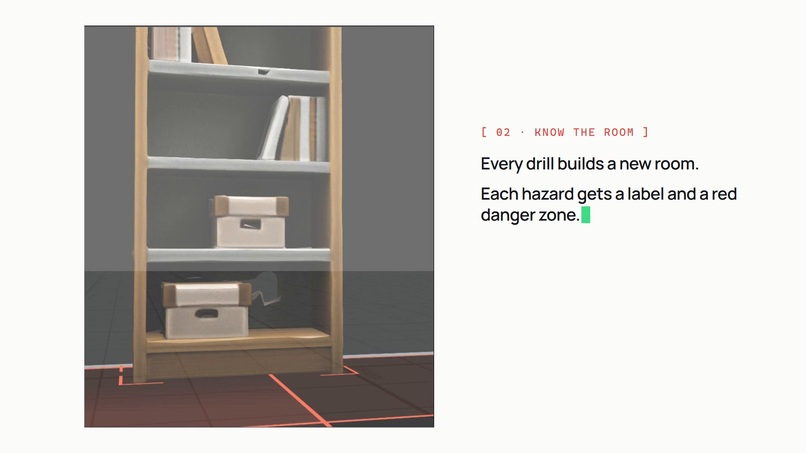
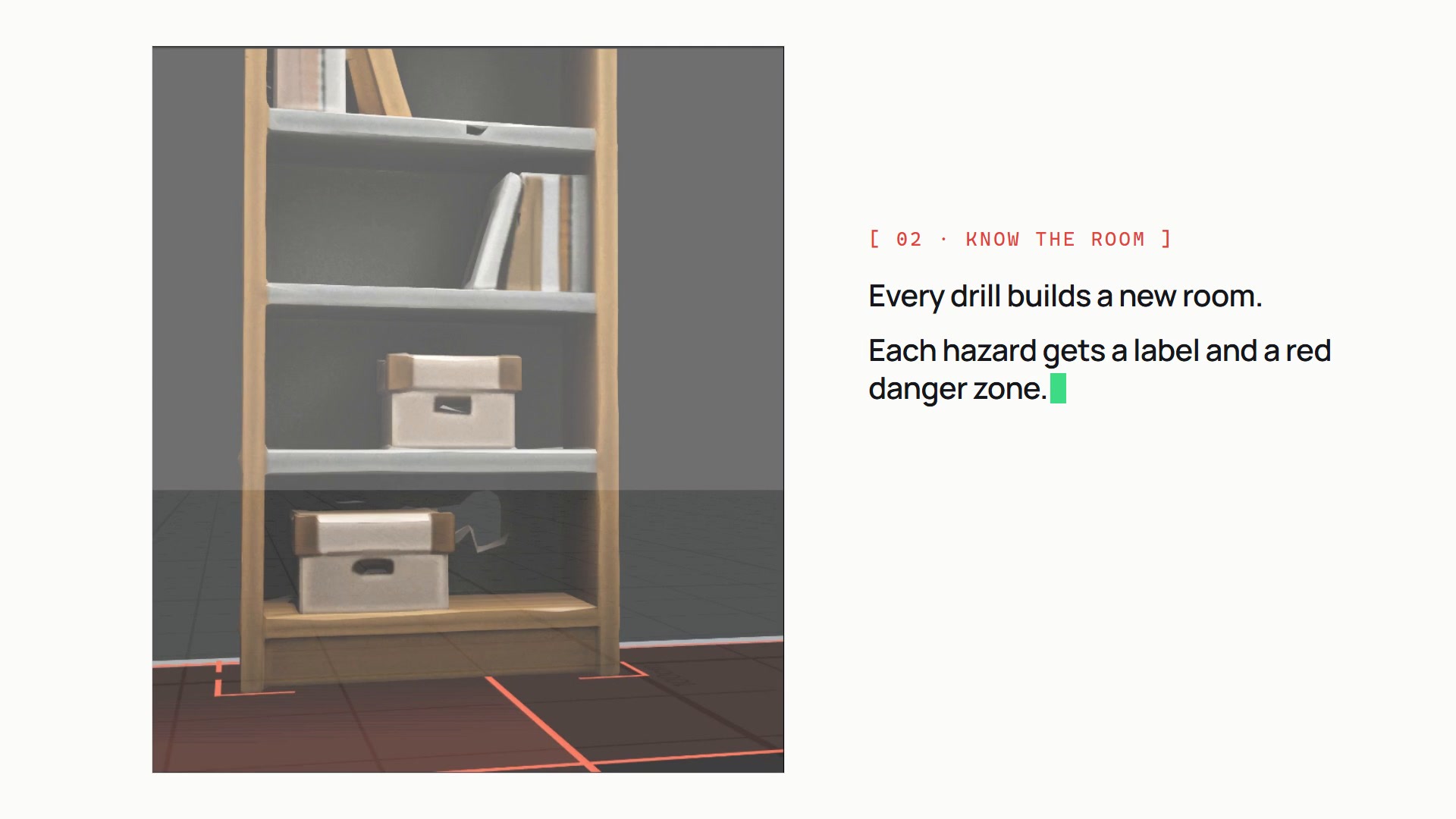
Every hazard gets a label and a red danger zone on the floor.
-
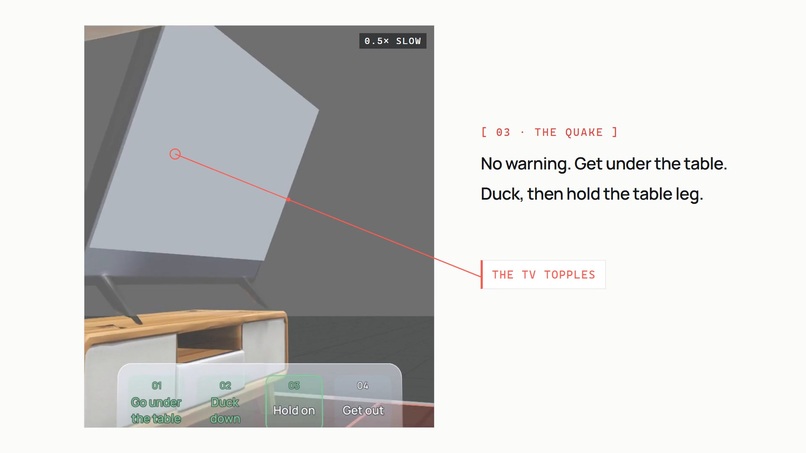
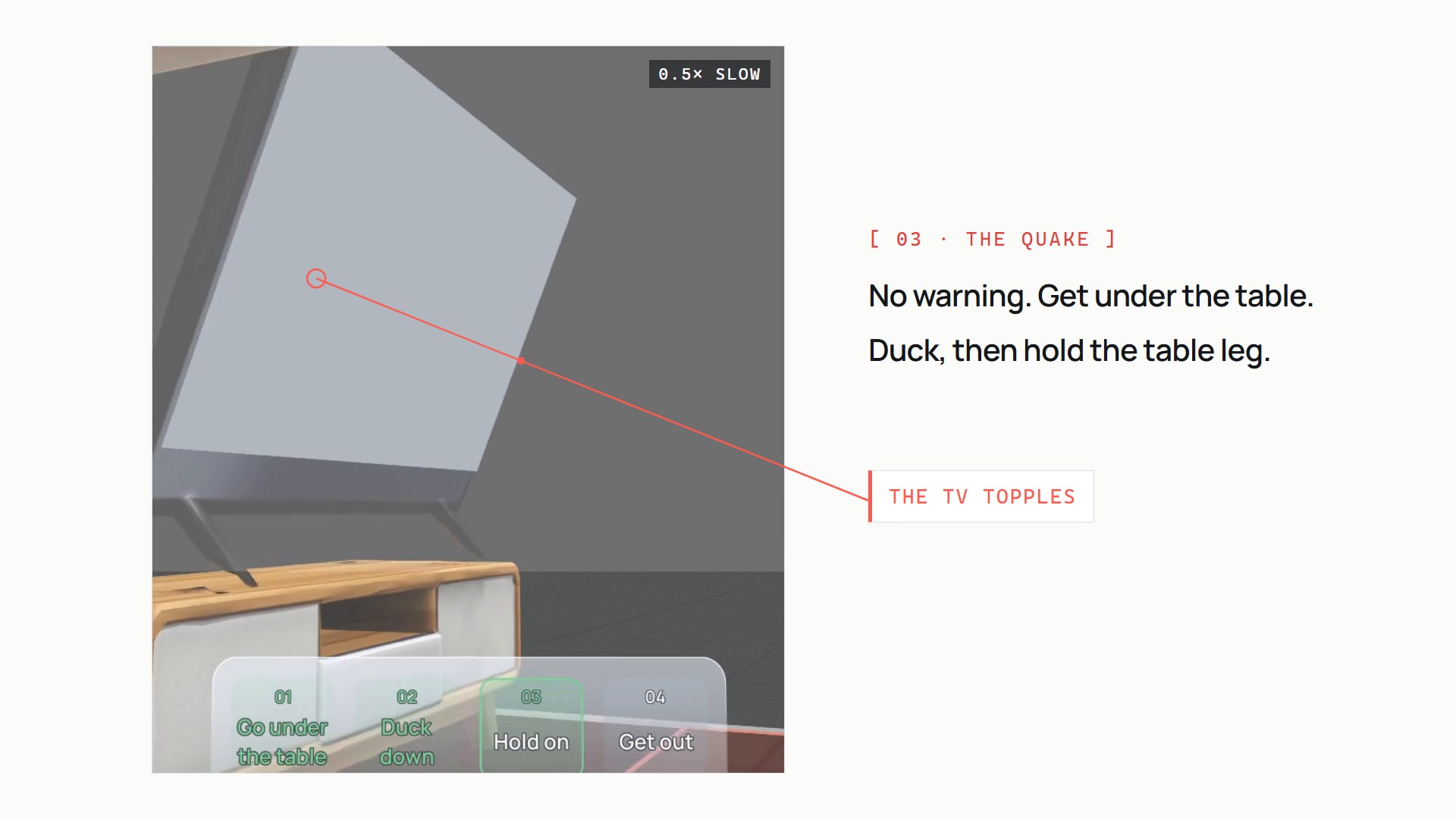
The TV topples off its stand, shown at half speed. No warning before the quake starts.
-
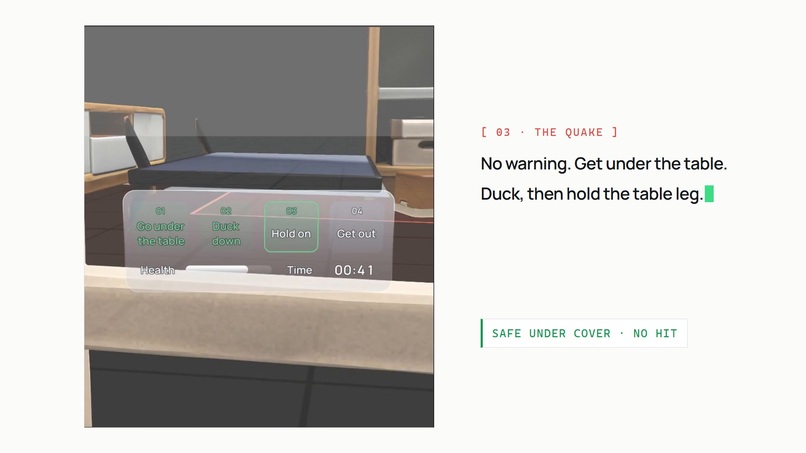
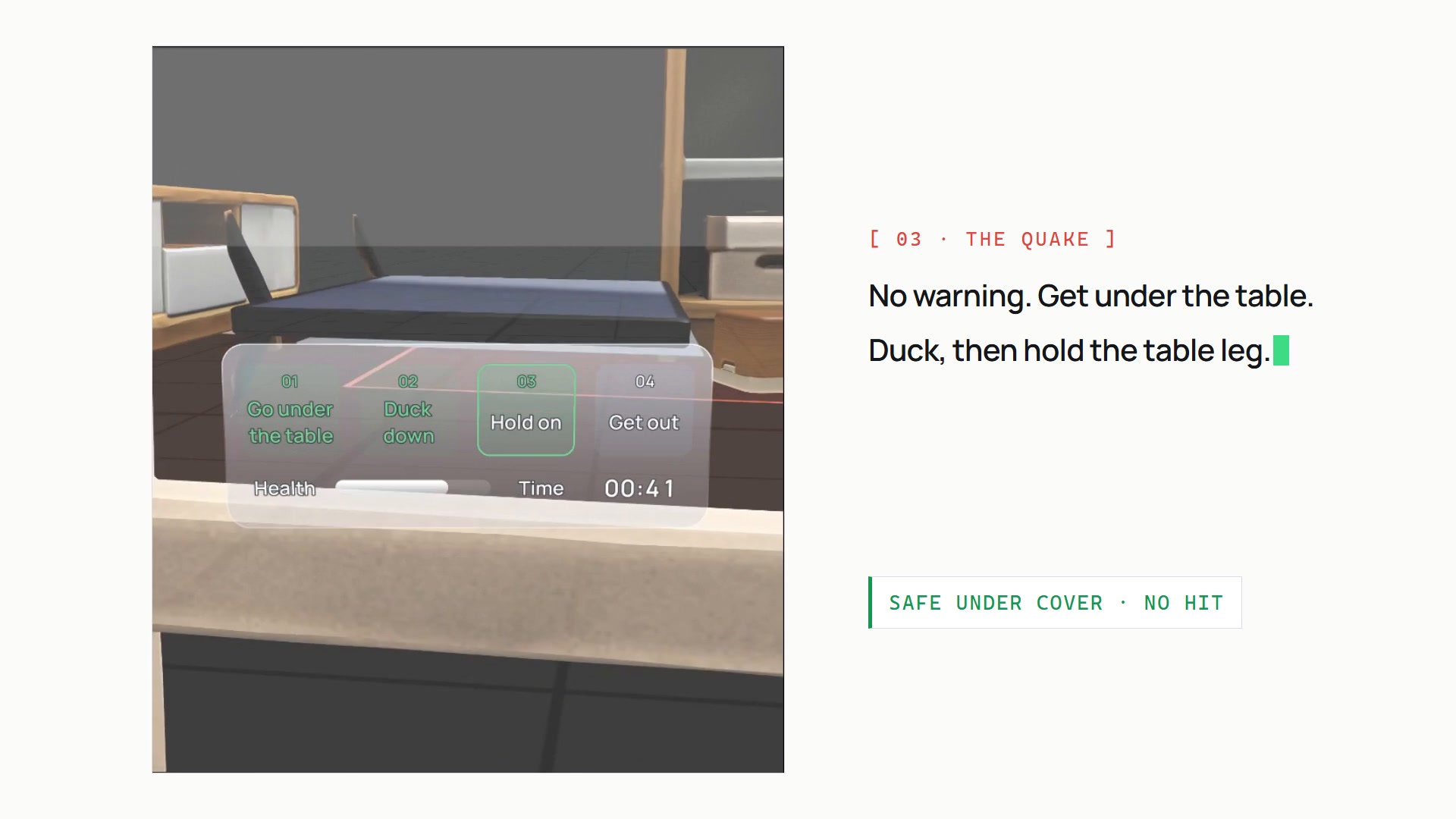
Under the table: duck and hold the leg. The HUD ticks off the four steps, with health and time.
-
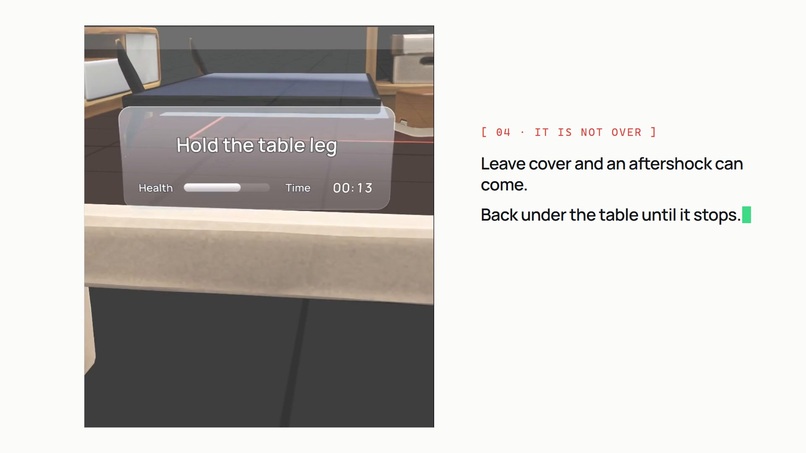
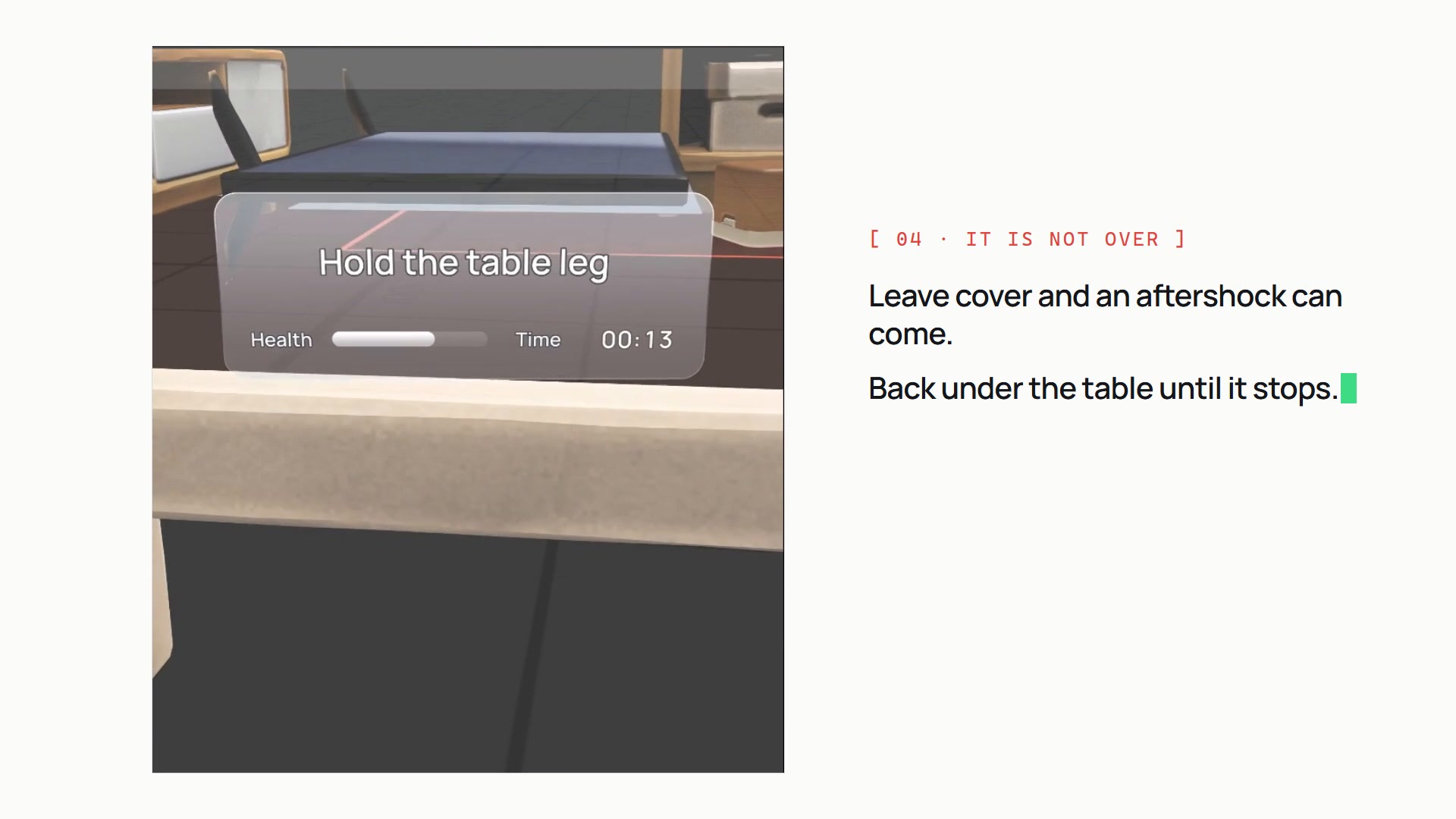
Leave cover too early and an aftershock can come. Back under the table until it stops.
-
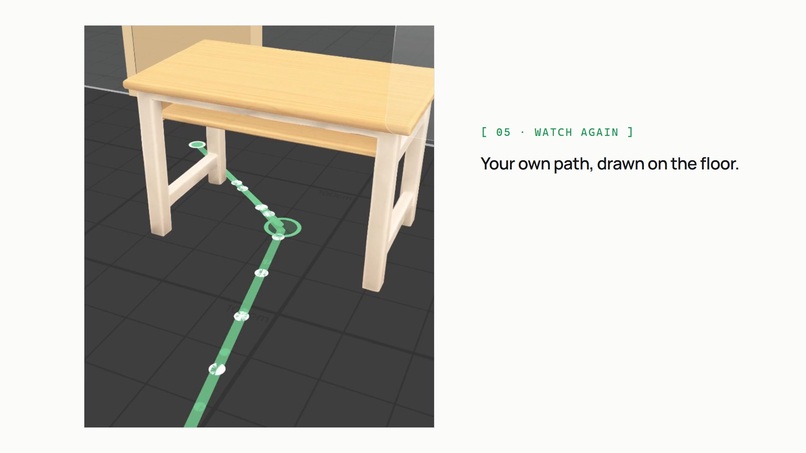
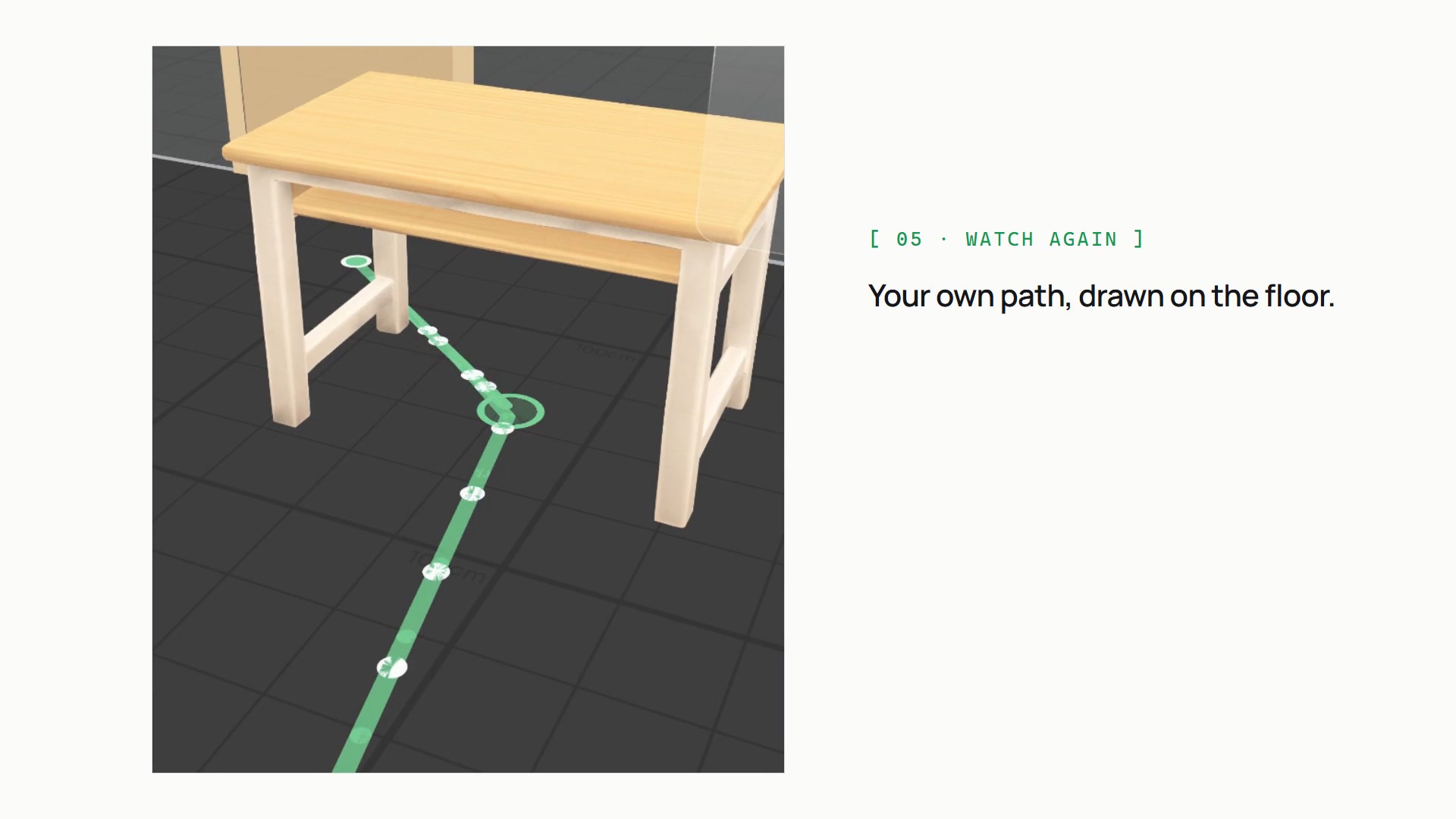
Watch again: your own path drawn on the floor, green where you took cover.
-
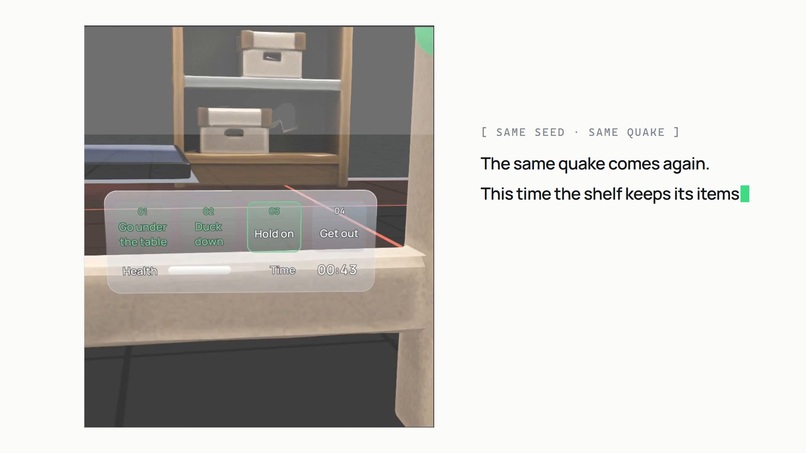
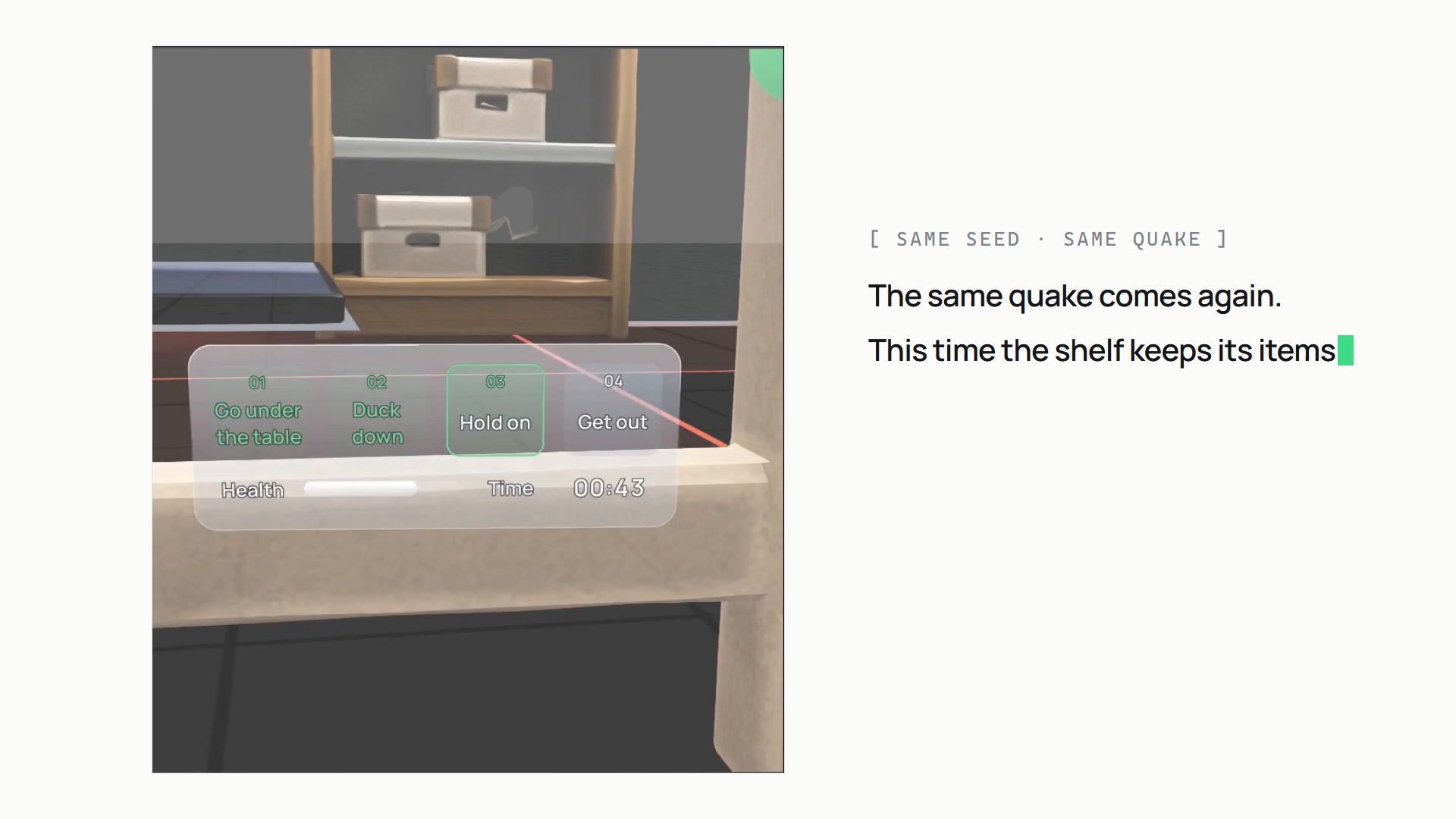
Fix the room, then the same seeded quake runs again. This time the shelf keeps its items.
-
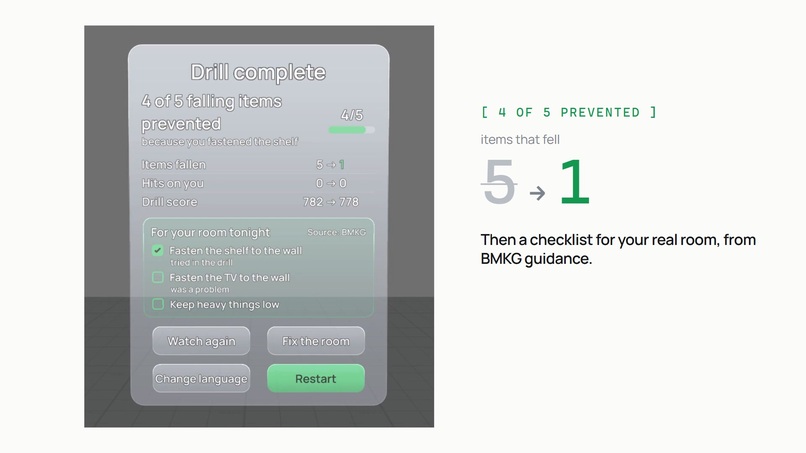
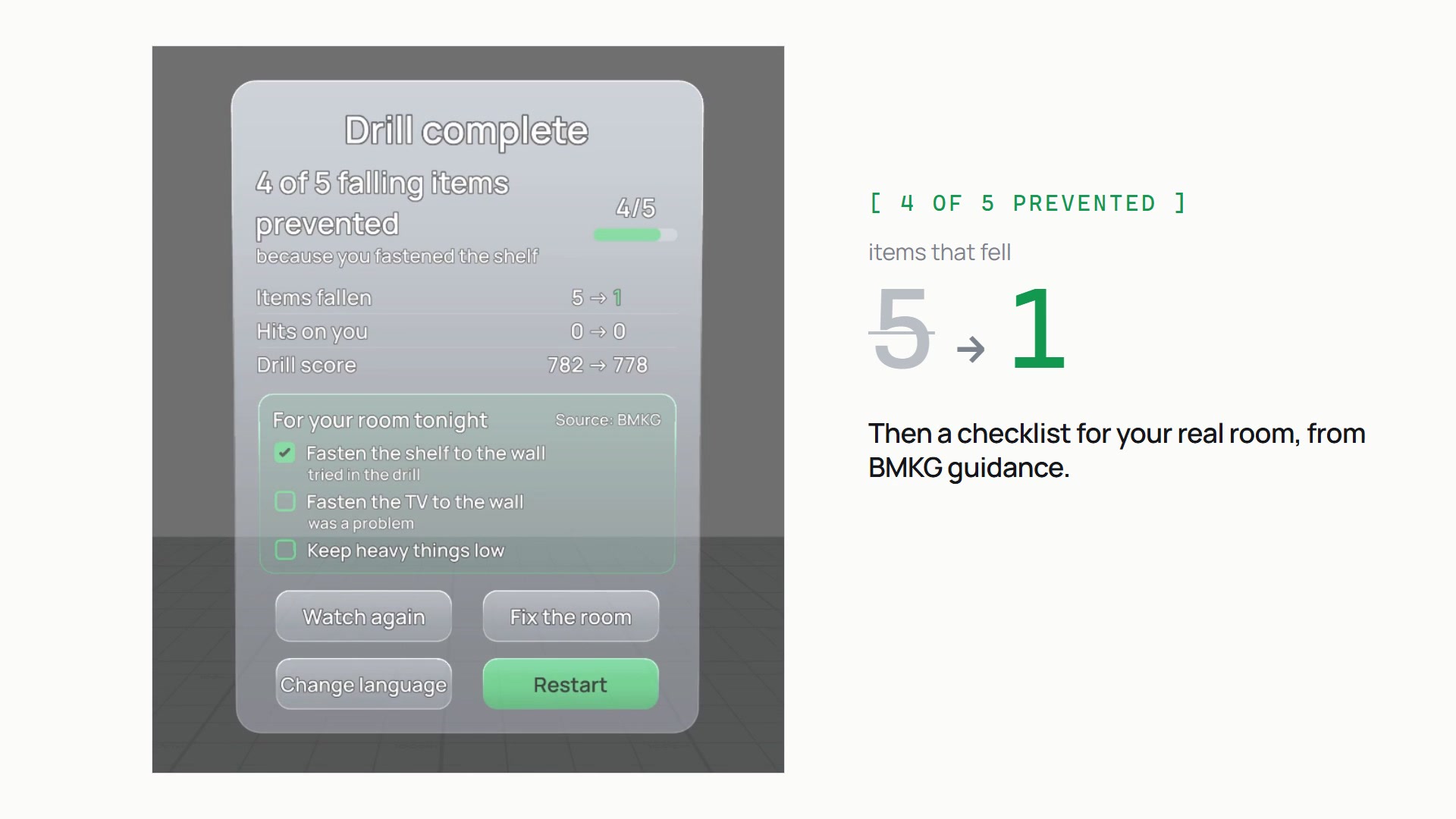
4 of 5 falling items prevented, because you fastened one shelf. Then a BMKG checklist for your real room.
-
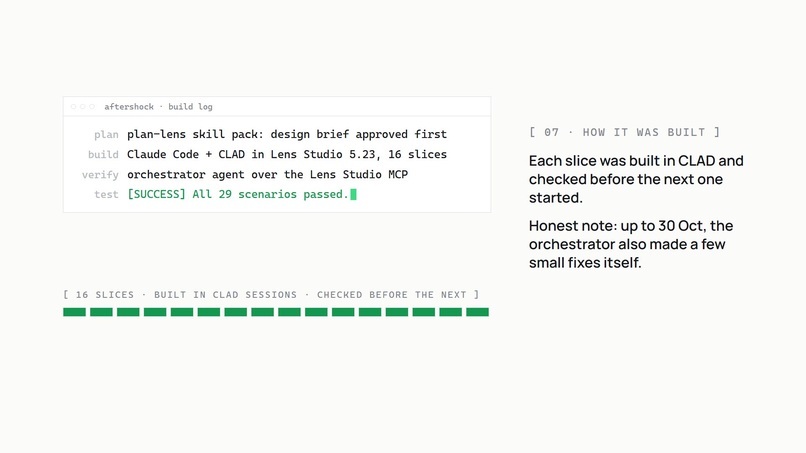
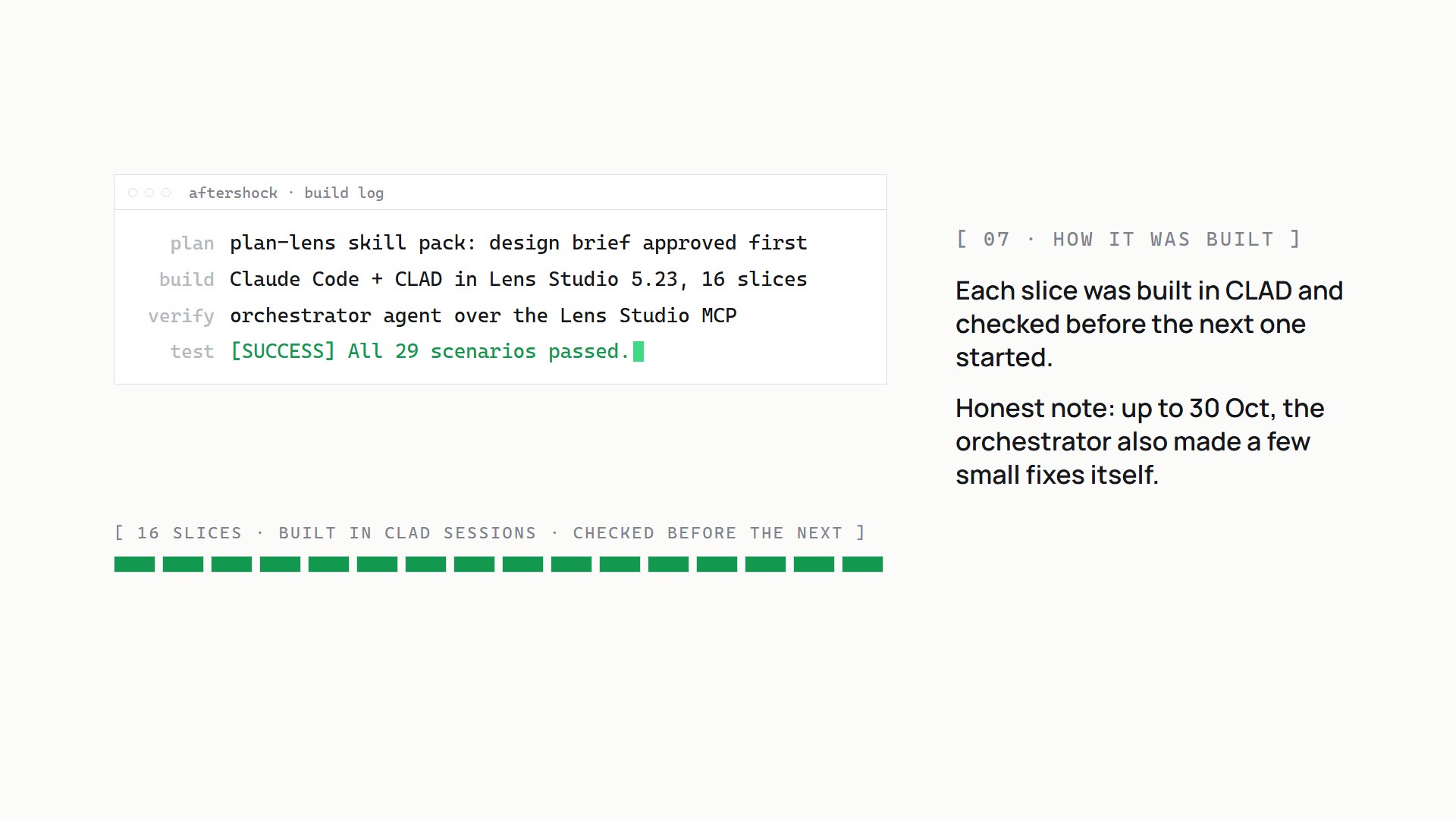
How it was built: planned with the skill pack, 16 CLAD slices in Lens Studio, each checked over the Lens Studio MCP.
What it does
Aftershock is an earthquake drill you do with your body. A bedroom is built around you at real scale, every dangerous object gets a label, and then the shaking starts without warning. You walk under a table, duck, hold the table leg and wait until it stops. Then you walk out.
- A new room every drill. One or two tables and three to five hazards (wardrobe, shelf, window, floor lamp, TV) are placed by a seeded generator, so you can't memorise a layout.
- Why a practice room, not your real one (yet). The Lens Studio preview has no real room to scan, and World Query there never returns the floor or low furniture, so the drill builds a stand-in bedroom at real scale. A room that changes every time trains the reflex rather than one memorised path. The part that is about your room comes at the end: the checklist and "Fix the room" show which objects to fasten at home.
- No warning. The quake starts 8 to 15 seconds after the briefing and lasts 45 to 60 seconds. On Normal there is a 50% chance of an aftershock, so leaving cover too early costs you.
- Mistakes cost health. Out of 100: standing up under the table or staying in a red danger zone drains 4 per second, letting go of the leg 1 per second, a book from the shelf landing on your head −15, the window shattering next to you −15, tripping over debris on the way out −10.
- A score out of 1000: how fast you took cover (450), the health you kept (300), how long you held on (100) and the evacuation (150). The score is feedback on your reflex, not the goal: the line that matters is how many falling items you would have prevented at home. Then one short safety card picked from what happened in your drill, sourced from BMKG, Indonesia's geophysics agency.
- Watch again draws your own path on the floor: red where you stood in danger, green where you took cover.
- Fix the room. Pinch the shelf to fasten it to the wall, then the same quake plays again: same seed, same falls, same timing. In the demo run, 4 of 5 falling items never fall the second time. In 30 seeded rooms, 54 of the 82 falling items came off the shelf, and the other 28 were TV topples. In the drill, a fastened object drops nothing, so fastening the shelf removes those 54. The point is which objects matter most in your room, not a real-world safety figure (counts per seed).
Five languages (Bahasa Indonesia, English, Deutsch, 日本語, 简体中文), each with its own voice guide.
Who it's for
Anyone who lives where the ground moves. Indonesia, where I live, recorded 7,358 earthquakes in 2024 and 743 of them were felt (BMKG). A safety leaflet is easy to forget. What saves you is the reflex, and a reflex has to be practised, not read. The drill is built around falling objects because BMKG names them as the most common cause of injury in an earthquake ("Antisipasi Gempa Bumi", before a quake, point 4).
How I built it
- Planned with the Devpost Learn skill pack. I ran
plan-lensin Claude Code. The interview became the design brief (devpost/design-brief.md), which I approved before any code was written, and then six planning documents indocs/: requirements, technical design, user flow, visual design, engineering plan and implementation rules. - Built with CLAD in Lens Studio 5.23. Claude Code with the CLAD plugin built the Lens in 19 slices, one narrow task per capped agent session; the last three, after the live review, made both result panels smaller, turned the Fix the room panel into a small pill while you look at an item, and dropped the score row from the second result. The 3D furniture was generated with CLAD's
build-mesh. - Checked through the Lens Studio MCP. After every slice an orchestrator agent (Hermes) ran the tests, drove the preview and read screenshots before anything was committed. There are 32 LEAF test scenarios and all of them pass. They drive the drill with a head-pose override and real hand interactors, and check things like the exact score, that a repeated quake is identical, and that the text on the result panel and hazard labels stays at least 90% opaque.
- Design decisions stayed mine. Every open design question came back to me; anything I didn't answer was marked "(default)" in the plan so I could overrule it later.
One honest note: up to 31 Oct the orchestrator also made a few small fixes itself, mostly in test files and one-line corrections, when a build session ran out of budget. After that, every change to the Lens went through a CLAD session. The git history names the CLAD session behind each slice.
Try it yourself
Open Aftershock.esproj in Lens Studio 5.23.2, set the Preview panel to Interactive and press play. No Spectacles device is needed. Controls: WASD to walk, Q/E to duck and stand, right-drag to look, click to pinch. Full steps are in the README under "Run it yourself".
What I learned
- Plan before you build. I come from Unity and usually start from a GDD and jump into code. Writing the brief first, with numbers (distances in cm, timings in seconds, a score formula), made the agent's work much easier to check.
- Small slices with a check after each one worked better than big prompts. When a slice failed, I knew exactly which one.
- An additive display changes the design. Black is transparent on Spectacles, so dark panels behind text don't work. The UI is light glass with bright text instead.
- The preview has limits. World Query and Spatial Anchors don't work in the Lens Studio preview, so I couldn't use the real room. The preview recording also has no sound, so the demo's audio was rebuilt from the Lens's own audio files and its logs.
What's next
- Your real room, step by step. On Spectacles: (1) you mark your own table and shelf by pinching at them, so the drill runs around your real furniture; (2) World Query and Spatial Anchors then find surfaces and remember your safe spot, room by room; (3) the drill's danger zones and falls are placed on what you marked. None of this can run in the Lens Studio preview, so it is not built yet.
- After the shaking. A short "after the quake" mode from BMKG's guidance: check for injuries, gas and fire, then leave by the door.
- Try it on real Spectacles. Everything here was built and tested in the preview; it has not run on the device yet.
- Have other people test how the drill feels.
Credits and disclosures
- Fonts: Manrope and Noto Sans JP/SC (SIL Open Font License).
- Sound effects (rumble, thud, glass, chime) were synthesised from code; nothing was sampled.
- The Lens's voice guide: 60 clips from open text-to-speech models (Pocket TTS, Piper, Kokoro-82M), listed in
docs/VOICE_CREDITS.md. No person was recorded. - Demo video: Lens Studio preview footage, edited with Remotion. Narration is Kokoro-82M text-to-speech. Fixed-camera shots are repeat runs of the same seeded quake.
- Logo: the diorama was generated with xai/grok-imagine-image; the wordmark is set in Manrope.
- Safety content: BMKG, "Antisipasi Gempa Bumi" and the BMKG/JICA booklet, cited per card in
docs/EDUCATION_CARDS.md.
Built With
- clad
- claude-code
- kokoro-tts
- leaf
- lens-studio
- lens-studio-mcp
- numpy
- piper
- python
- remotion
- snap-spectacles
- spectacles-interaction-kit
- spectacles-ui-kit
- typescript

Log in or sign up for Devpost to join the conversation.