Inspiration
What it does
How we built it
Challenges we ran into
Accomplishments that we're proud of
What we learned
What's next for Aftermath
Inspiration
Every on-call team knows the rule "write a postmortem after a major incident", and almost every team skips it. That's not because they don't care. Rebuilding what happened means scrolling through the incident's history, copying timestamps, digging for when someone first responded and when it was escalated, and checking whether this exact thing happened last month. By the time someone has done that, the next incident is already open. So the same failures keep coming back.
What it does
Aftermath does the reconstruction, so the team only has to do the thinking.
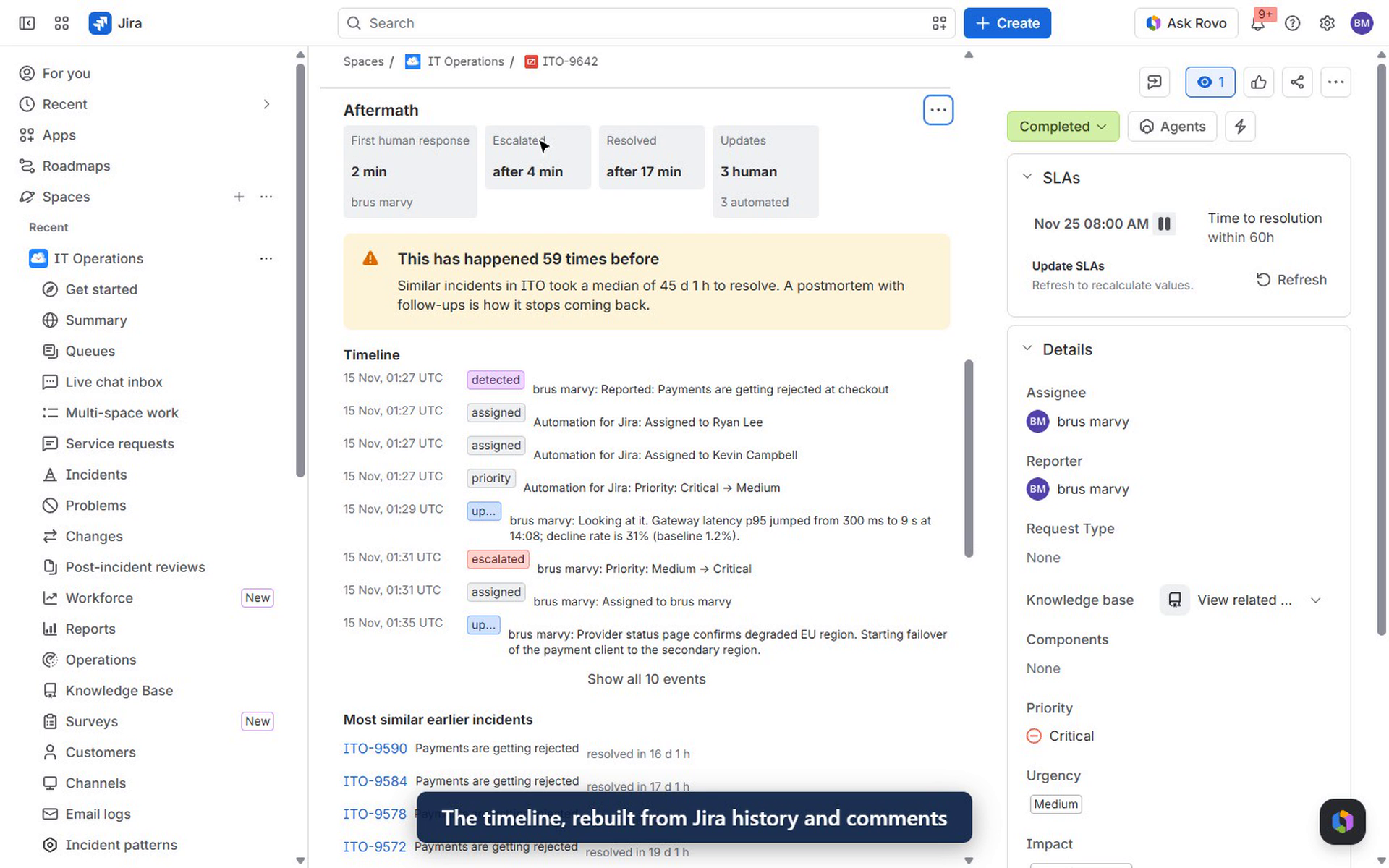
- On every incident, a panel rebuilds the timeline from the Jira change history and comments: detected, responders paged, escalated, assigned, each human update, resolved. Automation steps are told apart from people.
- Key numbers. It measures time to first human response, time to escalation and time to resolution, plus how many updates came from people versus automation.
- "Has this happened before?" It compares the incident with the last 300 of the same type in the project. If it's a repeat, it says how many times it has happened and how long those took to resolve, and lists the most similar ones.
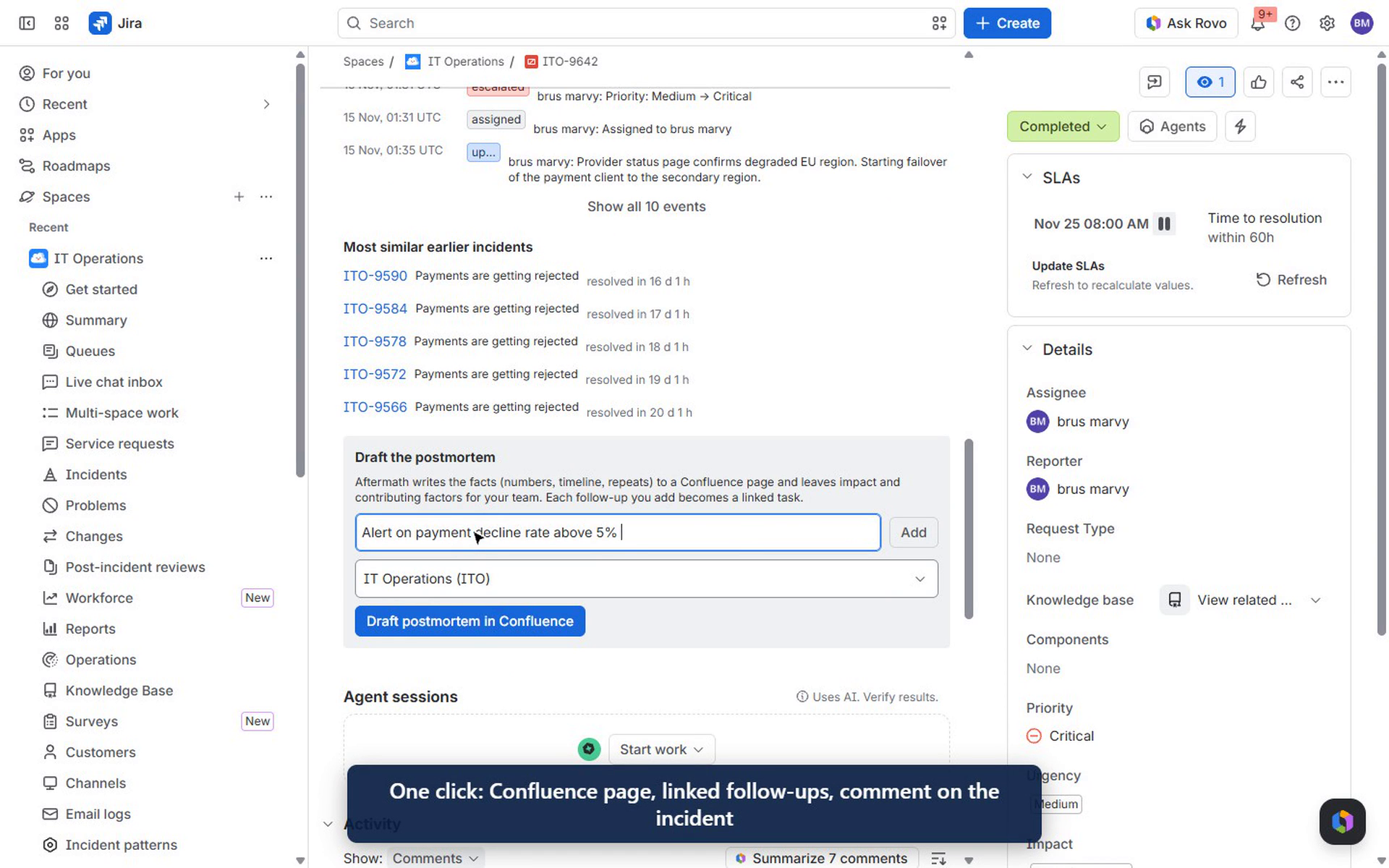
- One click to a postmortem. Add follow-up actions, pick a Confluence space, and press Draft postmortem in Confluence. Aftermath creates:
- the follow-up tasks, linked to the incident
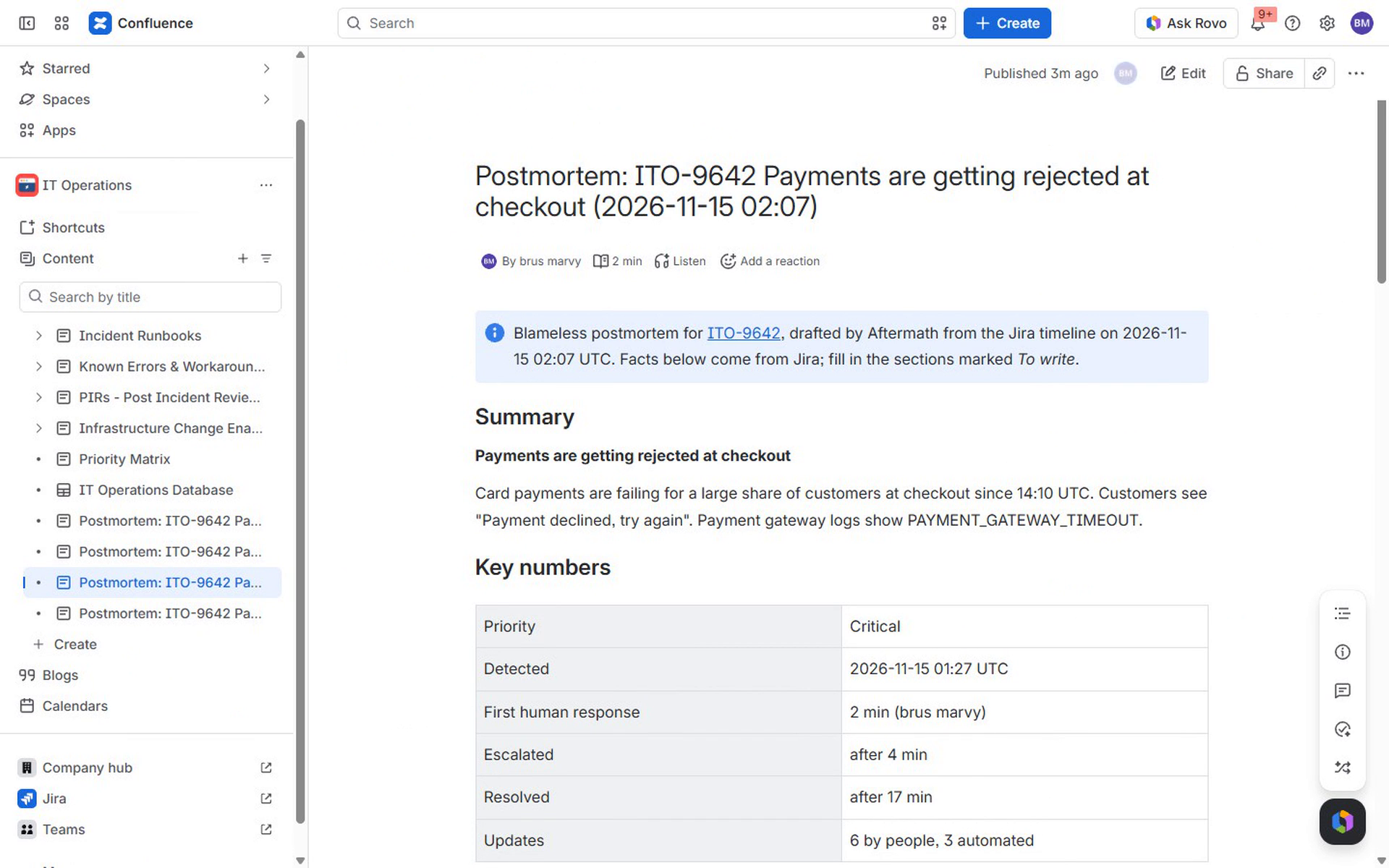
- a blameless postmortem page with summary, key numbers, the full timeline, earlier similar incidents and a task list of the follow-ups
- a comment on the incident linking to the page
Sections only people can write (impact, contributing factors) are left as clear prompts, never invented.
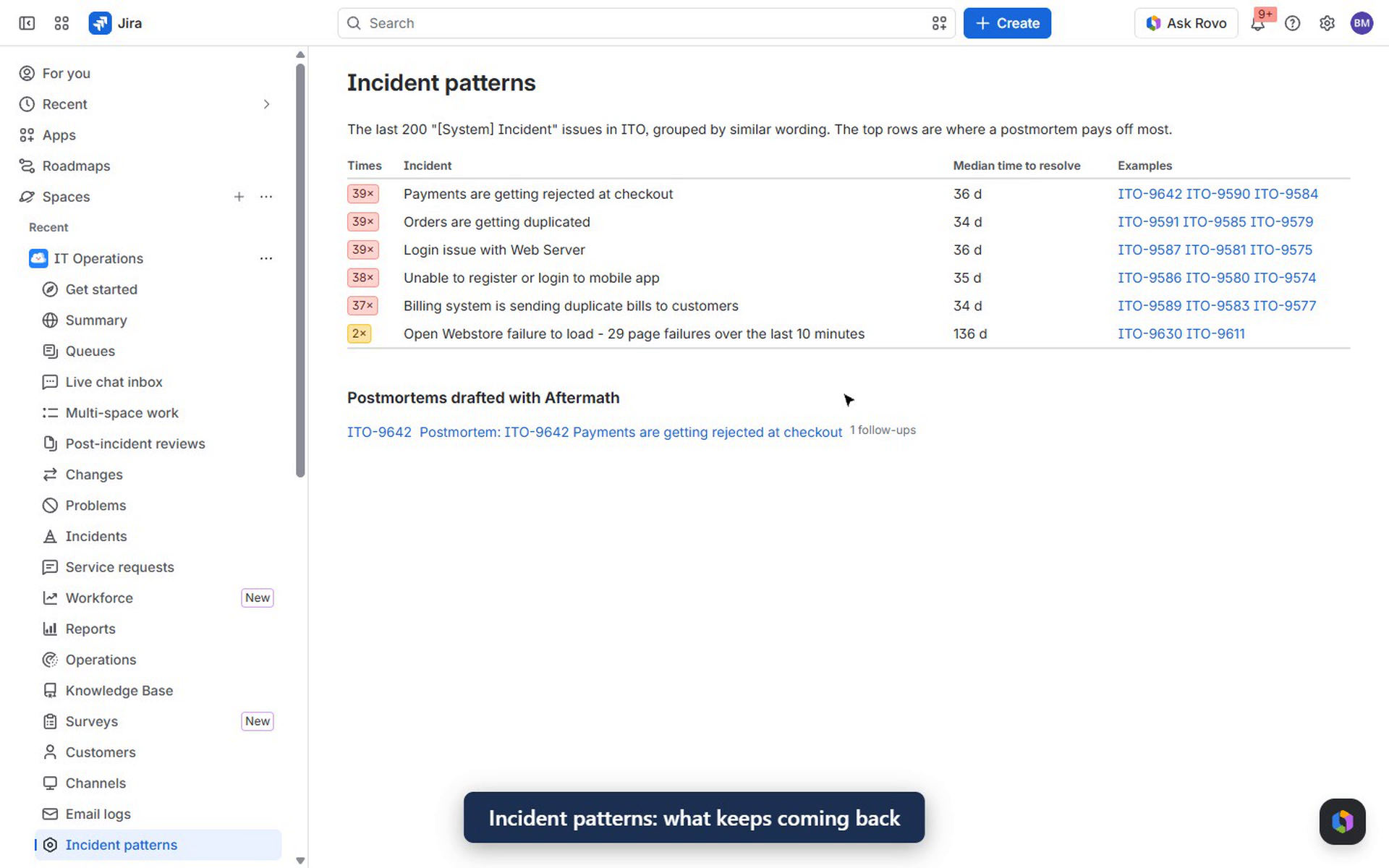
- Incident patterns. A project page groups recent incidents by similar wording and ranks what keeps coming back, with counts and median time to resolve. On the demo site's IT Operations project it finds five families of 37-39 repeats each. It also lists every postmortem written so far.
- Rovo agent "Aftermath" (also exposed through MCP): "Summarize ITO-9642 for a postmortem", "What keeps breaking in ITO?", "Which postmortems have we written?". It's read-only and blameless by instruction, and it only uses facts returned by the actions.
How we built it
- Forge only, Runs on Atlassian: no egress, no remote backend, no external model. One app across Jira and Confluence:
- Jira:
jira:issuePanelandjira:projectPage, both UI Kit - Rovo:
rovo:agentwith three read-onlyactionmodules - MCP:
rovo:mcpexposes the same three actions - Forge KVS keeps the postmortem log
- Jira:
- Jira REST: issue + paginated changelog + comments (including JSM public/internal), JQL search of earlier incidents,
createmetato pick the follow-up issue type, issue creation and issue links, and the comment back on the incident. - Confluence REST v2: spaces the user can see, and page creation in storage format (tables, info panel, native task list).
- Pure, tested core (
src/timeline.js): timeline builder, metrics, recurring-incident grouping (TF-IDF cosine with operations synonyms) and the page body. Unit tests run against a fixture of 200 real incidents from the demo site and check that the five known families are found.
Challenges we ran into
- Separating people from automation. Incident histories are dominated by automation rules, alert integrations and assistants. Counting those as "first response" would make every team look instant. The timeline marks them, and the metrics start from the first human action.
- Blameless by construction. We decided the app should write facts, not conclusions. The page states what Jira knows and leaves impact and contributing factors as prompts for the team. The Rovo agent is told never to invent a cause or assign fault.
- One app, two products. Creating Confluence pages from a Jira panel means installing the app in both Jira and Confluence on the same site and handling the case where Confluence isn't there.
Accomplishments that we're proud of
From an open incident to a complete postmortem draft (timeline, numbers, repeats, linked follow-up tasks) takes one click and a few seconds, and nothing leaves the Atlassian site.
What we learned
The hard part of a postmortem isn't writing it but gathering it. Once the facts are on the page, people are happy to write the part that needs judgment.
What's next
- Pull deployments and pull requests from the same time window into the timeline.
- Track follow-up completion on the patterns page ("3 of 5 actions done; the incident hasn't recurred since").
- A scheduled digest of new repeats to the team's channel.
Built With
- confluence
- forge
- javascript
- jira
- jira-service-management
- mcp
- node.js
- rovo
- ui-kit
