-
-
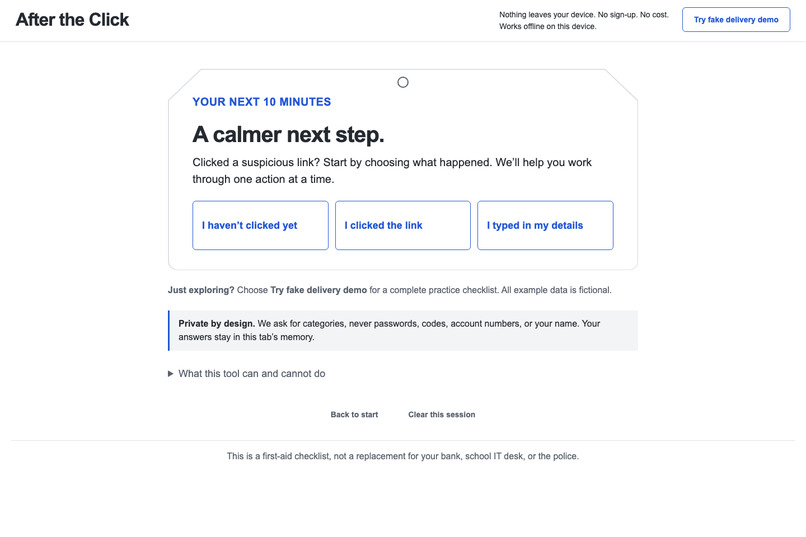
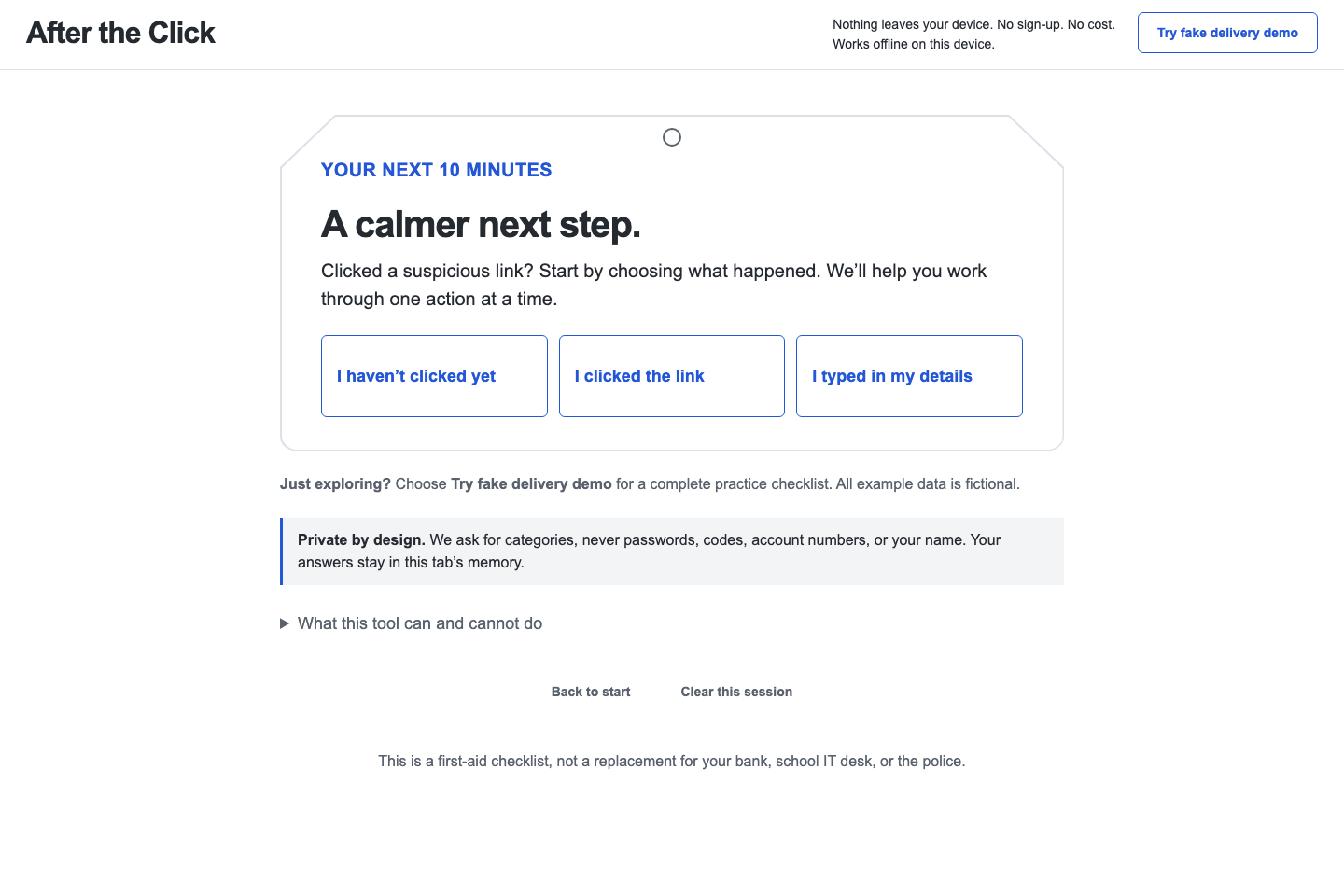
Start by choosing what happened: “I haven’t clicked yet”, “I clicked the link” or “I typed in my details”.
-
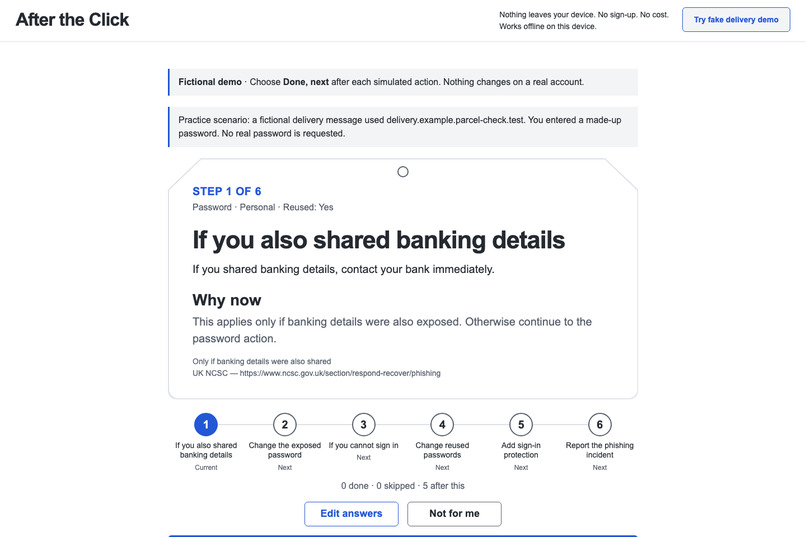
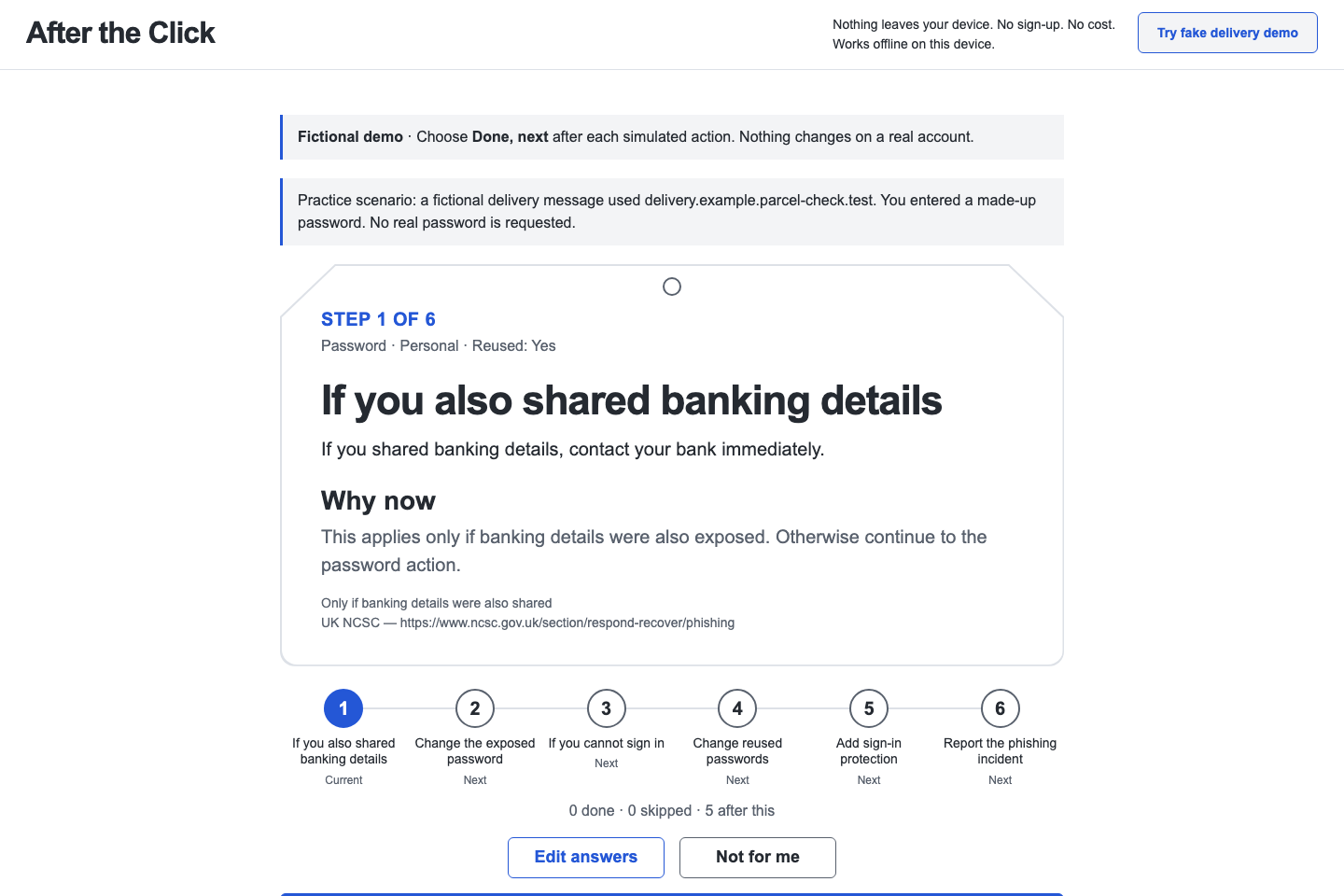
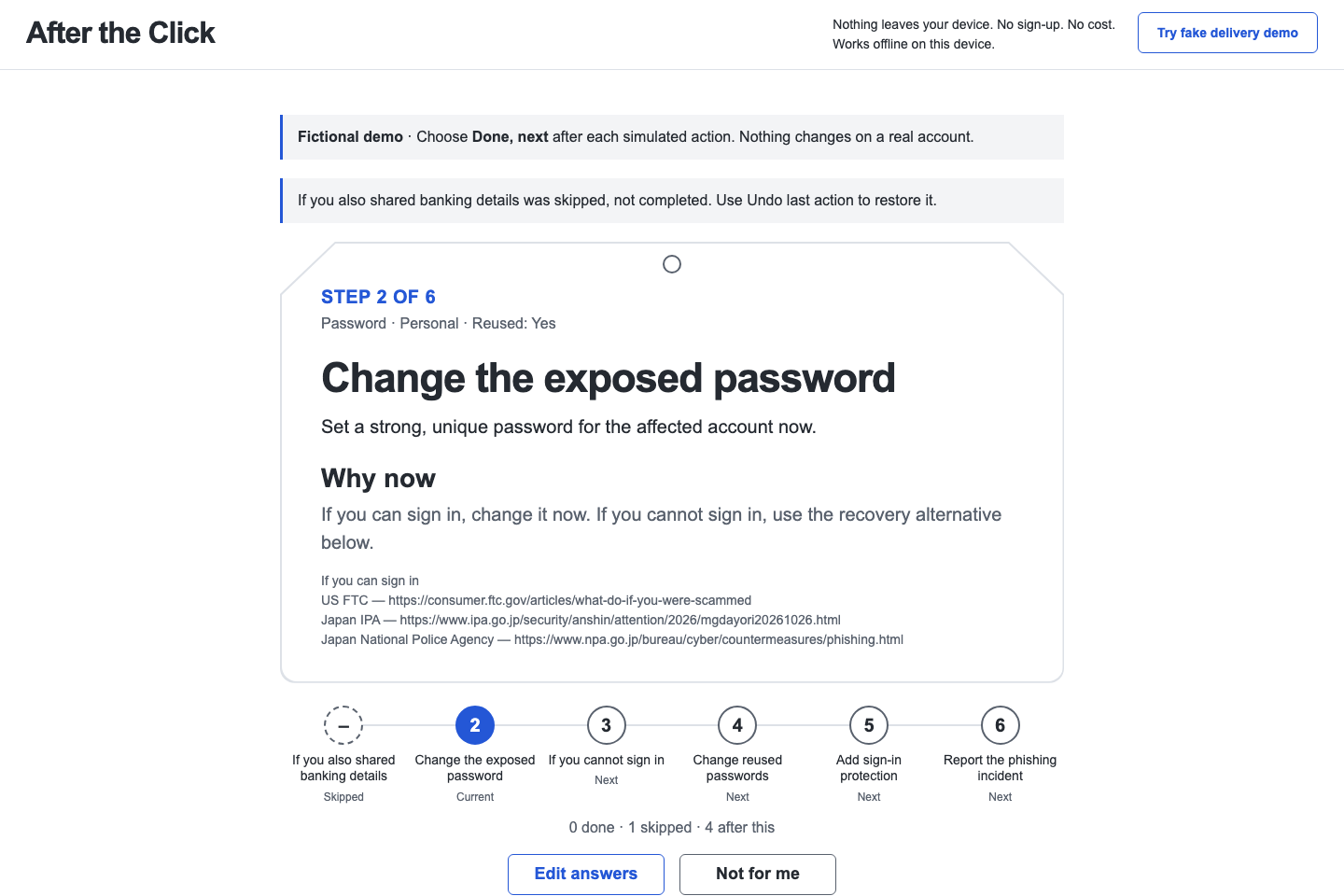
One step per card, with its condition, reason and public source. “Not for me” skips a step that does not apply.
-
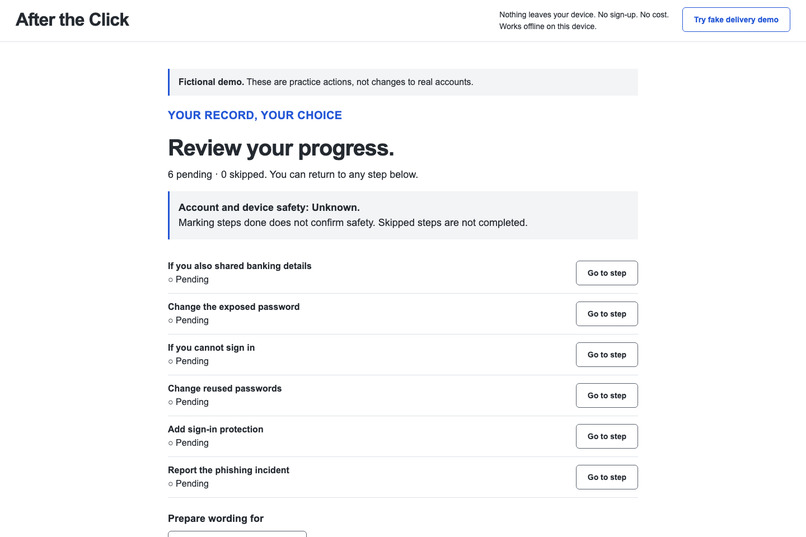
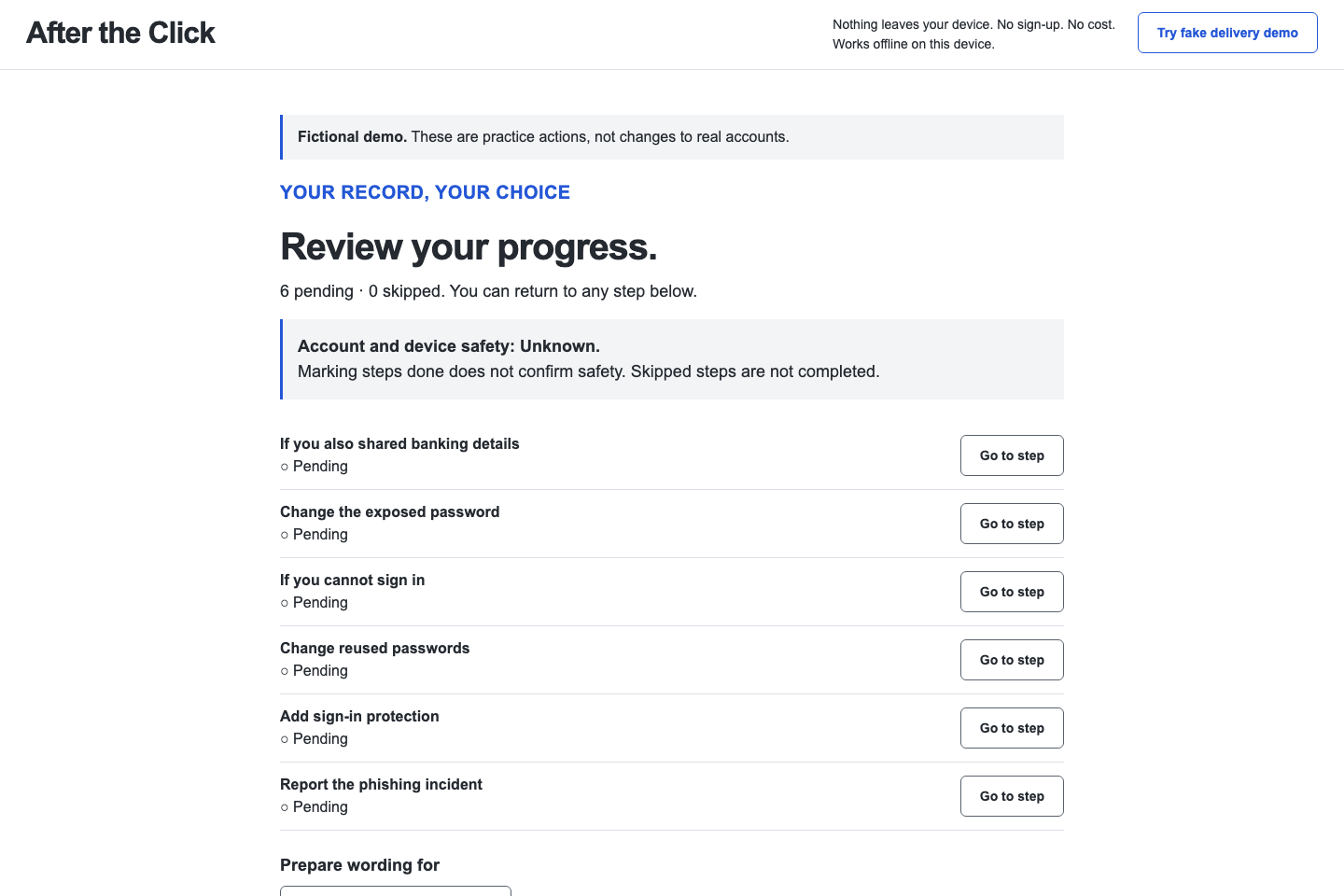
The fictional demo before practice: 6 pending, 0 skipped. Account and device safety stays Unknown.
-
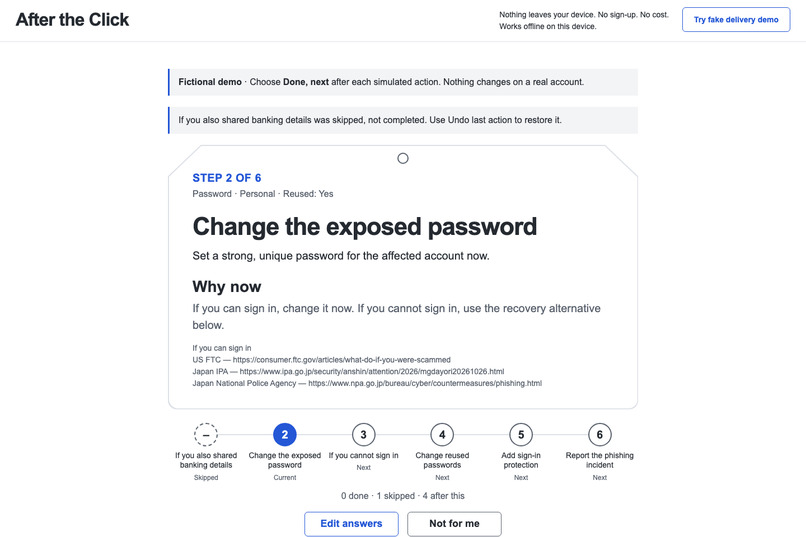
Change the exposed password: each step names the agency pages it comes from. Skipped steps are not counted as done.
-
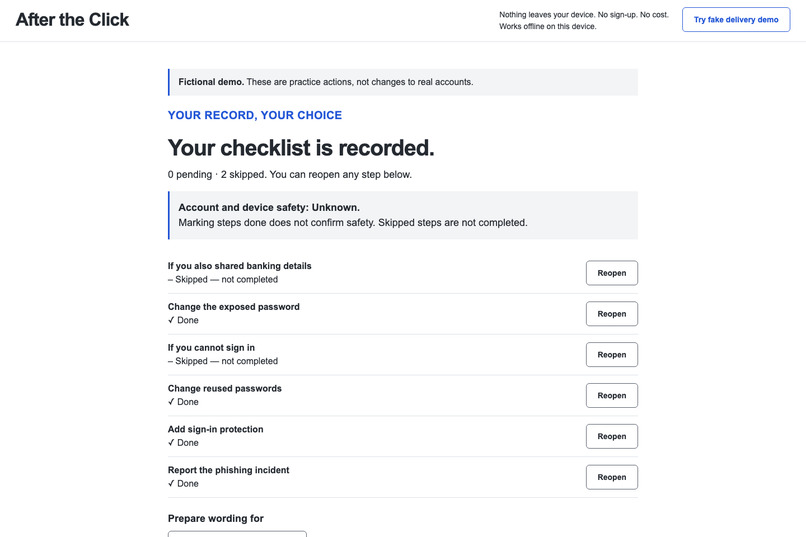
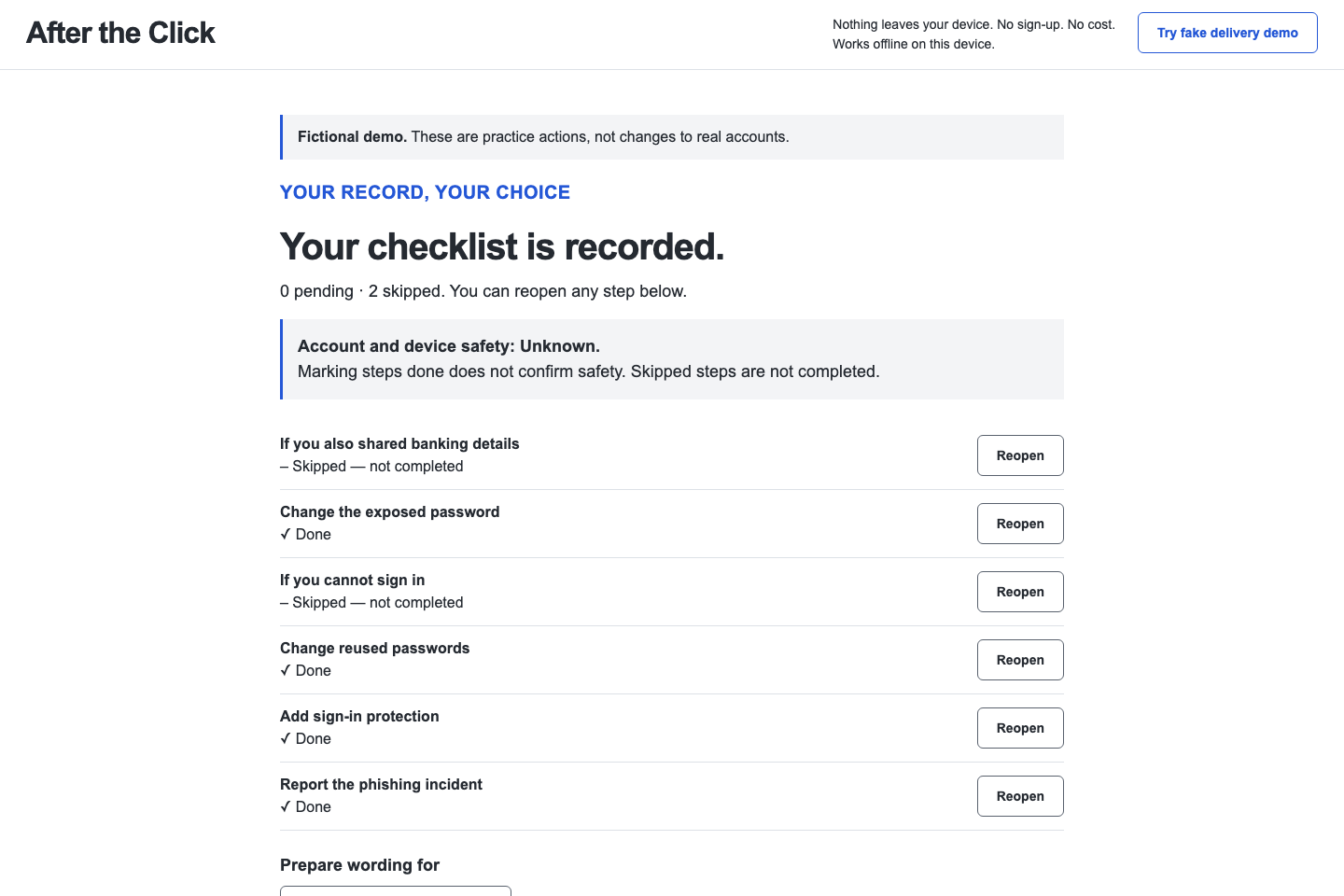
Practice result: 4 done, 2 skipped, 0 pending. Marking steps done records the user's report, not proof of safety.
-
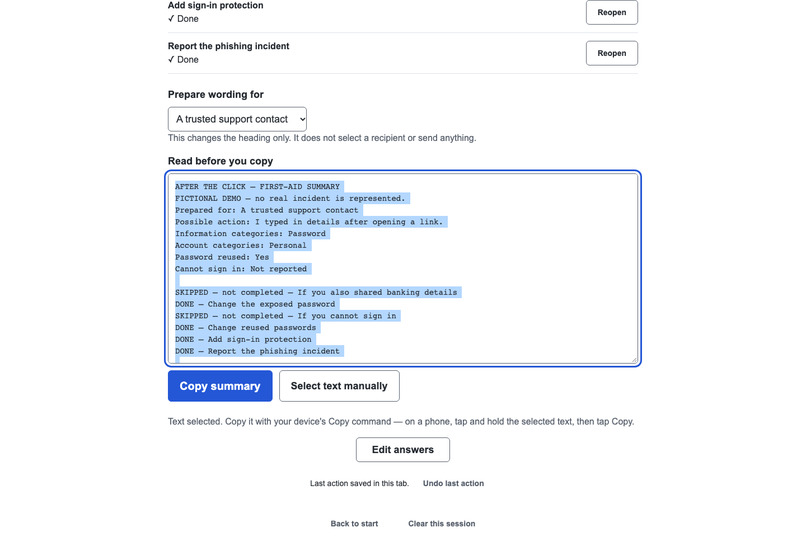
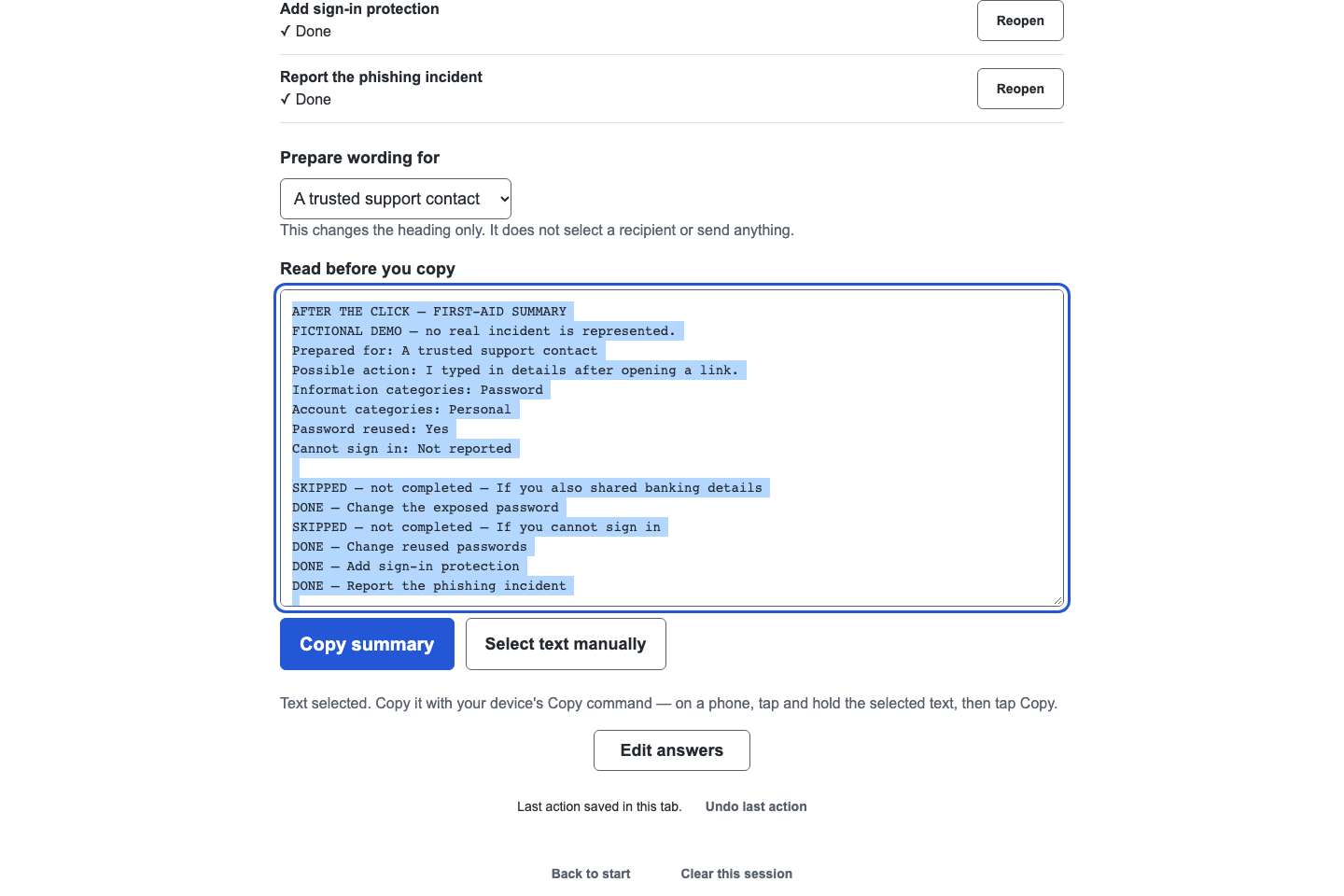
Copy the summary yourself. If automatic copy is unavailable, the text is selected with steps for phones and computers.
Inspiration
After the Click is for someone who has just clicked a suspicious link or typed in their details and needs to decide what to do next. The account may be personal, for school or for work; a reused password can affect more than one account; and shared banking details call for different steps. The tool turns public agency guidance into one step at a time, with the reason and the source for each step.
What it does
On the first screen, choose I clicked the link or I typed in my details (or I haven’t clicked yet, below). Answer three questions — what information was involved, which kind of account, and whether the password was reused — then choose Show my next step →. The information choices include passwords, banking or card details, one-time codes, other personal information, and "not sure".
Each card shows one step, its condition, why it is suggested, and its source. The steps and their conditions come from public guidance by the UK National Cyber Security Centre, the US Federal Trade Commission, IPA Japan, Japan's National Police Agency and Consumer Affairs Agency, and Australia's Scamwatch and Moneysmart. You can mark a step done, skip it, undo the last action, or reopen it from the summary. Done, skipped and pending steps stay distinct, and the summary keeps unknowns visible. A Prepare wording for menu only changes the summary heading: the app never chooses a recipient or sends anything. You decide whether to copy the summary and share it yourself.
Try the demo: a fictional before and after
- Open https://driedsandwich.github.io/after-the-click/ (or download the source from https://github.com/Driedsandwich/after-the-click and open
index.html). Choose Try fake delivery demo: a fictional parcel-delivery message, a made-up password, a personal account and a reused password. - Follow the cards in order. Choose Not for me on If you also shared banking details and If you cannot sign in.
- Mark the other four cards done — Change the exposed password, Change reused passwords, Add sign-in protection and Report the phishing incident — with Done, next, and Done, view summary on the last card.
- Review the summary and choose Copy summary (or Select text manually). Copying sends nothing.
The demo starts at 6 pending / 0 done / 0 skipped and ends at 0 pending / 4 done / 2 skipped: the four protective steps are marked done and the two that did not apply are skipped. The summary still says "Account and device safety: Unknown", because marking a step done only records what the person reports.
Before clicking: check the link text
Choose I haven’t clicked yet, then Use fake message to inspect a fictional message, or paste text and choose Check link text. The tool reads the link text locally and shows the host (the full site name), its domain, reasons for caution and unknowns. It never visits the link. Malformed, unsupported or ambiguous URLs are reported as Unknown.
Privacy and limits
The questions ask for categories of information, never secret values. Answers stay in the current tab's memory, the app makes no network requests while in use, and source links are shown as text and never opened by the app. Link results leave out any user name or password written into a link, and the part of the address after the site name (its path, query and fragment). A site name itself can still contain identifying words. Clear this session removes the tab's state but cannot erase text already copied to the clipboard.
Marking a step done records only what the person reports. The tool cannot verify who owns a site, follow redirects, detect infection, change passwords, contact a bank, issue refunds or confirm safety. It supports first steps and does not replace a bank, a school IT desk, the police or other official help.
How I built it
A shared JavaScript core validates answers, generates conditional steps, examines link structure, tracks progress and prepares summaries. The browser build embeds everything in a single index.html. Development needs Node.js 22 or later (npm test, npm run build).
CLI and MCP for scripts and AI agents
The same core also runs as a command-line tool (CLI) and as a local server for the Model Context Protocol (MCP), which lets an AI assistant call this tool on the same computer, with two tools: first_aid_plan and dissect_links. Every plan reports status: "Unknown", so the tool never declares an account safe. The server opens no network port, calls no AI model and saves no history. Example: node cli.mjs plan --did typed_password --account personal --reused yes --json.
Built during the event
The work listed below was done within the SafeSpace Hacks build window (October 17–November 22, 2026), as the README and the Git history show. Dates are in Japan time:
- November 12: first single-file prototype.
- November 13: first commit; step guidance based on public agency sources, the shared core, CLI, local MCP server and tests added.
- November 17: manual-copy guidance for computers and phones added with a regression test; the page was checked in a headless browser at desktop (1440 px) and phone (390 px) widths.
Pre-existing / third-party
The only pre-existing third-party material bundled in the app is the Public Suffix List: a public list of domain endings (such as .co.uk) that the link check uses to work out a link's domain. Public agency guidance is cited as the source of the steps. The sample messages are fictional, and demo domains use reserved .test and .example names.
Credits
- Libraries and assets: no external packages, CDN resources or external fonts.
- Public Suffix List: © 2010–2026 PSL maintainers, Mozilla Public License 2.0; its rule lines and license text are kept in the code.
- Guidance sources (step wording and conditions come from these pages): UK National Cyber Security Centre · US Federal Trade Commission · IPA Japan · IPA Japan — fake warnings · National Police Agency of Japan · Consumer Affairs Agency of Japan · Scamwatch (Australia) · Moneysmart (ASIC, Australia)
- AI assistance: I used OpenAI Codex to generate code and tests, and Anthropic Claude for planning, review and browser checks. I selected the project and its design direction from options explored with AI assistance. No AI model runs inside this app.
Challenges I ran into
The main design problem was failing safely. Missing answers produce errors on the page, and answers that contradict each other cannot generate a plan. Malformed or ambiguous link text becomes Unknown instead of a verdict. When automatic copying fails or is not available, the app selects the summary and explains how to copy it on a computer or a phone. Step numbers are a presentation order, not one sequence agreed by every agency. The sources also give no combined order for someone dealing with several problems at once, for example a typed password and typed card details together.
Accomplishments that I'm proud of
All 59 tests pass, covering the shared core, CLI and MCP contracts, UI event handling and build consistency. The browser workflow, the CLI and two MCP tools share one core. A successful copy says "Copied to your clipboard. Nothing was sent."
What I learned
Progress has to keep its meaning. The tests check that skipped steps stay distinct from completed ones, that changing an answer keeps progress only for steps whose meaning still matches, and that undo, reopen and incomplete summaries behave correctly.
What's next
Not yet covered: iPhone Safari and real clipboard permissions have not been checked, and the browser questions do not separate downloads, installations or remote access or offer a choice for a photo of an identity document.
Built With
- anthropic-claude
- html
- javascript
- json
- mcp
- node.js
- openai-codex
- public-suffix-list
