-
-
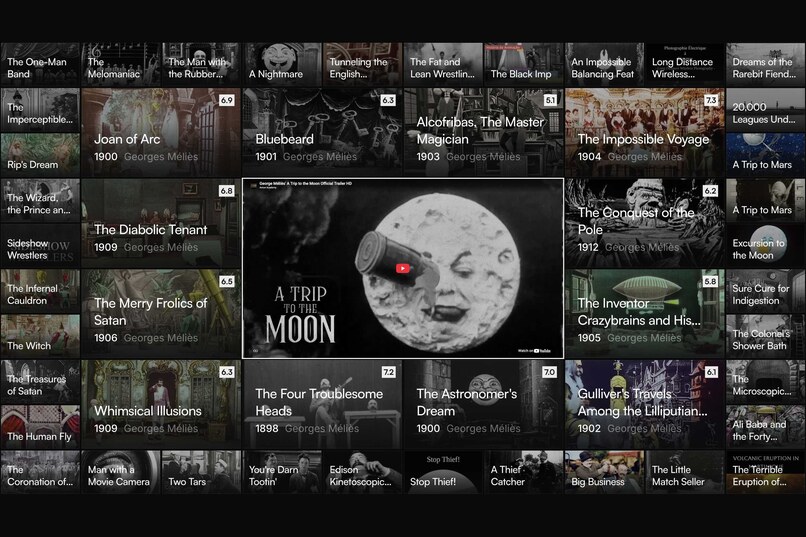
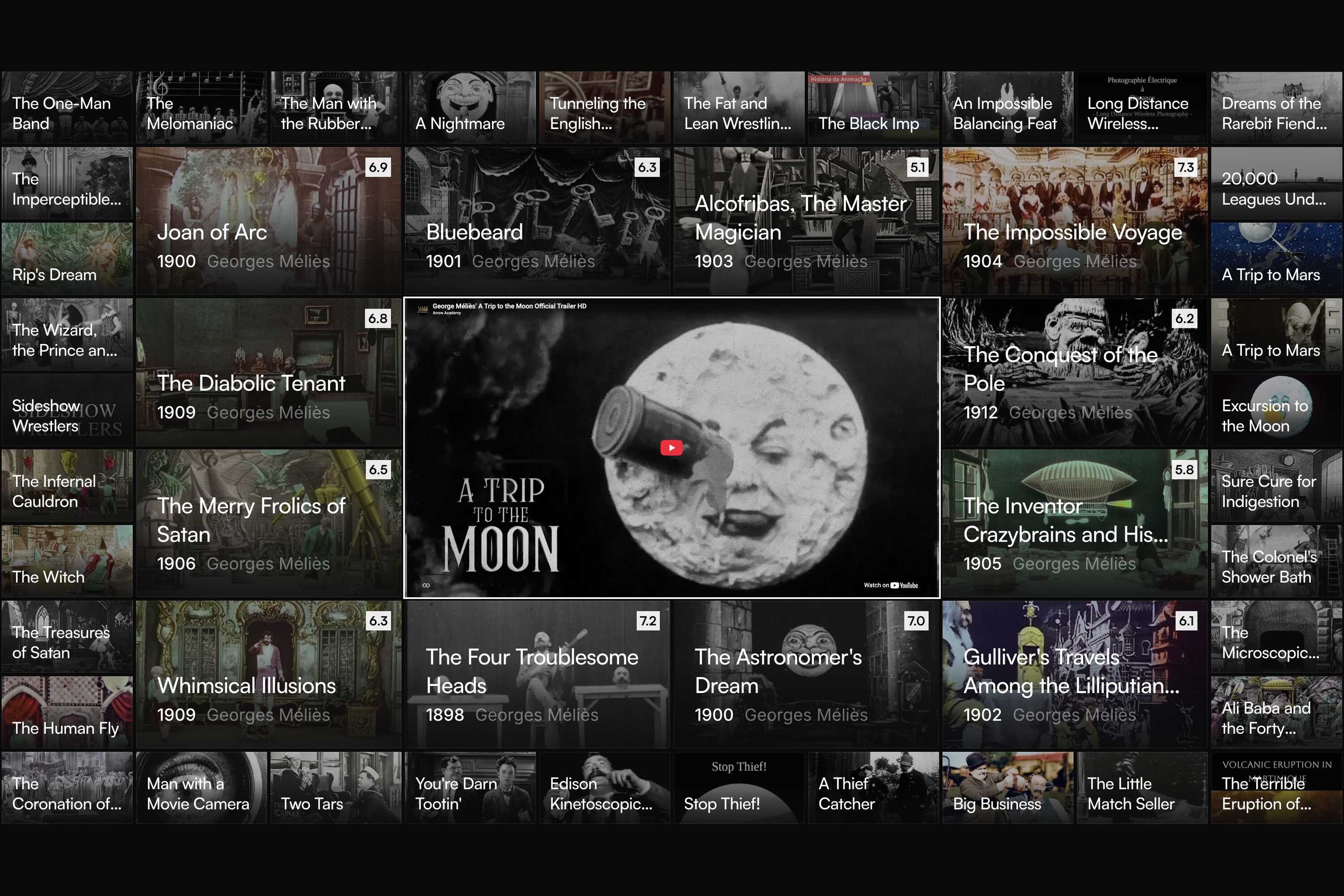
A Trip to the Moon (1902) open in the center, its trailer playing, related films in rings around it.
-
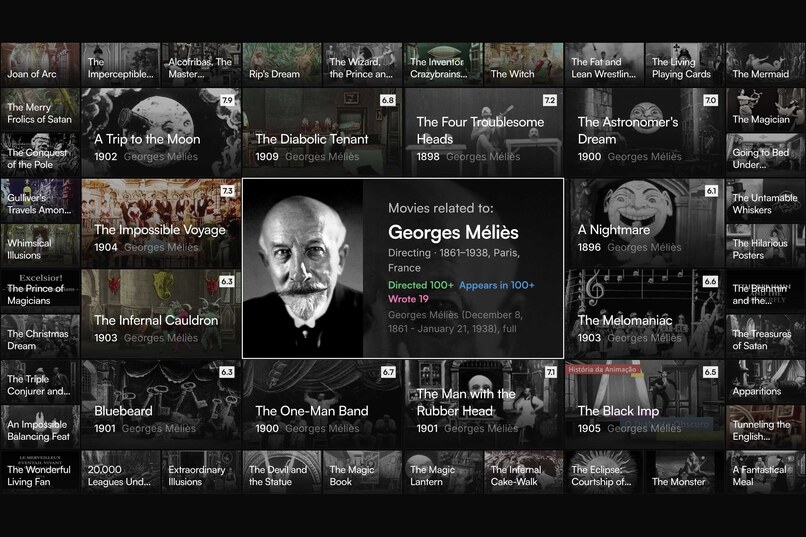
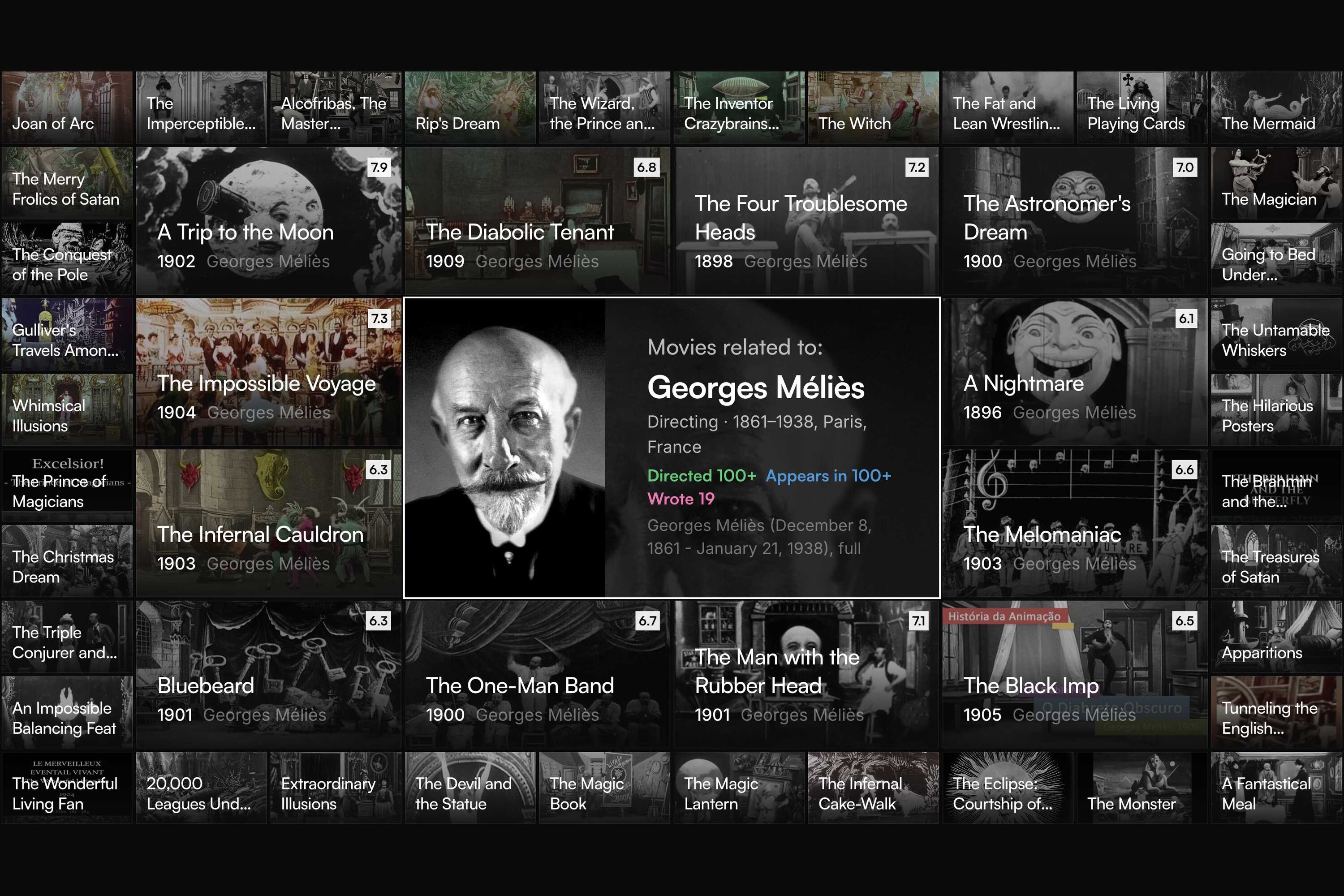
Georges Méliès as the center: a person surrounded by his films.
-
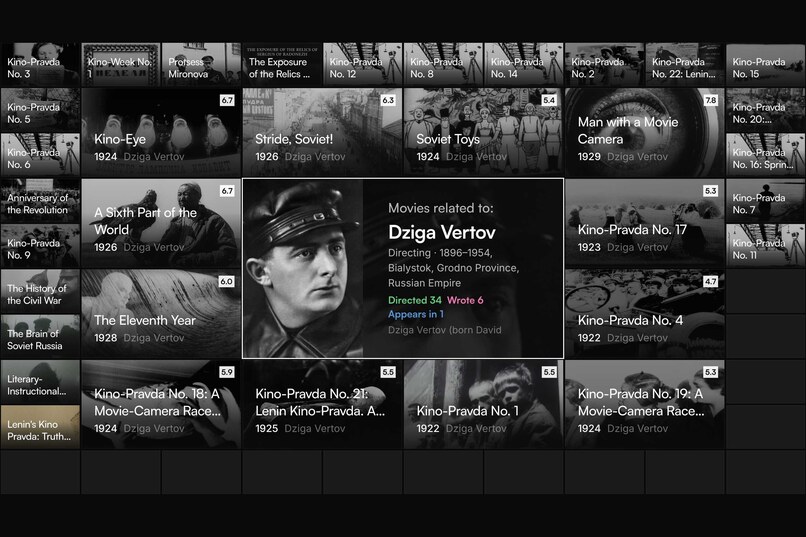
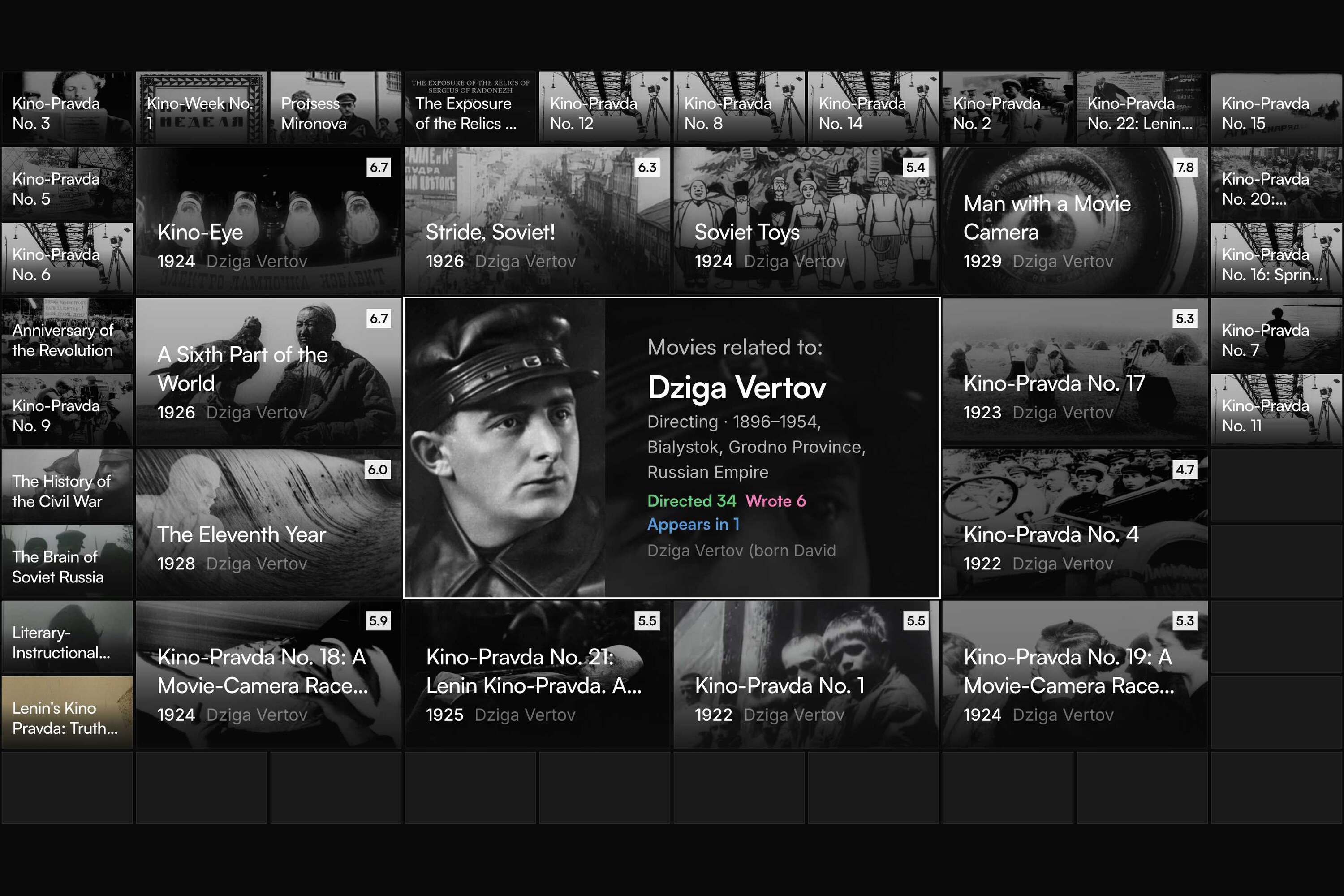
Dziga Vertov as the center, with his newsreels and features.
-
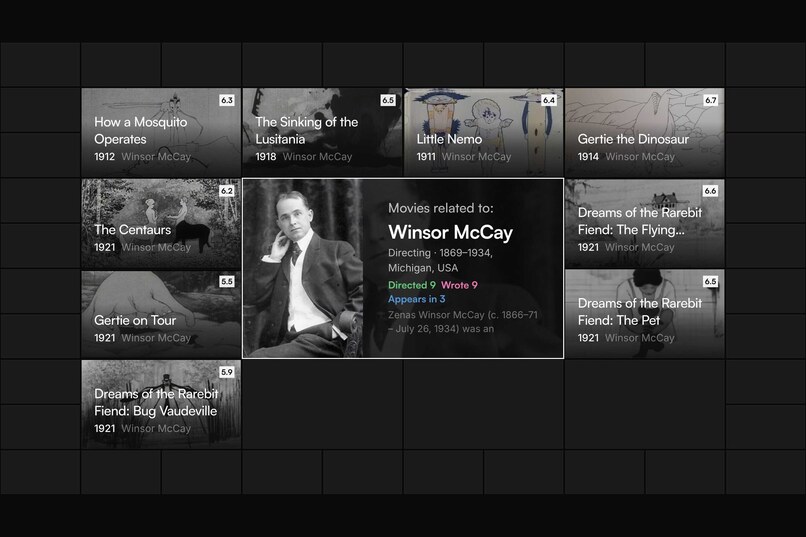
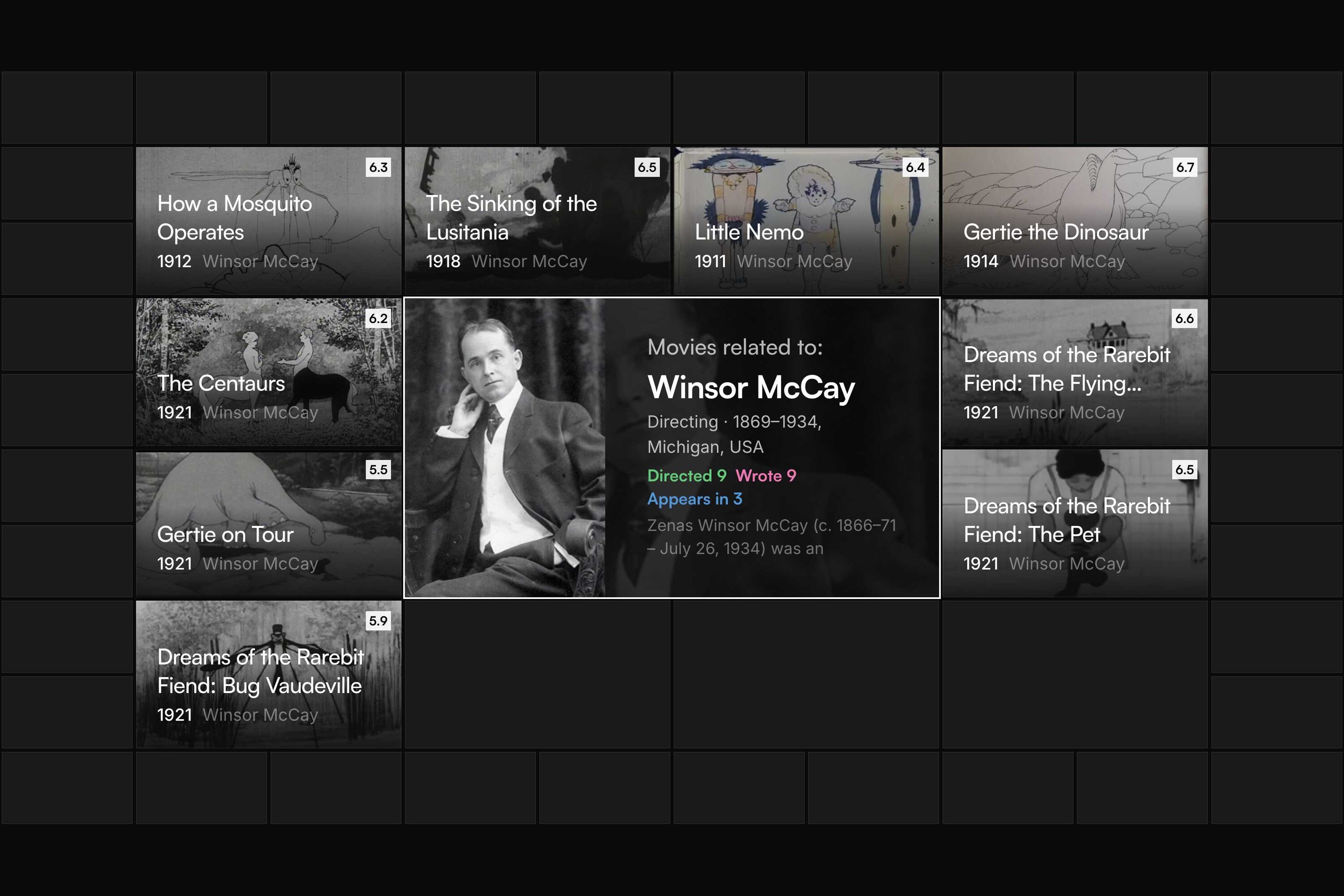
Winsor McCay as the center: animation pioneer and his films.
-
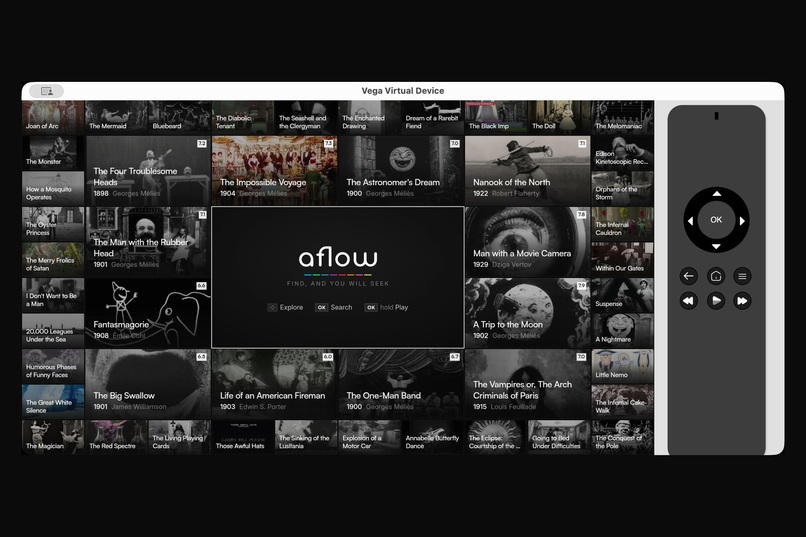
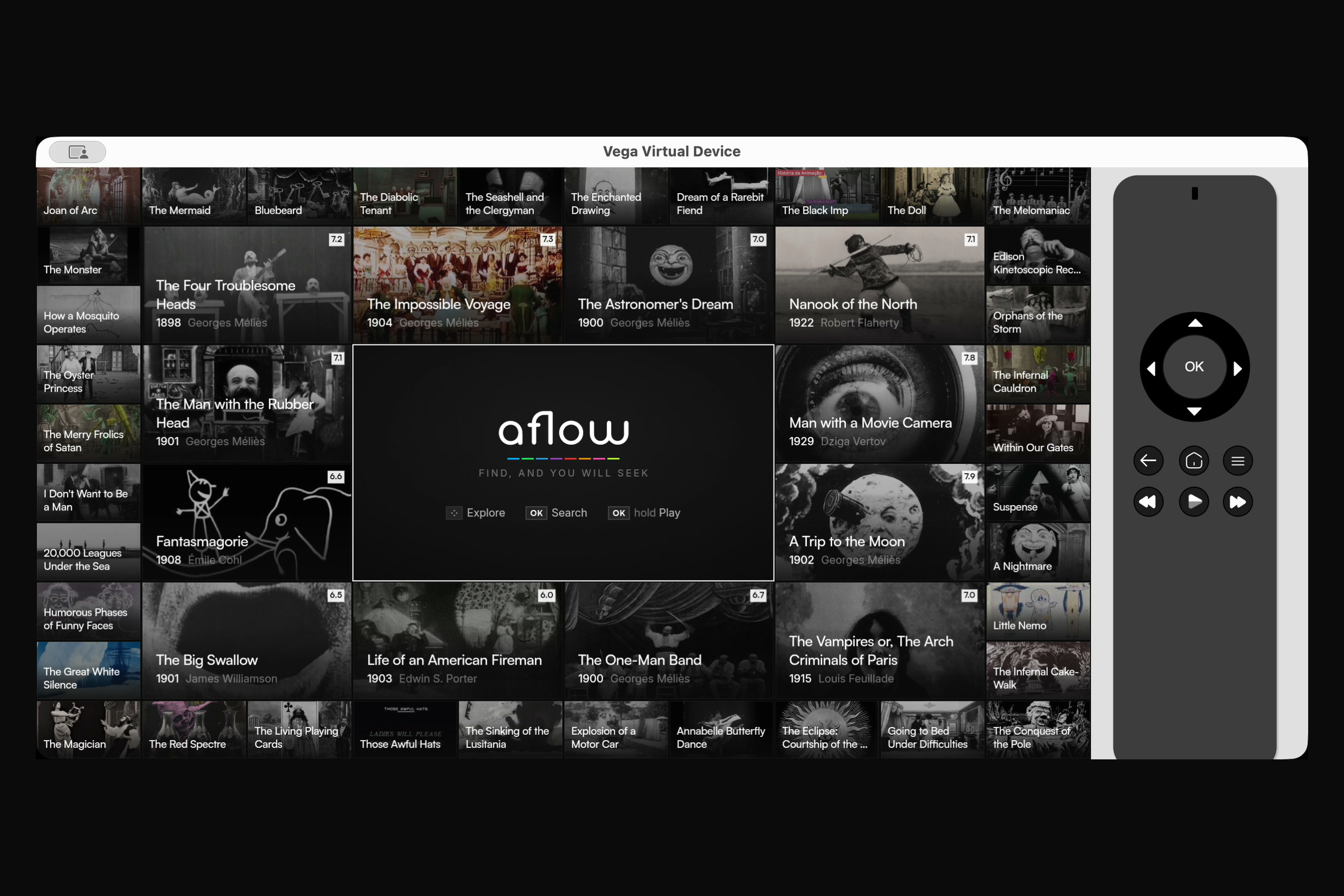
The native app on the Vega Virtual Device, steered with the remote.
Inspiration
Streaming menus are shelves sorted by an algorithm you can't see. Sitting on the couch with a remote, you can't ask the simplest film question: what is this connected to? Who else did the director make films with? What was it based on? What else did the composer score? To find out, you put the remote down and pick up your phone.
aflow started as a research prototype for a different 10-foot interface. One film sits in the center. Everything related surrounds it in rings, closest connections first, and every tile says why it is there. You browse by following relationships, not by scrolling rows.
What it does
- A mesh, driven by the D-pad. The chosen title is the center, surrounded by 48 related tiles. OK opens a tile and names its connection in the app's colors: Director, Writer, Music, Cast, Genre, Based on, collection or studio. Every tile sharing that connection lights up.
- Follow any thread. A connection is itself a center. Choose Georges Méliès and Méliès moves to the middle, surrounded by his films. Choose Documentary and the genre opens.
- Hold OK to move a tile into the center and watch the mesh rebuild around it. OK on the center plays the trailer, with Restart, Mute, Pause, Info and Search.
- Search for titles, people and genres; a full info screen; text sizes for the 10-foot distance; Back walks through earlier centers and asks before exiting.
- Where to watch, display-only. Streaming providers are shown but never launched, following Fire TV test criterion 2.14.
Films, TV shows, people, companies and collections are all centers in one graph of about 544,000 titles, built from TMDB plus Wikidata "based on" links.
How we built it
aflow already shipped as a Vue 3 + TypeScript app on the web, Fire OS (Capacitor) and Samsung Tizen. Vega OS can't run Android apps, so we rebuilt it for Vega during the submission period, in two steps.
Step 1: a WebView shell, in two days. A React Native for Vega app hosts the existing web app in Vega WebView, with a bridge for HTTP, Back, long-press OK and exit. It ran on a Fire TV Stick 4K Select on day one. Amazon's KPI tool then showed a first frame of 1.45–1.61 s, right on the 1.5 s limit.
Step 2: a native React Native for Vega app, which is the entry. Every screen is drawn by React Native: mesh, folios, search, info screen, settings, dialogs. The only WebView left plays the YouTube trailer.
- One design source. Tokens, icons, the logotype, relation colors, text sizes, the About copy, the cell table and the response parser are the web app's own files, shared through a Metro alias. A test and a release gate fail when the two apps drift apart. We matched the native screens to the web screen by screen, on the stick.
- Native focus. The 49-cell grid, folios, control bar and menu wire their D-pad neighbors with
FocusManager.setNextFocus, and every surface hands focus back to the button that opened it. - Back and long-press with
useKeplerBackHandleranduseTVEventHandler(a 650 ms hold), matching the Fire OS app. - Amazon's KPIs, measured on the stick: first frame 0.79 s (limit 1.5 s) and fully drawn 1.57 s (limit 8 s, reported with
useReportFullyDrawn). - A release gate refuses packages with diagnostics on, a non-production backend, a version mismatch or a missing icon, and derives the build number from the version.
The backend is our own graph engine, Mesh (C#/.NET on Mono), fed by a Bun pipeline over TMDB and Wikidata. The demo video runs against a public-domain-only build of it: films released before 1931 whose credited director, writers and composer all died before 1956.
Challenges we ran into
- The trailer WebView is fragile. Re-creating it crashed the renderer, re-ordering a sibling turned its video black, and nothing native can draw over it. The fix was one player for the app's whole life, static z-order, and panels that close the center before they open.
- Focus requested while a view mounts is dropped silently. We retry until
onFocusconfirms it. - The WebView step: a bundled web app can't load its own modules from
file://, so the build had to be inlined. Back quit the app before the page saw it, and a held key arrived as separate presses. - Policy before code. The Fire OS version once opened titles in streaming apps, and Amazon's review rejected that. The Vega build never launches third-party apps, and no public way exists to hand a title to Fire TV's own search.
- The first connection to the stick needs a USB data cable and a switched-on HDMI screen. Without the screen, launches fail, and the error only shows in the device log.
We logged 21 entries like these in a friction log, each with steps, workaround and a suggestion for Amazon.
What we learned
- Read the platform's rules before its APIs. The feature most likely to fail review was decided by policy, not by what the SDK allows.
- Measure on the device. The KPI tool, not taste, decided the native rewrite: it made the native app twice as fast to start.
- Share the design, not the framework. Vue and React Native share no components, but tokens, icons, copy and layout numbers can be files that both read.
What's next
Publish the native Vega build in the Amazon Appstore next to our Fire OS listing, and measure the memory KPI with Appium.
Built With
- .net
- asyncstorage
- bun
- c#
- fire-tv
- javascript
- jest
- metro
- mono
- react-native
- react-native-for-vega
- react-native-svg
- tmdb
- typescript
- vega-os
- vega-sdk
- vue.js
- webview
- wikidata
- youtube

Log in or sign up for Devpost to join the conversation.