-
-
-
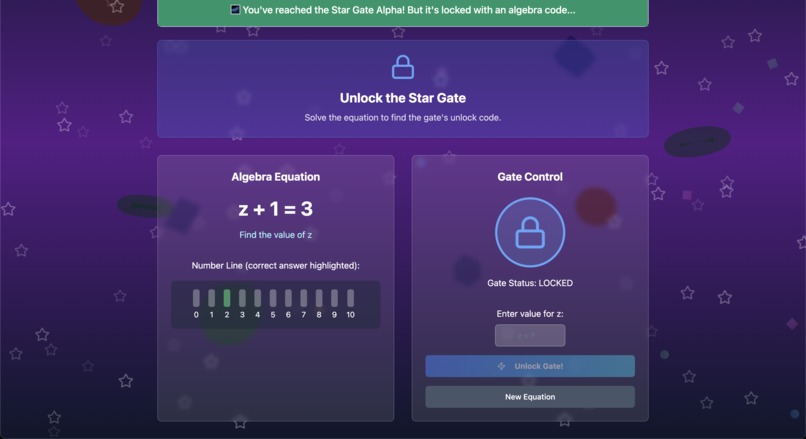
Equation_Solver
-
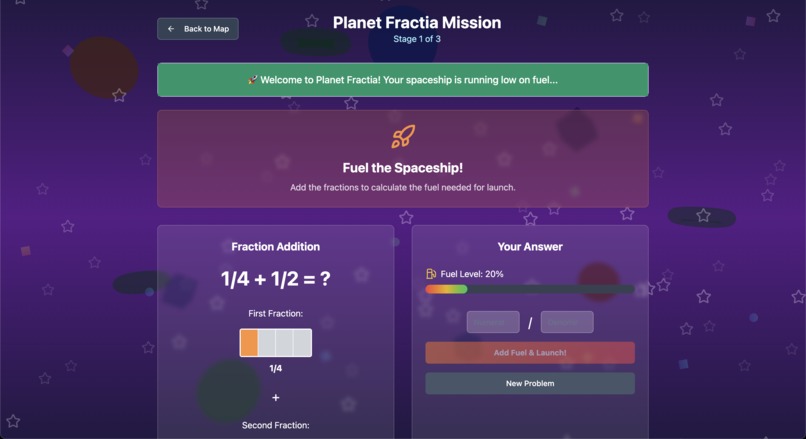
Fraction_Solver
-
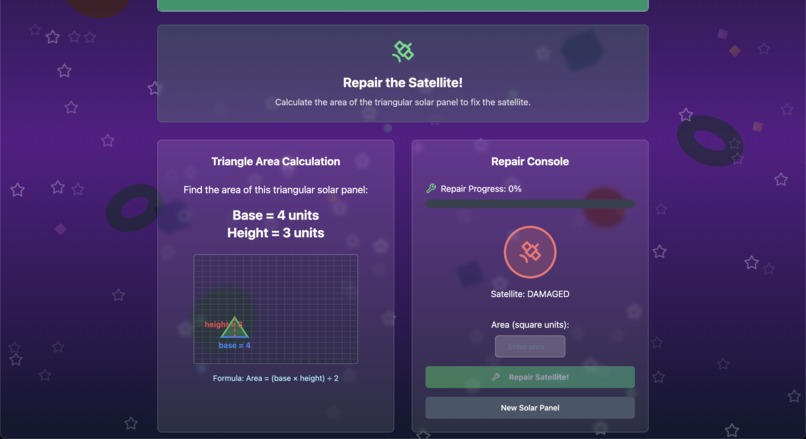
Geomentry_Solver
-
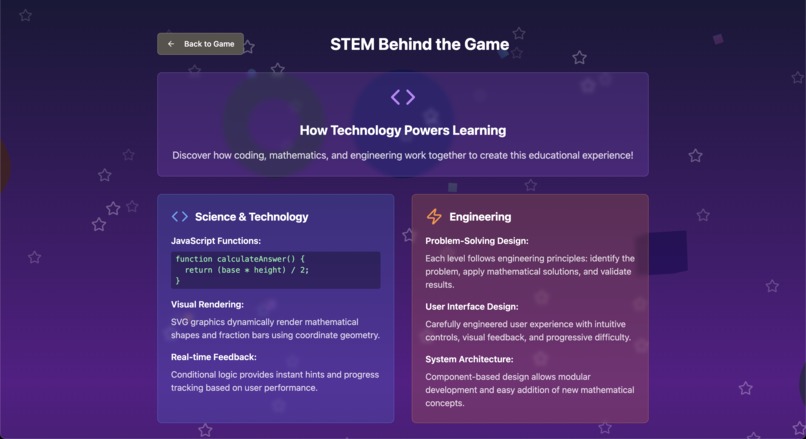
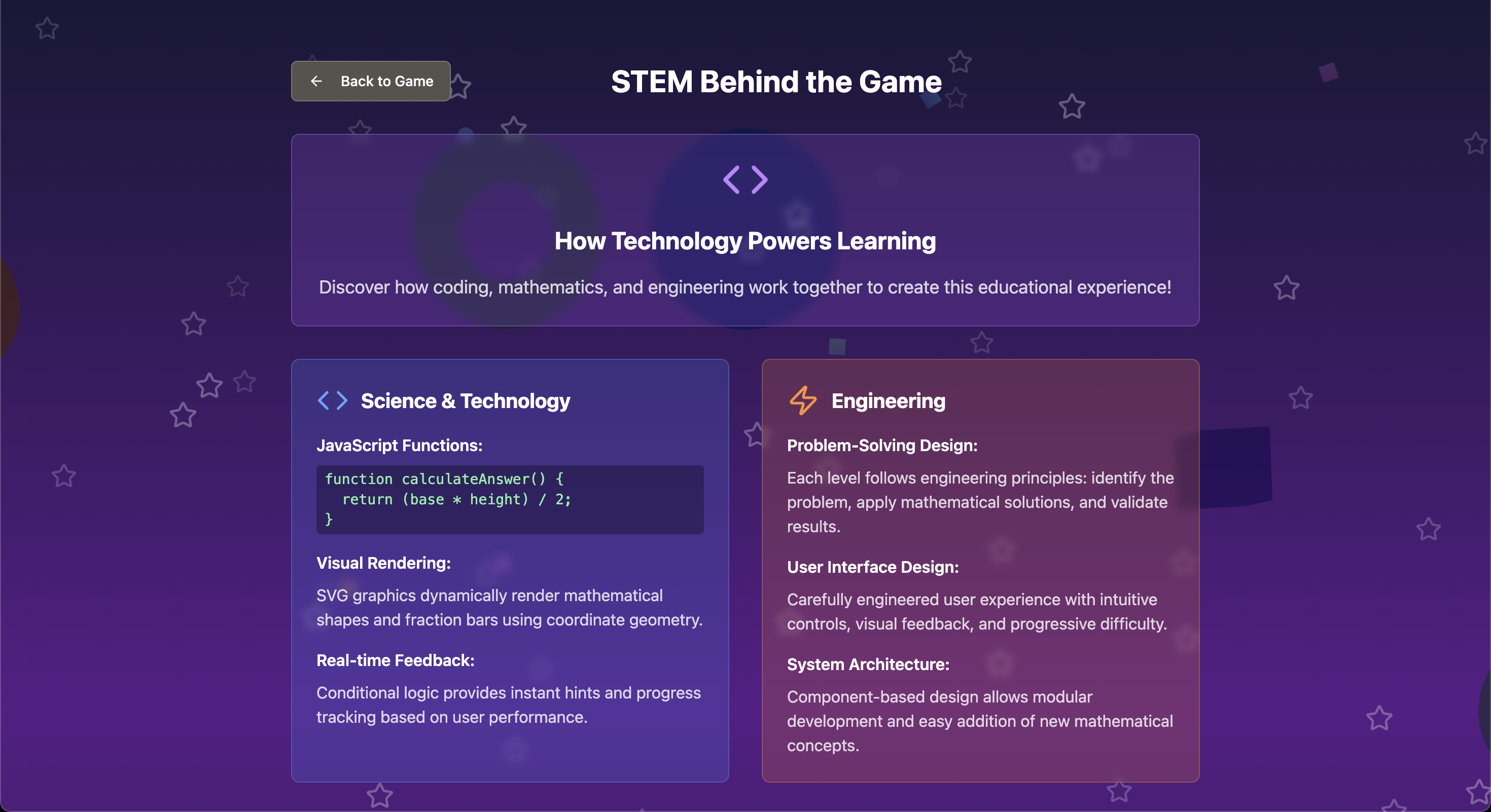
About_Page
-
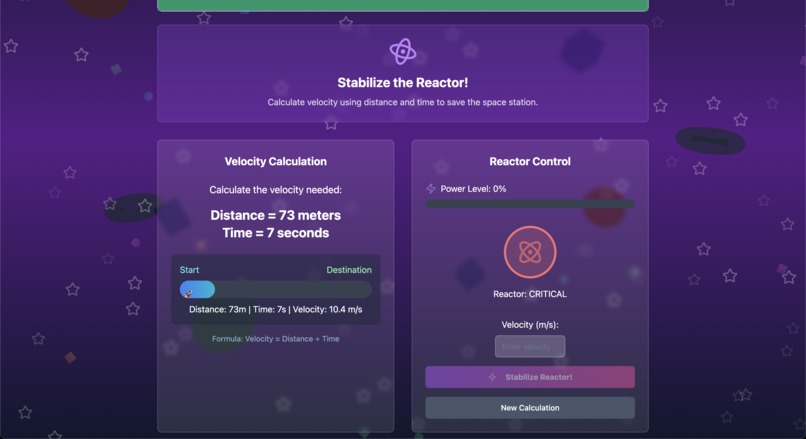
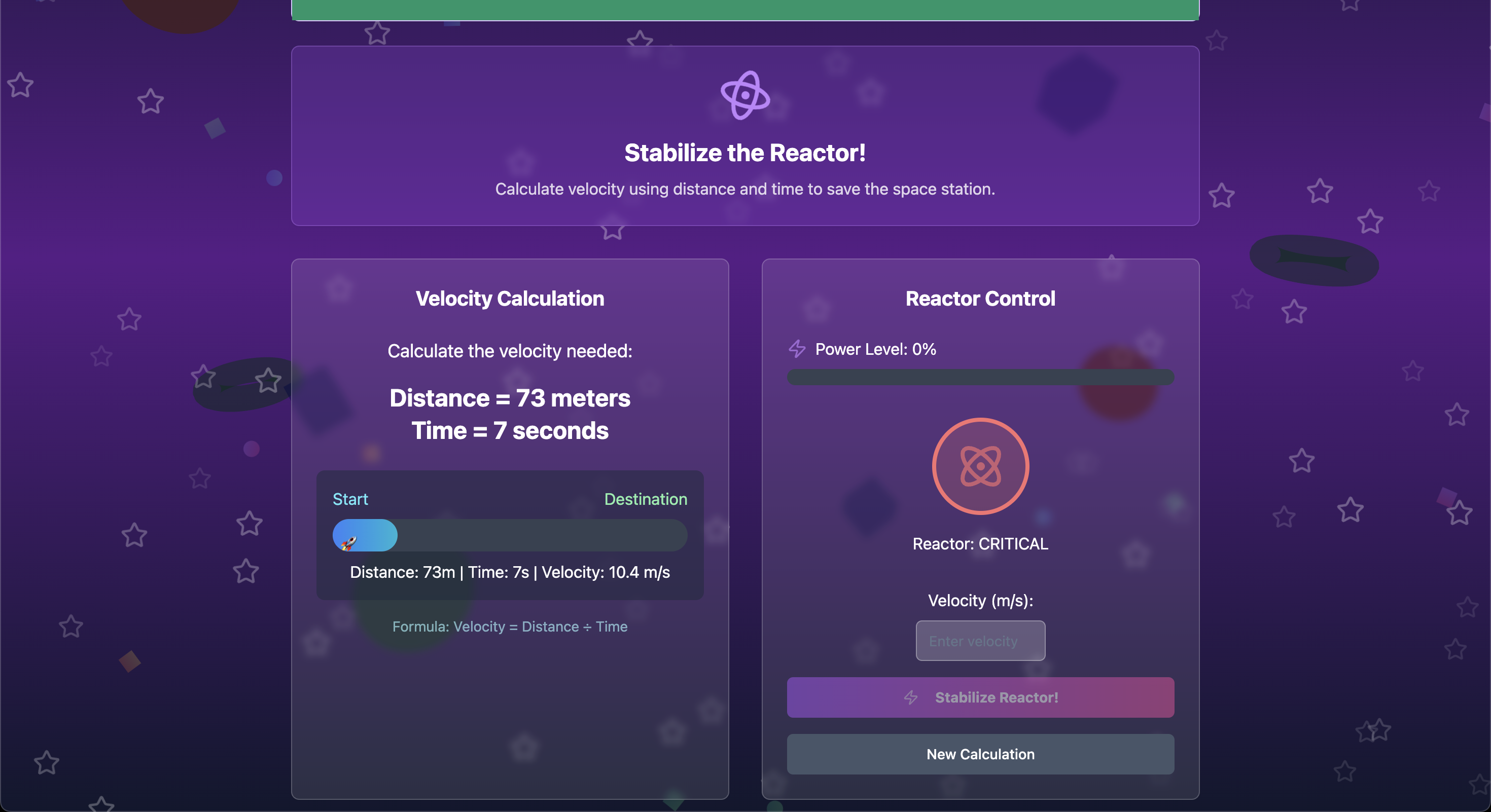
Time_Speed_Problems
-
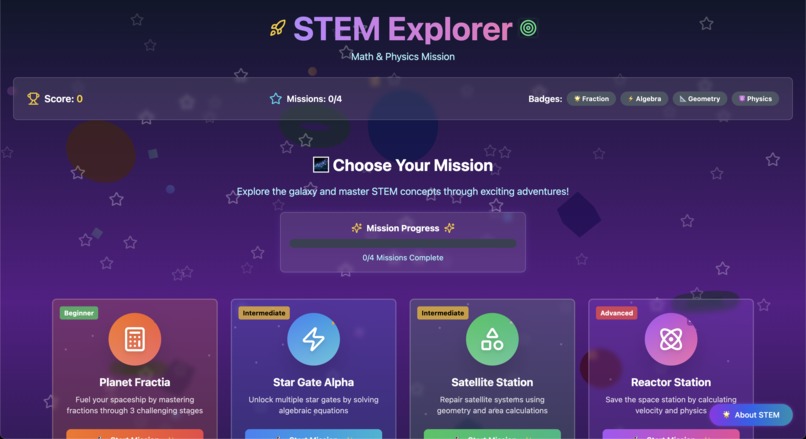
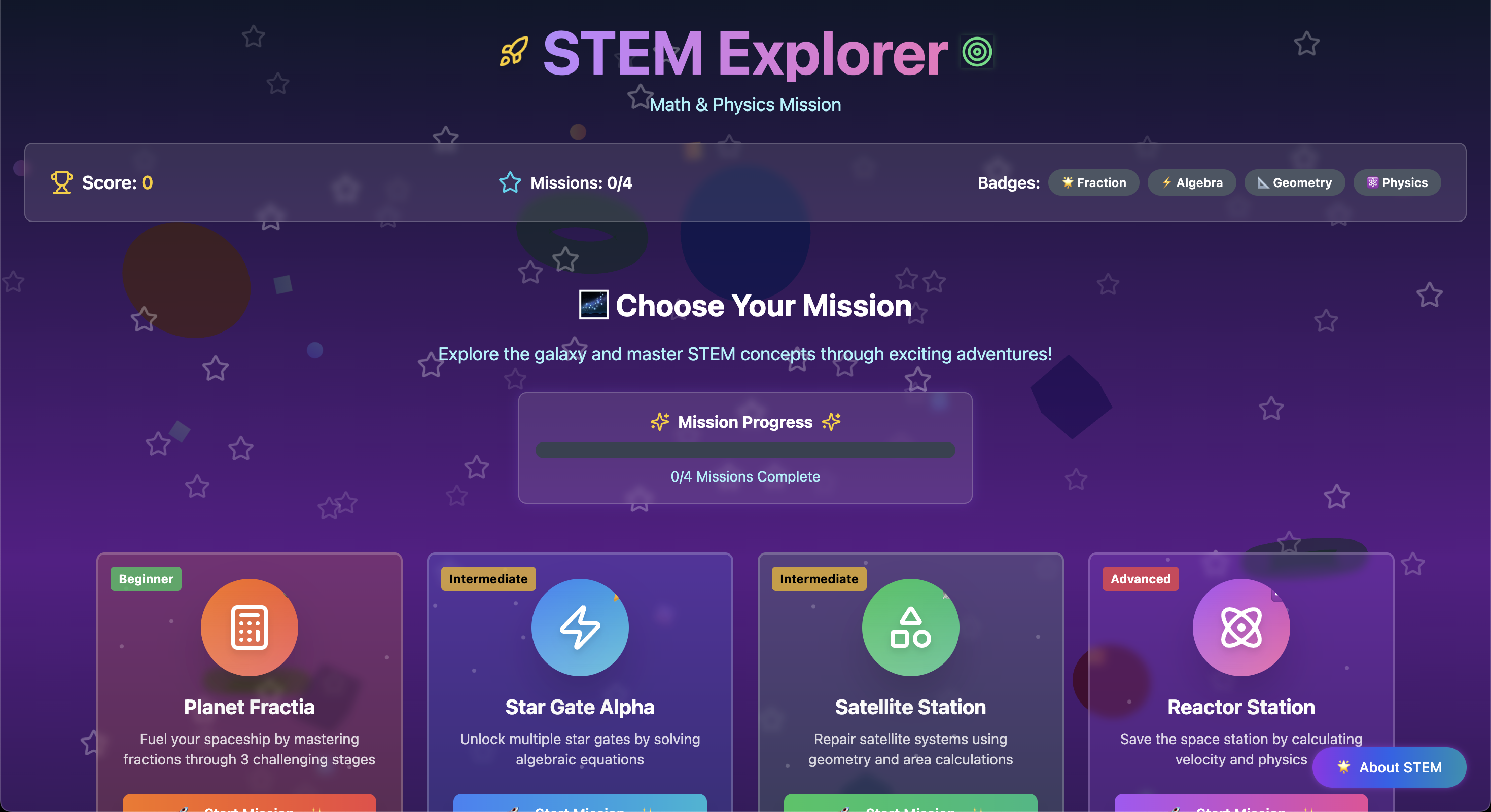
Home_Page_Top
-
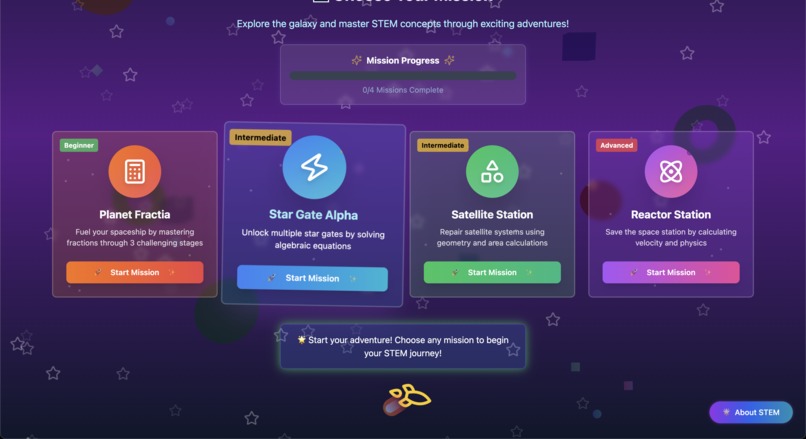
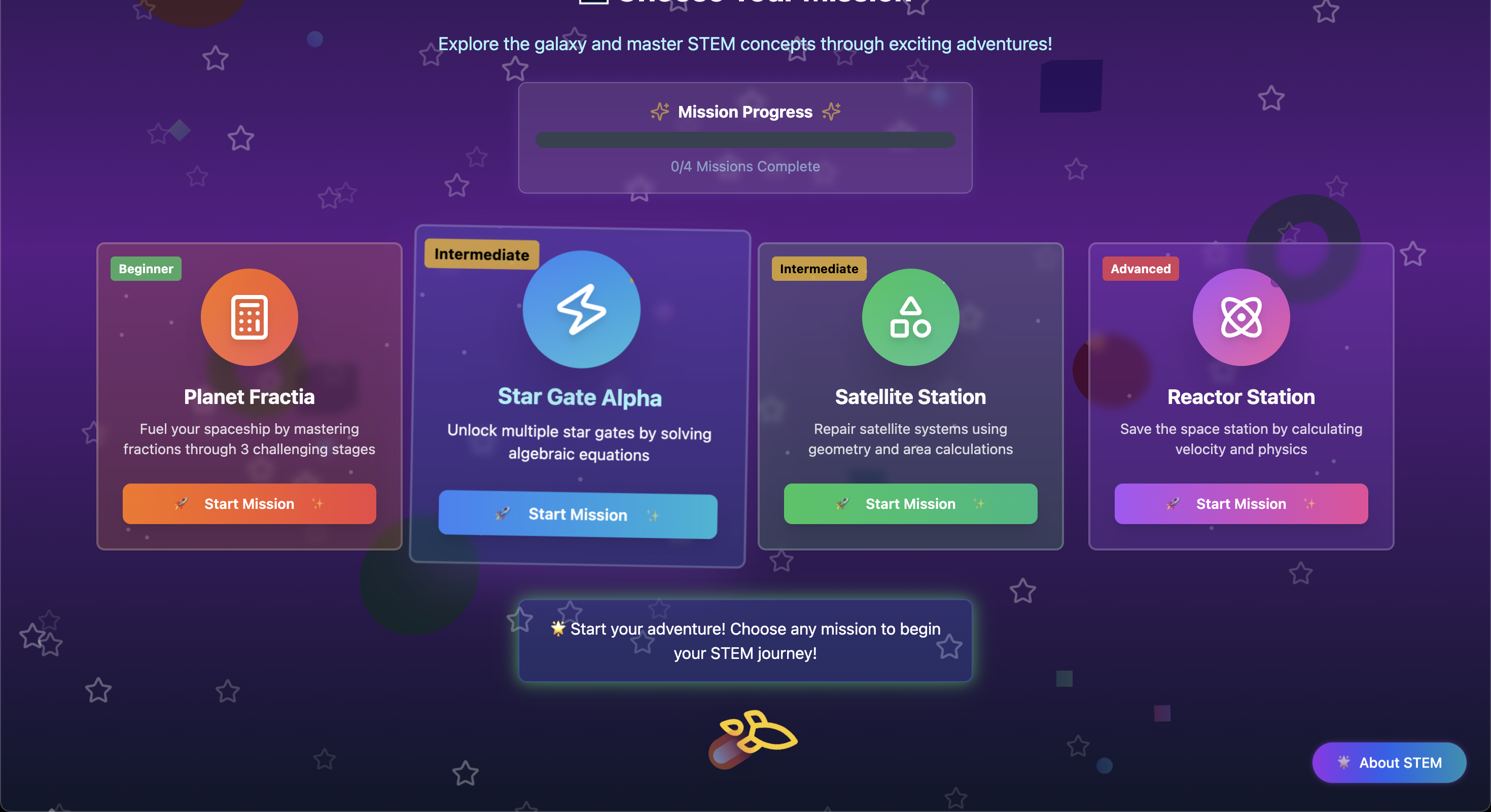
Home_Page_Bottom
🎯 Inspiration
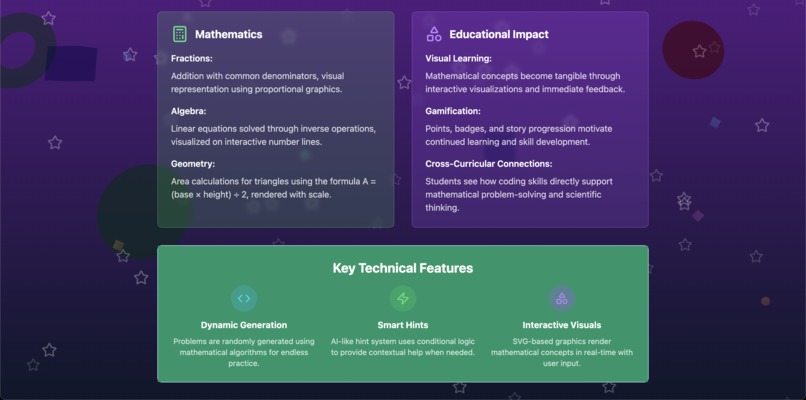
We were inspired by the need to make STEM education more engaging for students who struggle with traditional learning methods. By combining the excitement of space exploration with fundamental mathematical concepts, we wanted to create an immersive experience that transforms abstract concepts into tangible, visual learning adventures.
🚀 What It Does
STEM Explorer takes students on an interactive journey through different mathematical domains:
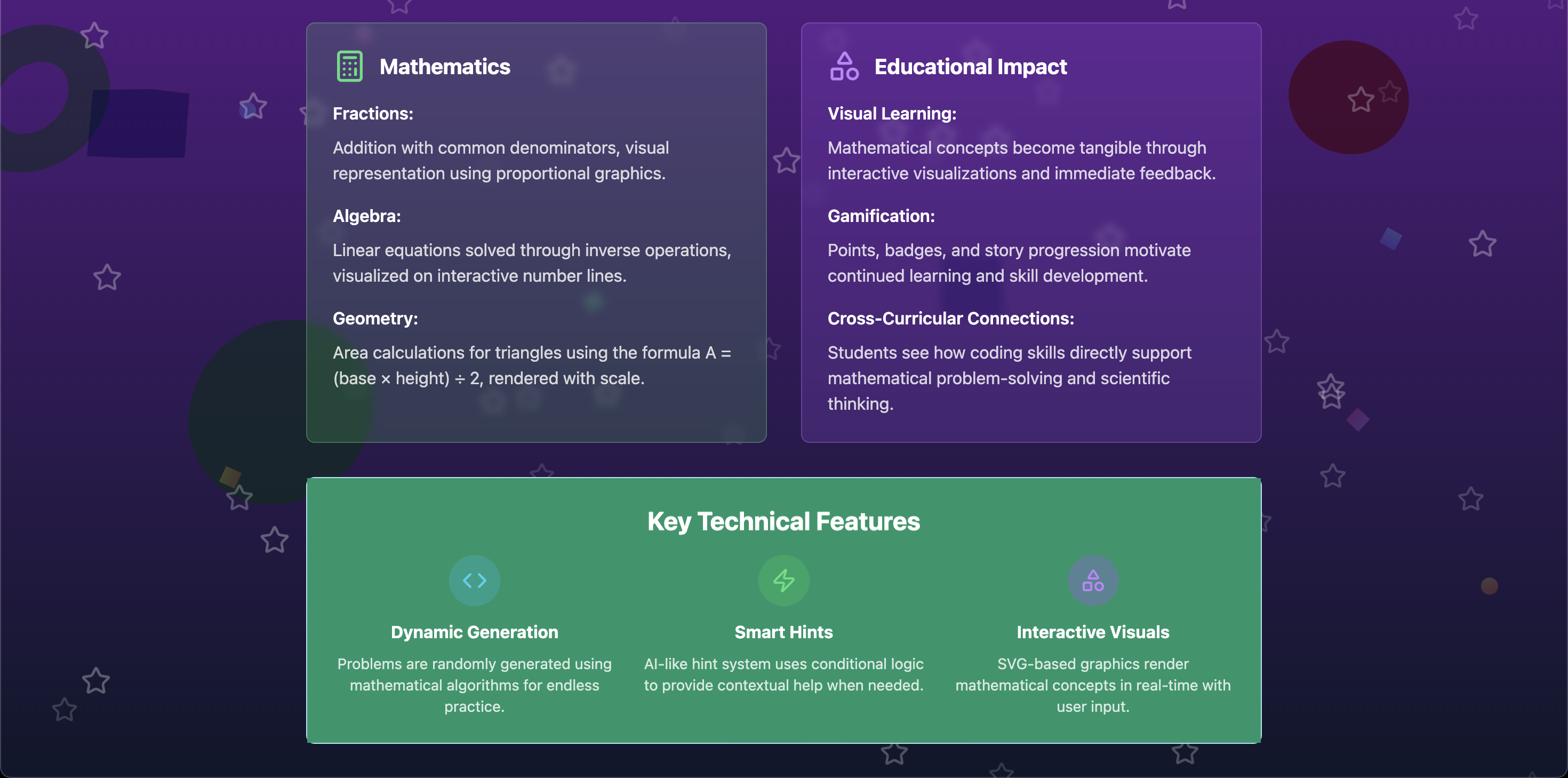
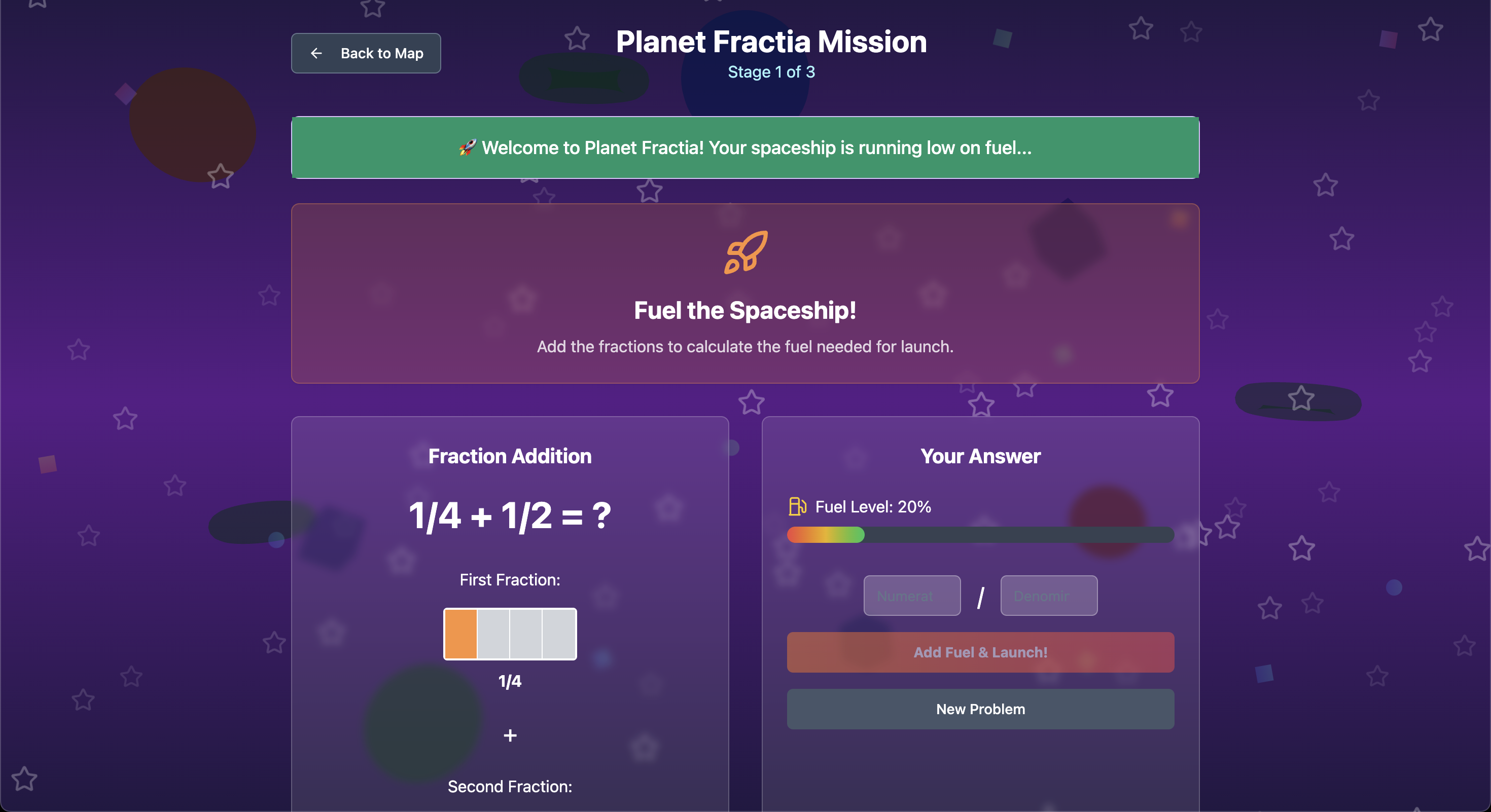
- Planet Fractia: Master fraction addition through spaceship fuel calculations
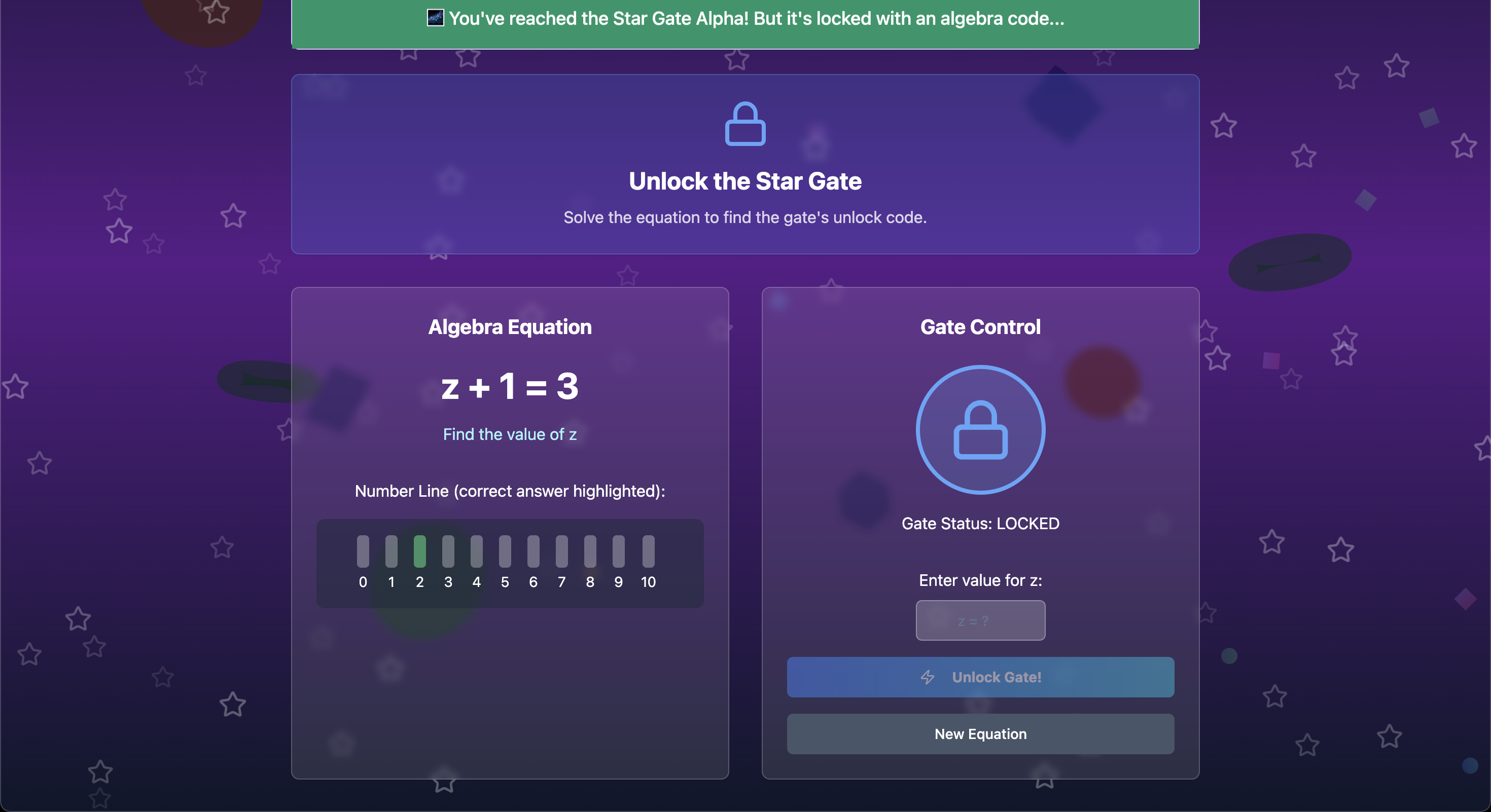
- Algebra Station: Solve linear equations to navigate cosmic coordinates
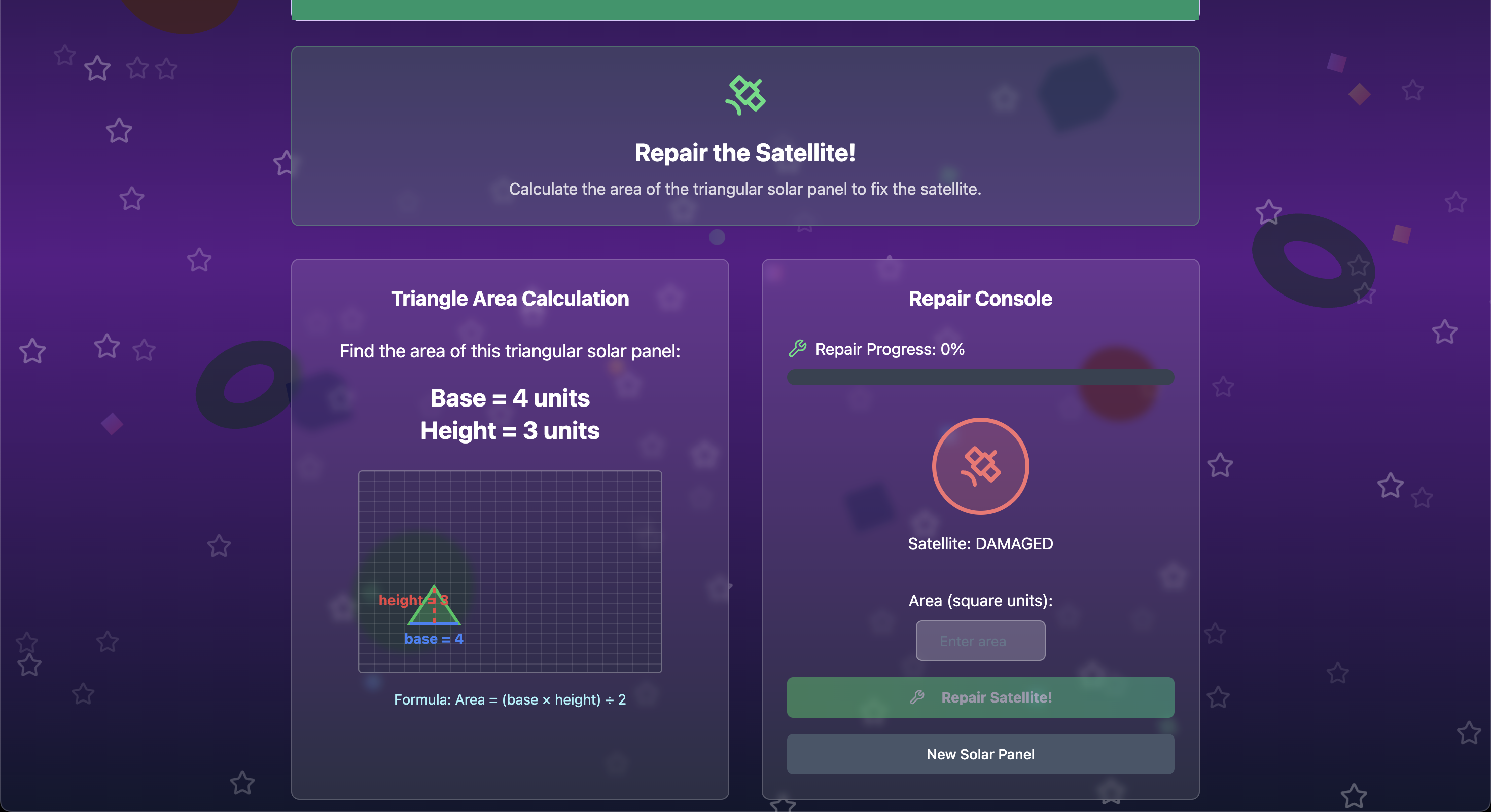
- Geometry Lab: Calculate triangle areas for space construction projects
- Physics Reactor: Apply physics principles in zero-gravity environments
Each level features:
- Progressive difficulty
- Visual learning aids
- Smart hint systems
- Real-time feedback
All designed to keep students engaged while building mathematical confidence.
🛠️ How We Built It
We built STEM Explorer using modern web technologies:
- Frontend: React with TypeScript for robust component architecture
- Styling: Tailwind CSS with custom animations and responsive design
- UI Components: Shadcn/UI for consistent, accessible interface elements
- 3D Graphics: React Three Fiber for immersive space environments
- Build Tool: Vite for fast development and optimized production builds
- State Management: React hooks for game progress and user statistics
The application features a component-based architecture with separate level modules, making it easy to add new mathematical concepts and maintain existing content.
🧗 Challenges We Ran Into
- 3D Performance: Optimizing React Three Fiber animations while maintaining smooth gameplay across different devices
- Mathematical Visualization: Creating intuitive visual representations of abstract mathematical concepts like fractions and algebraic equations
- Progressive Difficulty: Balancing challenge levels to keep students engaged without overwhelming them
- Cross-browser Compatibility: Ensuring consistent animation performance across different browsers and devices
🏆 Accomplishments That We're Proud Of
- Created an engaging educational experience that makes mathematics feel like an adventure
- Developed a scalable architecture that can easily accommodate new STEM subjects
- Implemented sophisticated visual learning aids including interactive fraction bars and geometric shape rendering
- Built a comprehensive hint system that provides contextual help without giving away answers
- Achieved smooth 3D animations and particle effects that enhance the space theme
📚 What We Learned
- The importance of user experience design in educational technology
- How to effectively combine gamification with serious learning objectives
- Advanced React patterns for managing complex state in educational applications
- The power of visual learning in making abstract mathematical concepts accessible
- Best practices for creating responsive, accessible educational interfaces
🔮 What's Next for STEM Explorer
- Extended Curriculum: Add calculus, statistics, and advanced physics modules
- Multiplayer Mode: Enable collaborative problem-solving and peer learning
- Teacher Dashboard: Provide educators with progress tracking and curriculum management tools
- Mobile App: Develop native mobile versions for iOS and Android
- AI Tutoring: Implement adaptive learning algorithms that personalize difficulty based on student performance
- Virtual Reality: Explore VR integration for even more immersive mathematical experiences
Built With
- react
- shadcn/ui
- tailwind
- three.js
- typescript
- vite

Log in or sign up for Devpost to join the conversation.