Aethos -- The Last Crystal
Team: John Song, Rishith Auluka, Hiep Pham
Inspiration
We wanted to build something that felt like a real game, not just a tech demo. Tower defense games have always been a genre we enjoy, but we felt like the genre had gotten stale. What if instead of clicking buttons to place towers, you actually drew spells with your mouse to fight? That idea of gesture-based combat got us excited, and the rest of the game grew from there.
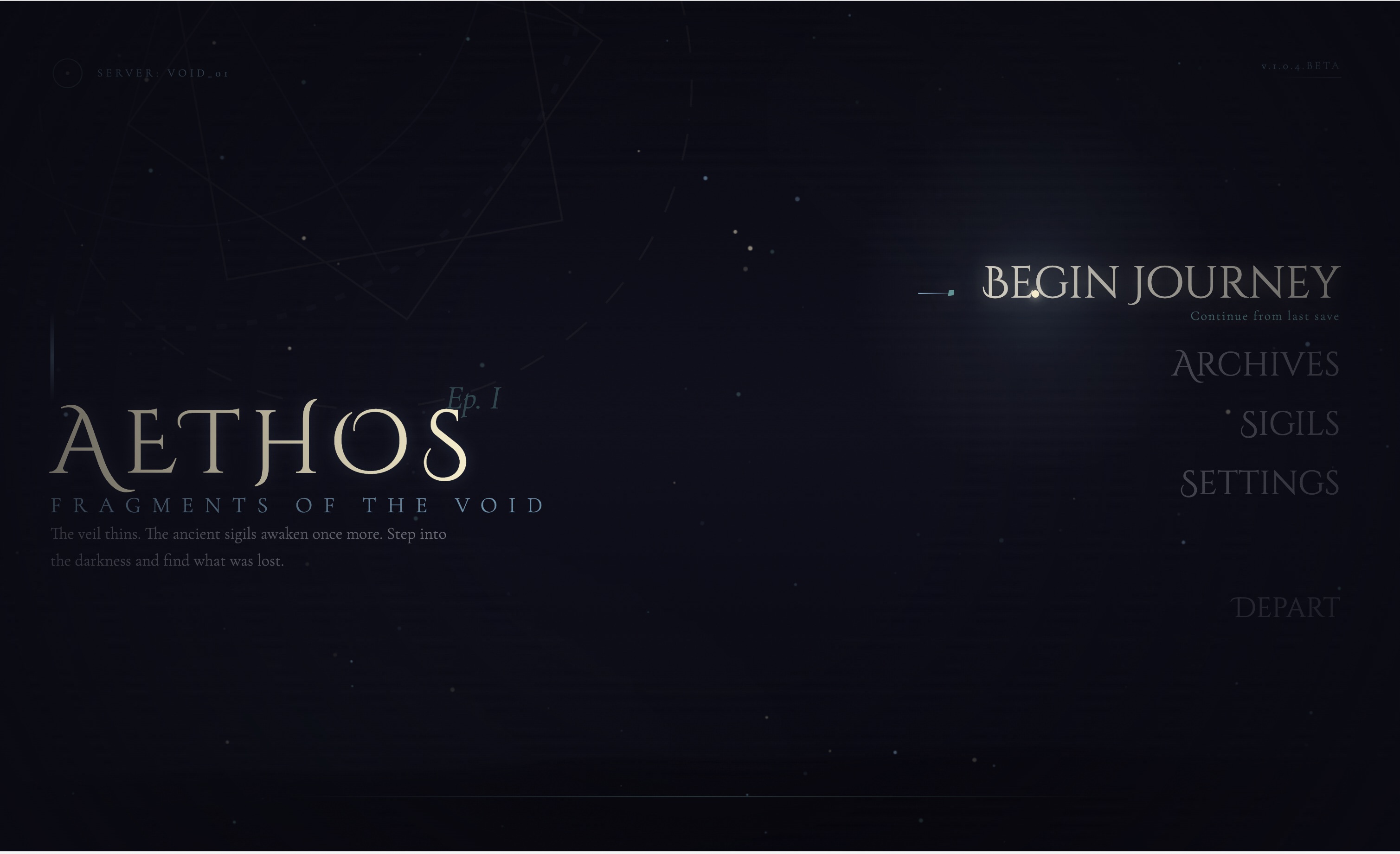
The name "Aethos" comes from "aether," the classical element associated with magic and the heavens. The story is simple: you are the last wizard defending a dying crystal against waves of enemies. We liked the tension of having something precious to protect while also wanting to explore dangerous dungeons for better loot. That push-and-pull between defending your base and venturing out became the core of the gameplay loop.
What It Does
Aethos is a real-time tower defense game played entirely in the browser. You defend an Aethercrystal at the center of your base against waves of enemies. The twist is how you fight: you draw shapes on screen with your mouse, and each shape casts a different spell.
- Draw a star to fire a seeking missile that follows your drawn path
- Draw a circle to lob a water bomb that explodes and leaves a slowing puddle
- Draw a line to call down lightning on the strongest enemies
- Draw a triangle to send out an earth wave that stuns everything around you
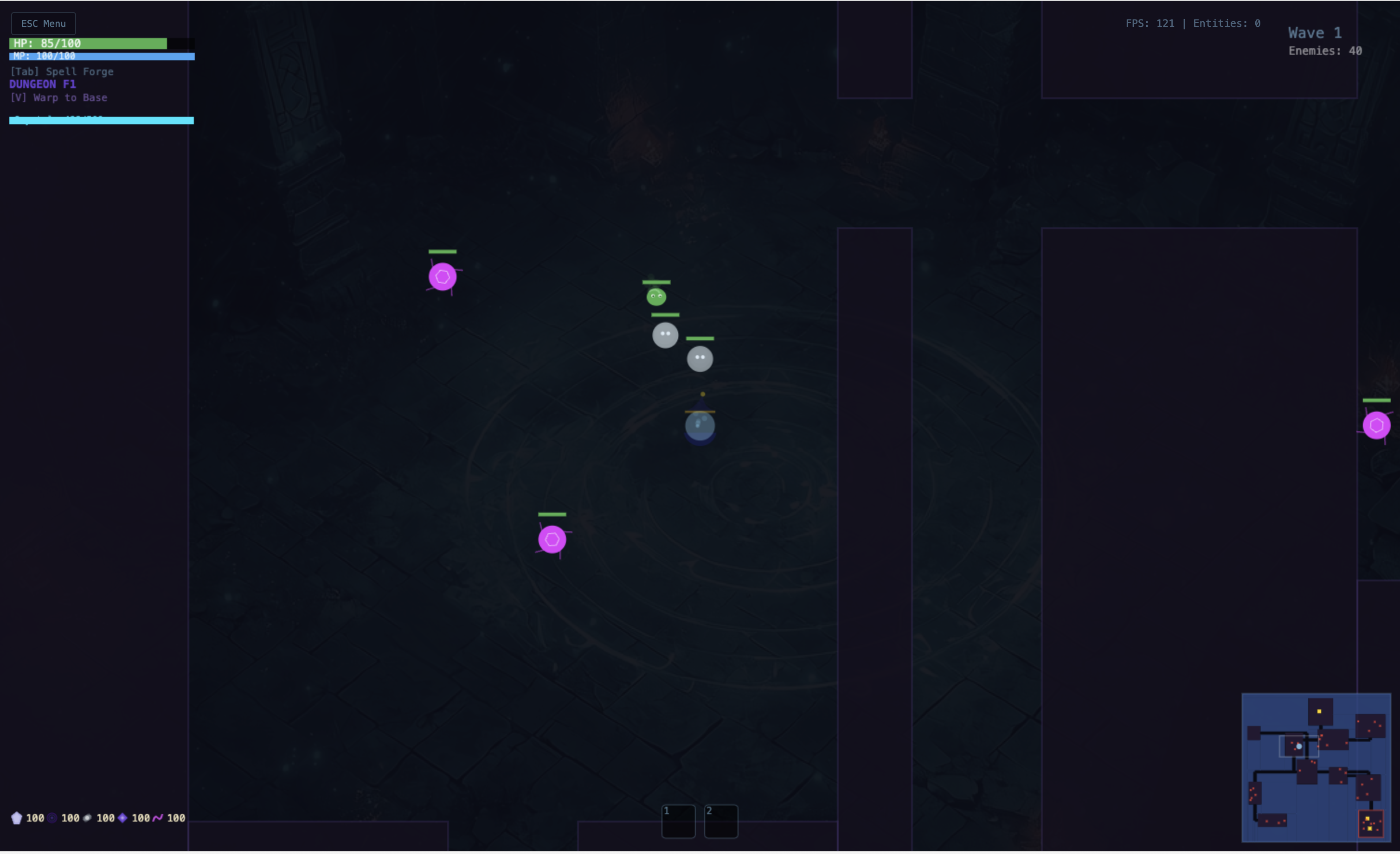
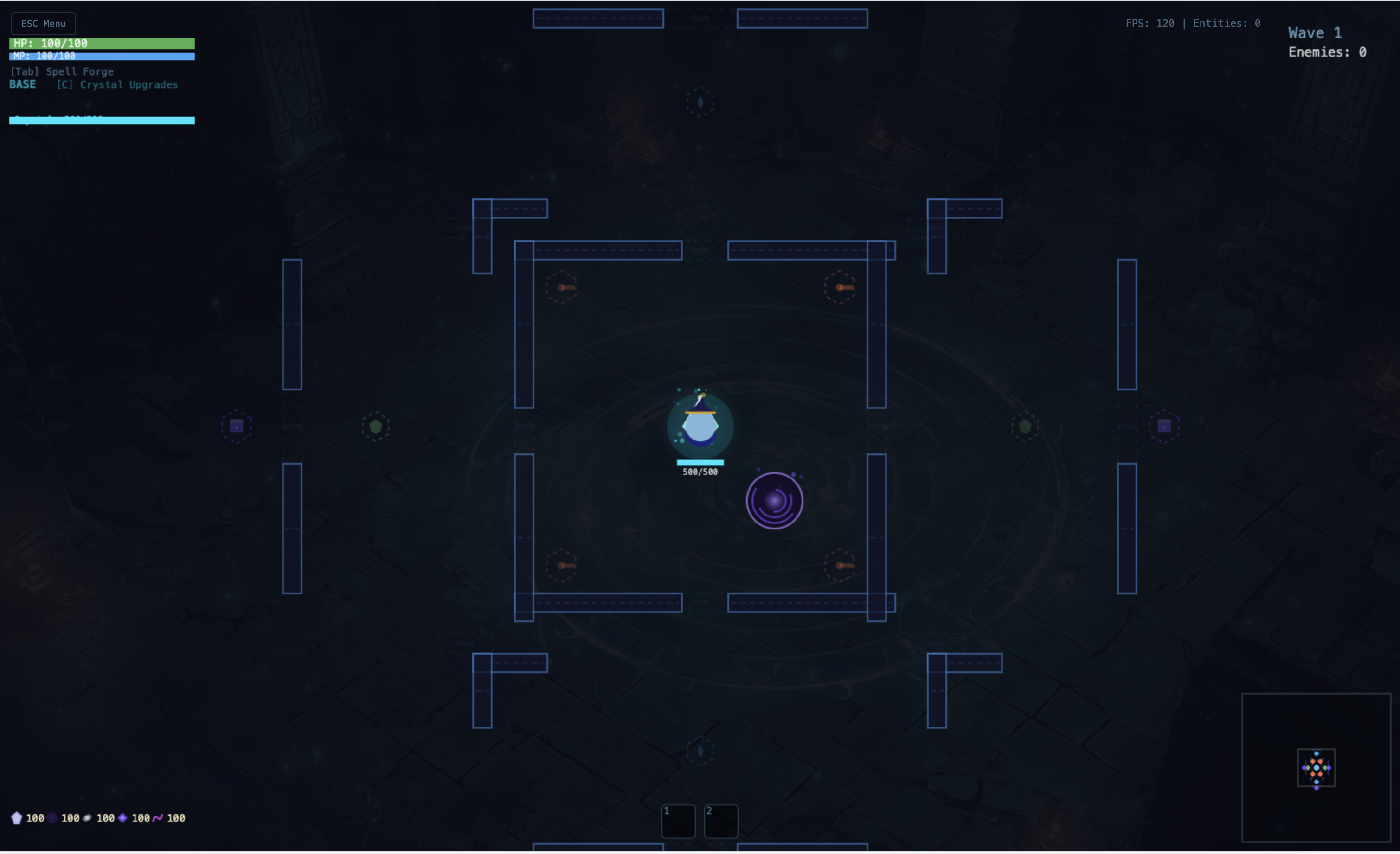
Between waves, you can build walls, turrets, mana wells, and shield pylons in concentric rings around your crystal. You can also step onto a teleport pad and enter a procedurally generated dungeon, where you fight tougher enemies and loot chests for crafting materials, accessories, and crystal upgrade tokens. While you are in the dungeon, your base defenses keep running autonomously through a background simulation.
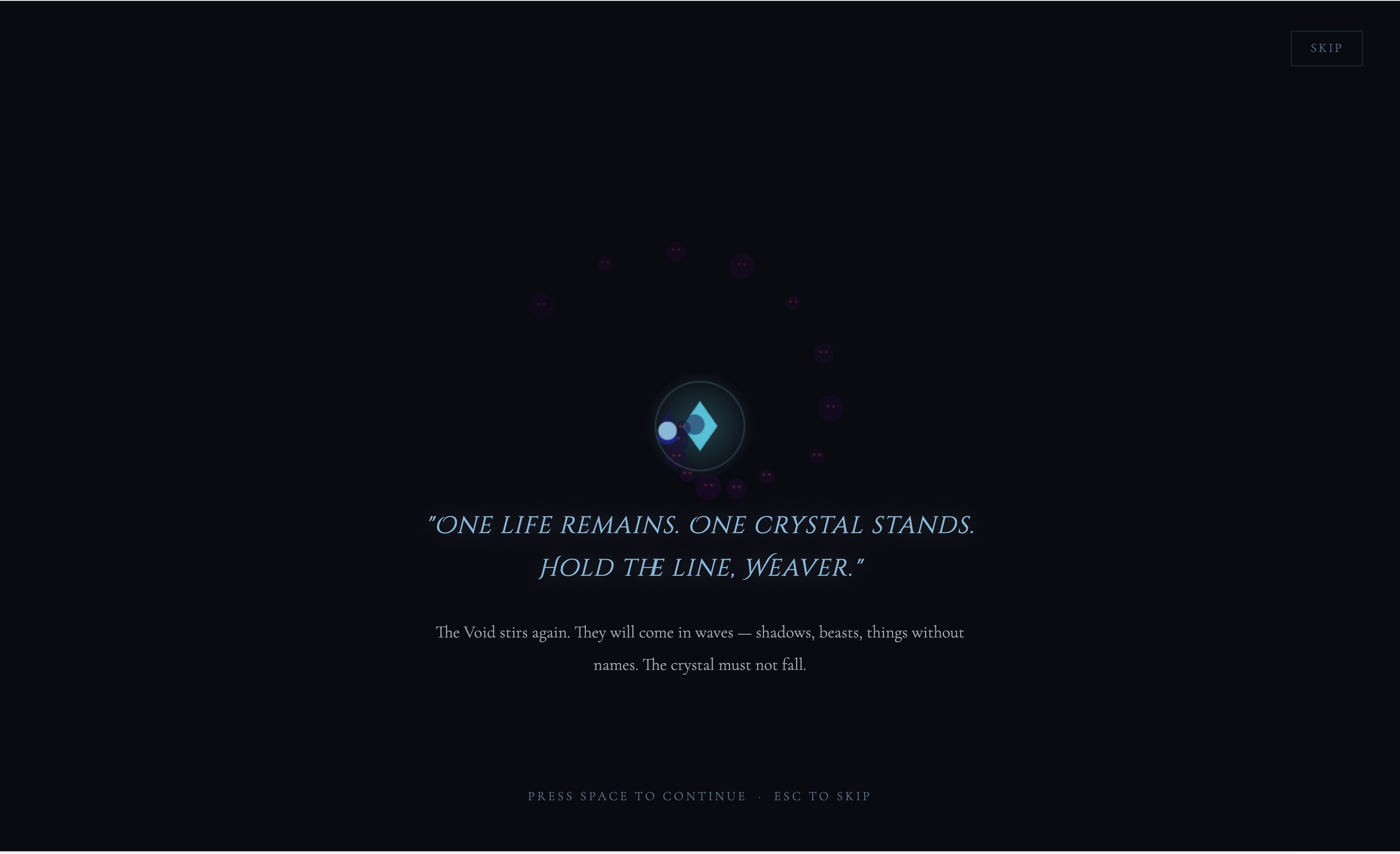
The game features a cinematic opening cutscene that tells the backstory of the wizard and the crystal, with animated canvas visuals for each scene.
How We Built It
We built the entire game from scratch using Canvas 2D for rendering and React for the UI layer. There is no game engine library involved. Everything from the physics to the rendering pipeline to the dungeon generation is hand-written.
Architecture
The game runs on a fixed-timestep loop. A GameEngine class orchestrates all systems: enemy pools, projectile pools, collision detection, wave spawning, and the spell casting system. A RenderPipeline handles layered drawing (background, entities, particles, HUD). React components like the Spell Forge and Crystal Upgrade panels communicate with the engine through a Zustand store that acts as a bridge between the canvas game state and the React UI.
We used an object pooling pattern extensively. Instead of creating and destroying enemy or projectile objects every frame (which would cause garbage collection stuttering), we pre-allocate pools of objects and reuse them. When an enemy dies, it goes back into the pool. When a new one spawns, we pull from the pool. This keeps the game smooth even with dozens of entities on screen.
Gesture Recognition
For spell casting, we integrated the $1 Unistroke Recognizer algorithm. We generate over 100 template variations for each gesture shape at different rotations, sizes, and drawing directions. When the player draws on screen, the algorithm resamples their stroke to a fixed number of points, rotates it to a canonical orientation, and compares it against every template. The best match determines which spell fires. If nothing matches well enough (or the player lacks mana), a free basic attack fires instead.
Dungeon Generation
Dungeons are procedurally generated using a seeded pseudo-random number generator (Mulberry32). The algorithm works in stages:
- Room placement via rejection sampling: randomly propose room positions and accept them if they do not overlap existing rooms
- Corridor generation using Prim's Minimum Spanning Tree algorithm to connect all rooms
- Wall construction using a greedy mesh optimization to merge adjacent wall tiles into larger rectangles, reducing the number of collision checks needed
Each dungeon has 5 tiers of difficulty. Enemy stats (HP, damage) scale with tier multipliers. The boss room contains a portal that activates once all enemies are cleared, letting the player descend to the next floor.
Base Simulation
When the player enters a dungeon, the base does not just freeze. A BaseSimulator runs a simplified version of the game at 4 ticks per second: enemies keep moving toward the crystal, turrets keep shooting, walls take damage and can be destroyed. This means leaving your base undefended has real consequences. We tuned the simulation to be slightly forgiving (reduced contact damage) since the player cannot actively help, but it still creates meaningful tension.
Tools and Frameworks
| Tool | Purpose |
|---|---|
| React 19 | UI components, state management, routing |
| Vite 6 | Build tool and dev server |
| Zustand | Lightweight state management bridging React and the game engine |
| Tailwind CSS 4 | Styling for UI panels and overlays |
| React Router DOM 7 | Page routing (home, game, etc.) |
| $1 Unistroke Recognizer | Gesture recognition algorithm for spell casting |
| Canvas 2D API | All game rendering (no external game engine) |
| Cloudflare Tunnel | Exposing local dev server for demo |
Challenges
Gesture recognition accuracy
Early on, the gesture recognizer was unreliable. Drawing a triangle would sometimes register as a circle, and lines were almost never detected. The problem was that we only had a handful of templates per shape, all at the same orientation. Since the $1 algorithm is rotation-sensitive in practice (despite being rotation-invariant in theory), we needed many more examples.
We solved this by generating templates programmatically: 12 rotations for each shape at $30\degree$ intervals, reversed drawing directions, and jittery variations to simulate imperfect human input. We also added a dedicated line gesture (which was originally missing entirely) with 24 angular variations at $15\degree$ intervals. This brought recognition accuracy to a level where it feels responsive and fair.
Player debuffs persisting forever
One enemy type, the Curse Hexer, applies a slow debuff to the player. We initially implemented this with a setTimeout to restore the player's speed after a duration. The problem: if two Hexers cursed the player in quick succession, the first timeout would restore speed to the wrong value, and subsequent curses would compound the slow until the player could barely move.
We fixed this by replacing the setTimeout approach with a frame-based timer system. The player entity now tracks slowFactor and slowTimer as state. Each frame, the timer counts down, and when it expires the slow resets cleanly. Multiple applications take the stronger slow and refresh the duration rather than stacking incorrectly.
Crystal dying while in the dungeon
Players reported that their crystal would lose all its health almost immediately after entering a dungeon. We traced this to two issues:
- Wave-spawned enemies were not being tagged with
_zone = 'base', so the background simulator's zone filter was skipping every single enemy, meaning they moved and attacked without any defense - Even after fixing the zone tag, the simplified simulation (no player spells, no manual intervention) let too much damage through
We fixed both: enemies now get tagged on spawn, and we reduced the crystal contact damage in the background simulation to 30% of normal to account for the simulation being an approximation.
Keeping the game loop smooth
With dozens of enemies, multiple projectile types, particle effects, and collision checks every frame, performance was a concern. JavaScript garbage collection can cause frame drops if you allocate too many objects per frame.
Our solution was aggressive object pooling. Every entity type (enemies, projectiles, particles, material drops) uses a pre-allocated pool. Objects are never created with new during gameplay; they are pulled from pools with spawn() and returned with release(). Combined with a fixed timestep game loop that decouples update logic from render frequency, the game runs smoothly even during intense combat.
What We Learned
- Object pooling matters in JavaScript. We did not expect GC pauses to be as noticeable as they were. Pre-allocating and reusing objects made a dramatic difference in frame consistency.
- Gesture recognition is harder than it looks. A single template per shape is nowhere near enough. Orientation, drawing direction, speed, and jitter all affect recognition. Quantity and variety of templates is more important than algorithm sophistication.
- Background simulation is a design challenge, not just a technical one. Getting the numbers right so the base feels defended but not invincible required a lot of playtesting and tuning.
- Canvas 2D is surprisingly capable. We did not need WebGL or a game framework. Plain Canvas 2D with careful rendering layers handles everything we needed, including particle effects and animated cutscenes.
Credits
- $1 Unistroke Recognizer by Jacob O. Wobbrock, Andrew D. Wilson, and Yang Li -- used for gesture-based spell recognition
- React by Meta -- UI framework
- Vite -- build tooling
- Zustand by Daishi Kato (pmndrs) -- state management
- Tailwind CSS by Tailwind Labs -- utility CSS framework
- React Router by Remix -- client-side routing
- Cloudflare Tunnel -- tunneling for live demo
- Fonts: Cinzel Decorative and Cormorant Garamond from Google Fonts


Log in or sign up for Devpost to join the conversation.