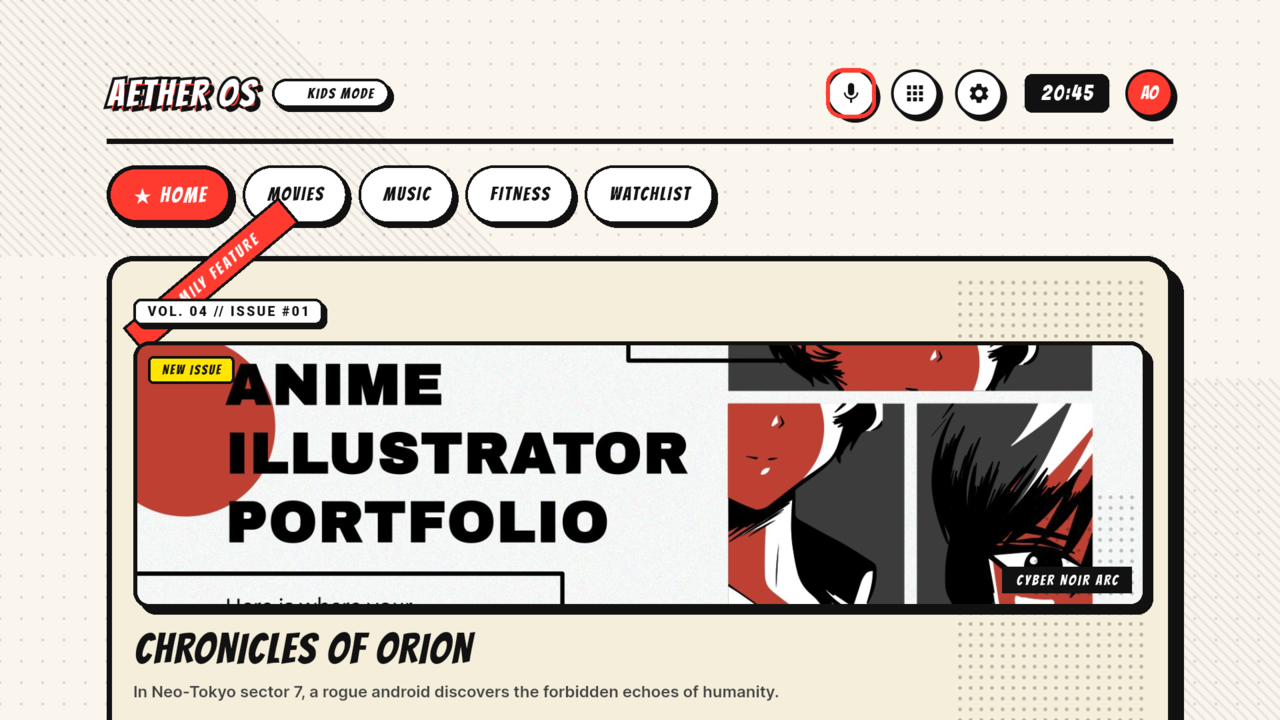
Inspiration We are ZetZor and Shaurya, two 11th grade students. We built Aether OS for the 2026 Amazon Developer Hackathon, Fire TV track. Most TV home screens are rows of rectangles. They work, but they do not feel like the thing you are browsing. The TV is the one screen in the house that everyone shares, and the remote is the only input. We wanted the interface to feel like a comic book you can flip through from the couch: cream paper, heavy ink, halftone dots, bold lettering, and panels that react when you move. The target was simple. Make every focus change visible from across the room, make every press feel like it landed, and never require a mouse or a tiny target. That idea became Aether OS. What it does Aether OS is a comic-book style entertainment hub for Fire TV.
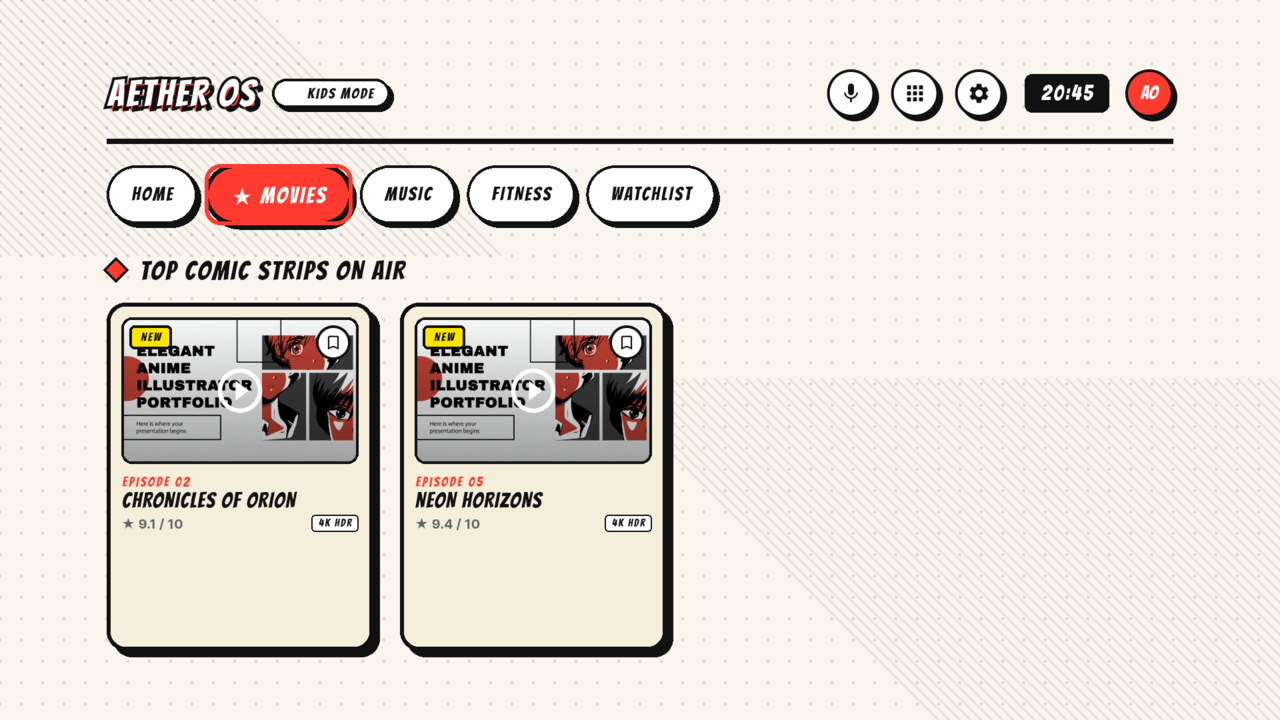
- A D-pad-first home screen with a hero panel, category tabs, and a horizontal content rail.
- Tabs for Home, Movies, Music, Fitness, and Watchlist.
- Watchlist: hold OK on a card to add or remove a title. The list is saved on the device.
- Kids Mode: filters the library to kid-safe titles and limits the tab set.
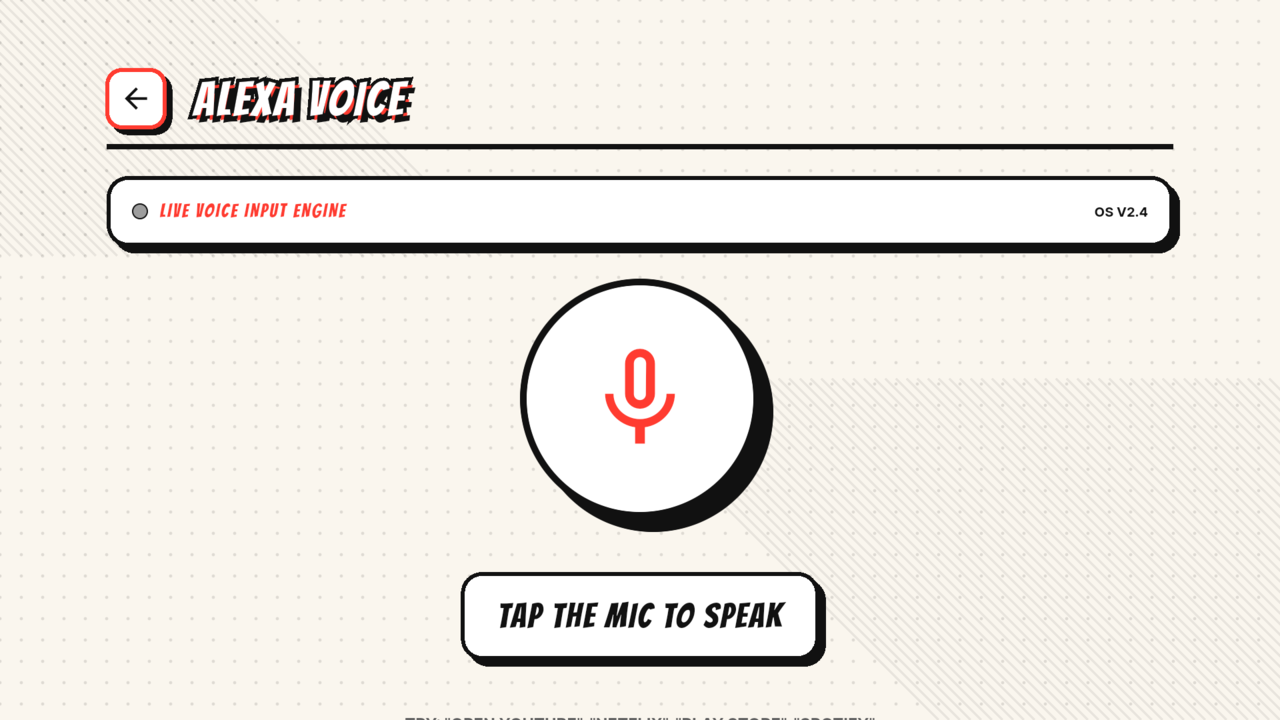
- Voice: press the mic, say "open YouTube" or "open Netflix," and the app launches. A typed fallback is always available.
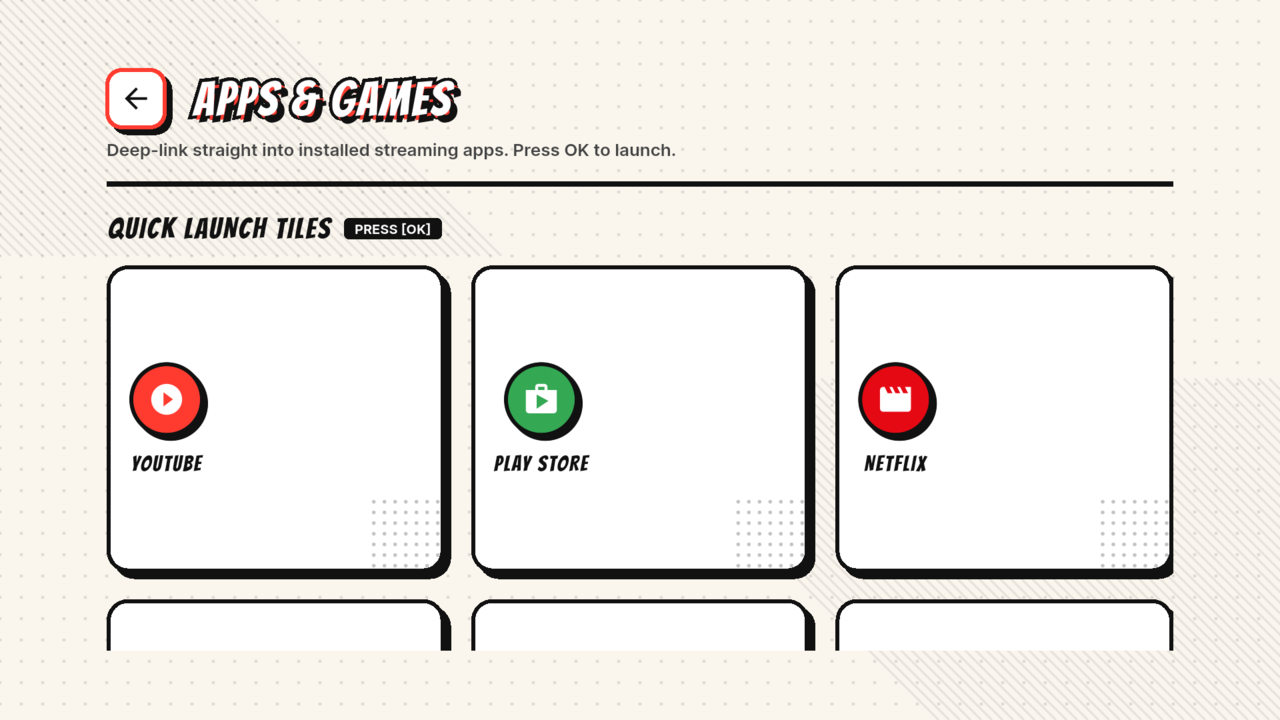
- Apps: a launcher with deep links to YouTube, Netflix, Prime Video, Disney+, Spotify, Play Store, and more.
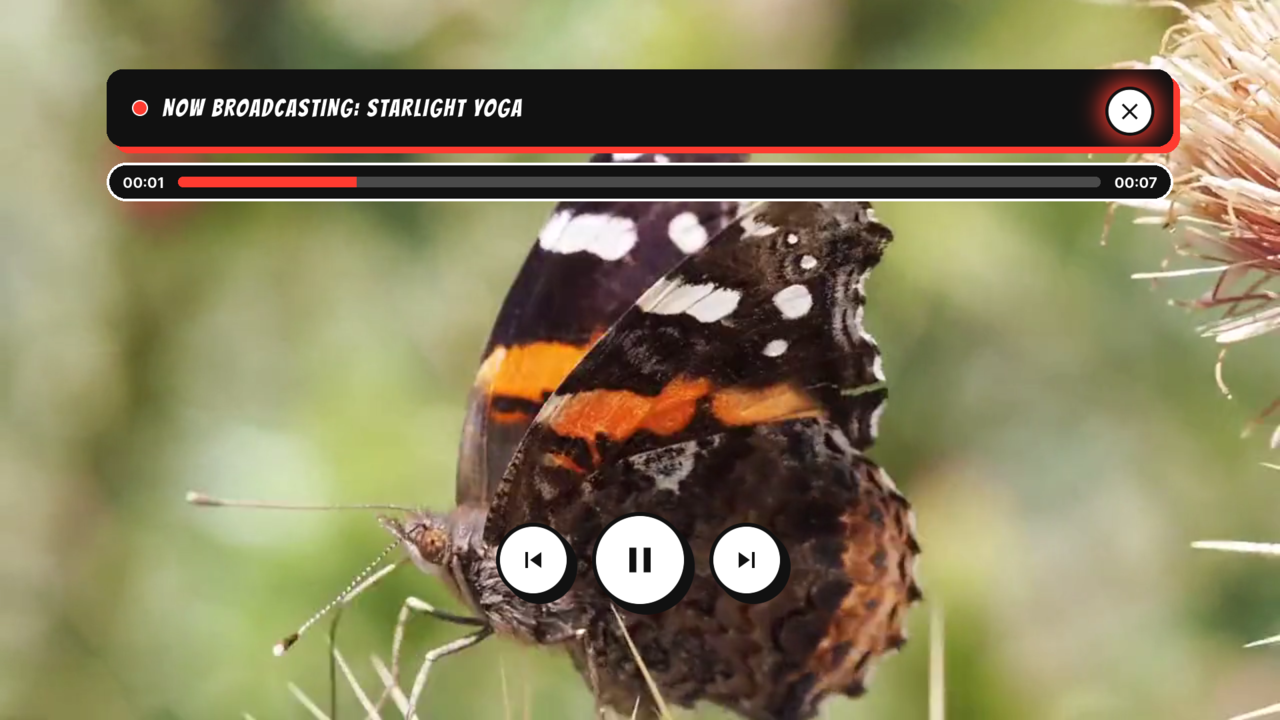
- Player: play, pause, seek, progress, D-pad controls, and clear error states.
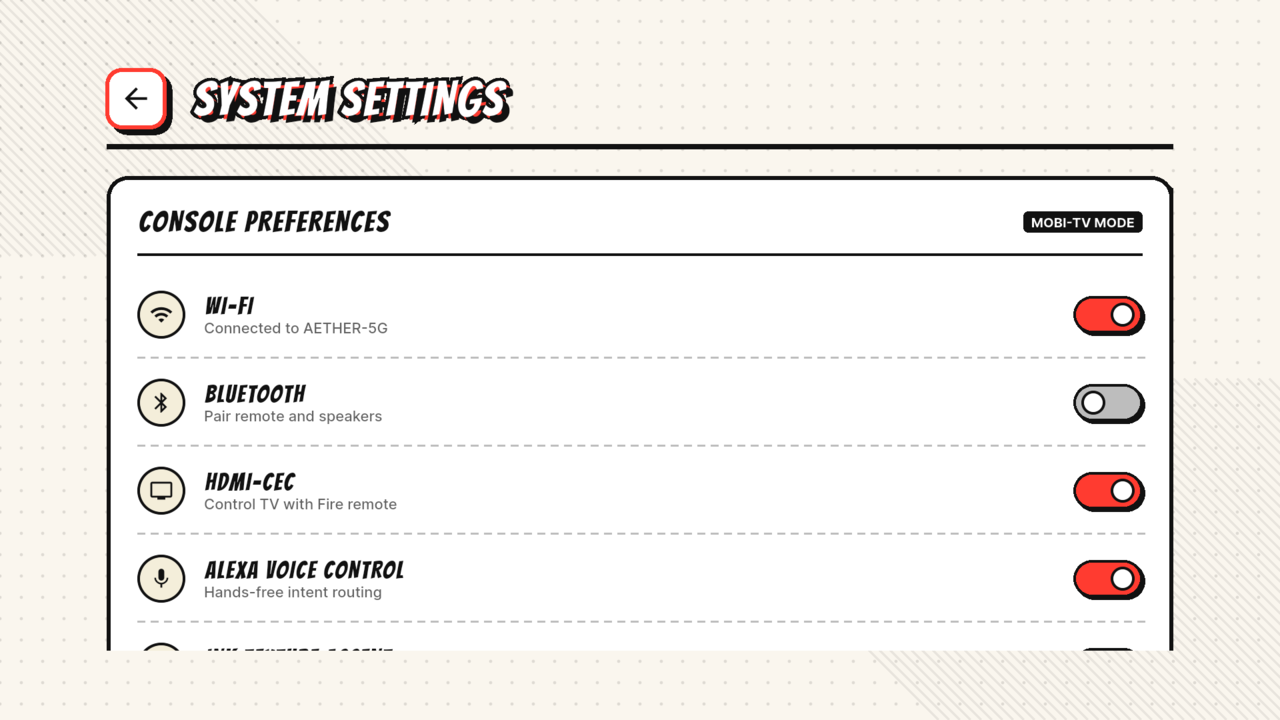
- Settings: saved preferences for Kids Mode, ink texture, and other interface options.
- Supabase content with a built-in demo library and an offline banner. The app is built for the Fire TV viewport and tested at 1920x1080, 1280x720, and 800x600. How we built it Aether OS is a Flutter app written in Dart.
- UI: custom focus cards, comic chrome, halftone backgrounds, and a shared design system. Bangers carries the headlines and Inter handles the smaller copy. Both fonts are bundled, so the first launch does not wait on a font download.
- Remote input: the dpad package for focus traversal, plus explicit arrow and OK handling where the default behavior did not match TV expectations.
- Content: a Supabase Postgres content table with a read-only Row Level Security policy. The anon key is supplied at build time through config.json and is never committed. If Supabase is not configured or the network is down, the app falls back to a demo library.
- Playback: video_player with custom D-pad controls and retryable error states.
- Voice: speech_to_text with a keyword map for app launch commands and a typed fallback.
- App launch: url_launcher, native app schemes first and browser fallback second.
- Local state: shared_preferences for the watchlist, Kids Mode, and settings.
- Tests: widget tests at three TV sizes, plus model and catalog tests. flutter analyze is clean and all 17 tests pass.
- Build: Flutter 3.44.6, Dart 3.12, Fire TV emulator, and a release APK. The APK uses debug signing because we do not have a production keystore. Some of Aether OS existed before the hackathon as a comic-book interface experiment. During the event we rebuilt the home layout for the Fire TV viewport, added the Supabase content path and offline fallback, persisted the watchlist and Kids Mode, added voice app launch and deep links, bundled the fonts, and wrote the widget tests. The repo is public and MIT licensed: https://github.com/IO-ZetZor/aether-os Challenges we ran into The 10-foot viewport. Text and focus targets that look fine on a phone are tiny on a TV. At 960x540 dp the first home layout clipped the content rail. We reworked the home screen so the hero and rail scroll instead of clipping, then tested at 1080p, 720p, and 800x600. D-pad focus. Flutter's default focus traversal did not match what a TV viewer expects. We built explicit focus order, used the dpad package, and tested every screen with arrow keys and OK. Remote-only input. Long-press OK for the watchlist, back handling, and player controls all needed custom behavior. There is no mouse to fall back on. Supabase and offline. We wanted live content without making the app useless when the network or config is missing. We added a public read-only table with RLS, a build-time anon key, and a demo fallback with an offline banner. Voice and deep links. Speech recognition depends on the device service and permissions. App deep links depend on which apps are installed and which schemes they accept. We added typed fallback, browser fallback, and clear error dialogs. Time and signing. We built this around school and a hard deadline. We prioritized the core couch experience and tests. We also did not have a production keystore, so the release APK uses debug signing. That is documented in the repo. Accomplishments that we're proud of
- The focus feel. The card lift, red ink border, and quick transitions make the remote feel tactile.
- A complete working app, not a mockup. It runs on a Fire TV emulator and a real TV, has a real APK, a real Supabase path, real voice commands, and real app deep links.
- A design system that holds together across home, movies, player, apps, voice, settings, and Kids Mode.
- A responsive layout with tests at three TV sizes.
- Offline fallback and clear error states, so the app never opens to an empty screen.
- A public MIT repo with a README, banner, demo GIF, screenshots, and a release APK.
- Two 11th grade students shipped it. What we learned
- TV design is its own discipline. Focus, distance, contrast, and motion matter more than density.
- Focus order is part of the product, not a technical detail.
- Testing on a TV and in the emulator catches clipping and timing issues that a desktop preview hides.
- A fallback state is part of the feature, not an afterthought.
- Small visual feedback can make a remote feel responsive. The card lift and red border do more than a lot of extra text.
- Shipping means cutting scope. We focused on the core couch experience and documented the limits.
- Working as a two-person team: split the UI, data, and testing work, then review each other's changes. What's next for Aether OS
- Test on a physical Fire TV Stick and add a production signing key.
- Add more content sources and a simple admin flow for the Supabase table.
- Improve voice intents and add more app launch commands.
- Add stronger parental controls and more Kids Mode options.
- Connect the hardware toggles to real Fire TV settings instead of saved preferences.
- Add accessibility work: high contrast, larger text, and screen reader labels.
- Publish a contributor guide and roadmap for the open-source repo.
- Explore a Vega OS build.
Built With
- android-tv
- dart
- dpad
- fire-os
- flutter
- flutter-test
- git
- postgresql
- row-level-security
- shared-preferences
- speech-to-text
- supabase
- url-launcher
- video-player


Log in or sign up for Devpost to join the conversation.