-
-
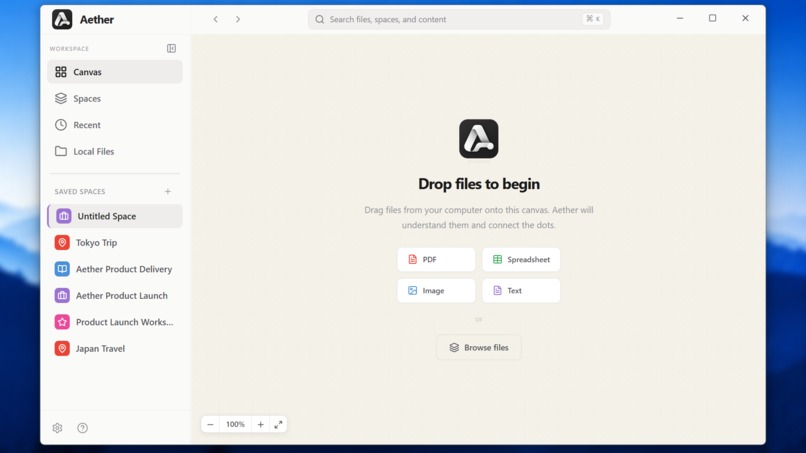
Aether Canvas
-
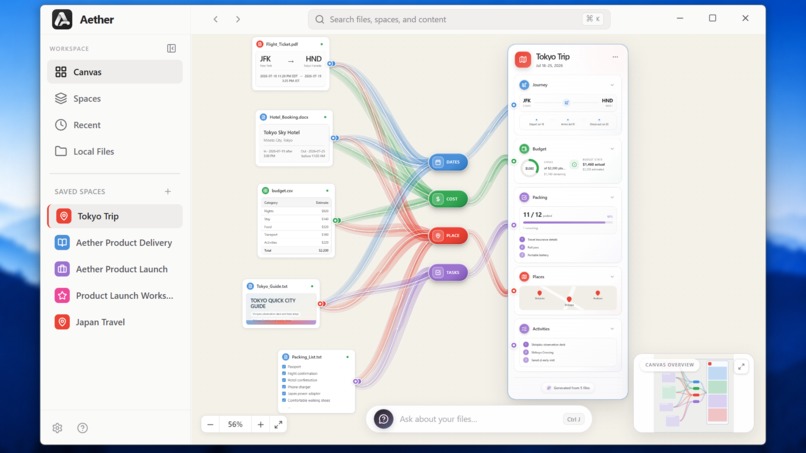
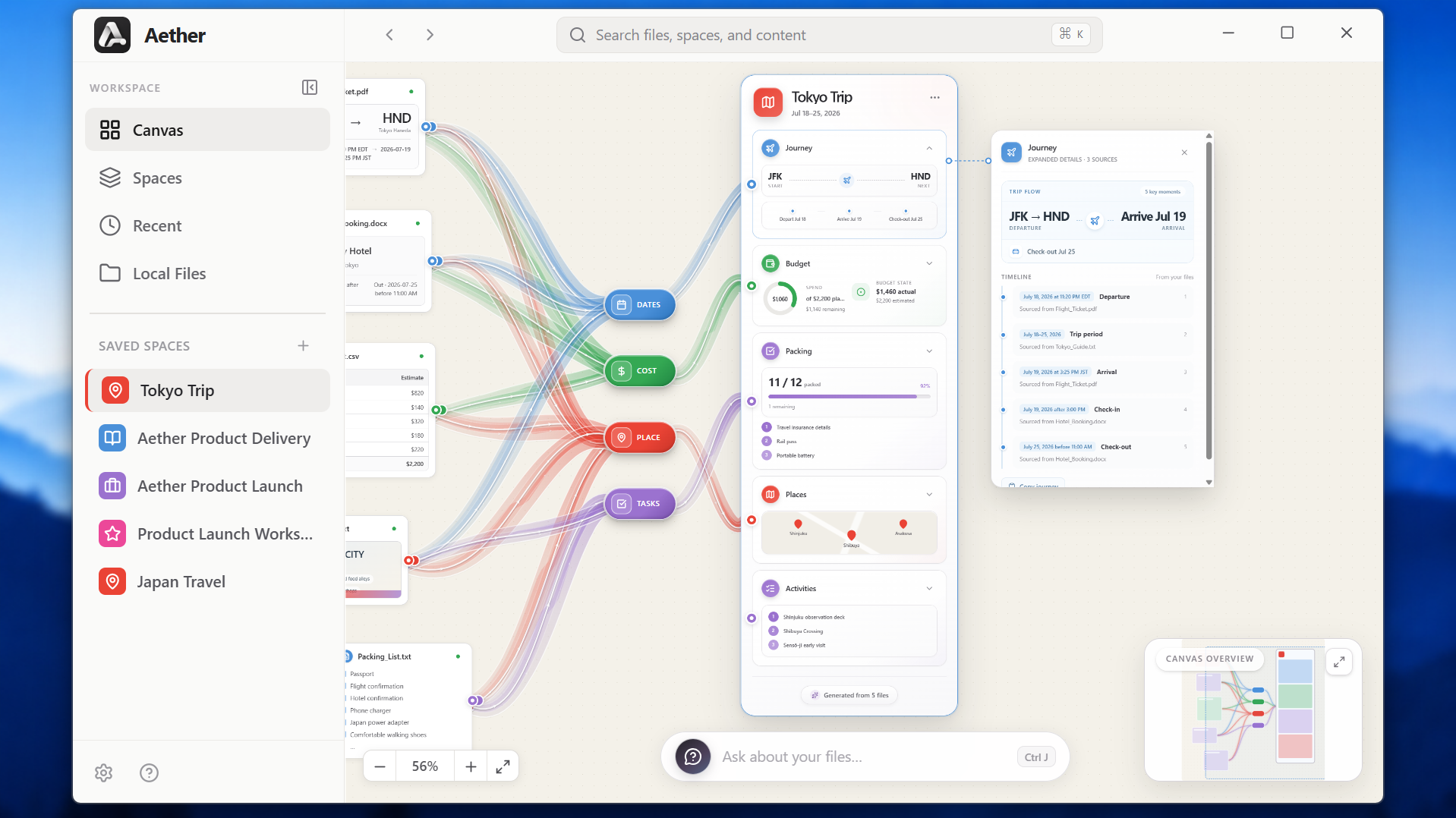
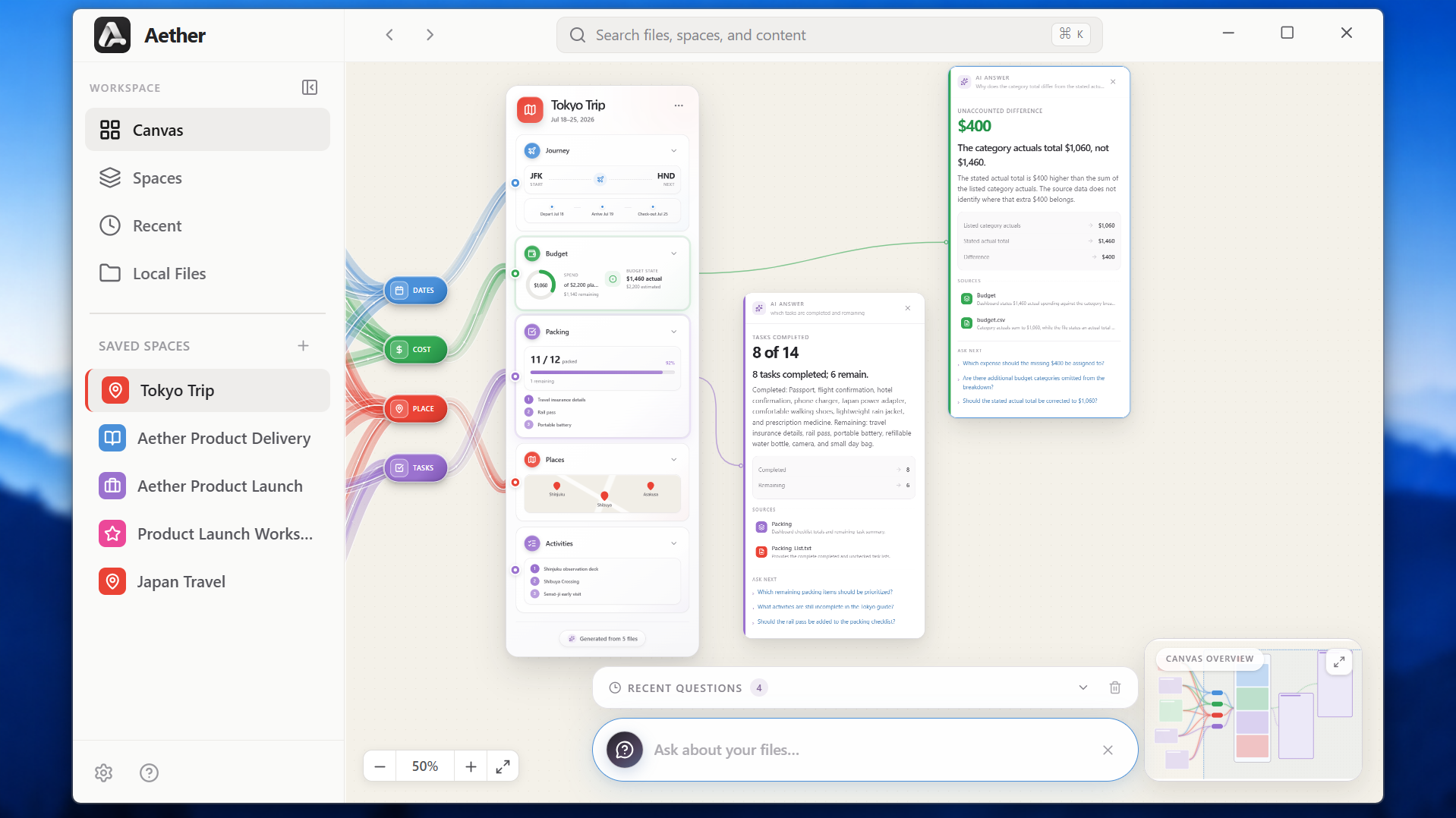
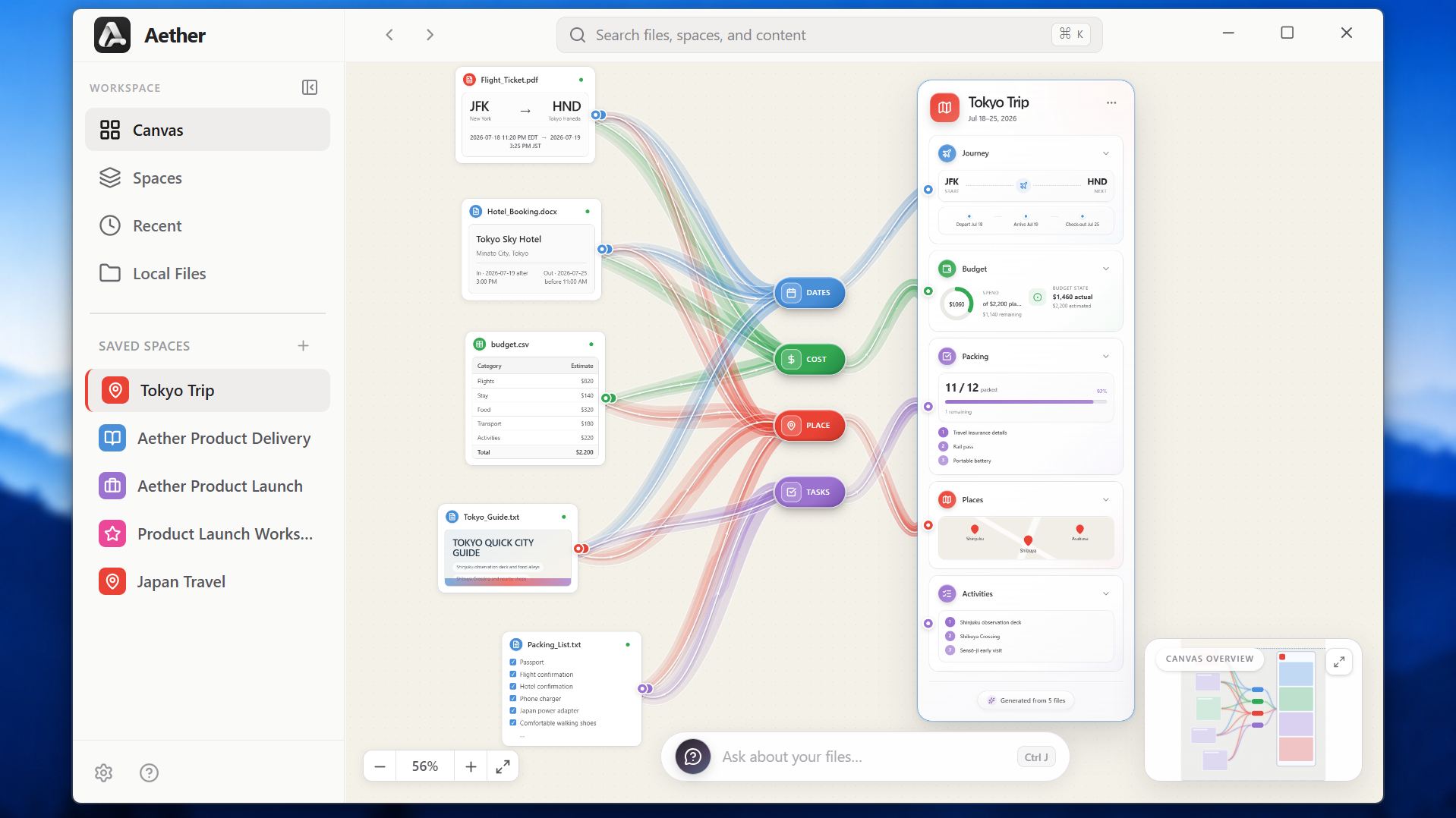
Workspace for Tokyo Trip
-
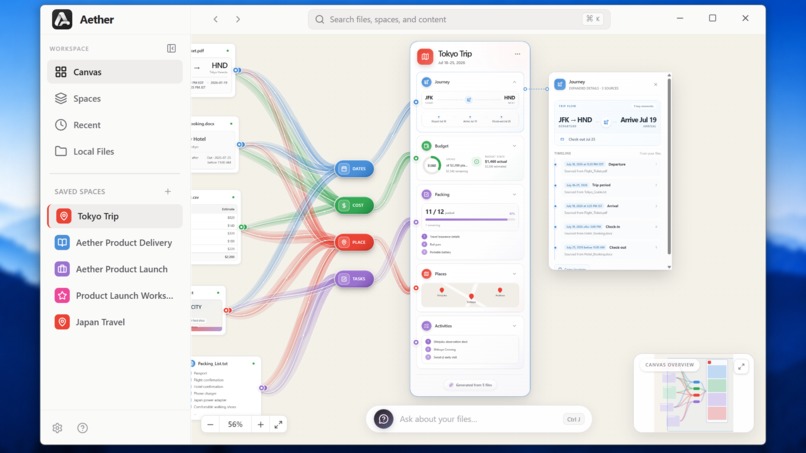
Insights/Info about a specific section
-
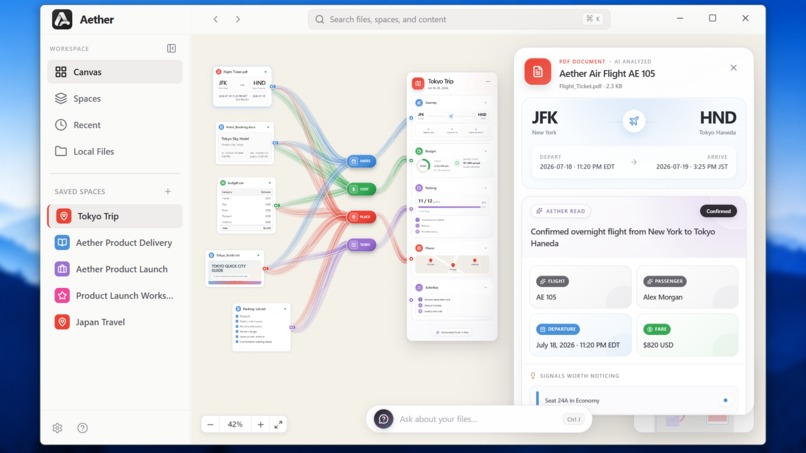
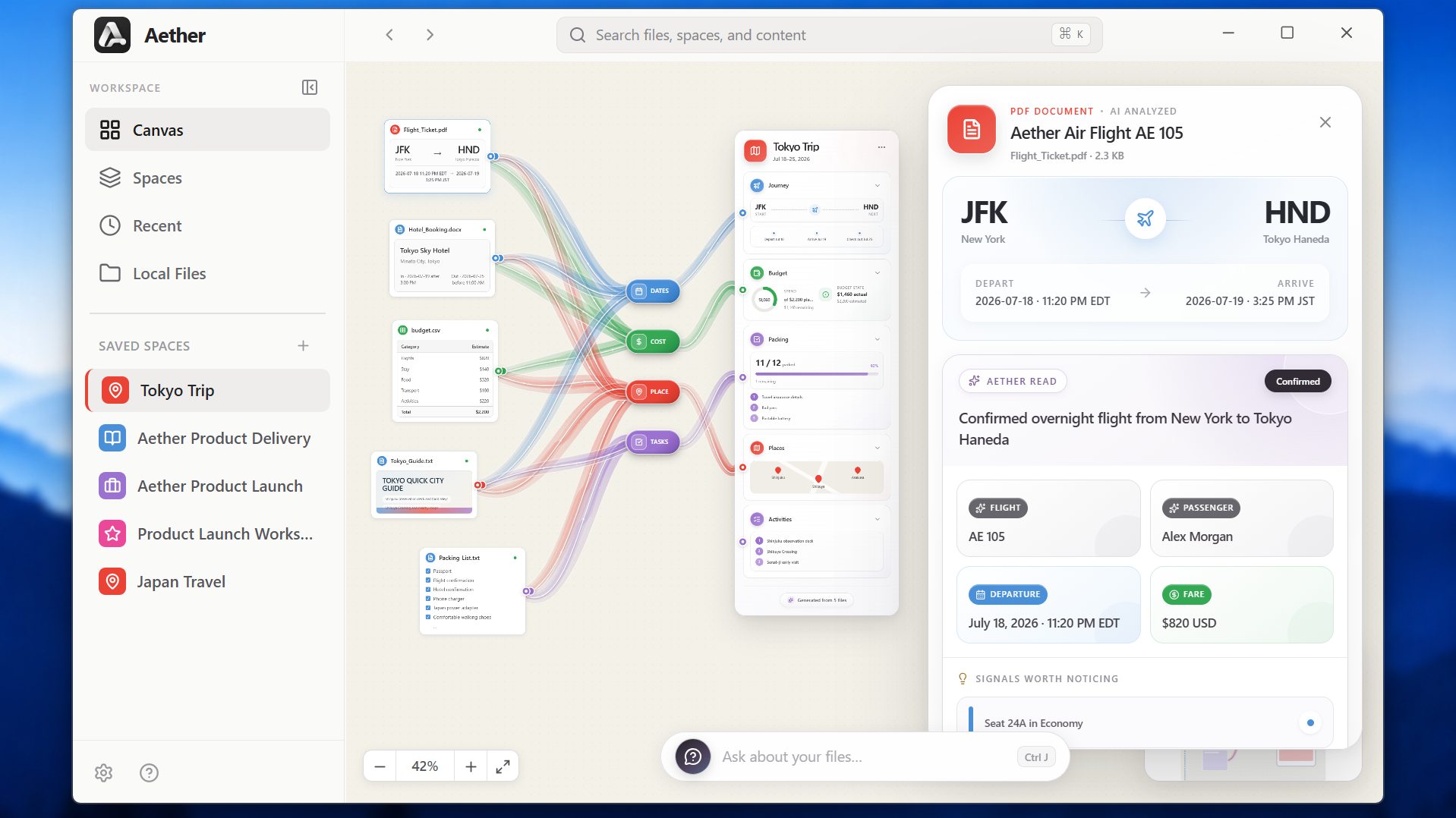
Visual Info about specific File
-
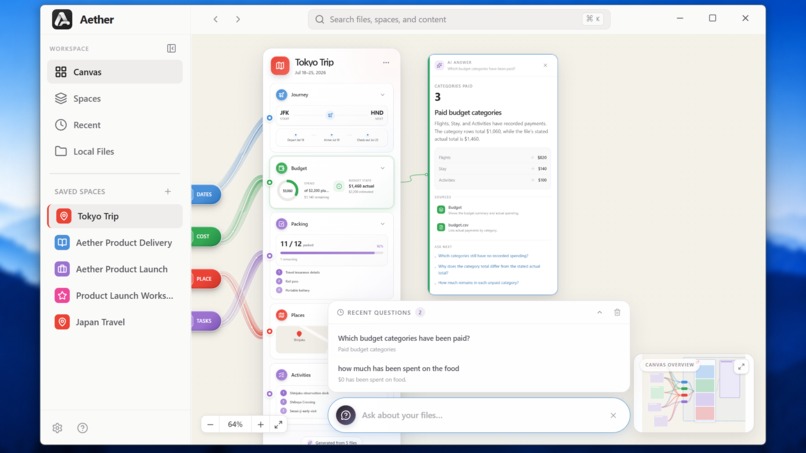
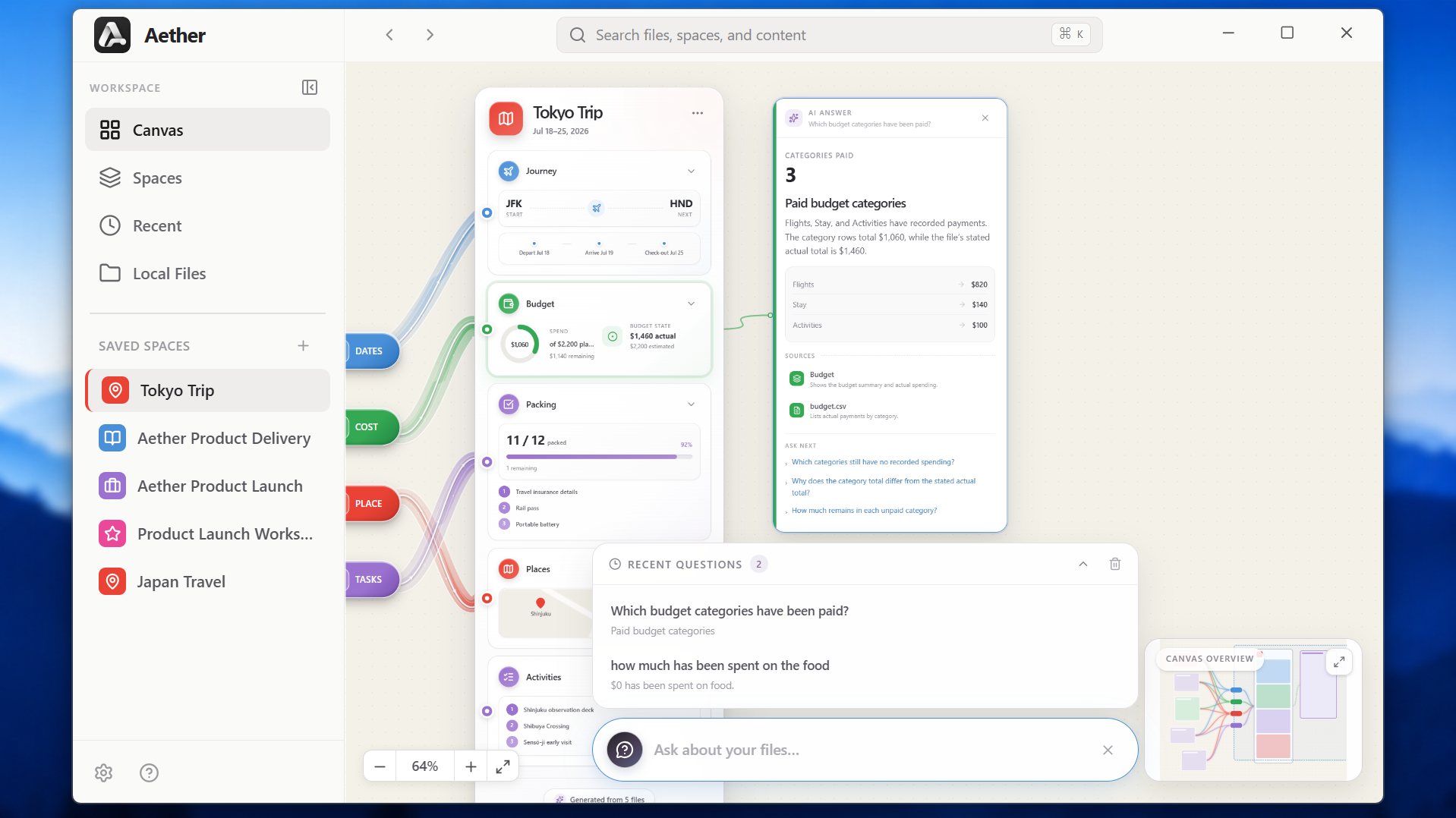
Answer of your questions in a great visual card
-
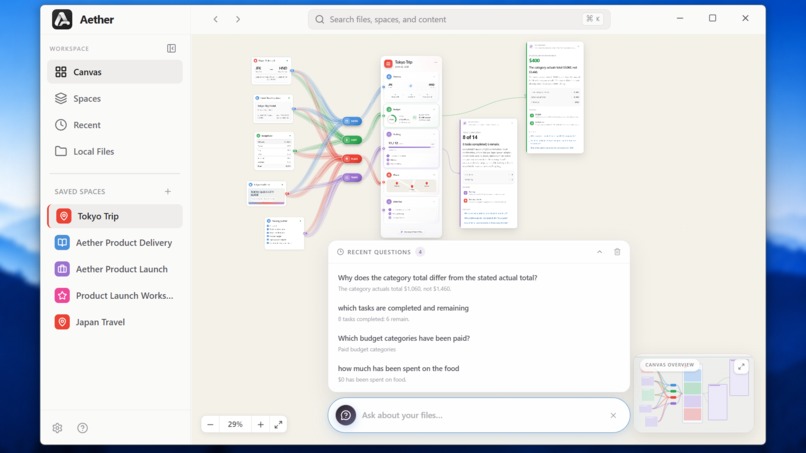
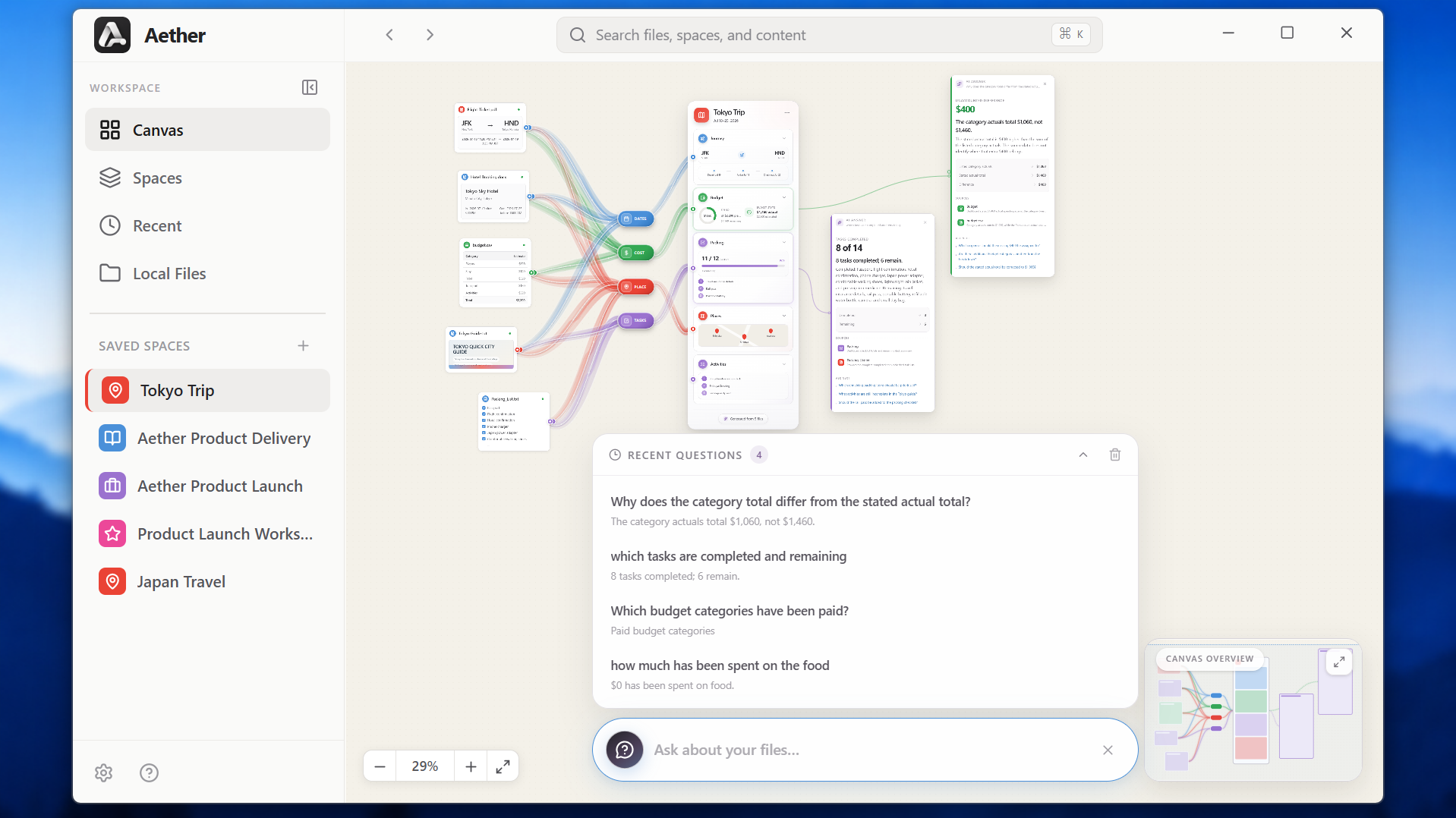
Multiple answers using visual interactive cards
-
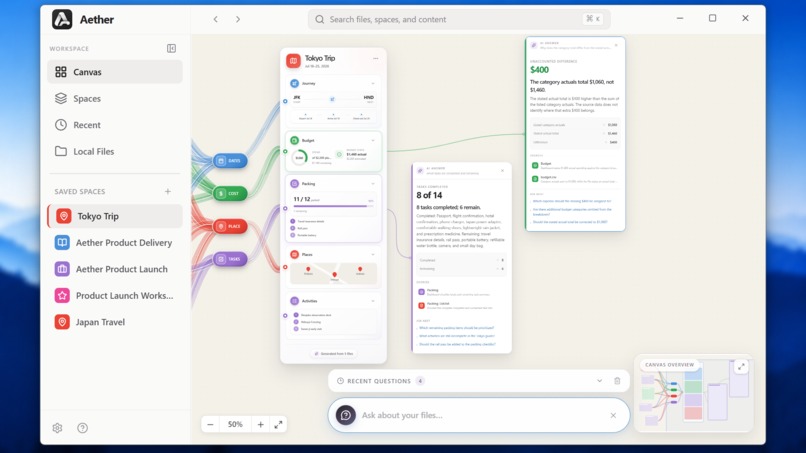
Interactive Cards for answers
-
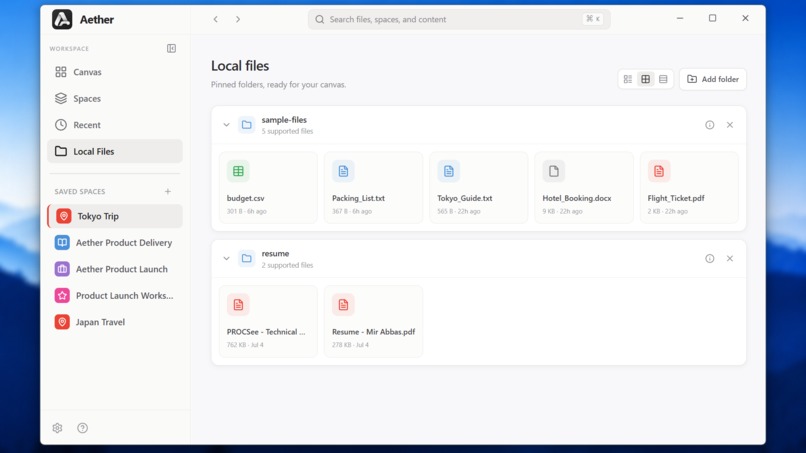
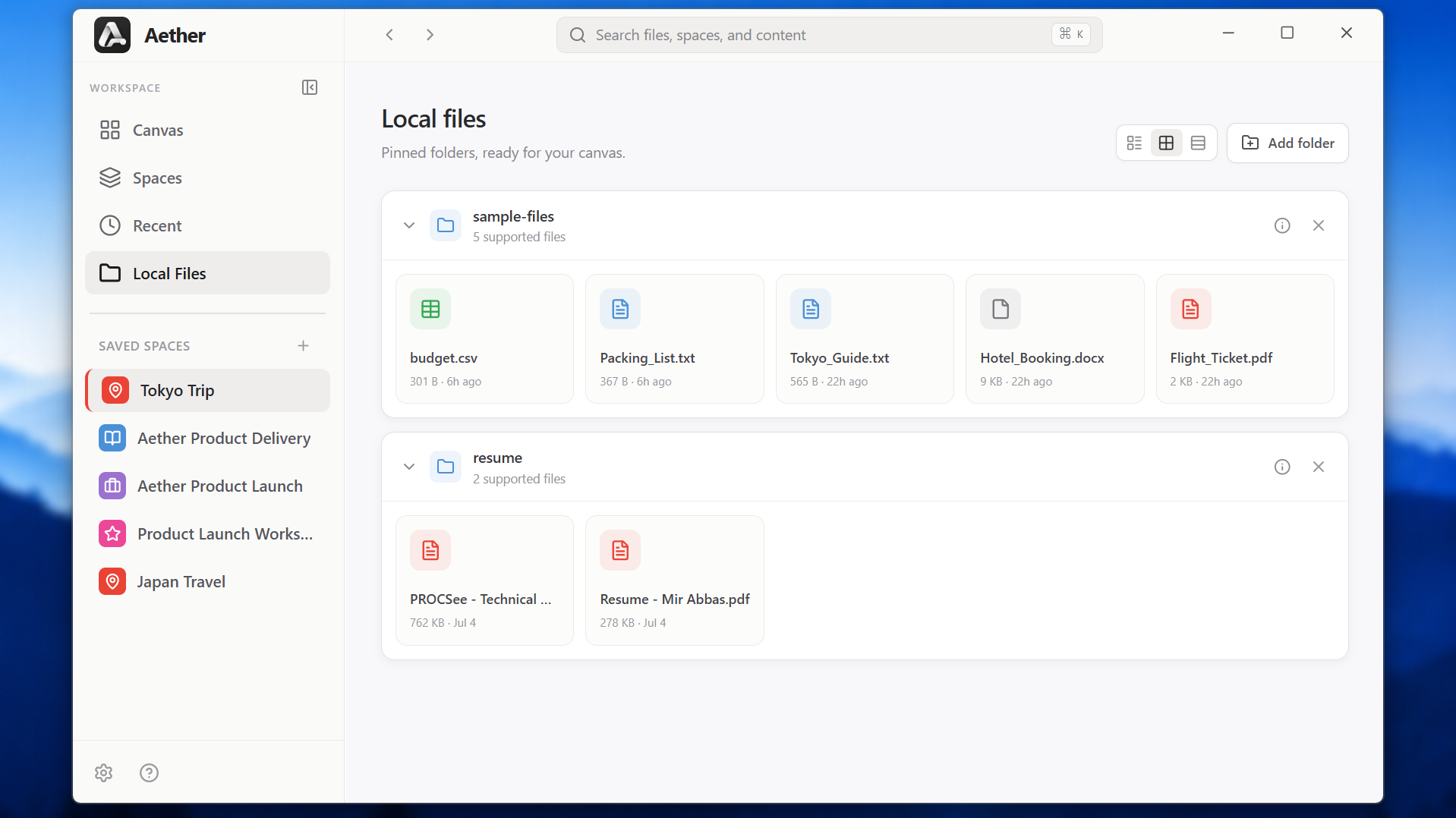
Pin Local Files/Folder
-
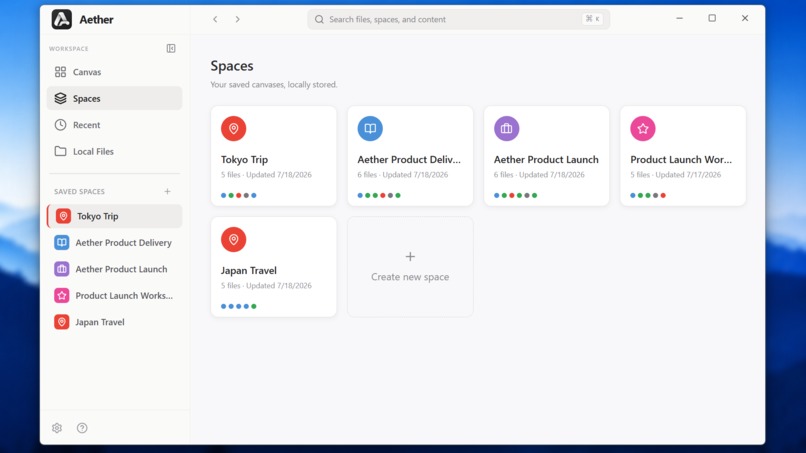
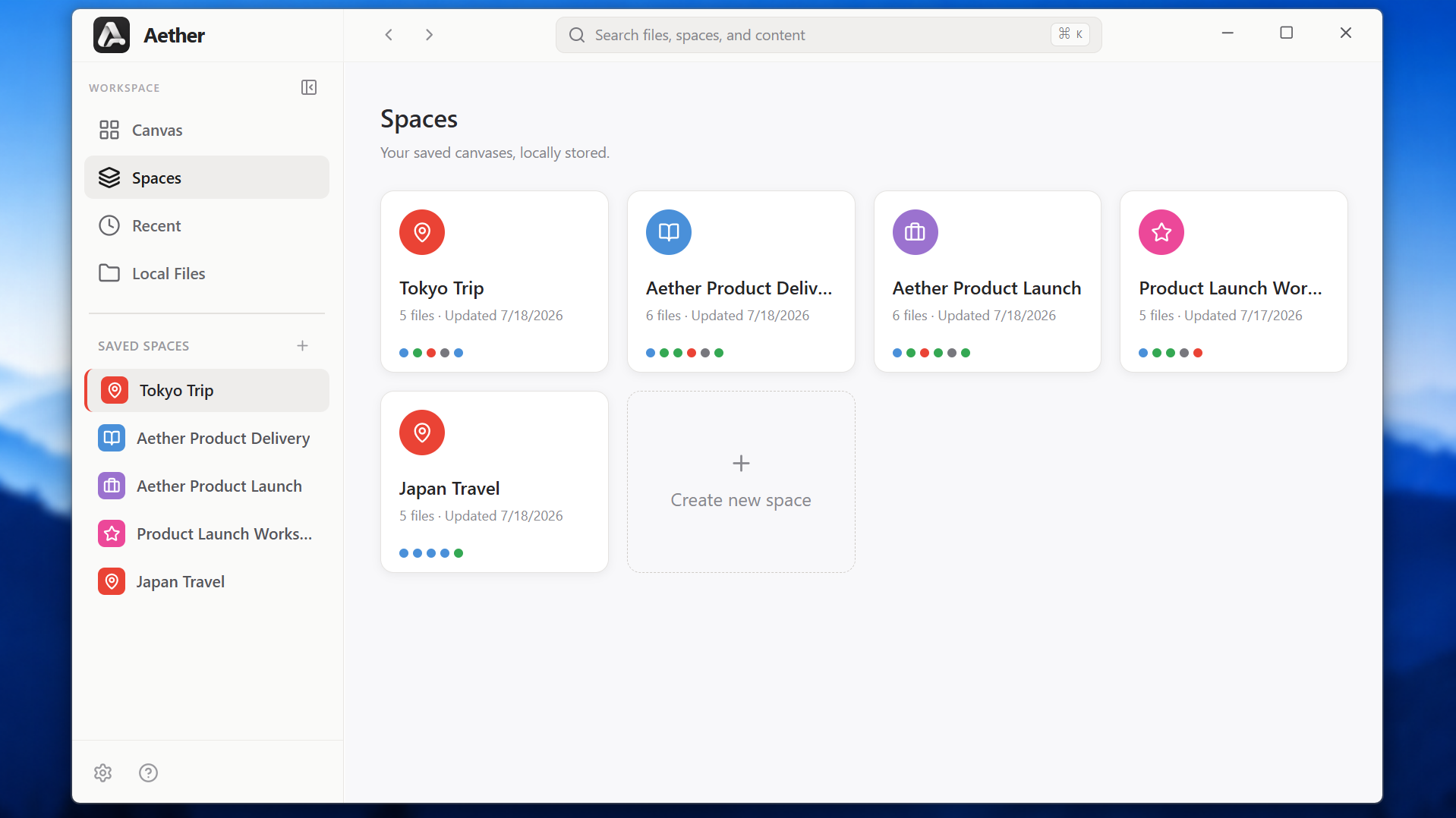
Your Saved Workspace
-
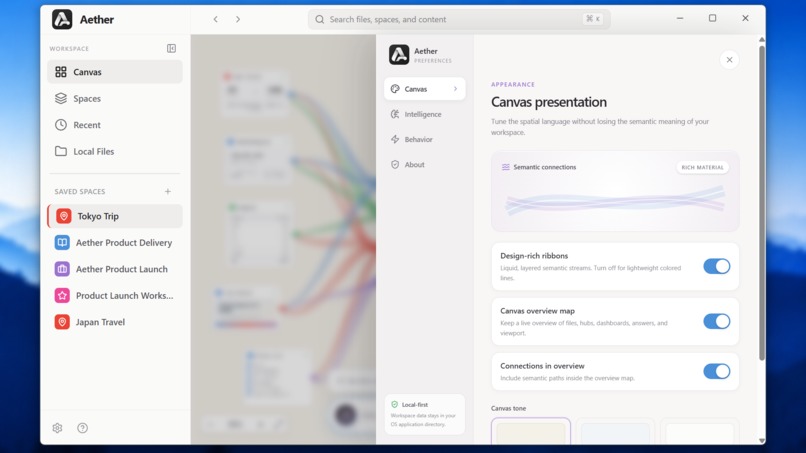
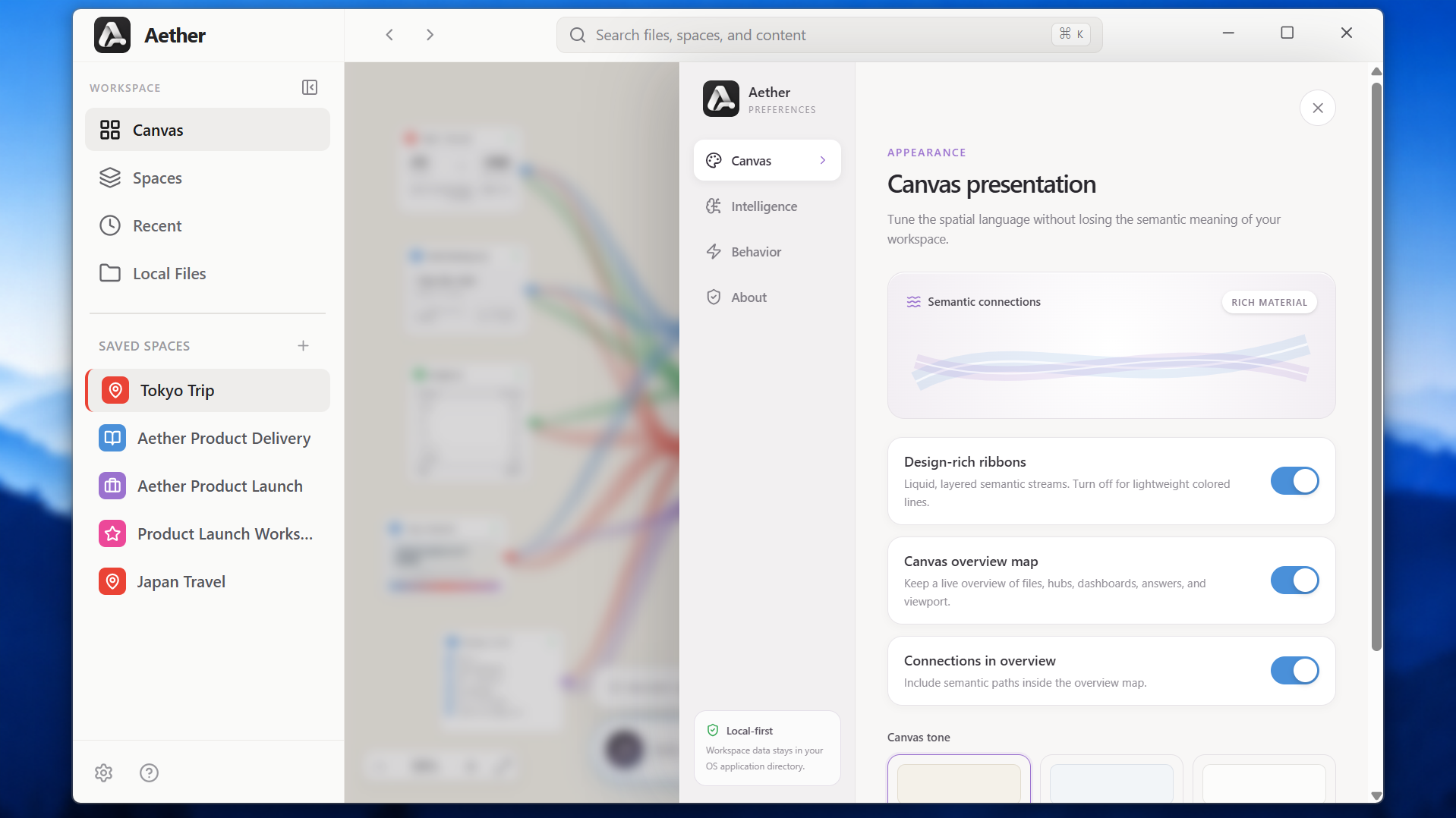
Setting for customization
Aether Canvas
Space is the prompt.
A generative desktop where ordinary files become the mini application they were always meant to be.
Inspiration
A folder knows where a file is. It does not know why that file matters.
The problem I kept seeingWhenever I am planning something important, the real project is scattered across my computer. A trip might exist as a flight confirmation in Downloads, a hotel booking in an email attachment, a budget in a spreadsheet, a packing list in a text file, and a few screenshots of places I want to visit. I can see that those files belong together. My computer cannot. A normal file manager remembers names, folders, and modified dates. It never understands that five ordinary files might describe one goal. |
The question that started Aether
Aether looks at the files someone places together, understands their shared context, and builds the workspace hidden inside them. No folder taxonomy. No perfect prompt. The arrangement itself carries meaning. |
Five ordinary files. One understood intention. One living workspace.
What it does
DROP · UNDERSTAND · CONNECT · COMPILE
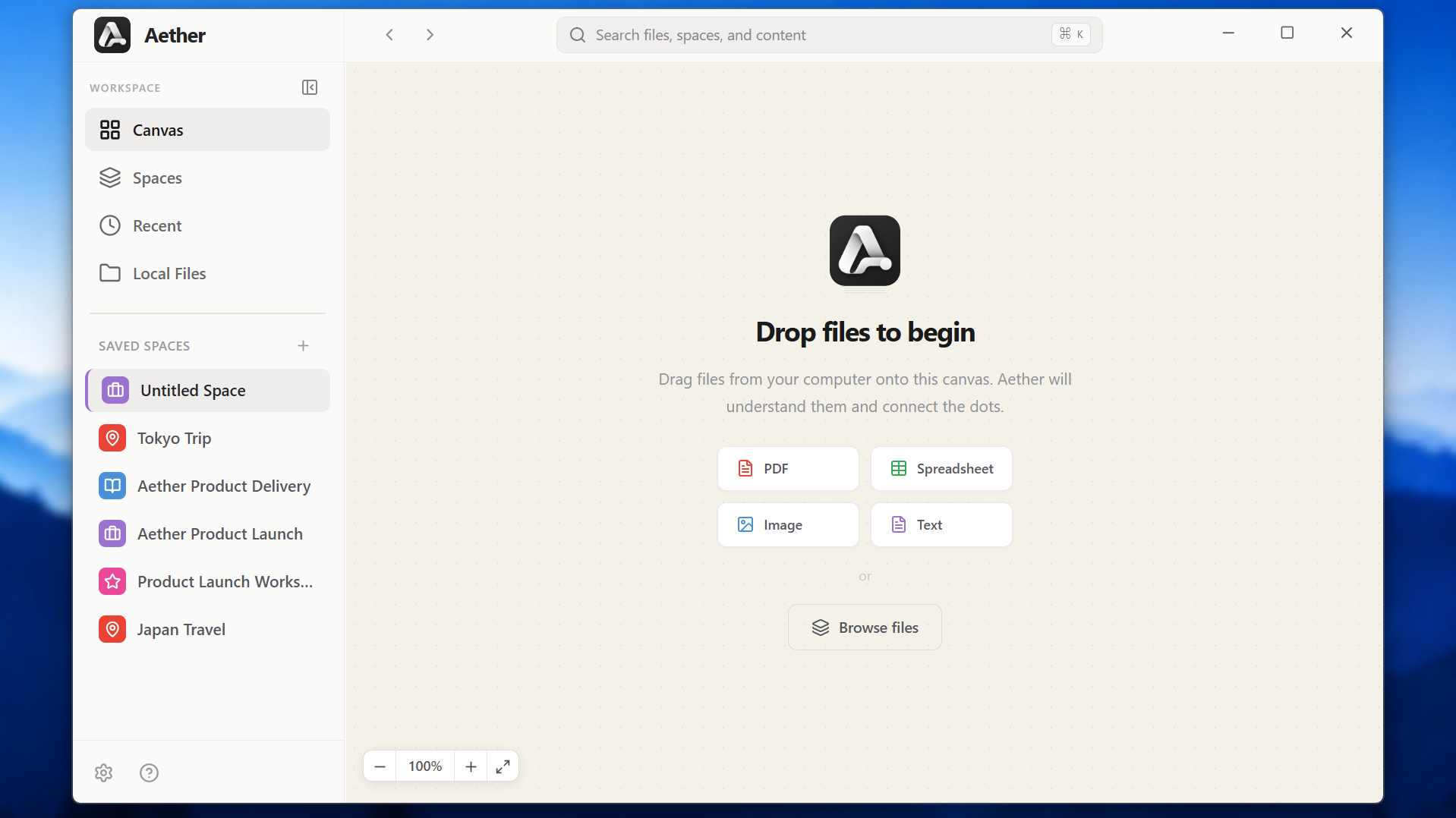
Aether Canvas is a desktop application built around an infinite spatial canvas.
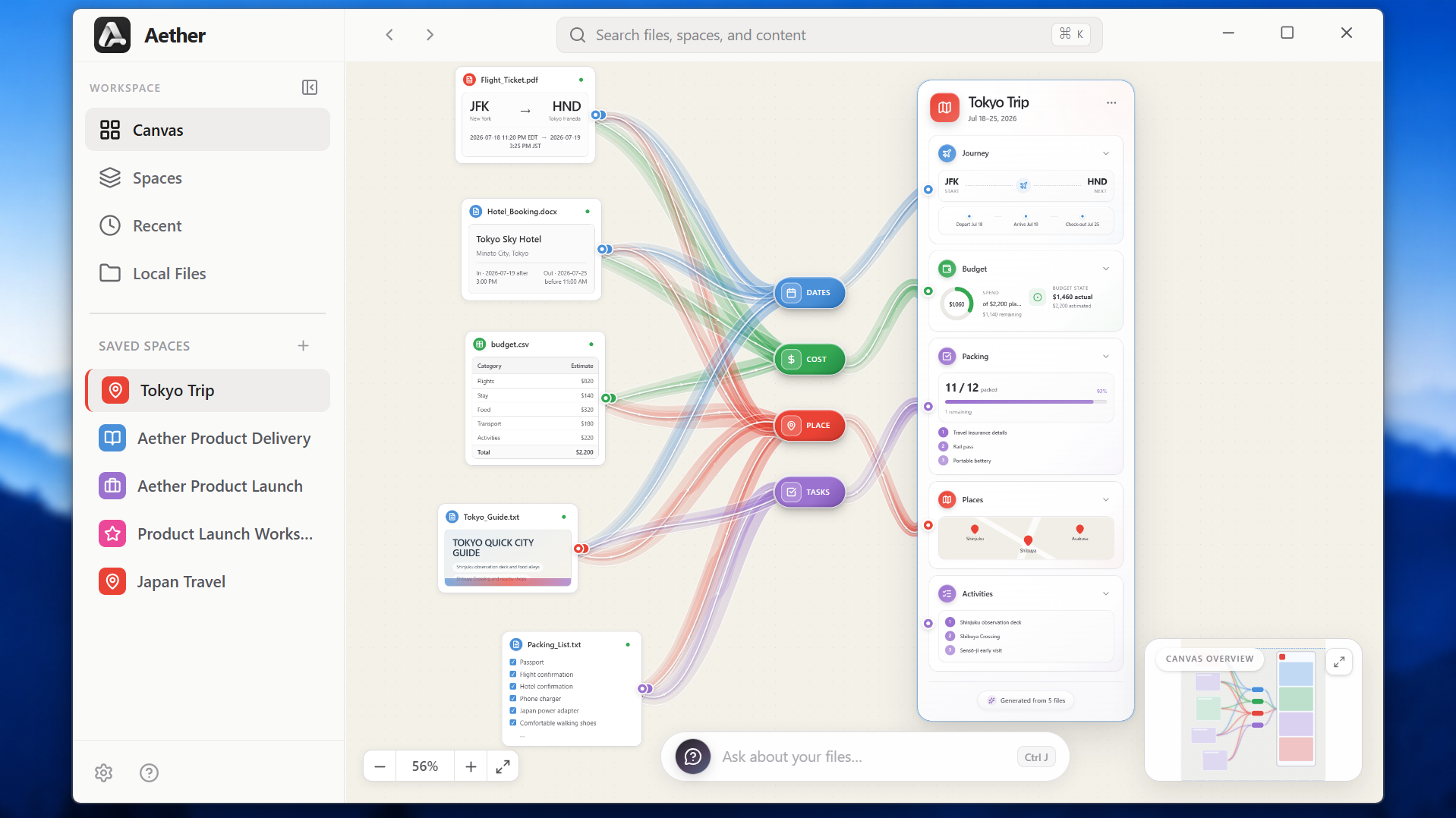
The user begins with files they already have. In the demo, those files are a flight ticket, a hotel confirmation, a budget, a packing list, and a city guide. They can be dropped onto a blank canvas in any order.
GPT-5.6 reads each selected file directly. It understands text, tables, documents, and images, then returns structured information that Aether can use. The flight ticket becomes a route with departure and arrival details. The spreadsheet becomes a compact budget view. The packing file becomes a checklist. The guide contributes places and useful context.
Once more than one file is present, GPT-5.6 looks across the group and decides which relationships are actually meaningful.
In the Tokyo example, the files share dates, costs, places, and tasks. Aether makes those relationships visible through semantic hubs called DATES, COST, PLACE, and TASKS. These are not four kinds of workspace, and every cluster does not automatically receive all four. They are the current visual language for explaining why certain files belong together. GPT-5.6 chooses the relevant ones from the evidence it finds, and Aether hides the rest.
Then Aether does something a file graph cannot.
GPT-5.6 plans a dashboard for the goal represented by the files. For the Tokyo cluster, it creates Journey, Budget, Packing, and Places sections. Aether renders those sections as an interactive mini application. The user can inspect the travel timeline, edit actual expenses, check packing items, explore locations, and trace information back to its source.
The Tokyo dashboard is an example, not a fixed template. Study files can produce topics, deadlines, key concepts, progress, and resources. Work documents can produce an overview, milestones, tasks, team information, and spending. The model decides the useful structure from the files, while Aether renders that structure through a safe local component system.
CONCEPTUAL WORKFLOW · CLICK A CHAPTER
A hand-drawn explanation of the idea, not a screenshot of the application. Select a panel to inspect the real evidence behind it.
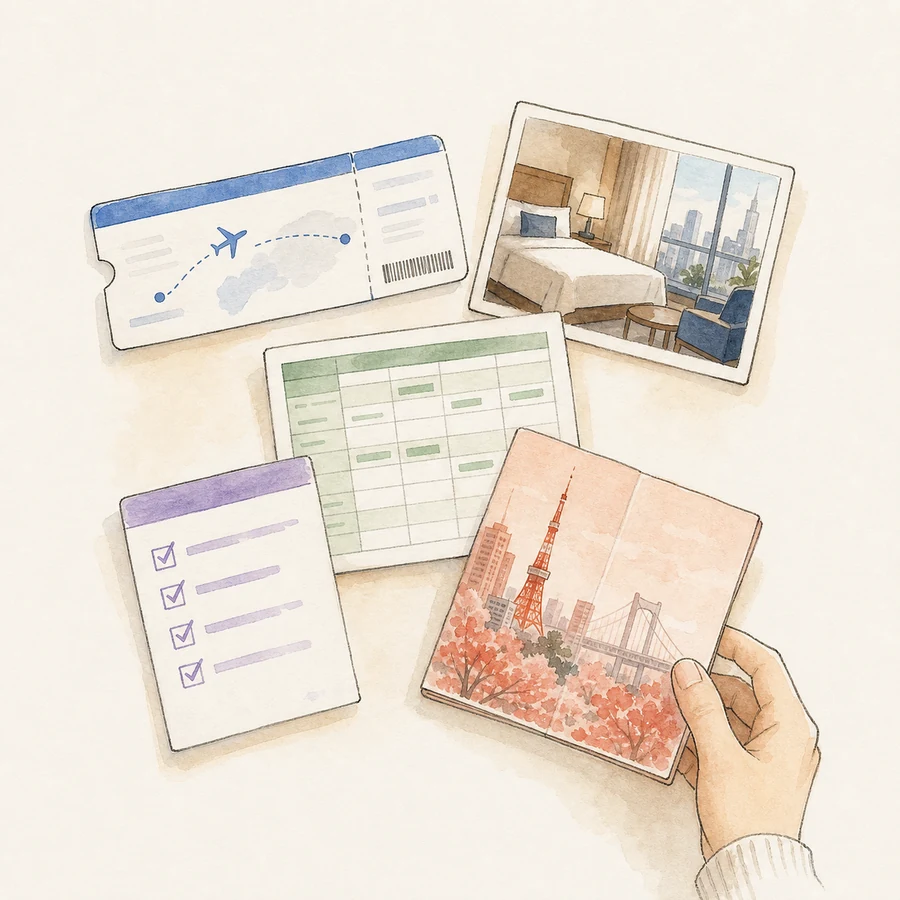
01 · Start with filesOpen the exact sample files used in the demo. |
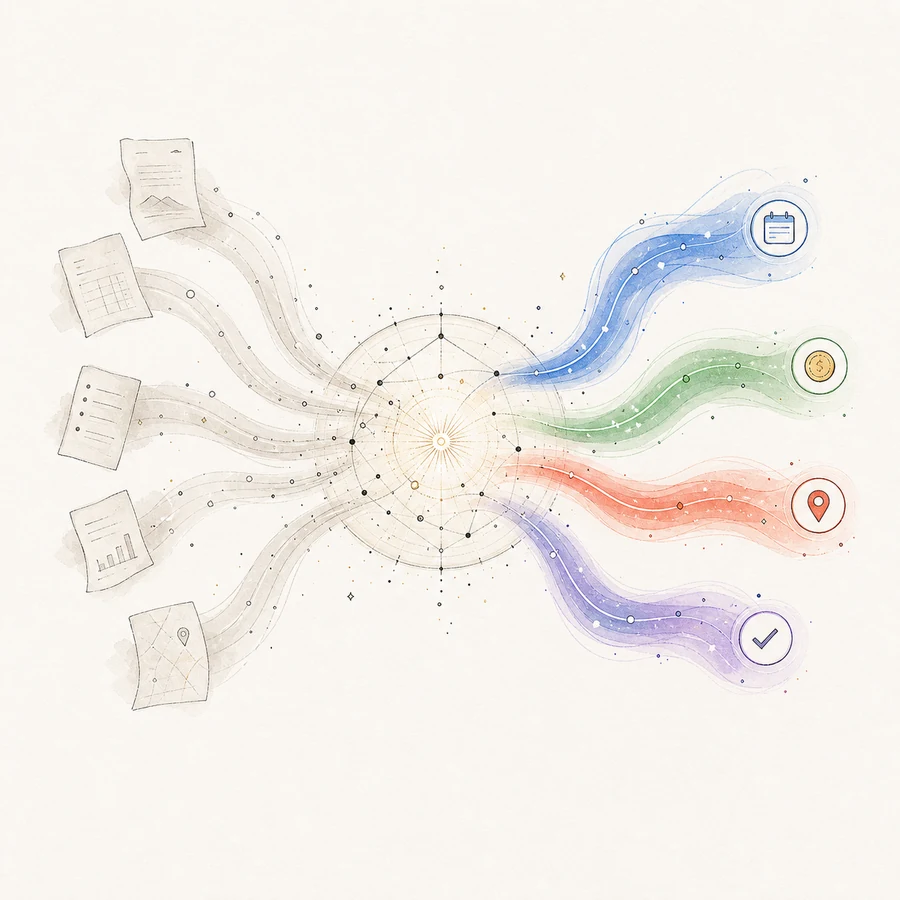
02 · Understand contextFollow the implemented GPT-5.6 data flow. |
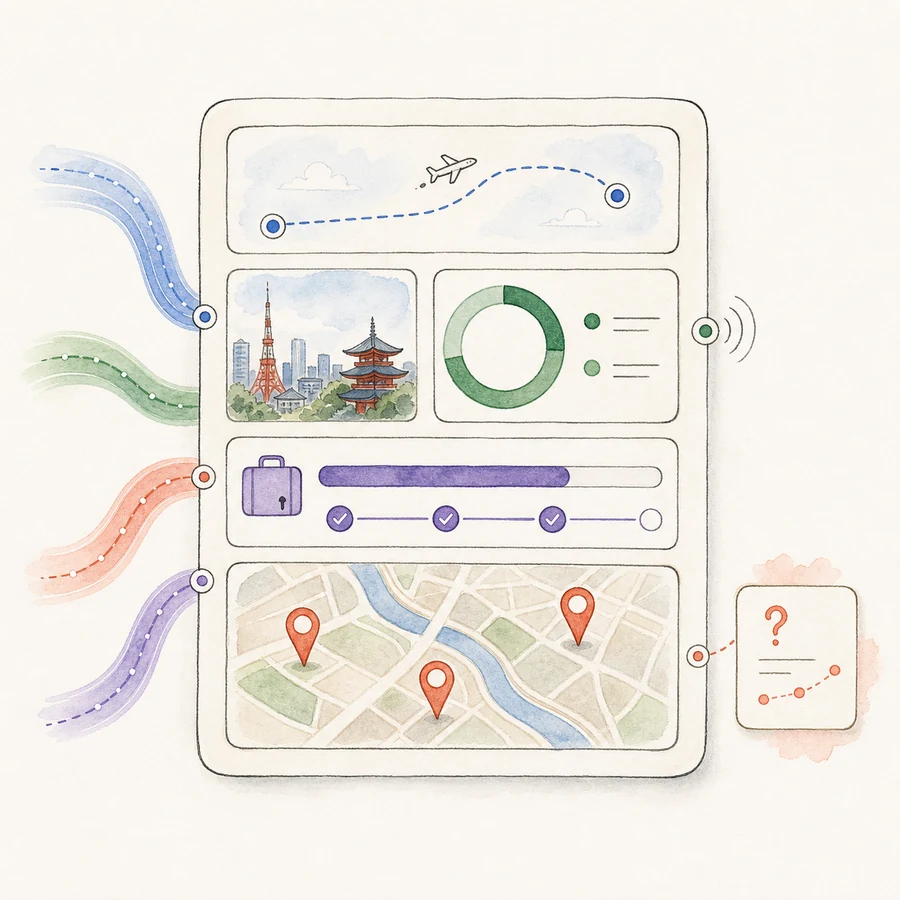
03 · Become usefulSee the real workspace and reproducible product loop. |
The files stay aliveThe source files never become stale imports. Open the budget spreadsheet outside Aether, change a number, and save it. Aether waits for the write to settle, confirms that the content changed, asks GPT-5.6 to understand the new version, and refreshes the workspace. The source card changes. The dashboard total moves. The relationship stays intact.
|
Answers show their workAsk, “How much can I spend on food each day?” and the response appears as a new card on the canvas. Animated traces lead back to the dashboard sections and original files that supported the answer. The food estimate comes from the budget. The trip length comes from the journey. If the evidence is weak, Aether explains what is missing and leaves the misleading connector undrawn.
|
How we built it
One secure desktop shell. One spatial renderer. GPT-5.6 as the workspace compiler.
Aether is an Electron desktop application written in TypeScript.
React and React Flow power the spatial canvas. Tailwind CSS and Framer Motion handle the visual system and movement. Leaflet provides interactive maps, Sharp creates local image thumbnails, and Chokidar watches source files for external changes.
The application uses a secure Electron process boundary. The renderer cannot read arbitrary paths from the computer. A file becomes available only after the user explicitly drops it or chooses it through a native picker. Reading, watching, OpenAI requests, workspace persistence, and operating system actions happen in the main process through a typed preload bridge.
GPT-5.6 is the intelligence layer throughout the product. It reads each selected file, compares the meaning across the group, finds supported relationships, and plans the workspace that should emerge.
GPT-5.6 understandsIt identifies the entities, facts, dates, costs, locations, tasks, and useful context inside each file. It decides which relationships are supported by the evidence and which dashboard modules would help the user act on that information. It returns a structured plan, including the source references behind every generated section. |
Aether makes it trustworthyAether validates the plan and renders it with tested local components such as routes, timelines, progress views, budget rings, maps, comparisons, priorities, and key point summaries. The application owns every interaction, animation, permission boundary, and saved state. The model never sends executable interface code into the renderer. |
GPT-5.6 decides what the workspace should become. Aether decides how that workspace can safely exist.
At runtime, Aether defaults to GPT-5.6 Luna with low reasoning because file drop should feel responsive. The Settings panel also allows Terra and Sol, along with different reasoning levels, when the user wants a different balance of speed and depth.
Workspace state is stored locally as atomic JSON. Canvas positions, cached analysis, dashboard state, relationships, pinned folders, and preferences survive between sessions. If a write is interrupted, Aether can recover from a validated backup instead of losing the workspace.
Building with Codex
I started the project by giving Codex one detailed prompt before writing any application code.
That prompt explained the idea, the design reference, the technology choices, the hackathon requirements, and the way I wanted the build documented. It also created a rule for the rest of the week: after every major milestone, the repository should record what Codex contributed, what I decided, and how the result was verified.
Codex helped me move quickly through the parts that would normally consume most of a short build week. It created the Electron and React Flow foundation, built the secure file access layer, designed structured GPT-5.6 contracts, implemented workspace persistence, developed the live file watcher, created custom connectors, and helped build the visual question system.
Codex became especially useful when the problems became specific. I could describe what I saw on Windows, such as live sync failing after an editor replaced a file or a connector landing slightly away from a moving card. Codex could trace that behavior through the architecture, identify the likely cause, make the repair, and check the result.
I remained responsible for the product direction.
The first architecture planned to use separate libraries for PDF parsing, spreadsheet parsing, and image text recognition. After learning that GPT-5.6 could understand those files directly, I chose to remove that local parsing stack and rebuild the pipeline around native file input.
The first relationship design connected files directly and quickly became visually confusing. I chose to move to semantic mediator hubs because they explain the transformation more clearly.
I also decided that file updates should remain live, and that questions should produce visible evidence trails rather than ordinary chat citations.
For the hardest architecture, debugging, and design work, I primarily used GPT-5.6 Sol in Codex. Terra was useful for quicker iterations.
The build history is part of the submission, not an invisible trail behind it.
The Codex build log records what Codex contributed, what I directed, and how each major result was checked. The decision record captures the moments when the architecture changed. The judging evidence connects working features to the evaluation criteria.
The build documentary adds the visual story: major prompts, milestone recordings, screenshots, debugging moments, and the product taking shape across the week.
Challenges we ran into
The hardest work was rarely getting a feature to appear. It was making the feature feel inevitable, understandable, and dependable.
Giving GPT-5.6 freedom without giving up control
A fixed travel dashboard would have been easy to demonstrate, but it would not prove the larger idea. At the opposite extreme, letting the model write arbitrary interface code would be flexible but difficult to trust.
The answer was a visual component grammar.
GPT-5.6 decides what the workspace needs and returns a structured plan. Aether decides what components are allowed and how they behave. Finding that boundary was one of the most important technical and product decisions in the project.
Making relationships clear
The earliest version drew direct connections between files. Once several files were present, the canvas became difficult to read.
The mediator hub architecture solved that problem. Files contribute evidence to a relevant semantic channel, and that channel feeds the matching part of the generated workspace.
The result communicates a process rather than only a relationship. Raw files are understood, their shared meaning is organized, and that meaning becomes a useful interface.
Making the signature connectors feel smooth
The connectors are visually rich. They use custom SVG geometry and layered materials to make information feel as though it is flowing through the canvas.
That richness initially made dragging cards feel heavy. The final implementation reduces connector complexity during direct movement, then restores the full material when the interaction ends.
Dragging stayed responsive without sacrificing the look that gives Aether its identity.
Making live sync reliable on Windows
File watching sounds simple until it meets real desktop software.
Some editors write directly into the original file. Others save in several chunks. Some create a temporary file and replace the original path. Reading too early can produce incomplete data, while reacting to every filesystem event can produce repeated API calls.
Aether waits for a stable write, normalizes path identity, compares a SHA-256 content hash, applies a cooldown, batches relationship updates, and retries temporary failures. Those safeguards turned a fragile demonstration into a dependable product interaction.
A connector bug caused by a beautiful animation
The summary card originally entered from the right using Framer Motion. React Flow measured its connection handles while that visual translation was active.
The card looked correct after the animation, but some connectors remained anchored about one hundred pixels away.
The fix was not another visual offset. Aether now tells React Flow to measure the node again after the animated layout settles.
That bug taught me something important: in a spatial interface, geometry is part of correctness.
Building on Linux and accepting on Windows
Most development happened on an AWS EC2 Linux instance over SSH. The real product testing happened on Windows 11.
That combination uncovered problems that a successful build could not reveal. File Explorer paths, native modules, Electron launch behavior, editor save patterns, display behavior, and custom window controls all needed to work in the environment where the application would actually be demonstrated.
It made the difference between “the code compiles” and “the product works” very real.
Accomplishments that we're proud of
A user can begin with five disconnected files and end with a workspace that understands them, changes with them, and can answer questions about them.
That complete product loop is the accomplishment I am most proud of.
A user can start with an empty canvas, add real files, watch the system understand and organize them, use the generated workspace, edit the original files, see the result update, and ask a question whose evidence remains visible.
And it is not only a repository or development demo. Aether Canvas v1.0.0 is packaged as a real Windows installer, built on a native Windows runner, installed on Windows 11, and tested through the complete product flow.
Every part strengthens the same idea.
The live file moment is especially satisfying. Changing a number in an external spreadsheet and watching the source card and dashboard respond makes Aether feel alive in a way that an import based product cannot.
The visual question system is another important result. Most AI products place citations below an answer. Aether turns provenance into part of the interface. The user can follow the path from an answer, through the generated dashboard, back to the original artifact.
I am also proud that the Tokyo Trip experience did not become a hardcoded travel demo. The dashboard planner and local component grammar can produce different structures for different goals while preserving a coherent visual system.
Finally, the build itself is unusually inspectable. The repository contains more than seventy commits and sixty one recorded product and architecture decisions. It preserves the prompts, milestones, failures, changes in direction, screenshots, and verification work that led to the final product.
Judges can follow the project from its first prompt to the working application and see why it changed along the way.
What we learned
Understanding needs structure. Trust needs evidence. A living workspace needs continuity.
The biggest lesson was that GPT-5.6 works best here as a compiler.
The model is very good at understanding context and deciding which information matters. The product becomes more reliable when that intelligence is expressed through a structured plan and a controlled local renderer.
I also learned that explainability does not have to look like a citation list. In a spatial product, evidence can have a location, a path, a color, and an interaction. It can become something the user explores.
Live synchronization changed the meaning of the project. Before that feature, Aether was an intelligent importer. After it, Aether became a continuing view of the user’s real files.
The project also made me think more carefully about the phrase “local first.” Aether keeps workspace state locally and gives the renderer no unrestricted filesystem access. Selected content still needs to cross an API boundary for GPT-5.6 analysis. Being trustworthy means explaining that boundary honestly.
Working with Codex taught me that the quality of the feedback loop matters more than the size of the first prompt. A strong prompt established the direction. The best improvements came later, when I tested the real product, described the exact problem I saw, and iterated from evidence.
What's next for Aether Canvas
COMPLETE TODAY · DESIGNED TO GROW
Aether already turns files into a workspace, keeps that workspace synchronized, and answers questions with visible evidence.
The next chapter is not about finishing the core experience. It is about seeing how far that experience can reach.
Remember what worksA successful generated workspace could become a reusable personal pattern. A user might carry the structure of a research space into a new course, compare two budgets, or follow the same project across several phases. Aether would learn the shape of useful work without forcing every project into one template. |
Explain what changedLive sync could become a visual history. Aether could show when a source changed, which facts moved, what dashboard values were affected, and how the workspace evolved over time. The canvas would preserve reasoning, not only the latest result. |
Act with permissionGenerated mini applications could take carefully approved actions. A trip could add a calendar event. A study space could create a revision plan. A project could update a task in another tool. The user would approve every action and remain in control. |
Beyond a personal file canvas
Private shared spaces could let teams attach comments and decisions directly to source evidence. Each group could develop its own semantic language while continuing to use Aether's safe visual component system.
The longer view reaches beyond files. Messages, links, documents, images, spreadsheets, and cloud artifacts could all become living inputs to the same spatial workspace.
The future of files may not be better folders.
It may be software that understands what the files are trying to become.



Built With
- codex
- electron
- framermotion
- gpt-5.6
- node.js
- openaiapi
- react
- reactflow
- tailwindcss
- typescript
- vite


Log in or sign up for Devpost to join the conversation.