-
-
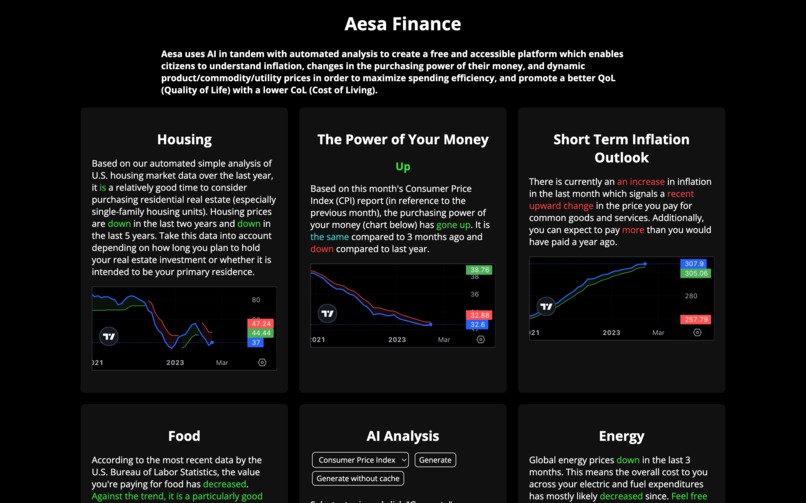
Our Website (landing)
-
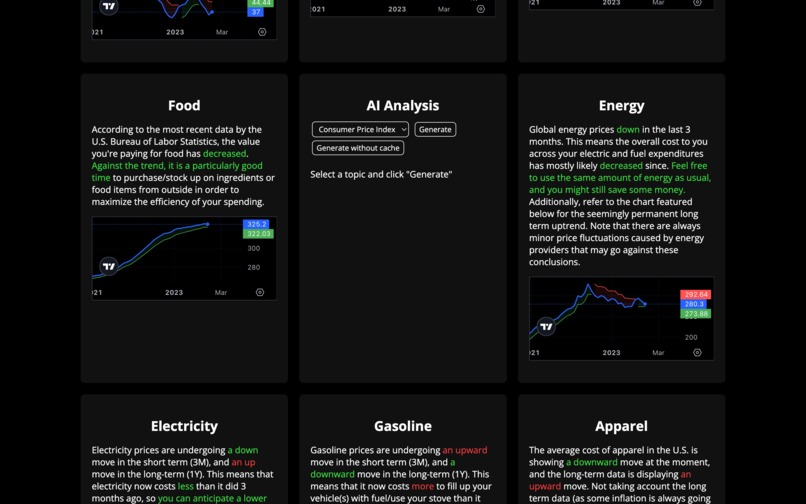
Our Website (landing part II)
-
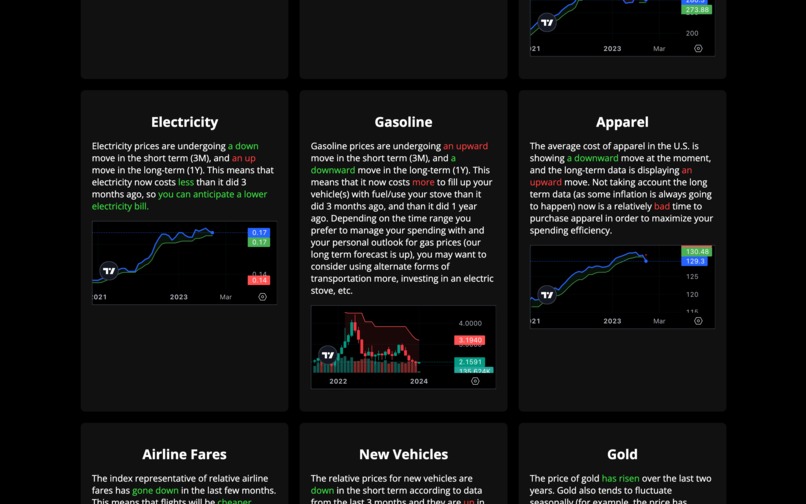
Our Website (landing part III)
-
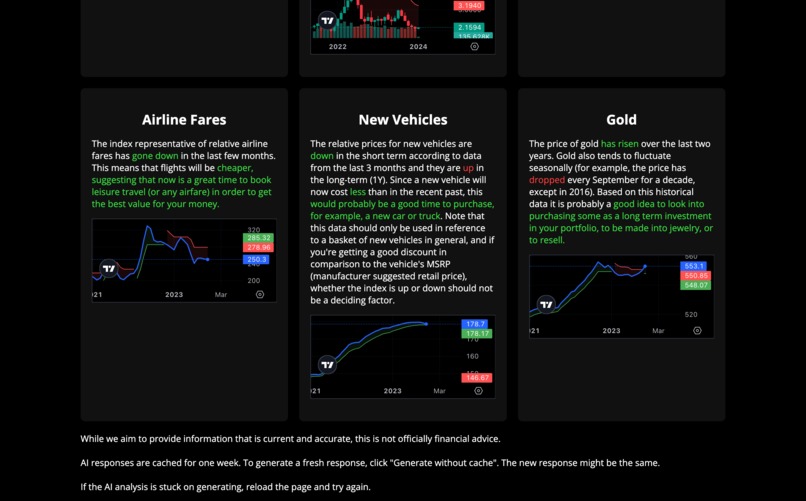
Our Website (landing part IV)
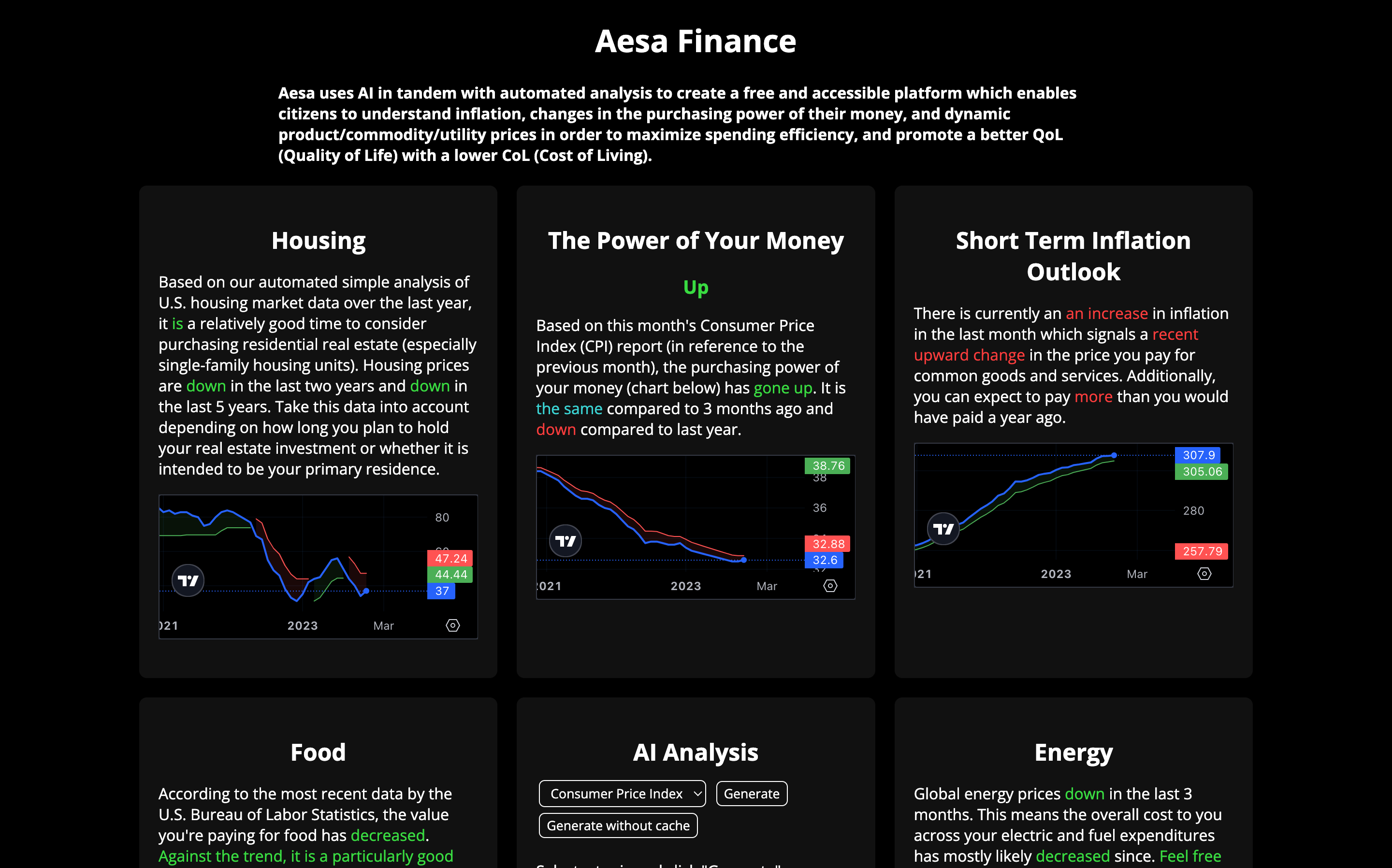
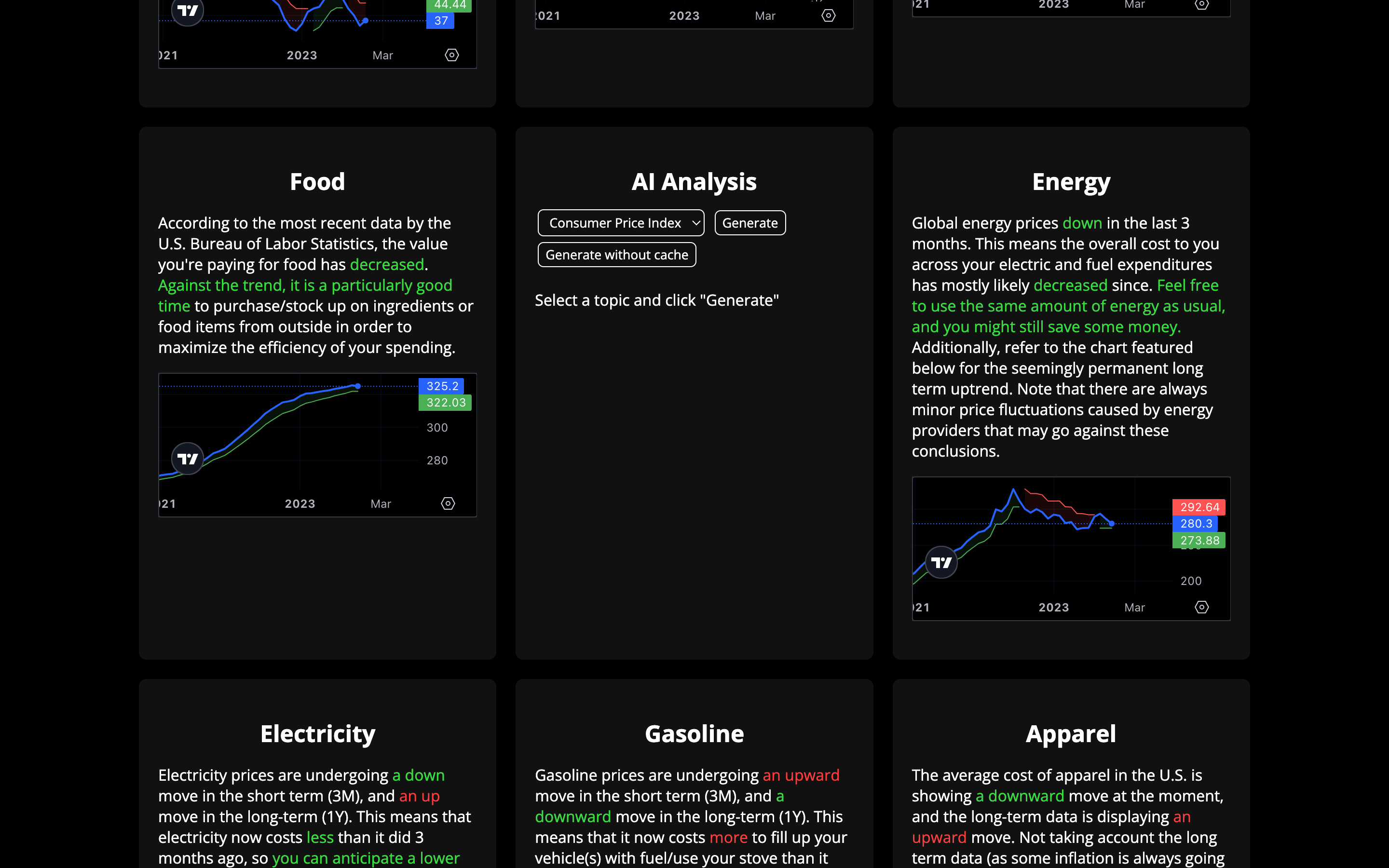
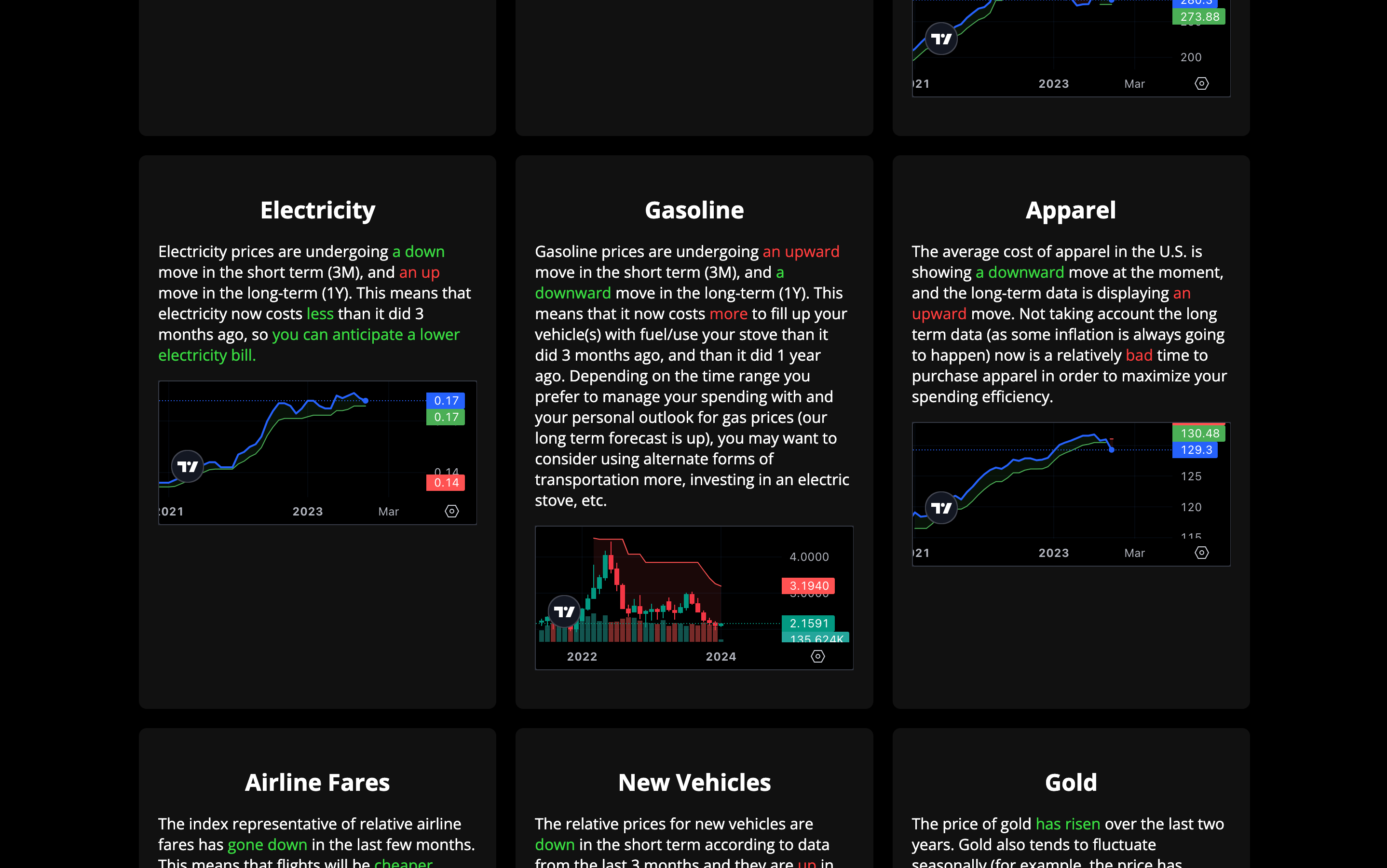
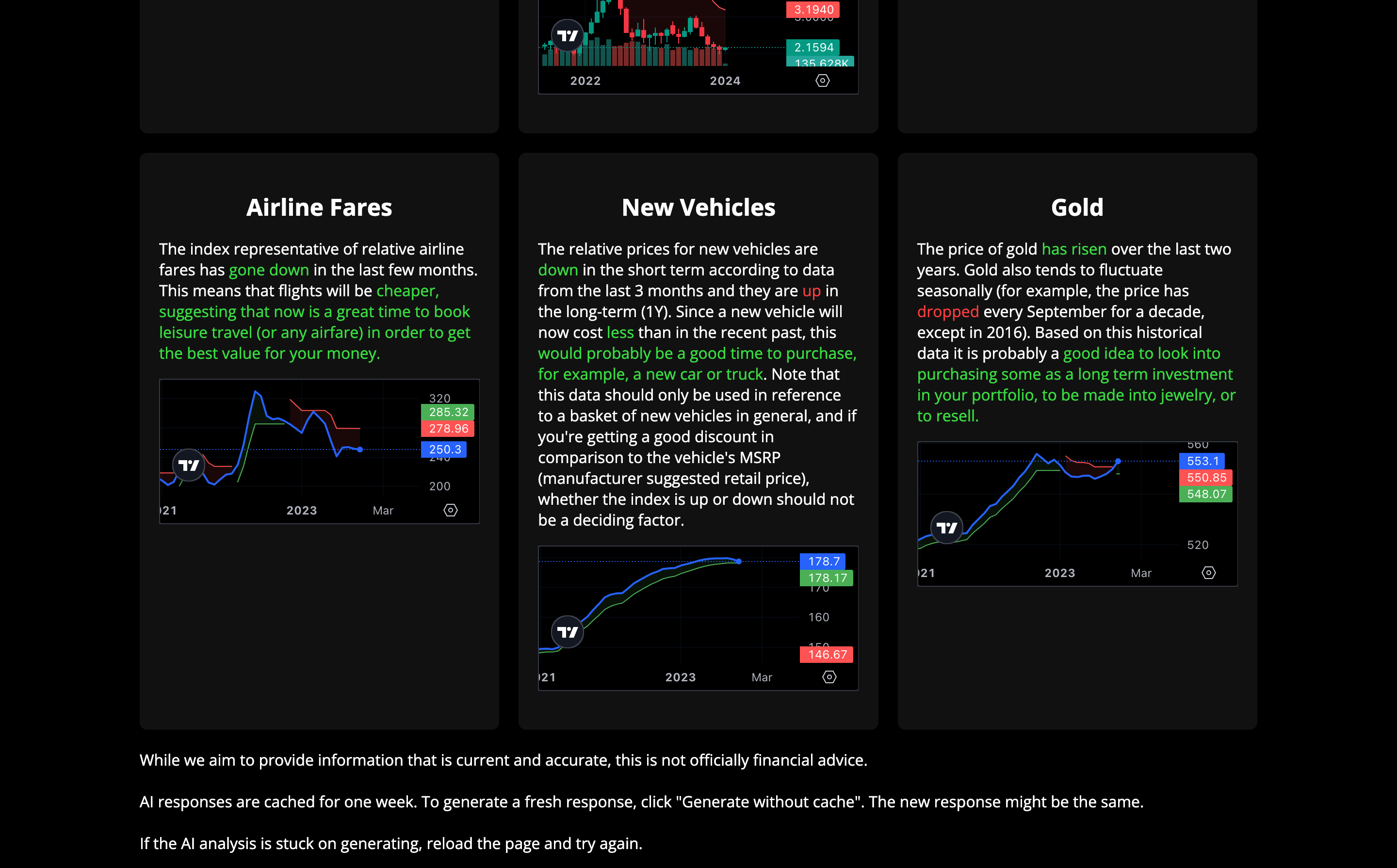
Note: Due to rendering issues, our demo screen recording did not end up in the final video (skip from 1:57 to 2:30 for our message). Instead, feel free to check out our actual site! It is the first link below the "Try It Out" section when you scroll down on this page.
About Us
Aesa Finance emerged from a realization that while many encounter terms like inflation, CPI, and various indices, they often lack comprehension about their significance or how to interpret these complex financial indicators. The aim was to decode these intricate graphs into plain, understandable language. Our goal is simple yet profound: to bridge the knowledge gap, promote smart spending habits, and hopefully enhance someone's quality of life.
The genesis of Aesa Finance was a desire to 'translate' financial data into 'plain English'. We wanted to make the incomprehensible understandable, turning confusing financial jargon and lines on charts into actionable insights. The project seeks to empower individuals, offering them the tools to make informed decisions about their assets and expenditures.
Through this journey, we learned about the Cloudflare Workers AI system, fetch, and more. The project was built meticulously, leveraging HTML, CSS, and JavaScript to create a user-friendly interface, along with Deno/TypeScript on the backend. Despite facing challenges such as data retrieval (fetch issues), server capacity, and interpretation, all these different systems were employed in tandem facilitating the accurate retrieval, interpretation, and conversion of complex financial statistics into easily understandable, digestible information.
Aesa Finance aims to help users comprehend the ever-changing landscape of financial markets, empowering them to make informed choices about their investments, spending, and financial well-being.
By providing free, accessible, and understandable analysis of crucial financial data, we hope to create a positive impact. Our platform is about translating data into meaningful insights that can and will potentially improve lives.
Important Code Snippets
Scraping Financial Data
await Deno.serve(
  router({
    '/data/:symbols/:timeframe': async (_req, _, { symbols, timeframe }) => {
      const data = new Data();
      const results = Object.fromEntries(
        await Promise.all(
          symbols
            .split(',')
            .map(async (symbol) => [
              symbol,
              await data.get(symbol, timeframe).catch((err) => err),
            ])
        )
      );

      data.end();

      return new Response(JSON.stringify(results), {
        headers: {
          'Content-Type': 'application/json',
          'Access-Control-Allow-Origin': '*',
        },
      });
    },
  })
).finished;
Code to retrieve chart data from TradingView (above/below).
public get(symbol: string, timeframe: string): Promise<SymbolData[] | null> {
  return new Promise((resolve) => {
    const chart = new this.client.Session.Chart();

    chart.setMarket(symbol, {
      timeframe,
    });

    chart.onUpdate(() => {
      resolve(chart.periods);
      chart.delete();
    });

    setTimeout(() => {
      resolve(null);
      chart.delete();
    }, 3000);
  });
}
AI Analysis
Requesting a response from the Mistral 7B model through Cloudflare Workers AI (below).
const { response } = await ai.run('@cf/mistral/mistral-7b-instruct-v0.1', {
  prompt,
});
Once the above is complete, responses are cached in the backend. In order to provide these to users, the desired data is retrieved from the backend using fetch and displayed as animated text (code below).
fetch(`https://flat-sky-ab42.shreyasm-dev.workers.dev/cached?item=${item}`)
  .then((res) => res.json())
  .then((res) => {
    if (res.cached && cache) {
      fetch(`https://flat-sky-ab42.shreyasm-dev.workers.dev/ai?item=${item}`)
        .then((res) => res.json())
        .then((res) => {
          subtitleText = res.response;

          typeWriterSubtitle(() => {
            topic.disabled = false;
            generate.disabled = false;
            generateNocache.disabled = false;
          });
        });
    } else {
      const source = new EventSource(
        `https://flat-sky-ab42.shreyasm-dev.workers.dev/ai?item=${item}&streamed`
      );
      source.addEventListener('message', (event) => {
        if (subtitle.innerHTML === 'Generating AI analysis...') {
          subtitle.innerHTML = '';
        }

        if (event.data === '[DONE]') {
          source.close();

          topic.disabled = false;
          generate.disabled = false;
          generateNocache.disabled = false;

          fetch(
            `https://flat-sky-ab42.shreyasm-dev.workers.dev/cache?item=${item}&value=${encodeURIComponent(
              subtitle.innerHTML
            )}`
          );
        } else {
          subtitle.innerHTML += JSON.parse(event.data).response;
        }
      });
    }
  });
Dynamic Text Display Simplification
To make it quicker and more efficient to add new sections and call on the data from the sections to display in the frontend, we created the following javascript framework (code below, result below code block).
window.getData = async (data, replacements) => {
  replacements.forEach(([gap, gapReplacements]) => {
    const change = data[0].close - data[gap].close;

    gapReplacements.forEach(([node, more, less, equal]) => {
      if (change < 0) {
        node.innerHTML = less[0];
        node.classList.add(less[1]);
      } else if (change > 0) {
        node.innerHTML = more[0];
        node.classList.add(more[1]);
      } else {
        node.innerHTML = equal[0];
        node.classList.add(equal[1]);
      }
    });
  });
};
This resulted in us being able to add new sections that analyze numbers and turn them into text quickly, as shown below.
const electricityTrendElement = document.querySelector('.electricityTrend');
const electricityMatchingElement = document.querySelector('.electricityMatching');
const electricityCostMoreElement = document.querySelector('.electricityCostMore');
const electricityUsageElement = document.querySelector('.electricityUsage');

  getData(data.APU000072610, [
    [
      3,
      [
        [electricityTrendElement, ['an up', 'red'], ['a down', 'green'], ['the same', 'blue']],
        [
          electricityUsageElement,
          ['you can anticipate a higher electricity bill .', 'red'],
          ['you can anticipate a lower electricity bill.', 'green'],
          ['you can anticipate about the same electricity bill, though fluctuations do occur.', 'blue'],
        ],
        [electricityCostMoreElement, ['more', 'red'], ['less', 'green'], ['the same', 'blue']],
      ],
    ],
    [12, [[electricityMatchingElement, ['an up', 'red'], ['a down', 'green'], ['a neutral move', 'blue']]]],
  ]);
Too Many Fetch Requests Issue Fix
An issue we encountered was that when we had a unique fetch request for every single ticker, we ended up with many requests and the server was randomly refusing some of them (likely due to the hosting we chose). To solve this, we modified the API and created a single fetch request as seen below. This also significantly increased our site's loading speed.
const main = async () => {
  const data = await (
    await fetch(
      'https://aesa-finance-backend.deno.dev/data/USHMI,CUUR0000SA0R,CPIAUCSL,CPIUFDNS,CPIENGSL,APU000072610,GASOLINE,CPIAPPSL,CUSR0000SETG01,CUUR0000SETA01,GOLD/M'
    )
  ).json();
Displaying Interpreted Data in the UI
The fetched and interpreted data is shown to users using the <span> element which allows for dynamic in-line text.
<div class="column">
         <div class="row">
           <h2>Electricity</h2>
           <p>
             Electricity prices are undergoing <span class="electricityTrend"></span> move in the short term (3M), and
             <span class="electricityMatching"></span> move in the long-term (1Y). This means that electricity now costs
             <span class="electricityCostMore"></span> than it did 3 months ago, so
             <span class="electricityUsage"</span>
           </p>
           <tv-chart data-ticker='APU000072610'></tv-chart>
         </div>
       </div>
Built With
- ai
- cloudflare-workers-ai
- css3
- deno
- html5
- javascript
- llama-2
- mistral-7b
- tradingview
- typescript


Log in or sign up for Devpost to join the conversation.