Inspiration
An aerospace contractor 3D-printing titanium brackets keeps failing client strength tests, and it does not track enough process parameters against final part strength. By the time a bracket fails its tensile test, the weak prints are already made. We wanted a tool that tells a shop floor engineer when the process drifted, whether it can meet the strength requirement, and where to look first, using the statistics taught in Six Sigma.
What it does
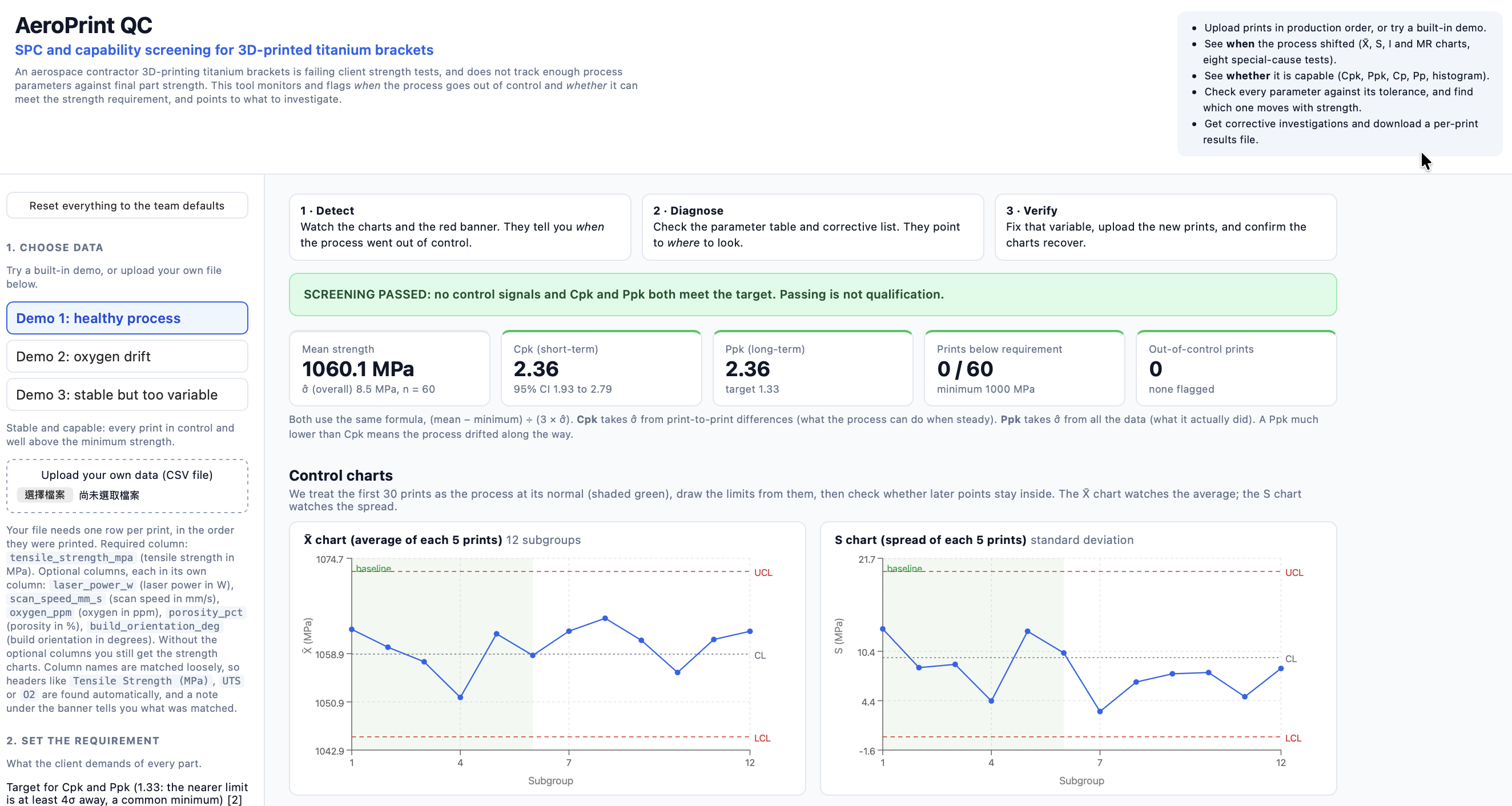
AeroSigma takes print-by-print results (only tensile strength is required; laser power, scan speed, oxygen, porosity and build orientation are optional) and returns:
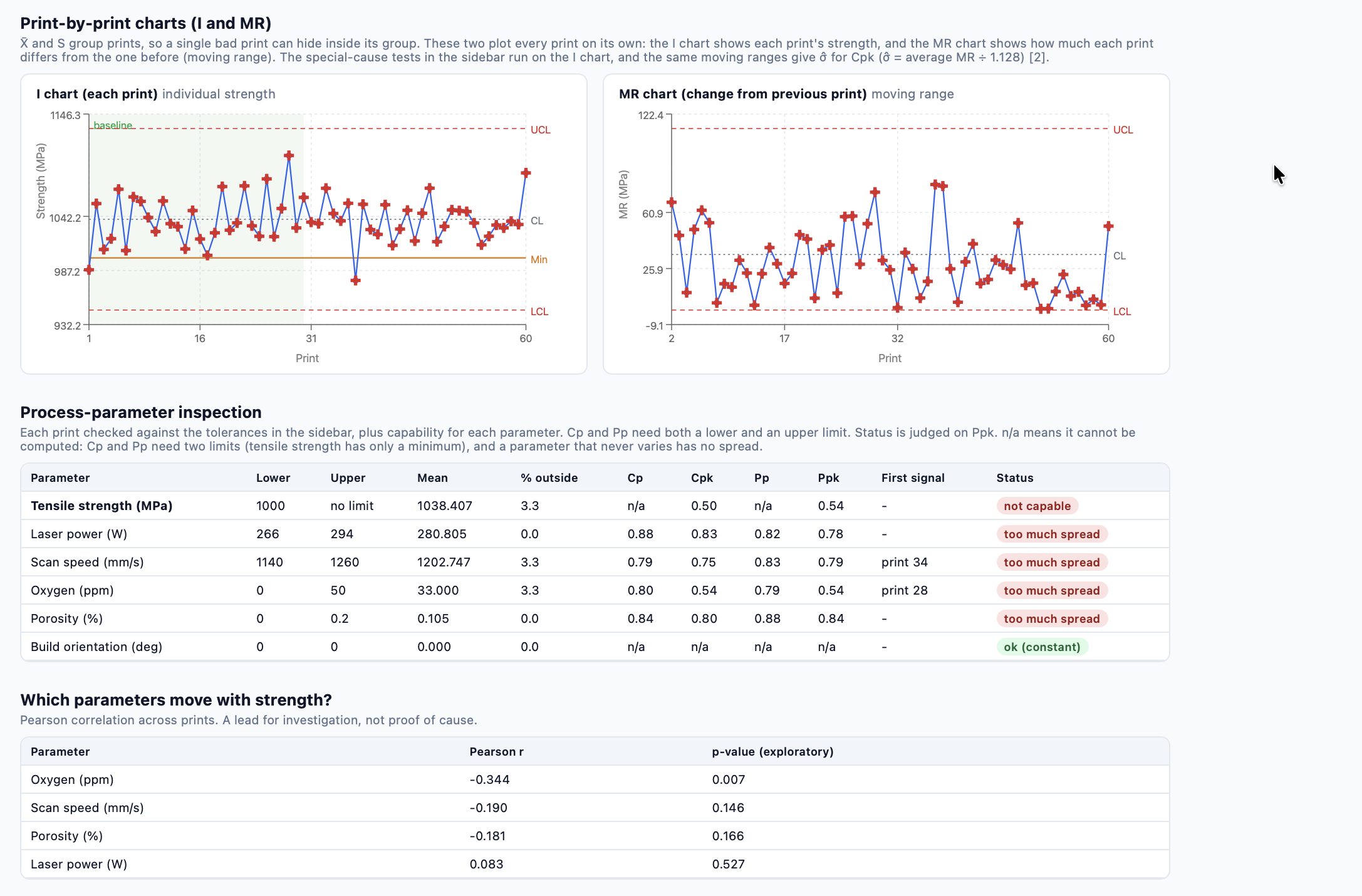
- Control charts: X̄ and S charts of subgroups, plus individuals (I) and moving-range (MR) charts, with limits drawn from an in-control baseline.
- Eight special-cause tests (Nelson rules), selectable, with a plain-language picture of each rule.
- Capability: one-sided Cpk and Ppk against the minimum strength, with a 95% interval. A Ppk far below Cpk shows the process drifted along the way.
- Parameter inspection: every print and every parameter checked against editable tolerances (LSL, USL, Cp, Cpk, Pp, Ppk).
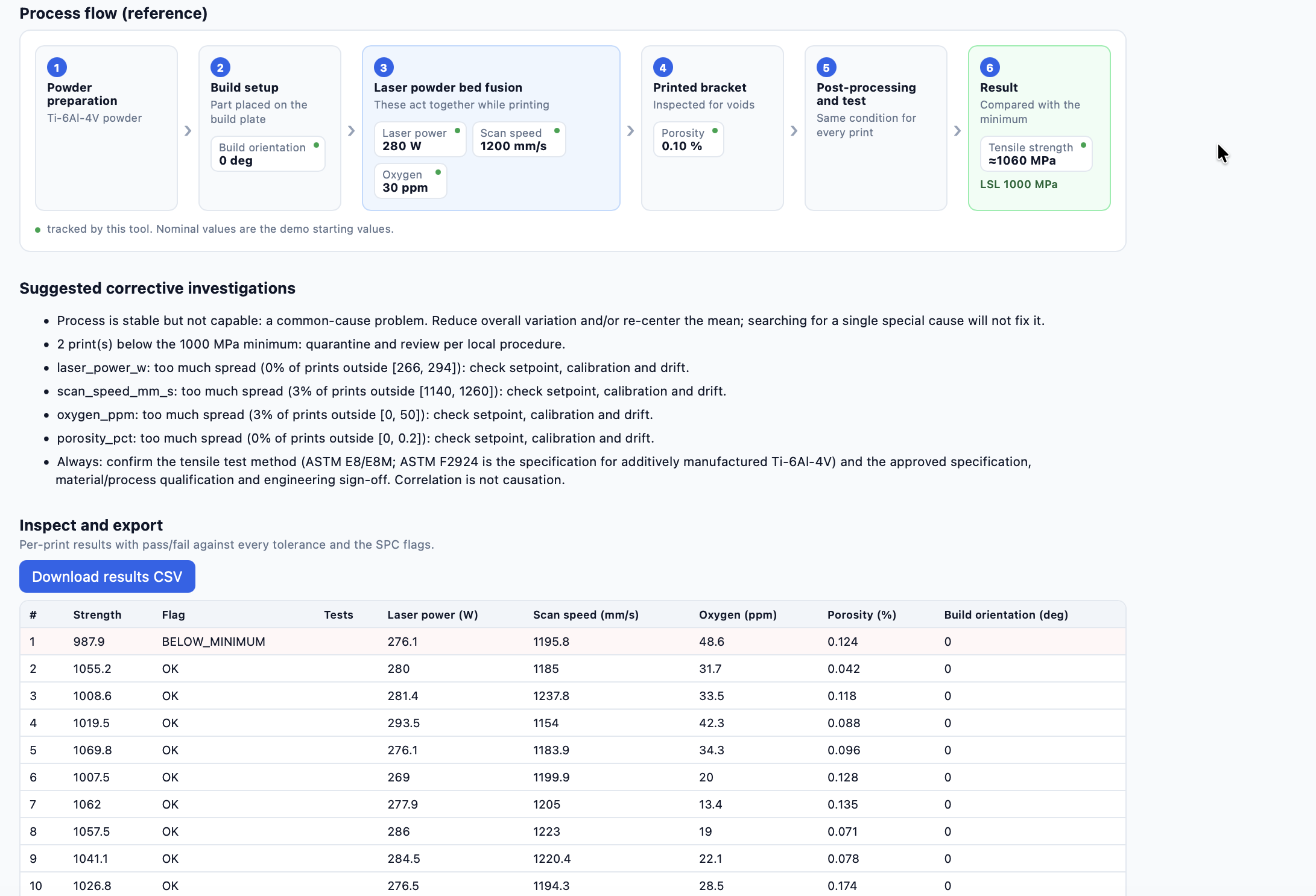
- Which parameter moves with strength, and a list of suggested corrective investigations.
- A per-print results file you can download.
How we built it
A plain, tested Python statistics library (qc.py), a FastAPI service, and a React + Vite dashboard served by the same app. The core formulas are
Cpk = (mean - LSL) / (3 x sigma_within)
Ppk = (mean - LSL) / (3 x sigma_overall)

sigma_within  = average moving range / 1.128
sigma_overall = sample standard deviation of all prints
with Cpk using the within-process sigma and Ppk using the overall sigma. The X̄ and S chart constants (c4, A3, B3, B4) are computed from their formulas rather than typed in.
63 automated tests check hand-computed known answers, the textbook chart constants, each of the eight special-cause rules with a planted pattern, edge cases (constant data, too few prints, one-sided limits), the three demonstation datasets, a file of datasets to upload by yourself, and every API endpoint including bad input.
Challenges we ran into
- False alarms. The more special-cause tests you turn on, the more often a perfectly healthy process gets flagged. We measured it: on 60 in-control prints, all eight rules flagged about 59% of runs, while the default of two rules flagged about 30%. We made the default conservative and show these numbers next to the checkboxes.
- One-sided specs. Tensile strength has a minimum but no maximum, so Cp and Pp are undefined for it. We show them as n/a rather than inventing a limit.
- Getting the parameters honest. We checked our starting values against sources: the AM titanium standard minimum strength (895 MPa), oxygen limits for titanium printing, and published laser power and scan speed ranges. Several of our limits are demonstration values, and the app says so.
- Messy input. Real files have odd headers, semicolons and units in cells, so the tool matches column names loosely and says exactly which column and row is wrong.
Accomplishments that we're proud of
- Statistics we can defend: each result is verified against a case with a known answer before any styling.
- A tool a non-statistician can read: plain-language notes, a picture of each rule, and a process flow diagram.
What we learned
- How to use Github and build an interactive website.
- Application of control charts.
What's next
- Accept Excel files and a column for build or machine, so different conditions are not mixed.
