-
-
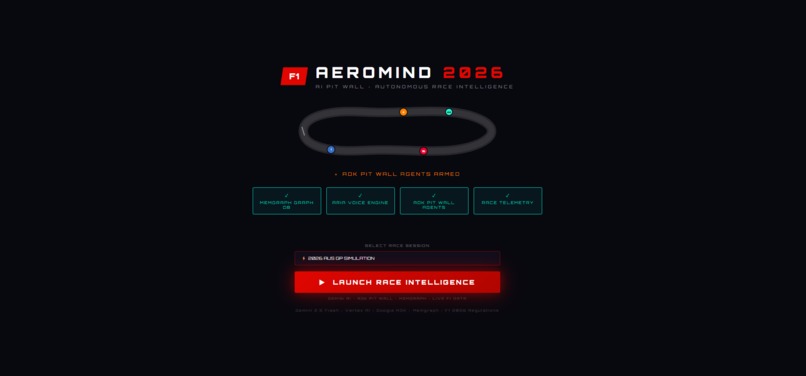
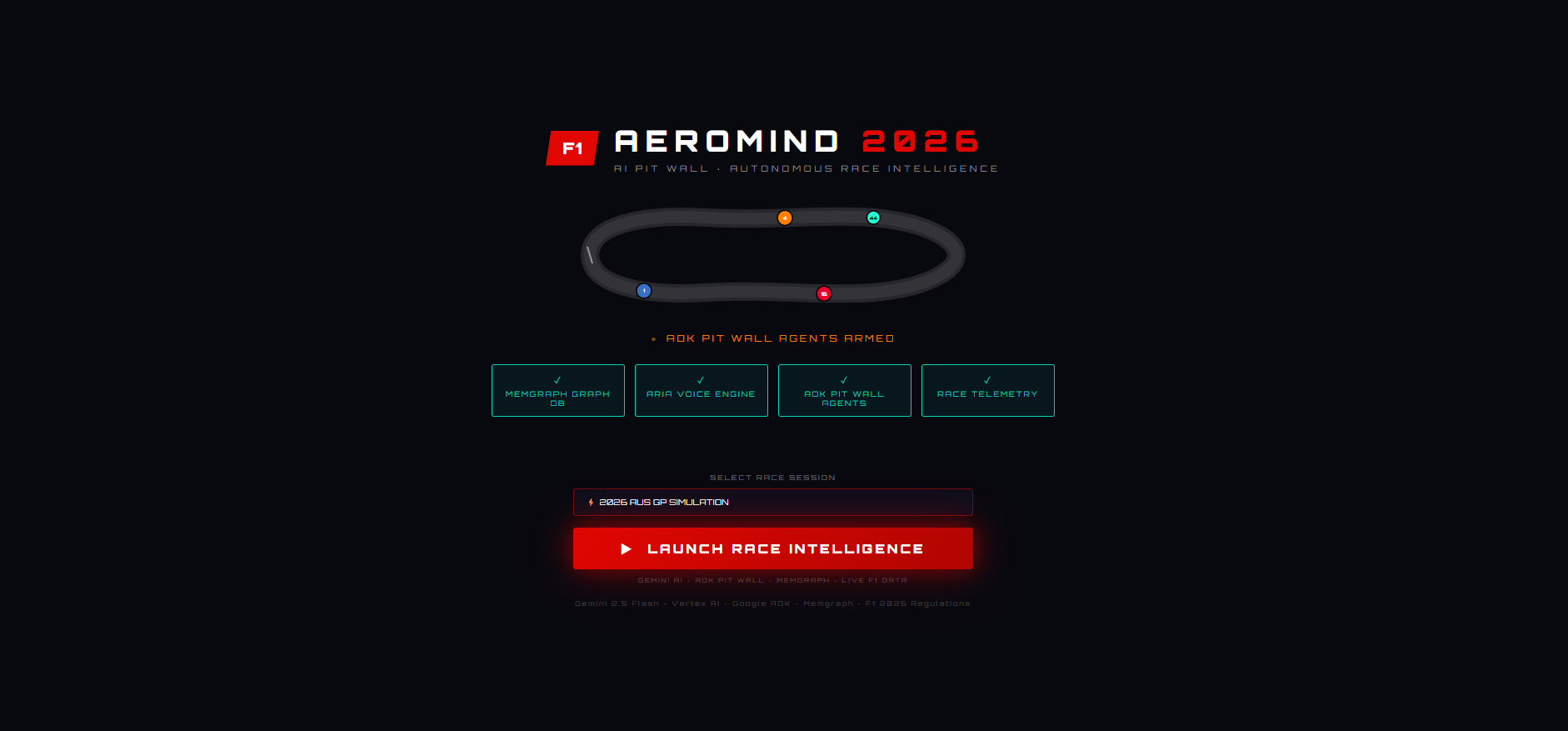
Loading screen
-
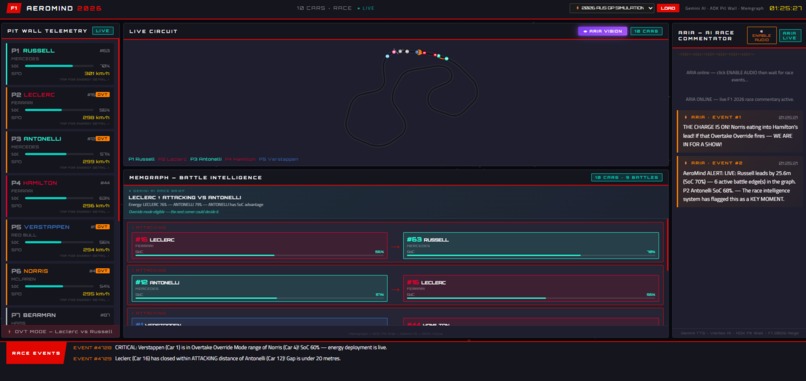
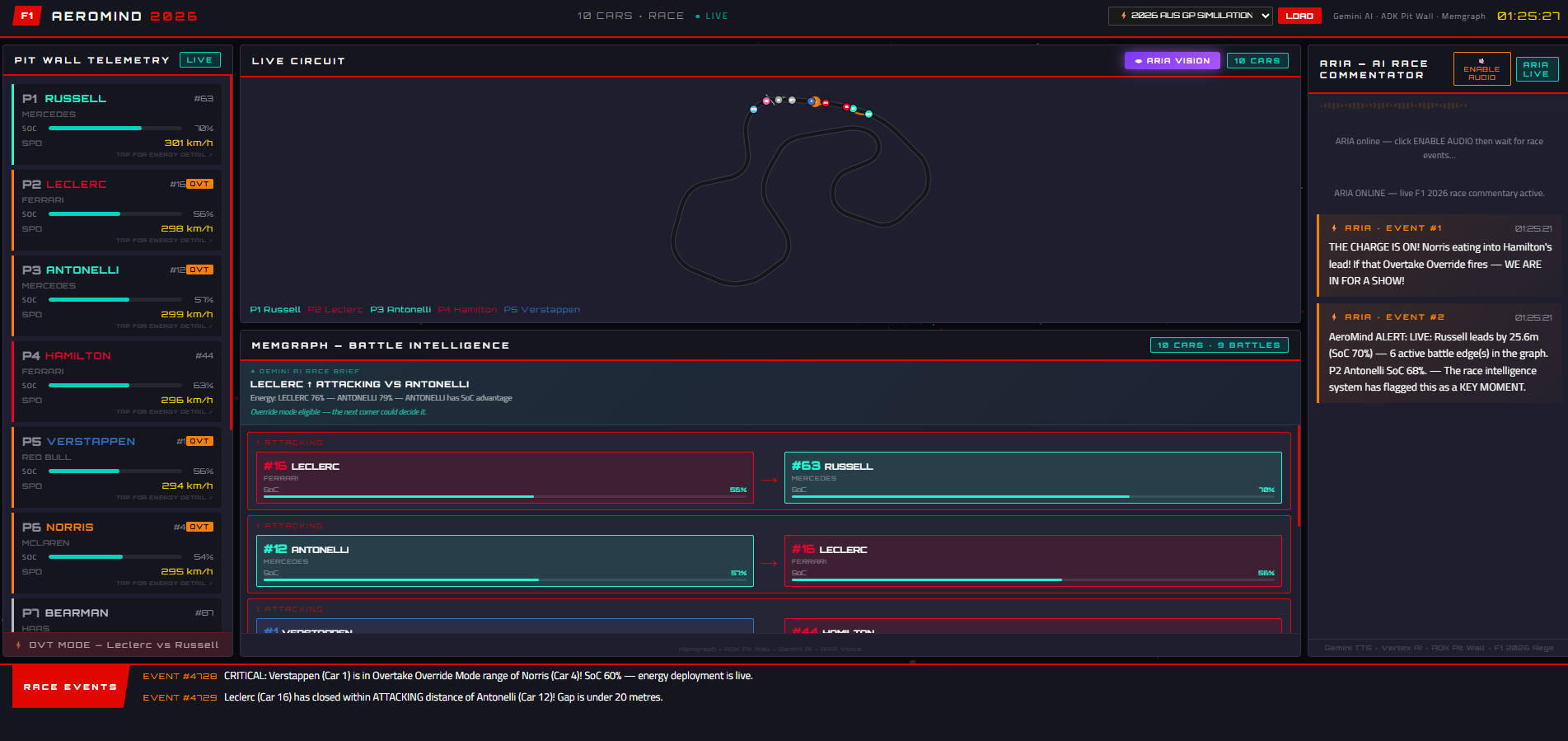
Dashboard
-
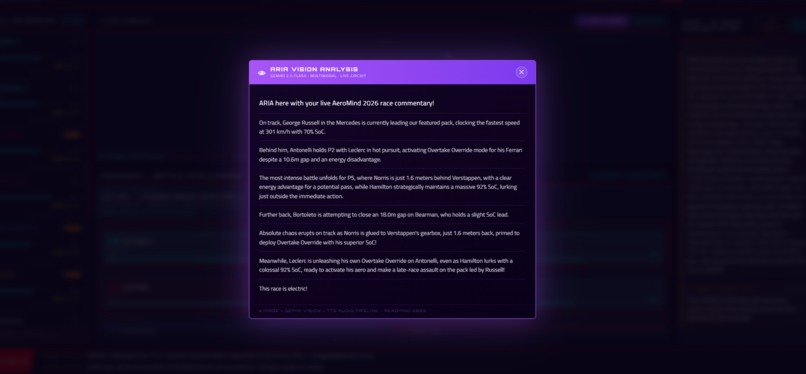
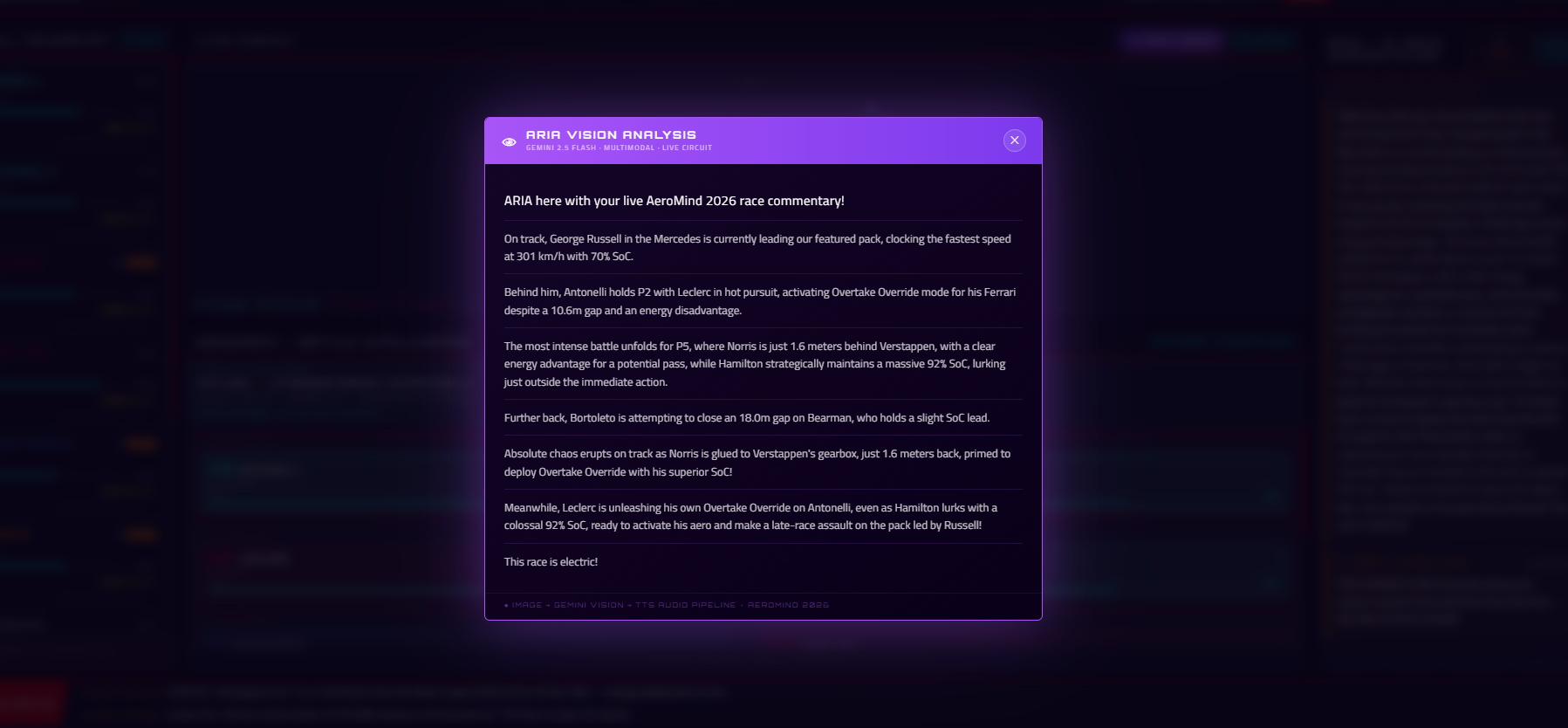
Live screen capture
-
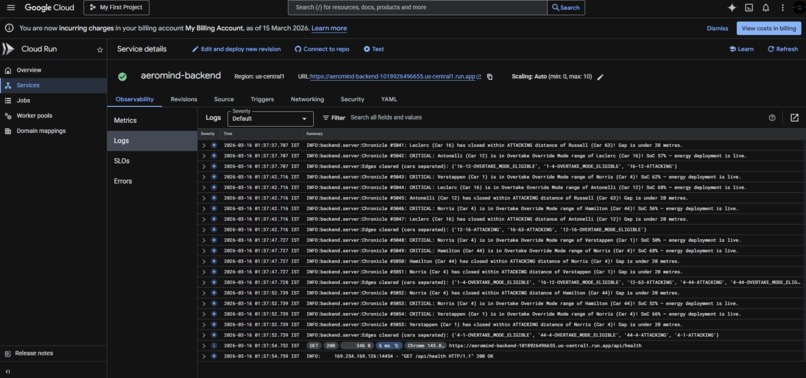
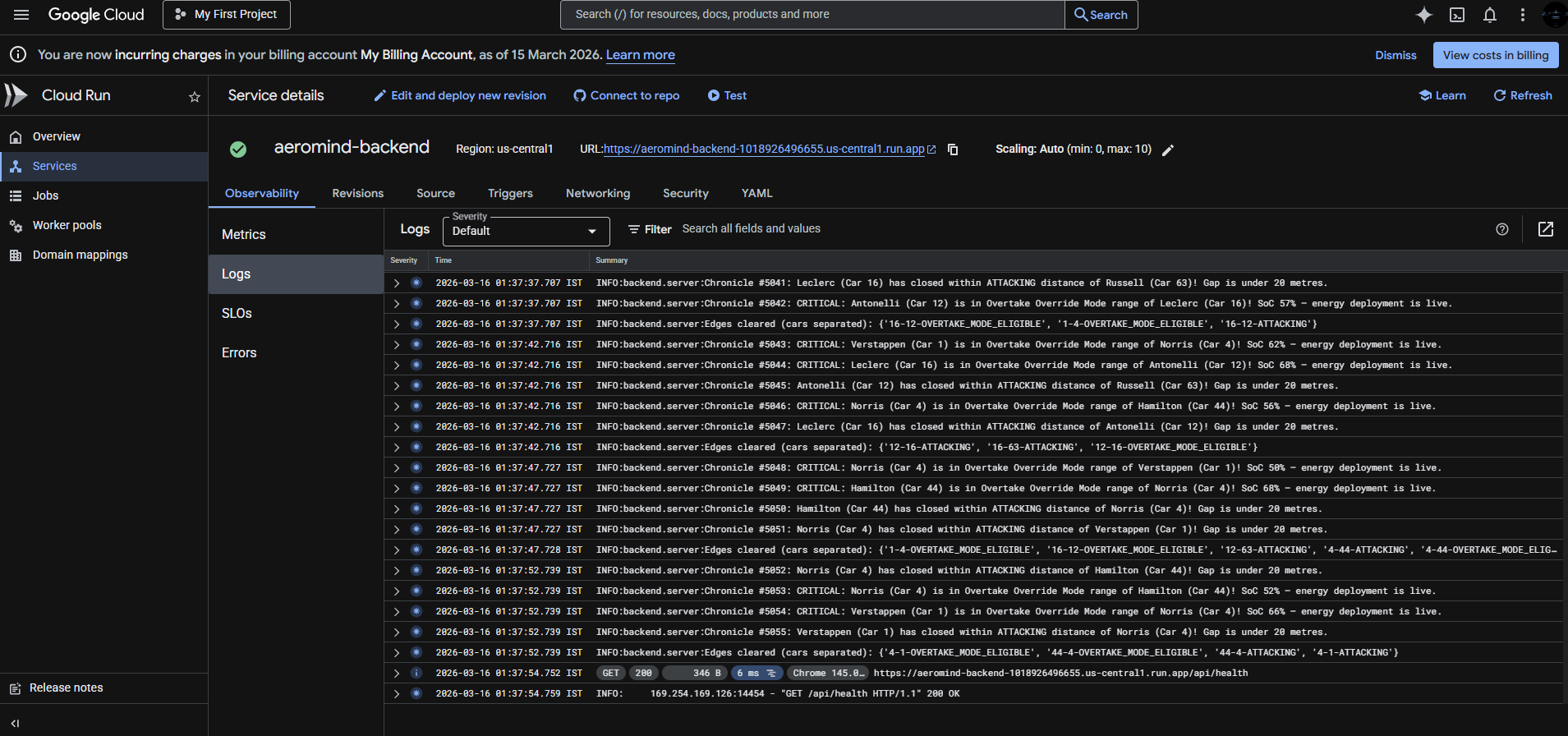
Google cloud backend logs
AeroMind 2026 — What Happens When You Give an AI a Pit Wall
Where It Started
I've been watching Formula 1 for years. Every race, the same thought keeps coming back , the actual race isn't just happening on track. It's happening in those pit wall headsets. Engineers whispering numbers, strategists running scenarios in their heads, data analysts watching battery graphs tick down in real time.
Most fans never see any of that. They see the cars, they hear the commentary, but the real intelligence the why behind every decision stays hidden behind those garage doors.
When the Gemini Live Agent Challenge dropped, I didn't think about what I could build. I thought about what I'd always wanted to exist: an AI that actually sits on that pit wall and understands the race. Not just reads lap times. Not just recites standings. Actually understands who's hunting who, who's running low on battery, which overtake is about to happen before it happens.
That became AeroMind 2026.
The 2026 Regulations Changed Everything
Formula 1's 2026 regulations abolish DRS and replace it with Overtake Override Mode a 350 kilowatt electrical surge you can only activate when you're within one second of the car ahead and your battery is above 35% charge.
Suddenly the energy battle is the race. Every percentage point of battery charge is either a weapon or a vulnerability. The pit wall isn't just watching tyres anymore — they're managing electricity. And none of that is visible to fans watching on TV.
AeroMind makes it visible. And narrates it. Out loud.
What ARIA Actually Does
The centrepiece of AeroMind is ARIA Autonomous Race Intelligence Agent. She's an AI commentator powered by Gemini, and she does three things I'm genuinely proud of.
She speaks. Using Gemini's TTS model with the Charon voice, ARIA delivers spoken commentary when race events happen battles forming, Overtake Override activating, pit-wall calls being made. It's not pre-recorded. It's generated fresh from live race data, every single time.
She sees. Hit the ARIA Vision button and the app captures a screenshot of the live circuit the SVG track map with all the car positions and battle arcs drawn on it and sends it directly to Gemini as an image. ARIA then describes what she sees: who's leading, where the battles are, who looks like they're about to make a move. That's a full image → AI analysis → spoken commentary pipeline running in one click.
She reasons from the graph. Before ARIA says anything, she runs live database queries against Memgraph a graph database where every car is a node and every battle is a relationship edge. She doesn't just get a number dump. She gets structured intelligence: who is attacking who, what the energy advantage is, what the AI pit-wall agents just decided. Her commentary is literally grounded in the race graph.
The Graph Is the Brain
Most AI applications stuff context into a long string and hope the model figures it out. AeroMind does it differently.
The live race lives in Memgraph as a property graph. Cars are nodes with properties like speed, battery SoC, and position. Relationships between cars are typed edges ATTACKING when the gap is closing, OVERTAKE_MODE_ELIGIBLE when all the conditions align. When the ADK pit-wall agents make a decision, that decision gets written to the graph as its own node, connected to the relevant car.
Before ARIA speaks, she fires a Cypher query:
MATCH (attacker:Car)-[r:ATTACKING|OVERTAKE_MODE_ELIGIBLE]->(defender:Car)
RETURN attacker.driver_name, type(r), defender.driver_name,
       attacker.battery_soc, abs(attacker.track_pos - defender.track_pos) AS gap
ORDER BY gap ASC
That result real, live, structured graph data becomes her context. She knows the gaps. She knows the energy advantage. She knows what the AI agents recommended. And she turns all of it into a three-sentence live call that sounds like David Croft had a baby with a supercomputer.
This is what graph-native AI looks like in practice. Not embeddings, not similarity search just precise, relationship-aware queries that give the model exactly the information it needs.
The Pit Wall Agents
I built a team of AI agents using Google's Agent Development Kit to simulate the actual specialists sitting at a real pit wall a Tyre Agent watching degradation and undercut windows, an Energy Agent modelling battery SoC trajectories, an Overtake Agent evaluating gap closure rates through key sectors, a Safety Agent flagging incident risks, a Strategist pulling everything together into a final call, and a Chronicler whose only job is to write each decision back into Memgraph so ARIA can reference it.
That last one is the architectural piece I'm most proud of. Every agent decision becomes a permanent node in the graph with a timestamp and a relationship to the car it concerns. The AI agents aren't just thinking they're leaving a paper trail in the database that ARIA can actually read.
How I Put It Together
The backend is Python and FastAPI with an async race loop running in the background. It pulls telemetry from the OpenF1 API, updates Memgraph, detects when battle states change, and fires off ARIA commentary via WebSocket to everyone watching.
The frontend is deliberately simple vanilla JavaScript, no heavyweight framework. The track map is a hand-drawn SVG path, and cars move along it using a monotonically increasing lap fraction so they always travel in one direction, with each car offset behind the leader by their real gap converted to a path fraction. A 15% interpolation lerp per update tick makes the cars glide smoothly around the circuit even when telemetry arrives in bursts. GSAP handles all the animations car movements, the waveform bars that pulse when ARIA is speaking, the panel transitions.
Everything runs on Google Cloud. The backend is on Cloud Run with min-instances=1 so the race loop never sleeps. Memgraph runs on a Compute Engine VM, and the frontend is another Cloud Run service with Nginx proxying API calls through to the backend.
The Bugs That Nearly Broke Me
The .env That Wouldn't Die The backend was ignoring the environment variables I set in Cloud Run and connecting to memgraph:7687 a hostname that only works in local Docker Compose instead of the real VM IP. Turned out server.py was reading the .env file at startup and overwriting the Cloud Run variables. The fix was adding .env to .dockerignore. One line. Several hours of debugging.
The Silent Fallback For a while, ARIA was always giving generic template commentary in production even though the Gemini calls looked fine in the code. No errors. No warnings. Just template text every time. The culprit was a bare except Exception: pass block around every Gemini call. On Cloud Run, the Vertex AI client was failing silently due to missing IAM permissions, catching the exception, and falling back to templates. The model was never being called at all. The fix was swapping the client preference so the API key client runs first, with Vertex AI as fallback and everything started working immediately.
The Image That Was 0×0 The ARIA Vision feature sends a screenshot of the live circuit to Gemini. Except the first version sent a blank image, because the SVG had width="100%" and height="100%" which resolves to zero pixels when the element is cloned and serialised outside the browser's layout engine. I had to clone the SVG, hard-code width="800" and height="550", inject a dark background rectangle, serialise it with XMLSerializer, render it onto a canvas via a Blob URL, and then finally export it as a PNG. Four steps just to take a screenshot of my own UI.
The Argument That Wasn't The vision analysis was returning template fallback text even after I fixed the image size. Spent a while reading Gemini's error messages until I found it:
types.Part.from_text(prompt)       # ❌  TypeError: takes 1 positional arg
types.Part.from_text(text=prompt)  # ✅  keyword argument required
One word. text=. Hours of debugging.
Cloud Run Can't See Internal IPs Cloud Run managed instances don't have VPC access by default, so MEMGRAPH_HOST=10.128.0.2 caused every connection attempt to hang for four minutes until TCP timeout which killed the startup health check and prevented deployment entirely. Solution: use the VM's external IP and open the firewall.
What I Actually Learned
Honestly, the biggest lesson wasn't about Gemini or graph databases or cloud infrastructure. It was about silence.
Every single major bug in this project involved an error being swallowed somewhere caught by an exception handler, logged nowhere, falling back gracefully to something that looked fine. The Vertex AI permission failures, the vision call TypeError, the .env override all of them were silent.
Real AI systems in production need to be noisy about their failures. If Gemini can't be reached, shout about it. If the graph query fails, log it. If the fallback fires, explain why. The hardest bugs to fix are the ones that look like features.
The second thing I learned is that the graph genuinely changes how you think about AI context. Once I had Memgraph as the source of truth and ARIA running Cypher queries before speaking, the quality of the commentary jumped noticeably. The model wasn't guessing it was reading structured facts about the race. The difference between "there seems to be a battle" and "Car 16 has closed to 47 metres with 71% battery versus Car 1's 38% Override could fire any lap now" is entirely down to the quality of what you put in the context window.
What's Next
The 2026 season starts in March. AeroMind will be watching.
I want to add proper Serverless VPC connectivity so Memgraph isn't exposed publicly. I want to implement the full Gemini Live bidirectional voice so fans can actually ask ARIA questions during the race and get spoken answers grounded in the live graph data. I want multi-race memory ARIA building up a season-long knowledge graph, remembering the Hungary incident, the Monza battle, the championship maths going into the final round.
But for now: the pit wall is live, ARIA is commentating, and the graph knows every gap on every lap.
Stack: Gemini 2.5 Flash · Gemini TTS · Gemini Vision · Gemini Live API · Google ADK · Memgraph GraphRAG · Cloud Run · Compute Engine · FastAPI · Vite
Built With
- fastapi
- gemini
- google-cloud
- graphrag
- gsap
- javascript
- python
- vite

Log in or sign up for Devpost to join the conversation.