-
-
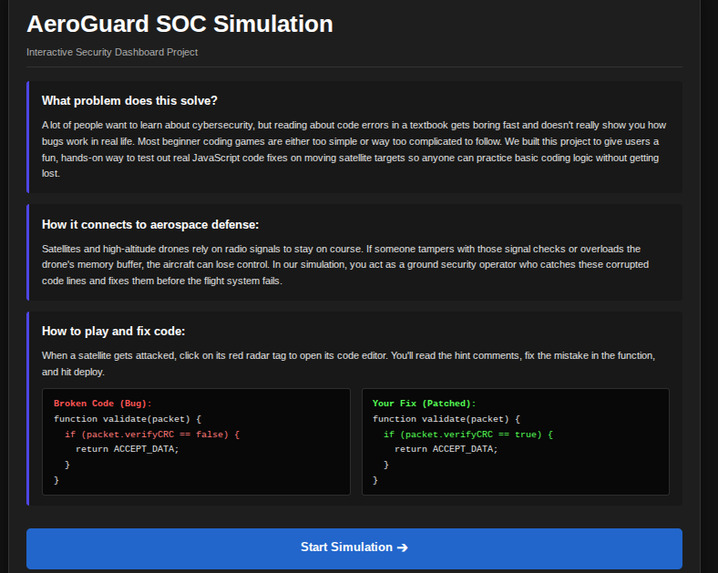
Starting Screen
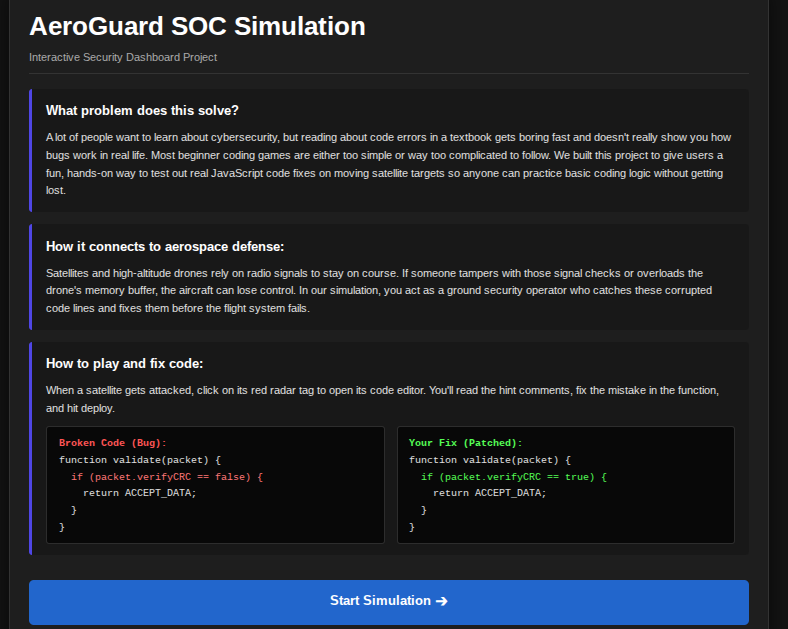
Inspiration
We wanted to create a project that makes learning cybersecurity approachable and fun. Many people find code errors and security concepts hard to understand when reading them out of a textbook. Since aerospace systems like satellites and drones rely heavily on radio signals and onboard firmware, we were inspired to build an interactive Security Operations Center (SOC) dashboard. It gives users a hands-on way to learn basic JavaScript debugging while protecting orbital targets from simulated cyber attacks.
What it does
AeroGuard SOC is an interactive single-file web application that simulates a real-time airspace defense system:
Orbital Radar Scan: Displays 6 active aerospace targets (satellites, drones, weather balloons) continuously orbiting on radar.
Cyber Attack Simulator: Users can trigger random breaches, causing compromised targets to glow red and switch to an alert state.
Firmware Patch Editor: Clicking an attacked target loads its corrupted code into an editor. Users inspect the hints in the comments, fix the logical bug (such as boolean checks or boundary limits), and deploy the security patch.
Real-Time Telemetry & Scoring: Tracks successful defenses, logs active system events, and updates a defense score as threats are resolved.
How we built it
We built the entire project using standard HTML5, CSS3, and JavaScript in a single index.html file so it runs smoothly on Chromebooks without external dependencies:
UI & Layout: Formatted with clean CSS grid and flexbox layouts for a dark-mode command center interface.
Radar & Motion: Rendered the interactive orbital rings using DOM elements and animated the satellites along trigonometric paths (Math.cos, Math.sin) with requestAnimationFrame.
Patch Verification Logic: Wrote JavaScript functions that strip user comments and evaluate whether conditional checks and boundary limits are correctly patched before restoring a target's status to nominal.
Challenges we ran into
Chromebook Canvas Issues: Initially, canvas-based rendering caused coordinate accuracy bugs and screen freezes on Chromebooks. We solved this by re-architecting the radar using DOM elements and fixed CSS containers, ensuring 100% stability.
Patch Helper Accuracy: We needed a way to verify user fixes without breaking if a student kept or modified comment text. We created a custom function to filter out comment lines (//) before checking the code logic.
Layout Timing: Ensuring the radar center coordinates calculated properly on page load required wrapping our animation loop inside a clean window load handler.
Accomplishments that we're proud of
Built a fully working, interactive cybersecurity simulation using zero external libraries or heavy frameworks.
Successfully connected aerospace defense concepts with beginner-friendly coding objectives.
Created a seamless, responsive dark-mode UI that functions reliably on high school Chromebooks.
What we learned
How to manage DOM animations and mathematical positioning using requestAnimationFrame.
How to structure clean conditional logic and string-parsing helpers to verify student code inputs.
How to design a multi-screen web app using simple display toggles (display: block / display: none) instead of complex routers.
What's next for AeroGuard SOC
Adding more attack categories like SQL injection or parameter pollution puzzles.
Creating a timer mode for competitive hackathon challenges.
Adding sound toggles and custom difficulty levels for beginner and advanced coders.

Log in or sign up for Devpost to join the conversation.