-
-
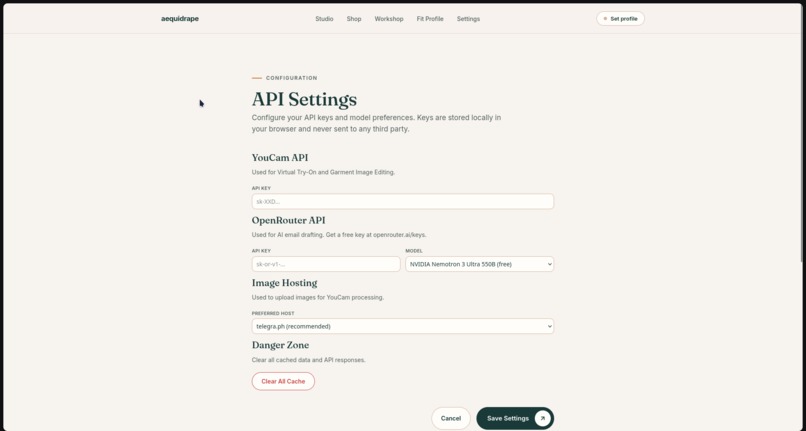
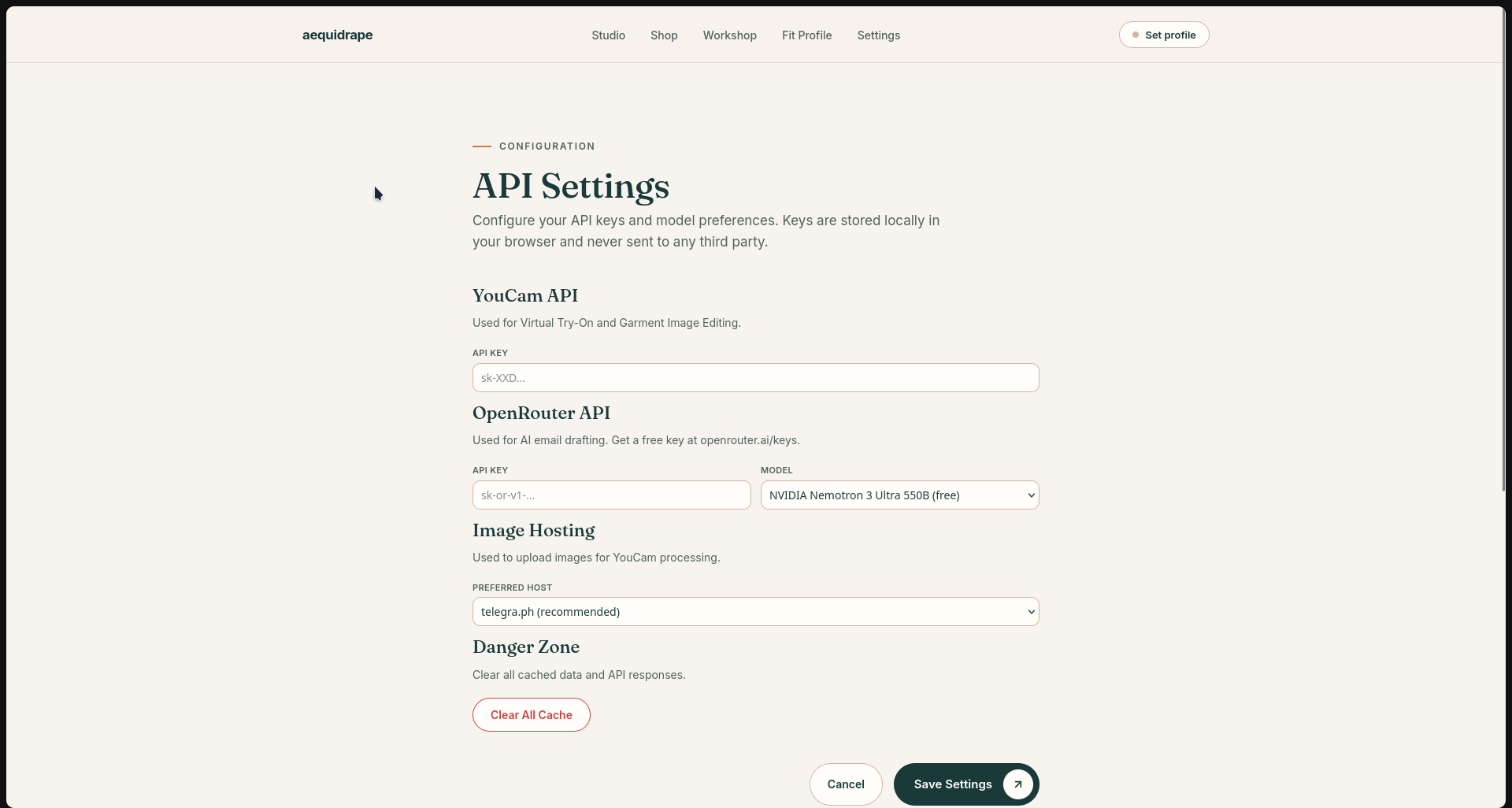
API Configuration
-
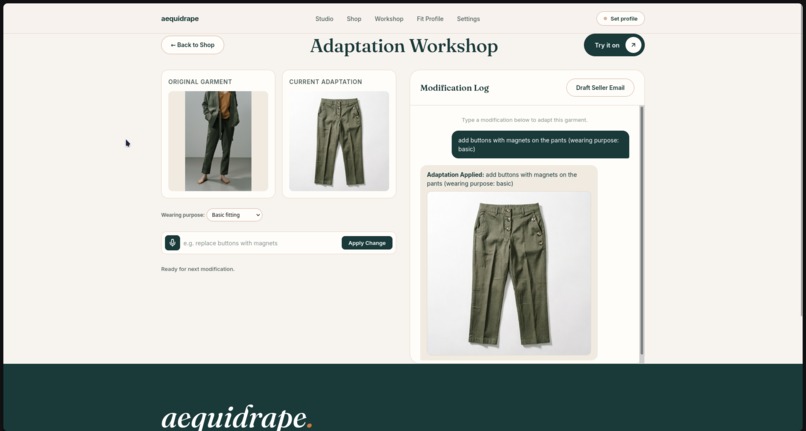
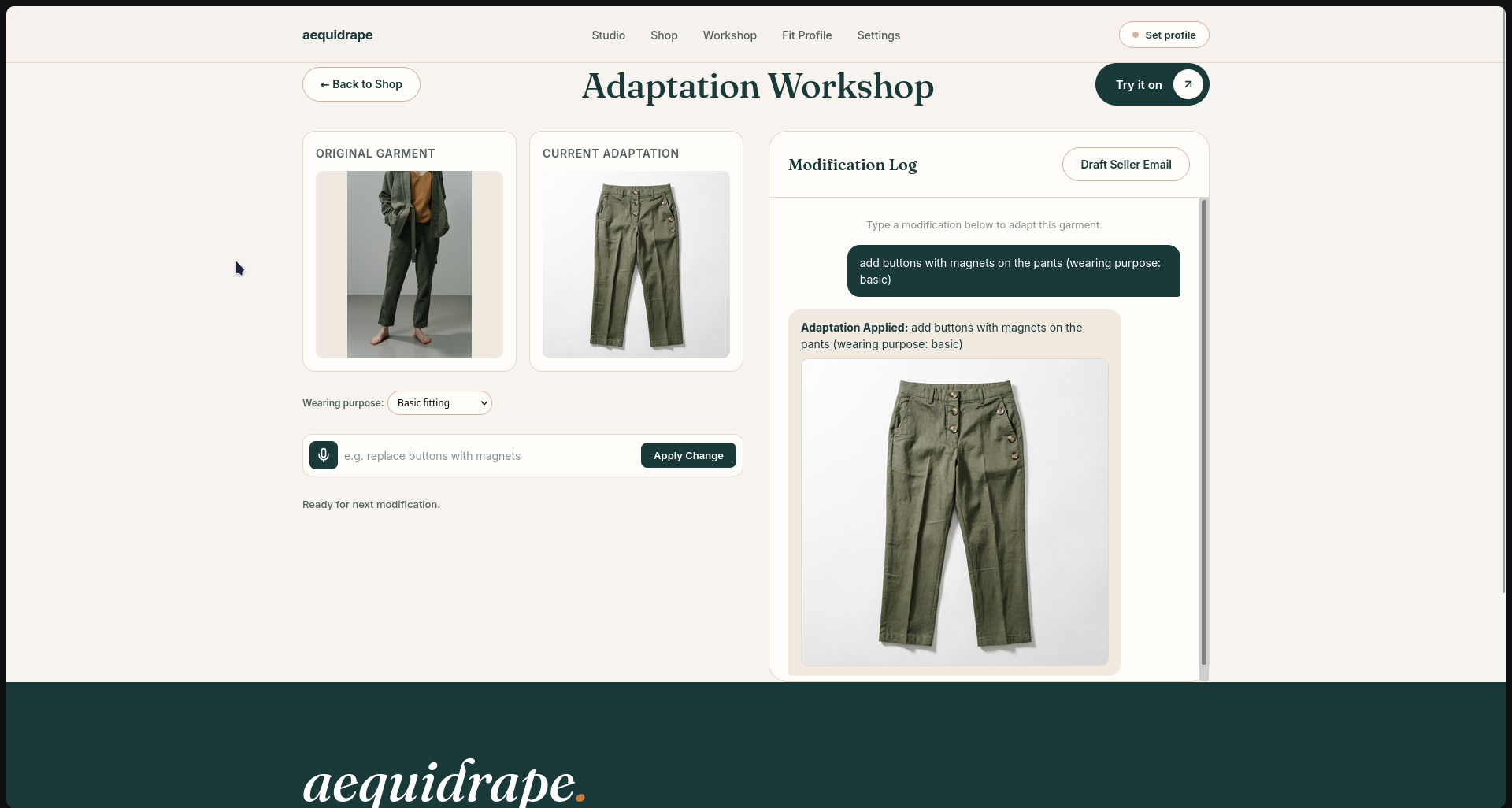
Modification Workshop
-
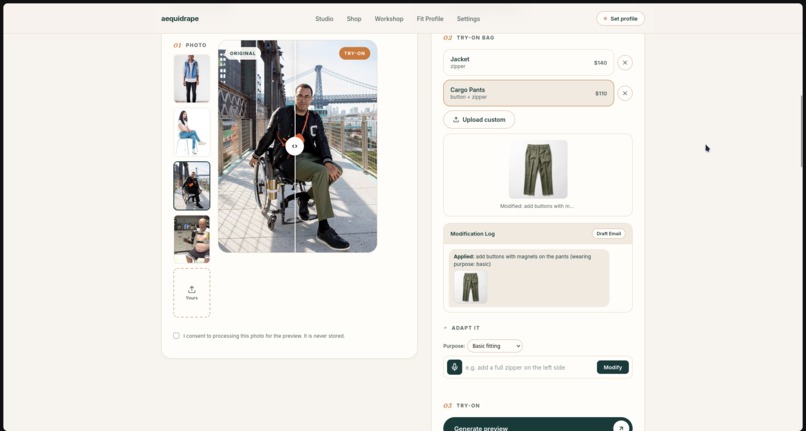
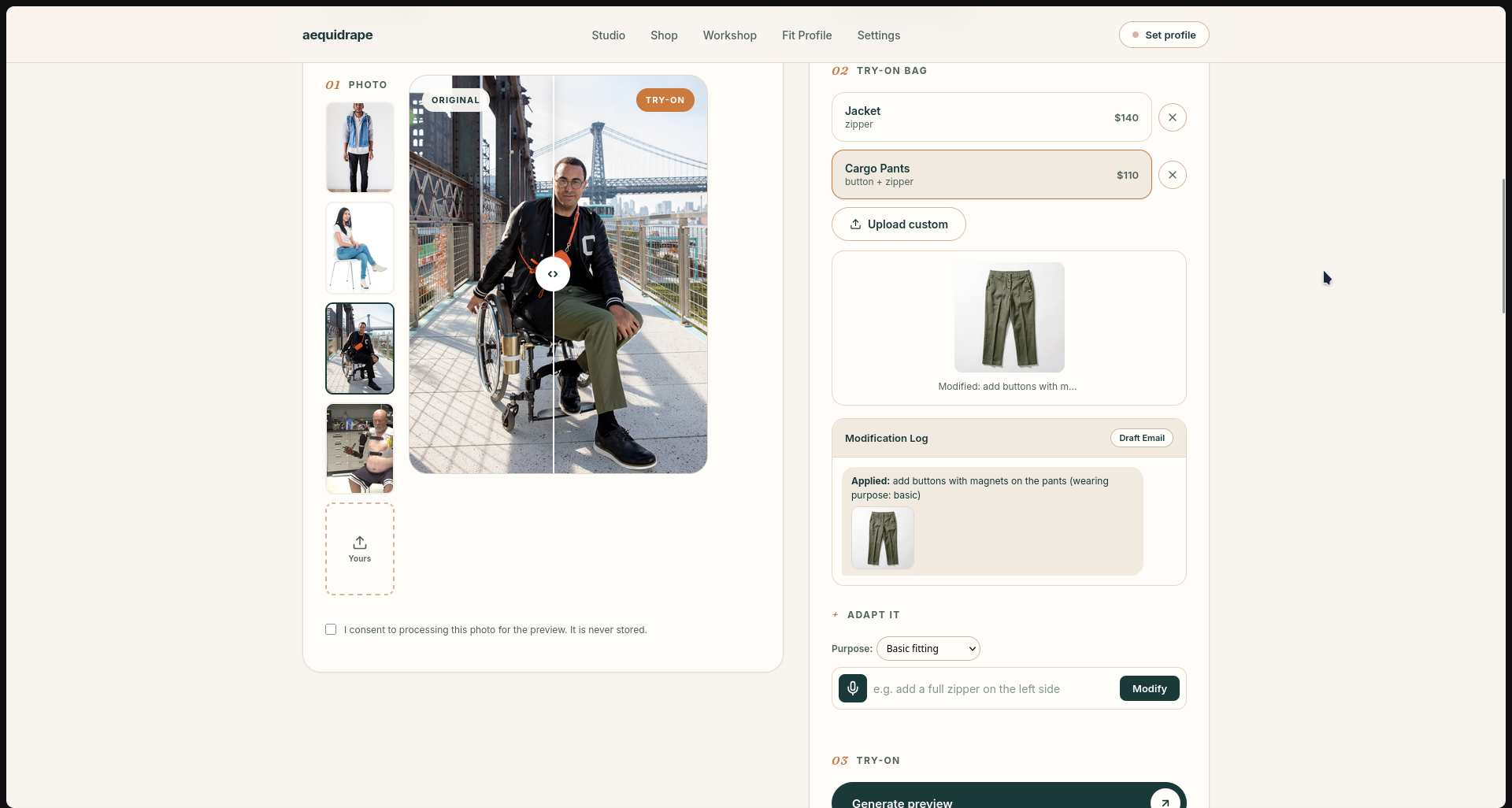
Try-On Studio
-
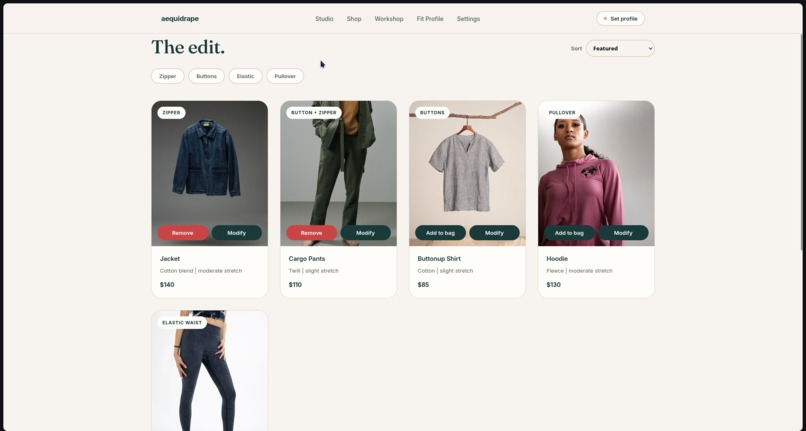
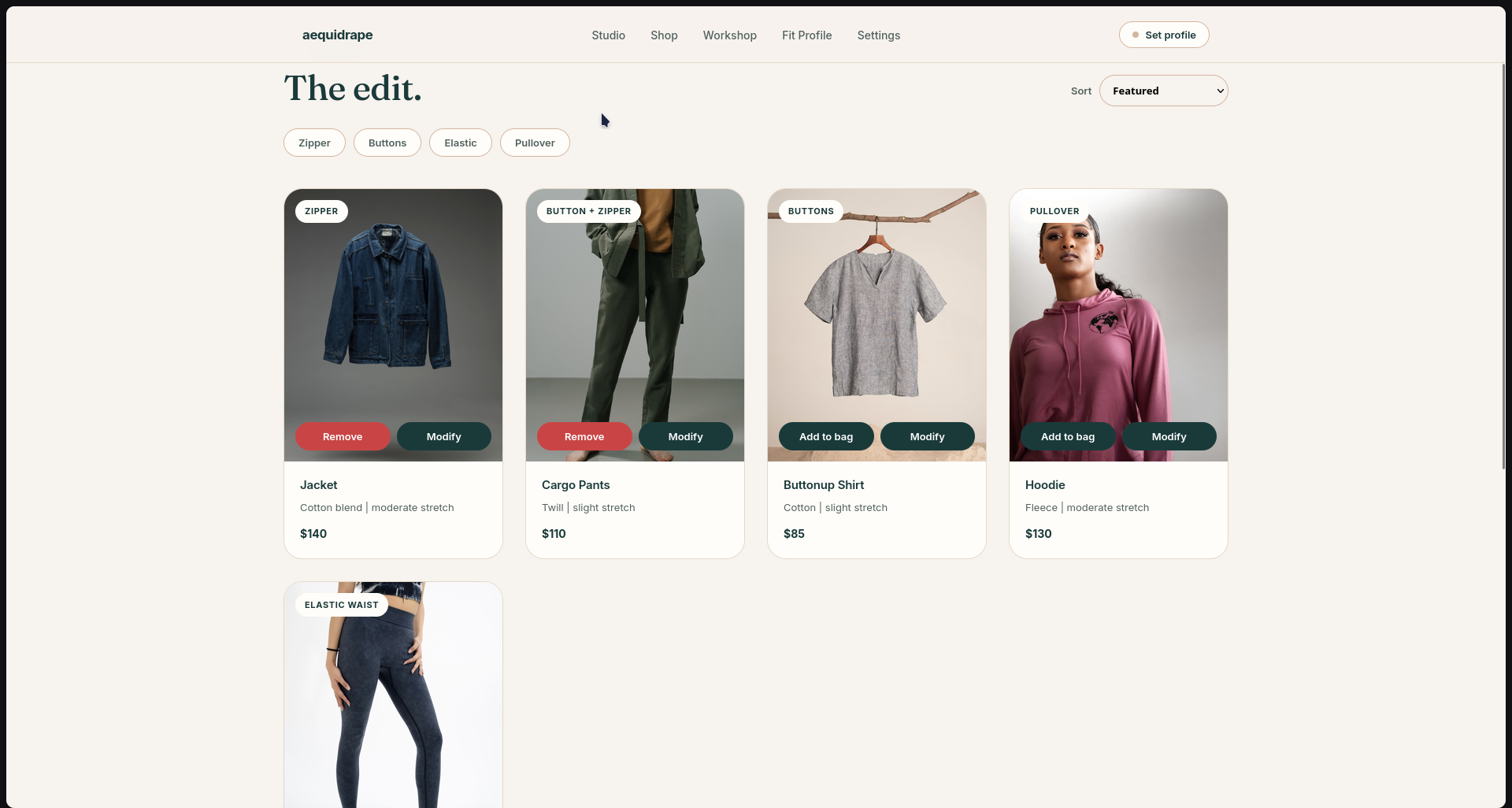
Shopping Mall
-
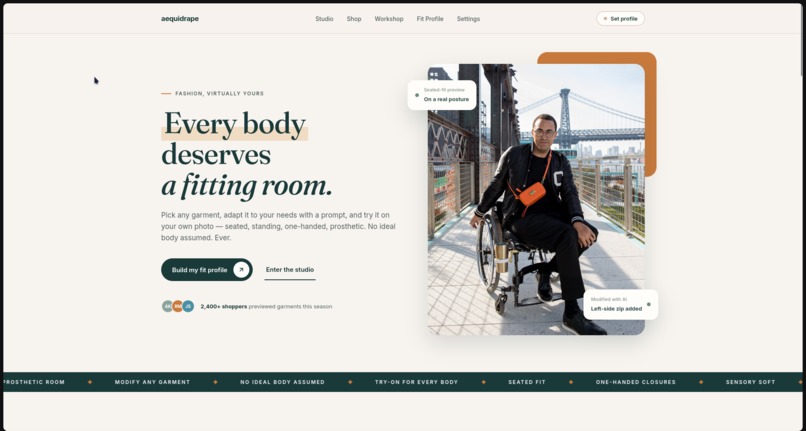
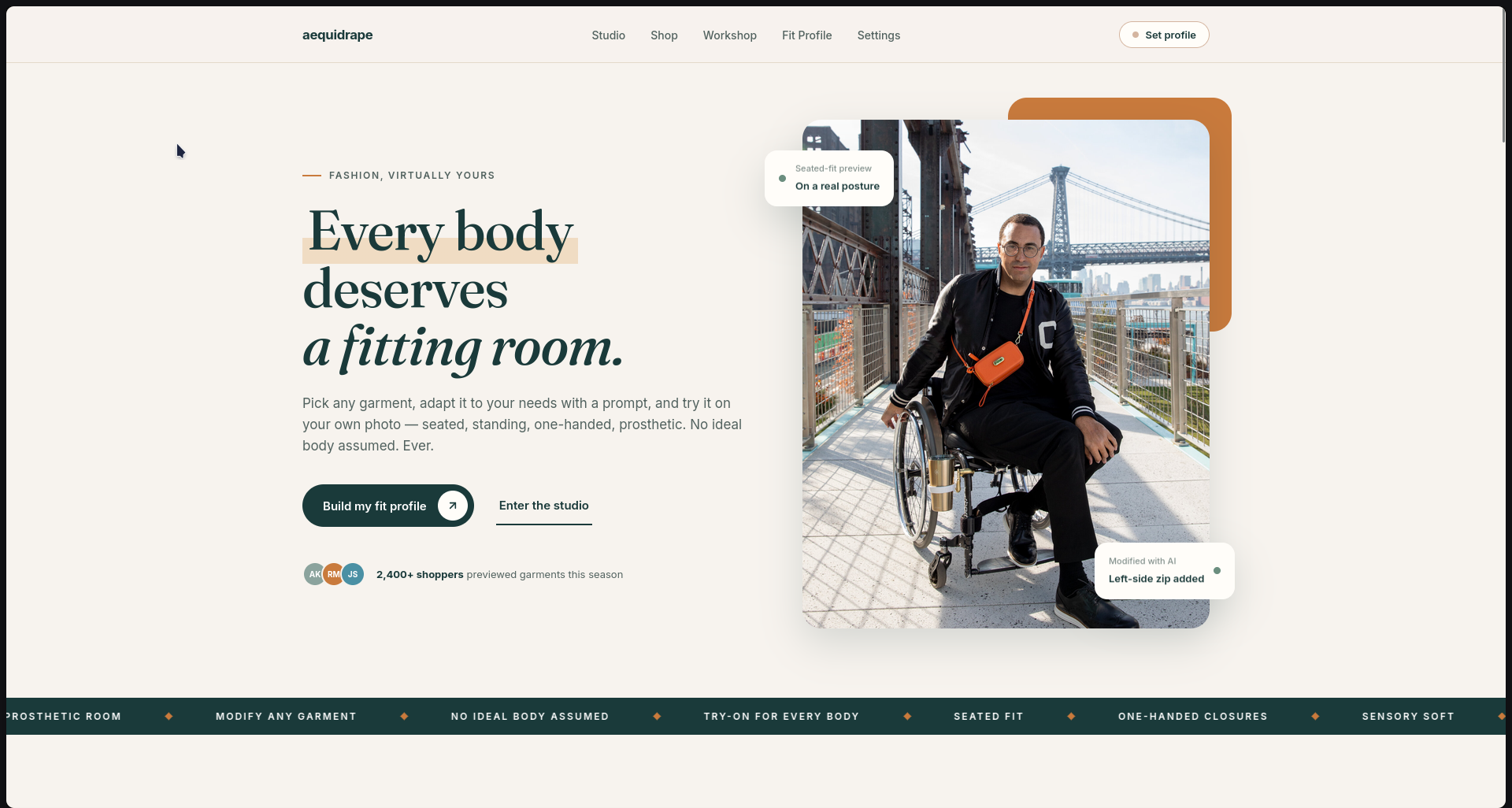
Landing Page
Aequidrape — Fashion for Every Body
Inspiration
Often I see virtual try-ons and custom designs for clothing and it is an exciting technology that makes everyone want to try it because it makes the task of physically picking out, Iaring it and seeing how it looks or fits on you according to ymy skin tone and body measurements much easier. When this physical task is tedious to go through as a completely capable and healthy person, how much harder is it for the physically limited?
~62% of disabled shoppers report difficulty finding clothing that's both comfortable and suits their needs. The global disabled population exceeds 1.3 billion people (WHO, 2023), representing over $400 billion in annual spending poIr, yet the adaptive fashion market remains covered by limited producers offering marginally functional and, in most cases, completely dull and unattractive products. Finding a tailor seems like a good solution, but it is not available or affordable for all customers.
Current-gen VTO tools struggle on three fronts simultaneously: garment physical properties (drape, stretch, fabric behavior), user body modeling accuracy, and garment-body interaction. They assume an "ideal body" standing, symmetric, full dexterity and gets more inaccurate with different kind of bodies, postures or prosthetics.
What if the try-on started from ymy posture, ymy reach, ymy comfort and never from an ideal body?
What it does
Instead of being a simple wrapper for virtual try-ons and clothing designing, aequidrape is specifically tailored for navigation, understanding ymy personal profile and needs, putting the input in for ymy changes through voice or manual typing, and drafting an email for the seller made from ymy changes that you have tried on according to ymy needs all integrated in one platform with YouCam's Virtual Try-On and Image Editing APIs.
The workflow:
- Create ymy profile according to ymy needs — posture (seated/standing/mixed), hand and arm function (full use, limited grip, one hand, no hands), sensory sensitivities, mobility aids, fit concerns, and exact body measurements.
- Select a garment from the shop. Every garment comes with adaptive fit notes generated against ymy specific profile.
- Modify it as many times as you need using ymy voice or text (e.g., "add a zipper on left sleeve", "replace buttons with magnetic closures"). Each modification is logged in a chat-style history. You can see the original vs. adapted garment side-by-side.
- Try it on ymy body — tuned to work on sitting poses, wheelchair users, prosthetic limbs, and atypical body shapes. Compare the original and try-on result with an interactive slider.
- Click "Draft Email" and a full, professional email with everything you asked for — ymy profile context, body measurements, requested modifications, and the rationale behind them — is ready to be sent to the seller to get you ymy comfort clothing. Edit it, copy it, or send it directly.
Key features:
- Voice-to-text input for users with limited dexterity or no hands
- Estimated Pressure Zones — a heuristic assessment showing where the garment may create pressure points based on ymy posture and mobility aids
- Iaring purpose selector (Basic fitting, Active/Sports, Seated comfort, Formal/Dinner) that influences modification prompts
- Persistent workshop state — ymy modification history survives page reloads and navigation
- Background removal pipeline for cleaner VTO results on custom uploaded photos
- Slider to accurately compare how it fits on ymy own body.
How I built it
Frontend: Vanilla HTML/CSS/JavaScript — no framework. I chose this for zero build overhead, instant iteration, and full control over accessibility semantics. The UI uses a warm editorial design system (Fraunces + Inter typography, linen/navy/terracotta palette) with CSS Grid layouts, AOS scroll animations, and a custom compare slider built with clip-path.
Backend: Node.js with Express (TypeScript via tsx). Handles image processing, API orchestration, and local caching of VTO results to avoid redundant API calls during demos.
AI & Vision Layer:
- YouCam Clothes VTO API (v3.0) — for garment try-on on the user's photo
- YouCam Image-to-Image API (youcam-image-v2) — for garment modification based on text prompts
- OpenRouter (nvidia/nemotron-3-ultra-550b-a55b:free) — for drafting the seller email from accumulated modification history and user profile
- Ib Speech API — browser-native voice-to-text for hands-free input
- @imgly/background-removal — client-side background isolation before VTO, with compositing back onto the original background after
State & Persistence: localStorage for profile, cart, modification history, and workshop state. Server-side file cache for VTO results.
Deterministic Rules Engine: All fit assessments, pressure zone calculations, and comfort insights are generated by a rule-based engine — no hallucinated medical advice. Every note uses neutral, non-judgmental language ("Matches ymy needs", "Worth checking", "Ask the seller"). No body reshaping. No ideal body. Ever.
Academic Foundation: Our methodology is inspired by Hong et al. (2016, Textile Research Jmynal), who demonstrated that 3D-to-2D co-design produces superior fit for disabled bodies with scoliosis. Their Design–Display–Evaluation–Adjustment cycle is exactly what my Workshop implements — but democratized through accessible 2D AI instead of $50k+ industrial 3D scanners and CAD software.
Challenges I ran into
Image hosting for YouCam's downloader. YouCam's backend runs on AWS and aggressively blocks most free image hosts. I cycled through uguu.se, tmpfiles.org, catbox.moe, Imgur, telegra.ph, and images.Iserv.nl before finding a stable combination. The error_download_image response became my nemesis for several hmys. The fix required uploading compressed JPEGs to telegra.ph with proper User-Agent headers.
VTO on non-standard bodies. YouCam's pose estimation is trained primarily on standing, symmetric bodies. Seated postures, wheelchairs, and prosthetics produce inconsistent drape results. I mitigated this with transparent UI messaging ("AI fit may vary for prosthetics & seated postures"), by sending the person image on a neutral background after background removal to reduce noise and adding a slider to clearly compare with the original photo and try-on generated by YouCam.
Module resolution for background removal. The @imgly/background-removal library uses bare module specifiers (like ndarray) that browsers cannot resolve from standard CDNs. The fix was using esm.sh, which automatically bundles all transitive dependencies into a single browser-compatible module.
Prompt engineering for image editing. Without strict base instructions, the image-to-image model would hallucinate entirely new garments instead of applying targeted modifications. I solved this with a prepended system prompt: "Strictly preserve the original garment design, silhouette, colors, and fabric texture. Apply ONLY the specific modification requested."
Voice input as a first-class citizen. Making voice input work alongside text input without breaking the existing flow required careful state management — voice appends to existing text, never overwrites, and the mic button provides clear visual feedback (pulsing animation) while listening.
Accomplishments that I'm proud of
- A complete adaptive fashion pipeline — from profile creation to garment modification to virtual try-on to seller communication — in a single, cohesive platform. No tool on the market does this end-to-end for disabled shoppers.
- Voice-first interaction for users who cannot type. The entire modification workflow can be completed without touching a keyboard.
- Honest AI. I never fake a result. If the API fails, I show an error. If the drape may vary for adaptive bodies, I say so. No cartoon simulations pretending to be try-ons.
- The Workshop as a co-design space. Inspired by Hong et al.'s Design–Display–Evaluation–Adjustment cycle, my Workshop lets users iterate on modifications, see the history, and communicate the final result to sellers — turning a passive "try-on" into an active design collaboration.
- Pressure Zone heuristics that translate academic research (Iaring ease, fit points, tension mapping) into accessible, plain-language guidance without requiring 3D scanning hardware.
- Zero body reshaping. The platform never suggests changing the user's body. It adapts the garment to the body. Always.
What I learned
- Accessibility is not a feature — it's the architecture. Bolt-on accessibility (a screen reader here, a keyboard shortcut there) doesn't work. The entire interaction model had to be designed around diverse motor, sensory, and postural needs from day one.
- Free API tiers are fragile. YouCam's rate limits, OpenRouter's model availability, and free image hosts' anti-bot measures taught us to build fallbacks and graceful degradation into every external dependency.
- Prompt engineering is product design. The difference betIen a useful garment modification and a hallucinated mess is a single Ill-crafted instruction. "Apply ONLY the specific modification requested" changed everything.
- Disabled users are not a monolith. A wheelchair user, a prosthetic limb user, and a person with limited hand dexterity have fundamentally different garment interaction needs. One-size-fits-all "adaptive" design is a myth.
- The academic-to-product gap is real. Hong et al.'s method requires $50k+ hardware and specialized CAD software. Translating their methodology (co-design cycle, Iaring ease, fit/fashion points) into accessible Ib technology is where the real innovation lives.
What's next for Aequidrape
- 3D body scanning integration via smartphone LiDAR (iPhone Pro) or photogrammetry, replacing manual measurements with automatic body model generation — closing the gap betIen my 2D heuristic approach and Hong et al.'s full 3D-to-2D pipeline.
- Fabric-aware modification suggestions. Integrating fabric property databases (stretch %, Iight, drape coefficient) so the AI can recommend modifications that are physically feasible for the specific textile.
- Seller/brand dashboard. A B2B portal where brands receive modification requests, view aggregated demand for specific adaptive features, and respond with quotes or alternatives.
- Community pattern library. Successful modification solutions (e.g., "magnetic closure conversion for denim jacket") stored as reusable templates that other users with similar profiles can apply instantly.
- Multi-language and multi-region expansion. Adaptive fashion is a global need. The platform's architecture is language-agnostic and ready for localization.
- Research partnership. Collaborating with textile engineering departments to validate my Pressure Zone heuristics against real tension map data from 3D garment simulation software.
Built With
- aos
- canvas-api
- css3
- express.js
- google-fonts
- html5
- javascript
- localstorage
- node.js
- nvidia/nemotron-3-ultra-550b-a55b:free
- onnx-runtime
- openrouter-api
- python
- telegra.ph
- typescript
- wasm
- web-speech-api
- youcam-clothes-vto-api
- youcam-image-to-image-api

Log in or sign up for Devpost to join the conversation.