-
-

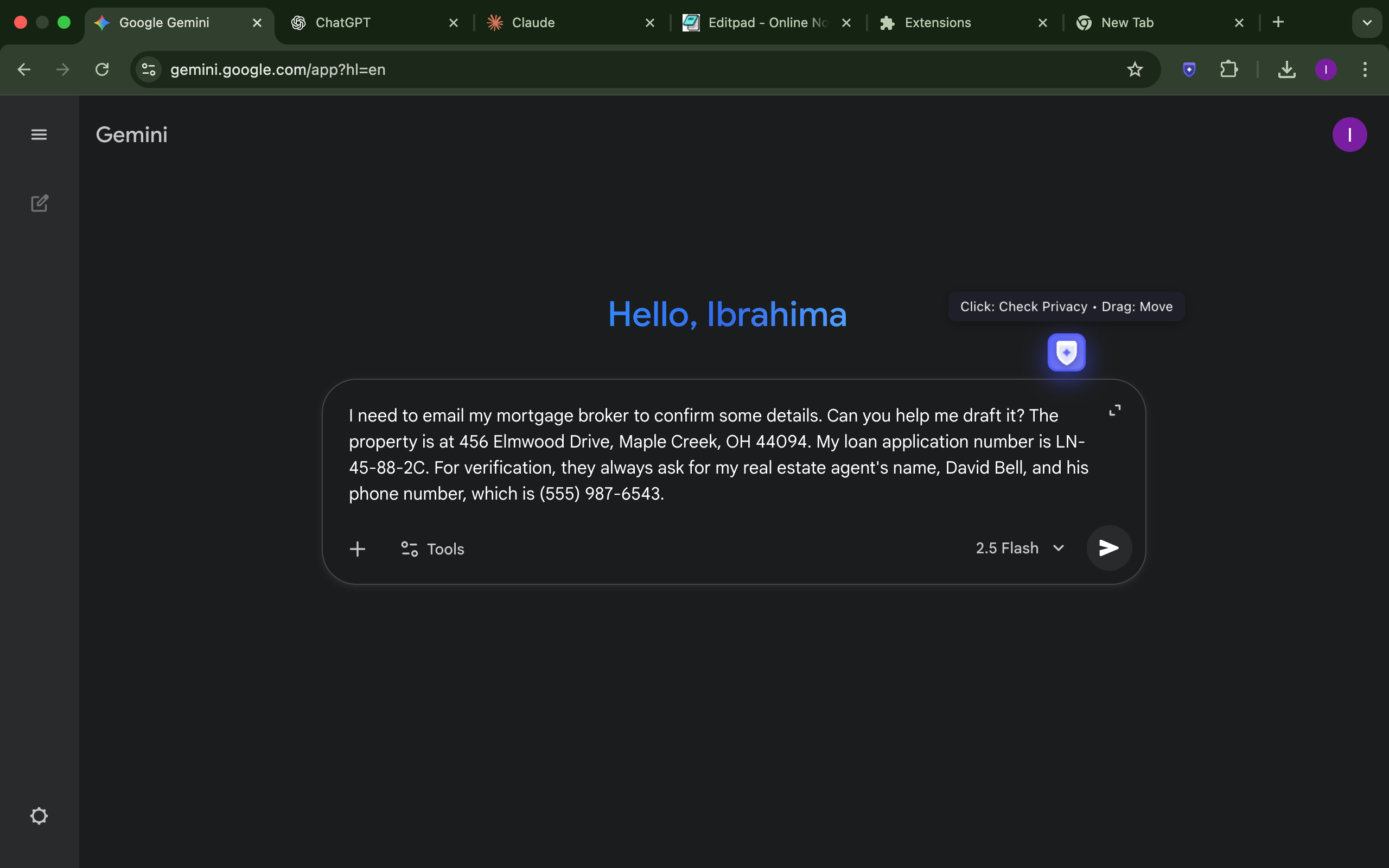
Draggable Shield button appears when focus on text fields
-

Customize domains
-

Set custom terms
-

AI Analyzing
-
Home
-
Resuts
-
Inspiration
My inspiration stems from observing a fundamental tension in the modern, AI-powered web. Tools like Gemini, ChatGPT, and Claude are incredible for productivity, but this has led to users sharing more information than ever, often without fully realizing the privacy implications. The default for most of these powerful cloud-based AIs is to use conversation data for model training.
This creates a dilemma: how can a user get a final, intelligent privacy check on their sensitive text without sending that very text to another cloud server for analysis? For a long time, this was a technical paradox.
The introduction of Chrome's on-device Prompt API was the breakthrough. It provided the missing piece: a powerful language model that runs with zero latency and absolute privacy. I was inspired by the opportunity this new technology created—to finally build a tool that could act as a user's trusted, private safeguard, allowing them to engage with the entire AI ecosystem, safely and confidently.
What it does
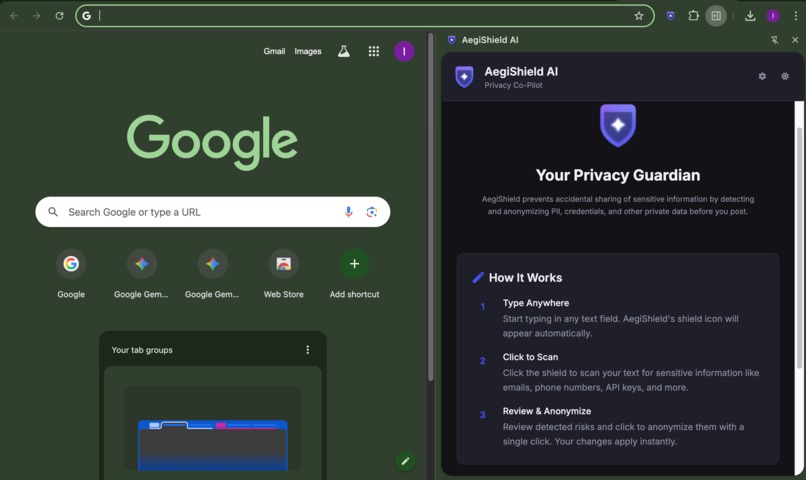
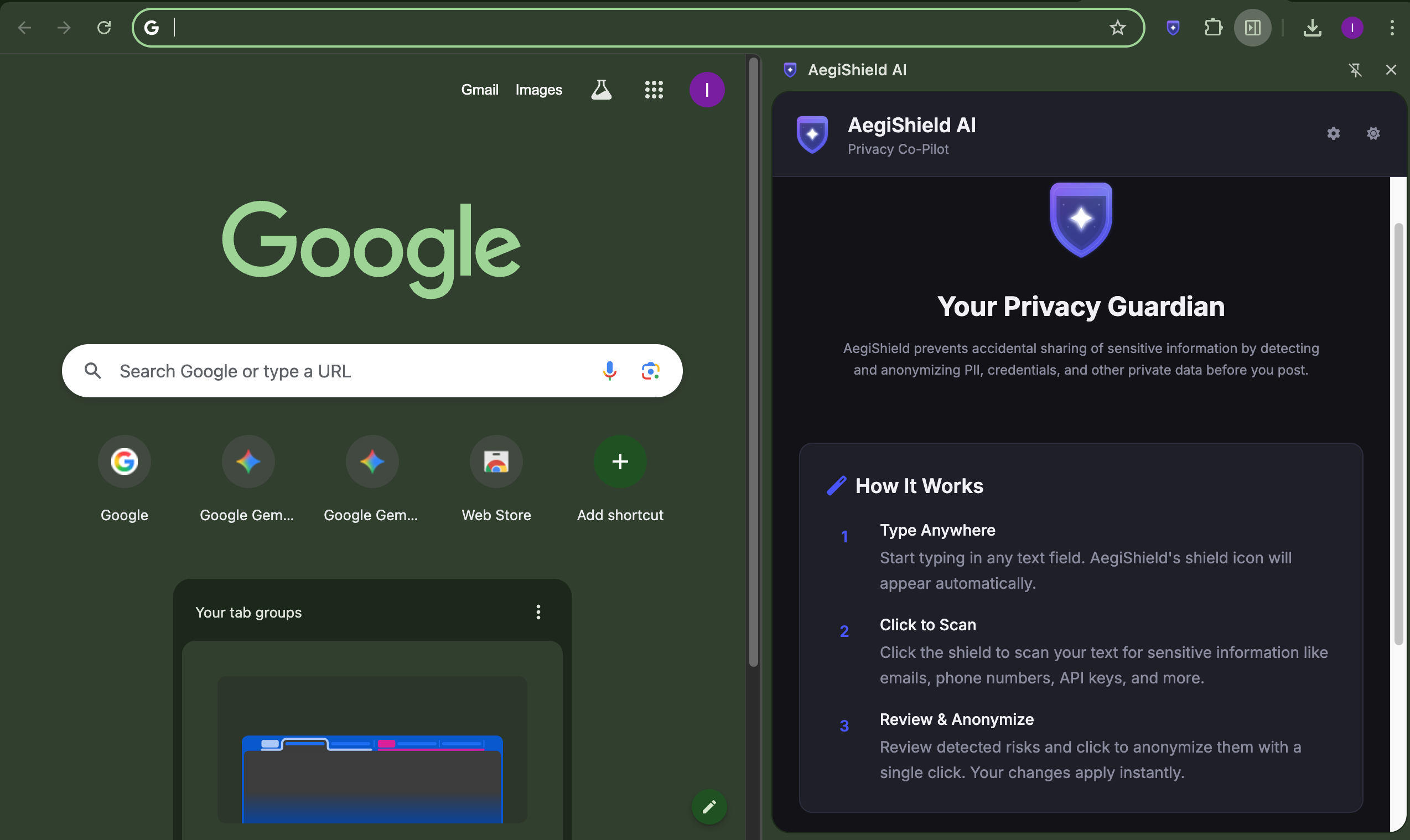
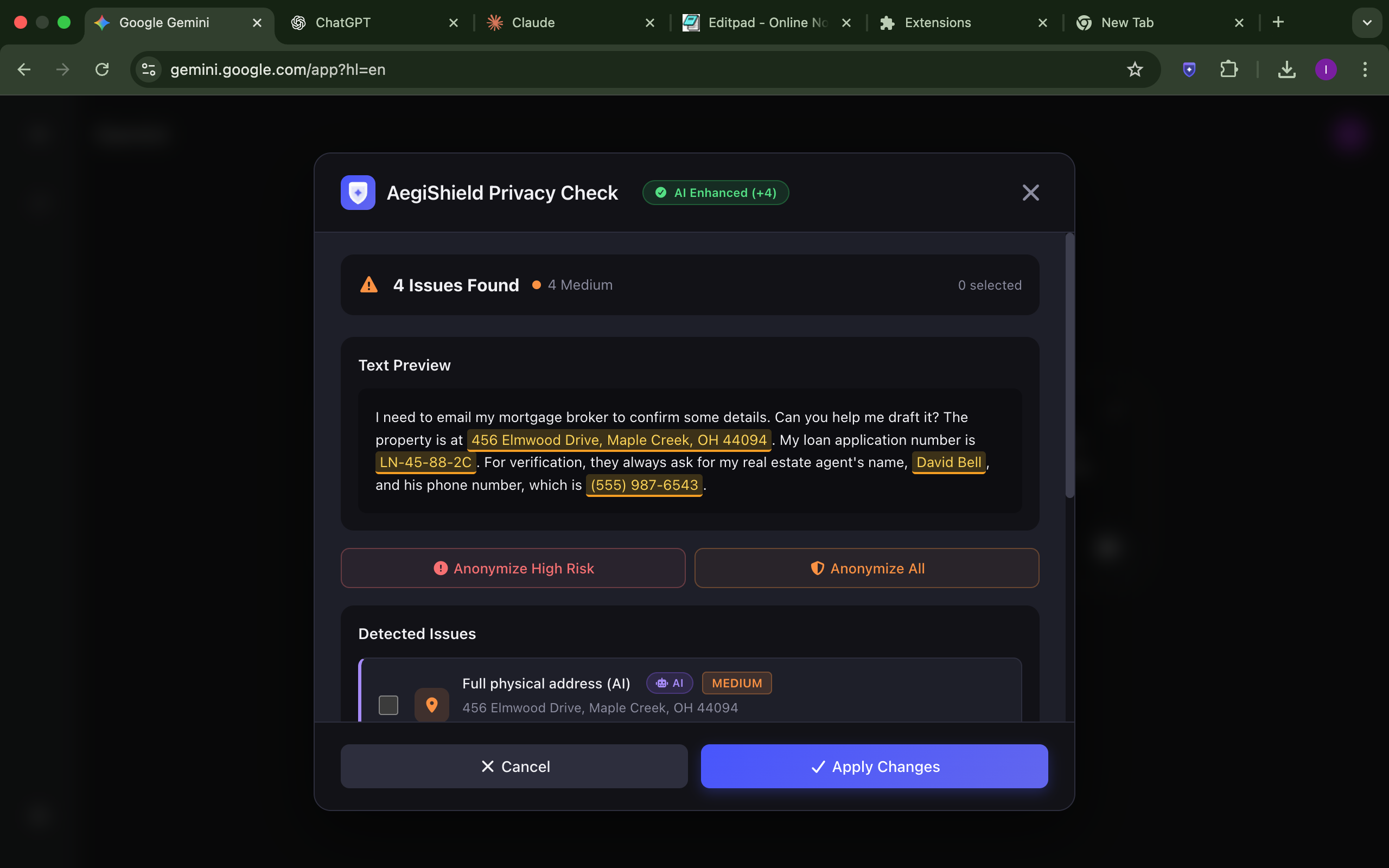
AegiShield is a proactive privacy co-pilot that works across the entire web. When you type in any text field, a discreet shield icon (🛡️) appears.
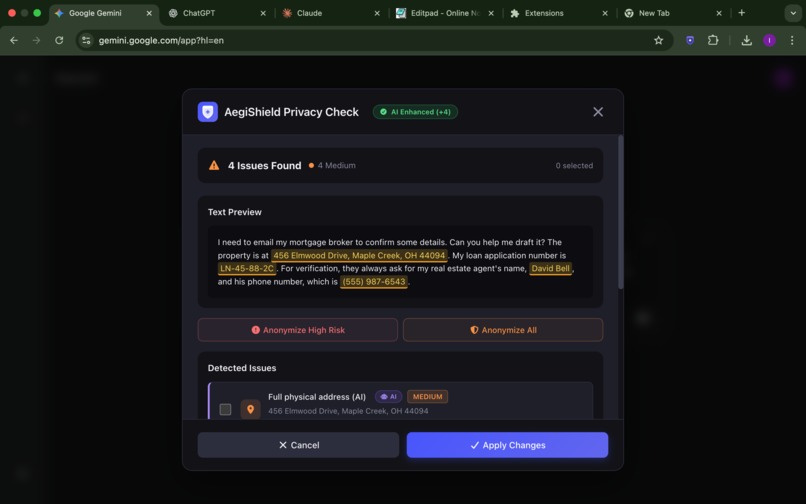
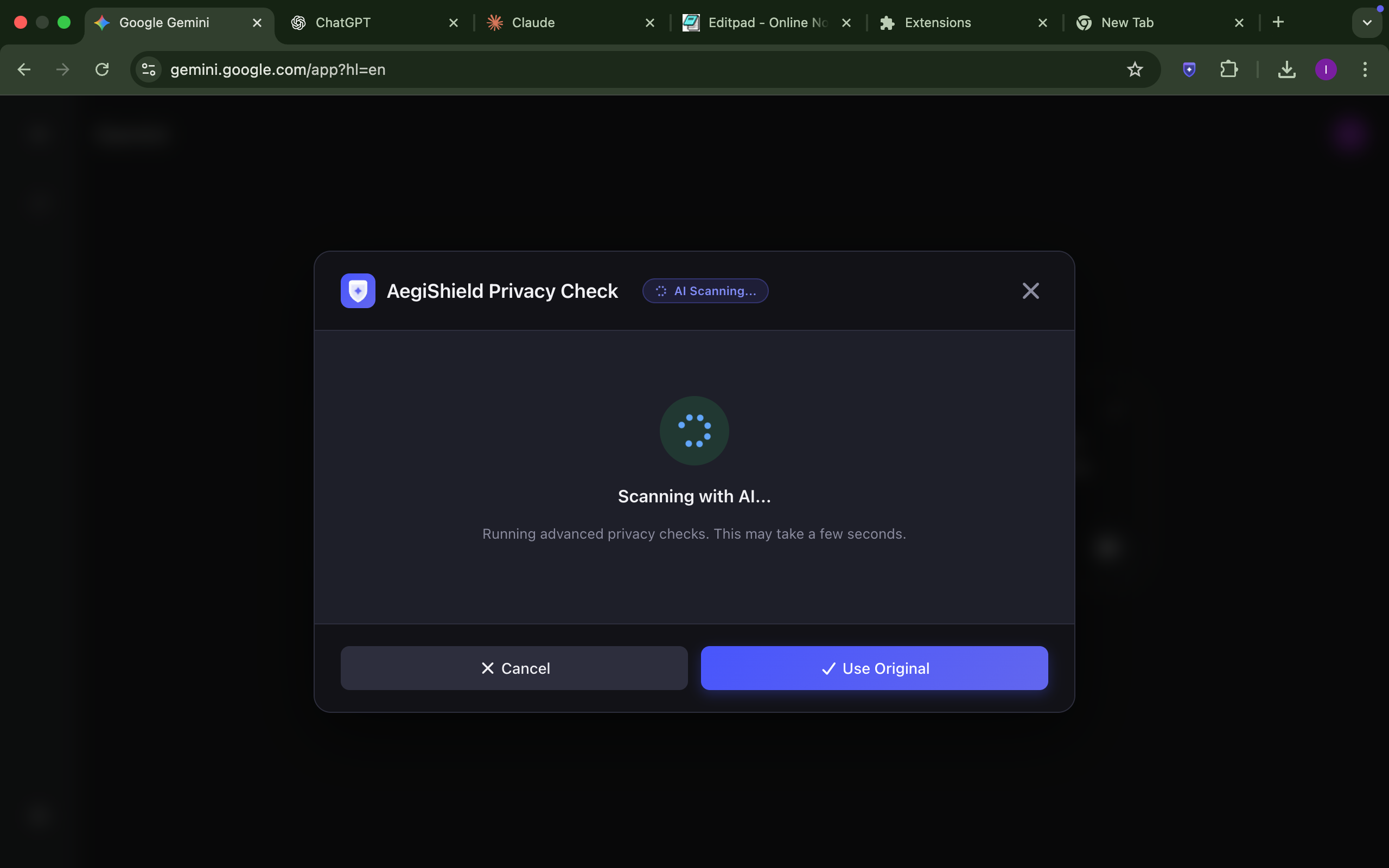
A single click instantaneously opens an in-page "privacy sandbox". Inside this secure environment, AegiShield uses a sophisticated dual-engine system to find and categorize risks:
- On-Device AI Scan: It leverages Gemini Nano, running locally via the Prompt API, to perform a deep, contextual scan for nuanced PII like full names, physical addresses, and medical information.
- Code-Based Guardrails: This is augmented by a high-precision RegEx scan for 100% reliability on structured data like emails, API keys, and passwords.
The user is presented with an interactive report of all detected risks, which they can review and anonymize with a single click.
Beyond this core function, AegiShield is built around total user control:
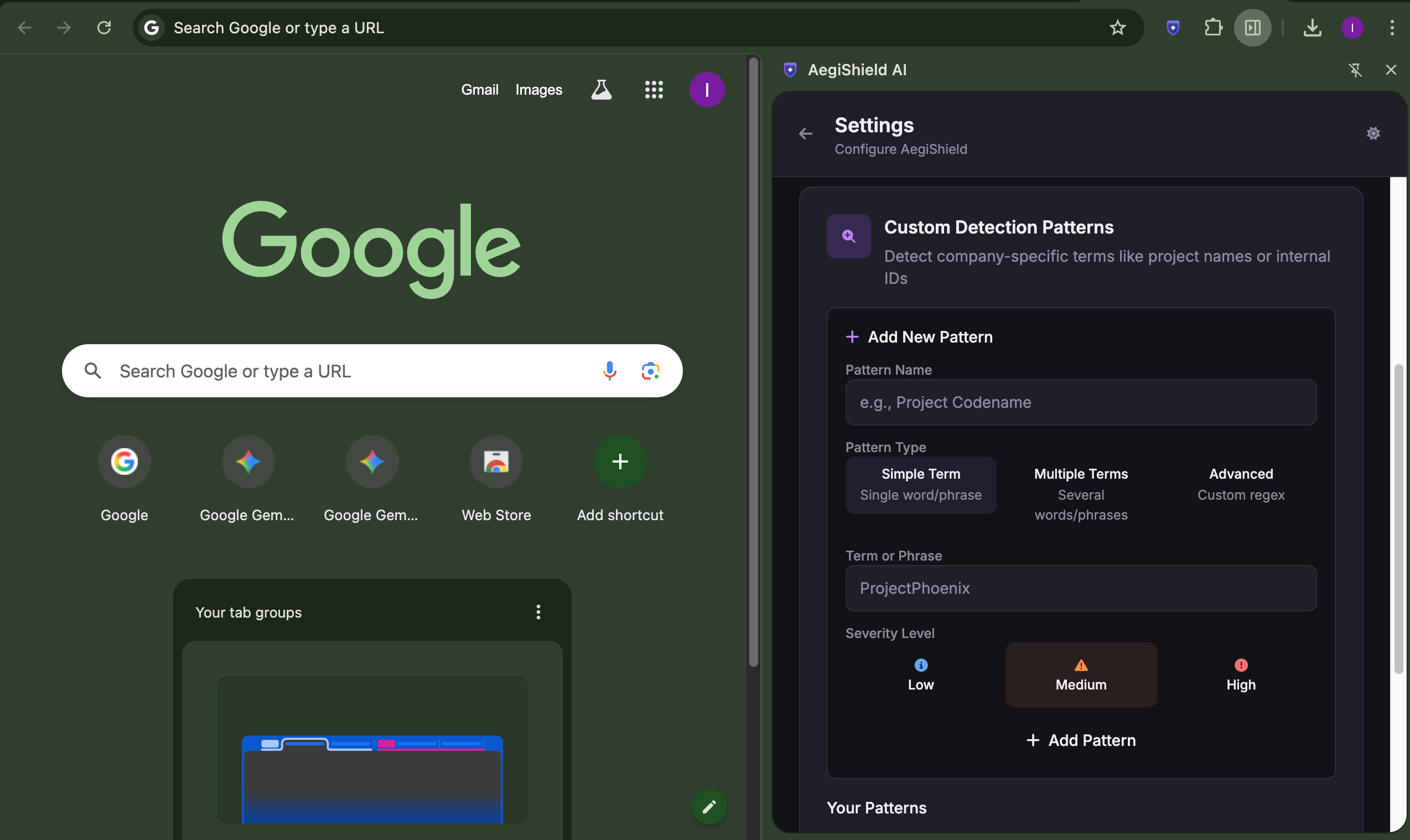
- Custom Terms: You can teach AegiShield to recognize your own sensitive data. Add project codenames, internal IDs, or personal details to a custom list, and AegiShield will find and redact them just like its built-in patterns.
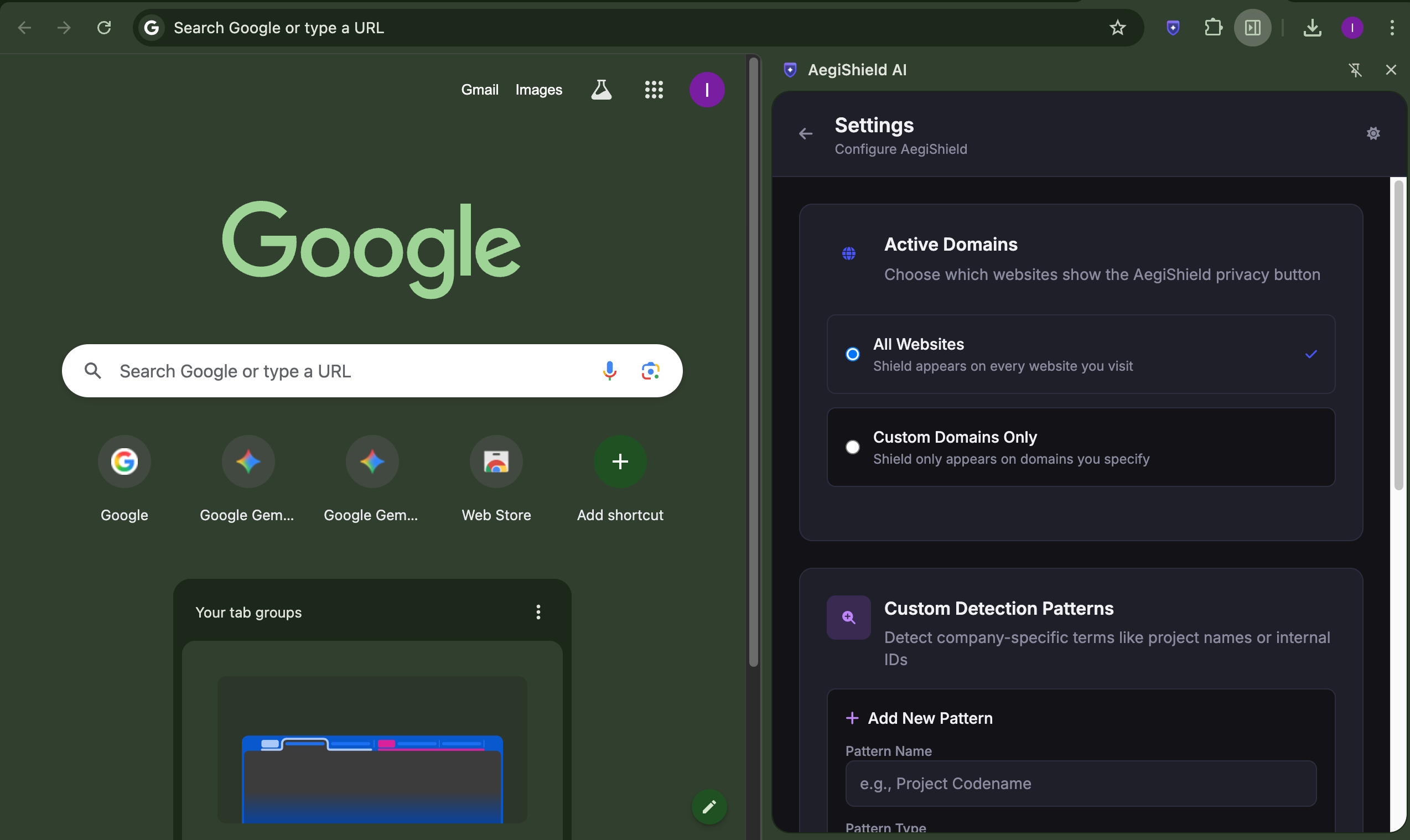
- Domain Whitelisting: You decide where AegiShield appears. By default, it works everywhere, but you can configure it to only activate on specific domains like AI chat sites, social media, or company tools for a focused, noise-free experience.
- Draggable Shield Icon: The shield icon is fully draggable, ensuring it never obscures important buttons or content on the webpage you're using.
When you hit "Apply," the sanitized text is safely placed back on the webpage, ready to be shared with confidence.
How we built it
I built AegiShield as a modern Manifest V3 Chrome Extension with a "privacy by design" philosophy, centered around the unique capabilities of the on-device Prompt API.
- User Experience: I chose an instant-on modal dialog for a critical reason: user friction. For a feature that needs to feel like a quick, reflexive safety check, the two-step process of opening a side panel was too slow. My modal appears instantly, provides a focused environment for the task, and then disappears, creating a seamless, user-centric workflow.
- The Dual-Engine System: I knew that a purely AI-based approach could be unpredictable, so I engineered a robust dual-engine detection system. It combines the contextual intelligence of the on-device AI with the certainty of deterministic RegEx. My code includes overlap resolution logic to de-duplicate findings from both engines, ensuring the user gets the most accurate report possible.
- Technology Stack: I built the project with lightweight, framework-free Vanilla JavaScript (ES6 Modules) for performance, Tailwind CSS for the "Clarity UI" design system, and the full suite of Manifest V3 APIs for secure, modern development.
Challenges we ran into
My primary challenge was achieving the reliability needed for a security tool. My initial tests of a pure-AI approach showed that the on-device model, while powerful, could sometimes be inconsistent. This wasn't a flaw in the model, but a reality of working with probabilistic technology.
This led me to my main innovation: the Dual-Engine Detection system. Architecting this system to have the AI and RegEx engines work in concert, without producing duplicate or conflicting results, was a significant engineering challenge. However, it pushed me to create a solution that is far more robust and trustworthy than a single-engine approach could ever be.
Accomplishments that we're proud of
- A Practical, Trustworthy Architecture: I'm proud of building a system that doesn't just use AI, but uses it responsibly. The dual-engine approach demonstrates a real-world understanding of how to build reliable products around this new technology.
- A Truly Frictionless UX: The speed of the on-device AI combined with the instant-on modal creates a user flow that feels effortless. Making privacy protection this easy is a major accomplishment.
- A Compelling Use Case for On-Device AI: I successfully built a product that has a clear and powerful reason to exist only because of the on-device Prompt API. It's a perfect showcase of this new technology's potential to solve problems that were previously unsolvable.
What we learned
The most important lesson I learned was how to design for the on-device paradigm. The local Prompt API is not just another API—it enables a new class of "trustware" applications where functionality and privacy are not in conflict. I learned to embrace its unique strengths (privacy, speed) and to engineer robust, code-based guardrails to complement its capabilities, creating a system that is greater than the sum of its parts.
What's next for AegiShield
- Deeper Agentic Integration: I plan to explore using the on-device AI to not just find PII, but to proactively suggest rephrasing sentences to be less sensitive.
- User Feedback Loop: I will implement an opt-in feature that allows users to flag false positives, which would help refine the detection logic locally over time.
Built With
- chrome-prompt-api
- css3
- font-awesome
- gemini-nano
- html5
- javascript
- manifest-v3
- node.js
- tailwindcss


Log in or sign up for Devpost to join the conversation.