-
mid scan
AEGIS-VR // Mixed Reality SOC
The Bomb Squad: Haadiya, Skye, Mohammed, & Haneen
🛡️ Inspiration
Security analysts spend 8–10 hours a day staring at flat 2D dashboards, mentally piecing together what attacks look like from raw log data. Threats are abstract, buried in logs, and easy to miss. We asked ourselves: What if instead of reading about an attack, you could experience it in your physical space? That question became AEGIS-VR.
🚀 What It Does
AEGIS-VR transforms a Meta Quest 3S headset into a live Mixed Reality Security Operations Center. Using passthrough AR, analysts see their real room populated with:
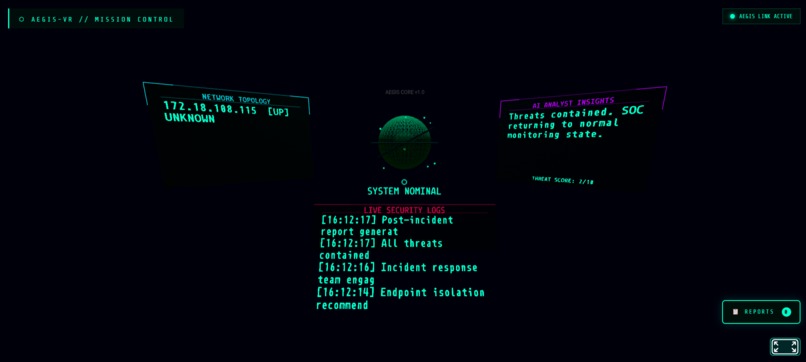
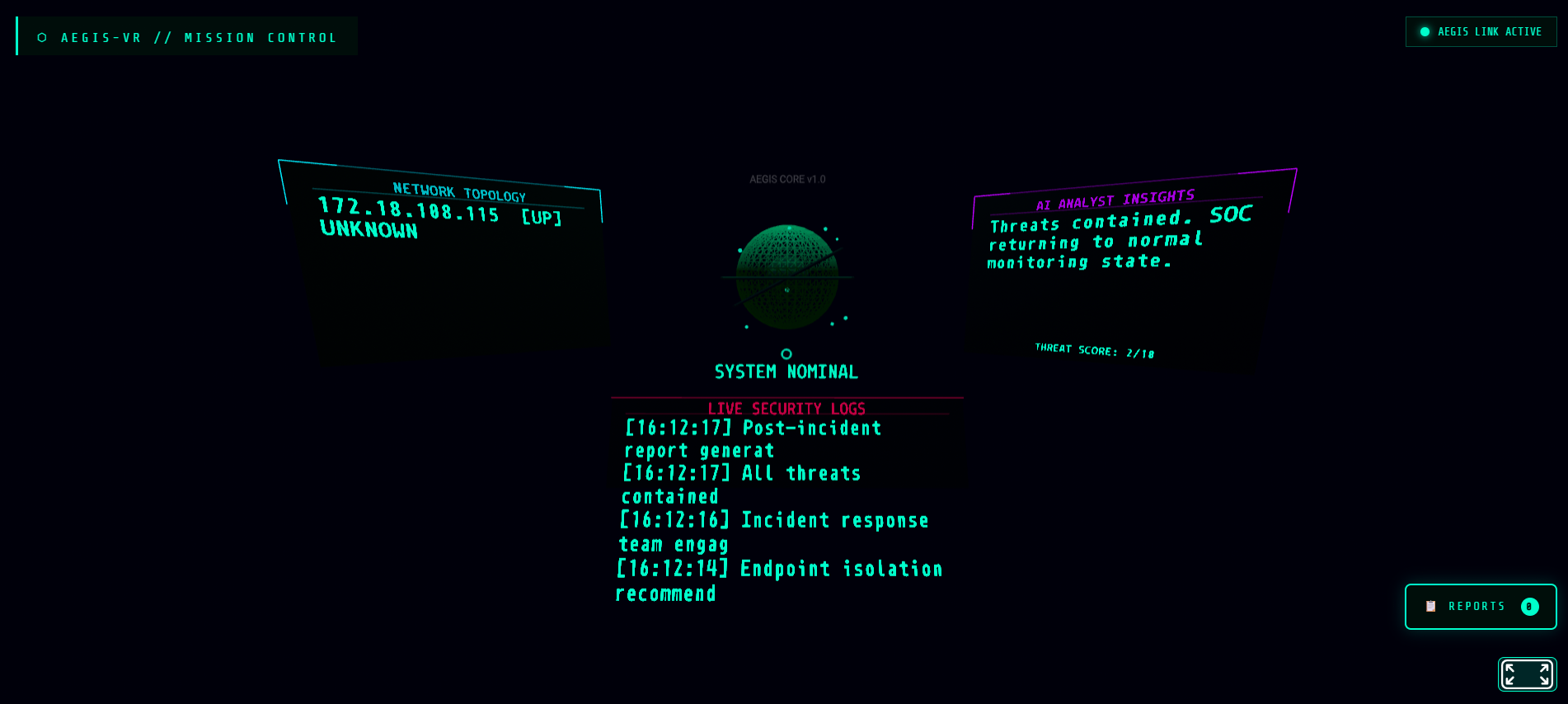
- Holographic Interface: Three floating panels and a 3D wireframe threat globe suspended in space around them.
- Live Topology: The left panel displays live network topology generated from real Nmap scans.
- AI Analyst: The right panel features Google Gemini AI analyzing threats in plain English in real time.
- Event Feed: The bottom panel shows a live, scrolling security event feed.
- Dynamic Visuals: The globe changes color and spin speed based on the threat level—shifting from green to orange to red.
- Breach Protocol: At Threat Level 9+, the entire room flashes red with a pulsing "BREACH DETECTED" warning floating in 3D space.
- Incident Reports: After every scan, the system auto-generates a full report including devices found, AI analysis, and logs.
🛠️ How We Built It
We built the entire system in 12 hours by strictly separating into four specialized roles:
- Role A | VR Frontend (Haadiya): Built in A-Frame WebXR. Developed the 3D scene, floating panels, wireframe globe, particle systems, and the "Matrix rain" background.
- Role B | Backend Relay (Skye): Built using Python Flask and Socket.IO. This central hub receives security events and broadcasts them to the Quest headset via WebSockets.
- Role C | AI Brain (Haneen): Integrated Google Gemini 1.5 Flash. Every incoming log is automatically analyzed to return structured summaries and recommended actions.
- Role D | Telemetry & Simulation (Mohammed): Configured real Nmap network scanning and built an attack simulator to mimic SYN floods, phishing, and C2 malware beacons.
- Deployment: We used ngrok to tunnel HTTPS to the Quest browser to enable WebXR passthrough mode.
⚠️ Challenges We Faced
- Networking: The hackathon Wi-Fi blocked device-to-device communication; we pivoted to a mobile hotspot to maintain the connection.
- XR Configuration: True mixed reality in A-Frame required specific configurations and mandatory HTTPS tunneling via ngrok.
- UI/UX: A-Frame text rendering differs significantly from standard HTML, requiring precise calibration of
wrap-countandwidthto keep text within holographic panels. - Concurrency: To prevent the AI analysis from blocking the real-time event stream, we implemented background threading in Flask.
💡 What We Learned
- Browser-Based XR: WebXR and A-Frame run entirely in the Quest browser with zero app installation required.
- Intuitive Data: Spatial computing makes abstract data instantly understandable—judges grasped the threat level the moment the globe turned red.
- Gemini Speed: Google Gemini processes complex security logs and returns intelligence fast enough for real-time VR use cases.
- Rapid Prototyping: Building a full-stack project in 12 hours requires strict role separation and a shared IP environment from the very first minute.

Log in or sign up for Devpost to join the conversation.