Inspiration
As a final-year BSc Mathematics and Computer Science student at JKUAT, I've seen how often students get stuck on a problem or diagram and need more than a wall of text. Existing tools are either text-only or feel disconnected from the page in front of you. The hackathon's "Creative Storyteller" track and the idea of breaking the text box pushed me to build something that feels like a tutor sitting next to you: you show the page, ask in your own words (or voice), and get a live narrated explainer with diagrams that appear as the story unfolds—no copying prompts or switching apps.
What it does
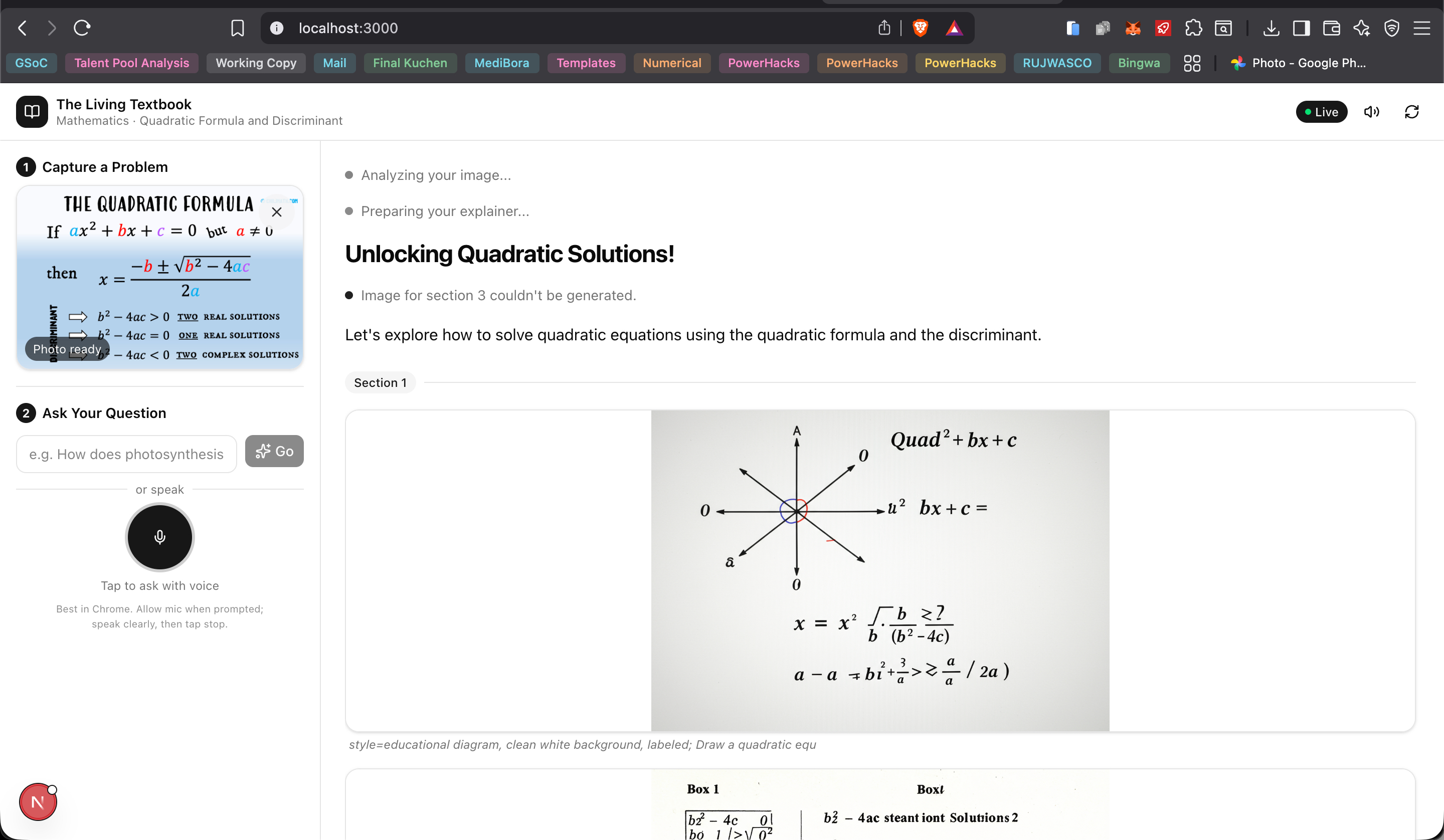
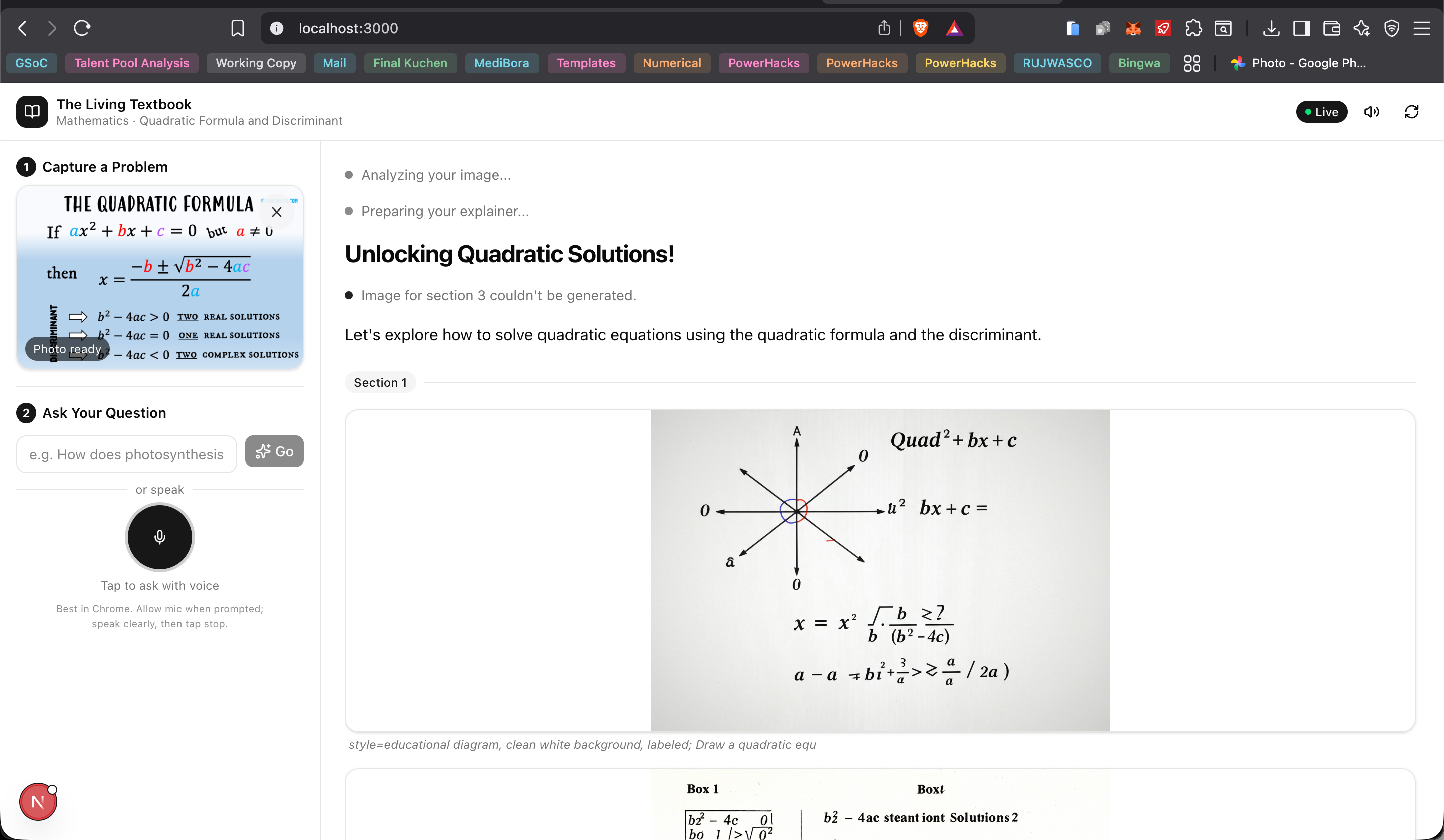
The Living Textbook turns any textbook or homework into an interactive, narrated lesson. You capture a photo (camera or upload), ask a question in text or by voice (e.g. "Explain how photosynthesis works"), and the app:
- Analyzes the image and your question with Gemini's vision and language models.
- Plans a short, step-by-step explainer script with places for diagrams.
- Streams narrated audio in real time via the Gemini Live API (natural voice, not robotic TTS).
- Generates educational diagrams with Imagen 3 and weaves them into the same flow as the narration.
You see and hear one continuous "living document": title, sections, typewriter-style text, and images appearing in sync with the voice. It's multimodal input (image + text/voice) and multimodal output (audio + text + images) in a single experience.
How we built it
Frontend (Next.js 14, TypeScript, Tailwind, shadcn/ui): Camera/file capture, optional voice input, WebSocket client, and a "living document" canvas that appends title, status, section headers, typewriter text, and images as messages arrive. Audio is played from base64 PCM chunks (24 kHz) using the Web Audio API.
Backend (Python 3.11, FastAPI, WebSocket): Single
/wsendpoint that keeps session state (photo, question). When the user sends a question, it runs an async pipeline: Vision Agent (Gemini 2.0 Flash + image) → Script Agent (structured JSON withnarration+image_promptper section) → in parallel, Visual Asset Agent (Imagen 3 per section, upload to GCS, signed URLs) and Narration (Gemini Live API session, section-by-section TTS). Results are streamed back asaudio,text,image_url,section_start/section_end, etc.Google Cloud: Backend on Cloud Run (Docker image, 1 Gi memory, 3600 s timeout); Vertex AI for Gemini Live (
gemini-2.0-flash-live-preview-04-09), Gemini 2.0 Flash, and Imagen 3; Cloud Storage for generated images (signed URLs). Frontend is on Vercel; env varNEXT_PUBLIC_WS_URLpoints at the Cloud Run WebSocket URL.Credentials and config: Service account for Vertex AI, GCS, and Cloud Run;
.envfor project, region, bucket, and model names;load_dotenv()inmain.pysoGOOGLE_APPLICATION_CREDENTIALSis set before any Google client is created.
Challenges we ran into
Live API model name: The generic name (
gemini-2.0-flash-live-001) was wrong for Vertex AI; the correct one isgemini-2.0-flash-live-preview-04-09. Fixing that removed the "Publisher Model … not found" style errors.Credentials not seen by Google libraries:
GOOGLE_APPLICATION_CREDENTIALSlived only in Pydantic settings; the Google SDK reads it fromos.environ. Callingload_dotenv()at the very top ofmain.py(before anygoogle.*imports) fixed the "default credentials not found" error.Cloud Run deploy from source: The service account didn't have permission to create the Artifact Registry repo; Cloud Build failed with "Permission 'artifactregistry.repositories.create' denied." We switched to building the Docker image locally (with corrected
requirements.txtversions for the container), pushing to the existing Artifact Registry repo, and deploying that image to Cloud Run.Vercel 404: The app lives in the
frontend/subdirectory. Havingvercel.jsonat the repo root with customoutputDirectorybroke framework detection. Movingvercel.jsonintofrontend/and setting the Vercel project Root Directory tofrontendfixed it.Python 3.14 and
google-adk: On a machine with Python 3.14, some wheels weren't available and pip spent a long time compiling native deps. Using a venv and pinning versions that matched a working install (e.g.google-adk==1.26.0) made local and Docker builds consistent.
Accomplishments that we're proud of
Real interleaved output: Narration and images are generated and streamed together so the experience feels like one story, not separate text and image steps.
End-to-end on the required stack: Gemini (Live + Flash), Imagen, ADK-style agent flow, and multiple GCP services (Vertex AI, Cloud Run, GCS), with a clear path for judges to run it (README, env example, deploy notes).
Deployment: Backend on Cloud Run and frontend on Vercel, with WebSockets and env config working so the app is usable from a single URL.
Doing it as a final-year student: Shipping a full multimodal pipeline and deployment in the timeframe of the hackathon, while balancing final-year BSc (Math & CS) workload at JKUAT.
What we learned
Vertex AI vs "generic" Gemini names: Model identifiers and availability differ between the Gemini API and Vertex AI; always check the Vertex AI model list and docs for the correct name (e.g. for Live).
Where the Google SDK looks for credentials: Only
os.environ; loading from.envmust happen before any client construction.Monorepo + Vercel: For a Next.js app in a subdirectory, the Vercel Root Directory must point at that folder; mixing root-level
vercel.jsonwith custom output dirs can break detection and cause 404s.Designing for streaming: Defining a small WebSocket message protocol (
photo,question,audio,text,image_url,section_*,done) and keeping client state in sync with that stream made the "living document" UI straightforward to implement.
What's next for The Living Textbook
Voice-in for the question: Use the Live API (or a dedicated ASR) so the user can ask the question by voice only, and optionally support follow-up turns over the same session.
Interactivity: Let users tap a generated diagram or a step in the script to get "go deeper" or "give me an example" for that part, still in narrated + visual form.
Offline / low bandwidth: Cache generated diagrams by topic or hash of the image+question, and optionally pre-generate audio for common scripts so repeat visits or slow networks still feel responsive.
Accessibility and language: Add language selection (e.g. Swahili, French) and clearer keyboard/screen-reader support so the Living Textbook is usable in more classrooms and by more students, including those with visual or motor impairments.
Built With
- docker
- fastapi
- gemini-2.0-flash
- google-cloud
- google-cloud-run
- google-vertex-ai-(gemini-live-api
- imagen-3)
- next.js-14
- pydantic
- python
- shadcn/ui
- tailwind-css
- typescript
- vercel
- web-audio-api
- websocket

Log in or sign up for Devpost to join the conversation.