-
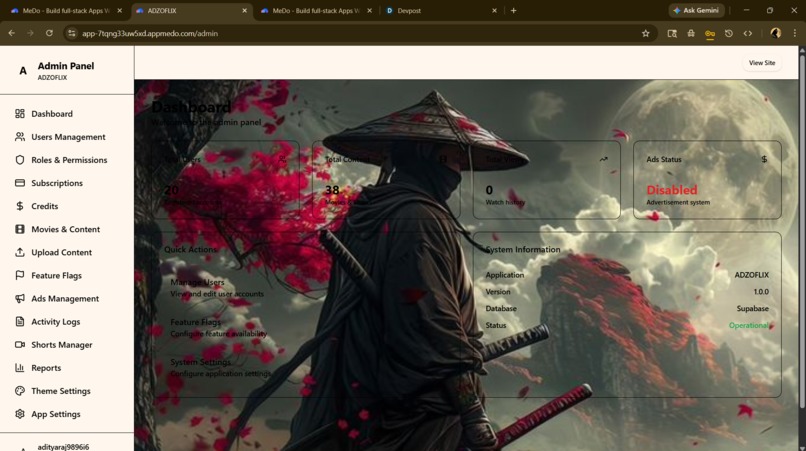
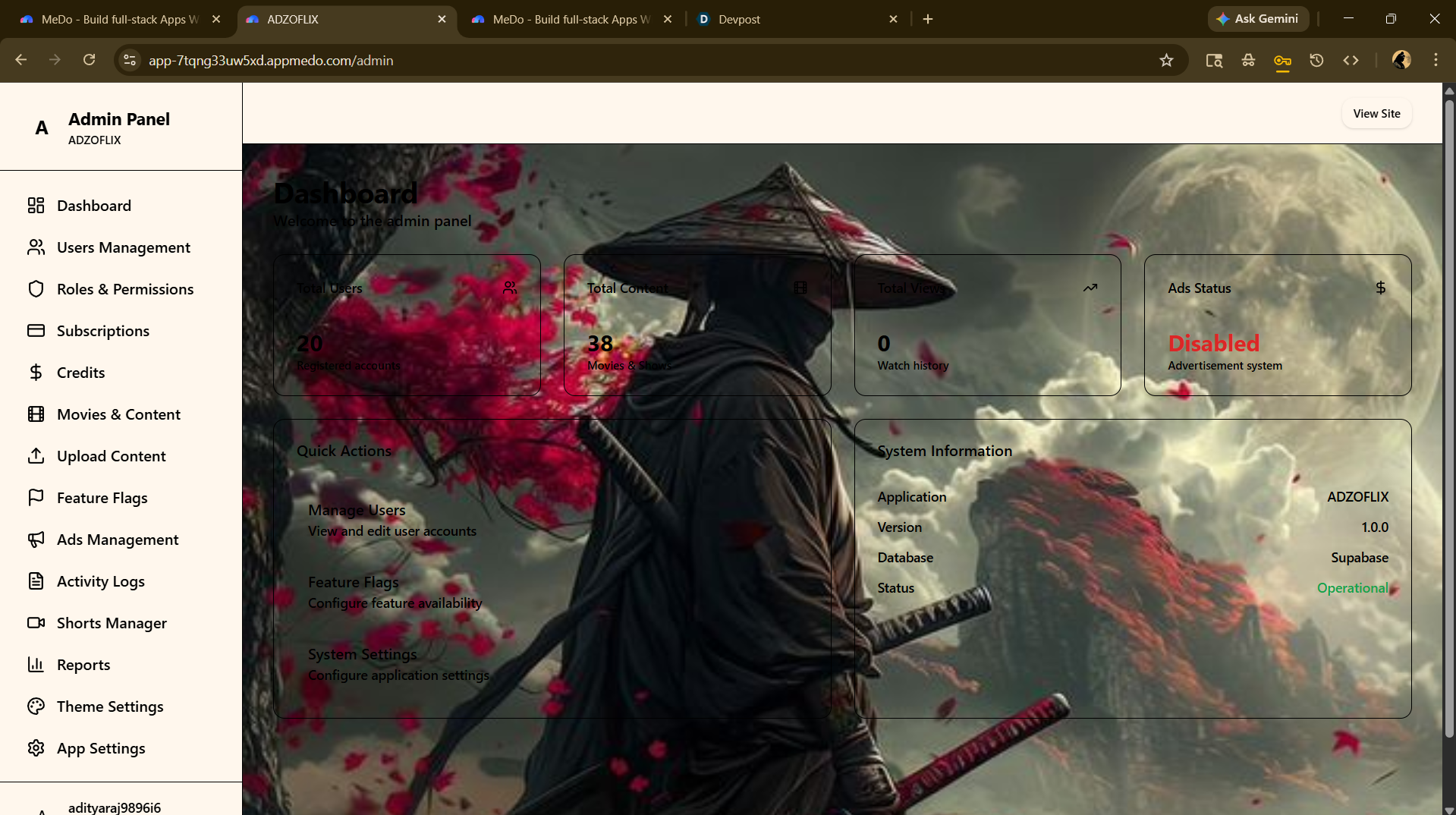
ADMIN PANAL
-
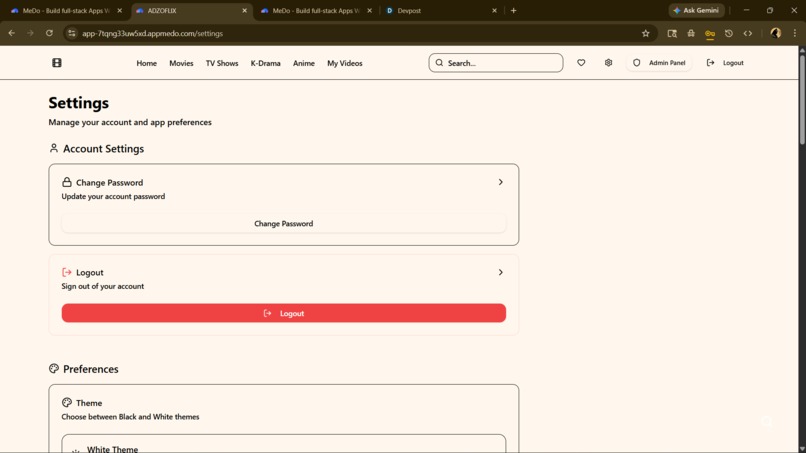
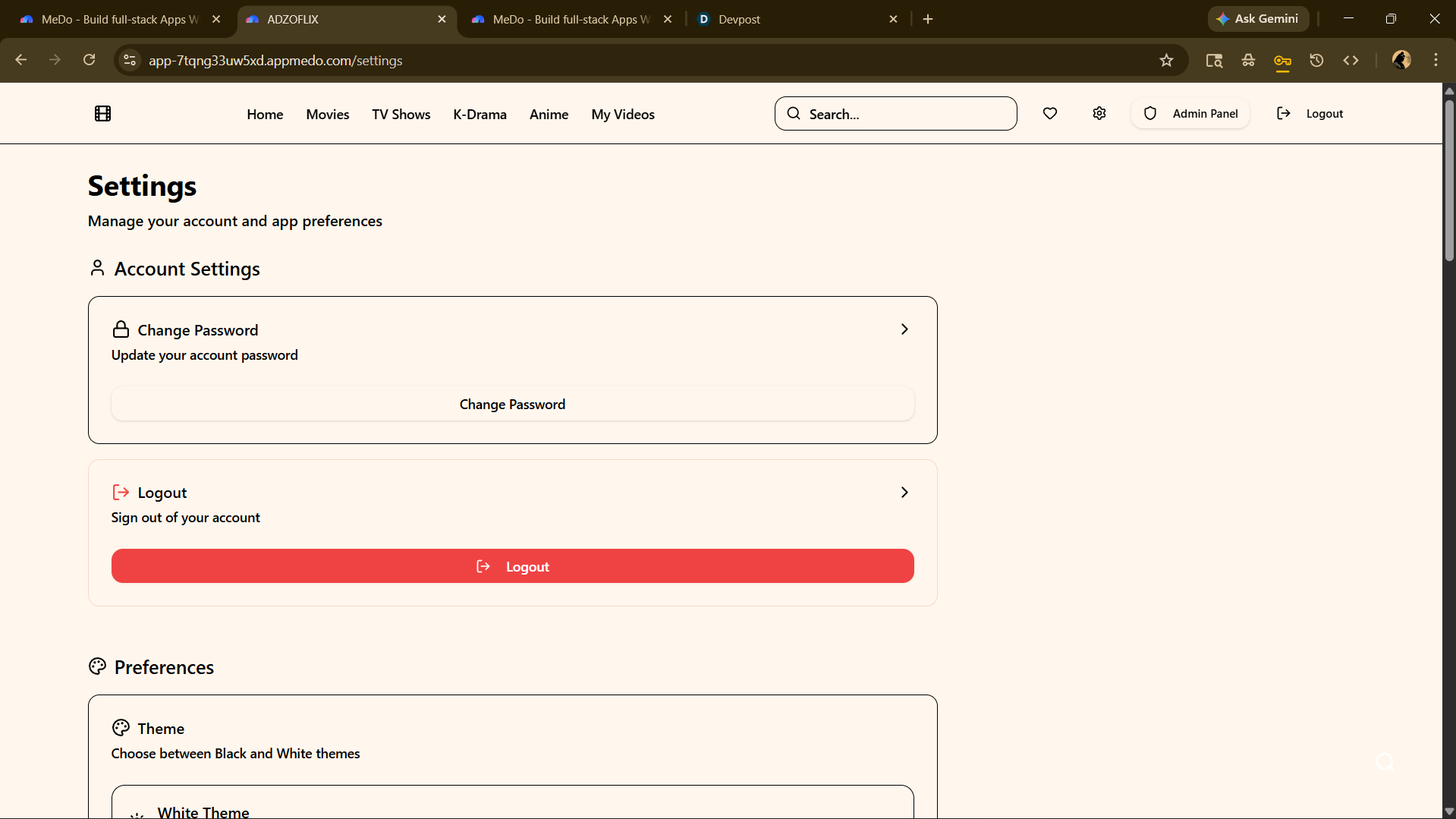
SETTING
-
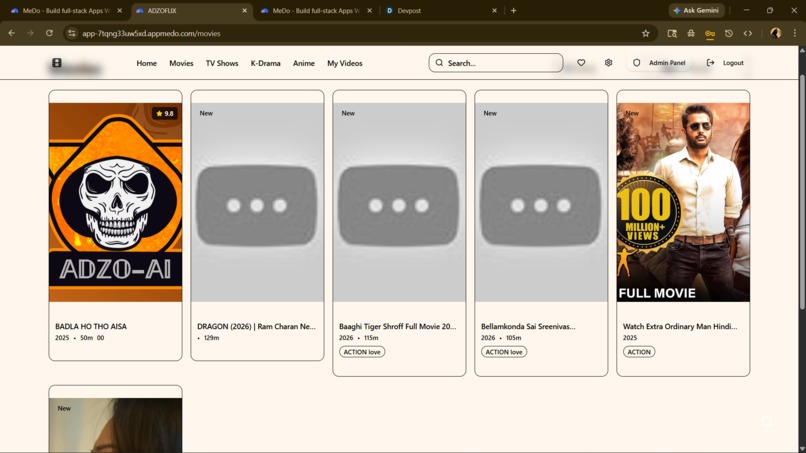
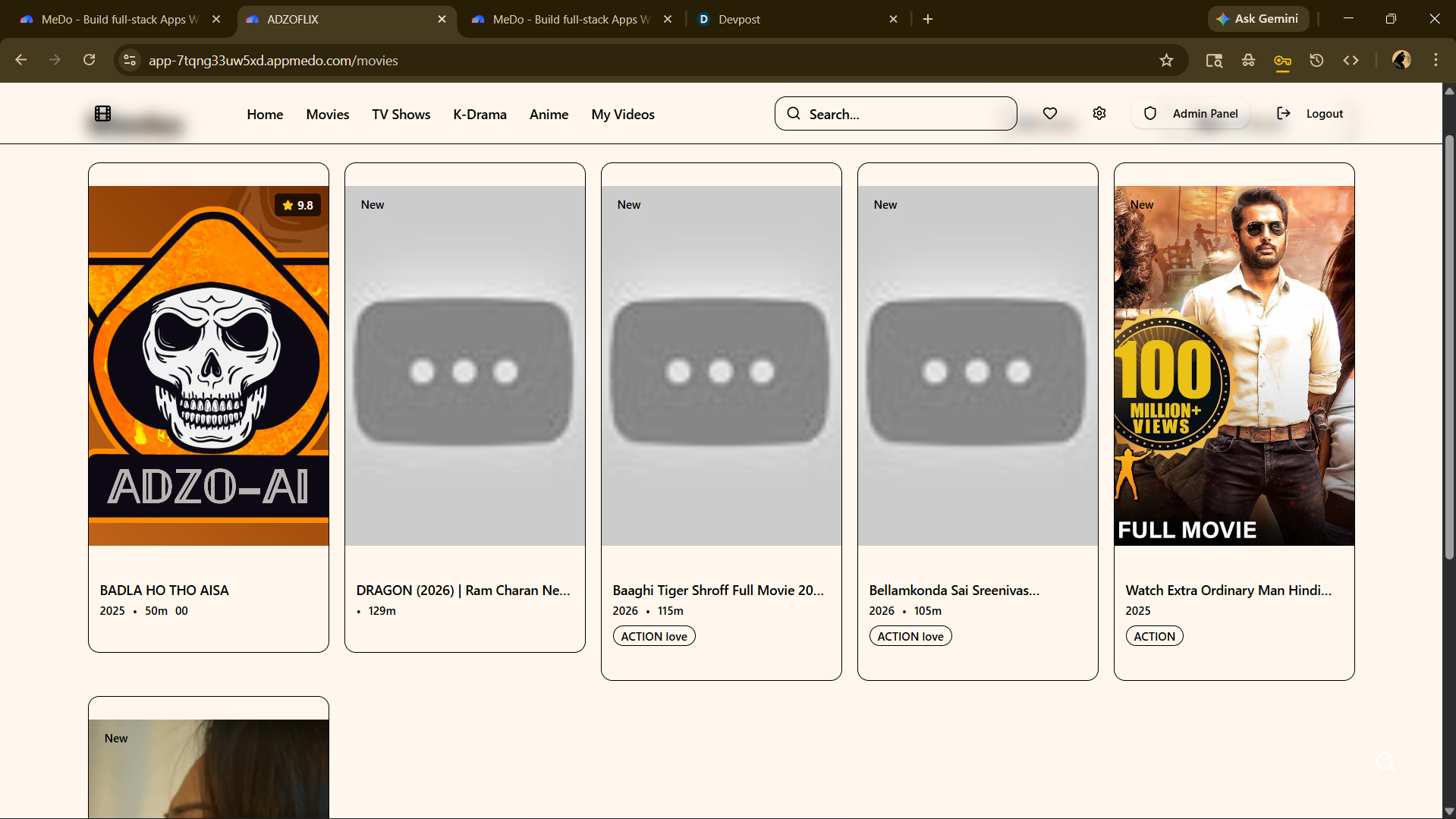
MOVIE SCREEN
-
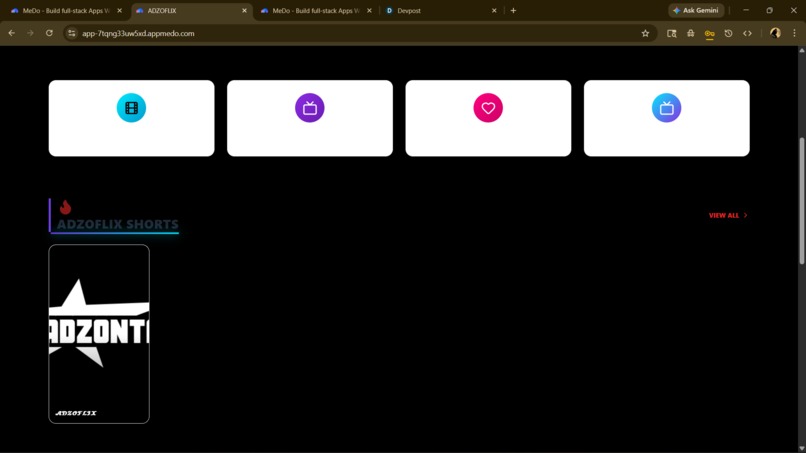
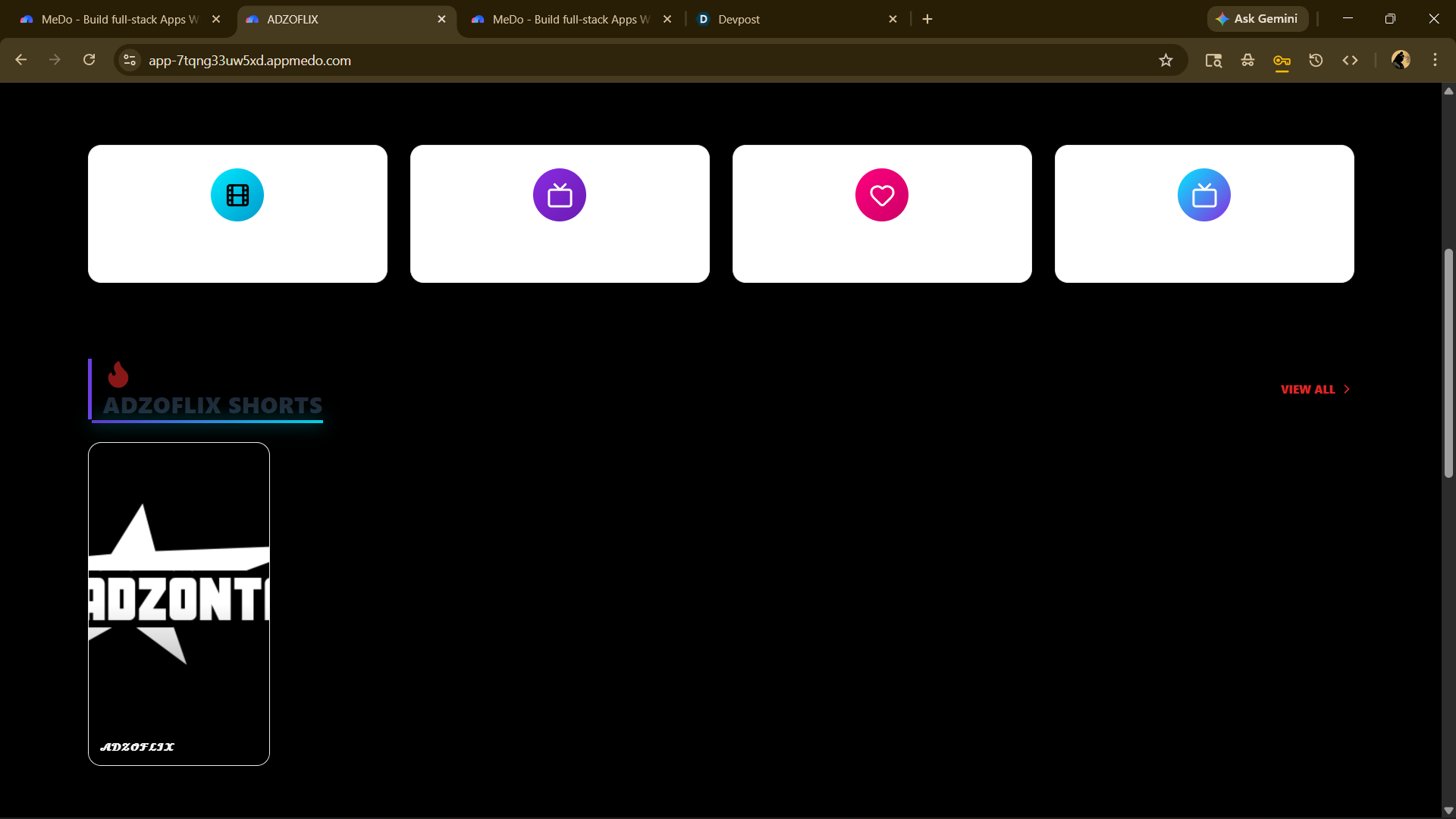
HOME SCREEN
Inspiration
ADZOFLIX - Global OTT Platform Requirements Document
1. Project Overview
Project Name: ADZOFLIX
Project Type: Web Application (Global OTT Platform)
Project Description: A fully-featured global OTT (Over-The-Top) streaming platform with Netflix-style UI, advanced content management, creator portal, smart recommendations, and comprehensive admin controls. The platform supports multiple content types including movies, series, and vertical shorts, with role-based access control, gamification features, and international scalability. The system includes a single, persistent banner ad system with admin control, production-optimized, and designed for future monetization expansion.
2. Technology Stack
2.1 Frontend
Core Framework:
- React with Vite (production optimized)
- React Router for navigation
- Context API for state management
- Secure storage for sensitive data
Styling:
- Tailwind CSS or CSS Modules
- Responsive design (mobile-first)
- Theme system support
Performance:
- Code splitting
- Lazy loading
- Image optimization
- Skeleton loaders
2.2 Backend
Core:
- Node.js with Express
- RESTful API architecture
- JWT authentication with refresh tokens
- Middleware for role-based access control
Database:
- MongoDB
- Mongoose ODM
Security:
- bcrypt for password hashing
- JWT token management
- Input validation and sanitization
- Rate limiting
2.3 Architecture Principles
- Single persistent banner ad system
- No external script dependencies (except controlled ad script)
- Scalable structure
- Modular code organization
- Error boundary implementation
- Graceful API fallback
3. Authentication System
3.1 User Registration
Features:
- Email and password validation
- Username uniqueness check
- Password strength requirements
- Email verification simulation
- Auto-generate unique referral code
- Role assignment (default: User)
Validation Rules:
- Email: Valid format
- Password: Minimum 8 characters
- Username: 3-20 characters, alphanumeric
3.2 Login System
Features:
- Email/username + password authentication
- JWT access token generation
- Refresh token mechanism
- Device session tracking
- Remember me option
- Account status check (active/disabled)
Token Management:
- Access token expiration: 15 minutes
- Refresh token expiration: 7 days
- Automatic token refresh
- Secure token storage
3.3 Password Management
Forgot Password:
- Token-based password reset
- Email with reset link
- Token expiration: 1 hour
- Password reset form
Change Password:
- Current password verification
- New password validation
- Logout all devices option
3.4 Session Management
Features:
- Session expiration handling
- Multiple device login support
- Device session list in user profile
- Logout from specific device
- Logout from all devices
3.5 Role-Based Access Control
Roles:
- User (default)
- Creator
- Moderator
- Admin
Route Protection:
- Public routes: Home, Login, Signup
- User routes: Profile, Watchlist, Watch History
- Creator routes: Upload Portal, Creator Dashboard
- Moderator routes: Content Moderation
- Admin routes: Admin Panel, User Management, Analytics
4. User Roles & Permissions
4.1 User Role
Permissions:
- Browse content
- Watch videos
- Like content
- Add to watchlist
- Comment (if enabled)
- View watch history
- Edit profile
- Use referral system
4.2 Creator Role
Permissions:
- All User permissions
- Upload content
- Manage own uploads
- View upload analytics
- Access creator dashboard
Creator Upload Process:
- Submit content for approval
- Admin review required
- Approval/rejection notification
4.3 Moderator Role
Permissions:
- All User permissions
- Review flagged content
- Moderate comments
- Approve/reject creator uploads
- View moderation queue
4.4 Admin Role
Permissions:
- Full platform access
- User management
- Content management
- System settings control
- Analytics access
- Role assignment
- Account disable/enable
- Ad system control
5. Home Page Design
5.1 Layout Structure
Header:
- Platform logo (left)
- Navigation menu: Home, Movies, Series, Shorts, My List
- Search bar (center)
- User avatar with dropdown (right)
- Theme toggle
- Language selector
Hero Banner:
- Featured content auto-rotate (5 seconds interval)
- Large background image
- Content title and description
- Play button
- Add to List button
- Mute/Unmute toggle
- Auto-play trailer
5.2 Content Sections
Section 1: Trending Today
- Horizontal scrollable row
- Top 10 trending content
- Thumbnail with hover preview
Section 2: Top 10 in Your Country
- Country-based ranking
- Numbered badges (1-10)
- Auto-detect user country
Section 3: AI Recommended
- Based on watch history
- Genre matching
- Similar content suggestions
Section 4: Because You Watched
- Show related content
- Display reference content thumbnail
Section 5: Recently Added
- Latest uploads
- Sort by upload date
Section 6: Continue Watching
- Resume playback from last position
- Progress bar indicator
- Remove from list option
Section 7: Popular in Category
- Category-wise popular content
- Multiple category sections
Section 8: Shorts Vertical Reel
- Vertical scrollable shorts section
- Swipe up for next short
- Inline playback
Section 9: Featured Creators
- Top creators showcase
- Creator profile link
- Total uploads count
Section 10: Global Banner Ad
- Single persistent banner ad (320x50)
- Positioned above bottom navigation bar
- Centered alignment
- Only renders when ads enabled in admin panel
- Always visible on main pages
- Never blocks UI or navigation
5.3 Interaction Features
Hover Effects:
- Scale animation (1.0 → 1.05)
- Show title and quick info
- Play button overlay
- Add to list icon
Click Actions:
- Navigate to content detail page
- Play immediately option
6. Content System
6.1 Content Schema
Content Fields:
- Title (required, max 100 characters)
- Description (required, max 500 characters)
- Category (required): Movie, Series, Short, Documentary
- Subcategory (optional): Action, Drama, Comedy, Thriller, etc.
- Language (required): English, Spanish, French, etc.
- Country (required): USA, India, UK, etc.
- Thumbnail URL (required)
- Trailer URL (optional)
- Video URL (required)
- Duration (required, in minutes)
- Rating (optional, 1-10)
- Tags (array, max 10 tags)
- Release Date (required)
- Featured Flag (boolean, default: false)
- Premium Flag (boolean, default: false)
- Age Restriction (required): G, PG, PG-13, R, NC-17
- Views Counter (default: 0)
- Like Count (default: 0)
- Watch Time Analytics (total minutes watched)
- Created By (user ID)
- Approved By (admin ID, if applicable)
- Status: Pending, Approved, Rejected
- Created At (timestamp)
- Updated At (timestamp)
6.2 Content Types
Movies:
- Single video file
- Full-length feature
Series:
- Multiple seasons
- Multiple episodes per season
- Episode schema:
- Season number
- Episode number
- Episode title
- Episode description
- Video URL
- Duration
- Thumbnail
Shorts:
- Vertical video format (9:16)
- Max duration: 60 seconds
- Swipeable feed
Documentaries:
- Educational content
- Similar to movies structure
6.3 Content Management
Upload Process:
- Admin/Creator uploads content
- Fill metadata form
- Upload video file
- Upload thumbnail
- Upload trailer (optional)
- Submit for approval (if creator)
- Admin approval required
Approval Workflow:
- Creator submits content
- Status: Pending
- Moderator/Admin reviews
- Approve or Reject with reason
- Notification sent to creator
7. Video Player
7.1 Player Features
Custom UI Controls:
- Play/Pause button
- Progress bar with seek
- Volume control
- Mute/Unmute toggle
- Playback speed selector: 0.5x, 0.75x, 1x, 1.25x, 1.5x, 2x
- Quality selector: 720p, 1080p (if available)
- Subtitle toggle
- Theatre mode toggle
- Fullscreen toggle
- Next episode button (for series)
- Skip intro button (appears at intro timestamp)
Auto Resume:
- Save playback position
- Resume from last watched position
- Show resume prompt
Subtitle Support:
- Upload SRT files
- Multiple language subtitles
- Subtitle on/off toggle
- Subtitle style customization
Next Episode Autoplay:
- Countdown timer (10 seconds)
- Cancel autoplay option
- Auto-load next episode
Screenshot Protection:
- Overlay watermark on video
- Display username watermark
- Prevent screen capture (CSS-based)
Watermark System:
- Display username on video
- Semi-transparent overlay
- Position: Bottom-right corner
7.2 Player Behavior
Playback:
- Auto-play on page load (muted)
- Pause on tab switch
- Resume on tab focus
- Save watch progress every 10 seconds
Analytics Tracking:
- Track watch time
- Track completion rate
- Track quality selection
- Track playback speed usage
Ad-Free Player:
- No ads inside video player
- No ad overlays during playback
- No ad interruptions
8. Content Detail Page
8.1 Layout
Hero Section:
- Large background image
- Content title
- Rating and year
- Duration
- Category and tags
- Play button (primary)
- Add to Watchlist button
- Like button
- Share button
Description Section:
- Full description
- Cast and crew (if available)
- Director
- Language
- Country
Episodes Section (for Series):
- Season selector dropdown
- Episode list with thumbnails
- Episode title and description
- Episode duration
- Play button for each episode
Related Content Section:
- Similar content recommendations
- Horizontal scrollable row
Comments Section (Optional):
- User comments
- Like/reply functionality
- Moderation controls
9. Unique Features
9.1 Smart Recommendation Engine
Algorithm Logic:
- Track user watch history
- Analyze genre preferences
- Suggest similar content
- Factor in trending content
- Consider user country
- Personalized recommendations
Data Tracking:
- Content watched
- Watch duration
- Liked content
- Watchlist additions
- Search queries
9.2 Creator Upload Portal
Route: /creator/upload
Access: Creator role required
Upload Form:
- Content type selector
- Title input
- Description textarea
- Category dropdown
- Subcategory dropdown
- Language selector
- Country selector
- Thumbnail upload
- Trailer upload (optional)
- Video file upload
- Duration input (auto-detect)
- Tags input
- Release date picker
- Age restriction selector
- Submit for approval button
Upload Status:
- Pending approval
- Approved
- Rejected (with reason)
Creator Dashboard:
- View all uploads
- Upload status
- View analytics (views, watch time)
- Edit pending uploads
- Delete rejected uploads
9.3 Referral System (Disabled but Ready)
Structure:
- Each user has unique referral code
- Referral link: https://adzoflix.com/ref/{code}
- Track referred users
- Points system (disabled)
- Reward tiers (disabled)
Database Schema:
- Referrer ID
- Referral code
- Referred users array
- Total referrals count
- Points earned (disabled)
Future Activation:
- Enable points system
- Define reward tiers
- Implement redemption system
9.4 Gamification
User Badges:
- First Watch: Watch first content
- Binge Watcher: Watch 10 contents in a day
- Loyal Fan: 30-day watch streak
- Explorer: Watch content from 5 different categories
- Social Butterfly: Refer 5 users
Watch Streak Counter:
- Track daily login and watch activity
- Display streak count in profile
- Streak milestone badges
Achievement Unlock:
- Display achievement notification
- Achievement showcase in profile
- Shareable achievement cards
9.5 Watch Party (Simulation Mode)
Features:
- Generate invite link
- Synchronized playback (basic version)
- Shared play/pause control
- Chat box (optional)
Implementation:
- Room-based system
- Host controls playback
- Participants sync to host
9.6 Multi-Language UI Toggle
Supported Languages:
- English
- Spanish
- French
- German
- Hindi
- Portuguese
Implementation:
- Language selector in header
- Store preference in local storage
- Translate all UI text
- Use i18n library
9.7 Theme System
Themes:
- Dark (default)
- Light
- Premium Gold
Theme Toggle:
- Icon in header
- Smooth transition animation
- Store preference in local storage
Theme Colors:
- Dark: Black background, white text
- Light: White background, black text
- Premium Gold: Dark background with gold accents
9.8 PWA Support
Features:
- Installable on mobile and desktop
- Offline homepage cache
- Service worker implementation
- App manifest file
- Add to home screen prompt
10. Advertisement System
10.1 Ad System Overview
Ad Provider: Adsterra
Ad Type: Single Persistent Banner Ad Only
Ad Placement: Above bottom navigation bar on main pages
Ad Format: 320x50 mobile-safe banner
Core Principles:
- Only ONE banner ad in entire app
- No popup ads
- No redirect ads
- No interstitial ads
- No duplicate scripts
- No auto refresh
- No UI blocking
- Fully mobile responsive
- Admin control ON/OFF
- Always visible on main pages
- Never covers navigation
10.2 Ad Component Structure
Component Name: GlobalBannerAd
Component Location: Above bottom navigation bar
Rendering Logic:
- Only renders when ads enabled in admin panel
- Returns null if ads disabled
- Never renders on login page
- Never renders inside video player
- Never renders in shorts fullscreen
- Renders on all main pages (Home, Movies, Series, Shorts, My List)
- Persistent across route changes
Component Code Structure:
<div id=\"global-banner-ad\" style=\"width:100%;height:50px;display:flex;justify-content:center;align-items:center;background:transparent;overflow:hidden;z-index:10;\">
  <div id=\"adsterra-banner\"></div>
</div>
10.3 Script Injection Logic
Script Loading:
- Load script only ONCE on initial app load
- Use window.onload OR React useEffect with empty dependency array
- Check if script already exists before injection using window flag
- If script exists, DO NOT inject again
- Set async = true on script element
- Append script inside adsterra-banner div only
- Never append to body multiple times
- Prevent re-injection on route change
Script Code:
if (!window.bannerAdLoaded) {
  window.bannerAdLoaded = true;
  var atOptions = {
    'key': '46ab20bd8e7bba2e4f827162cefd58a7',
    'format': 'iframe',
    'height': 50,
    'width': 320,
    'params': {}
  };
  var script = document.createElement('script');
  script.type = 'text/javascript';
  script.src = 'https://www.highperformanceformat.com/46ab20bd8e7bba2e4f827162cefd58a7/invoke.js';
  script.async = true;
  document.getElementById('adsterra-banner').appendChild(script);
}
Script Cleanup:
- Remove script on component unmount
- Reset window flag on cleanup
- Prevent memory leaks
- Prevent duplicate loading
10.4 Safety Layer
Container Styling:
- width: 100%
- height: 50px
- display: flex
- justify-content: center
- align-items: center
- background: transparent
- overflow: hidden
- z-index: 10
- Prevent layout shift
- Prevent z-index overlap
- Prevent pointer blocking
- Do not use fixed position
- Position above bottom navigation bar
Performance:
- Lazy load banner after main content renders
- Do not block initial render
- Keep script async
- No heavy external calls
10.5 Bug Prevention
Prevented Issues:
- No duplicate loading
- No memory leak
- No re-render injection
- No console errors
- No black overlay
- No fullscreen blocking
- No UI interference
- No navigation blocking
- No route change re-injection
10.6 Removed Ad Types
Completely Removed:
- 300x160 ad
- 300x250 ad
- Top banner ad
- Bottom banner ad (separate from global banner)
- Any duplicate script
- Any popup logic
- Any auto redirect
- Any multiple injection
10.7 Admin Panel Ad Control
Route: /admin/settings/ads
Ad Settings Section:
Fields:
- Ads System Toggle (ON / OFF)
- Banner Status (Active / Paused)
- View Count (total ad impressions)
- Load Count (total ad loads)
- Error Count (failed loads)
- Last Loaded Timestamp
Logic:
- If Ads OFF → GlobalBannerAd component returns null
- If Ads ON → GlobalBannerAd renders on main pages only
- Admin can toggle ads without code deployment
- Settings saved in database
Analytics Tracking:
- Track ad impressions
- Track ad load success/failure
- Track ad click-through (if available)
- Display metrics in admin panel
11. User Dashboard
11.1 Profile Page
Route: /profile
Sections:
Profile Information:
- Avatar upload
- Username (editable)
- Email (display only)
- Bio (editable, max 200 characters)
- Country
- Language preference
Account Settings:
- Change password
- Email notifications toggle
- Privacy settings
- Theme preference
- Language preference
Watch Statistics:
- Total watch time
- Total content watched
- Favorite genre
- Watch streak
Badges & Achievements:
- Display earned badges
- Achievement progress
Referral Section:
- Referral code display
- Copy referral link button
- Total referrals count
- Referral leaderboard position
Device Sessions:
- List of active sessions
- Device name and location
- Last active timestamp
- Logout from device button
- Logout from all devices button
11.2 Watchlist
Route: /watchlist
Features:
- Display all saved content
- Grid layout
- Remove from watchlist button
- Sort options: Date added, Title, Rating
- Filter by category
11.3 Watch History
Route: /history
Features:
- Display all watched content
- Sort by date watched (descending)
- Resume playback option
- Remove from history button
- Clear all history button
11.4 Liked Content
Route: /liked
Features:
- Display all liked content
- Grid layout
- Unlike button
- Sort options
12. Admin Panel
12.1 Route & Access
Route: /admin
Access: Admin role required
12.2 Dashboard
Overview Metrics:
- Total Users
- Active Users (logged in last 7 days)
- Total Content
- Daily Views
- Most Watched Content (top 5)
- Growth Graph (users and views over time)
- Ad Impressions (if ads enabled)
Charts:
- Line chart: User growth over time
- Bar chart: Views by day (last 30 days)
- Pie chart: Content by category
12.3 Content Management
Route: /admin/content
Features:
Content Table:
- Columns: Thumbnail, Title, Category, Status, Views, Likes, Created At, Actions
- Sort by: Date, Views, Likes
- Filter by: Category, Status, Featured, Premium
- Search by title
Actions:
- Edit content
- Delete content
- Set as featured
- Toggle premium flag
- Approve/reject creator uploads
- Bulk category edit
Add Content:
- Same form as creator upload
- Auto-approve (no pending status)
Edit Content:
- Update all metadata fields
- Replace video/thumbnail
- Save changes
12.4 User Management
Route: /admin/users
Features:
User Table:
- Columns: Avatar, Username, Email, Role, Status, Joined Date, Actions
- Sort by: Date joined, Username
- Filter by: Role, Status (active/banned)
- Search by username or email
Actions:
- View user profile
- Ban/Unban user
- Promote role (User → Creator → Moderator → Admin)
- Demote role
- Reset password
- View watch history
- Disable/Enable account
User Detail View:
- Full profile information
- Watch history
- Liked content
- Referral activity
- Device sessions
12.5 Analytics
Route: /admin/analytics
Sections:
Views Analytics:
- Views by day (line chart)
- Views by content (bar chart)
- Top 10 most viewed content
User Analytics:
- New users by day
- Active users by day
- User retention rate
Engagement Analytics:
- Average watch time
- Completion rate
- Like rate
- Watchlist additions
Geographic Analytics:
- Top countries by views
- Top countries by users
- Map visualization
Device Analytics:
- Views by device type (mobile, desktop, tablet)
- Browser distribution
Ad Analytics (if ads enabled):
- Total ad impressions
- Ad load success rate
- Ad error rate
- Ad performance over time
12.6 System Settings
Route: /admin/settings
Settings:
Platform Settings:
- Platform name (editable)
- Logo URL (editable)
- Default theme (Dark/Light/Premium Gold)
- Enable/Disable user registration
- Maintenance mode toggle
Content Settings:
- Enable/Disable comments
- Enable/Disable likes
- Enable/Disable watchlist
- Auto-approve creator uploads toggle
Email Settings:
- SMTP configuration
- Email templates
Security Settings:
- JWT token expiration time
- Refresh token expiration time
- Password strength requirements
Ad Settings:
- Ads System Toggle (ON / OFF)
- Banner Status (Active / Paused)
- View Count
- Load Count
- Error Count
- Last Loaded Timestamp
13. Database Structure
13.1 Users Collection
{
  _id: ObjectId,
  username: String (unique, required),
  email: String (unique, required),
  password: String (hashed, required),
  role: String (User/Creator/Moderator/Admin, default: User),
  avatar: String (URL),
  bio: String (max 200 chars),
  country: String,
  language: String,
  watchHistory: Array [
    {
      contentId: ObjectId,
      watchedAt: Date,
      progress: Number (seconds),
      completed: Boolean
    }
  ],
  likedContent: Array [ObjectId],
  watchlist: Array [ObjectId],
  referralCode: String (unique),
  referredBy: String (referral code),
  totalReferrals: Number (default: 0),
  badges: Array [String],
  watchStreak: Number (default: 0),
  lastWatchDate: Date,
  totalWatchTime: Number (minutes, default: 0),
  isActive: Boolean (default: true),
  emailVerified: Boolean (default: false),
  createdAt: Date,
  updatedAt: Date
}
13.2 Content Collection
{
  _id: ObjectId,
  title: String (required, max 100 chars),
  description: String (required, max 500 chars),
  category: String (required),
  subcategory: String,
  language: String (required),
  country: String (required),
  thumbnail: String (URL, required),
  trailer: String (URL),
  videoUrl: String (URL, required),
  duration: Number (minutes, required),
  rating: Number (1-10),
  tags: Array [String] (max 10),
  releaseDate: Date (required),
  featured: Boolean (default: false),
  premium: Boolean (default: false),
  ageRestriction: String (required),
  views: Number (default: 0),
  likes: Number (default: 0),
  watchTime: Number (total minutes, default: 0),
  createdBy: ObjectId (user ID),
  approvedBy: ObjectId (admin ID),
  status: String (Pending/Approved/Rejected, default: Approved),
  rejectionReason: String,
  episodes: Array [ // For series only
    {
      seasonNumber: Number,
      episodeNumber: Number,
      title: String,
      description: String,
      videoUrl: String,
      duration: Number,
      thumbnail: String
    }
  ],
  createdAt: Date,
  updatedAt: Date
}
13.3 Analytics Collection
{
  _id: ObjectId,
  contentId: ObjectId (required),
  userId: ObjectId (required),
  watchTime: Number (seconds, required),
  completed: Boolean,
  quality: String (720p/1080p),
  playbackSpeed: Number,
  country: String,
  device: String (mobile/desktop/tablet),
  browser: String,
  timestamp: Date (required)
}
13.4 Sessions Collection
{
  _id: ObjectId,
  userId: ObjectId (required),
  refreshToken: String (required),
  deviceName: String,
  deviceType: String,
  ipAddress: String,
  location: String,
  lastActive: Date,
  createdAt: Date,
  expiresAt: Date
}
13.5 Ad Settings Collection
{
  _id: ObjectId,
  adsEnabled: Boolean (default: false),
  bannerStatus: String (Active/Paused, default: Paused),
  viewCount: Number (default: 0),
  loadCount: Number (default: 0),
  errorCount: Number (default: 0),
  lastLoaded: Date,
  updatedAt: Date
}
14. Performance Optimization
14.1 Frontend Optimization
Lazy Loading:
- Lazy load images with Intersection Observer
- Lazy load components with React.lazy
- Load content sections on scroll
- Lazy load ad banner after main content
Code Splitting:
- Split routes into separate bundles
- Dynamic imports for heavy components
- Vendor bundle separation
Image Optimization:
- Use WebP format
- Responsive images with srcset
- Lazy load thumbnails
- Placeholder blur effect
Skeleton Loaders:
- Display skeleton UI while loading
- Smooth transition to actual content
14.2 Backend Optimization
Database Indexing:
- Index on frequently queried fields
- Compound indexes for complex queries
Caching:
- Cache frequently accessed data
- Redis for session storage
- Cache API responses
Query Optimization:
- Limit query results
- Pagination for large datasets
- Select only required fields
14.3 Video Delivery Optimization
CDN Integration (Future):
- Serve videos from CDN
- Geo-distributed delivery
- Reduce server load
Adaptive Streaming (Future):
- HLS or DASH protocol
- Multiple quality versions
- Automatic quality adjustment
15. Security Measures
15.1 Authentication Security
Password Security:
- bcrypt hashing with salt rounds: 10
- Minimum password length: 8 characters
- Password strength validation
Token Security:
- JWT with secure secret key
- Short-lived access tokens (15 minutes)
- Refresh token rotation
- Secure token storage (httpOnly cookies)
Session Security:
- Track device sessions
- Logout from compromised devices
- Session expiration handling
15.2 Input Validation
Validation:
- Validate all user inputs
- Sanitize inputs to prevent XSS
- Use validation libraries (Joi, express-validator)
File Upload Security:
- Validate file types
- Limit file size
- Scan for malicious files
15.3 API Security
Rate Limiting:
- Limit requests per IP
- Prevent brute force attacks
- Throttle API endpoints
CORS Configuration:
- Whitelist allowed origins
- Restrict cross-origin requests
HTTPS:
- Enforce HTTPS in production
- Secure data transmission
15.4 Ad Script Security
Script Injection Safety:
- Only load ad script from trusted source (Adsterra)
- Validate script before injection
- Prevent duplicate script loading
- Cleanup script on unmount
- No inline script execution
- Use window flag to prevent re-injection
16. Error Handling
16.1 Frontend Error Handling
Error Boundary:
- Catch React component errors
- Display fallback UI
- Log errors for debugging
API Error Handling:
- Graceful fallback on API failure
- Display user-friendly error messages
- Retry mechanism for failed requests
Network Error Handling:
- Detect offline status
- Display offline message
- Queue actions for retry
Ad Loading Error Handling:
- Catch ad script loading errors
- Increment error count in admin panel
- Display fallback content if ad fails
- Log error details for debugging
- Prevent app crash on ad failure
16.2 Backend Error Handling
Global Error Handler:
- Catch all unhandled errors
- Log errors with stack trace
- Return consistent error response
Validation Errors:
- Return clear validation messages
- HTTP status: 400 Bad Request
Authentication Errors:
- Return unauthorized message
- HTTP status: 401 Unauthorized
Server Errors:
- Log error details
- Return generic error message
- HTTP status: 500 Internal Server Error
17. Future Expansion Ready
17.1 Subscription System
Structure:
- Free tier (limited content)
- Premium tier (full access)
- Subscription plans: Monthly, Yearly
- Payment integration ready
Database Schema:
- User subscription status
- Subscription start date
- Subscription end date
- Payment history
17.2 Payment Integration
Payment Gateways:
- Stripe
- PayPal
- Razorpay (for India)
Features:
- Secure payment processing
- Subscription management
- Invoice generation
- Refund handling
17.3 CDN Integration
CDN Providers:
- Cloudflare
- AWS CloudFront
- Google Cloud CDN
Benefits:
- Faster video delivery
- Reduced server load
- Global reach
17.4 Mobile App Conversion
Platforms:
- React Native for iOS and Android
- Code reuse from web app
- Native features integration
18. Testing Requirements
18.1 Functional Testing
Authentication:
- Test signup flow
- Test login with valid/invalid credentials
- Test password reset
- Test session management
- Test role-based access
Content Management:
- Test content upload
- Test content approval workflow
- Test content editing
- Test content deletion
Video Player:
- Test playback controls
- Test quality selector
- Test subtitle toggle
- Test auto-resume
- Test next episode autoplay
User Dashboard:
- Test watchlist functionality
- Test watch history
- Test profile editing
Admin Panel:
- Test user management
- Test content management
- Test analytics display
- Test system settings
- Test ad control toggle
Ad System:
- Test ad loading on main pages
- Test ad not loading on login page
- Test ad not loading inside video player
- Test ad not loading in shorts fullscreen
- Test ad toggle in admin panel
- Test ad script cleanup on unmount
- Test ad error handling
- Test no duplicate script loading
- Test ad persistence across route changes
- Test ad positioning above bottom navigation
18.2 Performance Testing
Load Testing:
- Test with 1000+ concurrent users
- Test video streaming under load
- Test database query performance
- Test ad loading performance
Stress Testing:
- Test system limits
- Test recovery from failures
18.3 Security Testing
Penetration Testing:
- Test authentication bypass attempts
- Test SQL injection vulnerabilities
- Test XSS vulnerabilities
- Test file upload exploits
- Test ad script injection vulnerabilities
Access Control Testing:
- Test role-based restrictions
- Test unauthorized access attempts
19. Deployment Strategy
19.1 Staging Environment
Setup:
- Separate staging server
- Test all features before production
- Load testing and performance optimization
- Security audit
- Test ad system in staging
19.2 Production Deployment
Hosting:
- Cloud hosting (AWS, Google Cloud, Azure)
- Scalable infrastructure
- Load balancer for high traffic
Database:
- MongoDB Atlas or self-hosted
- Regular backups
- Replication for high availability
CI/CD Pipeline:
- Automated testing
- Automated deployment
- Rollback mechanism
19.3 Monitoring
Performance Monitoring:
- Real-time server metrics
- Error tracking (Sentry)
- Uptime monitoring
- Ad loading monitoring
User Analytics:
- Google Analytics or Mixpanel
- Custom event tracking
- Conversion funnel analysis
- Ad impression tracking
20. Final Result Requirements
20.1 Core Functionality
✔ Professional OTT platform ✔ Netflix-style UI ✔ Advanced authentication system ✔ Role-based access control ✔ Content management system ✔ Advanced video player ✔ Smart recommendations ✔ Creator upload portal ✔ Gamification features ✔ Admin panel with analytics ✔ Multi-language support ✔ Theme system ✔ PWA support ✔ Single persistent banner ad system ✔ Admin ad control ✔ Scalable architecture ✔ Production-ready code ✔ Future expansion ready
20.2 Performance
✔ Fast load times (< 3 seconds) ✔ Smooth scrolling (60fps) ✔ Optimized video delivery ✔ Lazy loading implemented ✔ Code splitting enabled ✔ No blocking scripts ✔ Ad loads after main content
20.3 Security
✔ JWT authentication ✔ Password hashing ✔ Input validation ✔ Rate limiting ✔ HTTPS enforced ✔ Secure token storage ✔ Safe ad script injection
20.4 User Experience
✔ Clean and modern UI ✔ Intuitive navigation ✔ Responsive design ✔ Smooth animations ✔ User-friendly error messages ✔ Graceful error handling ✔ Non-intrusive ad placement
20.5 Ad System
✔ Only ONE banner ad in entire app ✔ Mobile responsive (320x50) ✔ No popup ✔ No redirect ✔ No interstitial ✔ No duplicate script ✔ No auto refresh ✔ No UI blocking ✔ Admin ON/OFF control ✔ Clean production ready setup ✔ Persistent across route changes ✔ Positioned above bottom navigation ✔ Never covers navigation ✔ Always visible on main pages ✔ Script loads only once ✔ No re-injection on route change
ADZOFLIX Global OTT Platform Requirements Document End
What it does
How we built it
Challenges we ran into
Accomplishments that we're proud of
What we learned
What's next for ADZOFLIX
Built With
- medo


Log in or sign up for Devpost to join the conversation.