-
-
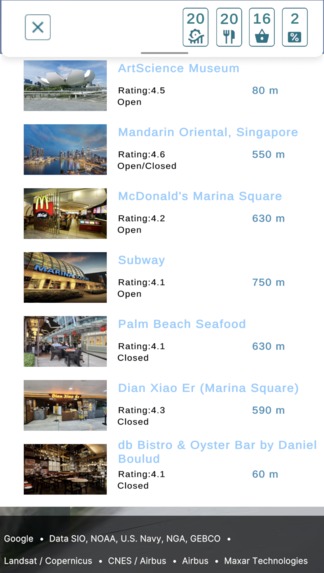
Search for places of interest
-
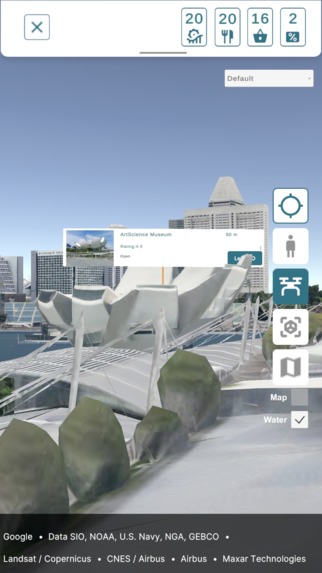
Search for attractions and view them in 3D
-
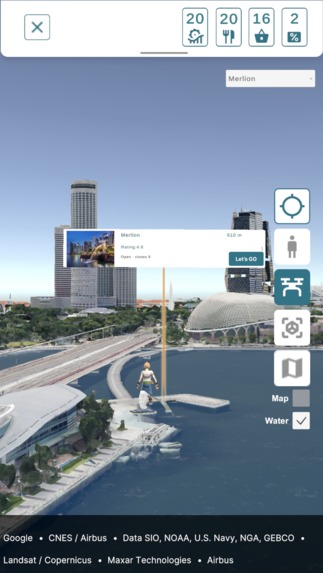
Find out more about attractions and get help to find the way.
-
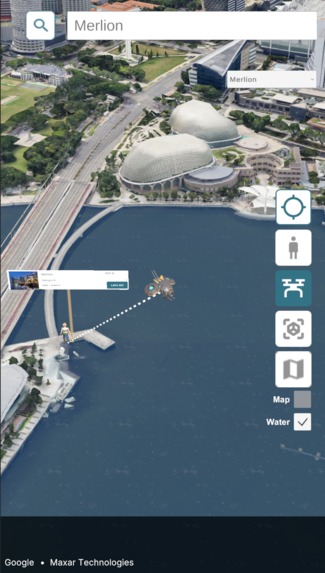
Discover local attractions
-
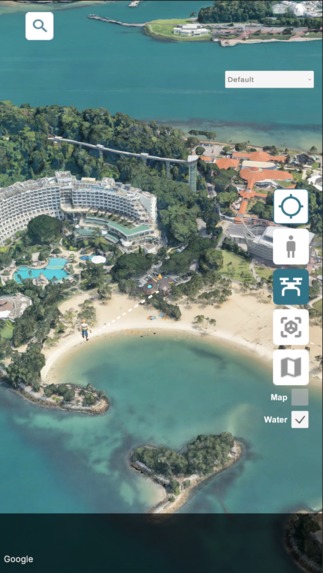
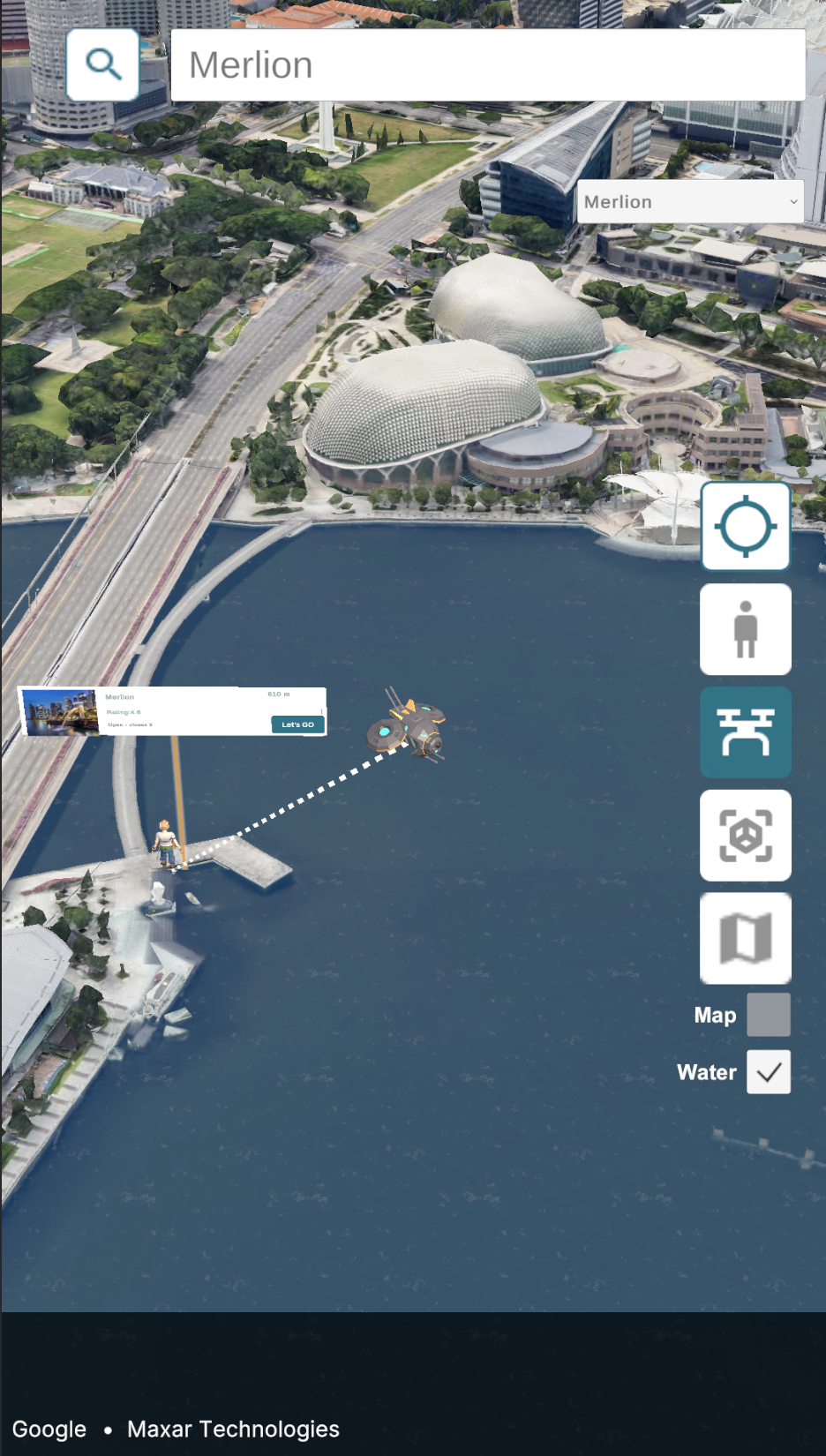
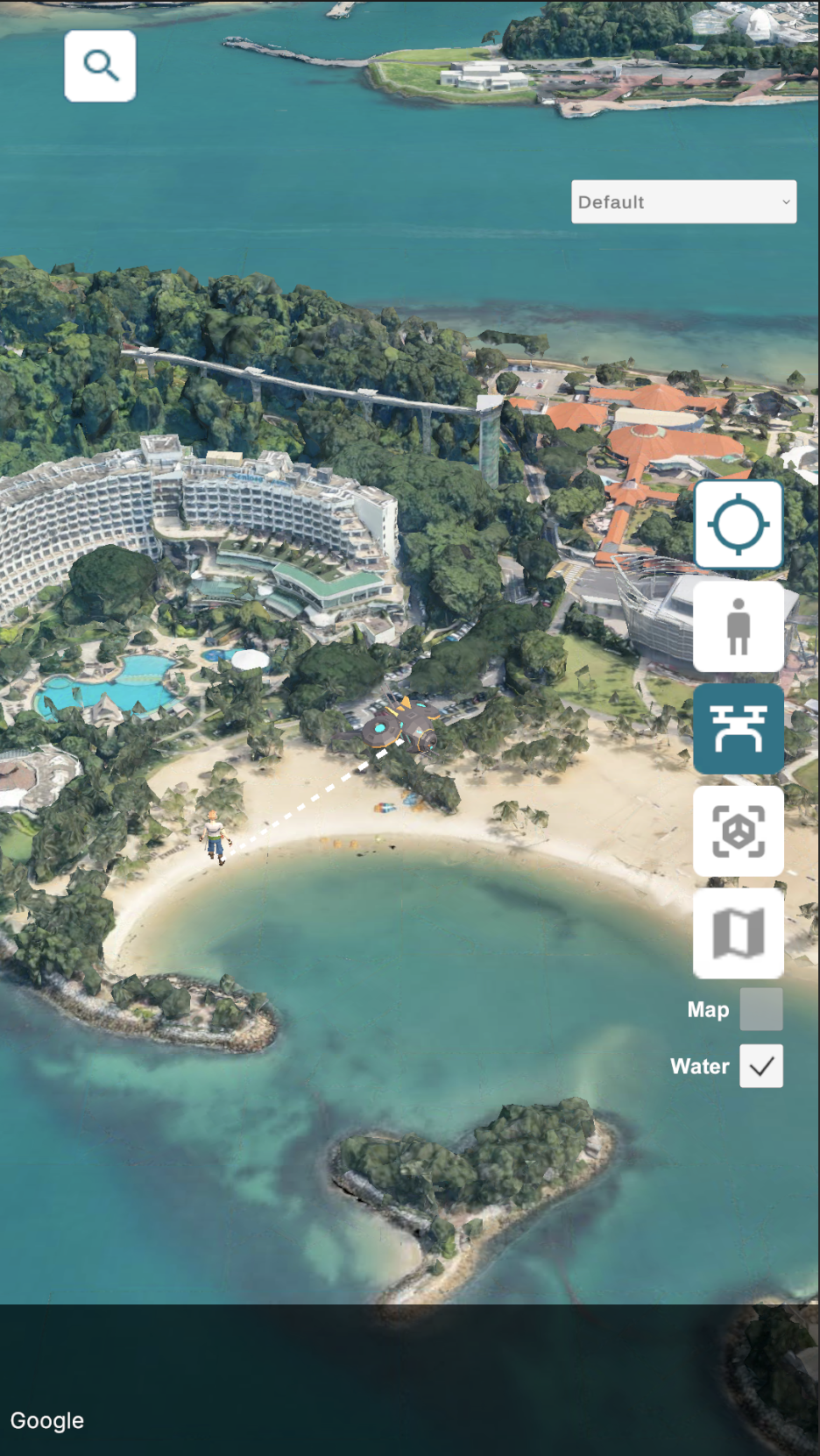
Scout the area with a virtual drone
Inspiration
We were inspired by navigation systems in Games. And with 3D Map tiles, we can allow users to explore the real world with game like user experiences. We consider the need for tourist to explore unfamiliar cities, recognizing that their journeys aren’t always strictly planned. Our concept aims to add an element of fun and provide useful information to enhance the experience of visitors in a city.
What it does
Adventure Island is a app for tourists to explore and navigate a new city in a different way powered by Google's Photorealistic 3D Maptiles.
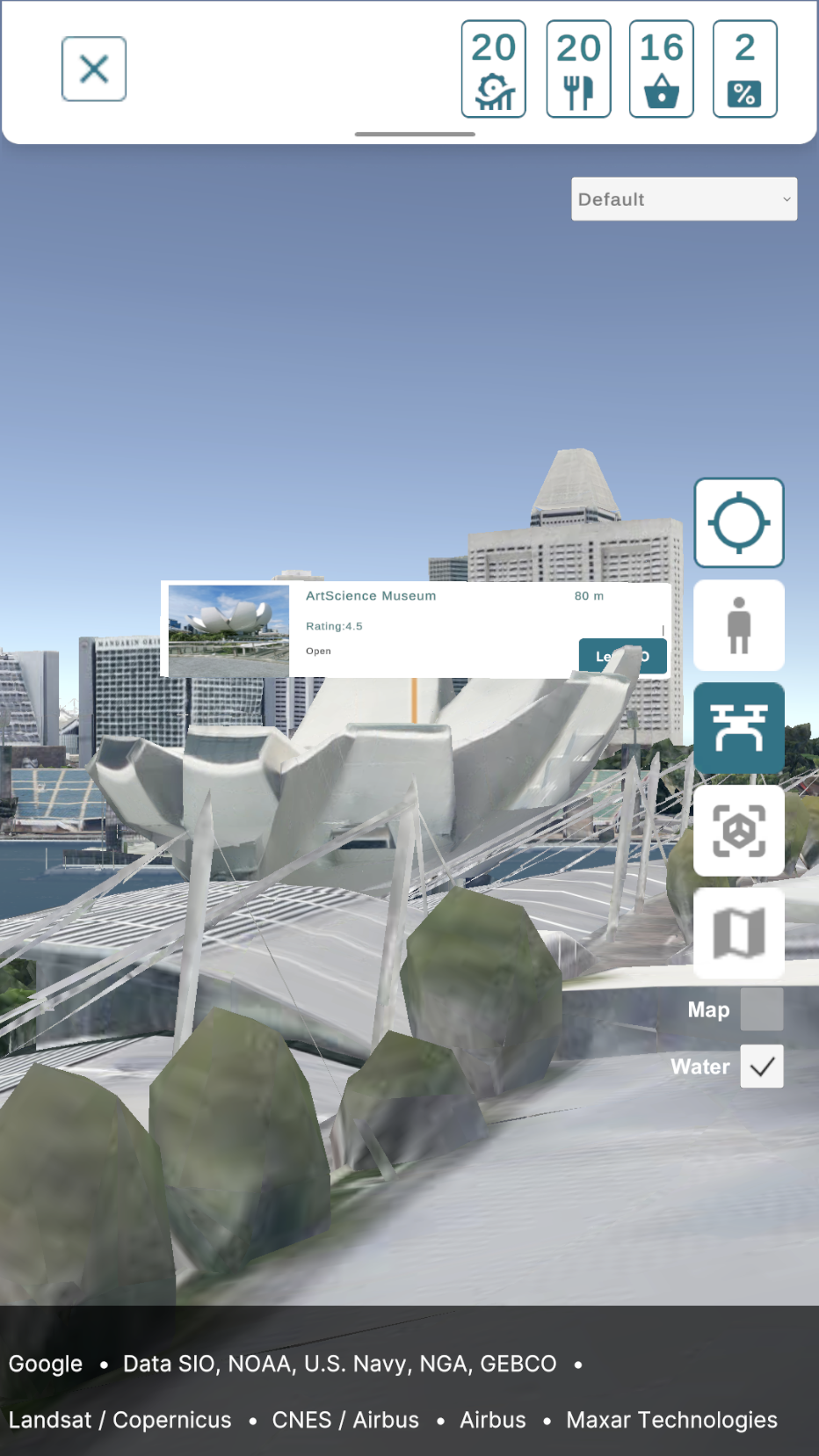
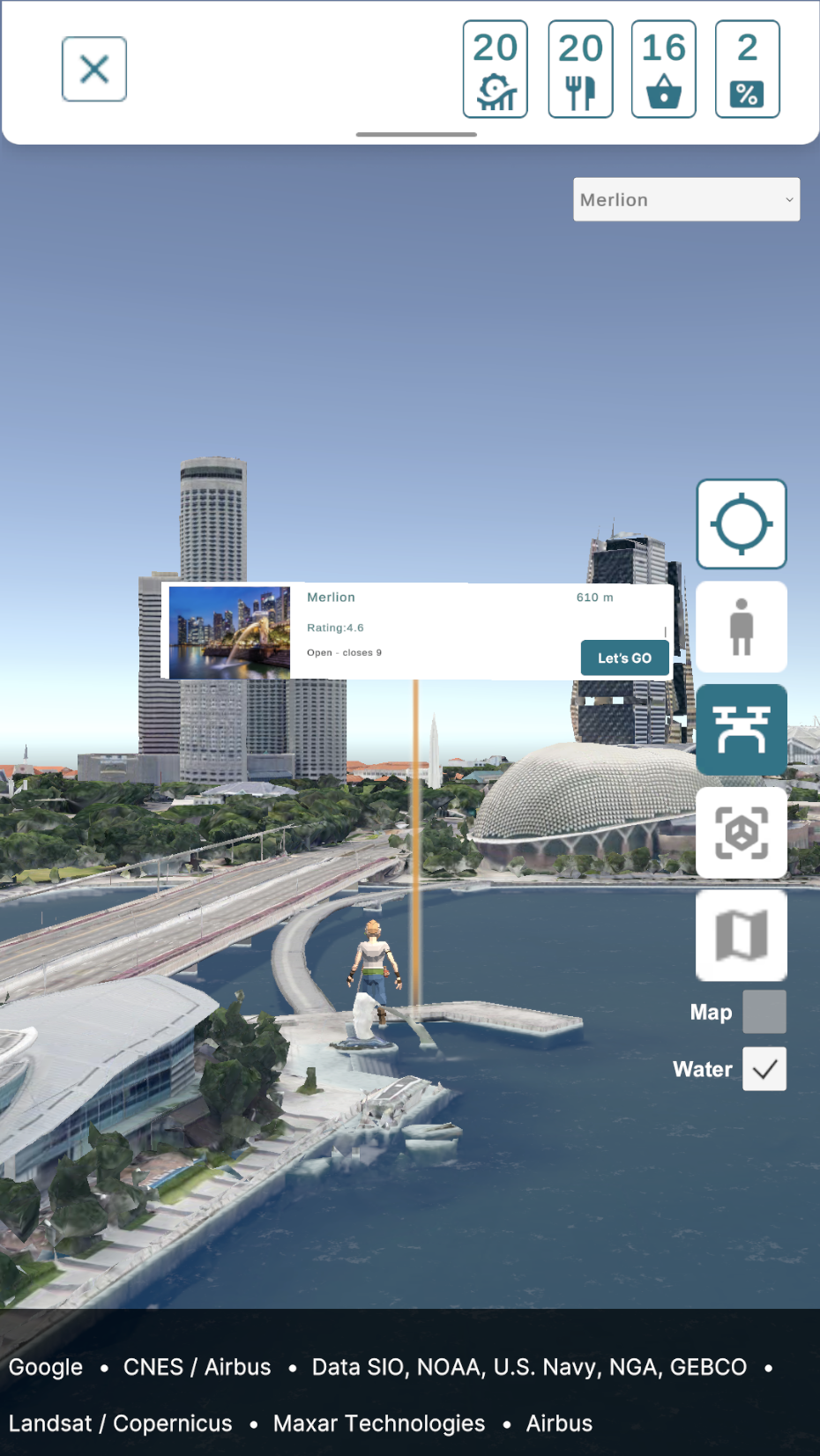
- It allows users to discover the city through various perspectives and map styles. In this demo, users can experience the city not just through a standard map view, but also via an on-foot perspective or by deploying a drone to the sky for free exploration.
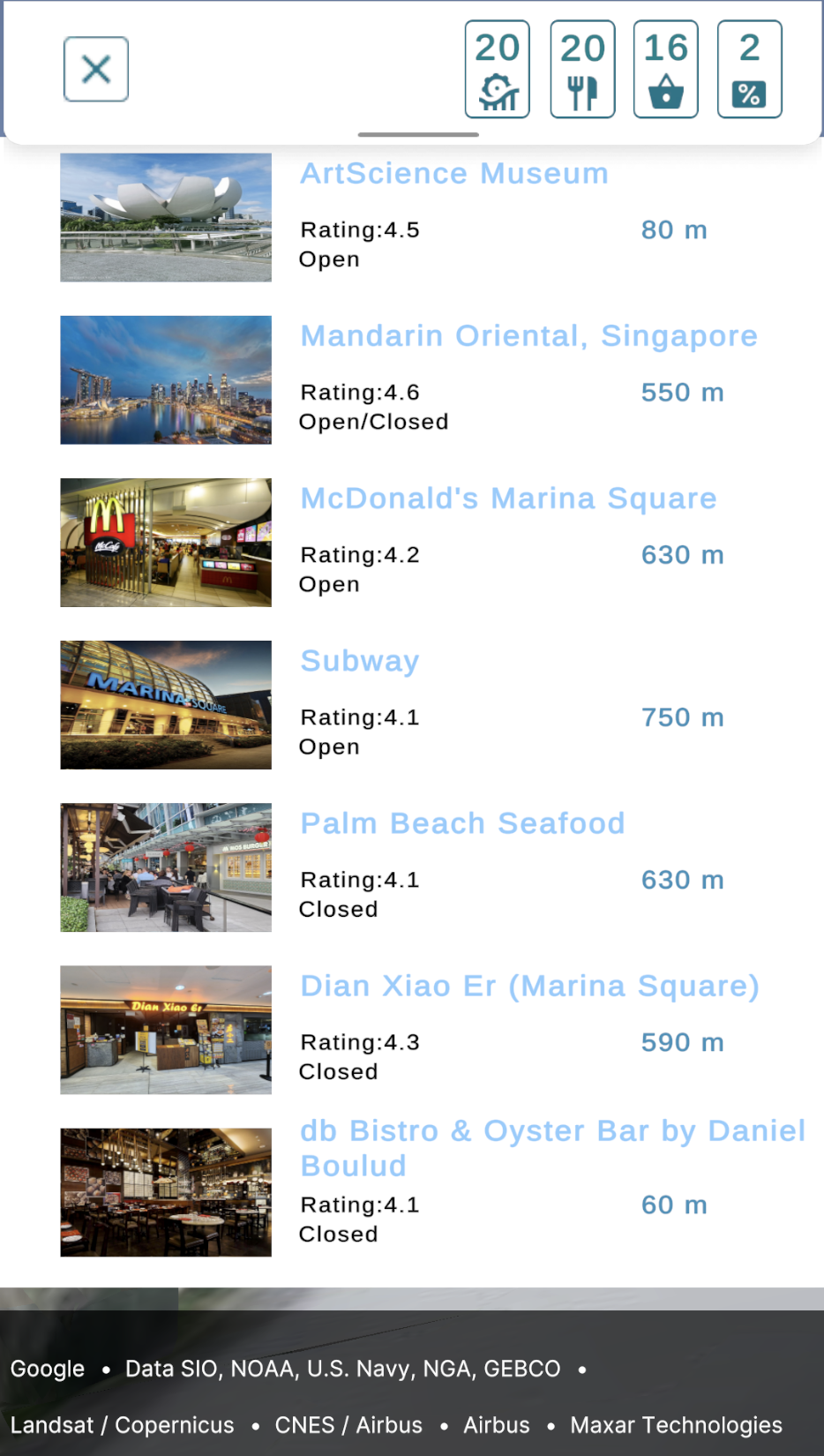
- The demo also enhances the tourist experience by recommending nearby attractions, and foodplaces based on their current route.
- Additionally, it integrates a fun element by offering coupons and showing events during navigation, making the journey more engaging and rewarding.
How we built it
We made use of Photorealistic 3D Tiles to create a map scene where we anchored 3D objects to real world locations with the cesium globe anchor component.
We used Geospatial Creator for Unity to create an scene with an AR camera. We anchored 3D objects (representing offers/discounts) in the real world.
Google Maps Platform's Places API was used to pull lists of hotels, restaurants and attractions.
Building with Unity for Android allowed us to add 3D objects to the map and move them. 3D UI elements that aided with navigation could also be easily added.
Challenges we ran into
- We tried to introduce some “animated” water to make the maps look more lively. There were 2 issues we encountered:
Water plane clipping on the Android build. When the camera moves, the intersection points between the water planes and the cesium 3Dtileset will start flickering. Eventually it will stop after a few seconds. So it’s possible the 3Dtileset is moving or solving whenever the camera moves causing this distortion. This problem does not exist when running the application in the Unity Editor.
No value for the sea level. So the water planes have to be manually positioned over the ocean. Even when the option “Adjust Orientation For Globe when Moving” is checked on the Cesium Globe Anchor component, the water plane will intersect with parts of the sea because the sea isn’t consistently at the same height/altitude.
No ground height value. Don’t have the height of the ground to place objects for AR mode.
3D Map Tiles not available in some areas. There are some nice 3D tilesets but other areas are still 2D only. Some of the data is outdated; showing buildings that no longer exist. This might make for an inconsistent user experience when using the app.
Accomplishments that we're proud of
We made a navigation app that gives users new and different ways to discover and navigate to attractions with a 3D environment to give a better sense of their relative position:
Viewing search results from the Places API in a “perspective view” “drone mode” when the user can fly around to scout out an area, Regular Map (Cesium raster overlay) view so users can easily compare the 3D map view to a regular map view.
What we learned
Using the Cesium Globe Anchor to anchor objects to positions in the real world is important especially if the camera travels long distances to different locations.
You can use a regular Unity Physics Raycast (instead of ARRaycast) to detect an AR object.
What's next for Adventure Island
We’ll add more attractions to the map (of Singapore and Sentosa). Add a backend service where events can be spawned on the map.
Built With
- arcore
- c#
- cesium
- geospatial
- google-maps
- google-places
- unity


Log in or sign up for Devpost to join the conversation.