-
-
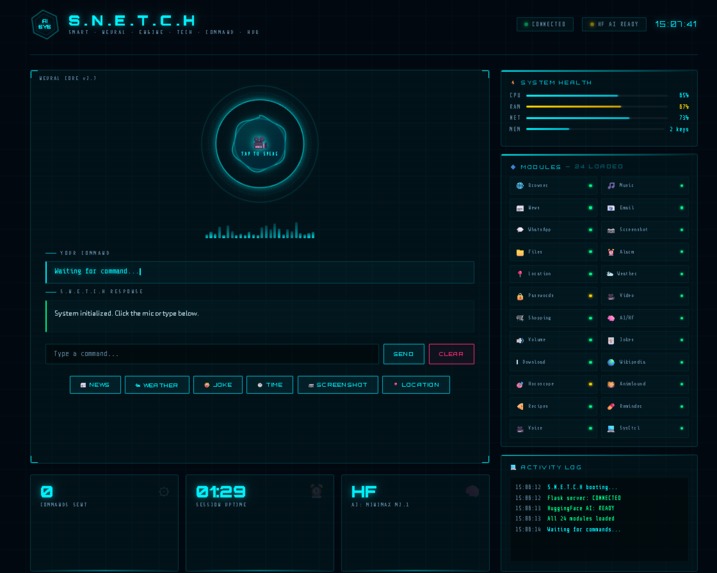
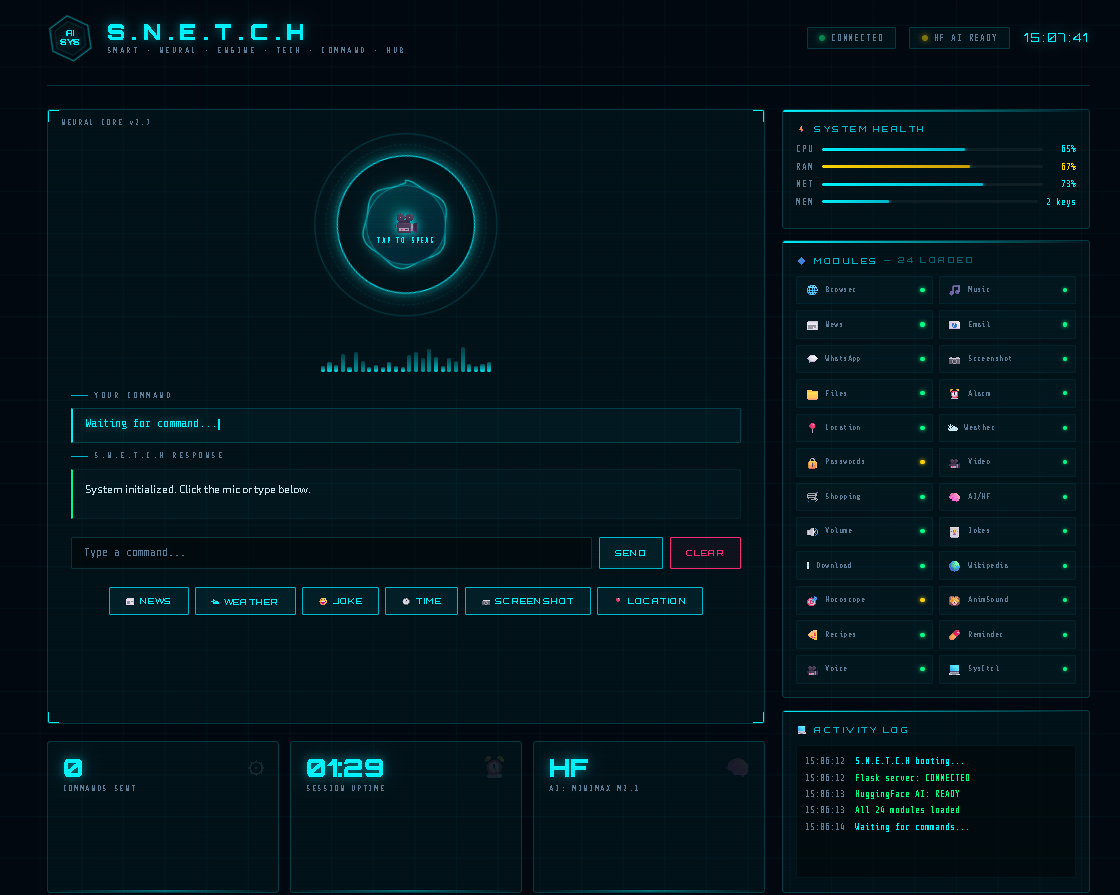
Built with Python · Flask · HuggingFace AI S.N.E.T.C.H — real-time system, voice control, and AI responses. All in one dashboard.
Inspiration
We were tired of switching between multiple apps just to get simple things done — checking the weather, setting a timer, sending a message, or searching for news. We thought, what if one voice command could handle all of it? That idea became S.N.E.T.C.H. We wanted to build something that felt like a real AI assistant — not just a demo, but a fully working system that automates everyday digital life, completely hands-free. We were also inspired by how much time people waste on repetitive tasks, and we wanted to solve that with the power of voice and AI.
What it does
S.N.E.T.C.H is an advanced AI-powered voice assistant that automates your entire digital life with a single voice command. It can open apps and websites, play songs and videos, download content, send WhatsApp messages and emails, take screenshots, manage files and folders, set alarms and reminders, fetch live news and weather, track your location, manage your daily tasks with real-time alerts, run a space-themed countdown timer, answer AI-powered questions, search festivals and holidays, find recipes, manage passwords, control system volume, and much more — all through 30+ custom Python modules connected to a sleek web-based UI.
How we built it
We built S.N.E.T.C.H entirely in Python with a Flask web server
acting as the brain of the system. Every feature is a separate .py
module that is lazy-loaded on demand, keeping the system lightweight
and scalable. The frontend is built with HTML, CSS, and JavaScript —
including a space-themed countdown timer page with an animated SVG
progress ring and starfield background. Voice input is handled by
SpeechRecognition and output by pyttsx3. AI responses are powered
by HuggingFace language models integrated via LangChain. Live
data is fetched using requests, BeautifulSoup, and ddgs. Flask
REST API endpoints connect every Python module to the web frontend,
enabling real-time command processing, voice output, and live status
updates across the entire system.
Challenges we ran into
macOS Tkinter Thread Crash — Tkinter windows cannot be created from background threads on macOS. Since Flask runs every request in its own thread, any module using Tkinter would instantly crash the entire app. We solved this by migrating all visual UIs to web-based pages served by Flask, completely eliminating Tkinter from the system.
AudioContext Autoplay Blocking — The browser silently blocked our
countdown timer's beep alert because AudioContext was being created
before any user interaction. We fixed this by lazy-initialising the
audio context only after the user clicked the mic button.
Search Engine Bot Detection — Google blocked our Python scraping
requests for live data. We migrated to DuckDuckGo via the ddgs
library which provides reliable results without bot protection issues.
Flask Thread Conflicts — Multiple modules were trying to speak, open windows, and run timers simultaneously, causing race conditions and crashes. We solved this with proper daemon threading and careful separation of UI and logic layers.
Voice Recognition Accuracy — Recognising spoken time inputs like "nine thirty" required custom parsing logic since standard libraries don't handle spoken time formats reliably.
Accomplishments that we're proud of
We are proud of building a fully working, production-ready voice assistant with 30+ features in a clean modular architecture — entirely from scratch. The space-themed countdown timer with animated SVG ring, voice control, beep alert, and auto-redirect is one of our favourite features. We are also proud of successfully integrating HuggingFace AI with a personal memory system that remembers user information across sessions. Most importantly, we solved every major technical challenge we faced — from macOS thread crashes to browser audio blocking — and delivered a system that works reliably end-to-end.
What we learned
- How to architect a modular Python system where 30+ features work independently but connect seamlessly
- How Flask REST APIs bridge a Python backend with a live web frontend
- How speech recognition and text-to-speech pipelines work in real applications
- How to integrate HuggingFace AI models using LangChain for intelligent conversation and memory
- How the Web Audio API works for generating sounds in the browser
- How macOS handles thread safety for GUI frameworks
- How to scrape live data from search engines while bypassing bot detection
- The importance of error handling in production systems — every module has a fallback so the whole system never crashes
What's next for Advance voice assistant S.N.E.T.C.H
- Custom wake word detection so S.N.E.T.C.H is always listening in the background without needing to open the app
- Mobile app integration for on-the-go voice control from anywhere
- Smarter AI memory that learns your habits, preferences, and daily patterns over time
- Real-time system monitoring dashboard showing CPU, memory, and network usage
- Multi-language voice support so S.N.E.T.C.H can understand and respond in regional languages
- Plugin system so developers can add new modules without touching the core codebase
Built With
- beautiful-soup
- css
- ddgs
- duckduckgo-search-api
- flask
- github
- google-speech-recognition-api
- html
- huggingface
- huggingface-inference-api
- javascript
- jinja
- langchain
- minimax-m2.1
- python
- pyttsx3
- requests
- speechrecognition
- vs-code
- web-audio-api
- wikipedia-api


Log in or sign up for Devpost to join the conversation.