-
-
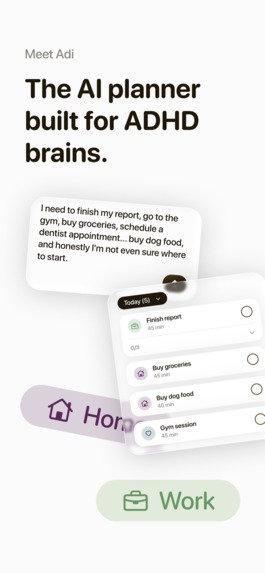
Adi is an AI-first daily planner built specifically for ADHD adults.
-
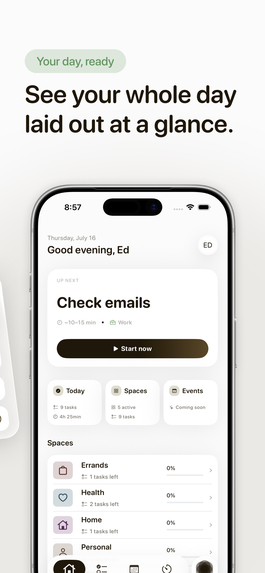
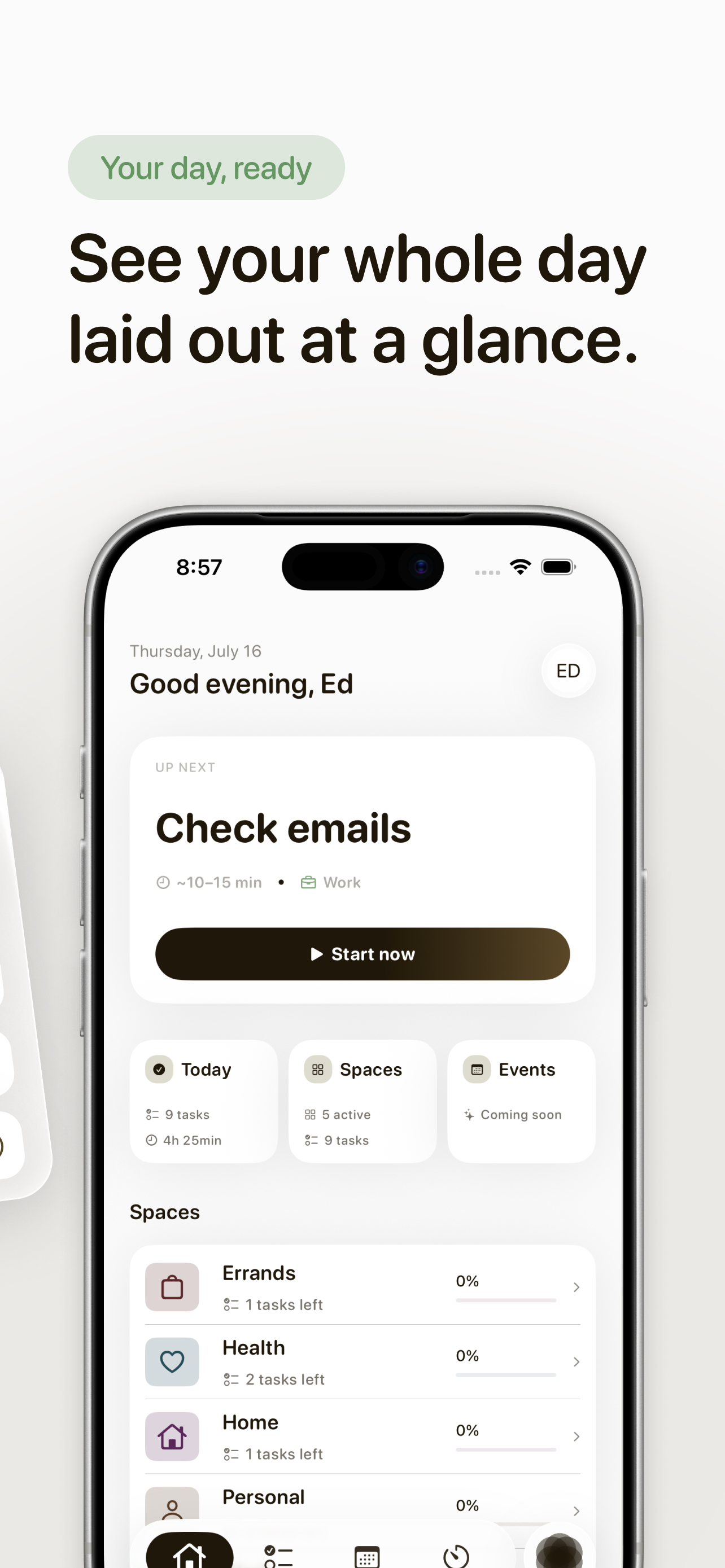
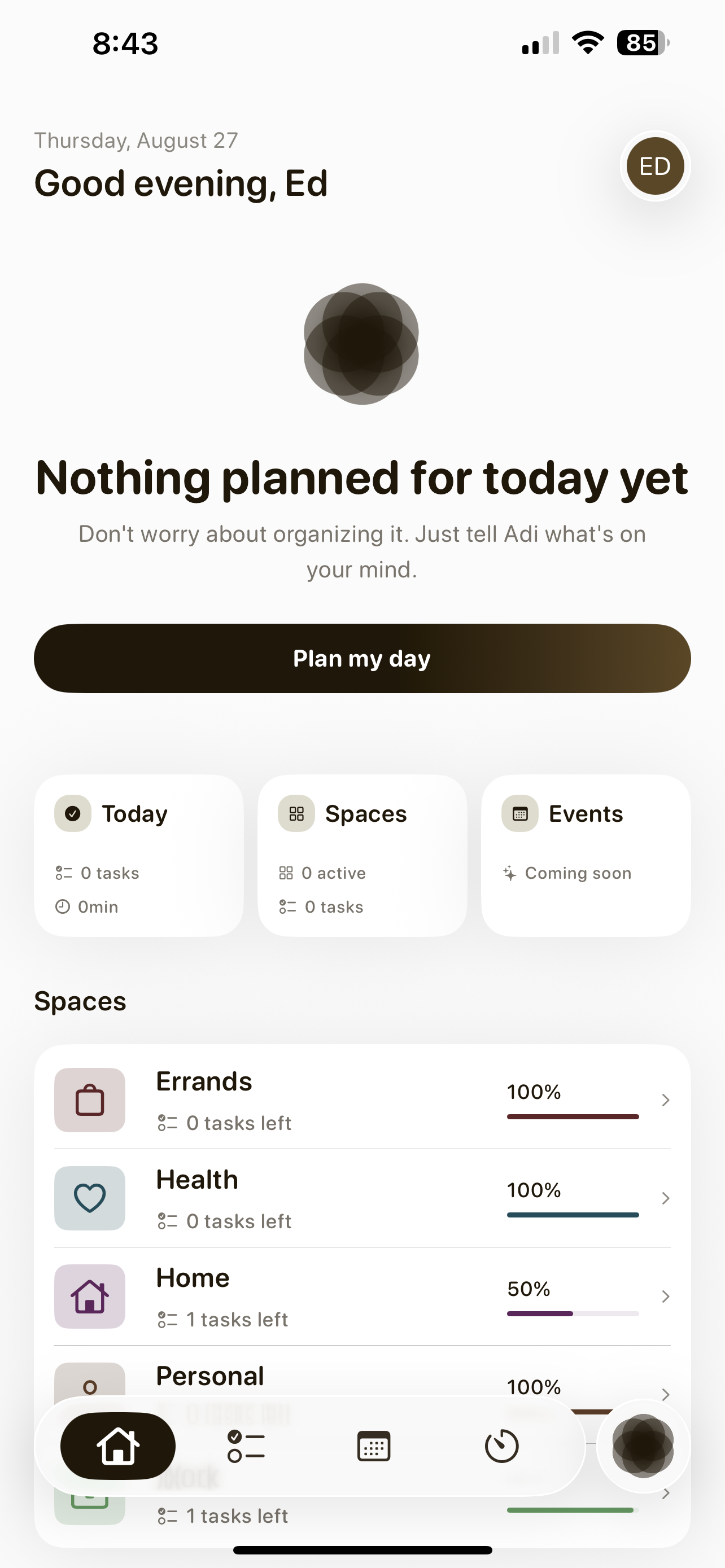
The Overview screen for a full-day view when you want it.
-
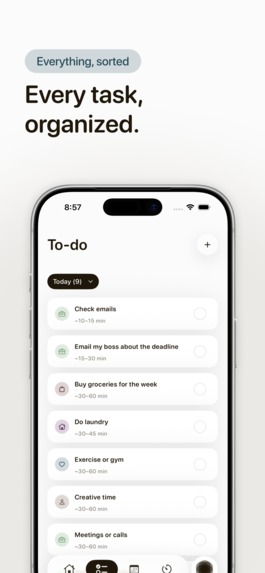
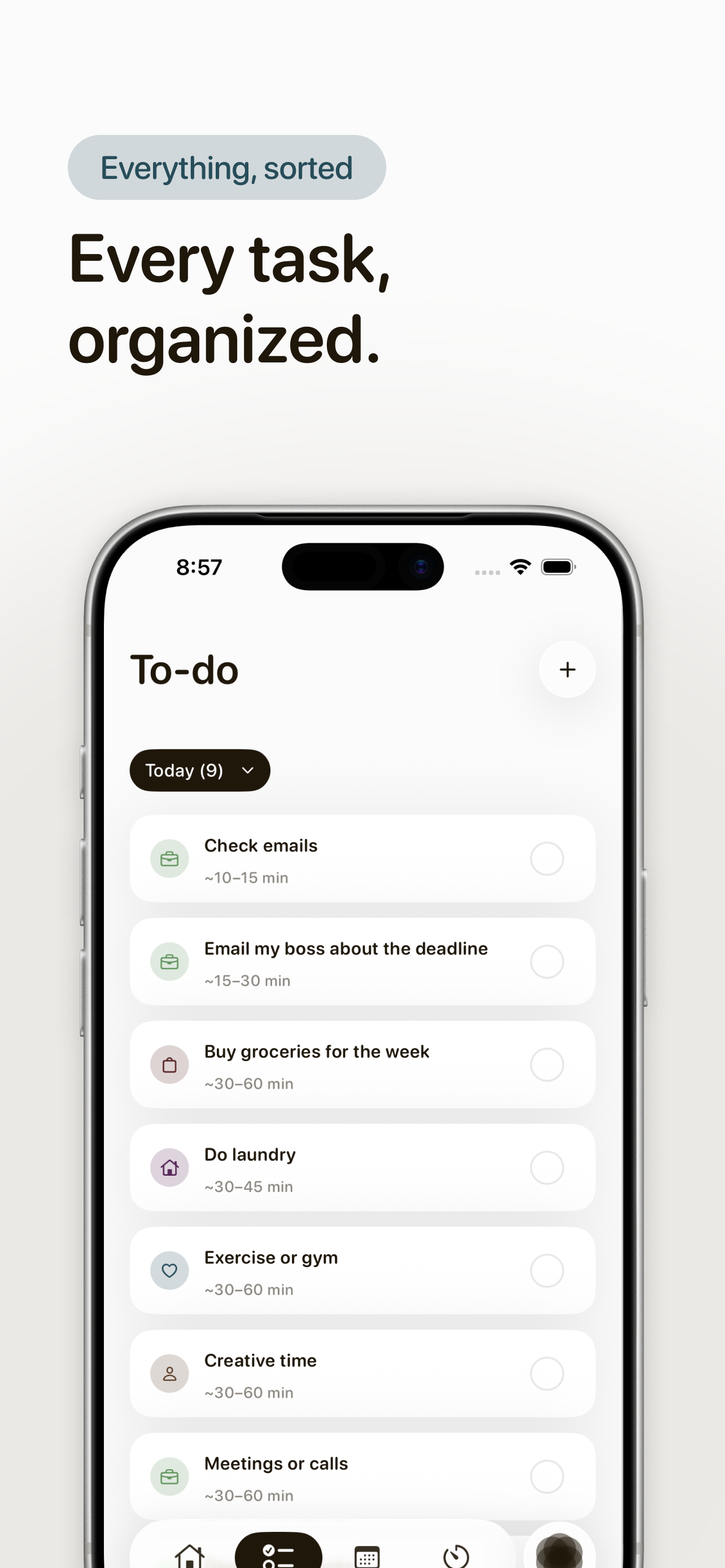
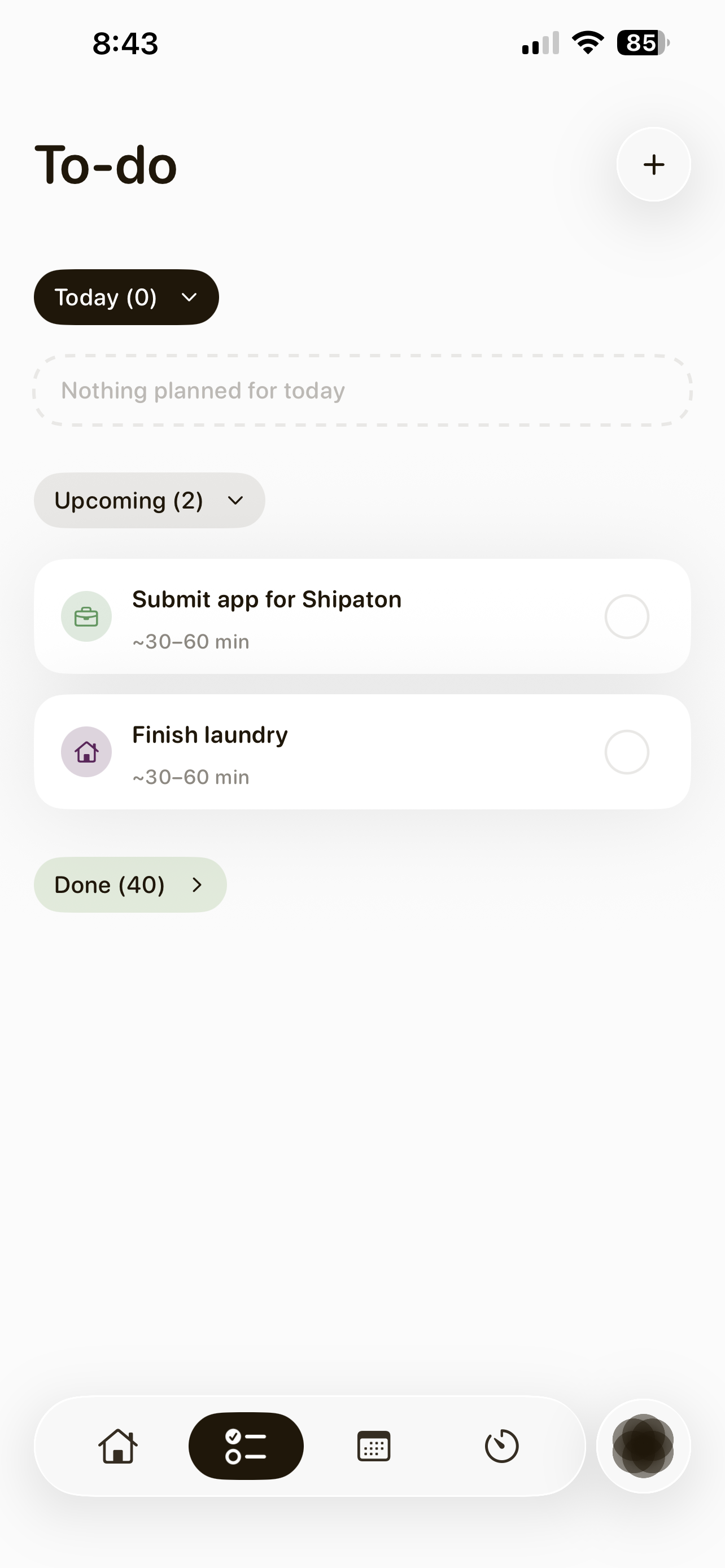
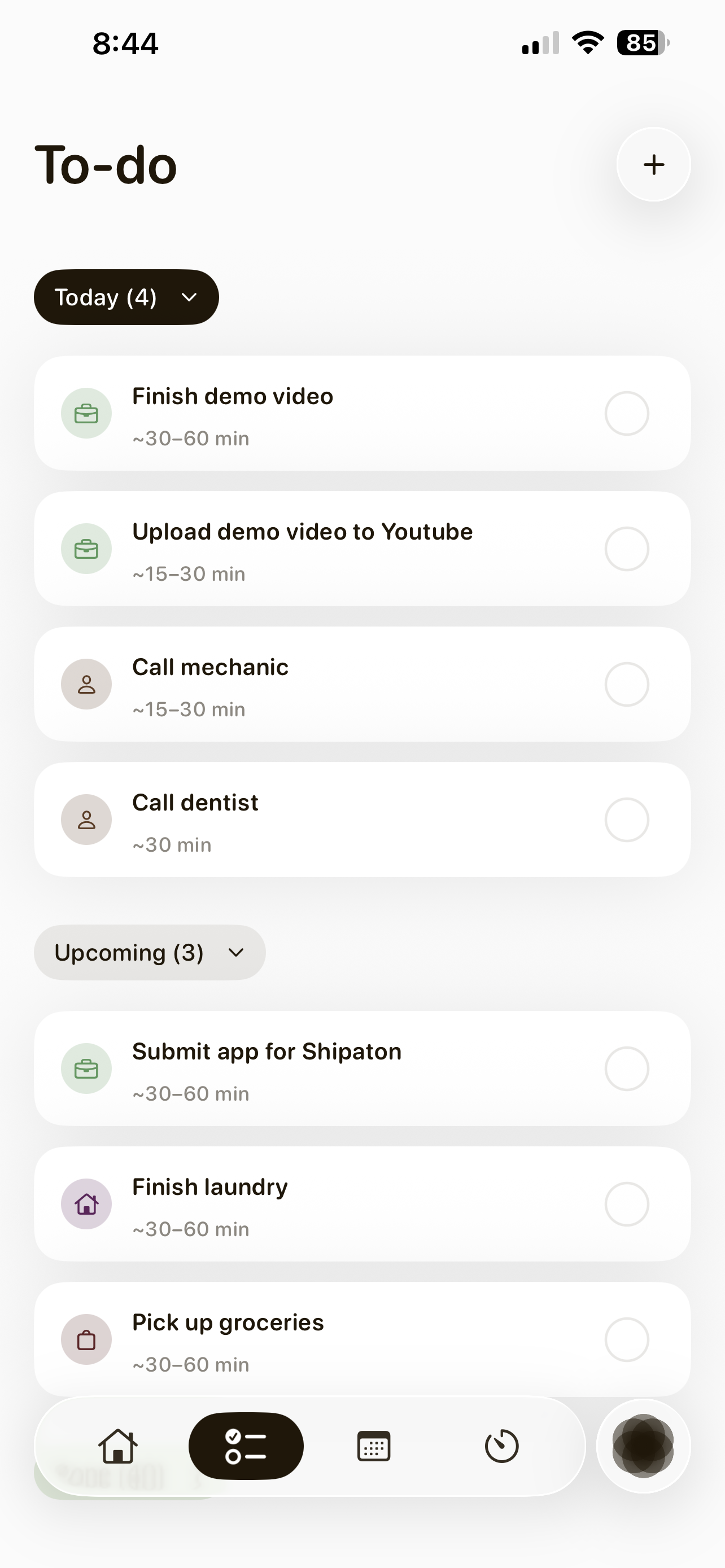
All tasks in one place, organized automatically by the AI.
-
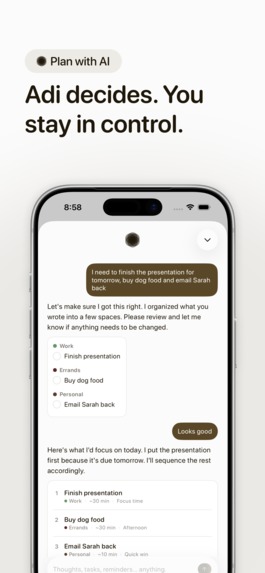
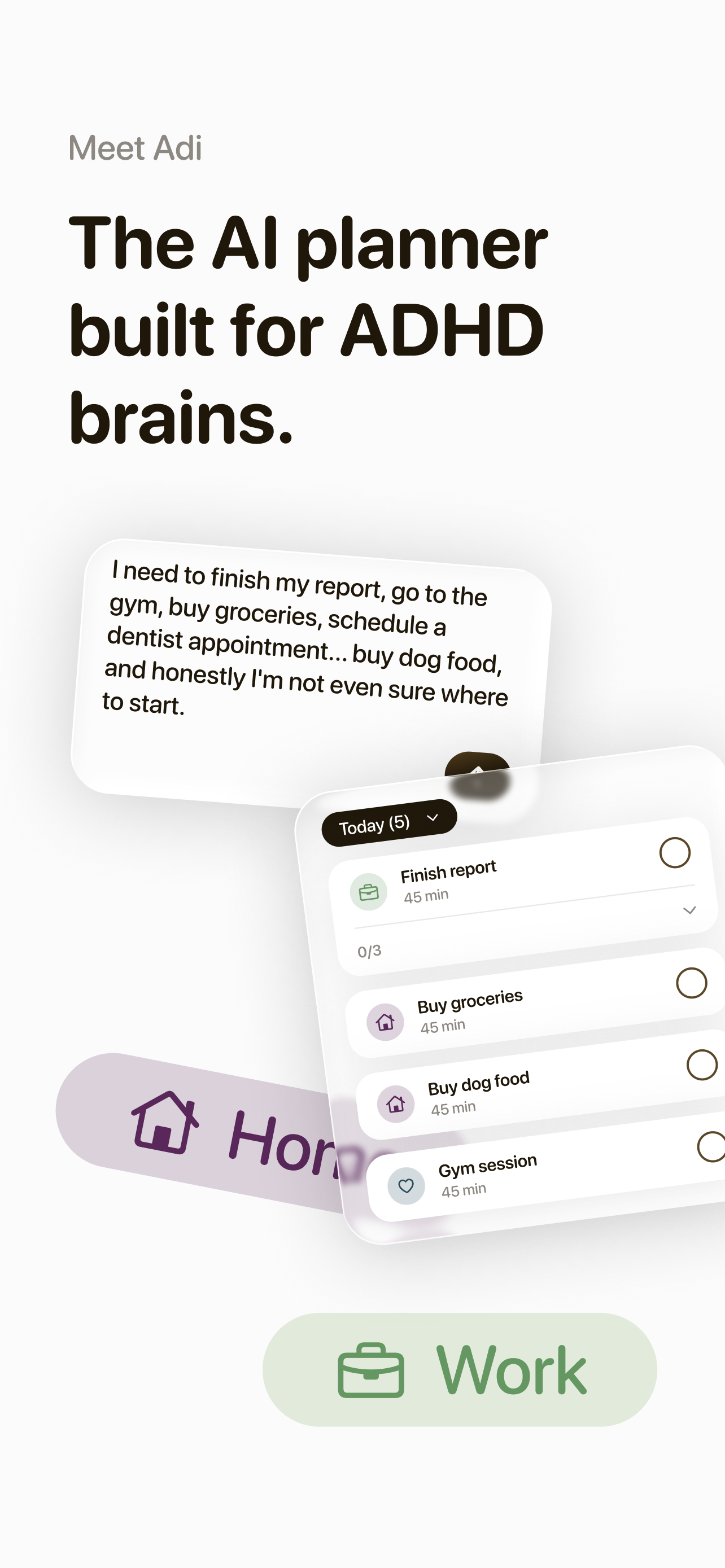
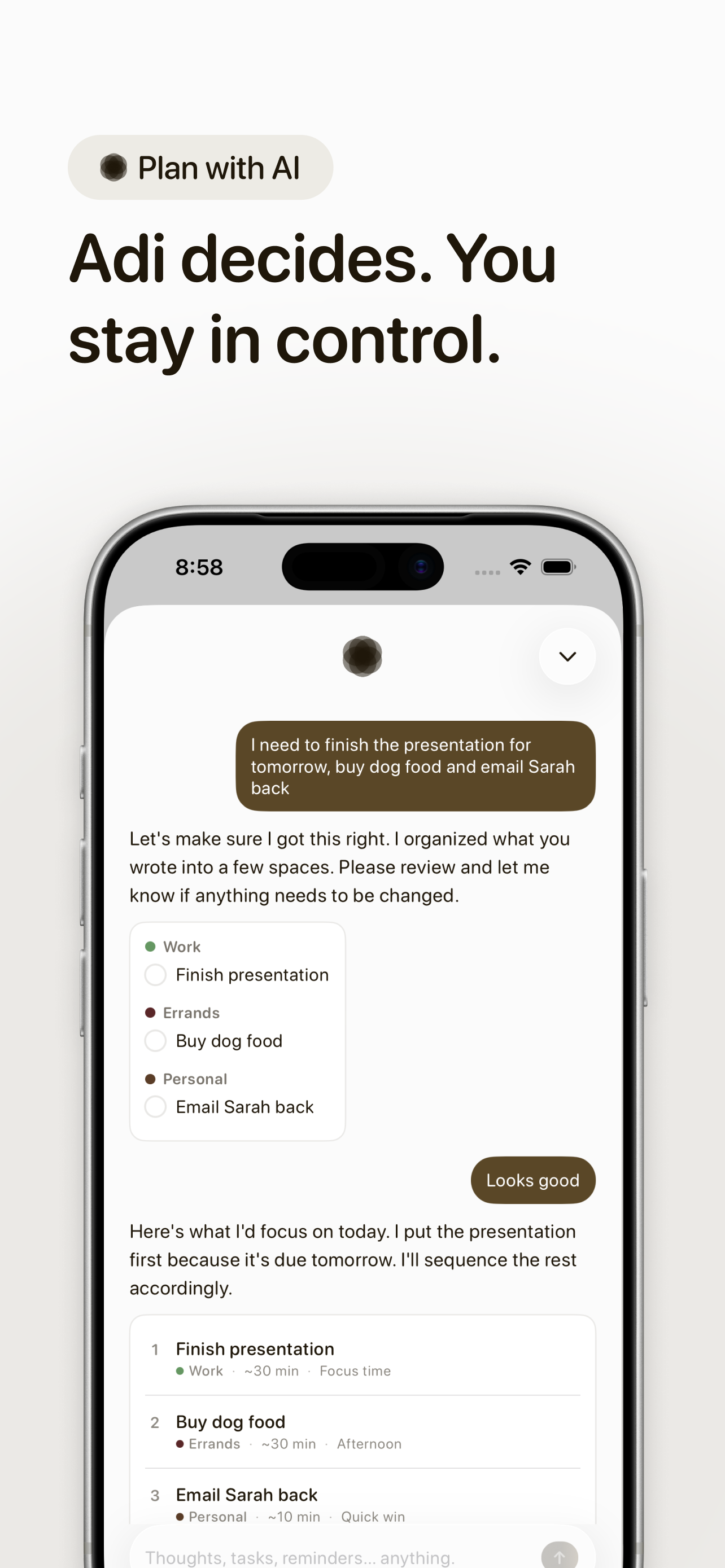
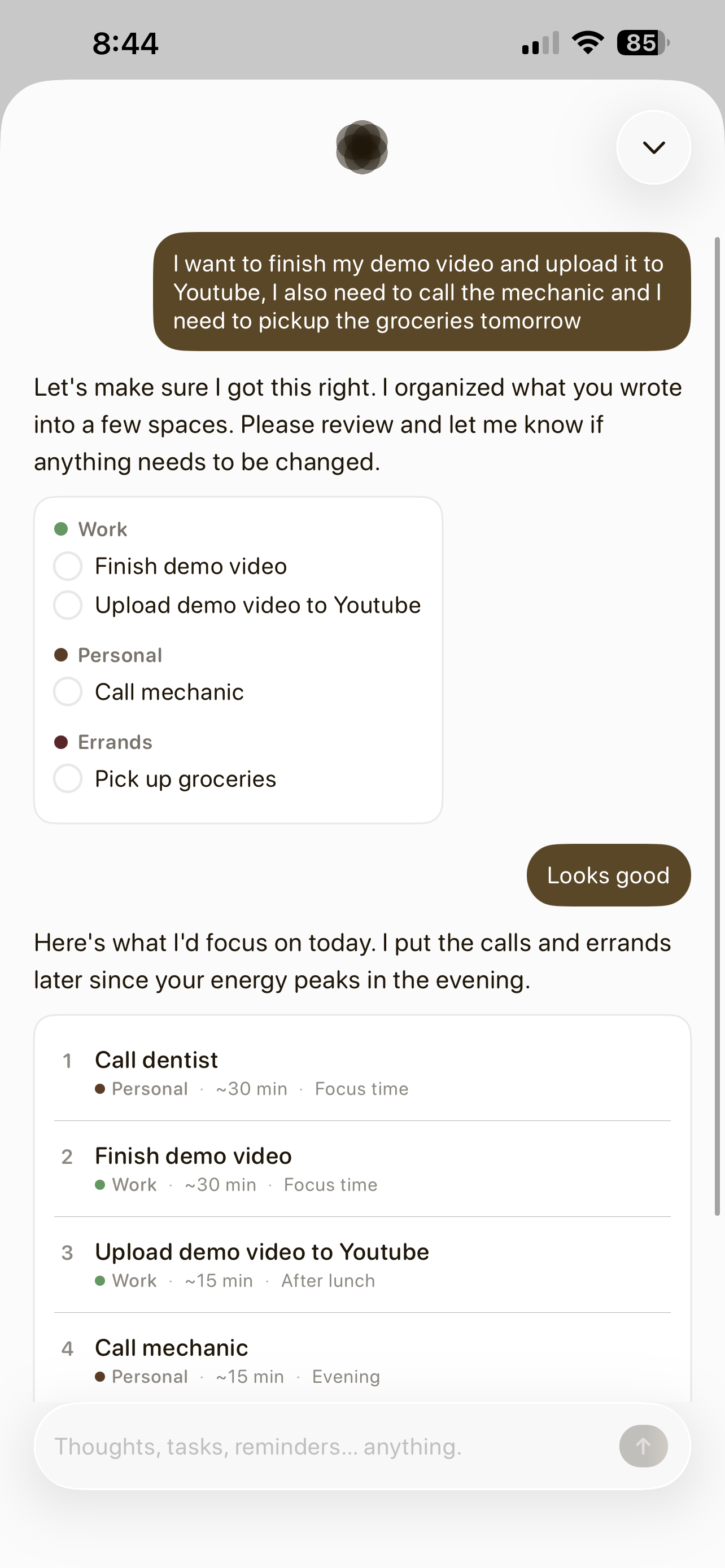
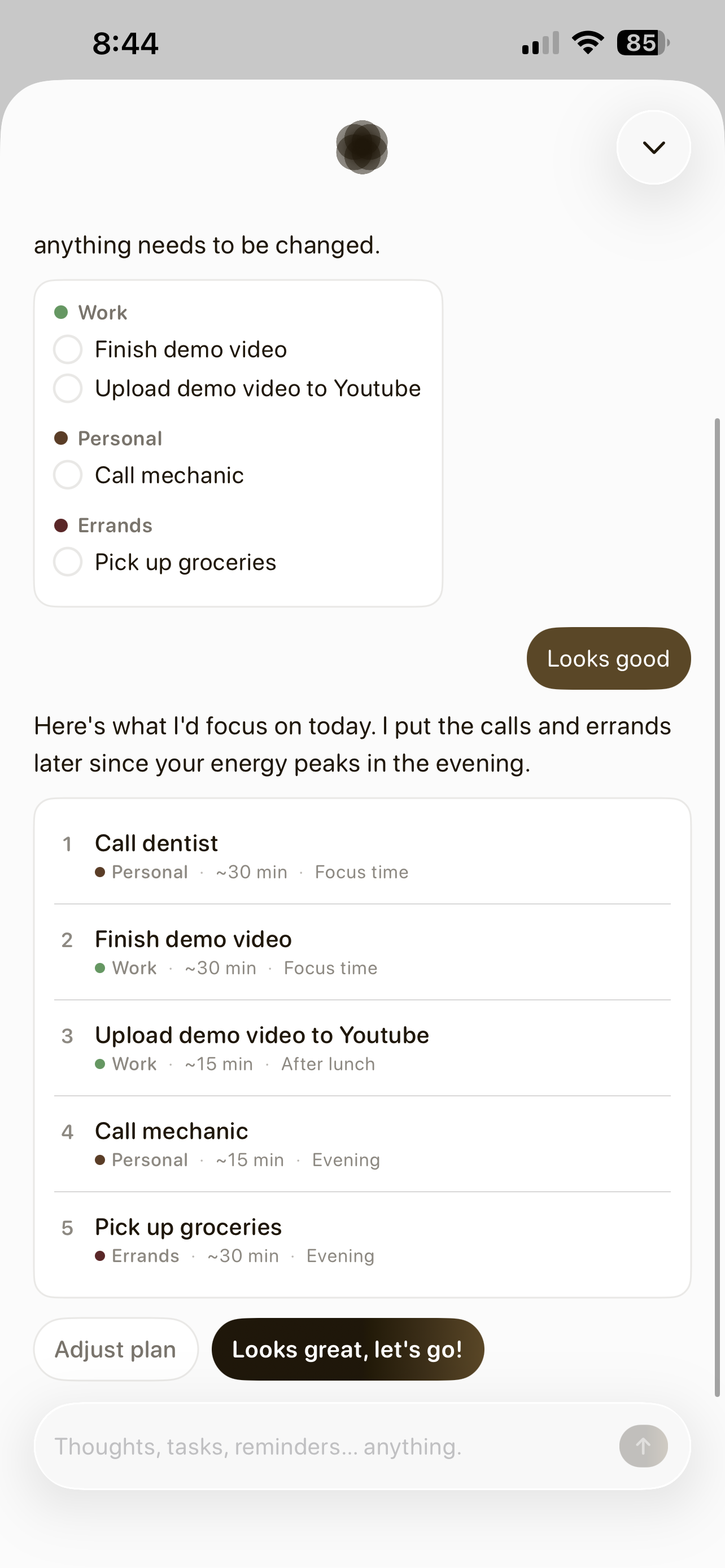
A messy brain dump becomes organized tasks, then a sequenced plan — nothing saves until you approve it.
-
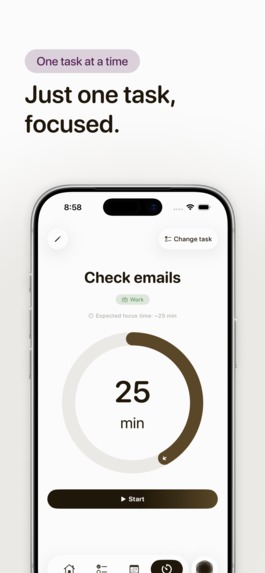
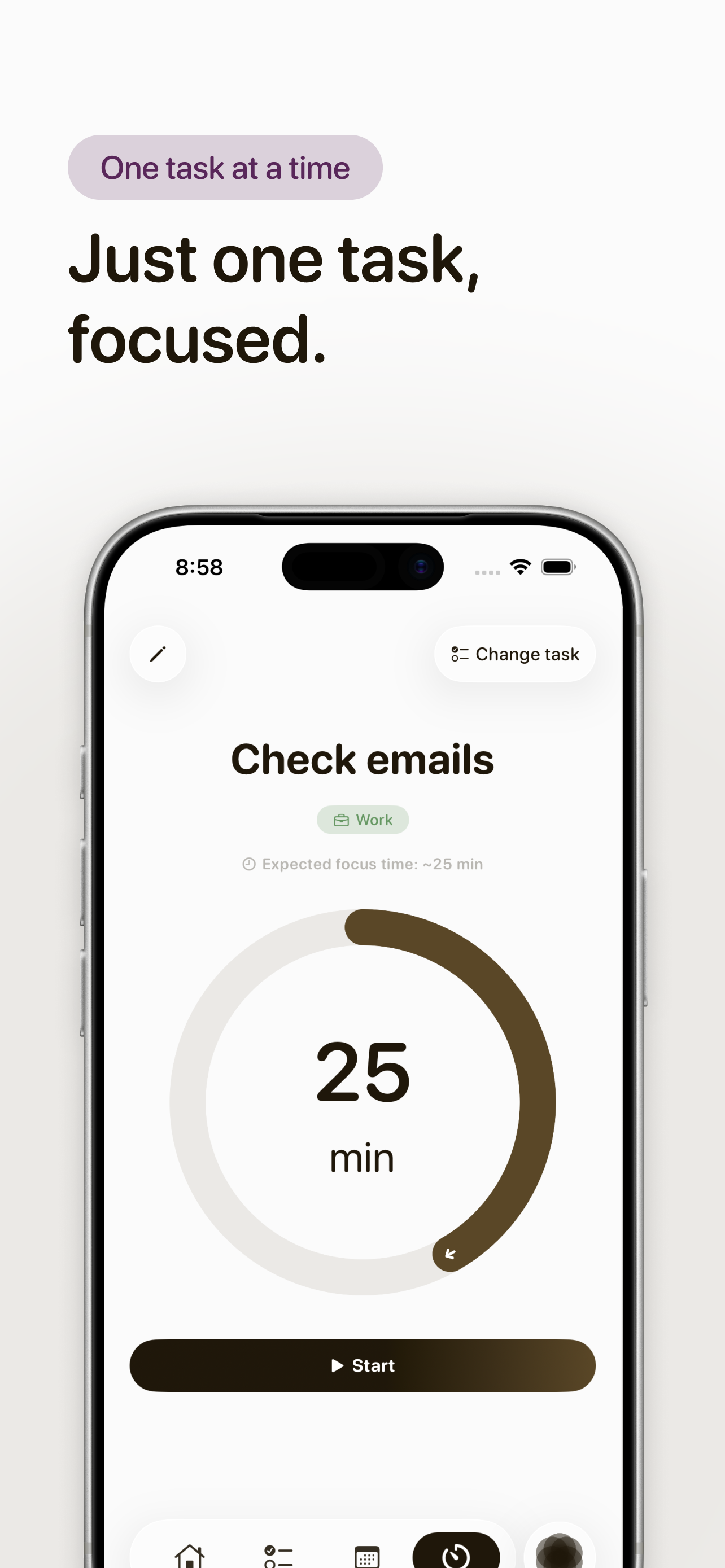
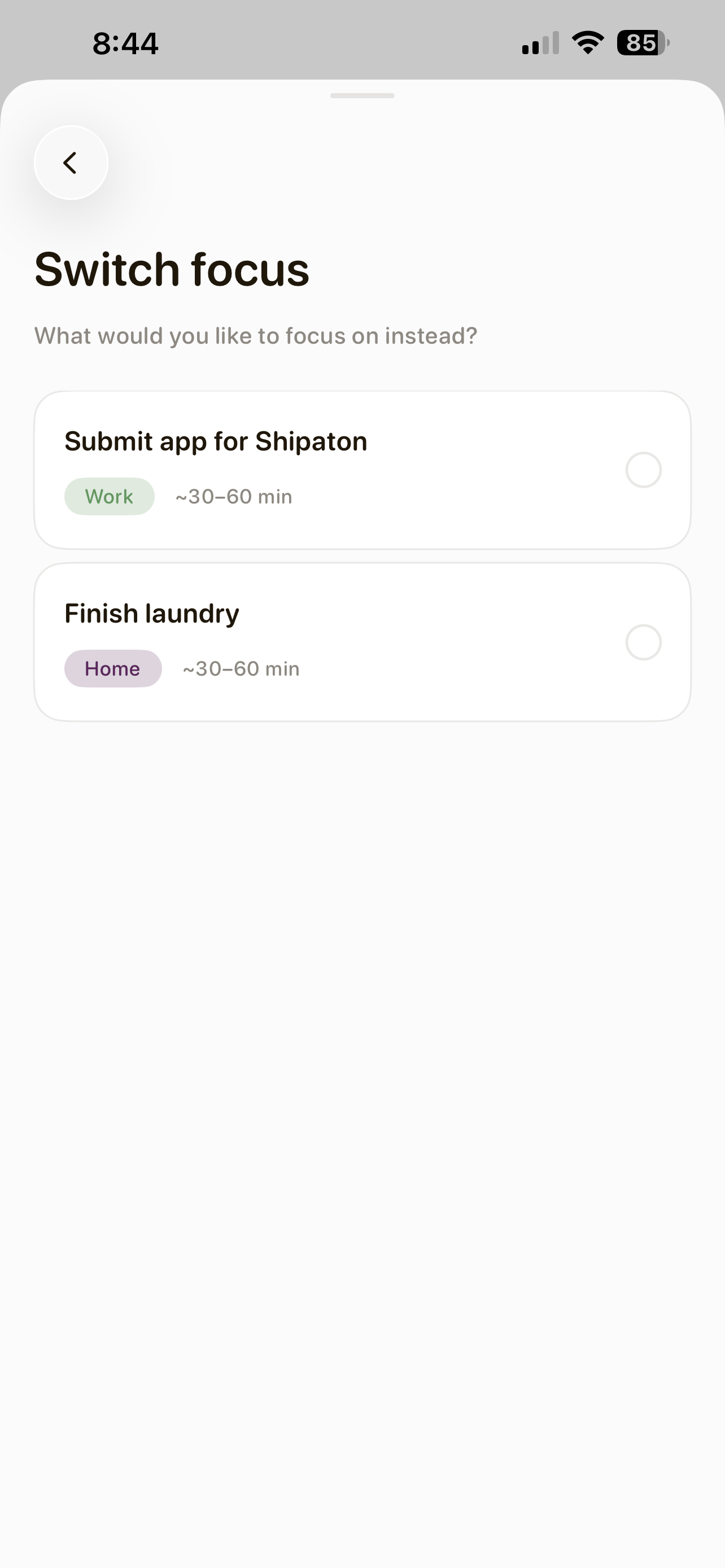
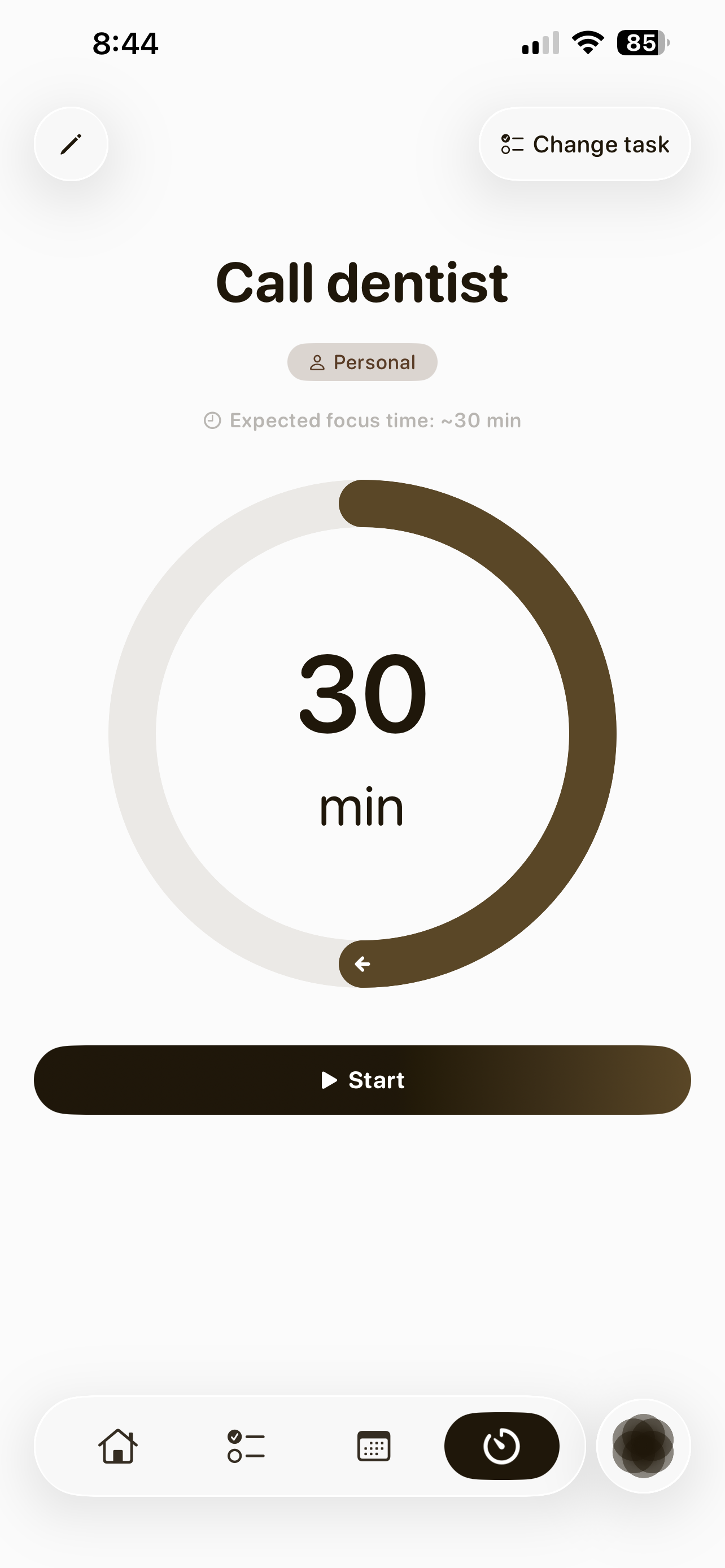
Focus mode shows one task at a time to cut decision fatigue.
-
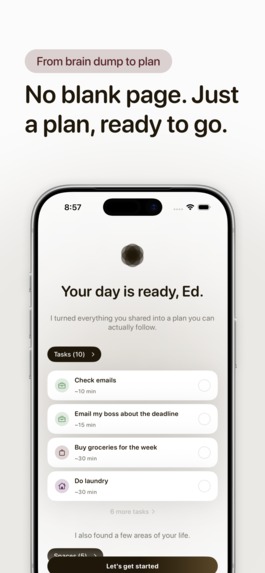
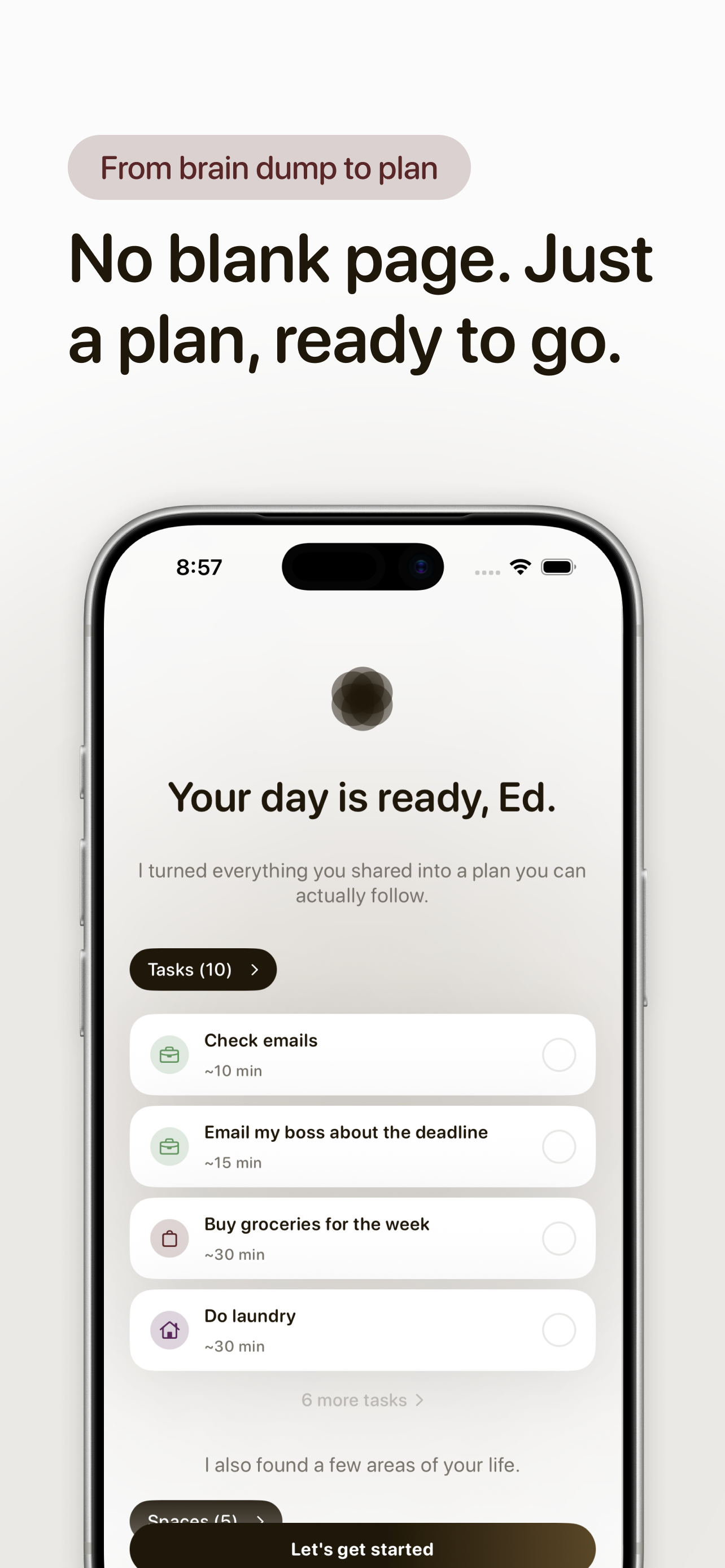
The AI-generated plan, ready to go — grouped by task count and life area.
-
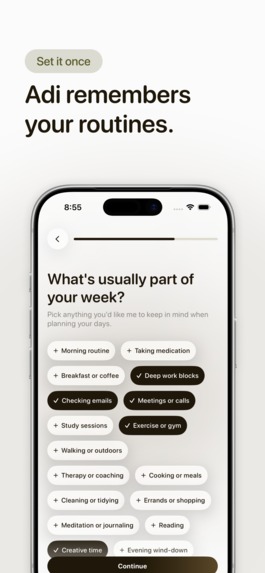
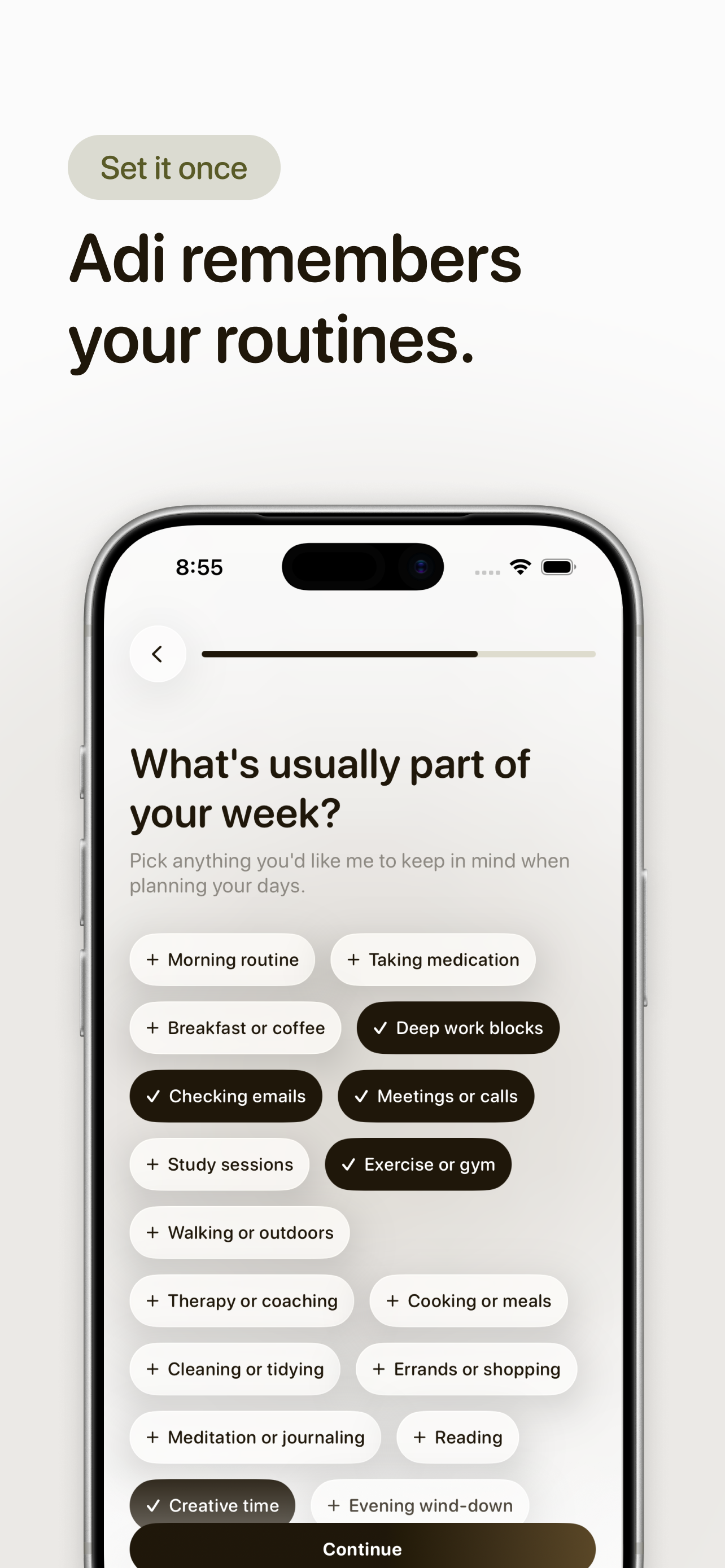
Recurring habits are set once and rebuilt into your plan every day.
-

App Icon
-
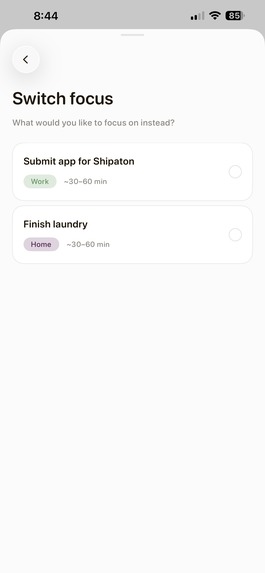
Switching Focus Session
-
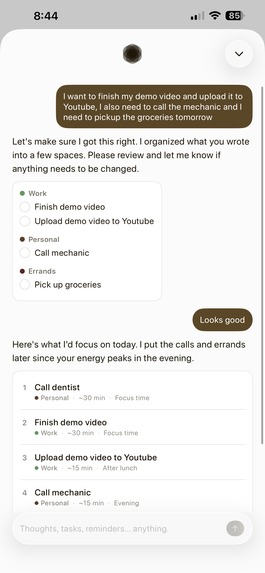
AI Chat Conversation 2
-
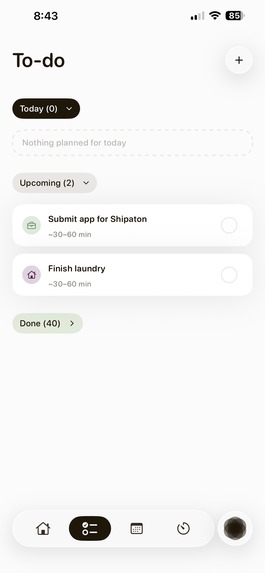
To-do List Screen 1
-
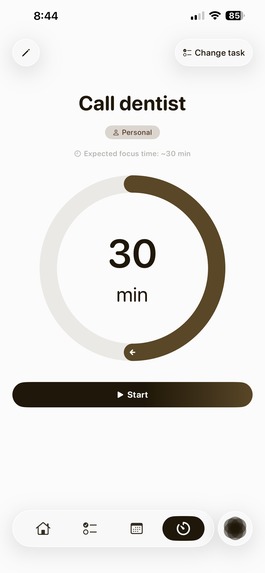
Focus Session Screen
-
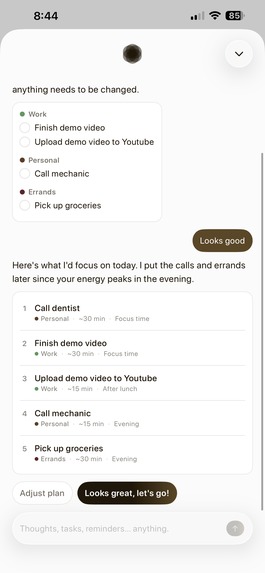
AI Chat Conversation 1
-
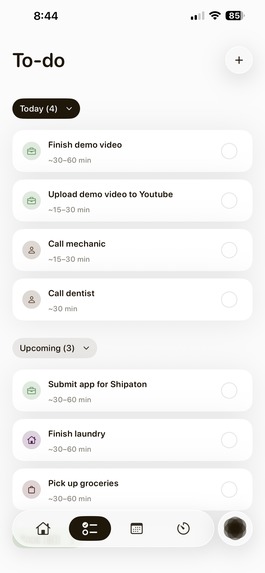
To-do List Screen 2
-
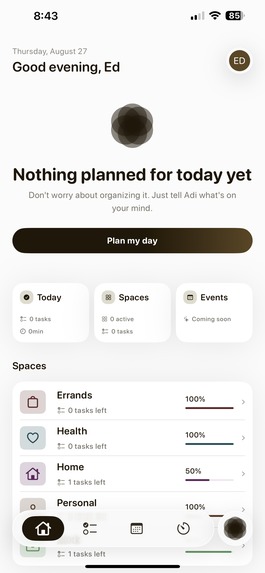
Home Screen

Inspiration
I have ADHD. Nothing sticks with me — not tasks, not plans, not the mental list I made five minutes ago. Every planner I tried assumed I already knew how to plan: blank calendar, blank todo list, figure it out yourself. That's backwards for a brain like mine. The planning is the executive-function tax, not the doing.
So I built the app I actually needed: one where you dump your day out in messy, half-formed thoughts, and the AI does the organizing for you — sequencing, timing, prioritizing — while you just approve or tweak it. Then, instead of a wall of tasks trying to hold your attention all at once, it hands you one task at a time in a dedicated Focus mode. Not "here's your day, good luck." More like: "here's your next thing. Just this one."
What it does
Adi is an AI-first daily planner built specifically for ADHD adults.
- Brain dump → plan. Describe your day however it comes out — no structure required. Adi parses it into real tasks, then sequences them into a schedule based on when your day starts and when your energy tends to peak.
- Approve or edit, always. Nothing saves until you review the AI's plan. Your brain doesn't have to trust a black box — you're still in control.
- Focus mode. One task, full attention, no list to get lost in.
- Recurring habits & smart reminders. Set it once, and it rebuilds itself into your plan going forward, with per-task reminders at whatever lead time actually works for you.
I built this from the research, too — the onboarding is grounded in real ADHD studies, not just vibes, because I wanted the app to feel like it understood the problem, not just claim to.
How I built it
- SwiftUI (iOS 26) — fully custom UI, hand-built, nothing off-the-shelf.
- Supabase for auth (Sign in with Apple only), Postgres, and Edge Functions.
- OpenAI GPT-4o mini, called through a two-pass Supabase Edge Function (
plan-day): one call parses the brain dump into discrete tasks, a second call sequences them into an actual schedule. Splitting it into two focused calls fixed early versions where the AI hedged instead of committing to a plan. - RevenueCat for the subscription (14-day trial → $7.99/mo or $49.99/yr), behind a fully custom SwiftUI paywall — I wanted it to feel like part of the app, not a screen bolted on top.
- PostHog for analytics, Upstash Redis for rate-limiting the AI endpoints.
Solo-built, solo-designed — every screen went from Figma to SwiftUI by hand.
Challenges I ran into
The RevenueCat gap that could have quietly cost me the whole business. Two weeks after launch, I realized I genuinely didn't know what happened when a free trial expired without converting. When we audited it, the answer was: nothing. There was no subscription check anywhere in the app outside the paywall's own purchase button — ContentView's auth flow only ever checked "does this user have an account," never "is this user actually entitled right now." Once someone finished onboarding once, they had permanent access to every AI feature, forever, trial or no trial. We fixed it by building a dedicated SubscriptionManager that owns entitlement state as a single source of truth, and gating access at both cold launch and every time the app comes back to the foreground — because a trial can expire while the app is just sitting in the background, and the old code would never have noticed.
Making "AI decides" feel safe, not controlling. People with ADHD have often been burned by rigid systems that punish you for not following them perfectly. The plan only ever previews — nothing touches the database until you approve it — and getting that to feel supportive instead of like one more task took real iteration.
Apple's AI-consent requirement. Sending a brain dump to a third-party AI model triggers Guideline 5.1.2(i), so I had to build an explicit consent screen into onboarding instead of assuming it was implied.
Getting the AI to commit, not hedge. Early prompts gave wishy-washy suggestions instead of a real schedule — the two-call parse-then-sequence structure fixed that by giving each call exactly one job.
What I learned
The RevenueCat bug taught me the most important lesson of this whole build: for a subscription business, "it works when someone taps subscribe" and "it's actually enforced everywhere, at every app state" are two completely different claims, and only one of them matters.
But the deeper thing I learned is about building for a brain like mine. An "AI-first" product for ADHD users lives or dies on how much you're willing to not ask of the user — every extra confirmation, every visible uncertainty from the AI, every "are you sure?" is one more thing that doesn't stick. I didn't build Adi because I thought it'd be a good idea. I built it because I needed it, and it turns out building the thing you personally can't live without is the best debugging tool there is — I am, apparently, a very thorough QA tester for my own forgetfulness.

Log in or sign up for Devpost to join the conversation.