-
-
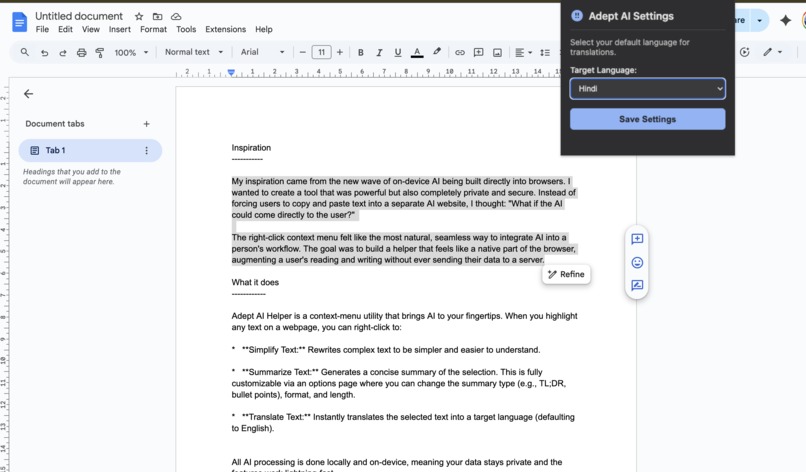
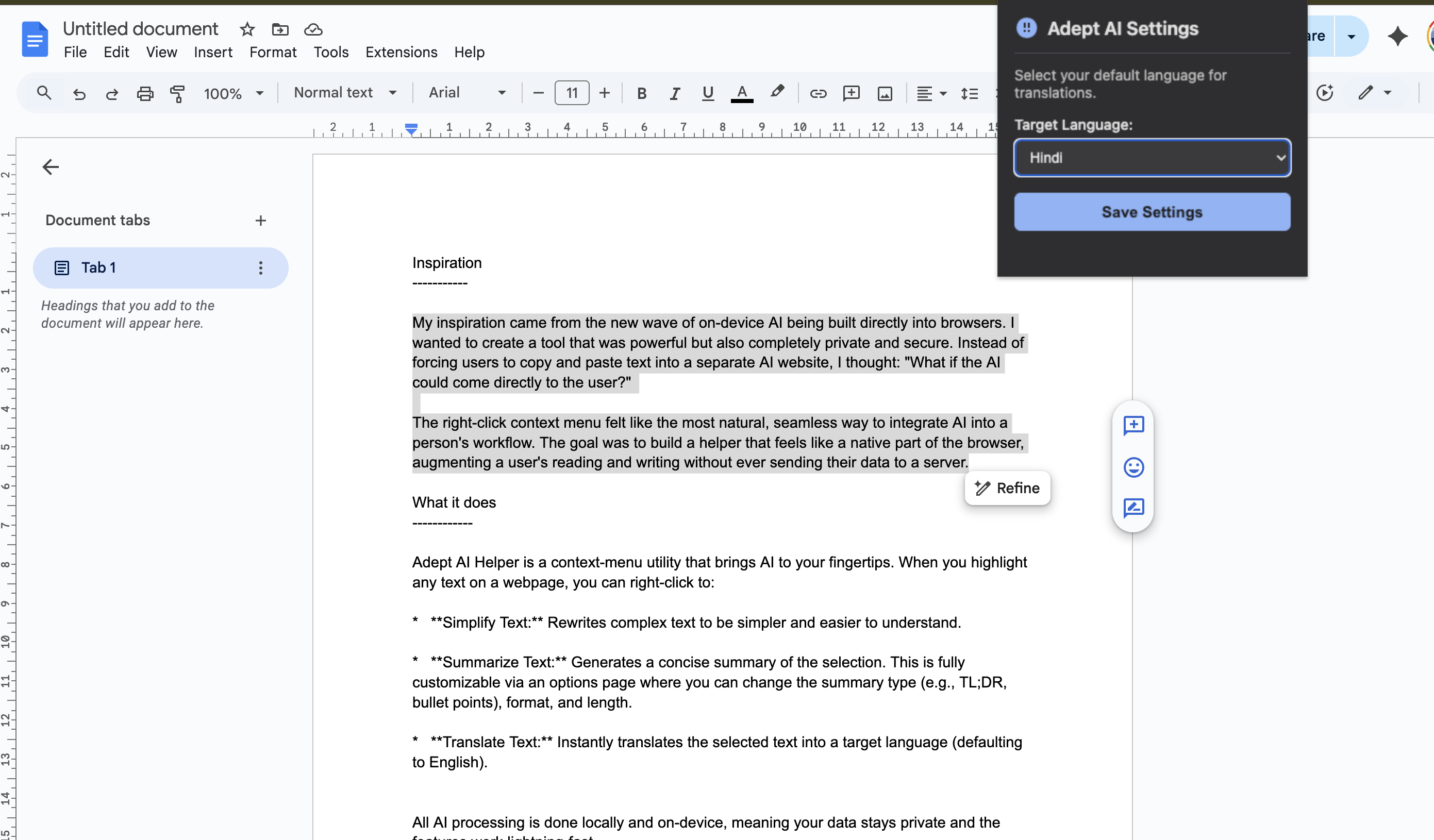
From the extension's popup, users can set their default translation language (e.g., to Hindi).
-
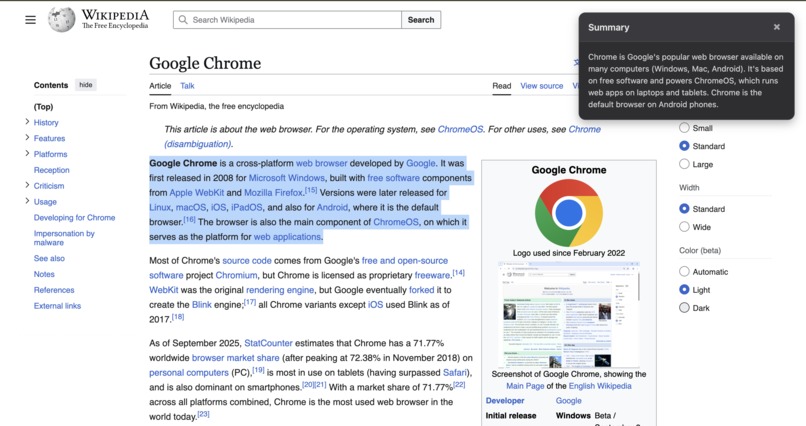
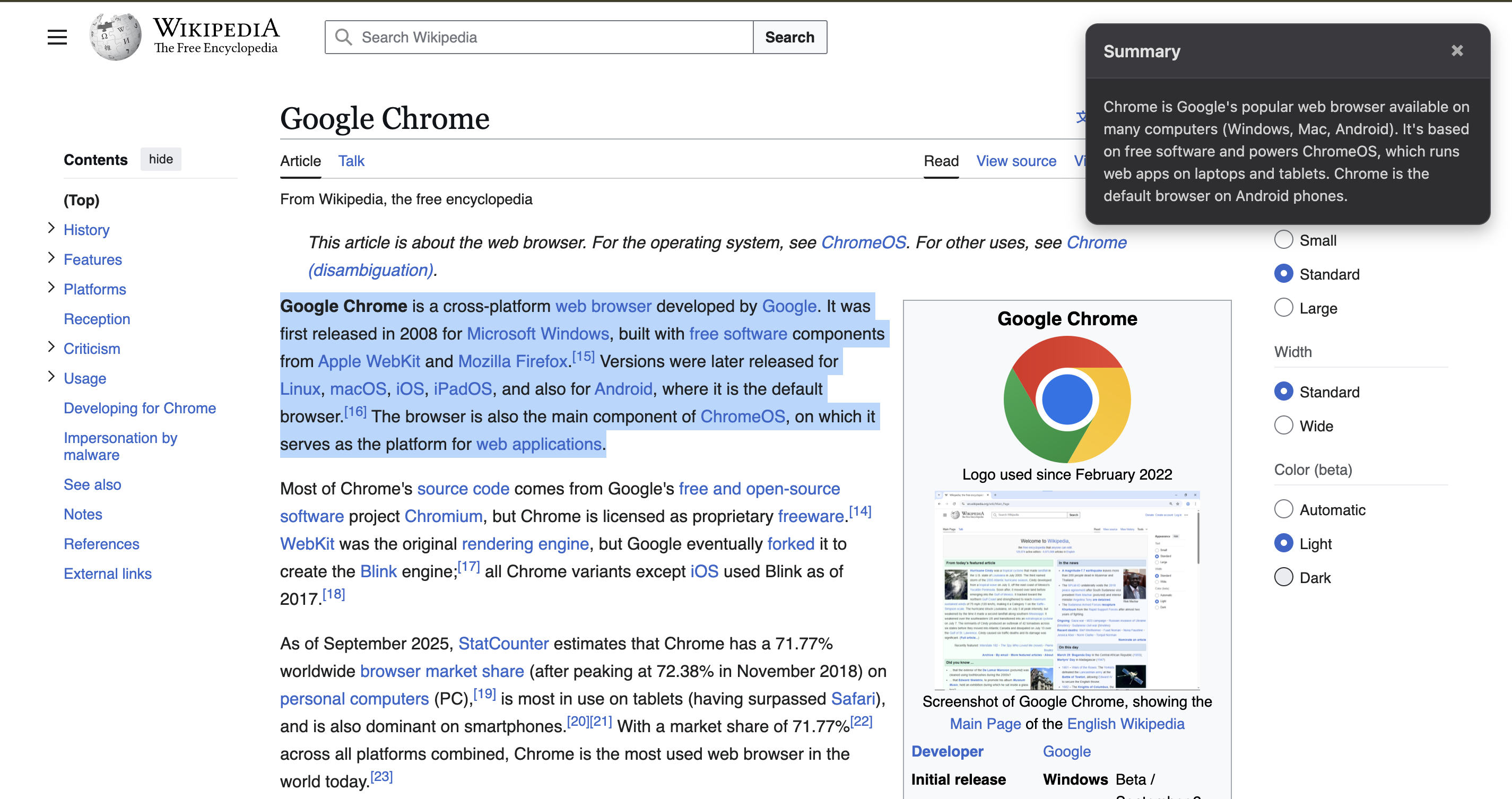
The 'Summarize Text' feature generates a clean, on-page summary of the selected text.
-
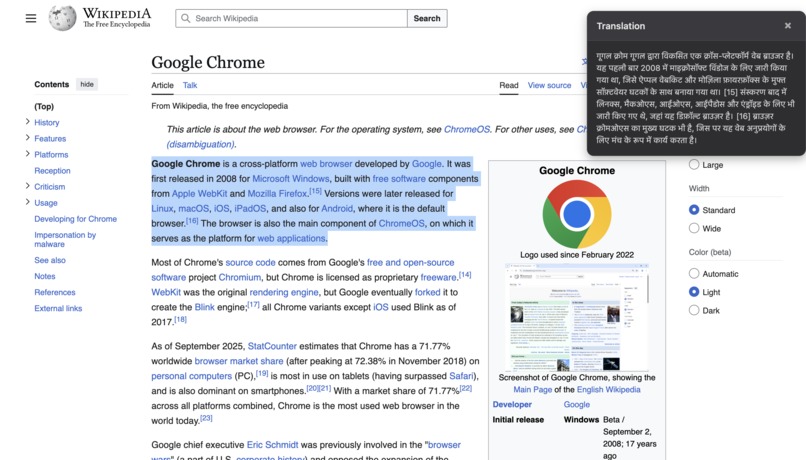
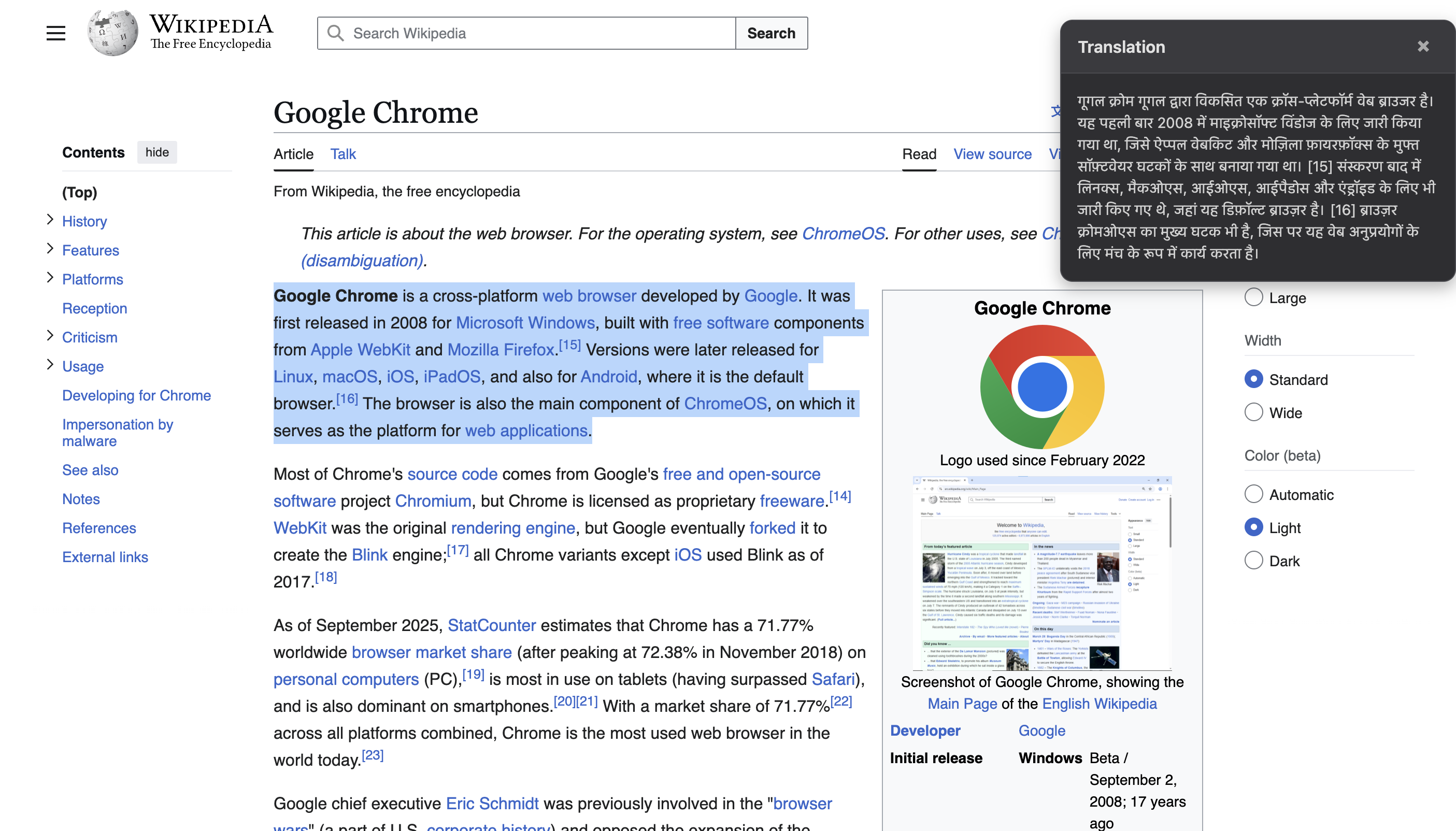
'Translate Text' in action, translating an English passage to Hindi using on-device AI.
-
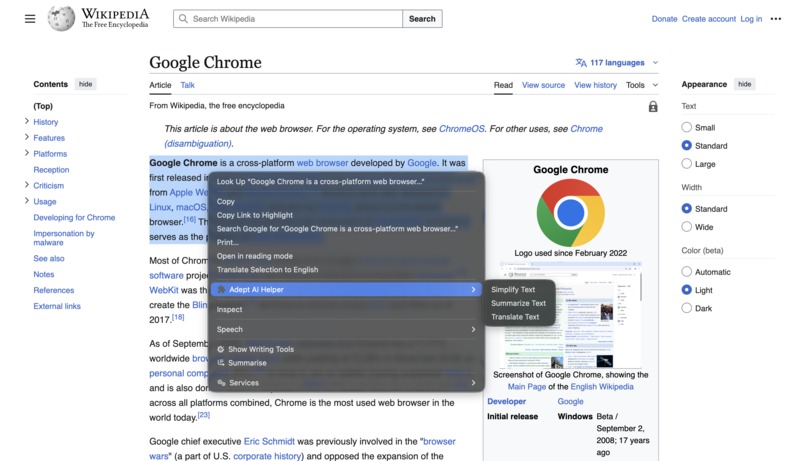
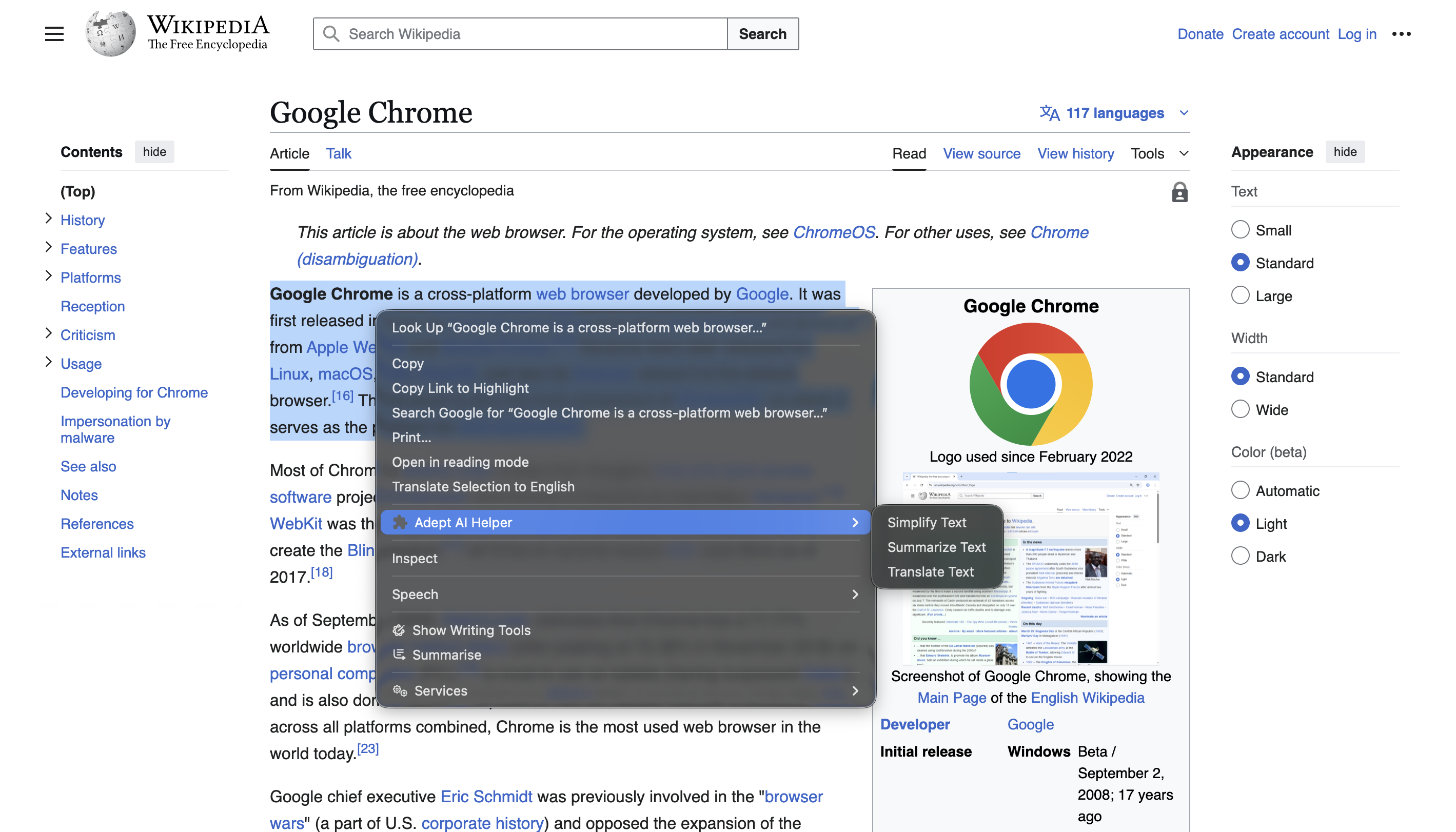
Right-click highlighted text to access the Adept AI Helper menu with its Simplify, Summarize, and Translate options.
Inspiration
My inspiration came from the new wave of on-device AI being built directly into browsers. I wanted to create a tool that was powerful but also completely private and secure. Instead of forcing users to copy and paste text into a separate AI website, I thought: "What if the AI could come directly to the user?"
The right-click context menu felt like the most natural, seamless way to integrate AI into a person's workflow. The goal was to build a helper that feels like a native part of the browser, augmenting a user's reading and writing without ever sending their data to a server.
What it does
Adept AI Helper is a context-menu utility that brings AI to your fingertips. When you highlight any text on a webpage, you can right-click to:
Simplify Text: Rewrites complex text to be simpler and easier to understand.
Summarize Text: Generates a concise summary of the selection using hard-coded defaults (e.g., 'tldr' type, 'plain-text' format). We plan to make these settings customizable in a future update.
Translate Text: Instantly translates the selected text into a user-selected target language, which can be set in the extension's popup (Automatically detects the language of the selected text using
LanguageDetector).
All AI processing is done locally and on-device, meaning your data stays private and the features work lightning-fast.
How we built it
We built this as a modern Chrome Extension using Manifest V3. The core logic lives in a background service worker (background.js) that listens for context menu clicks.
The extension is built with HTML5, CSS3, and modern JavaScript (ES6+ async/await).
It relies entirely on Chrome's built-in, on-device AI APIs, including:
chrome.contextMenusto create the right-click menu.summarizer.summarizefor summarization.rewriter.rewritefor the simplification feature.LanguageDetector.createandTranslator.createfor translation.chrome.storage.syncto save the user's choices from the options.html page and sync them across their devices.
Challenges we ran into
The main challenge was navigating the "experimental" nature of the on-device APIs. My "Simplify" feature initially failed, reporting that the Rewriter API was unavailable. This forced me to learn about Chrome's experimental flags (chrome://flags) and understand that testing requires a specific environment (like Chrome Canary) and user configuration.
Another challenge was a ReferenceError: window is not defined bug. This taught me the critical difference between the window global scope (for a webpage) and the self global scope (for a service worker), which was a key lesson in extension development.
Accomplishments that we're proud of
I'm incredibly proud of building a fully functional and seamless user experience. The biggest accomplishments are:
The Dynamic Settings Popup: Creating a browser action popup that uses
chrome.storage.syncto save user settings—like summarizer preferences and the target translation language—and immediately apply them to the AI models.Robust Error Handling: The extension doesn't crash if an AI model is unavailable. It safely checks for API availability first and provides a clear error message to the user.
Privacy-First Design: Successfully building a useful AI tool that runs 100% on-device, guaranteeing user privacy.
What we learned
This project was a deep dive into the architecture of modern Chrome Extensions. The key takeaways were:
How to build a secure Manifest V3 extension using a service worker.
How to safely check for the availability of experimental APIs and write resilient code.
The difference between
windowandselfin browser vs. service worker contexts.How to use
chrome.storage.syncto persist user options and create a dynamic experience.
What's next for Adept AI Helper
The current version is a strong foundation. In the future, I'd love to expand its capabilities by:
Adding more rewrite tones (e.g., "more formal," "more casual," "expand text").
Expanding the settings popup to include more user controls.
Building a custom prompt feature to let users run their own commands on the selected text.
Built With
- contextmenus
- css3
- html5
- javascript
- languagedetector
- manifestv3
- rewriter
- storage
- summarizer


Log in or sign up for Devpost to join the conversation.