-
-
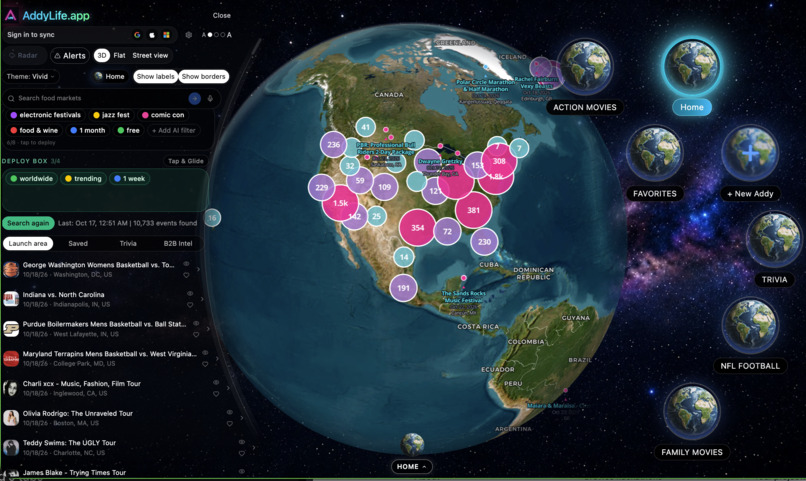
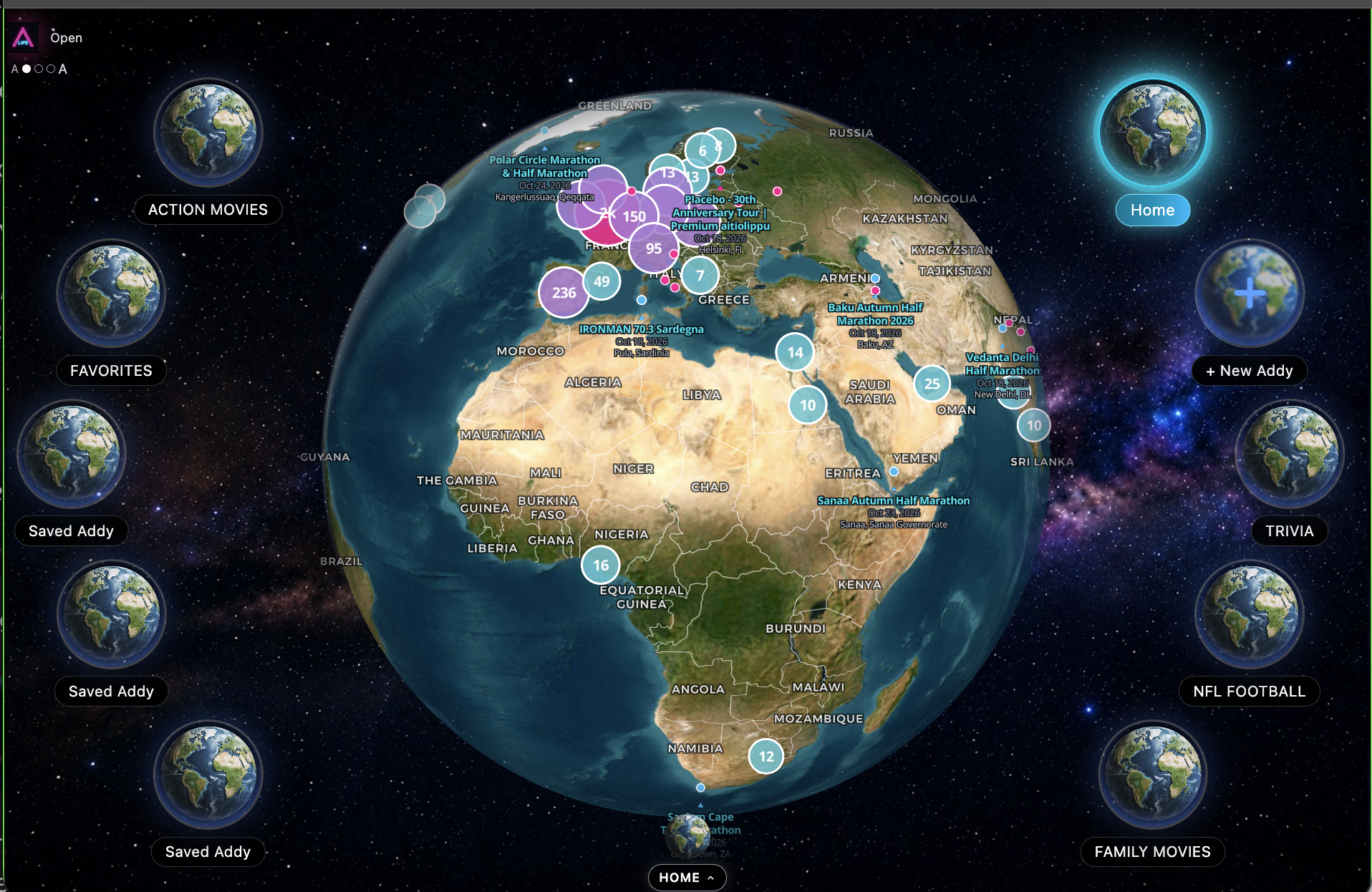
3D interactive glove with customizable bookmarks
-
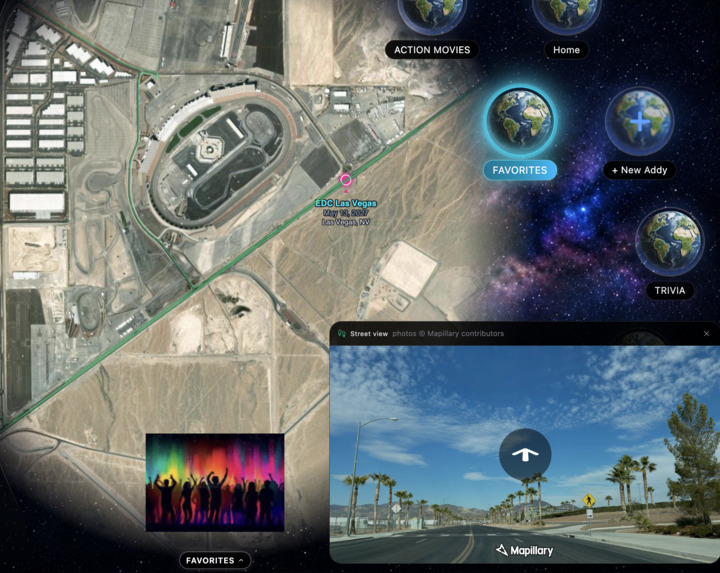
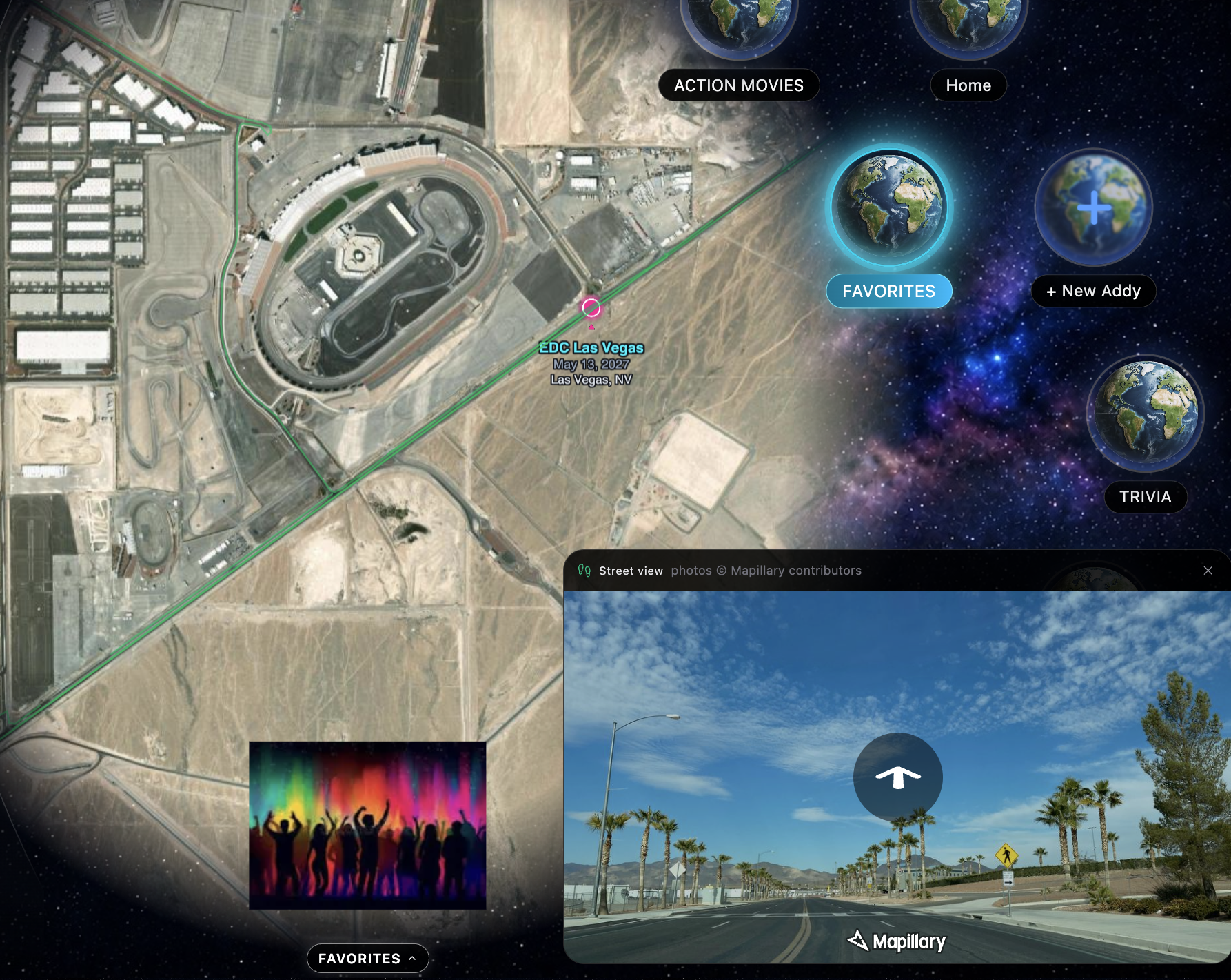
Immersive street view experience worldwide
-
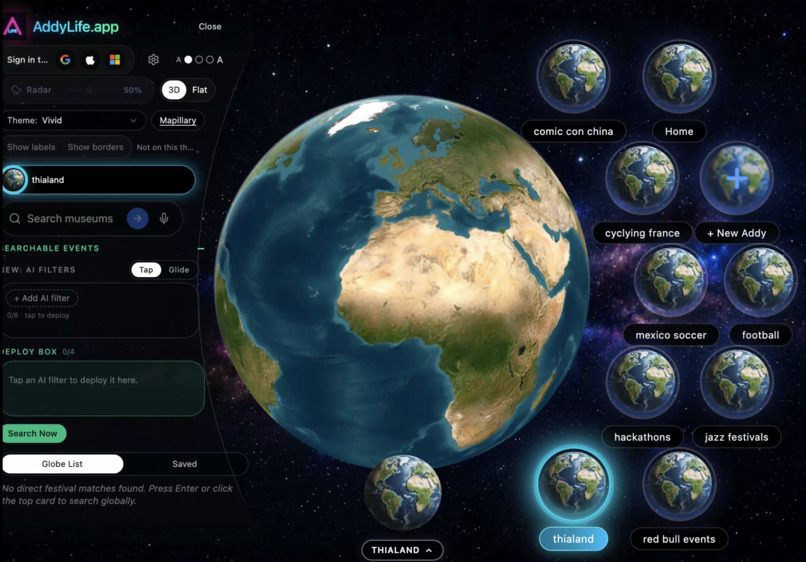
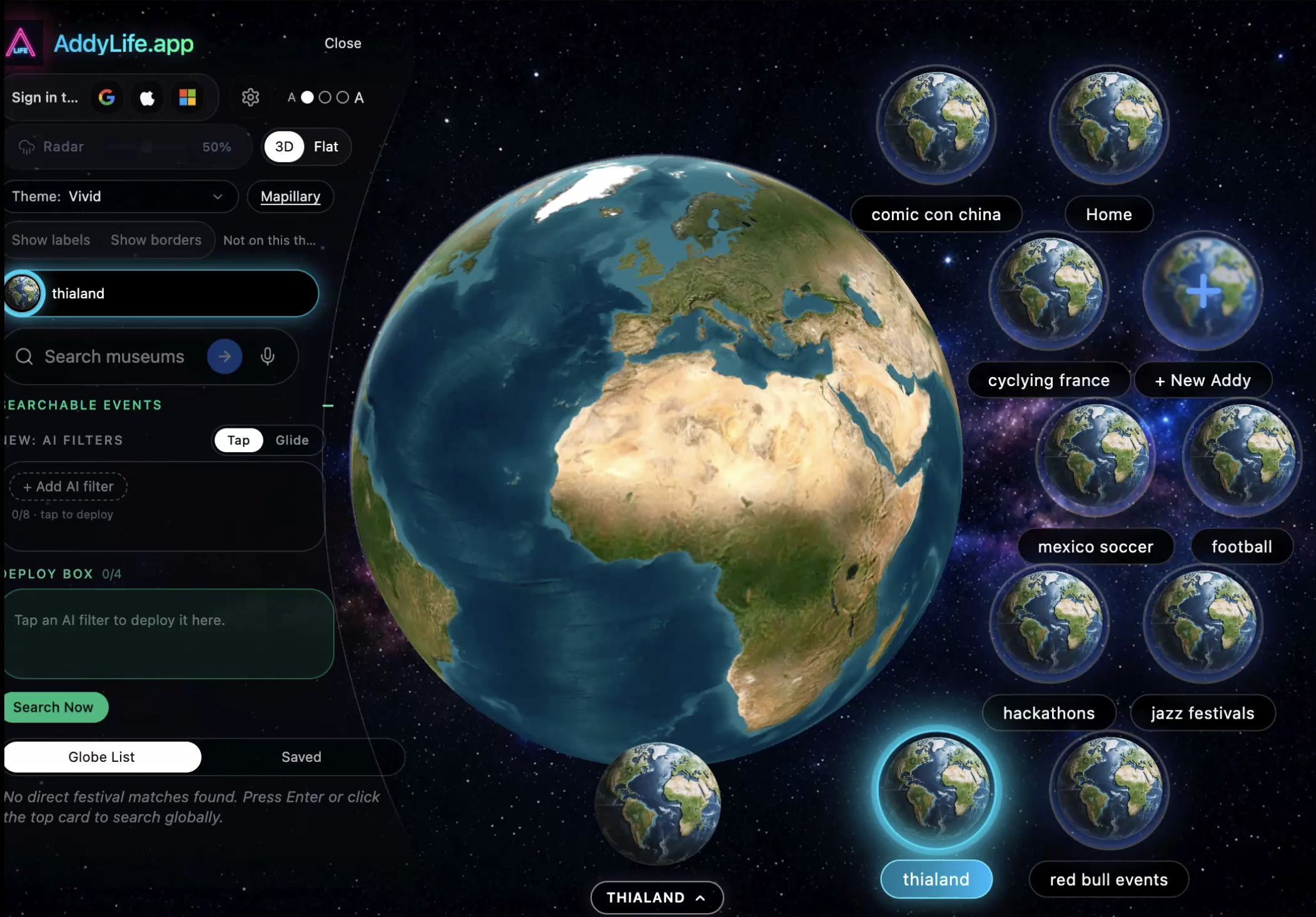
Add 8 custom filtered bookmarks for easy access
-
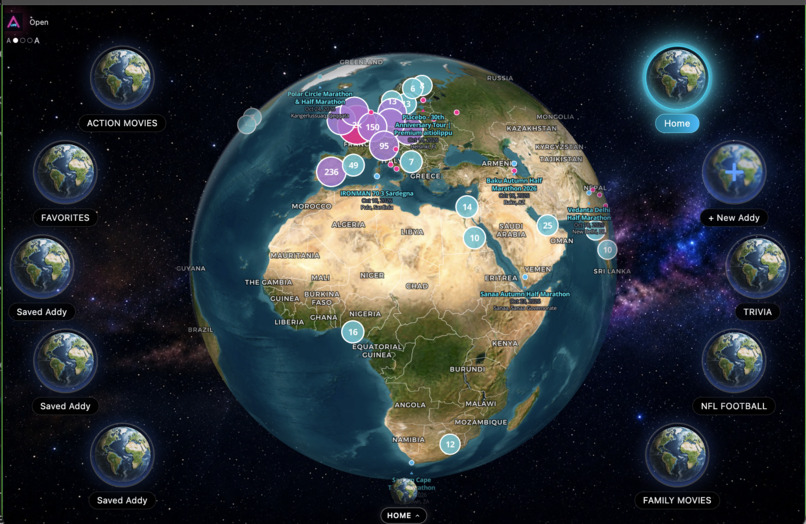
Closed side panel view with fast changing saved points of interest
-
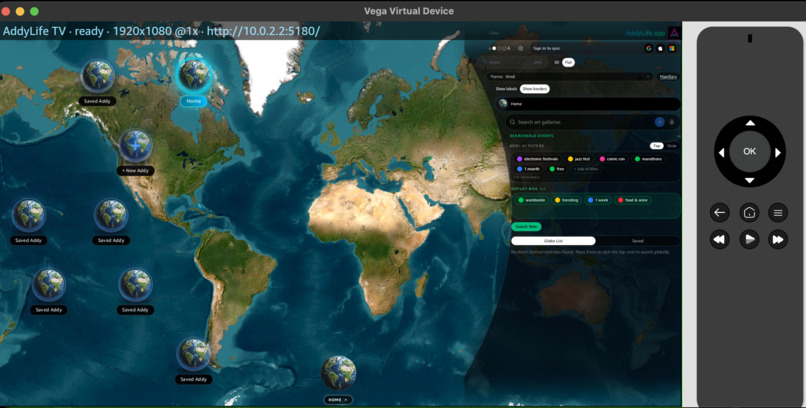
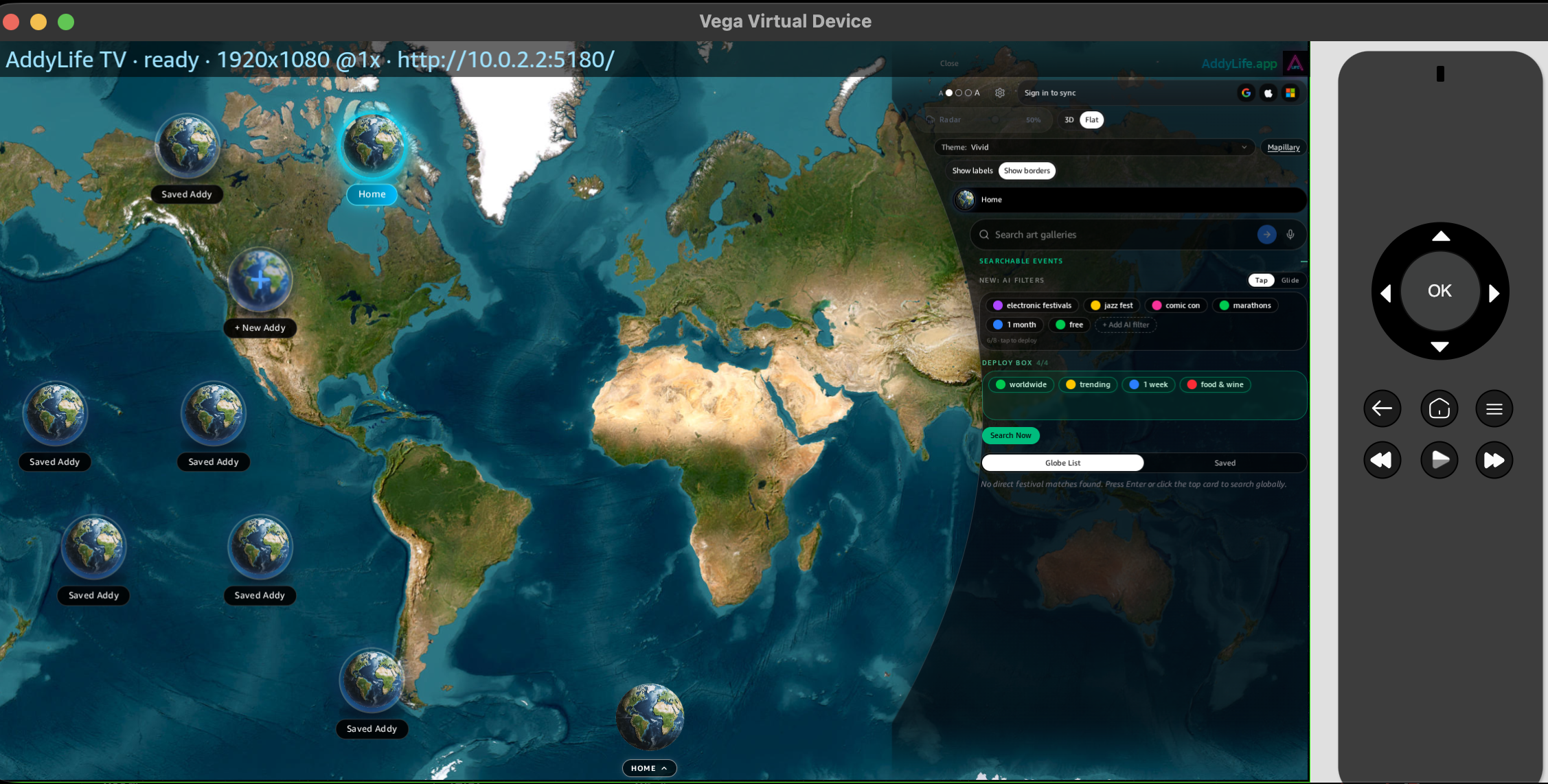
Vega simulator flat view mode and side panel interchangeable for maximum accessibility.
-
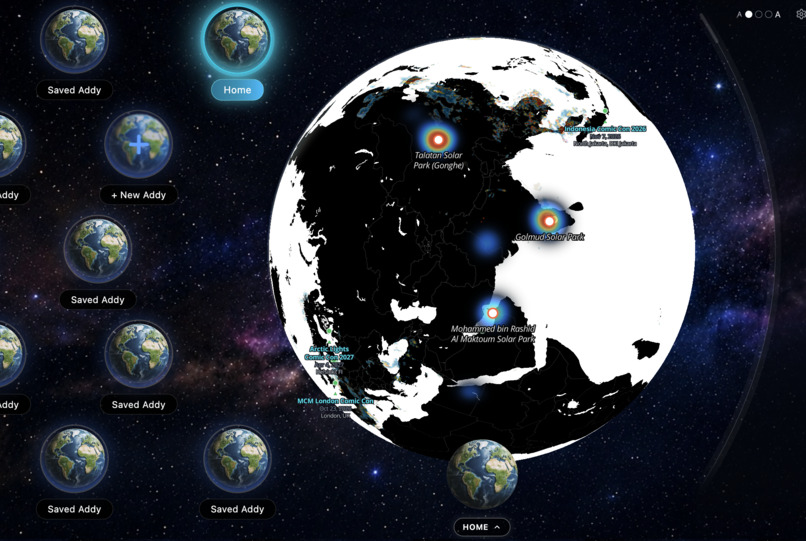
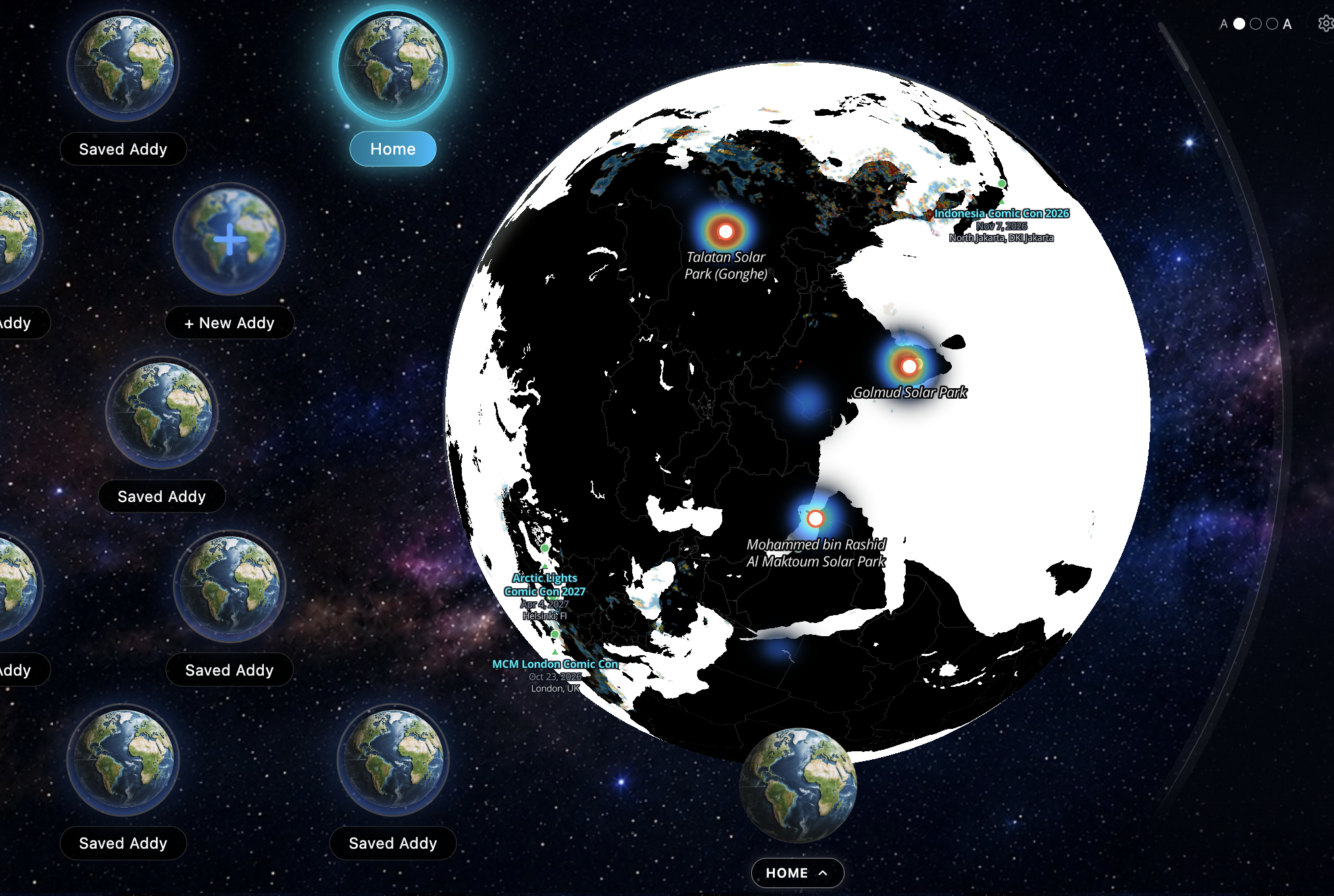
5 custom 3D globe themes... Panda

Inspiration
Every TV app is the same: rows of rectangles you scroll through. But the things we care about (a team, a festival, a marathon, a movie genre) don't live in rows. They live in places. We asked: what if your remote didn't scroll a list, but spun a planet?
AddyLife turns the living room into mission control for your interests. Fire TV with Vega OS is the first screen where that idea makes sense: a big display, a D-pad, and people sitting back and exploring together.
What it does
AddyLife is a globe of bookmarks. Each planet is a saved filter such as NFL FOOTBALL, ACTION MOVIES, TRIVIA, or FAMILY MOVIES. Select one and the main globe flies to everything that matches, with live pins, clusters, and events.
- Orbit navigation. Bookmarks orbit the globe, and the orbit shifts as you move through it, so your whole collection is always in view.
- TV-first side panel. On a phone the menu lives on the left. On the big screen it slides to the right so the menu is easier to read from the couch and never fights the globe for attention.
- NFL Football, one click. A quick press on
NFL FOOTBALLloadsgameday_schedule.json,draws the stadium pins, and flies the camera over the US. Click any stadium pin and a live stream panel pops up right on the globe. - Remote-native editing. No touch screen, no mouse, no keyboard. Everything is driven by the remote:
| Remote action | What happens |
|---|---|
| Focus / Tab / Enter | Focus ring highlights ACTION MOVIES |
| Hold Enter (600 ms) | Reorder mode: yellow/cyan pulse, wiggle animation, and a RELEASE TO DELETE halo at the top |
| Right x2 | Moves the node past HOME and FAVORITES while keeping focus |
| Up | Drops the node into the halo and deletes it, with an undo toast |
| Escape / Back | Cancels the edit and restores the original order |
How we built it
- A shared bookmark model: every planet is a saved filter, so the same data drives phone, web, and TV.
- A globe renderer with clustered event pins, camera fly-to, and theme-aware map styling.
- A spatial focus system built for D-pad input, with a visible focus ring, long-press detection, and reorder mode.
- A schedule-driven pin layer: JSON in, stadium pins and live stream links out.
- Vega OS integration. Integrated the Fire TV Vega OS web container to ensure the React/Vite app runs natively and fluidly on living room hardware, using the Vega simulator for rapid layout and D-pad keybinding verification.
Challenges we ran into
- Designing for the 10-foot UI. Hover and tap don't exist. Every interaction had to work with five buttons.
- Making destructive actions safe. Delete lives behind a deliberate long-press, a visible halo, and a toast, and Escape always restores the original order.
- Keeping a 3D globe smooth with hundreds of clustered pins on TV hardware.
- Rethinking layout. Moving the panel to the right made the menu readable from across the room.
Accomplishments that we're proud of
- A TV interface with no lists: the whole app is one object you can spin.
- Full create, reorder, and delete editing using only a remote.
- Going from "NFL FOOTBALL" to a live stream in three presses: select, fly, click a stadium.
- One bookmark system that scales from "my favorites" to a worldwide event map.
What we learned
The best TV apps don't shrink a phone UI onto a big screen. They treat the remote as the instrument. Constraints (five buttons, one focus ring) pushed us toward cleaner, more memorable interactions than touch ever did.
What's next
- Voice search with the Alexa remote ("Show me jazz festivals this month")
- More live-stream partners beyond sports
- Shared family globes, so everyone on the couch can add a planet
- Expanding from events to movies, trivia, and travel
Intellectual Property Notice: The interface, layouts, and AI-driven interactive event discovery methodologies described in this project are currently Patent Pending.
Built With
- amazon-fire-tv
- carto
- class-variance-authority
- css
- expo.io
- google-fonts
- html5
- javascript
- json
- mapbox-gl
- maplibre-gl
- node.js
- ollama
- openai-api
- pnpm
- react
- react-native
- shadcn-ui
- tailwindcss
- typescript
- vega-os
- vite
- webgl
- zod

Log in or sign up for Devpost to join the conversation.