-
-
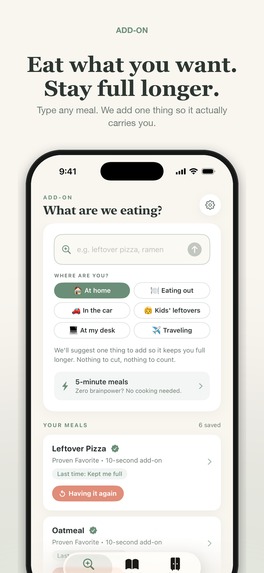
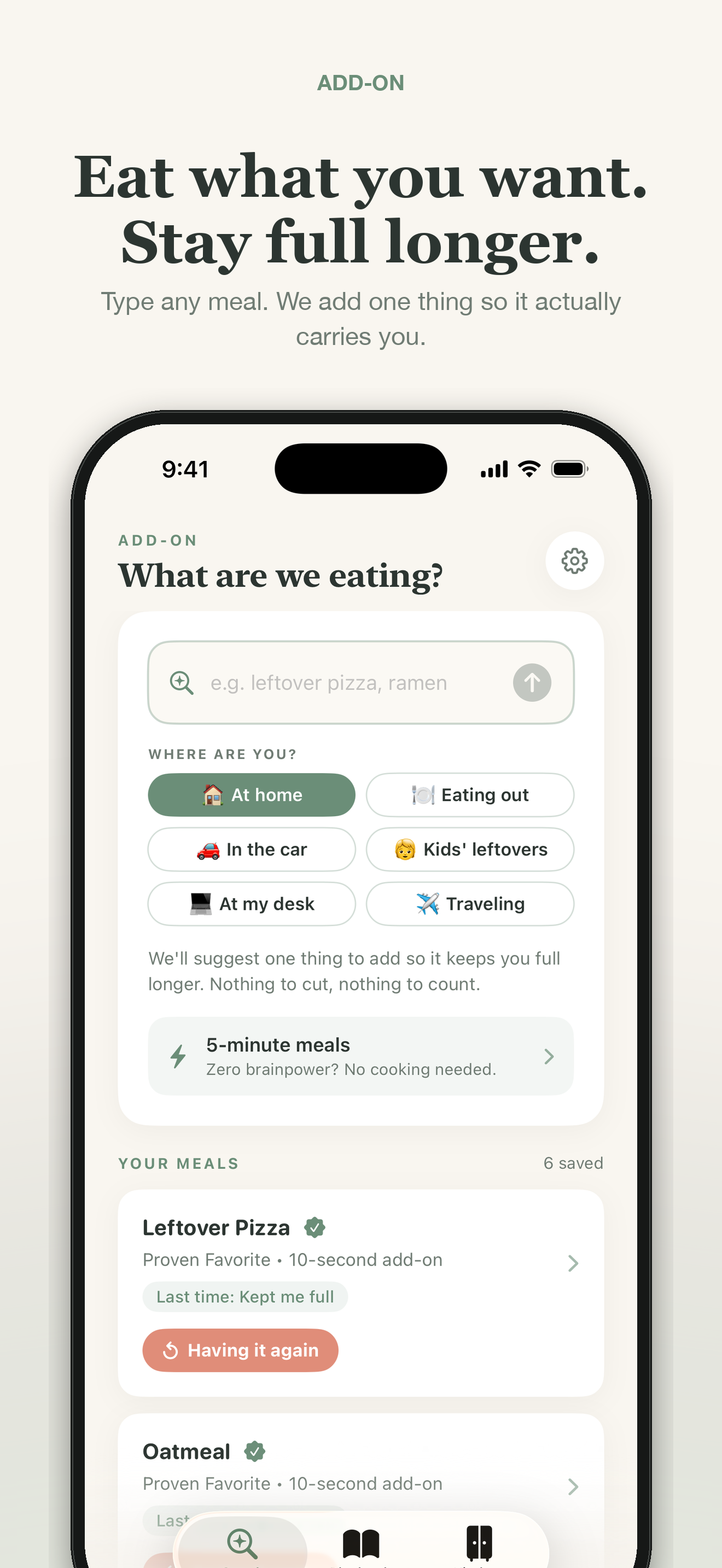
Eat what you want. Stay full longer.
-
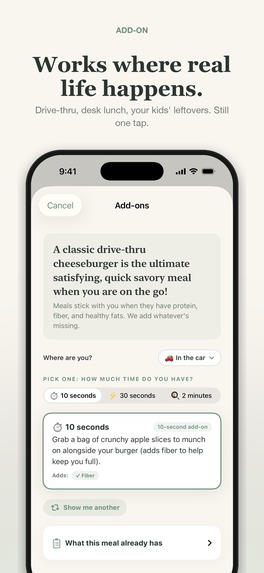
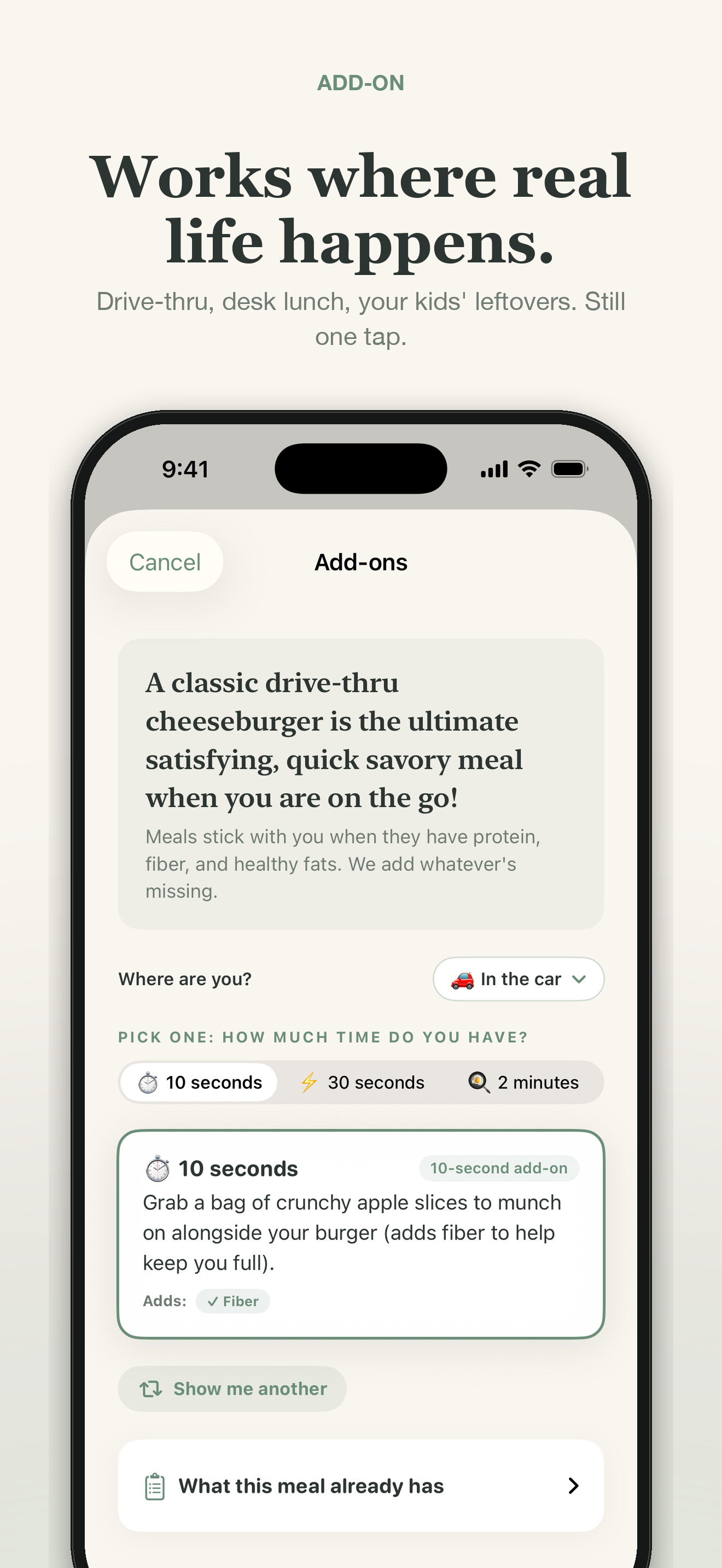
Works where real life happens.
-
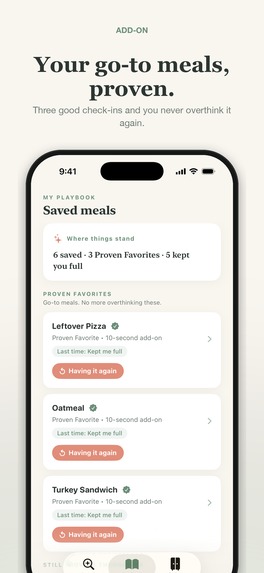
Playbook / Proven Favorites
-
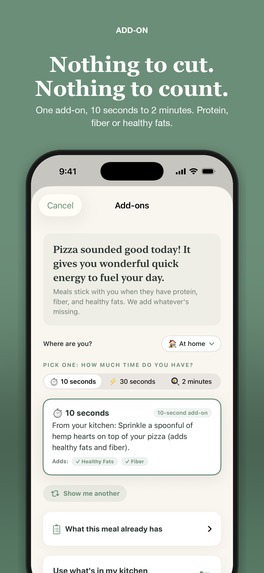
Nothing to cut. Nothing to count.
-
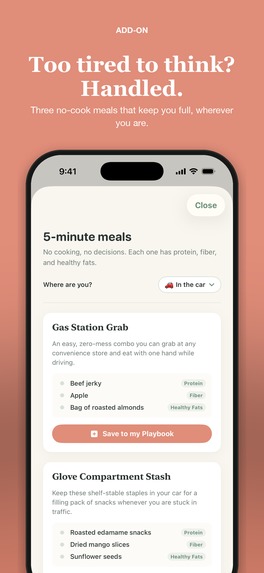
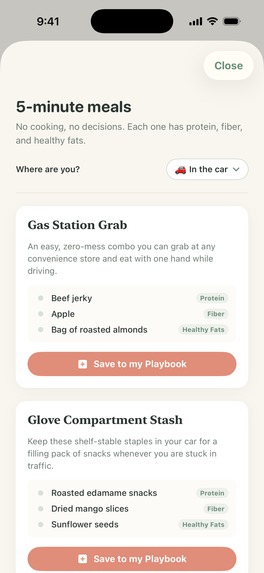
5-minute meals
-
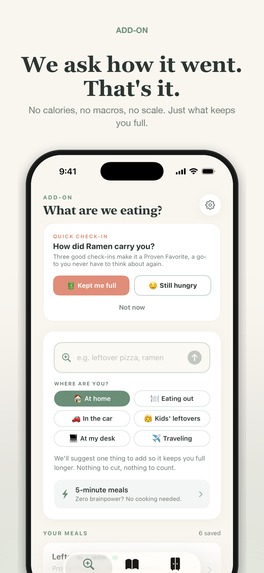
The check-in
-
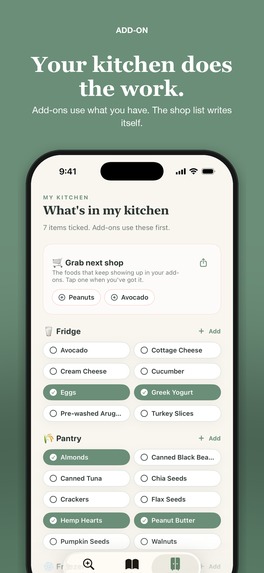
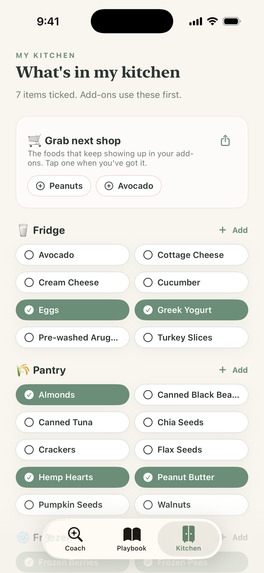
Kitchen + self-filling shop list
-
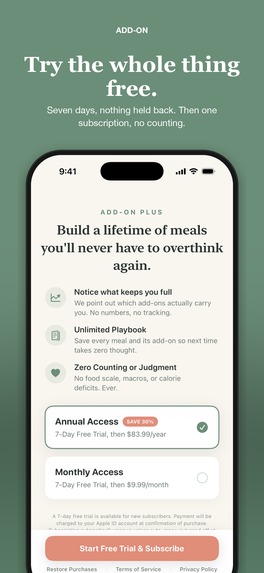
The monetization moment
-
Unframed app image
-
Unframed app image
-
Unframed app image
-
Unframed app image
-
Unframed app image
-
Unframed app image
-

App icon

Inspiration
It's 8pm. Dinner is whatever is already in front of you — the last two slices, the instant ramen, the half plate of mac and cheese your kid didn't finish. You are not going to cook something else. You are not going to weigh anything. And in about ninety minutes you're going to be standing in front of the fridge again, vaguely annoyed, wondering why that didn't hold you.
That ninety minutes is the entire problem, and no food app I tried had anything useful to say about it. They all want to know what you ate so they can tell you what it cost you. A number appears. A ring closes or it doesn't. Even the gentle ones are ledgers underneath — the relationship is subtraction. Which makes them worst exactly when you need them most: tired, out of options, eating something you already decided on.
Add-On asks one question instead: what can we add?
That question isn't mine. It's Abbey Sharp's Hunger Crushing Combo — protein, fiber and healthy fats, added to the food you already want, so the meal actually carries you to the next one.
I've been deep in nutrition for years and never bought the restrictive version of it. Counting works on paper and falls apart on a Tuesday. The Hunger Crushing Combo was the first framework I'd come across that was rigorous without being restrictive, and reading it felt less like nutrition advice than like reading a good spec: three variables. Additive, so it can't shame you. Small enough to fit on a phone screen. And it degrades gracefully — you can do the 10-second version in a gas station parking lot and still get most of the benefit.
It was a well-designed system that nobody had built the tool for. So I built it.
What it does
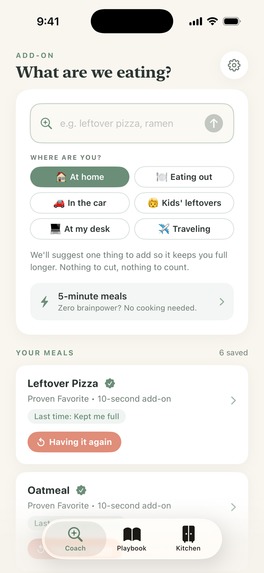
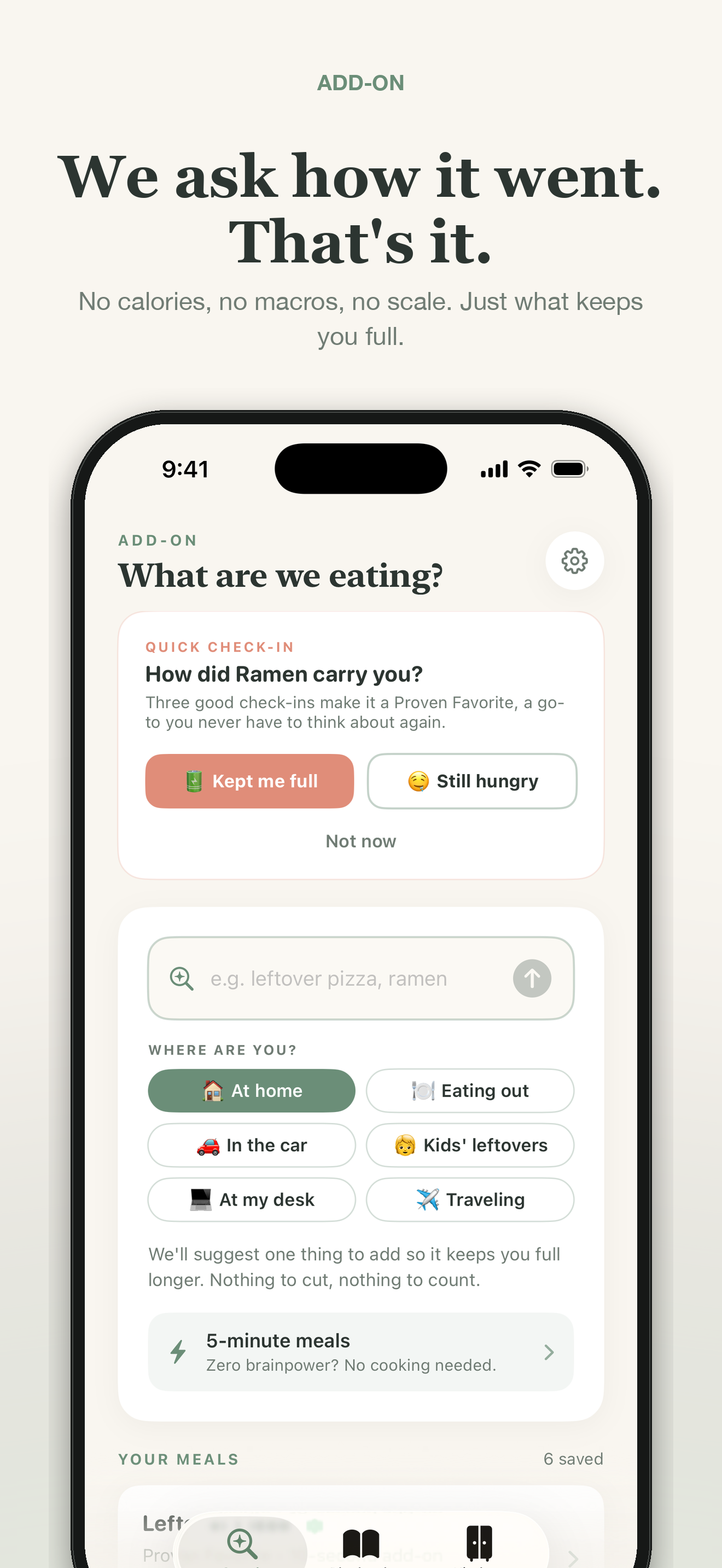
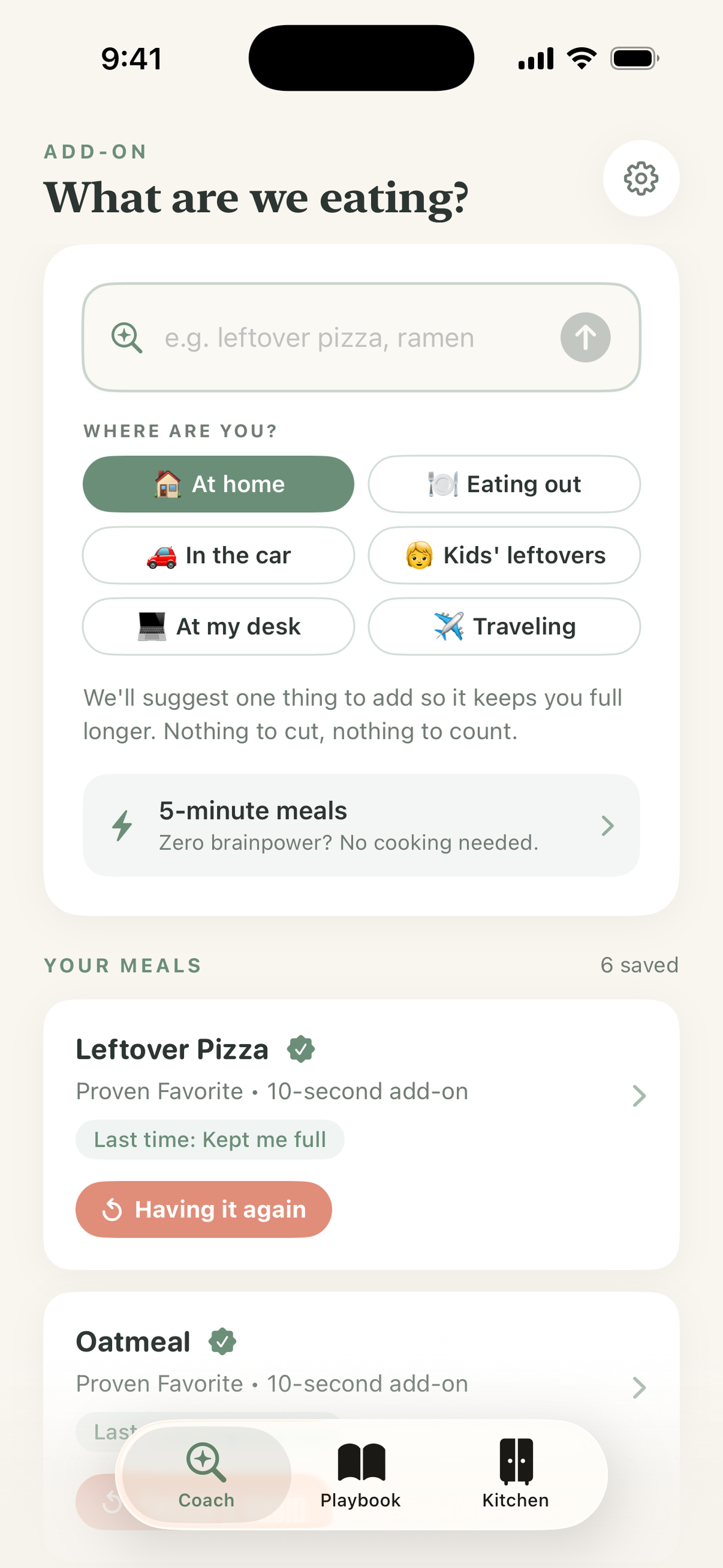
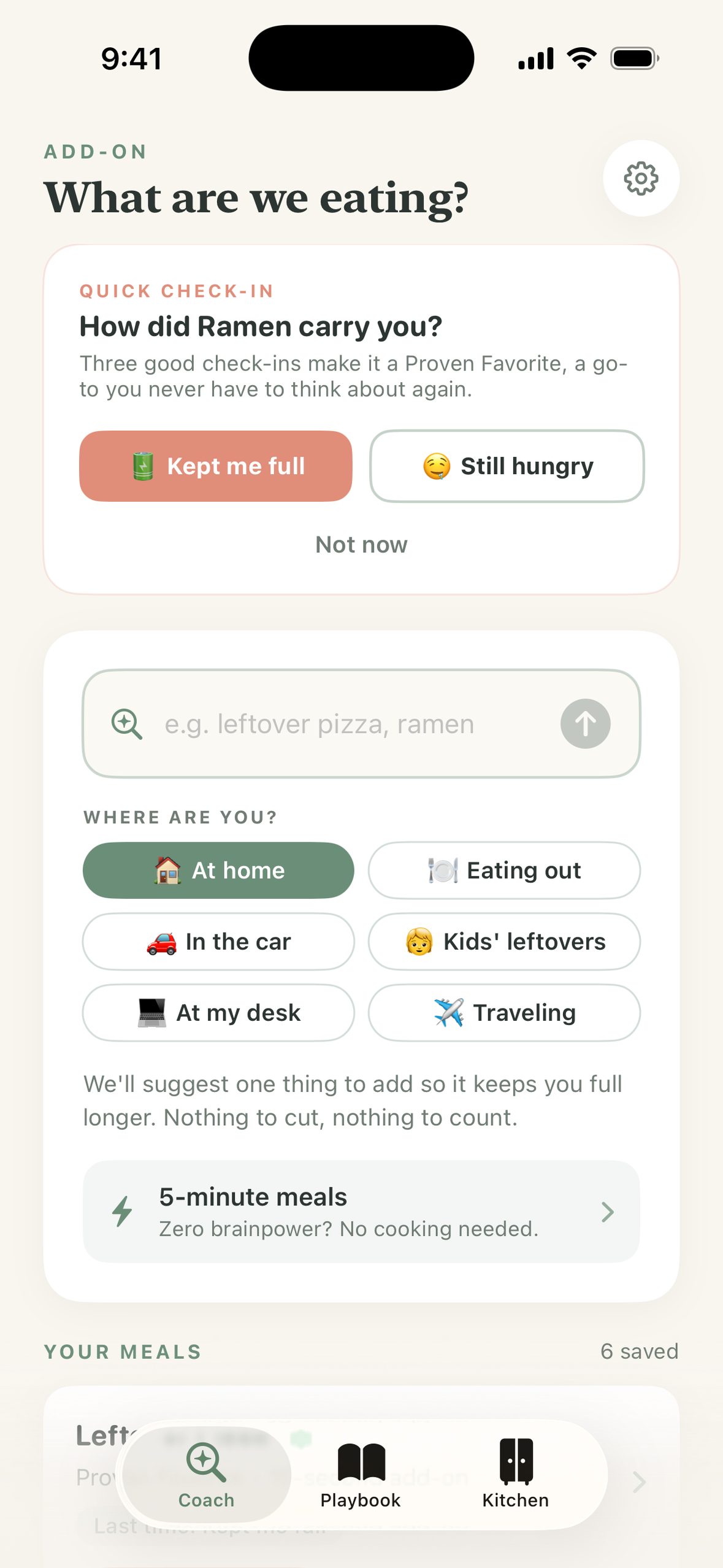
You type what you're about to eat. Real food, in your own words — "leftover pizza," "instant ramen," "the kids' mac and cheese," "iced latte."
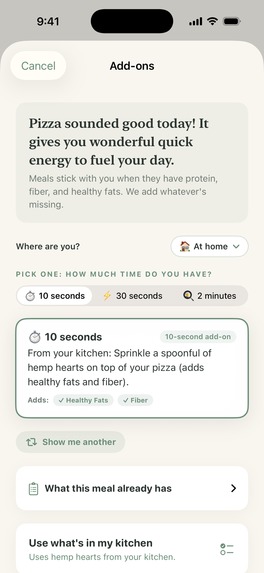
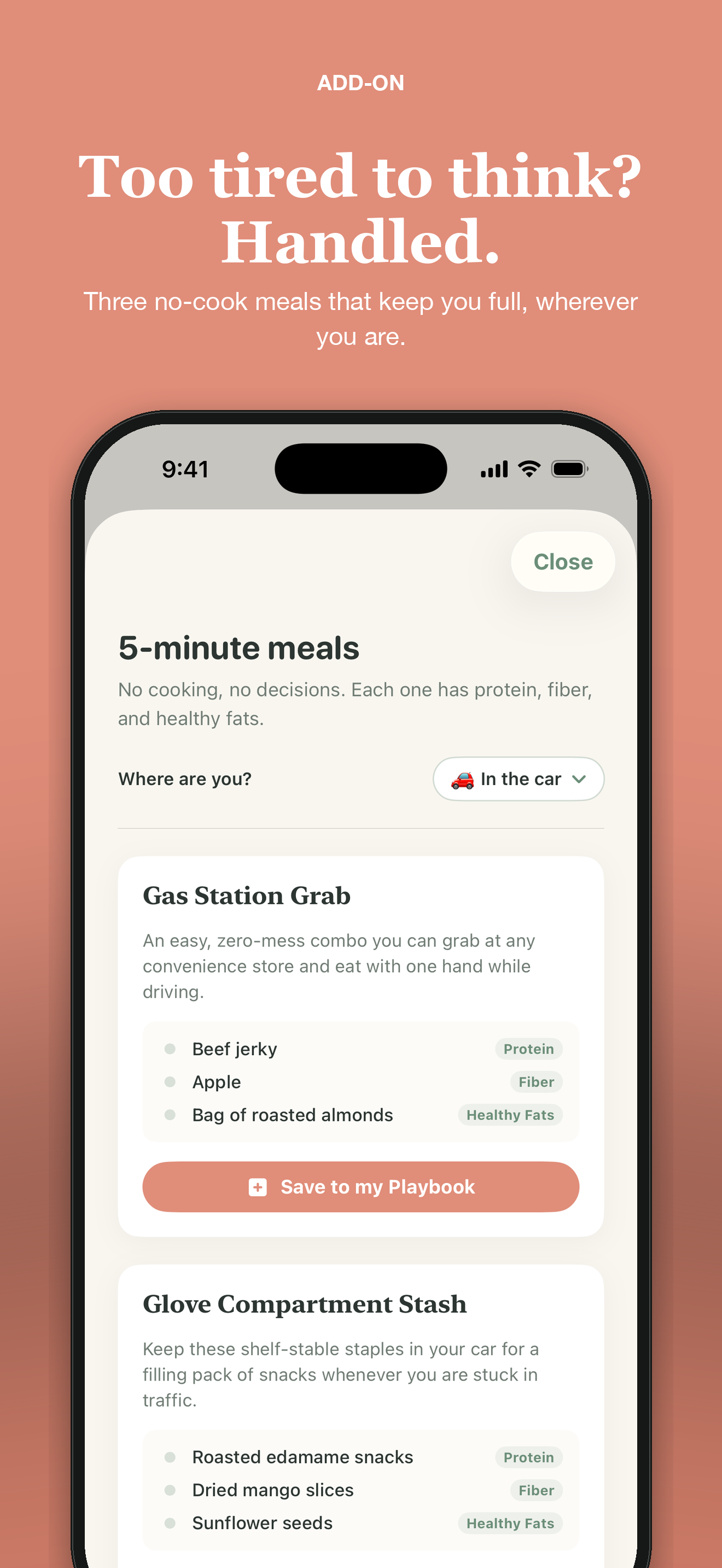
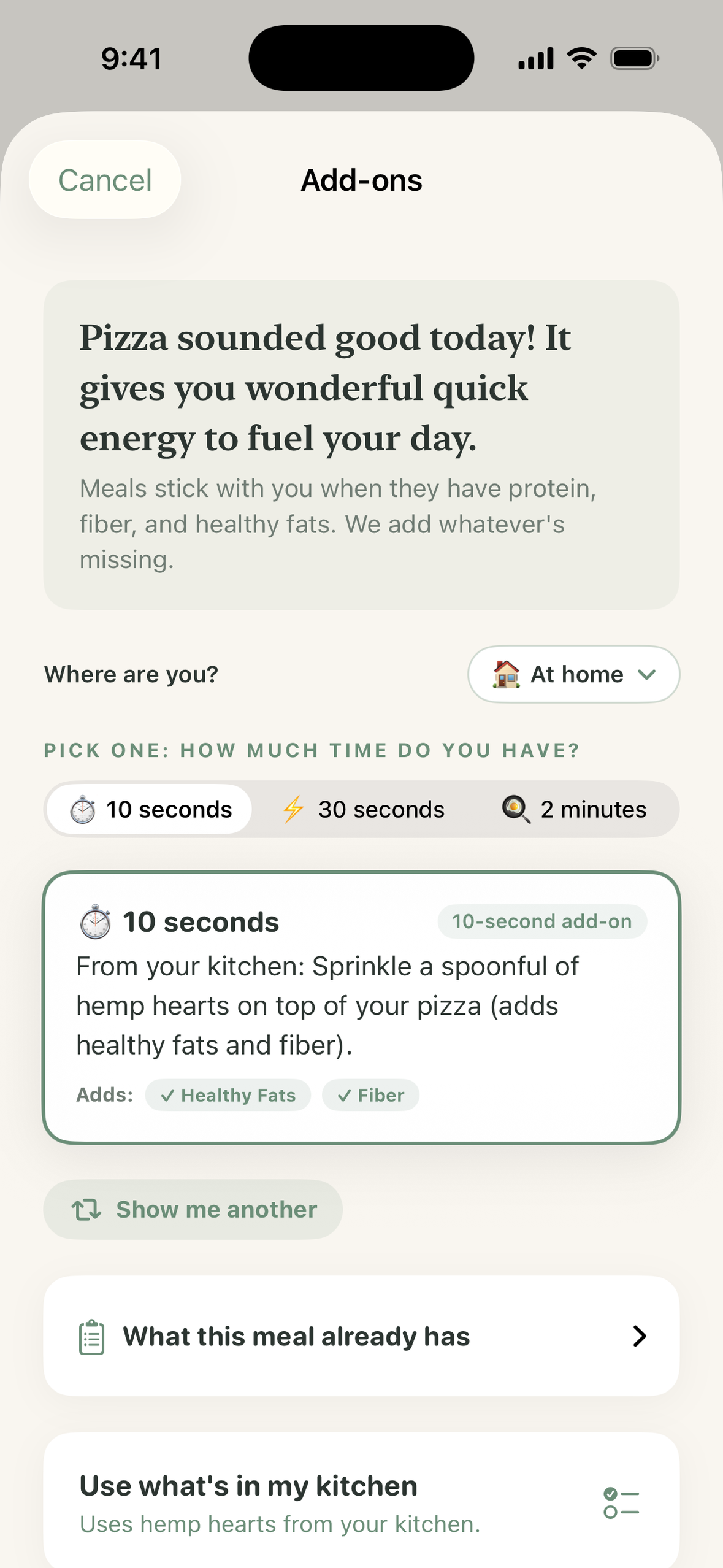
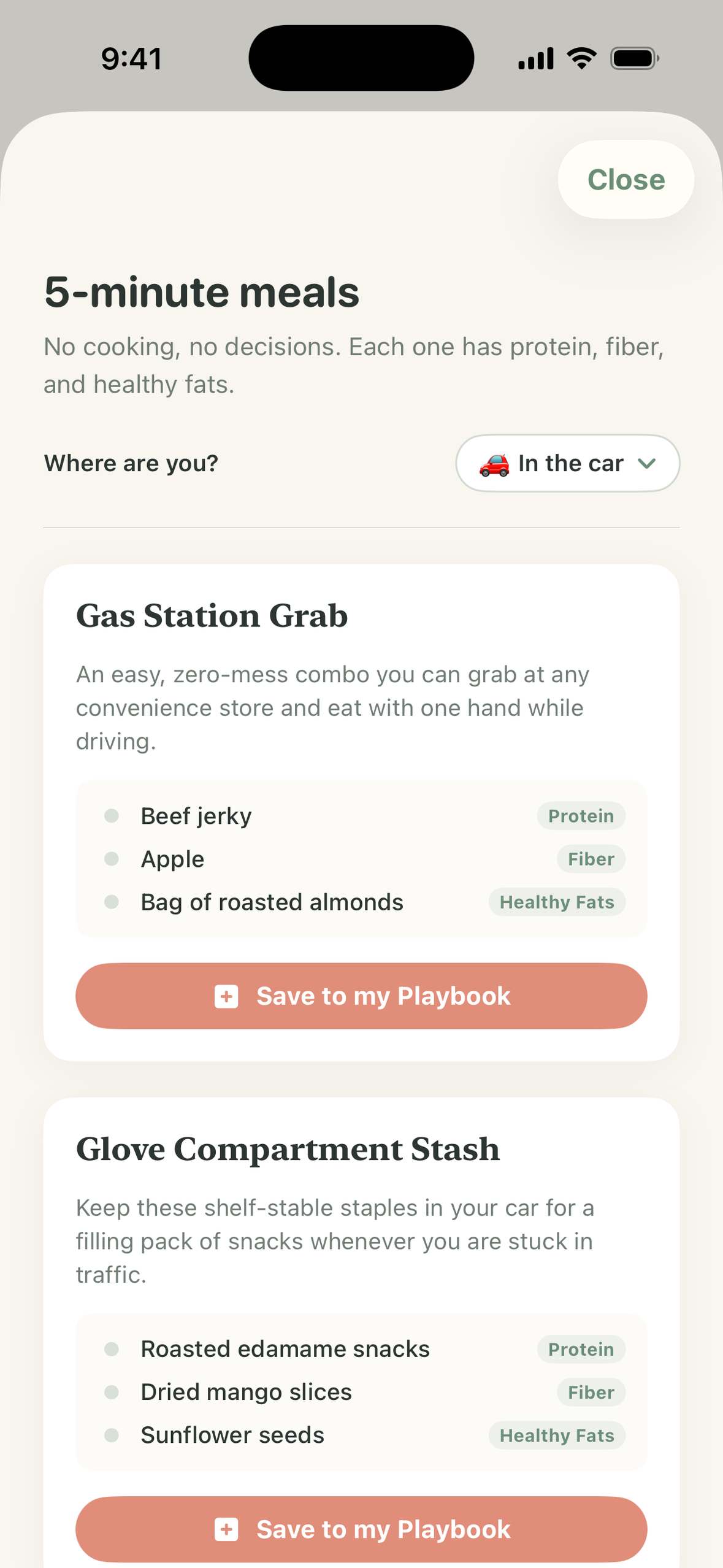
You tell it where you are. At home, eating out, in the car, at your desk, traveling, or standing over your kids' leftovers. This is the part that matters most, and the part most food apps skip. A suggestion that assumes a stocked kitchen is useless at a drive-thru. In the car, Add-On only suggests things that need no fridge, no utensils and no bowl. Eating out, it only suggests things you can ask for — a side of eggs, avocado, beans, extra chicken. Traveling, it knows about hotel breakfast bars and airport kiosks.
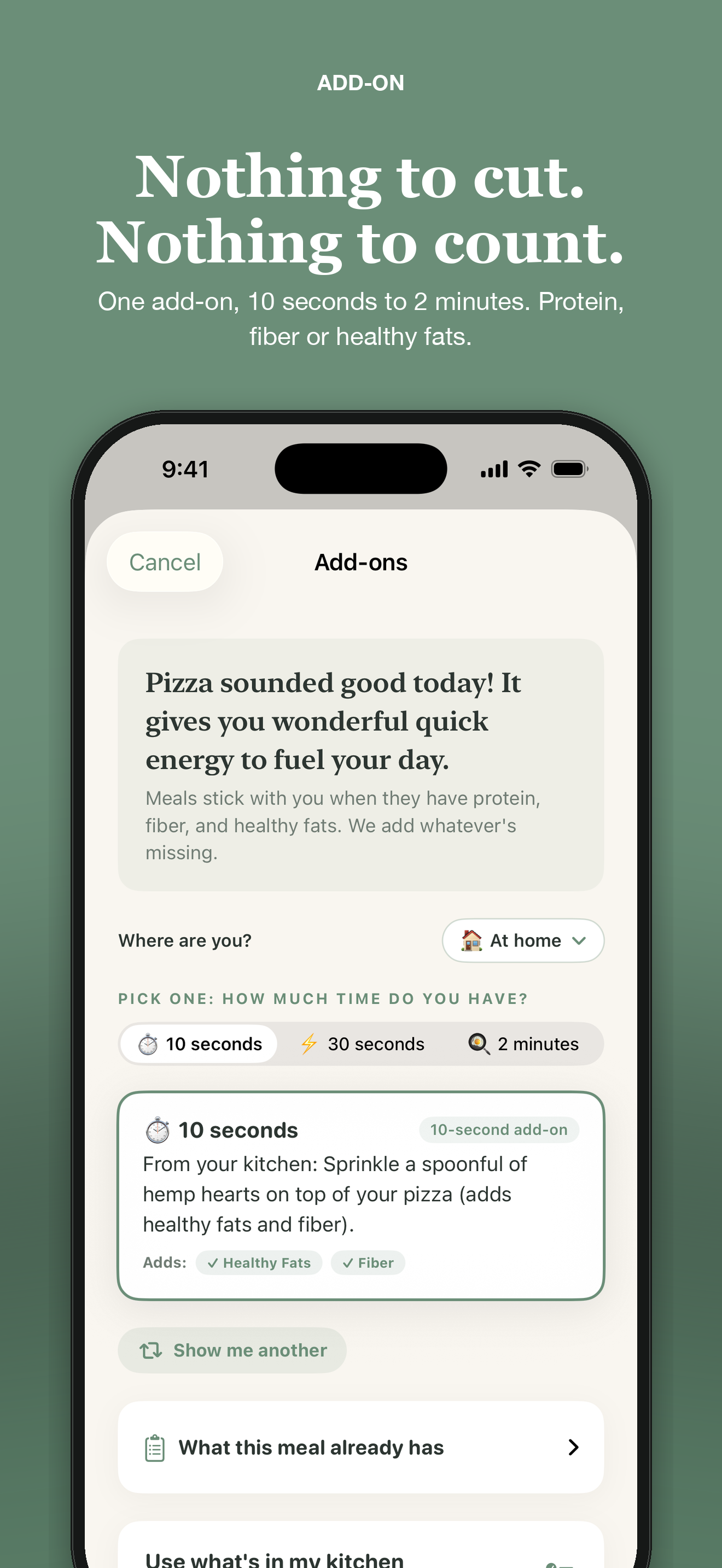
Then you pick how much energy you have: 10 seconds, 30 seconds, or 2 minutes. Sprinkle something. Open a can. Fry an egg. The three tiers are the honest admission that the reason people don't eat satisfying meals usually isn't knowledge — it's that it's 8pm and they are done.
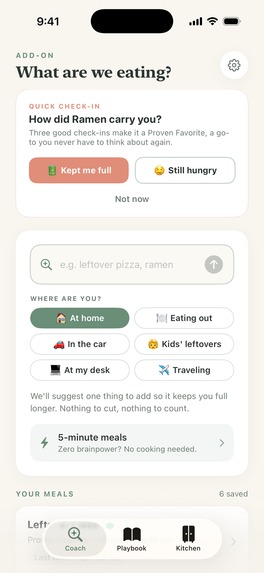
A few hours later — never between 10pm and 8am, never more than once a day — Add-On asks one question: how did that carry you? Kept me full or still hungry. "Still hungry" isn't a failure; it just offers you the next tier up for next time.
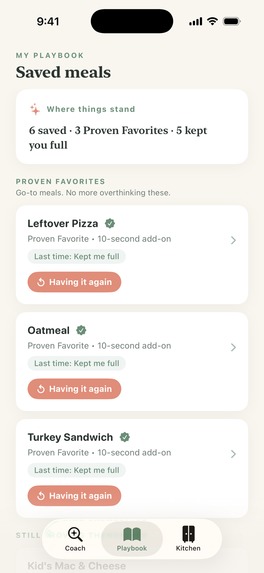
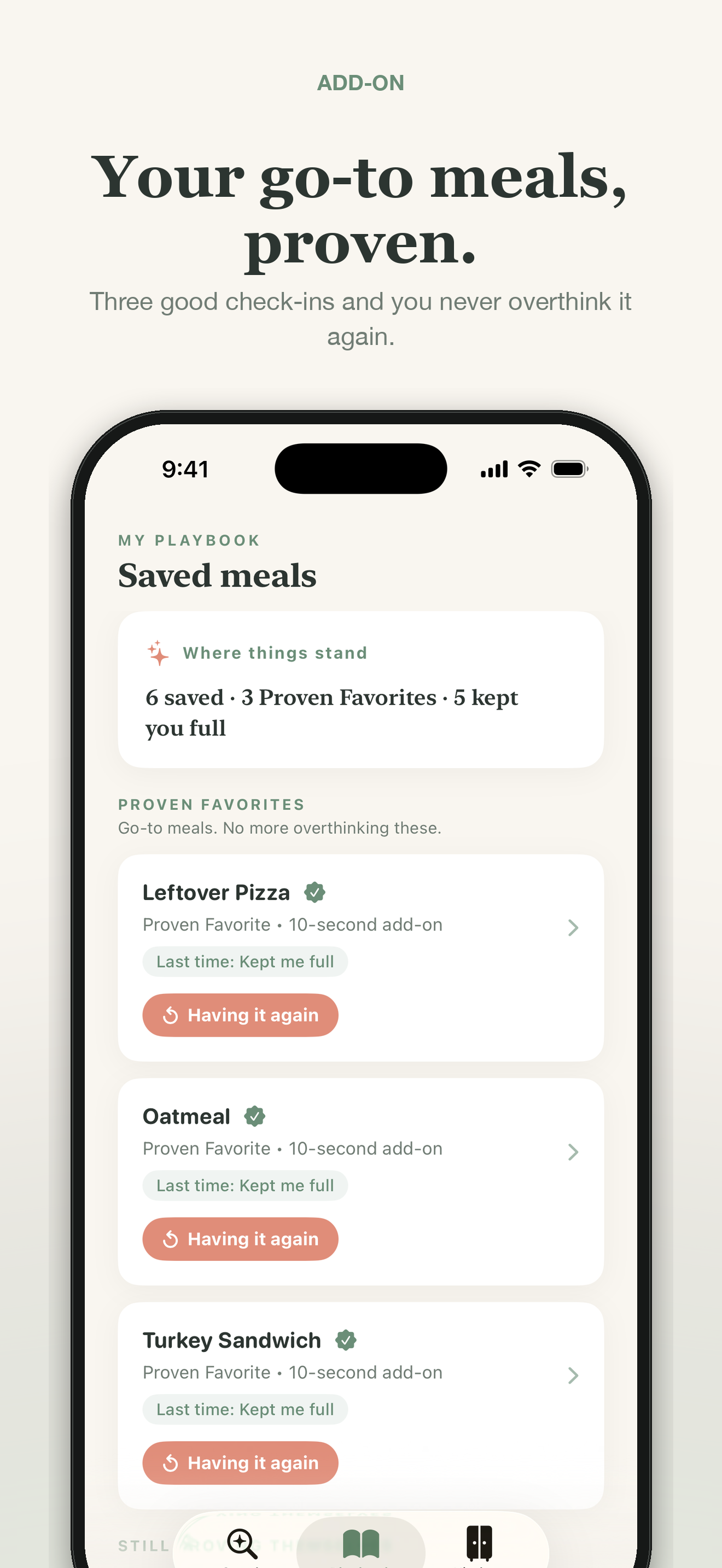
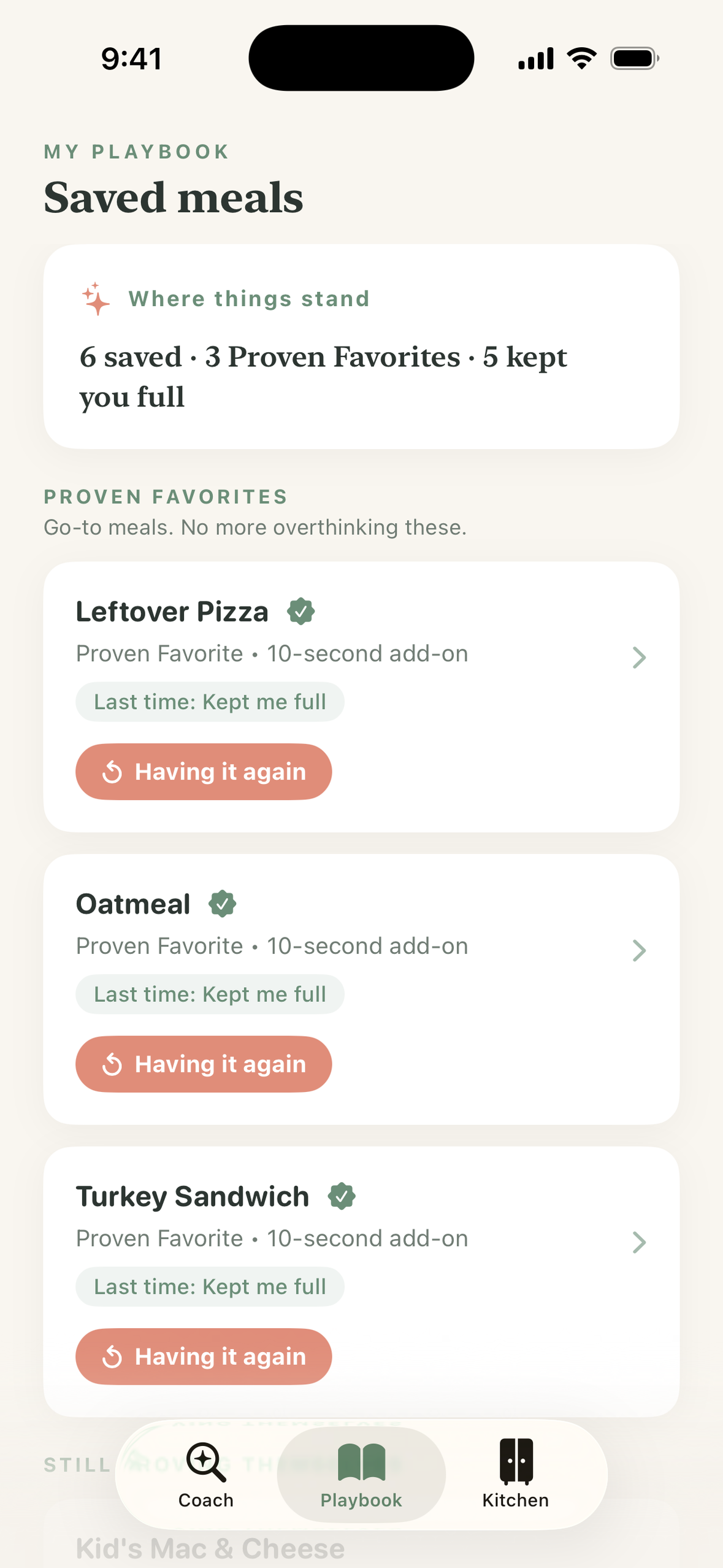
Three good check-ins and that meal becomes a Proven Favorite in your Playbook: a go-to you never have to think about again. That's the actual product. Not a log, not a streak — a short, personal list of meals that have demonstrably worked for you, that you can re-log from a Home Screen widget in one tap, or share as a card.
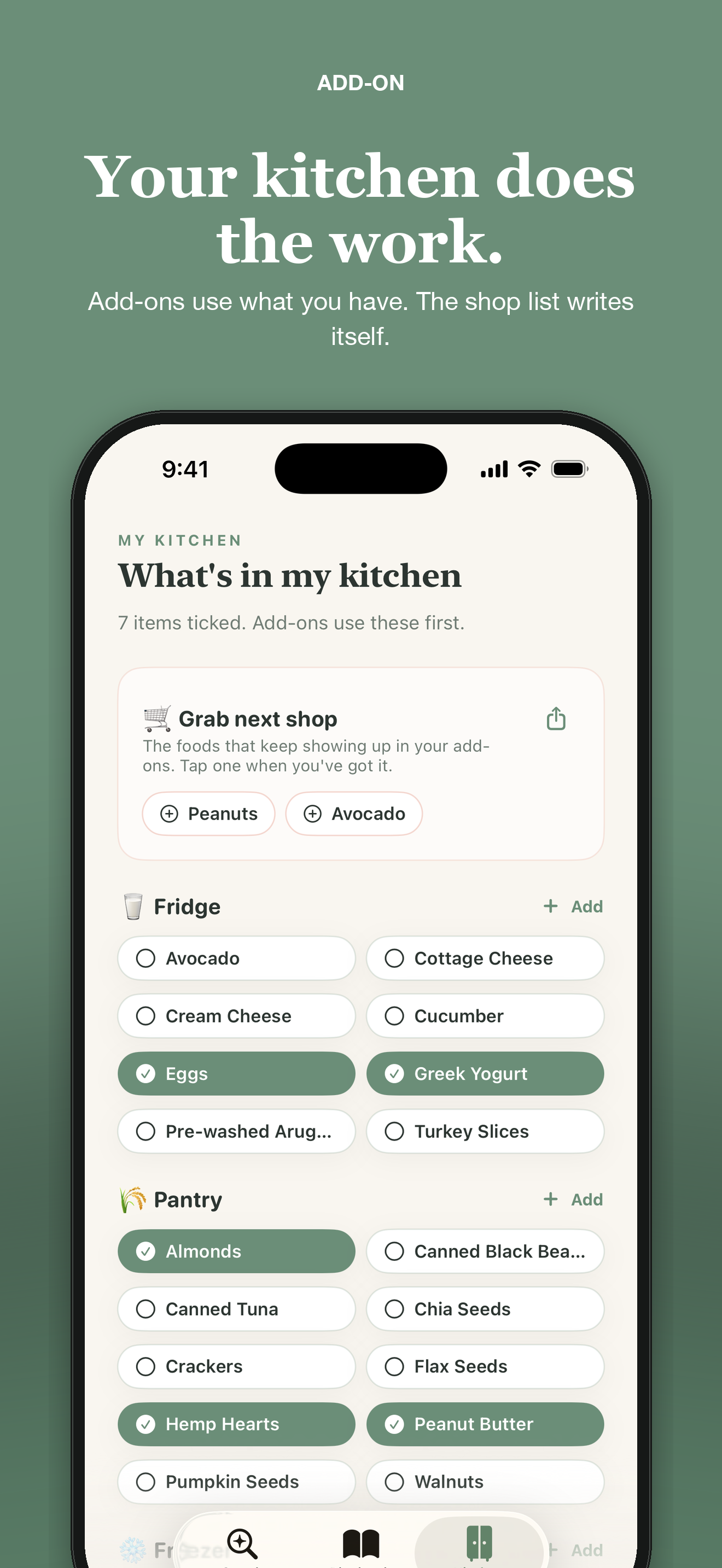
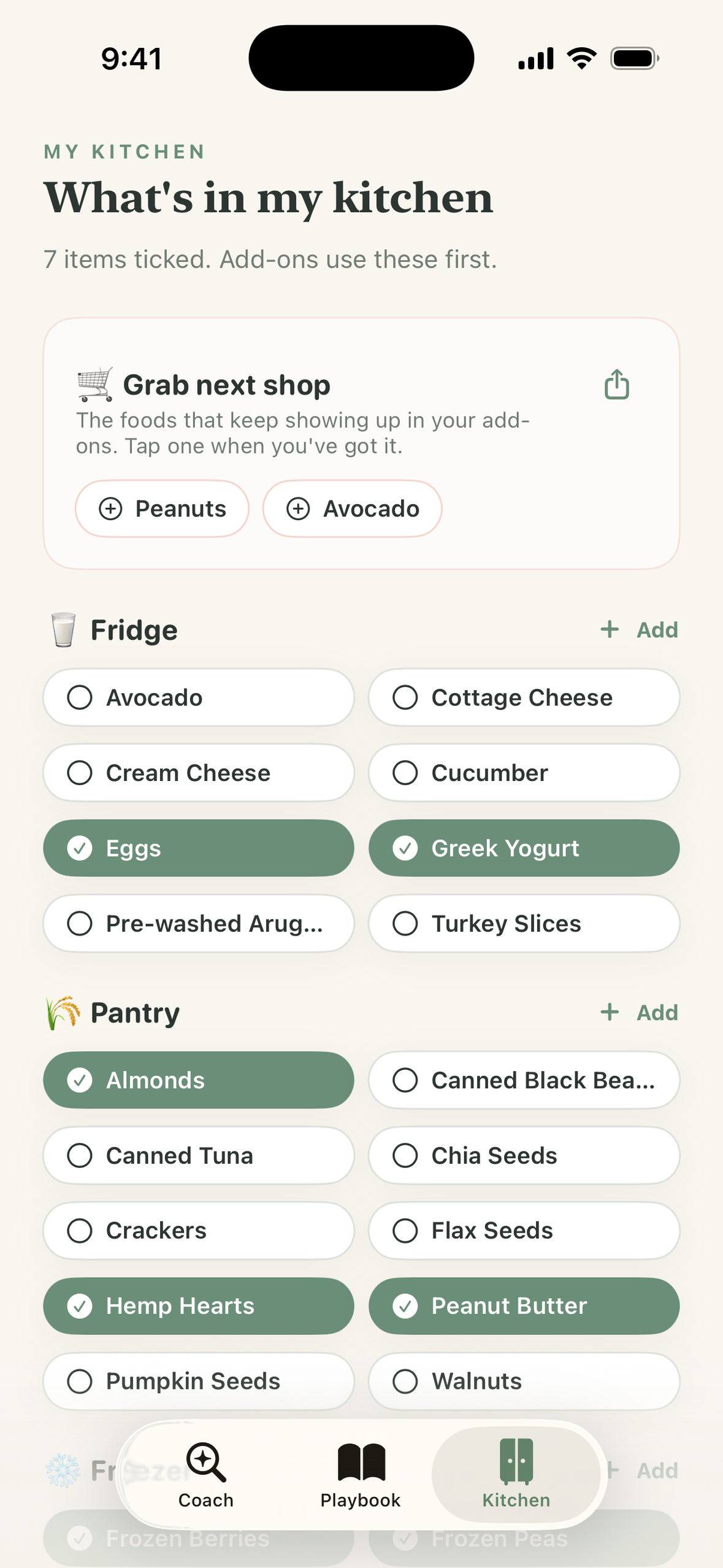
Two things fill themselves in around that loop. Tick what you keep in your fridge, pantry and freezer, and suggestions prefer it — a line becomes "From your kitchen: add sliced avocado and pumpkin seeds." And because a kitchen inventory is a chore nobody maintains, "Grab next shop" writes itself: it counts the foods that keep showing up in the add-ons you've actually saved, subtracts what you've already ticked, and hands you a short list you can share.
What it deliberately does not have: streaks, scores, rings, daily targets, or a weekly total to beat. The only recurring message is a Sunday evening note that reads like "3 meals carried you this week. Oatmeal is one check-in from Proven Favorite." If you had a quiet week it says "No check-ins this week, and that's fine. Your Playbook is right where you left it."
How I built it
Native SwiftUI, Swift 6 with strict concurrency, deployment target iOS 17, iPhone and iPad.
The Hunger Crushing Combo is enforced in code, not left to a model's good intentions:
- Every suggestion is checked against the three pillars. The engine marks each one Included or Needed for your base meal, and the 2-minute tier is required to close every pillar still marked Needed. The model doesn't get the final word — a
normalize()pass adds back any pillar it left out, so the "all three green" promise can't quietly break. - The dietitian prompt carries a hard banned-vocabulary list: no calories, macros, grams, percentages, weight, "clean," "healthy/unhealthy," "instead of," "rather than." No numbers with nutrition units, ever. Amounts are in kitchen language — a spoonful of hemp hearts, a big handful of arugula, an egg or two.
- Never a swap. The model is forbidden from suggesting you replace, shrink or "improve" the food you already chose. It validates the craving in the first sentence, then adds.
The rest of the architecture:
SatietyEngineis an actor with a four-stage resolution path: in-memory cache, then a hand-written library of 20 common meals (at home only — a restaurant needs different advice), then a live dietitian model, then a local rules engine. Every result is tagged with where it came from, and the UI says so when it fell back offline instead of pretending.- The model key never ships in the app. A Vercel serverless proxy holds it and gates on a shared client token, the iOS bundle identifier and a rate limit, and pins the model and output budget server-side so a modified client can't escalate either.
- SwiftData for the Playbook and Kitchen, WidgetKit for the Home Screen widget (an
addon://relog/<id>deep link re-logs a meal in one tap), UserNotifications with interactive check-in actions you can answer from the banner,ImageRendererfor the shareable Proven Favorite cards. - RevenueCat for everything purchase-related: one
add_on_proentitlement,$rc_annualand$rc_monthlypackages,PurchasesDelegatefor live entitlement sync, prices read from the offering rather than hardcoded. The detail I like most:cachedCustomerInfois read synchronously in the initializer, so a subscriber never sees a paywall flash on cold start before the network catches up.
Everything you save stays on your phone. The privacy manifest declares zero collected data types and no tracking. Meal text reaches the suggestion service only while an add-on is being generated and isn't stored there. Settings has a real "Delete all my data" button.
Challenges I ran into
The model kept truncating mid-JSON. Gemini Flash reasons before answering by default, and that reasoning was eating the entire output budget before a single closing brace came out — so every suggestion silently fell back to the local engine. The fix was one line, thinkingConfig: { thinkingBudget: 0 }, and about three hours of staring at responses that ended in "prebuilt_upgrade": {.
"Corn" matched "popcorn." Naive substring matching against the staples list produced suggestions that confidently told people to use food they hadn't stocked. Staple matching is now whole-word and singular/plural-tolerant, with a test.
Adding the widget nearly stranded every existing user. The App Group entitlement WidgetKit needs also makes SwiftData relocate its default store into the shared group container. Anyone who installed before the widget existed would have launched into an empty Playbook. The store URL is now pinned explicitly to Application Support.
App Store Connect won't let you drop device families. I shipped 1.0 universal, decided iPhone-only was the more focused product, and learned on rejection that you can't take iPad away in an update. So iPad came back — and honestly it's better for it. The Playbook reads beautifully on a big screen.
Making a check-in that can't become a streak. This took more iteration than anything else. One check-in per meal per day, enforced in the model layer so the Home banner, the detail sheet and the notification actions physically can't disagree or double-count. Unanswered meals go stale after 48 hours and stop asking. "Not now" is recorded as a non-answer that never counts toward anything. The design goal was that a week away from the app costs you nothing.
Accomplishments that I'm proud of
The anti-diet pledge is a test, not a promise. One test fails the build if generated suggestions contain diet-culture vocabulary or quote grams; another scans the entire built-in meal library for measurements and swap language. It's the difference between an app that intends to be safe and one that can't regress into being unsafe.
The restraint rule. Add-On only rewrites a suggestion around your stocked food when your stocked food genuinely covers every pillar that line is claiming. If it doesn't, you get the original suggestion. It would have been easy to always say "from your kitchen!" and over-claim. It's more useful to be right.
Honest degradation. Airplane mode is a fair test. Your Playbook, Kitchen, widget and check-ins all work with no network, and when a suggestion comes from the offline rules engine the app says so rather than passing it off as a live one.
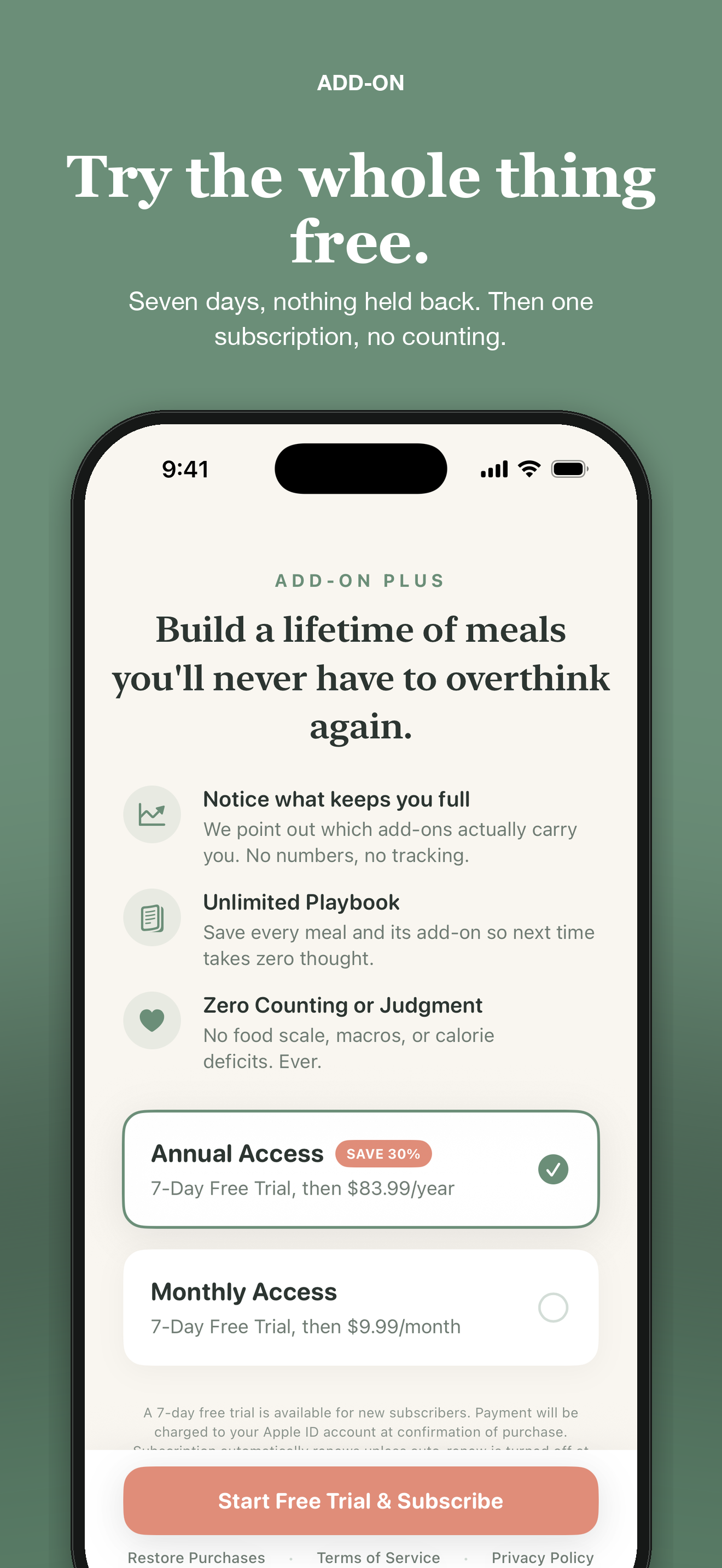
A purchase test that catches dashboard mistakes. One of the 27 tests queries the live RevenueCat offering and asserts the annual and monthly packages point at the right App Store product IDs and that both carry the 7-day introductory offer the paywall promises — so a misconfiguration fails a test run instead of someone's purchase.
Shipping twice. 1.0.0 approved, then 1.1.0 with the Home Screen widget, situation-aware suggestions, 5-minute meals, the self-filling shop list, shareable go-tos, iPad support and VoiceOver work.
The feedback I was actually hoping for. Add-On is new and I'm not going to pretend the download numbers are interesting yet. What has come back consistently from testers is the one thing I was gambling on: that it's simple, that it's easy to actually work into a normal day, and that it doesn't feel like work. That last one is the whole bet. Every app in this category asks you to maintain it, and a nutrition app that feels like a chore is one you stop opening. Hearing "this doesn't feel like too much" from the people using it means the effort tiers, the single question, and the missing streak counter are all doing their jobs.
What I learned
Every constraint made the product better. No numbers forced better copy. No swaps forced the suggestions to be genuinely appetizing rather than merely defensible. No streaks removed the entire category of feature I'd normally reach for and left only the thing that actually matters — a short list of meals you've personally proven.
I also learned where the hard part of an anti-diet app actually lives. It isn't the main screen. It's the empty states, the error copy and the notification that arrives on a bad day. Those got more revision passes than any feature.
And "AI-powered" turned out to be the easiest thing to cut. The phrase appears nowhere in the app, and the model is explicitly forbidden from mentioning it. What people want at 8pm isn't a model. It's someone reasonable telling them to throw an egg on it.
What's next for Add-On
A satiety view partners and dietitians can look at together, a share-to-Add-On extension so a recipe link can become a base meal, and a version of the Playbook you can hand to whoever cooks for you.


Log in or sign up for Devpost to join the conversation.