-
-
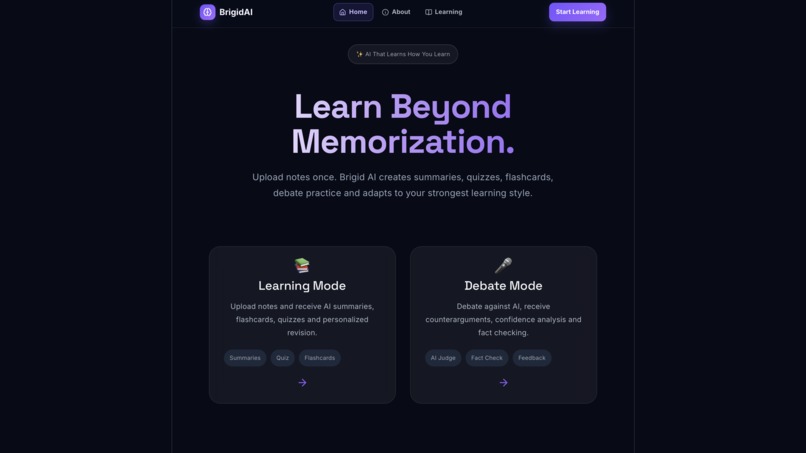
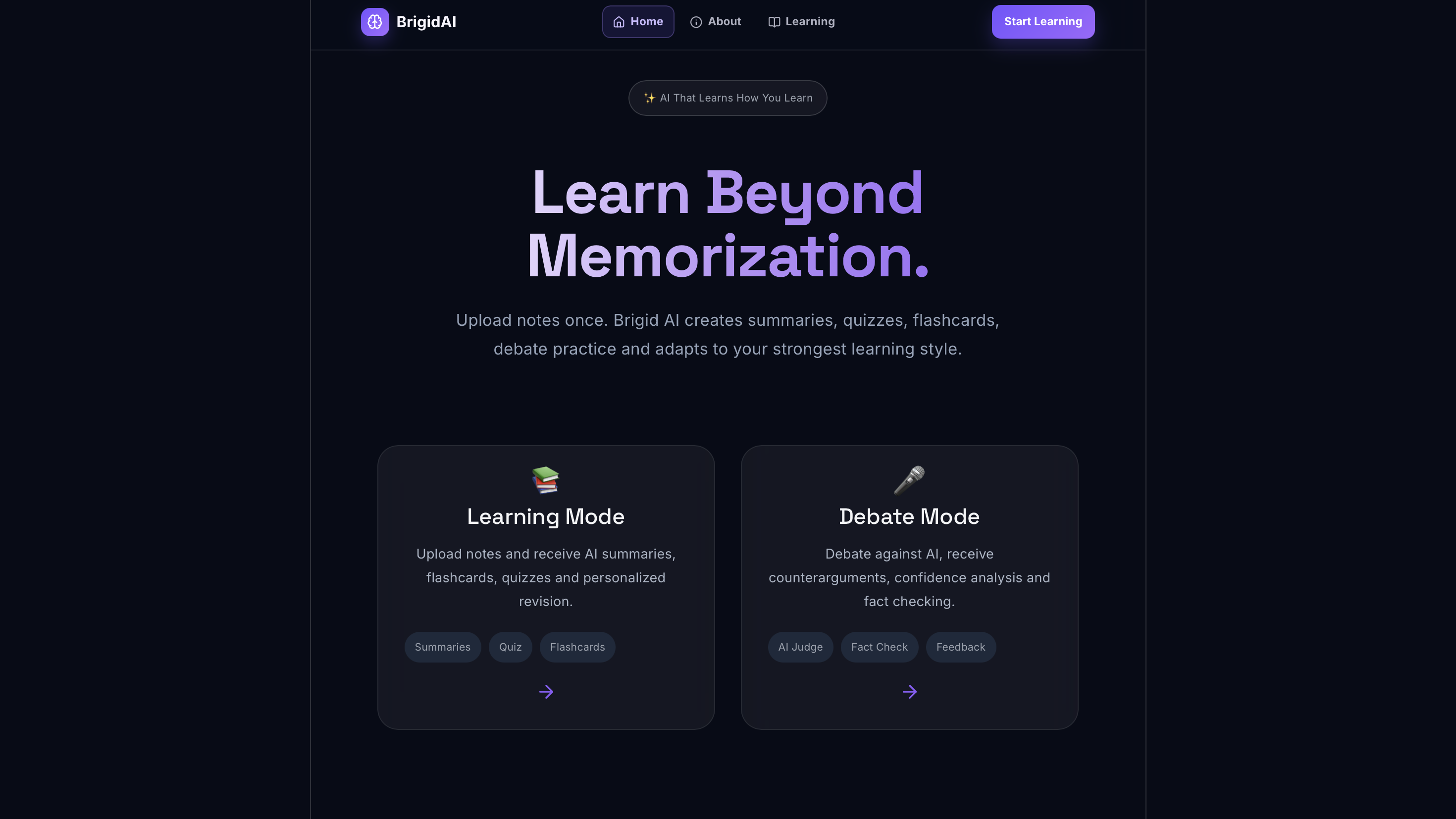
Homepage
-
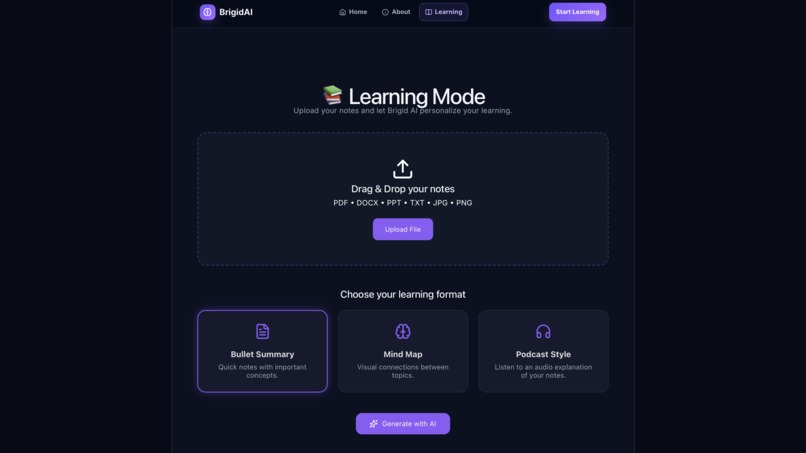
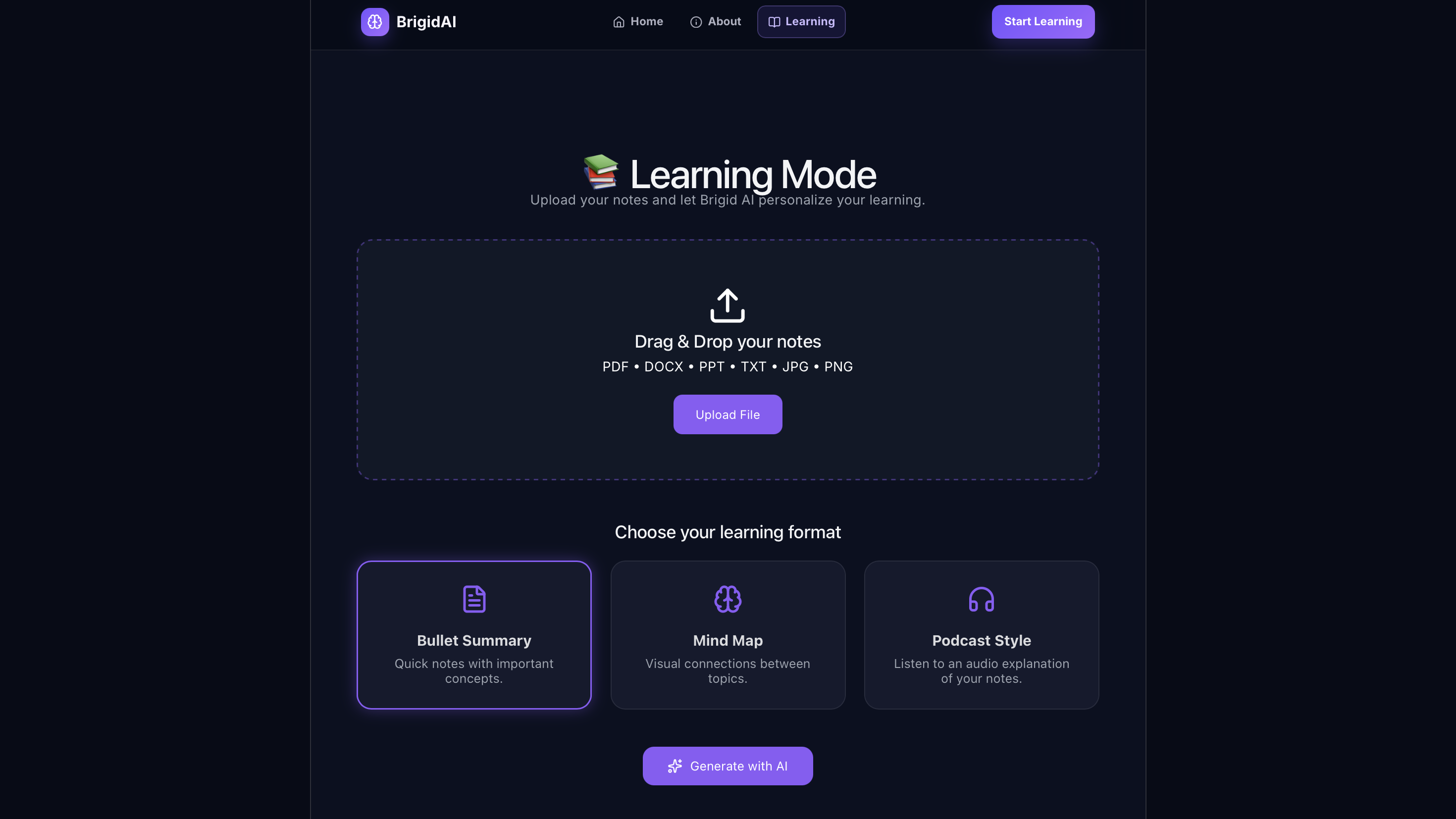
Learning Page
-
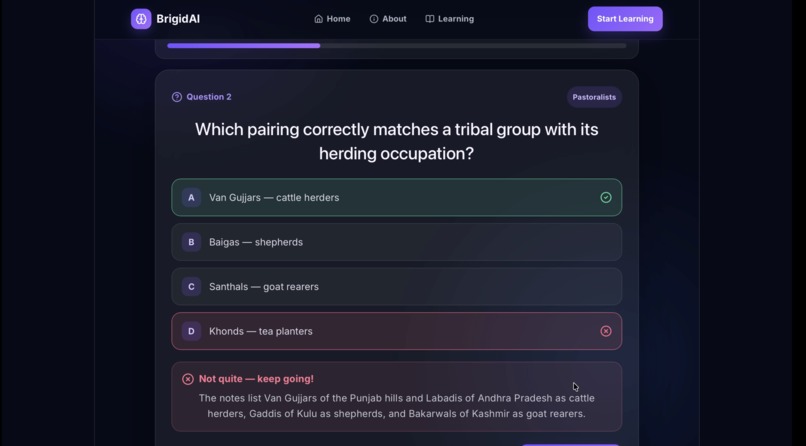
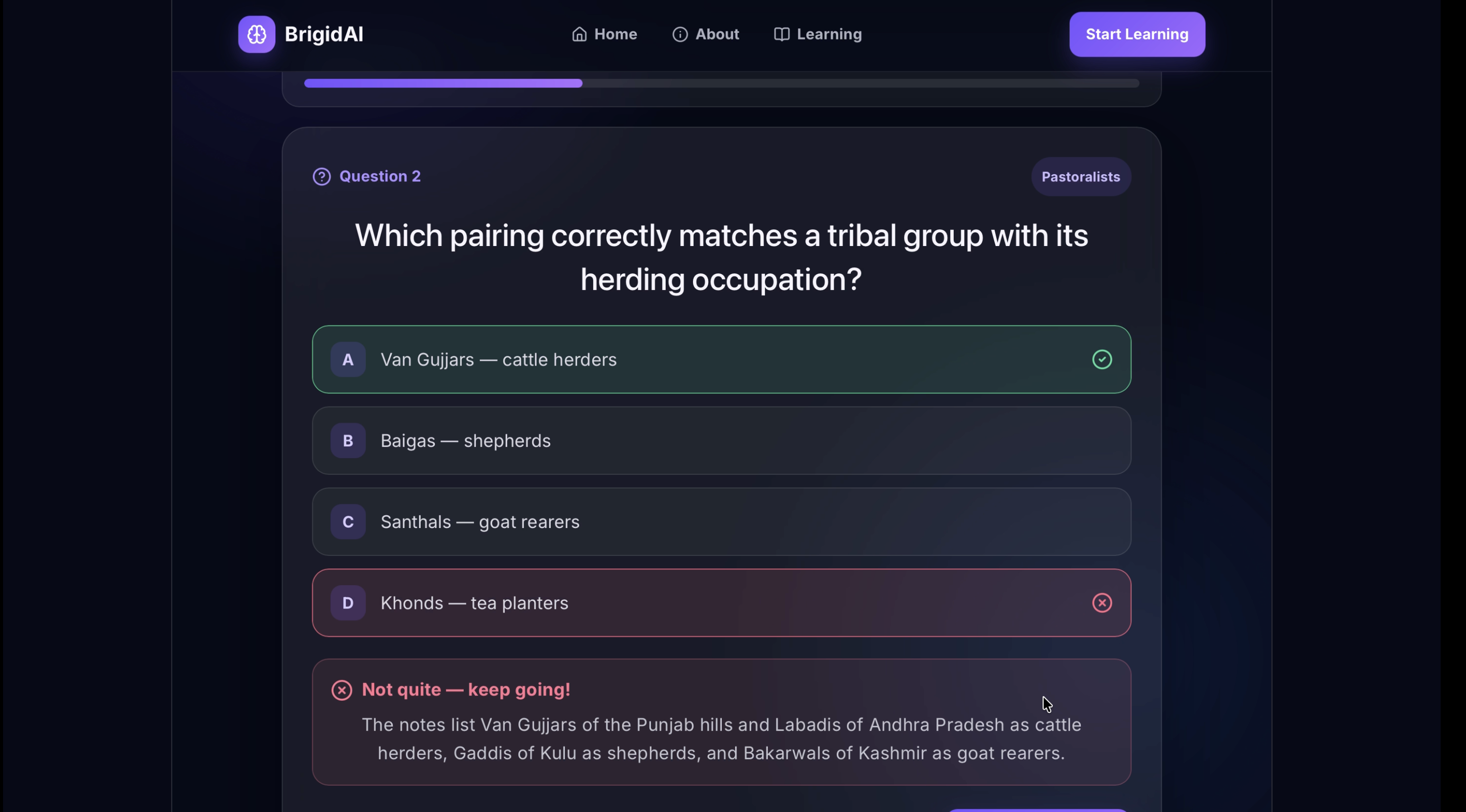
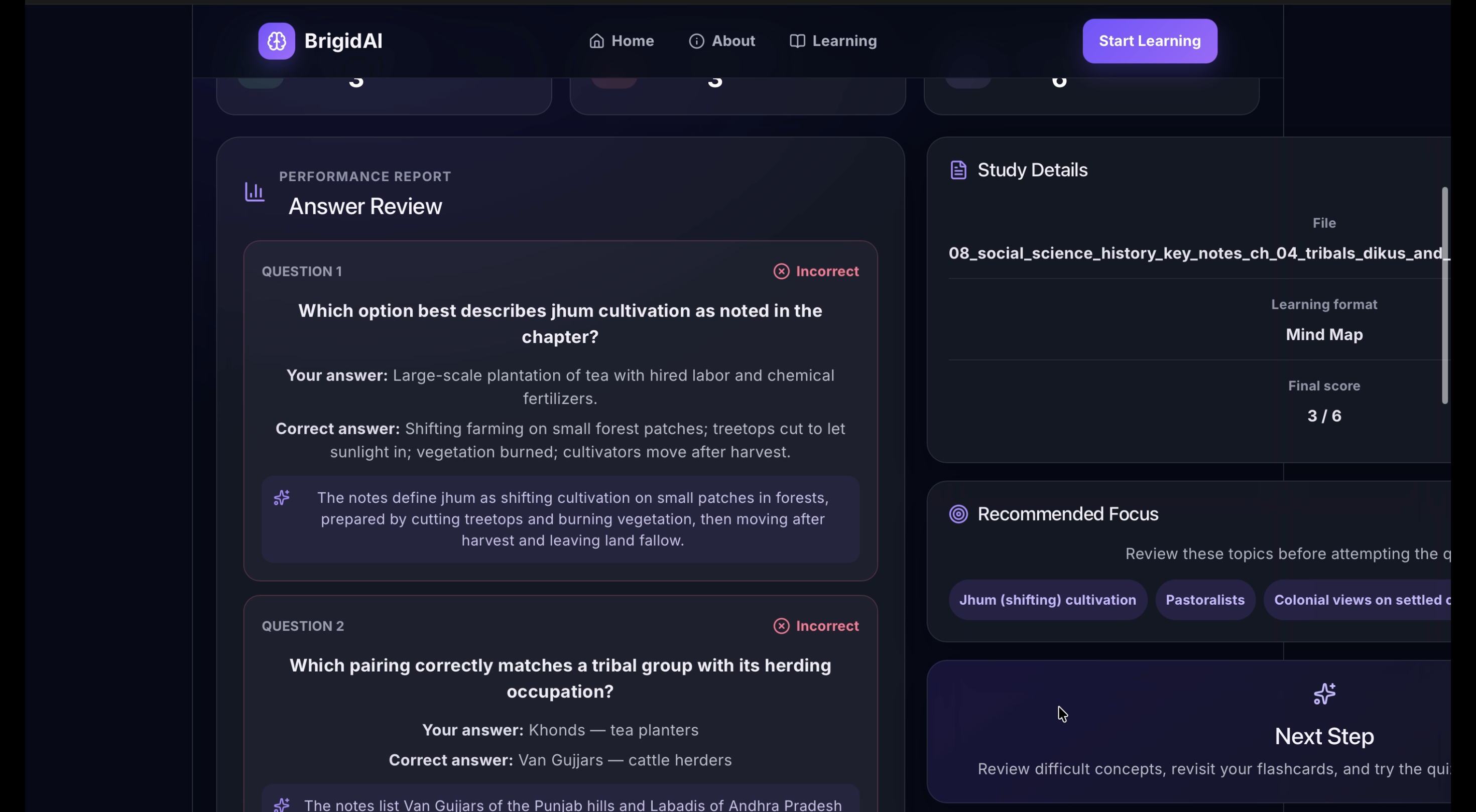
Quiz with correct answer and explanation
-
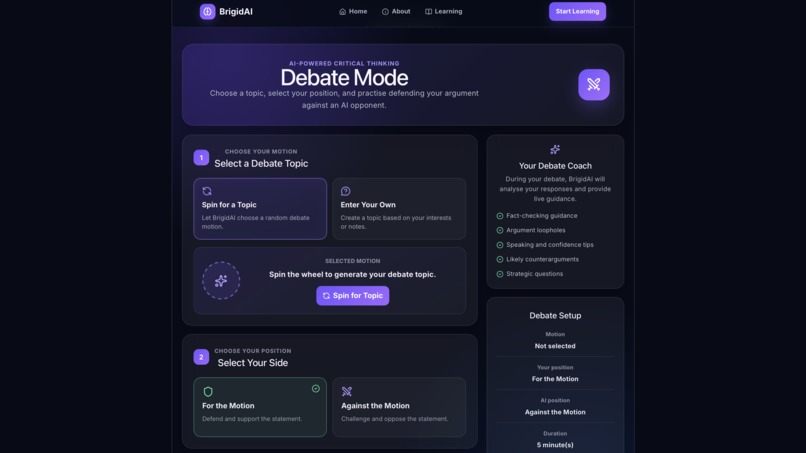
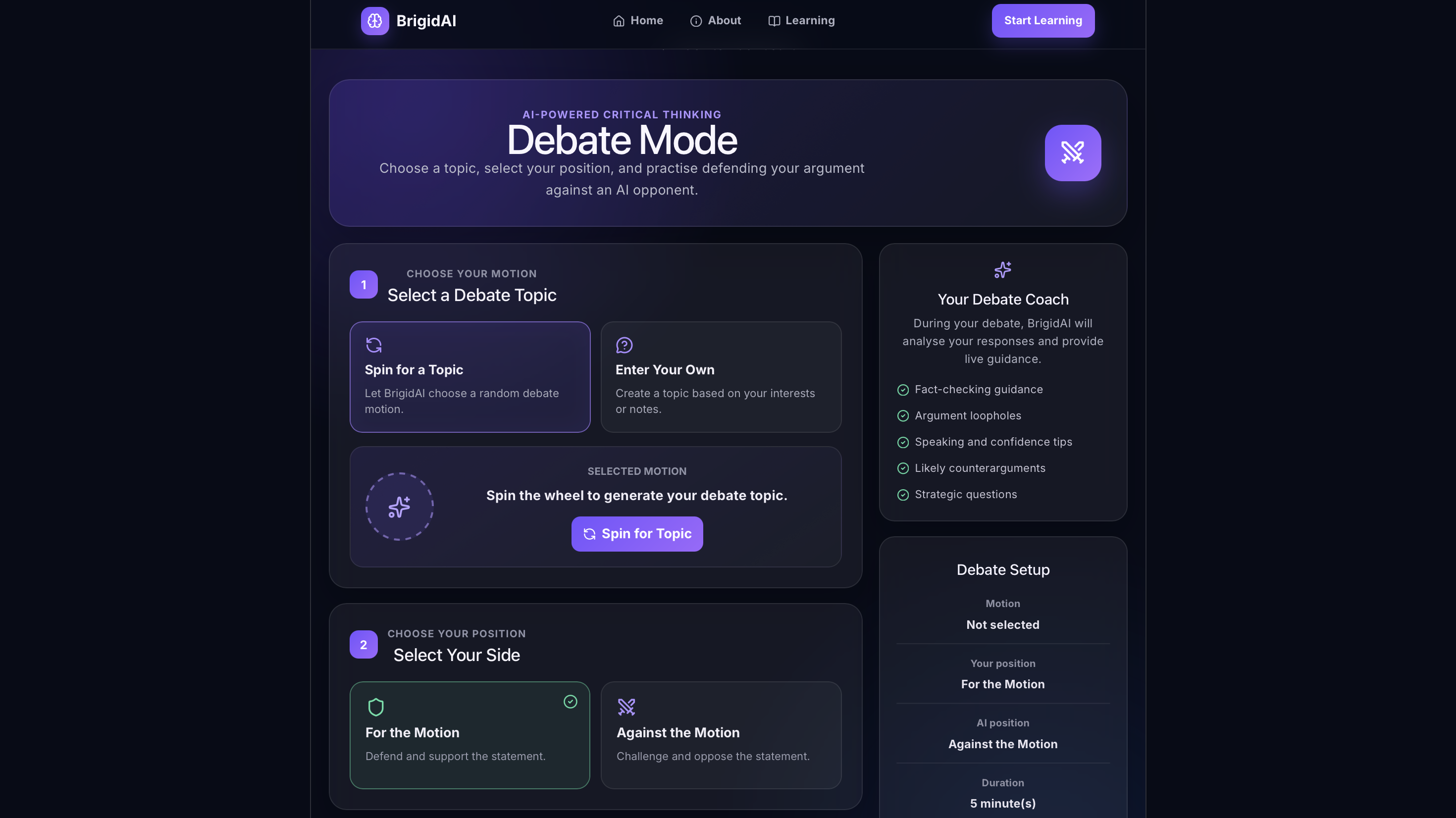
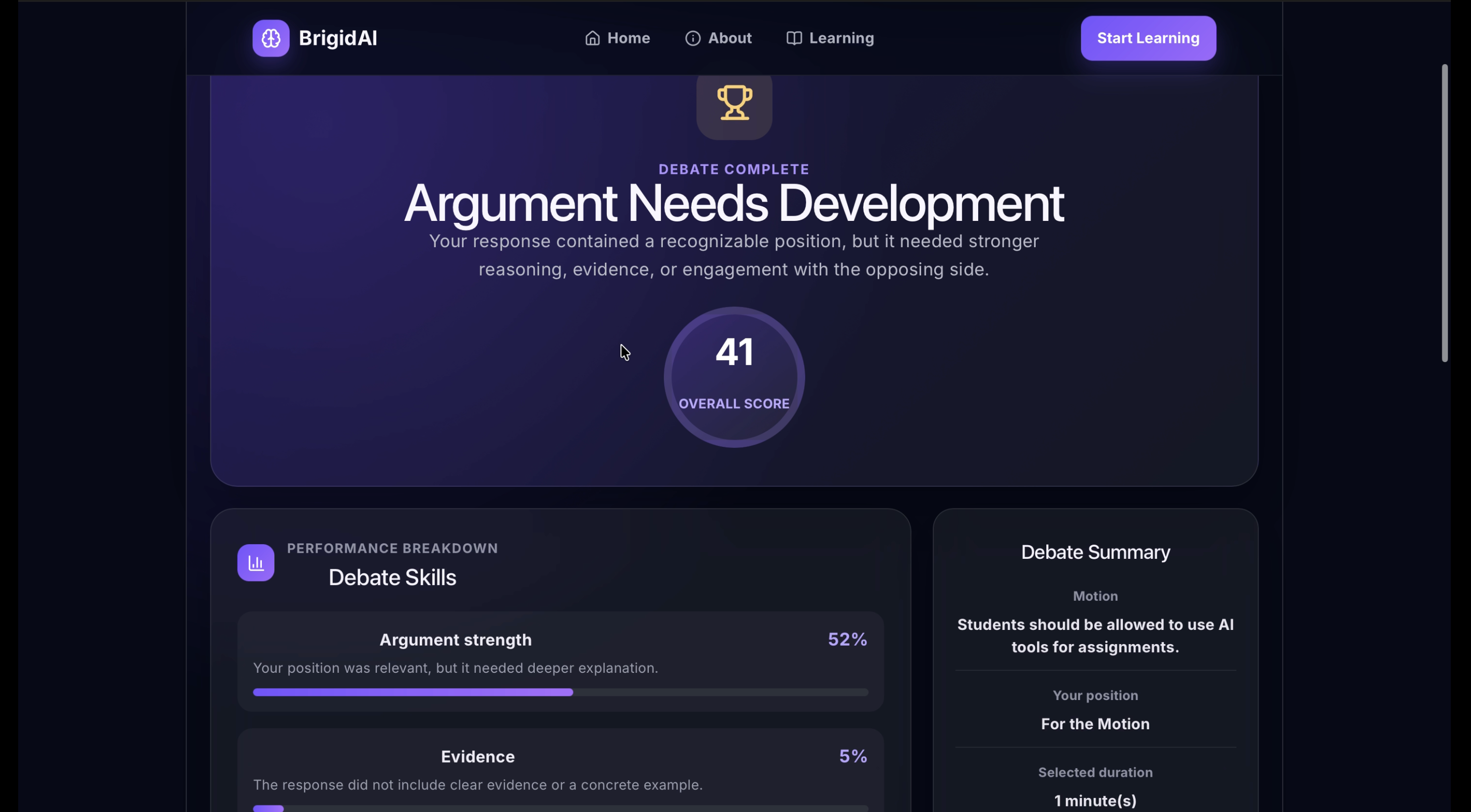
Debate Mode
-
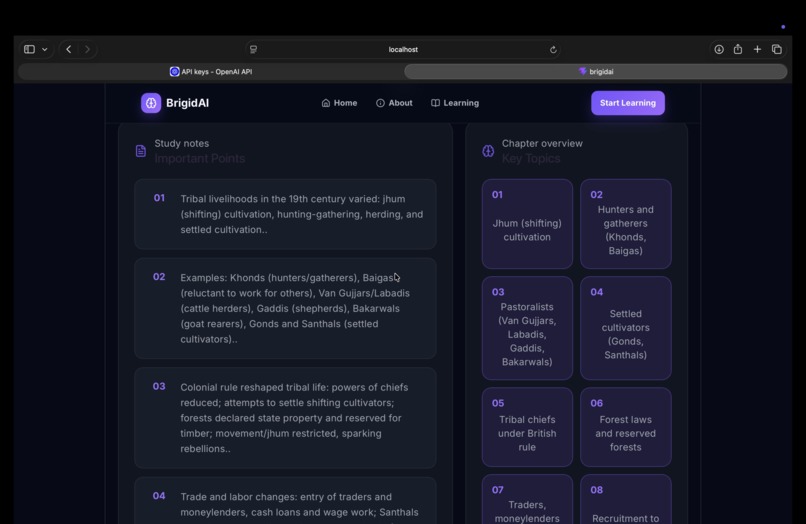
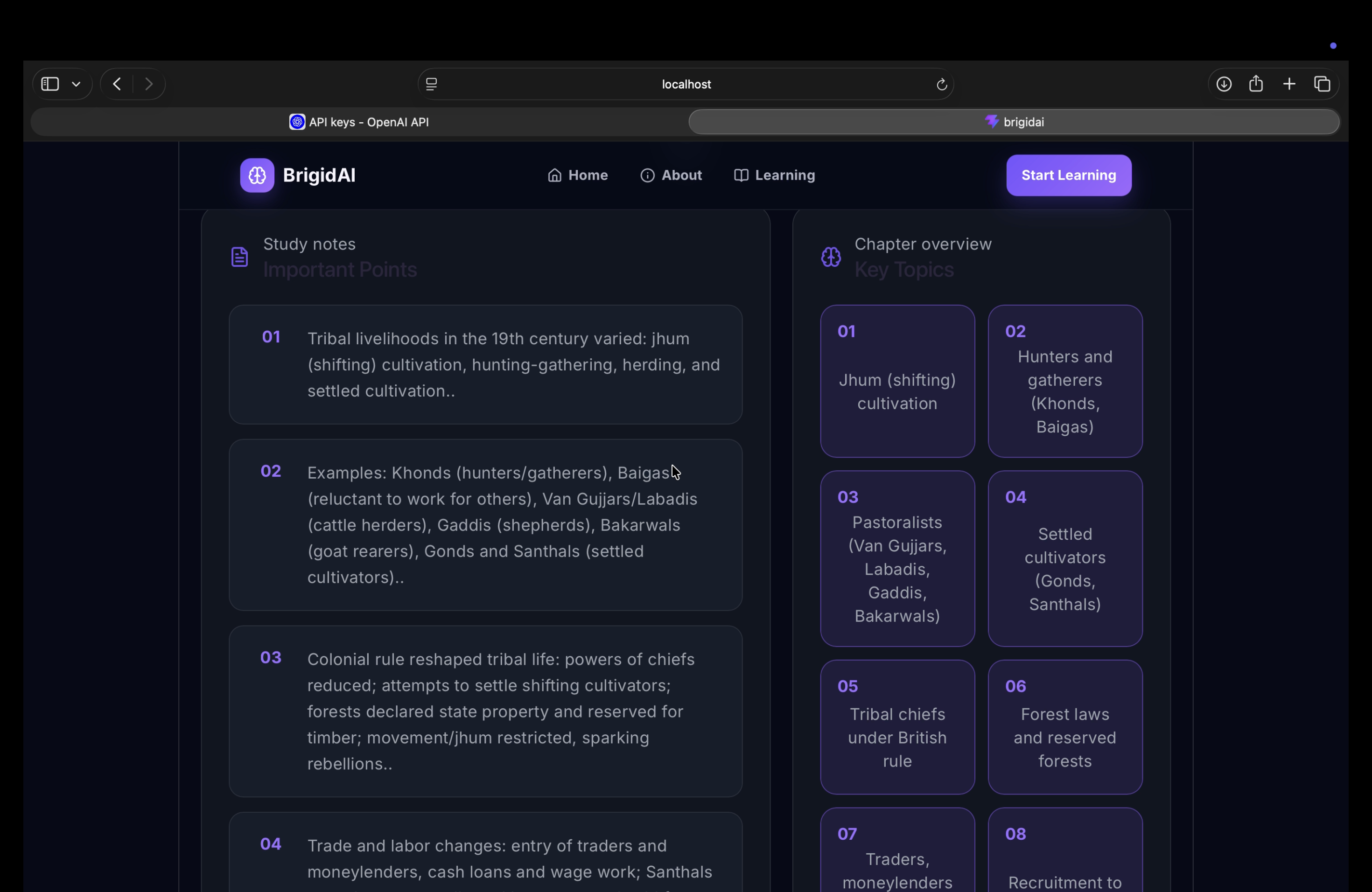
Key Topics & Summary
-
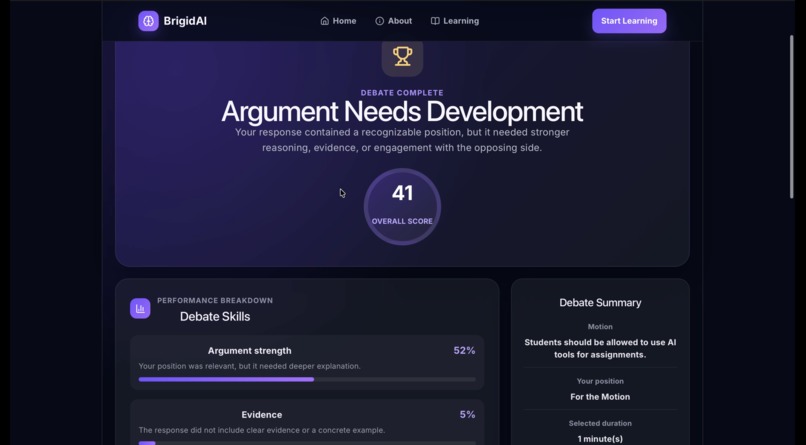
Debate review using AI
-
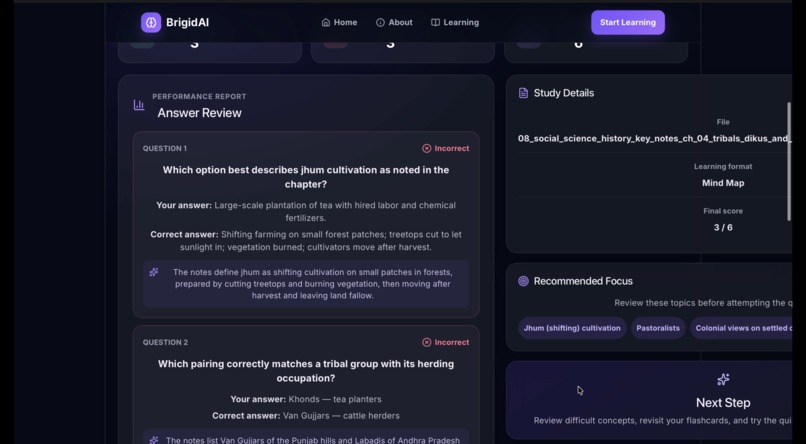
AI review
About Brigid AI
Inspiration
Most educational platforms give every student the same explanation, the same quiz, and the same revision plan—even though students learn in completely different ways.
We created Brigid AI because studying should involve more than memorizing information the night before an exam. Students need a tool that can understand their learning patterns, identify where they are struggling, and adjust the learning experience accordingly.
Our goal was to build an AI-powered learning companion that makes studying more personalized, interactive, accessible, and engaging. Instead of simply giving students answers, Brigid AI encourages them to understand concepts, practise recalling information, and confidently explain and defend their ideas.
What It Does
Brigid AI transforms a student’s notes into a personalized learning experience.
Students can upload their notes and choose how they would like the content to be presented. Brigid AI can generate:
- Clear bullet-point summaries
- Visual mind maps
- Flashcards for active recall
- Mixed-format quizzes
- Personalized study guides
- Revision plans based on weak concepts
The quiz system analyses which answers the student gets correct or incorrect, their accuracy, and the time taken to answer. This information can then be used to prioritise difficult concepts during future study sessions.
Brigid AI also includes a Debate Mode, where students can practise building arguments against an AI opponent. They can choose whether to argue for or against a motion and receive:
- AI-generated counterarguments
- Possible loopholes in their reasoning
- Fact-checking guidance
- Speaking and confidence tips
- Suggestions for strengthening their argument
This makes Brigid AI useful not only for exam preparation, but also for improving communication, critical thinking, reasoning, and public-speaking skills.
How We Built It
We built Brigid AI as a full-stack web application.
The frontend was developed using React, with a dark, futuristic interface designed to make the platform feel engaging without becoming distracting. Separate learning and debate interfaces allow students to move between note-based studying and interactive practice.
The backend was built using Node.js and Express. It receives requests from the frontend, prepares the relevant study or debate context, communicates with the AI model, and returns structured responses to the application.
For Debate Mode, the frontend sends the debate topic, the student’s selected position, and their argument to the backend through the /api/debate endpoint. The backend uses this context to generate a relevant response from the AI opponent rather than returning a generic message.
The overall learning process follows an adaptive feedback loop:
[ \text{Upload Notes} \rightarrow \text{Generate Learning Material} \rightarrow \text{Test Understanding} \rightarrow \text{Identify Weak Concepts} \rightarrow \text{Personalize Revision} ]
This allows the platform to gradually focus more attention on the areas where each student needs the most support.
Challenges We Faced
One of our biggest challenges was connecting the frontend and backend reliably. During development, the backend occasionally failed to start because port 5001 was already being used by another process. We had to locate the existing server process, stop duplicate instances, and improve how the server handled startup errors.
We also faced problems where the debate interface received invalid or incomplete responses from the backend. At one stage, the AI treated arguments as simple strings instead of properly understanding the debate topic, position, and context. We solved this by improving the API route, validating the returned JSON, and giving the AI clearer contextual instructions.
Another challenge was ensuring that Brigid AI did not behave like a generic chatbot. Its responses needed to be connected to the student’s uploaded notes, quiz performance, debate position, and previous mistakes. Designing this context-aware flow required us to think carefully about how data should move through the application.
Creating a platform with several connected features—note uploads, summaries, mind maps, quizzes, flashcards, progress analysis, and debate practice—also required careful organisation. We had to keep the interface understandable while still showing the depth of what the platform could do.
What We Learned
Building Brigid AI taught us that adding an AI model to an application is only the beginning. The quality of an AI-powered product depends heavily on the context given to the model, the structure of the prompts, the reliability of the API, and the way responses are presented to users.
We learned how to:
- Connect a React frontend to an Express backend
- Build and debug REST API routes
- Handle failed requests and invalid AI responses
- Pass structured learning context to an AI model
- Design an adaptive educational workflow
- Turn uploaded notes into multiple study formats
- Create a user interface around complex AI features
- Develop an AI debate opponent that responds to the student’s actual argument
Most importantly, we learned that personalization should not simply mean changing the appearance of a dashboard. Meaningful personalization requires the platform to observe how a student performs and use that information to change what happens next.
What’s Next
Our next step is to strengthen Brigid AI’s adaptive learning system. We want the platform to remember weak concepts across study sessions, track progress over time, and automatically recommend what the student should revise next.
Future improvements could include:
- More detailed mind-map generation
- Voice-based debate practice
- Speech clarity and confidence analysis
- Subject-specific learning modes
- Collaborative study rooms
- Teacher dashboards
- Accessibility options for different learning needs
- More detailed progress and mastery analytics
Ultimately, we want Brigid AI to become more than a tool that helps students study faster. We want it to help them understand information deeply, think independently, and become more confident learners.
Built With
- axios
- cors
- css3
- dotenv
- express.js
- git
- github
- html5
- javascript
- json
- large-language-models
- local-storage
- natural-language-processing
- node.js
- npm
- openai-api
- prompt-engineering
- react
- responsive-web-design
- rest-api
- vite
- vs-code

Log in or sign up for Devpost to join the conversation.