-
-
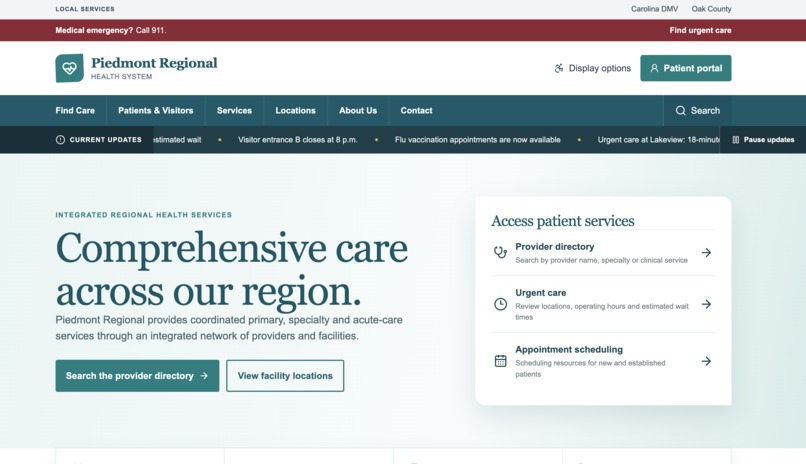
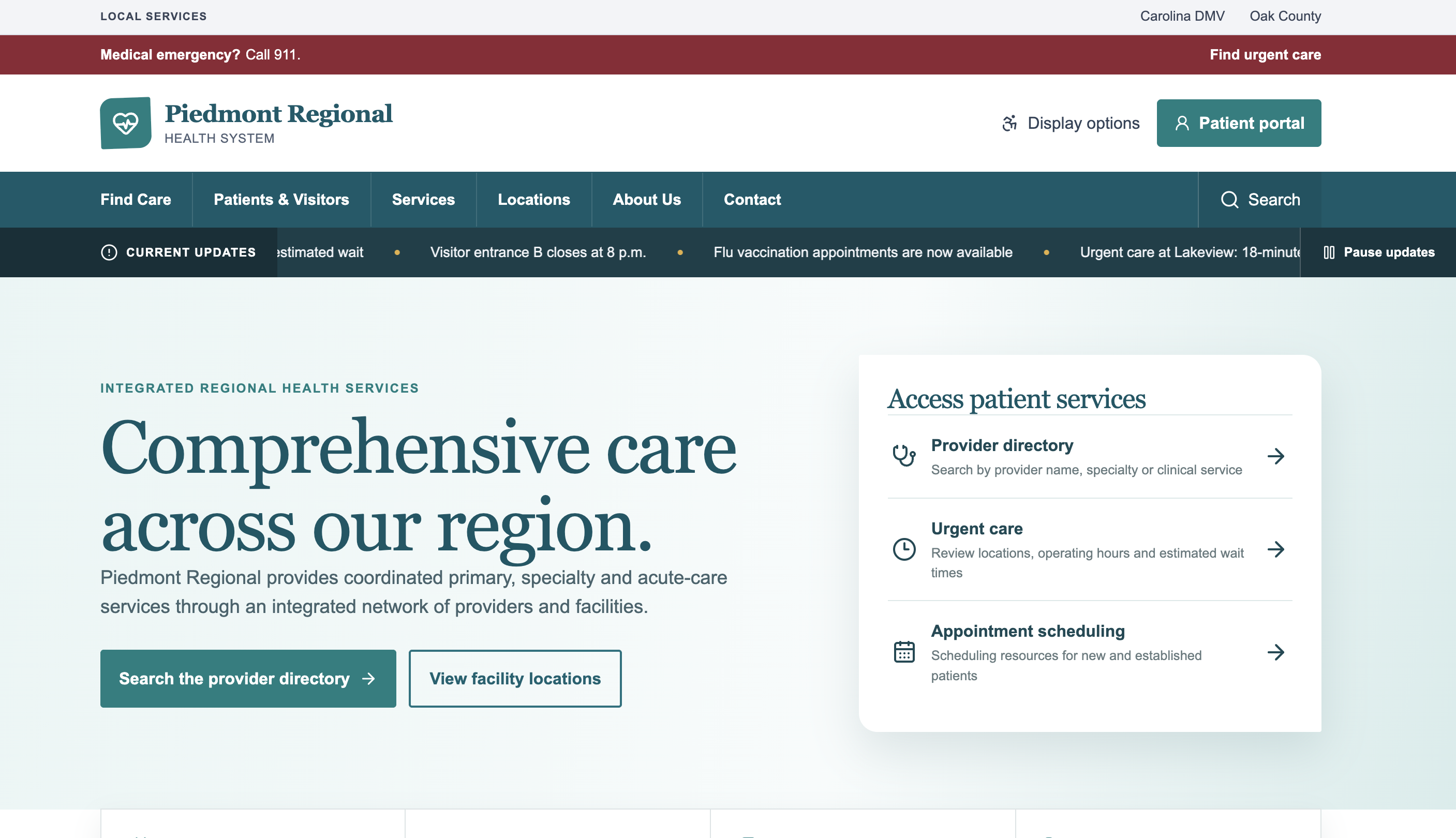
Healthcare site
-
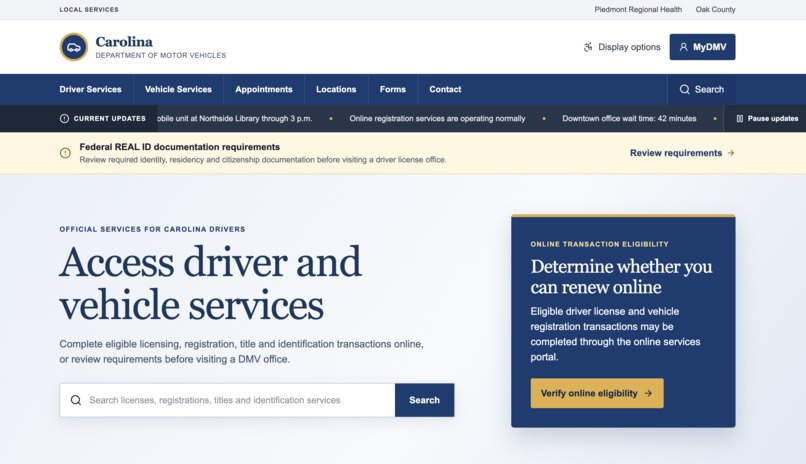
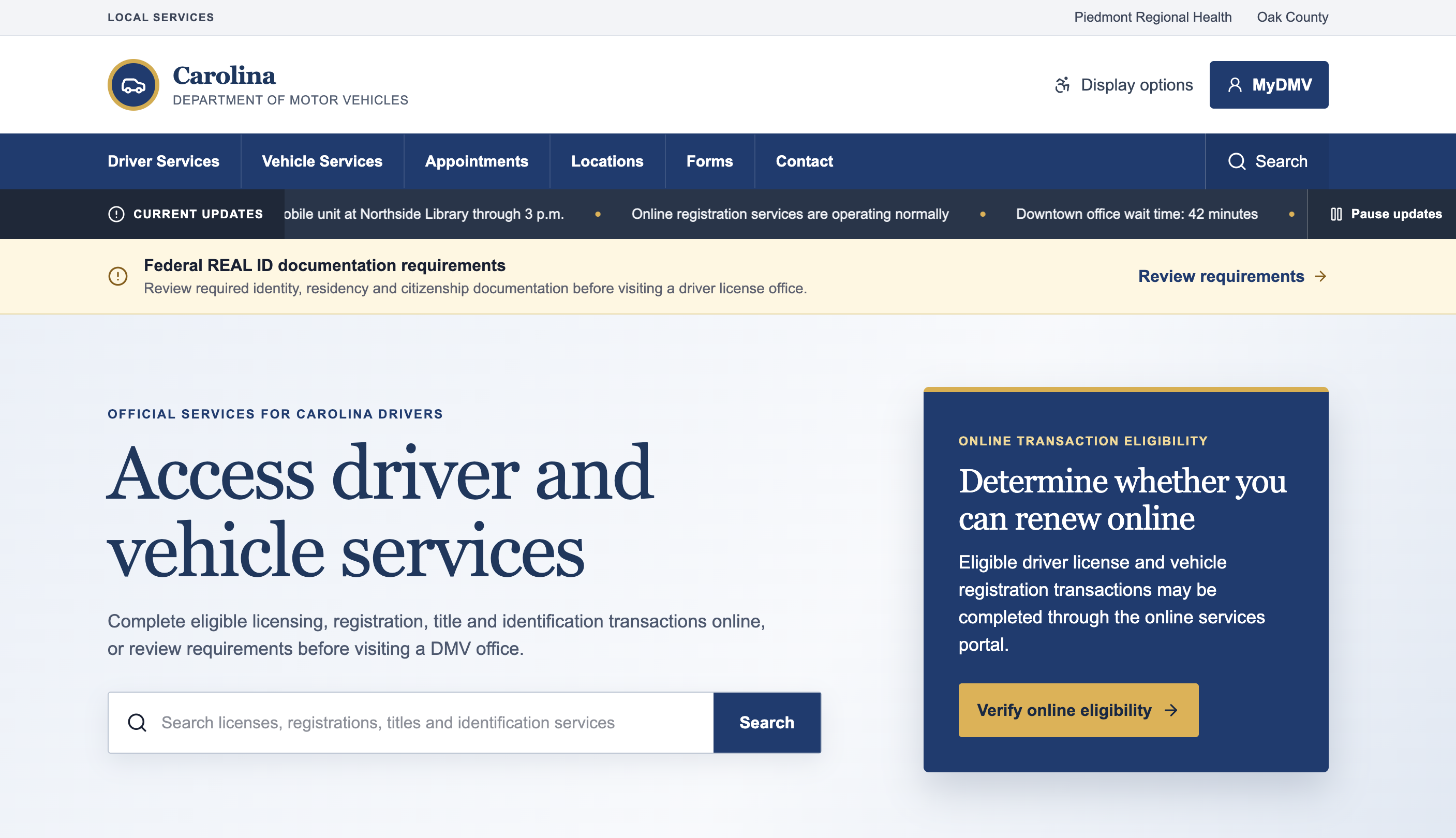
State Gov site
-
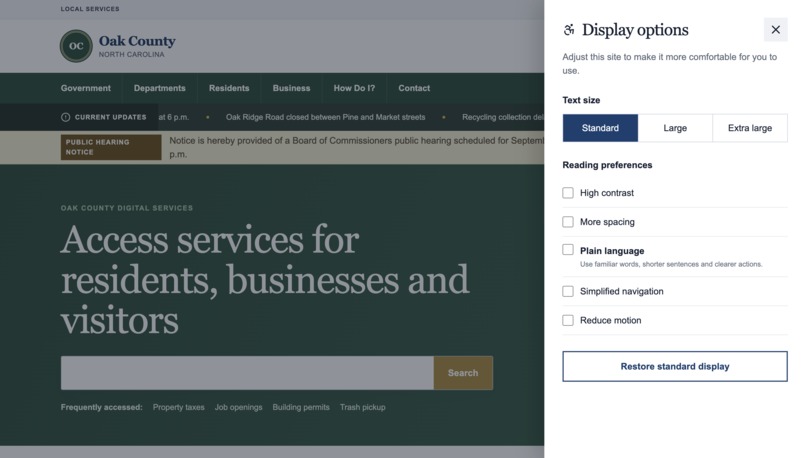
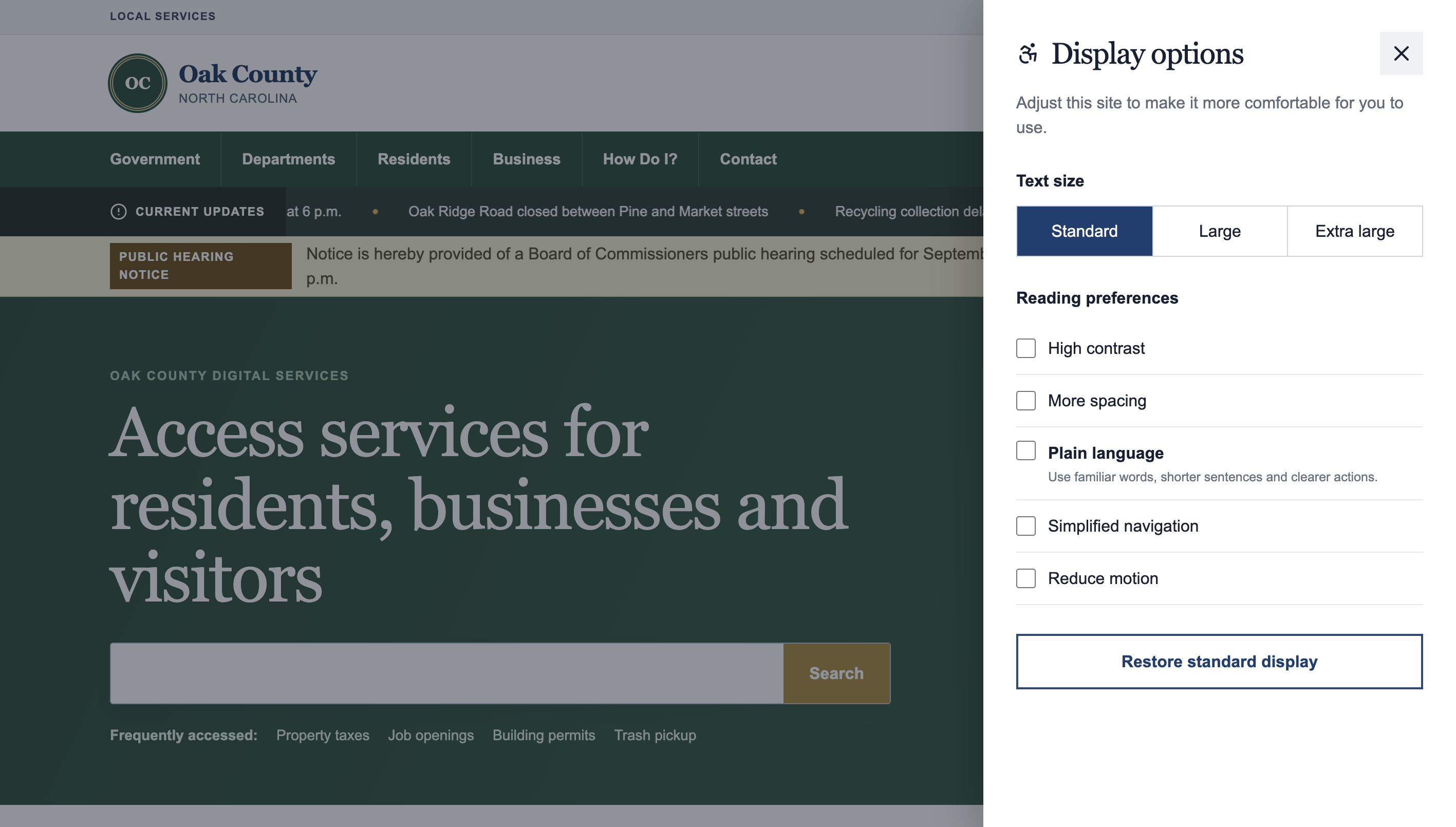
Local Gov site
-
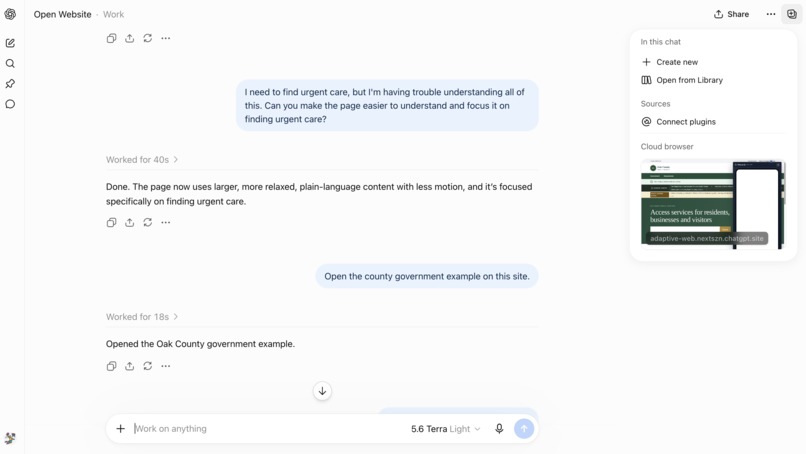
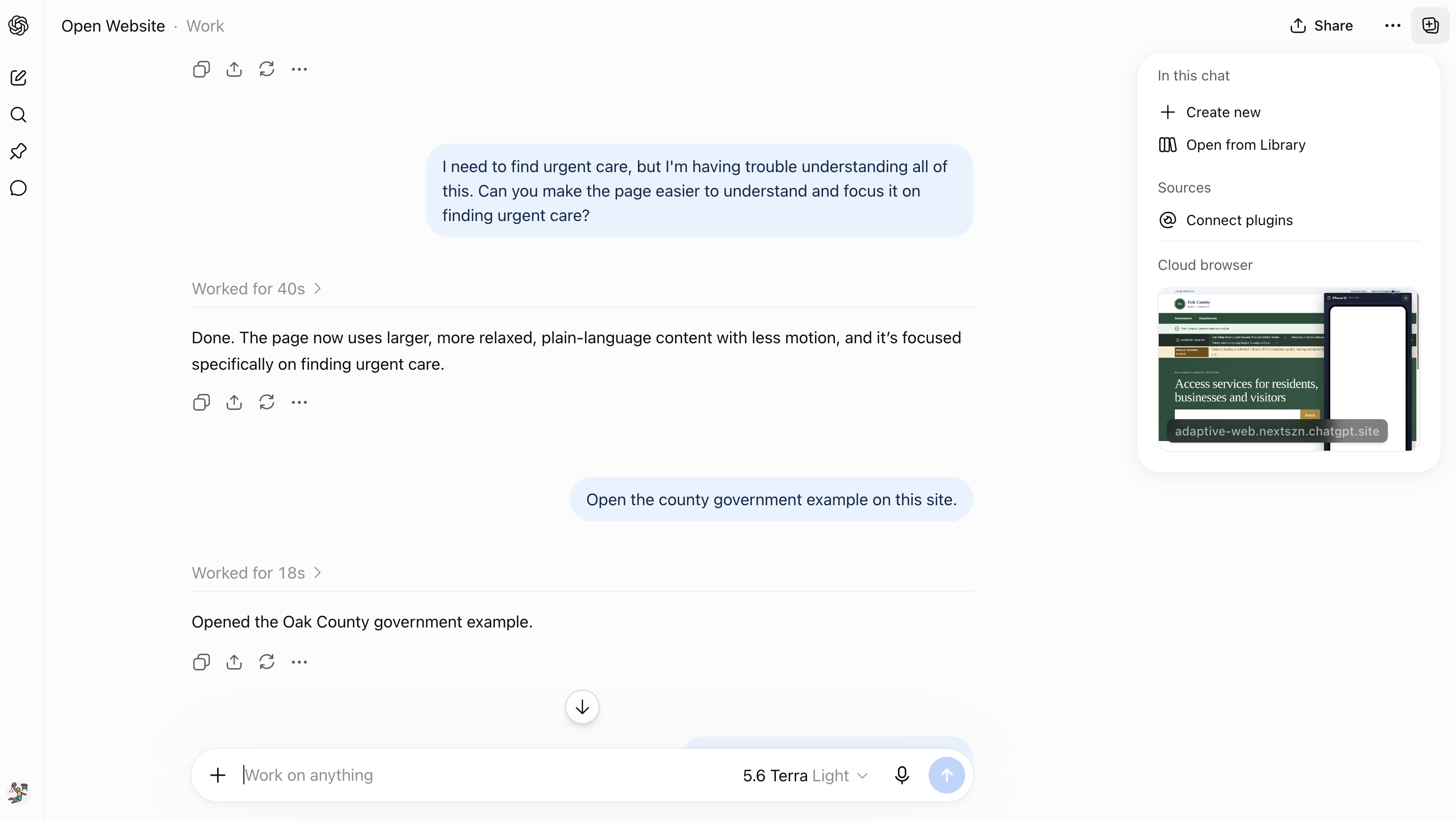
ChatGPT session
Inspiration
The web has made real progress on accessibility, but cognitive accessibility still gets overlooked, and it's genuinely hard to design for. WCAG gives us solid guidance on consistent navigation, understandable content, motion, focus, and giving people enough time to complete tasks. Those standards matter, but they don't cover every way someone might struggle to process what's happening on a page.
A site can check every accessibility box and still feel like a lot.
Picture a typical homepage: a promotional banner scrolling across the top, a popup asking you to subscribe, several competing calls to action, maybe a video, and a nav menu with a dozen choices. None of that is necessarily inaccessible on its own. Put it all together, though, and it becomes hard to process, especially for someone with a cognitive or learning disability.
Some sites offer controls that help, and browsers and operating systems provide preferences too. But if a site is already overwhelming, asking someone to hunt down another menu, parse a list of settings, and figure out which combination might help just adds more burden.
WebMCP gave me a different way to think about the problem. What if I could just tell my AI agent, "There's too much happening on this page," and the site could tell the agent what it's actually capable of changing?
What it does
I built Adaptive WebMCP to explore that idea. It includes three demo experiences modeled after a state government site, a county government site, and a healthcare site, three categories where digital accessibility is especially important and often legally required.
Each site can adapt in several ways: text can get larger, contrast can increase, spacing can change, movement can stop, and navigation can simplify. I also built in plain-language content, since cognitive accessibility isn't only a visual concern. Government and healthcare sites lean heavily on legal, institutional, or medical language that's genuinely hard to process.
The experience can also reorganize around a person's goal. If someone needs to renew a driver's license, find urgent care, or pay property taxes, the agent can focus the whole site on that task and clear away the unrelated information competing for their attention.
All of this is exposed through WebMCP. Someone might say, "The movement is distracting me," "I don't understand what this means," or just, "Make this easier to use." The agent discovers what the site supports and picks from the adaptations I've made available.
The person doesn't need to know the name of a setting or where to find it. They just describe what's getting in their way, in their own words.
How I built it
Adaptive WebMCP runs on React, Next.js, and TypeScript, deployed through ChatGPT Sites. All three portals share the same adaptive interface, with their capabilities registered through document.modelContext.registerTool().
I built nine WebMCP tools in total. Some help the agent understand the experience first, like what adaptations are available and which settings are already active. The rest handle changing readability, simplifying navigation, focusing on a task, applying a preference profile, resetting the experience, or opening a mobile viewport for QA testing.
I was deliberate about what these tools are allowed to do. The agent isn't handed broad control of the page to generate CSS or rewrite the DOM on the fly. Every tool maps to something I've already defined in the application. The site decides what's possible; WebMCP just gives the agent a structured way to use it.
Plain language is a good example of this restraint. Instead of letting AI rewrite government or healthcare information on the fly, the site holds publisher-controlled plain-language content. The agent can surface that version through WebMCP, but the organization stays responsible for what it actually says.
I also built reusable profiles like low-vision, reduced-distraction, and comfortable-reading, so someone can ask for a whole experience without knowing which individual settings need to change underneath it. Traditional controls still work too. WebMCP is another door into the same adaptations, not a separate "AI version" of the site.
I took this a step further and experimented outside the visitor experience entirely. A developer or tester can ask the agent to open an in-page mobile preview on an iPhone 15 or Pixel 8, which let me apply the same WebMCP model to responsive QA, not just accessibility.
Across all of it, the principle holds: the site defines what can change, the person describes what they need, and WebMCP connects the two.
Challenges I ran into
The hardest question here wasn't technical. It was deciding how much the agent should decide on the user's behalf.
Accessibility is personal. Two people can experience the same interface completely differently, and I didn't want an agent diagnosing someone from a prompt or deciding what their "accessible mode" should look like. The user's request stays the source of truth. The agent can help interpret it, but the site controls which actions are actually possible.
Cognitive accessibility is also much broader than reducing motion or enlarging text. The adaptations in this demo are examples, not an attempt at a complete solution.
Persistence raised its own question too. Display preferences are useful across visits, but task focus is contextual. So I store display preferences locally while keeping task focus session-specific, so nobody comes back later to find the site still organized around a task they finished months ago.
Accomplishments that I'm proud of
I'm proud this turned into more than an accessibility panel bolted onto AI. I ended up with nine WebMCP tools working across three distinct public-service environments.
The agent can inspect an experience before changing anything, combine adaptations through reusable profiles, and even reorganize a whole service portal around what someone is trying to accomplish. At the same time, the traditional accessibility controls keep working with no agent involved at all.
That balance matters to me. WebMCP isn't replacing accessible design or WCAG. It's opening another path into capabilities that should already exist.
What I learned
I started this project thinking about WebMCP mostly as a structured way for agents to perform tasks on websites: search, retrieve information, submit something, change some state. Somewhere along the way, I started thinking about the interface itself as part of that state.
A site can tell an agent not just what a user can do, but how the experience can change for that user. That ended up being the most interesting idea in the whole project.
It also reinforced why the person needs to stay at the center of this. An agent shouldn't be the one deciding whether someone needs an accommodation. The person already knows when something isn't working. The agent's job is just to translate that need into capabilities the site actually supports.
What's next for Adaptive WebMCP
The bigger opportunity here is interoperability.
Accessibility and personalization controls work differently from one site to the next. What happens if some of those capabilities become predictable to agents through WebMCP, everywhere?
A person could eventually set preferences with their agent once and have every supported site respond to them, instead of configuring each site from scratch. My prototype doesn't do that yet; preferences are still stored locally in the browser.
Getting from this demo to something truly portable raises real questions around consent, privacy, standards, and how these capabilities should complement WCAG rather than compete with it. But that's the direction I want to keep pushing: a web that adapts to the person using it, instead of asking that person to relearn how to adapt to every website.
Built With
- next.js
- node.js
- react
- tailwind
- typescript
- vite
- wcag
- webmcp

Log in or sign up for Devpost to join the conversation.