
Inspiration
While I was working at a large company it happened that one of our Jira admins asked me whether I can help her with custom field configuration. To my surprise we were not able to define a different option list for different issue types which are in the same project. I started to google and I found that we are not alone and it is a common problem with custom field configuration. More than 1000 people voted for a related JAC ticket. I started to watch Forge platform development progress. When I realized that Forge would enable us to solve this problem I teamed up with Szymon to develop Adaptive Custom Fields.
What it does
It is a solution for one of the most popular problems not yet resolved (even on Jira server): Allow more than one custom field context to be associated with the same project but different issue types (1052 votes)
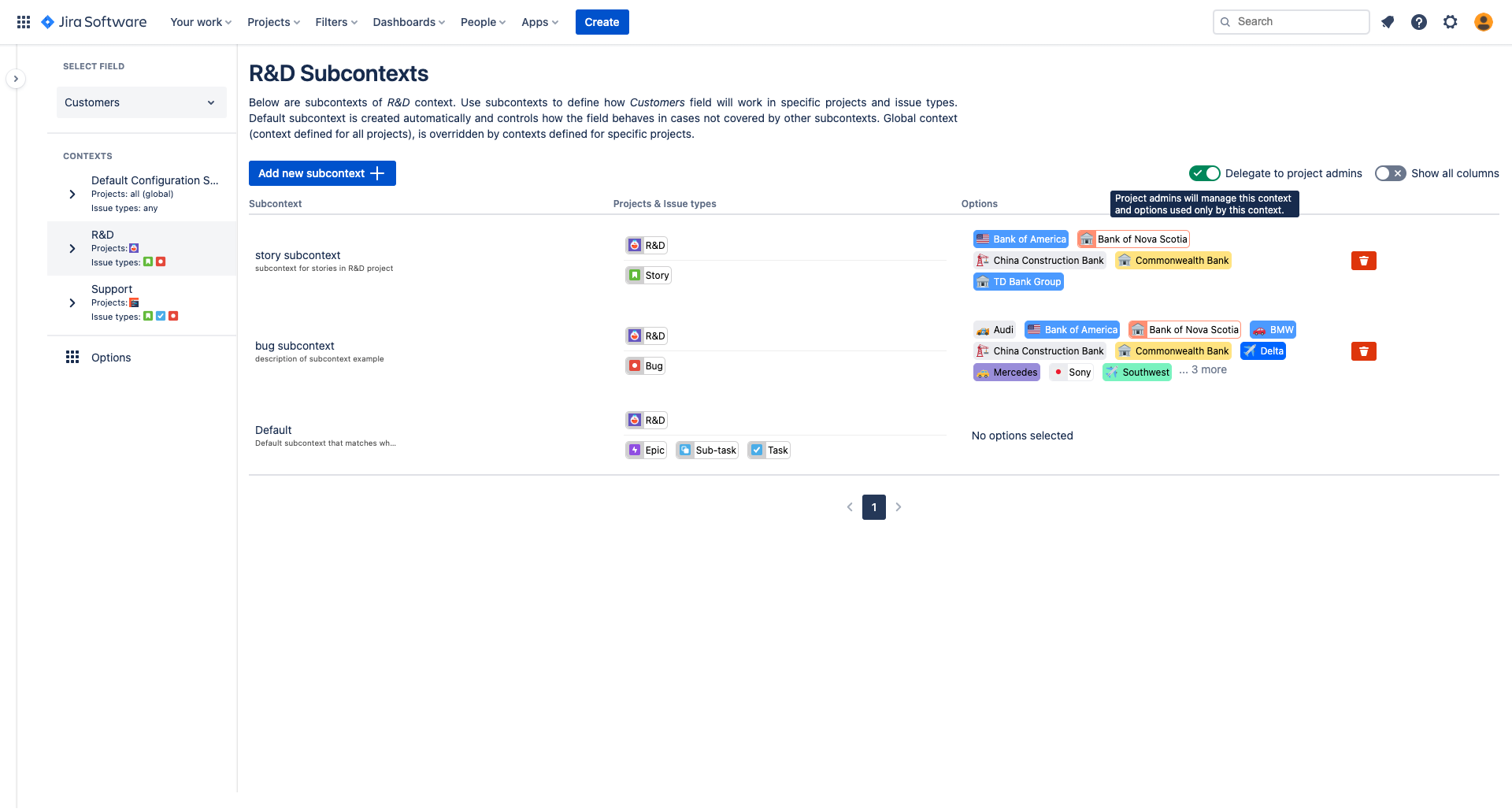
Thanks to our app Jira admin can define multiple contexts for the same project. We have added an additional configuration layer called subcontexts. This improves data quality as admins no longer need to duplicate their custom fields. To deliver the best possible user experience we have redesigned fields configuration and user interface of multi and single select custom fields.
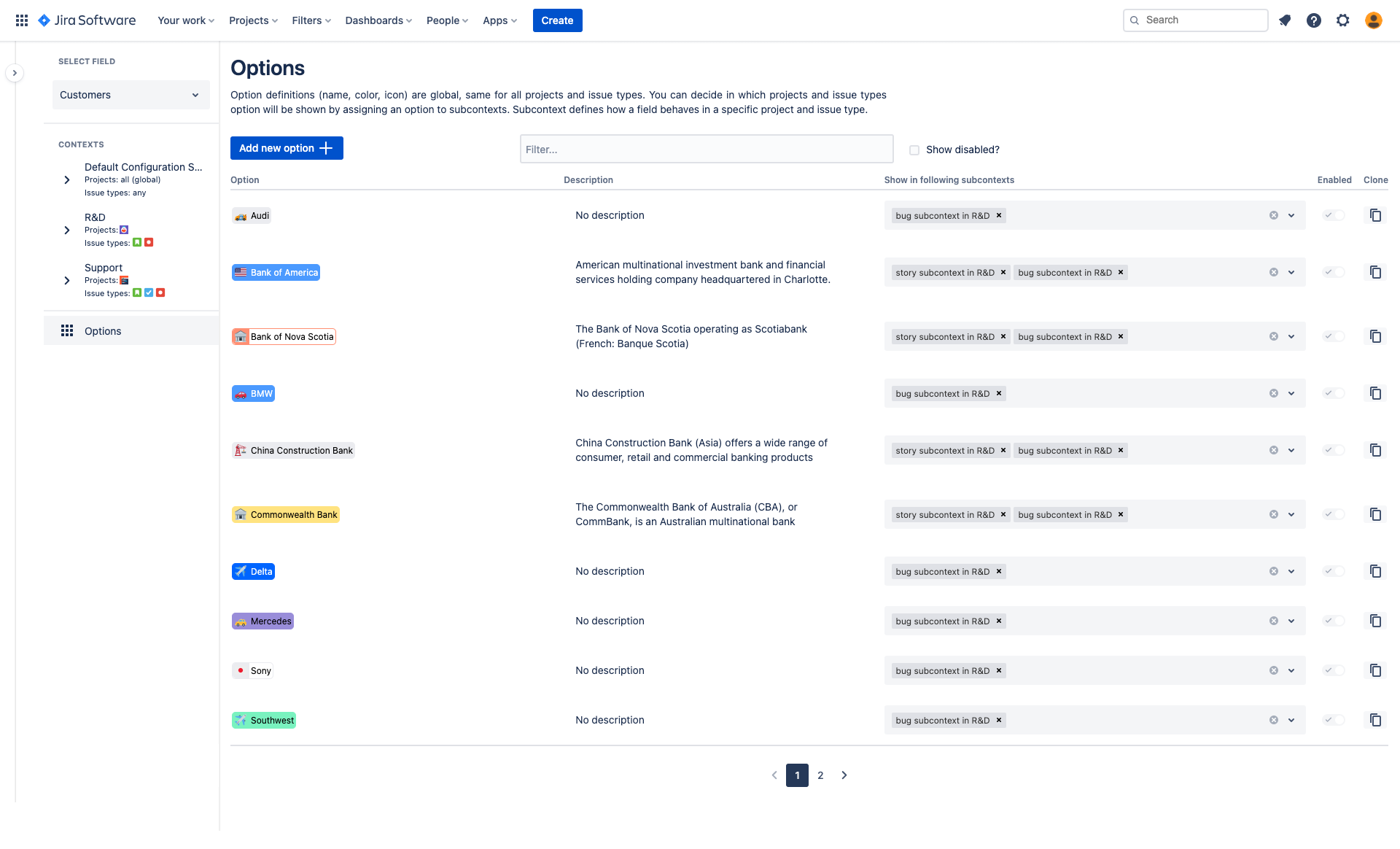
Better configuration for Jira admins
- Enables multiple contexts for same projects.
- Ships with new custom field types letting admins add multiple instances of Adaptive Custom Fields.
- Option definitions are shared among contexts (currently Jira admins need to keep separate list of options for each context, what is very tedious and labor intensive).
- Let admins assign options to many contexts on a single screen (currently admin needs to navigate to each and every context in order to add or remove an option).
- Jira admin can disable/enable options.
- Let teams manage their own fields - ACF ships with management delegation feature.
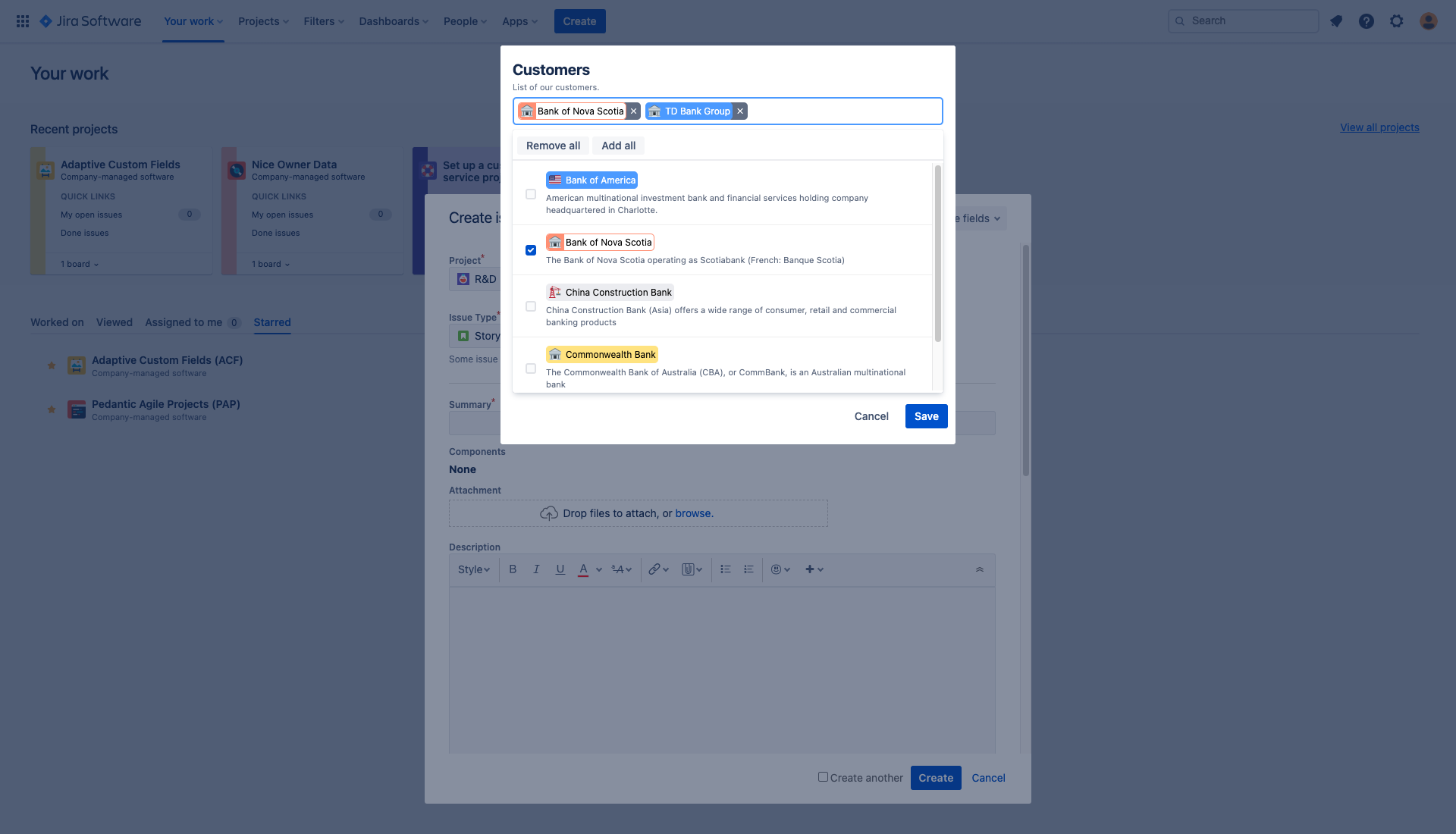
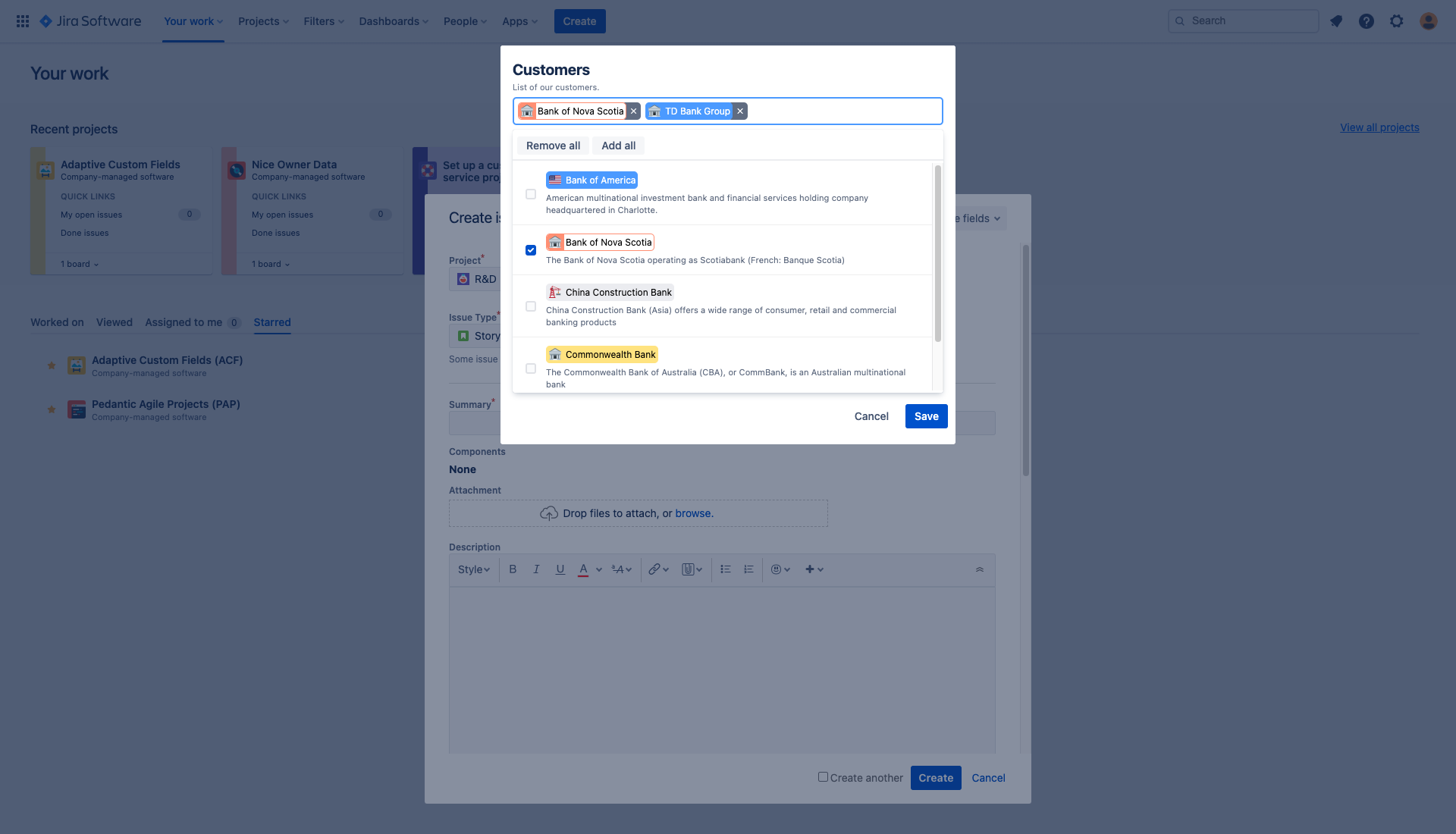
Smarter select and multi select for Jira users
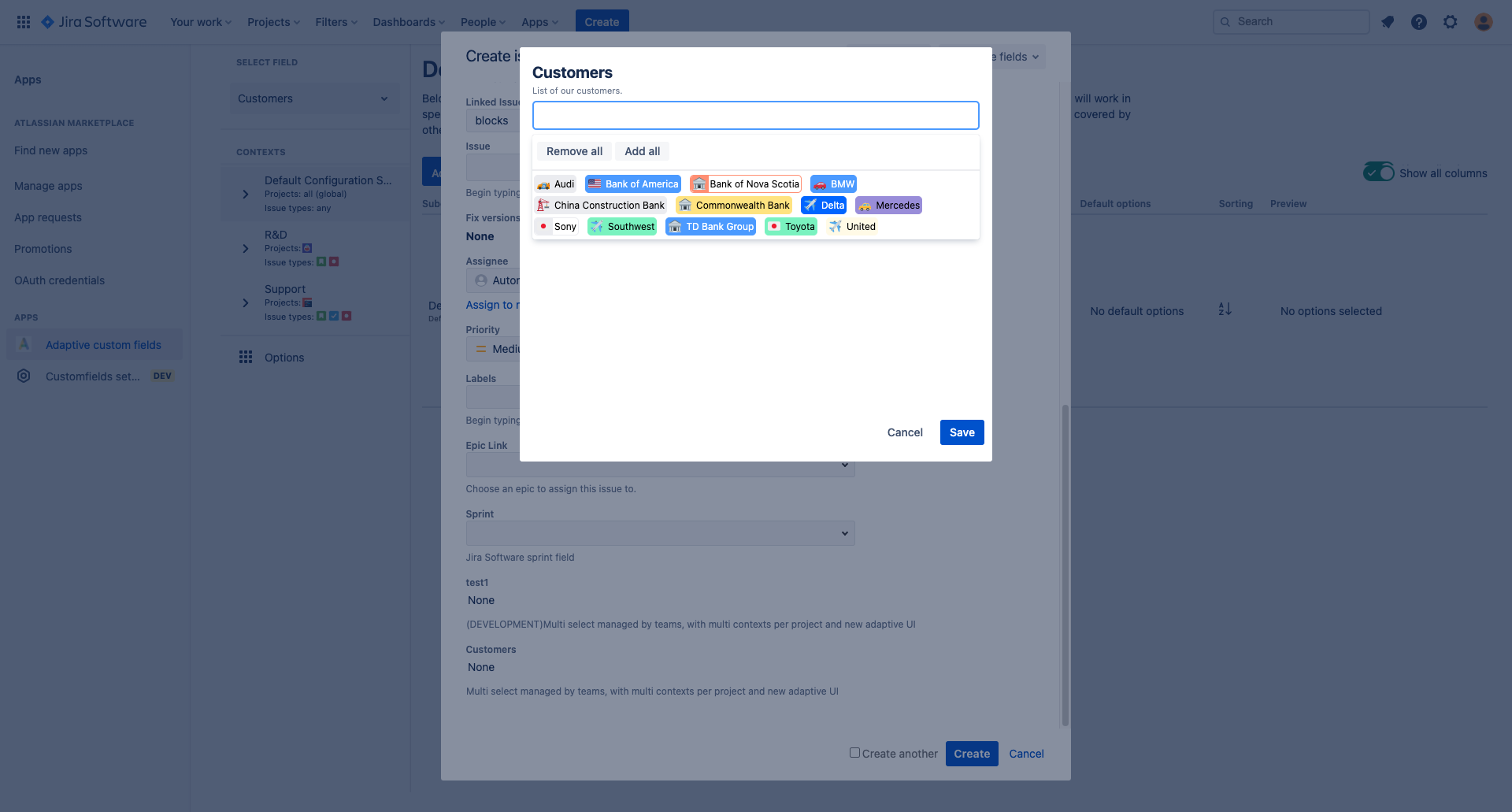
- If there are only few options available, the UI uses a detailed view with description for every option.
- If there are more options, then the view is optimized for fast option selection, and enables users to select dozens options in matter of seconds.
- Options' descriptions, colors and emoticons help users to identify and select option effectively and lets administrators create visually appealing configuration.
How we built it
We decided to create an application using Forge - a new framework for creating apps from Atlassian. We chose the tech stack we have experience with - TypeScript and React. In order to be compatible with Jira look & feel we chose to utilise Atlaskit UI library. Thanks to Forge, there is no need to host the application - we simply leveraged provided infrastructure.
We make use of multiple Forge extension points:
- Custom field type:
- we provide a multi select and single select fields,
- field edition using custom UI,
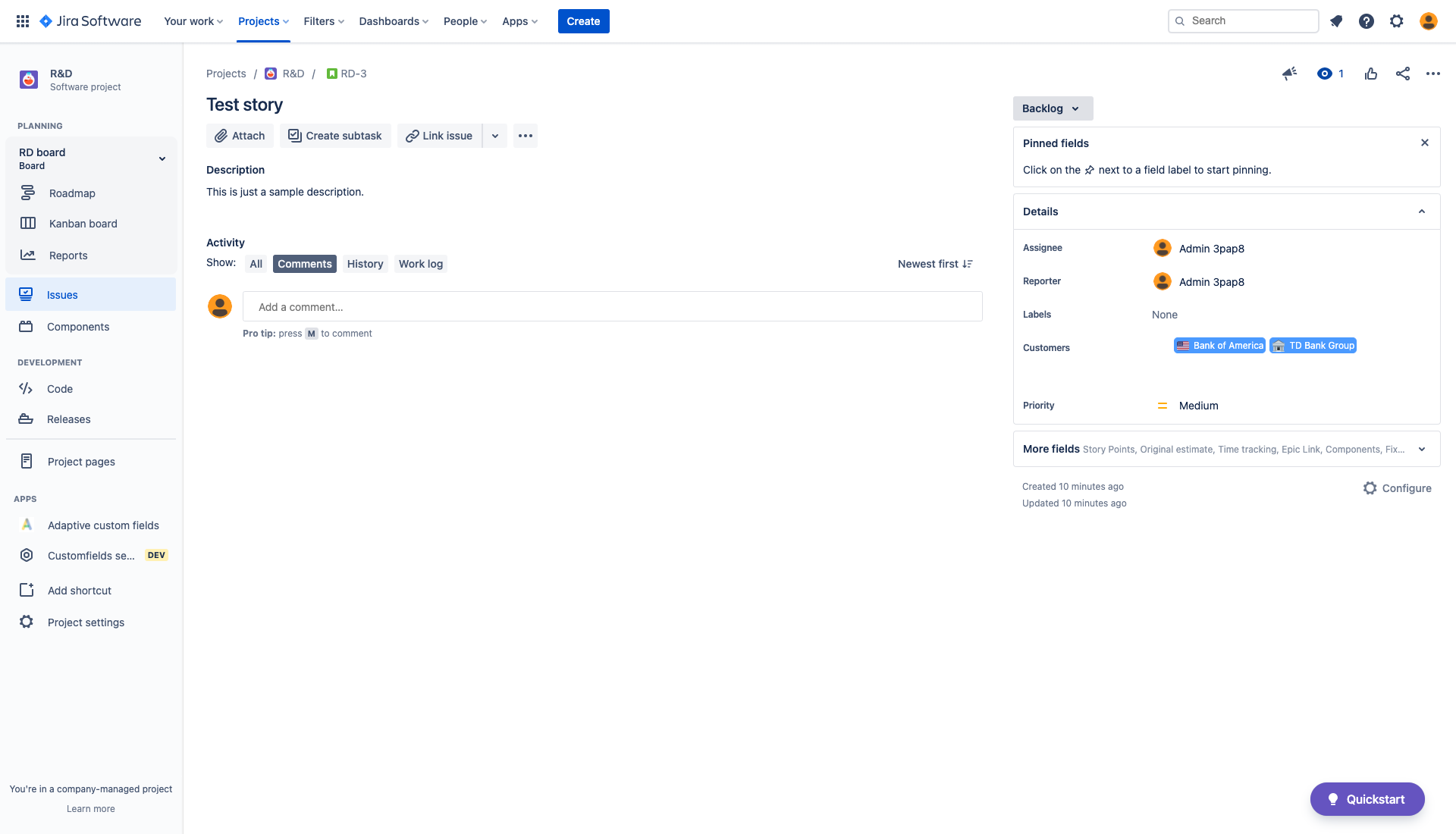
- displaying fields using UI Kit which generates SVG image with all options selected.
- Admin page to allow management by administrators.
- Project page to allow options management by project admins.
Challenges we ran into
Forge is still quite a fresh framework and seems to be under development. Therefore we bumped into several small issues:
- Some functionalities were missing at the time we started development (Custom UI for edition or Customfield config extension point).
- Context when displaying field was not available.
- Performance issues of backend FaaS functions hosted by Atlassian.
- Documentation being not comprehensive.
- Very limited means of customising UI Kit components.
Accomplishments that we're proud of
It was not clear in the beginning how to approach displaying options. Viewing page offers only UI Kit which does not allow for using custom html. We decided to generate options using SVG. We managed to come to solution which is satisfying.
We're also very happy with how the application looks. UI is modern and smooth. This is partially thanks to the fact that we use Atlaskit, but we had to put a lot of effort in coming to this point. Our solution was being reworked in iterations, so that we could improve it.
What we learned
Technical perspective
First of all, we're happy that we had the opportunity to learn how to develop applications in Forge. We hope to use this experience in near future to develop new applications. We gained experience with Atlaskit which is a very handy component library that helped us achieve consistent look and feel with the rest of Jira. Last, but not least: we learned a lot on how Jira custom fields work. Till now, we had a very limited experience with Jira plugin development and by working on this application we learned a lot.
Business perspective
How interesting problems to solve Enterprise customers can have. How radically a simple thing like select field could be improved.
What's next for Adaptive custom fields
We plan to:
- Add bulk import and export functionality.
- Add HTTP API access to enable automation.
- Add support for new custom field types.
- Improve performance.
- Publish app on the Atlassian marketplace.


Log in or sign up for Devpost to join the conversation.