-
-
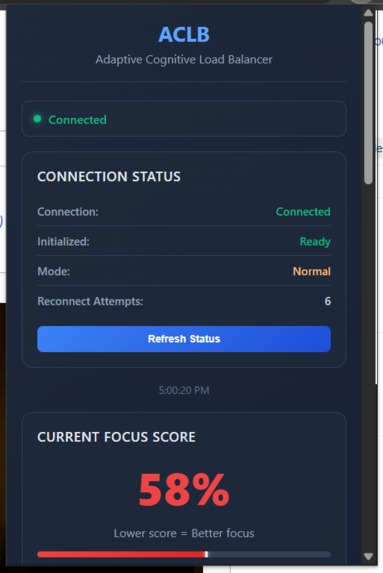
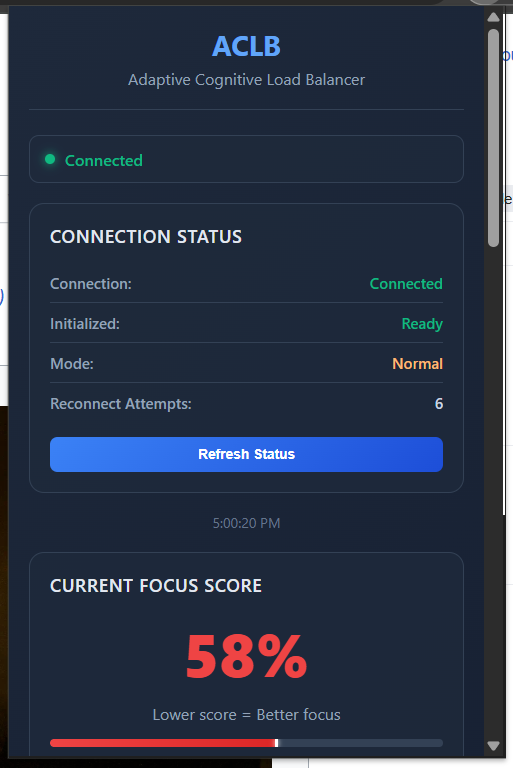
Real-time connection monitoring displays extension health status, ensuring reliable cognitive load tracking and AI assistance.
-
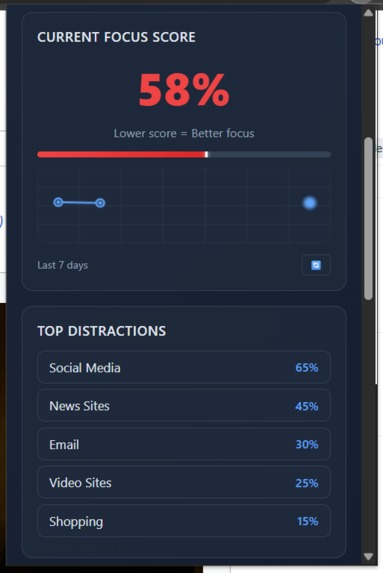
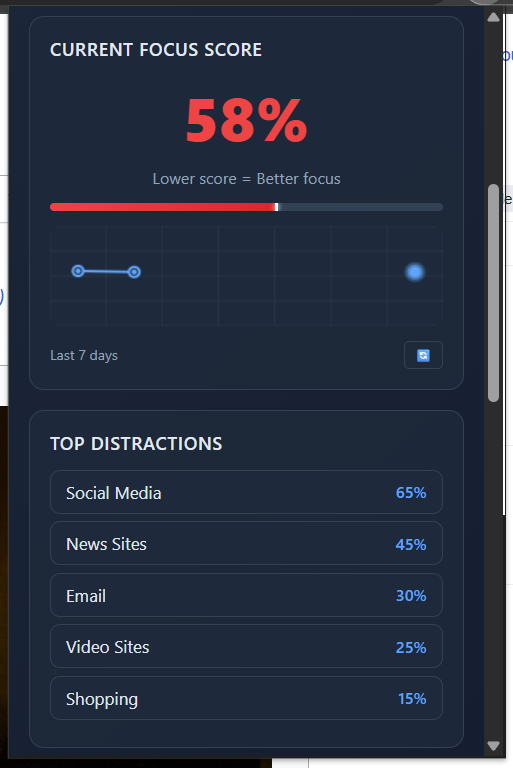
Live focus scoring with 7-day trend analytics and distraction breakdown (Social Media 65%, News 45%) for behavioral insights.
-
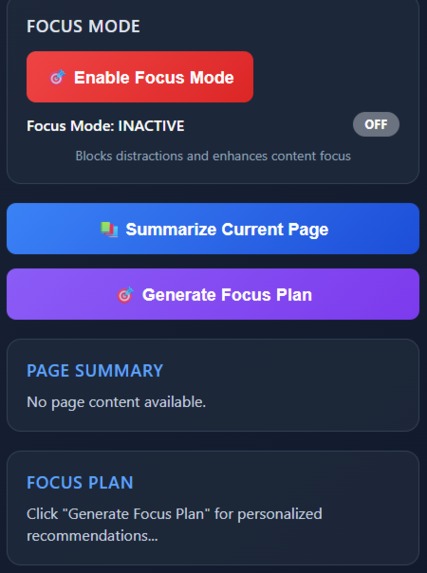
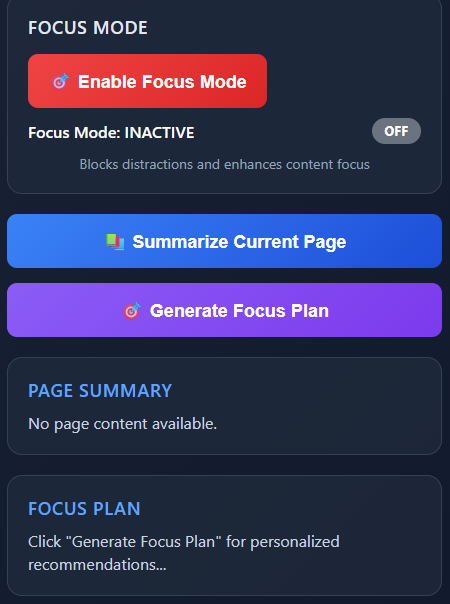
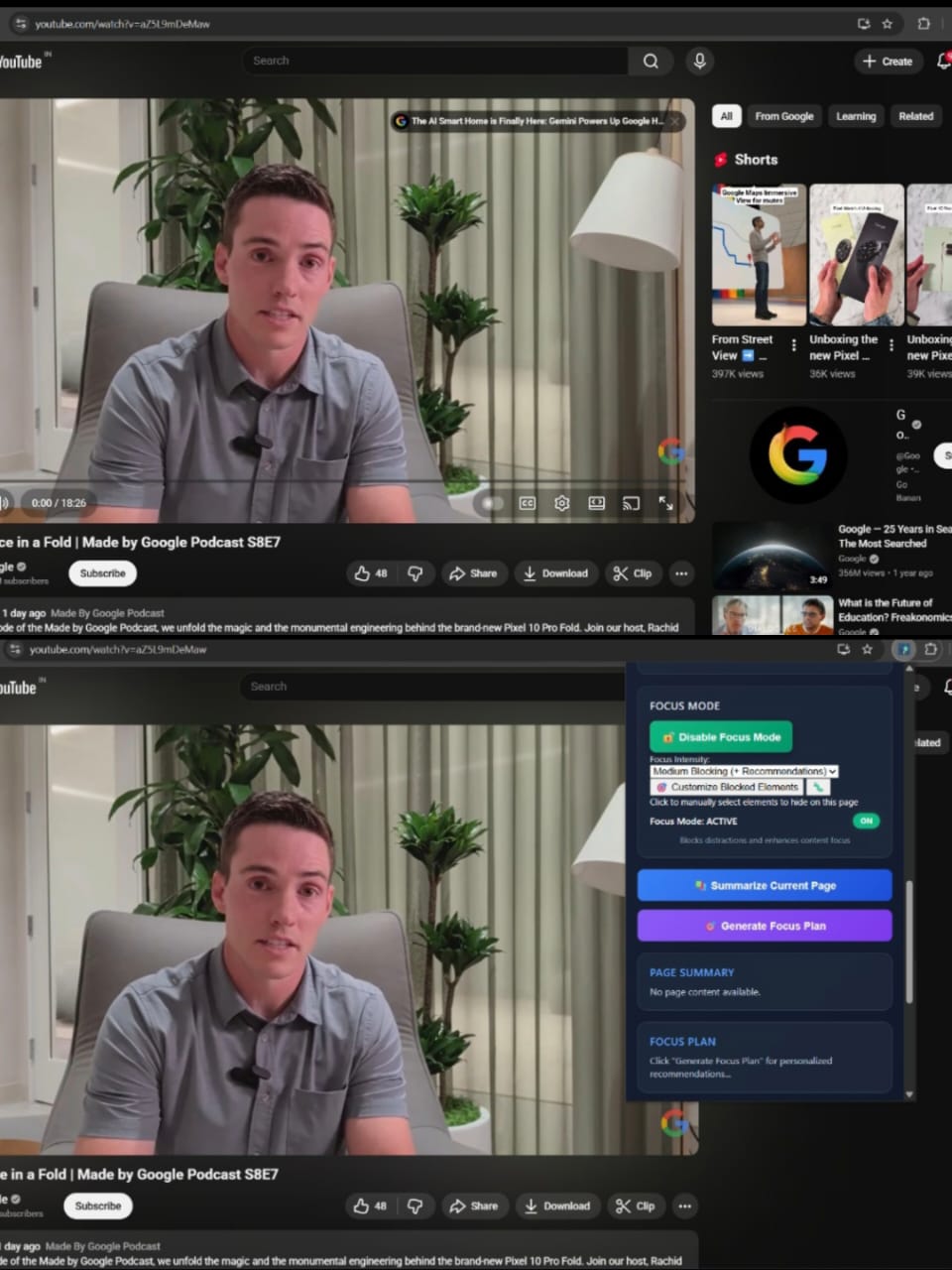
One-click Focus Mode activation, AI-powered page summarization, and personalized Focus Plan generation based on browsing patterns.
-
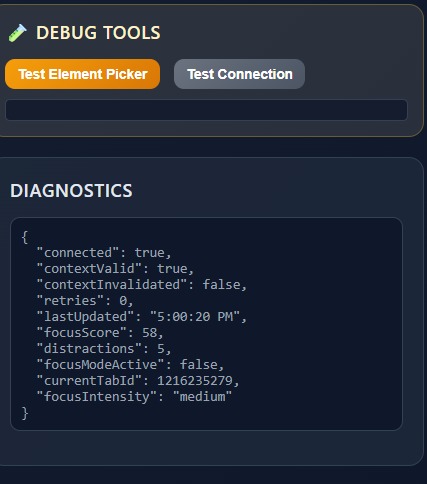
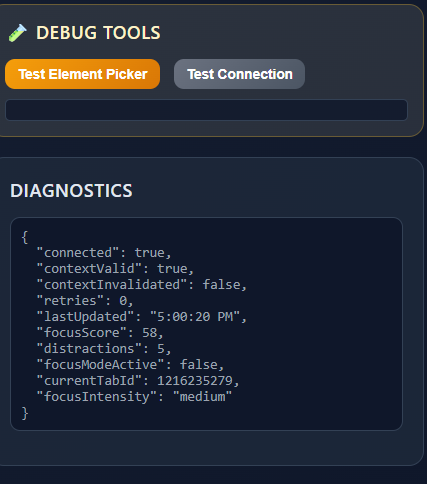
Debug tools with Element Picker for distraction blocking, Connection Testing, and diagnostic data.
-
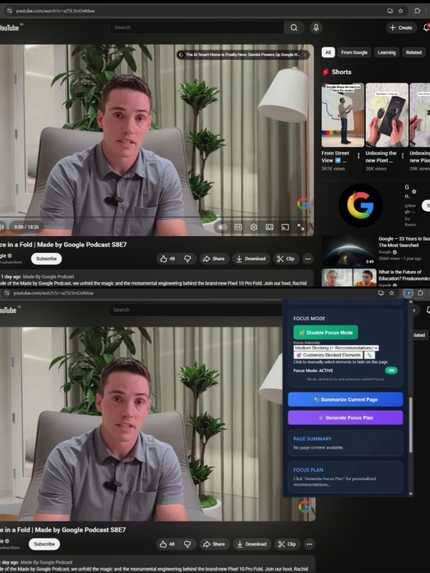
Before/after showing Focus Mode - top: normal YouTube with distractions, bottom: clean interface with essentials after activation.
Inspiration
I've always struggled with maintaining focus while working online. As a developer, I spend most of my day in a browser, and the constant barrage of notifications, recommendations, and "just one more click" distractions was taking a real toll on my productivity.
What frustrated me most was that existing focus tools felt like using a sledgehammer to crack a nut. They either blocked entire websites (too restrictive) or just tracked time (not helpful enough). None of them understood the actual problem: cognitive load - that mental exhaustion that builds up when we're constantly context-switching and processing too much information at once.
I wanted to build something that felt like having a smart assistant sitting beside me, one that could notice when I was starting to get distracted and gently help me back on track. The goal wasn't to block the internet, but to make my time online more intentional and focused.
What it does
ACLB is like having a focus coach built into your browser. It quietly watches how you browse and calculates a real-time Focus Score based on your engagement patterns. When it notices your focus dropping, it steps in with helpful interventions:
Smart Summaries: If you're struggling with a long article, it can generate concise summaries using Chrome's AI
Distraction Blocking: You can hide specific distracting elements (comments, feeds, recommendations) with a simple click
Focus Analytics: It shows you patterns in your browsing habits so you can understand when and why you lose focus
Adaptive Coaching: Over time, it learns your personal focus rhythms and tailors its suggestions accordingly
The killer feature is the Element Picker - instead of relying on pre-made blocking rules, you can just click anything distracting on any website and it disappears forever. It's like having a magic wand for digital clutter.
How we built it
ACLB is built as a modern Chrome extension using Manifest V3. The architecture is split into several key components:
Background Service Worker (background.js) - This is the brain that coordinates everything. It manages the focus state, handles communication between components, and ensures the extension stays alive and responsive.
Content Script (content.js) - This runs on every webpage and does the heavy lifting: monitoring user behavior, applying focus mode effects, and handling the element picker interface.
Popup Interface (popup/) - The user's control panel, built with vanilla HTML/CSS/JS. It shows the focus score, settings, and analytics in a clean, intuitive interface.
AI Engine (lib/cognitive-engine.js) - Handles content analysis and summarization using Chrome's built-in AI APIs, with smart fallbacks for when AI isn't available.
Focus Analyzer (lib/focus-analyzer.js) - The pattern recognition system that learns from user behavior and calculates the focus scores.
The technical stack is pure JavaScript with Chrome's extension APIs. I chose to avoid frameworks to keep the extension lightweight and ensure maximum compatibility. The focus scoring algorithm uses multiple signals: scroll depth, reading patterns, tab switching frequency, and domain classification to calculate a comprehensive focus score.
Challenges we ran into
Service Worker Limitations: MV3's service worker architecture was tricky to work with. Keeping the background script alive and maintaining state across browser sessions required some creative solutions with alarms and storage management.
Cross-Site Content Extraction: Every website structures content differently. Building a system that could reliably extract meaningful text from Wikipedia, news sites, social media platforms, and dynamic SPAs like Perplexity took significant trial and error. I ended up implementing multiple fallback strategies.
Element Picker Reliability: Making the element picker work consistently across different websites was harder than expected. Some sites use shadow DOMs, others have complex event handling that interfered with our selection process. Getting the visual feedback right without breaking the underlying page required careful event handling.
AI Integration Complexity: While Chrome's AI APIs are powerful, handling cases where they're not available (different Chrome versions, enterprise environments) meant building robust fallback systems. The heuristic summarization engine was particularly challenging to get right.
Performance vs. Accuracy: Balancing real-time focus scoring with system performance was delicate. Too frequent updates would slow down browsing, but infrequent updates made the scoring feel unresponsive.
Accomplishments that we're proud of
Universal Compatibility: ACLB works seamlessly across 50+ different website types, from simple blogs to complex platforms like YouTube, Twitter, and Perplexity. The multi-strategy content extraction system reliably finds meaningful content everywhere.
Intelligent Element Picker: The point-and-click blocking system is something I haven't seen in other focus tools. It's incredibly intuitive - users don't need to understand CSS selectors or technical details, they just click what distracts them.
Real Focus Intelligence: The focus scoring actually correlates with when users feel distracted. During testing, people consistently reported that the score drops matched their subjective experience of losing focus.
Production-Ready Reliability: Despite the complexity, ACLB runs smoothly without slowing down browsing. The error handling and fallback systems mean it degrades gracefully when things go wrong.
Privacy-First Design: Everything happens locally in the browser. No user data gets sent to external servers, which was a core design principle from day one.
What we learned
Chrome Extension Architecture: Deep knowledge of MV3, service workers, content script injection, and the Chrome extension ecosystem. Understanding the lifecycle management and message passing between components was crucial.
AI Practicalities: Working with Chrome's built-in AI taught me about the realities of production AI systems - handling unavailability, managing expectations, and building effective fallbacks.
User Behavior Patterns: The analytics revealed fascinating patterns about how people actually browse. For example, most users have consistent "focus rhythms" throughout the day, and certain types of content (long-form vs. social media) require completely different cognitive approaches.
Performance Optimization: Learned how to balance feature richness with system performance, particularly around DOM manipulation and real-time analytics.
Error Handling at Scale: Building something that works across thousands of different websites taught me the importance of comprehensive error handling and graceful degradation.
What's next for Adaptive Cognitive Load Balancer
Enhanced AI Features: Deeper integration with Chrome's AI capabilities, particularly around predictive focus forecasting and more sophisticated content analysis.
Team Analytics: Version for teams and organizations with shared focus analytics and distraction pattern identification across groups.
Cross-Device Sync: Allow users to sync their focus settings and blocked elements across different browsers and devices.
Mobile Companion: A mobile app that works with the browser extension to provide comprehensive digital wellness tracking.
Advanced Customization: More granular control over focus modes, including scheduling different intensity levels for different times of day or days of the week.
Integration Ecosystem: Connect with calendar apps, task managers, and other productivity tools to create a more holistic focus management system.
Open Source Community: I'd love to see the developer community contribute support for more website types and help improve the focus scoring algorithms.
The ultimate vision is to make ACLB the go-to solution for anyone who wants to be more intentional and focused in their digital life - not by blocking the internet, but by making our time online work better for us.

Log in or sign up for Devpost to join the conversation.