-
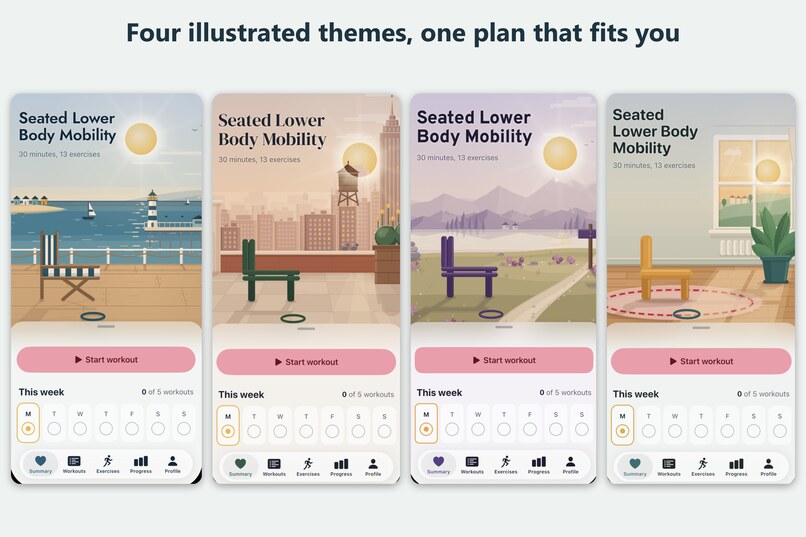
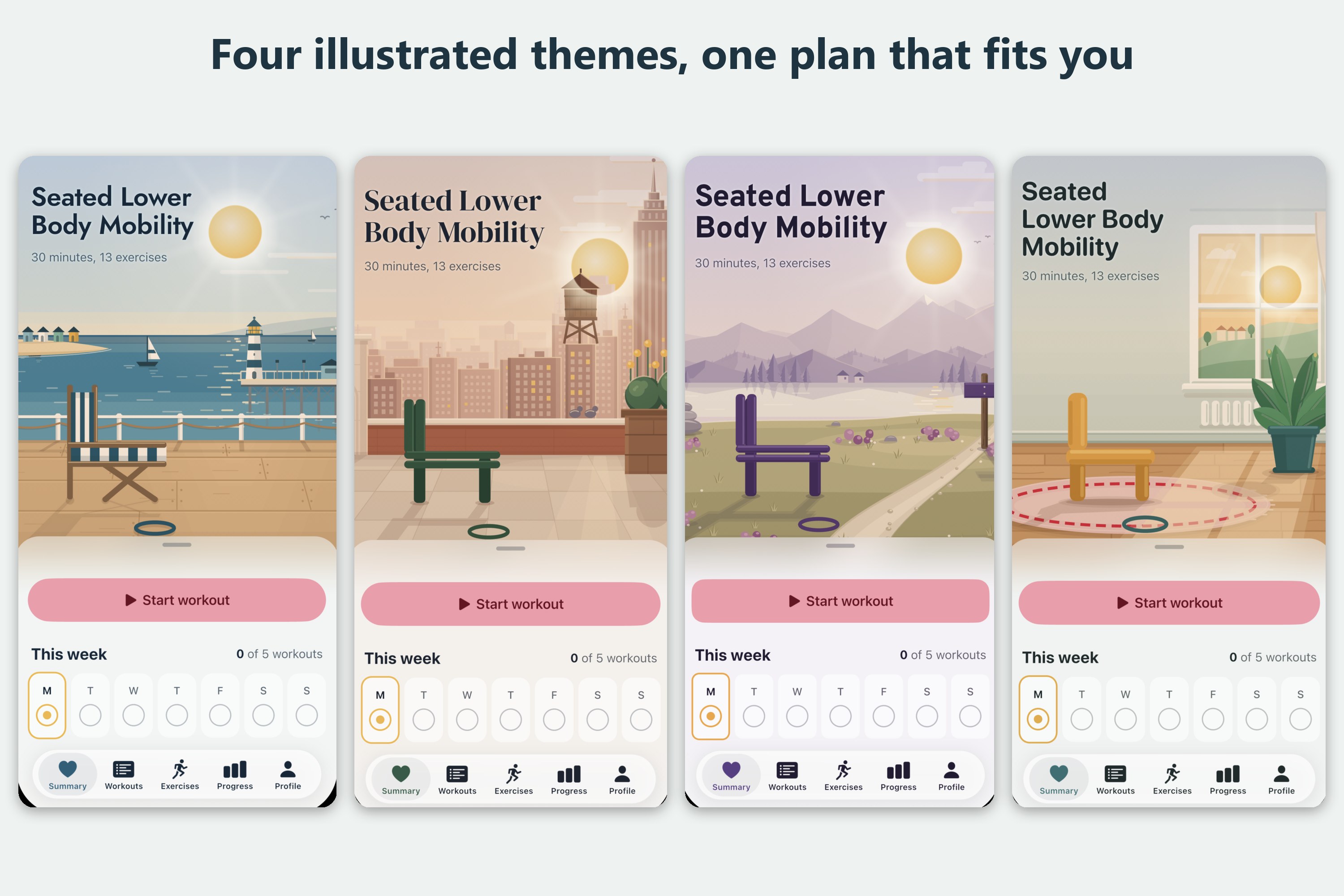
iPhone: one plan, four illustrated themes. Pick the place you'd like to work out.
-
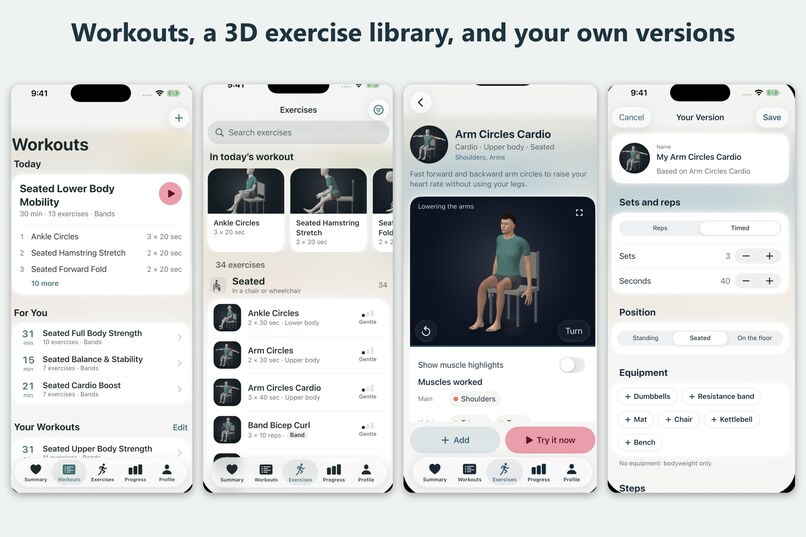
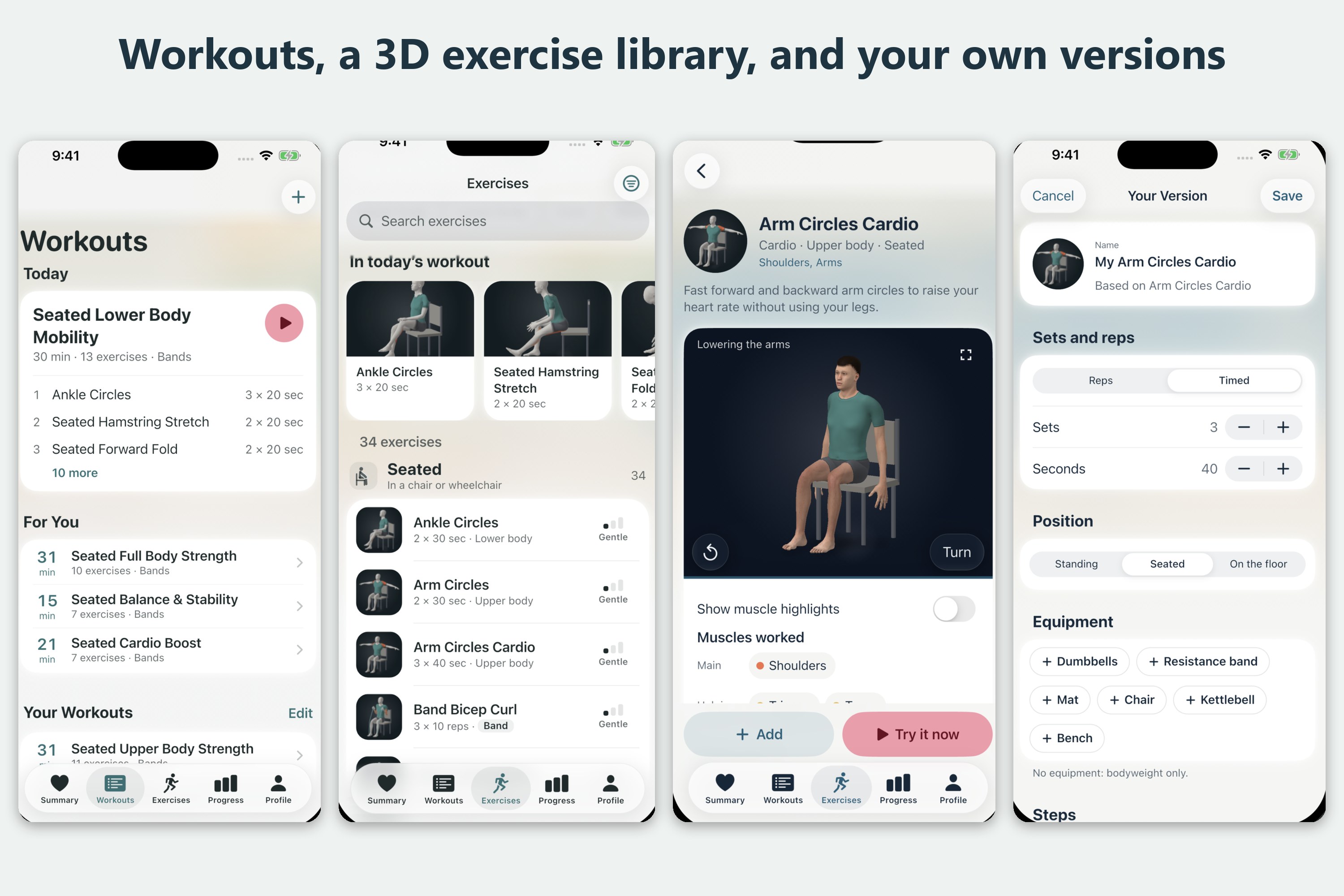
iPhone: today's workout, suggestions that fit you, 3D exercise demos and your own version of any move.
-
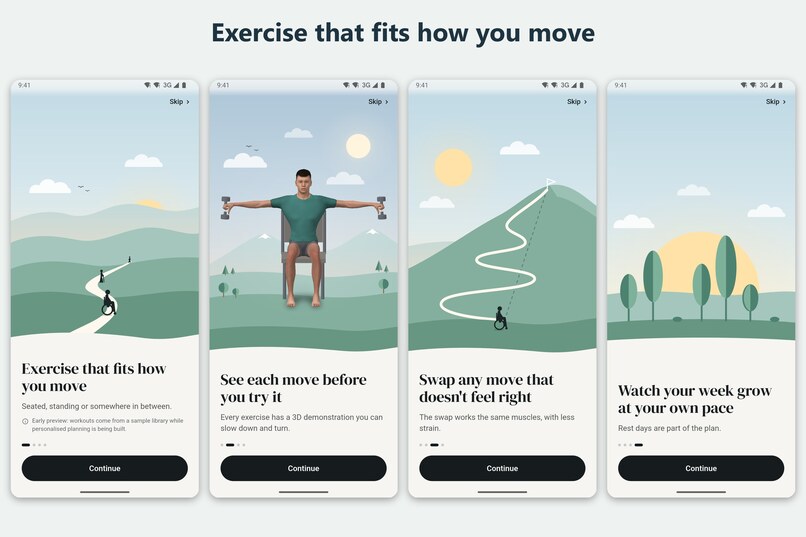
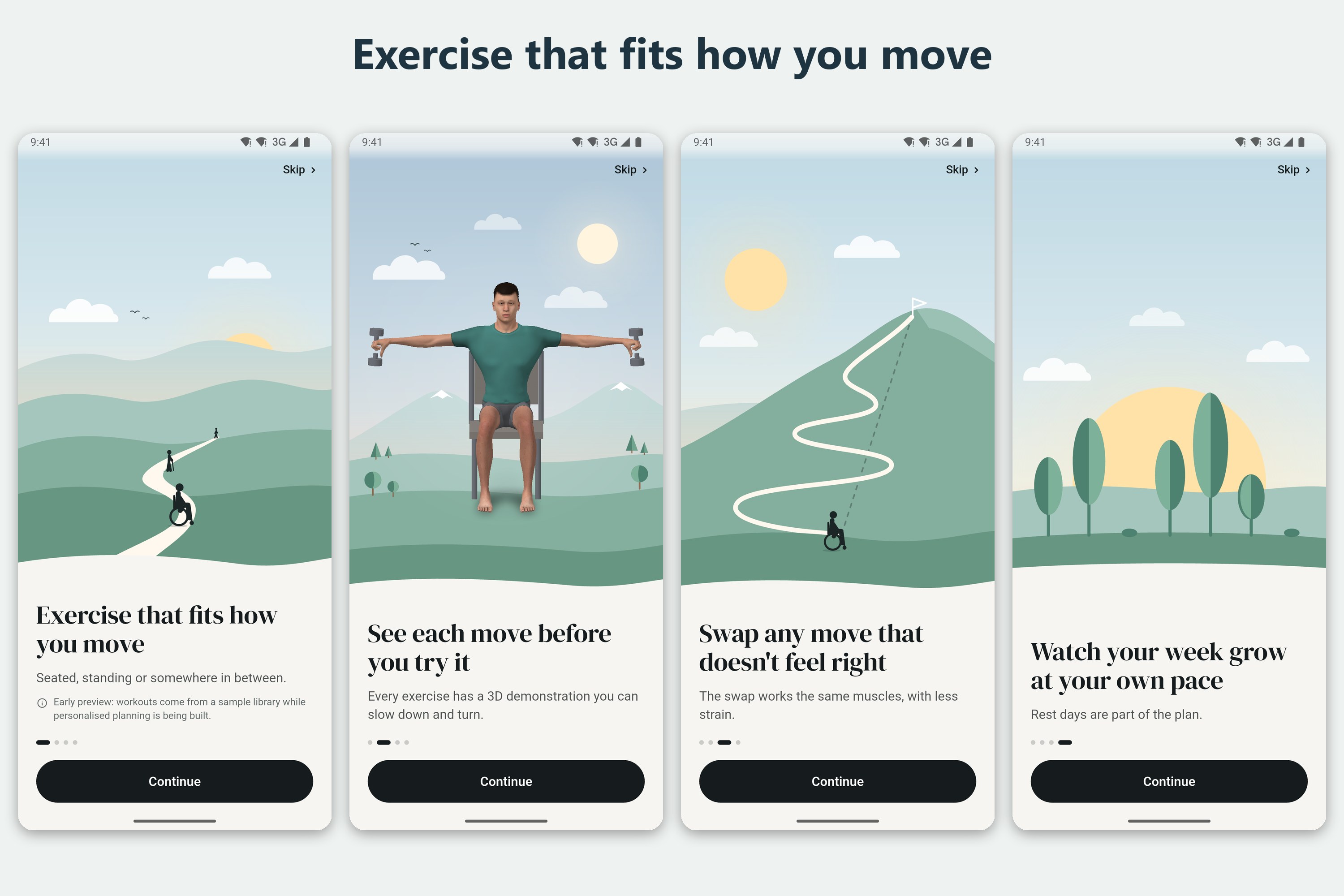
Android: a quick welcome to what AdaptFit does.
-
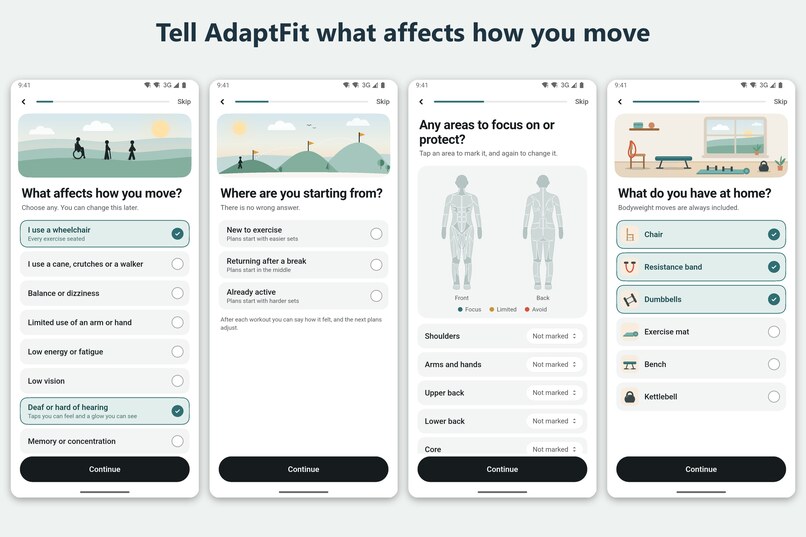
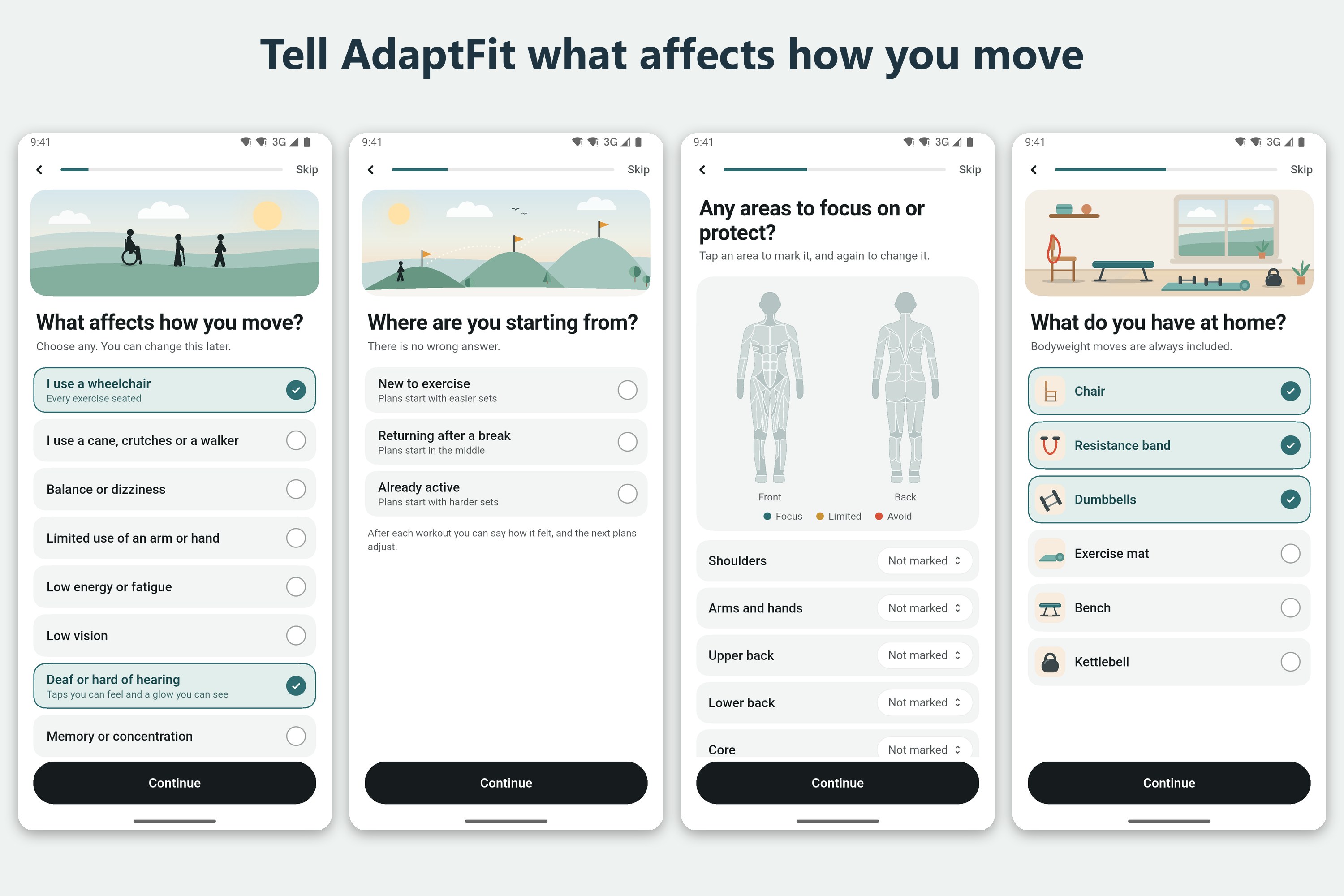
Android: tell AdaptFit what affects how you move, where you're starting, what to protect, and what equipment you have.
-
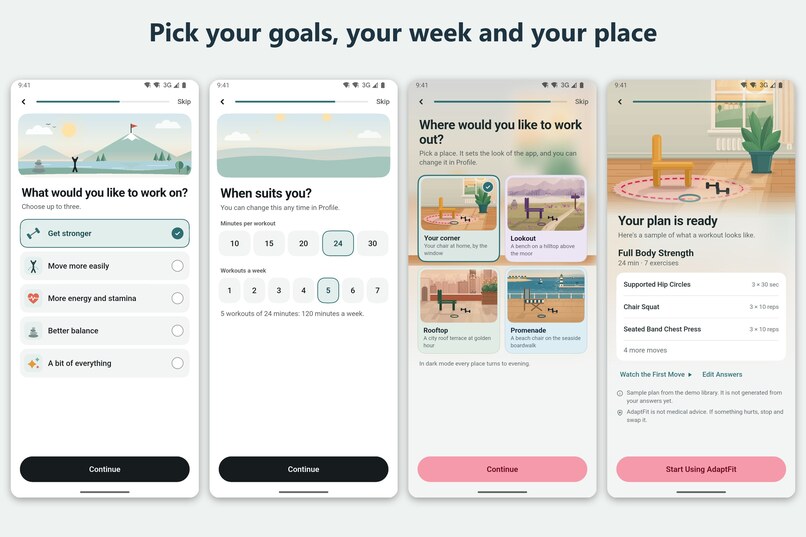
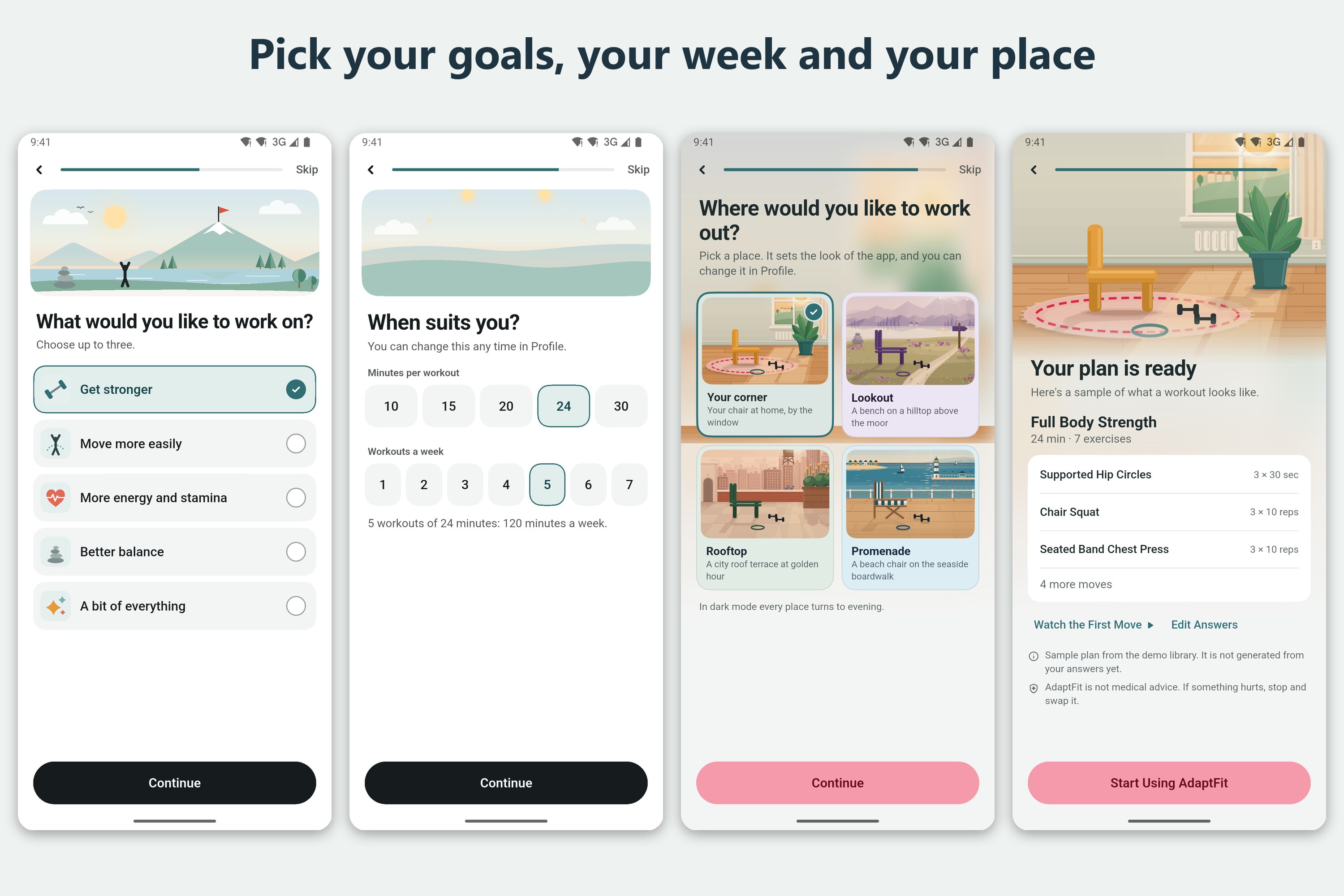
Android: pick your goals, how much time you have each week, and a place. Then preview your first plan.
-
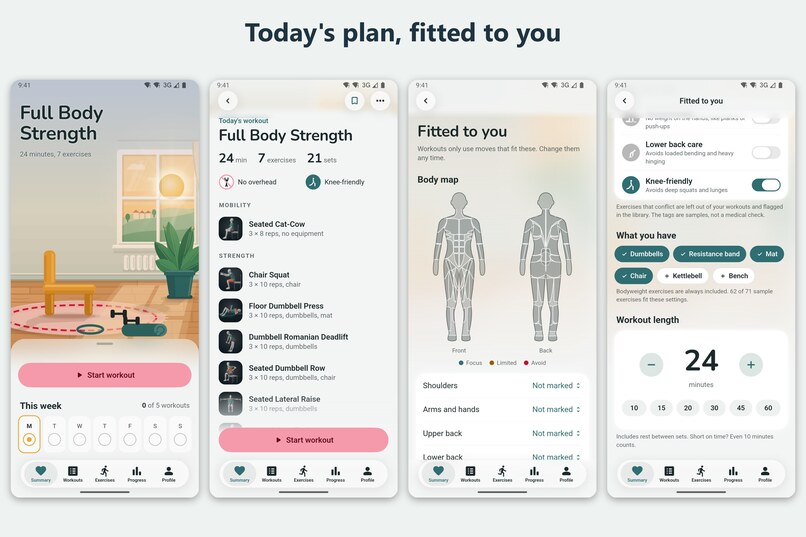
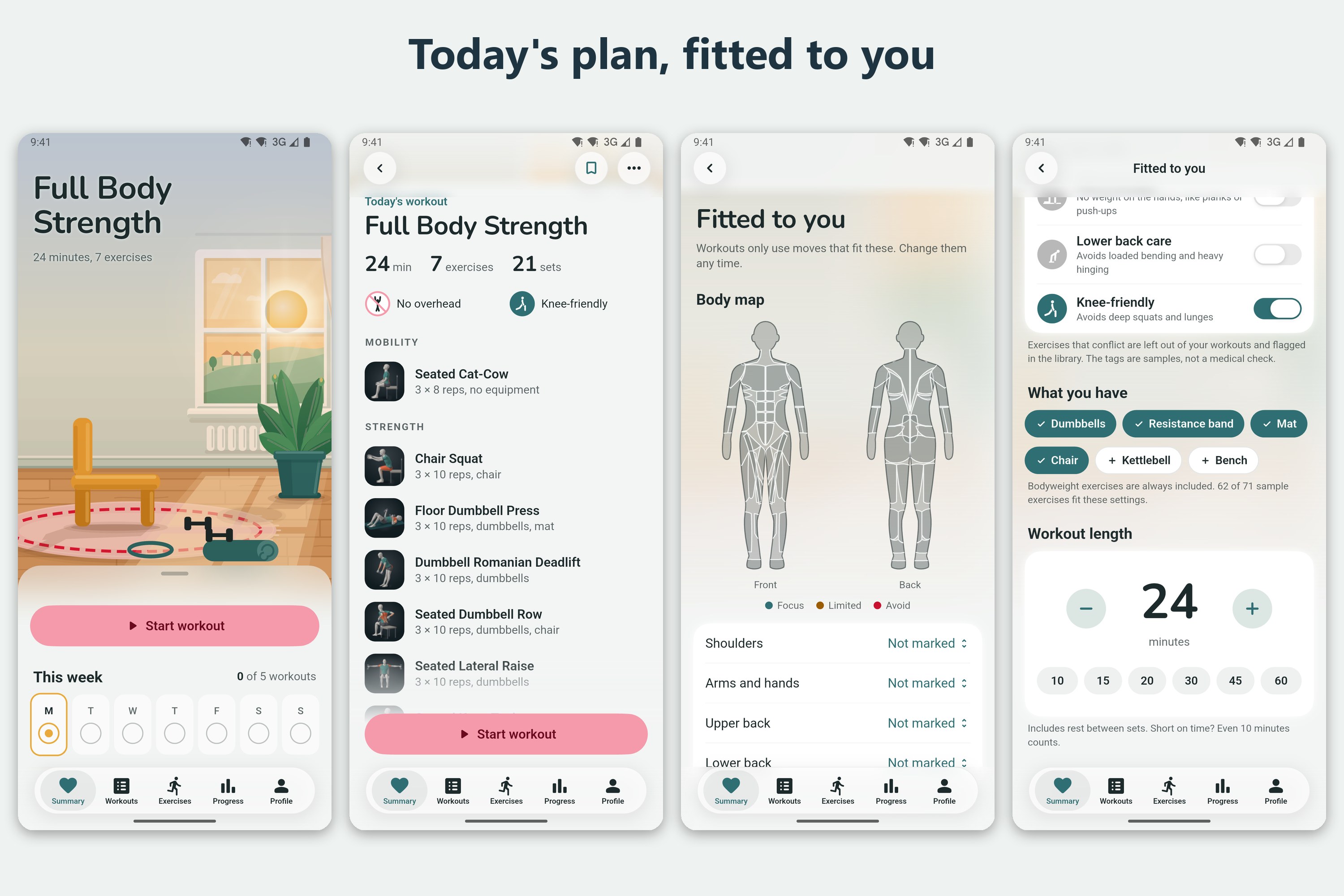
Android: today's plan, fitted to your body map, equipment and workout length.
-
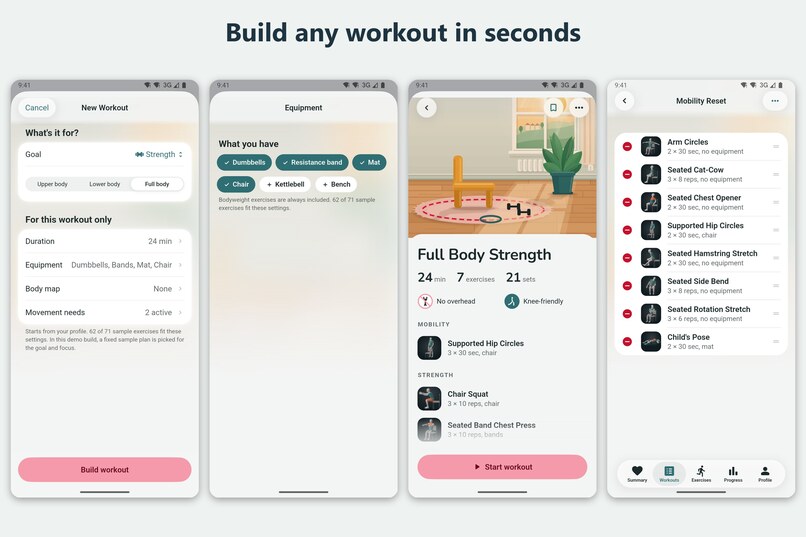
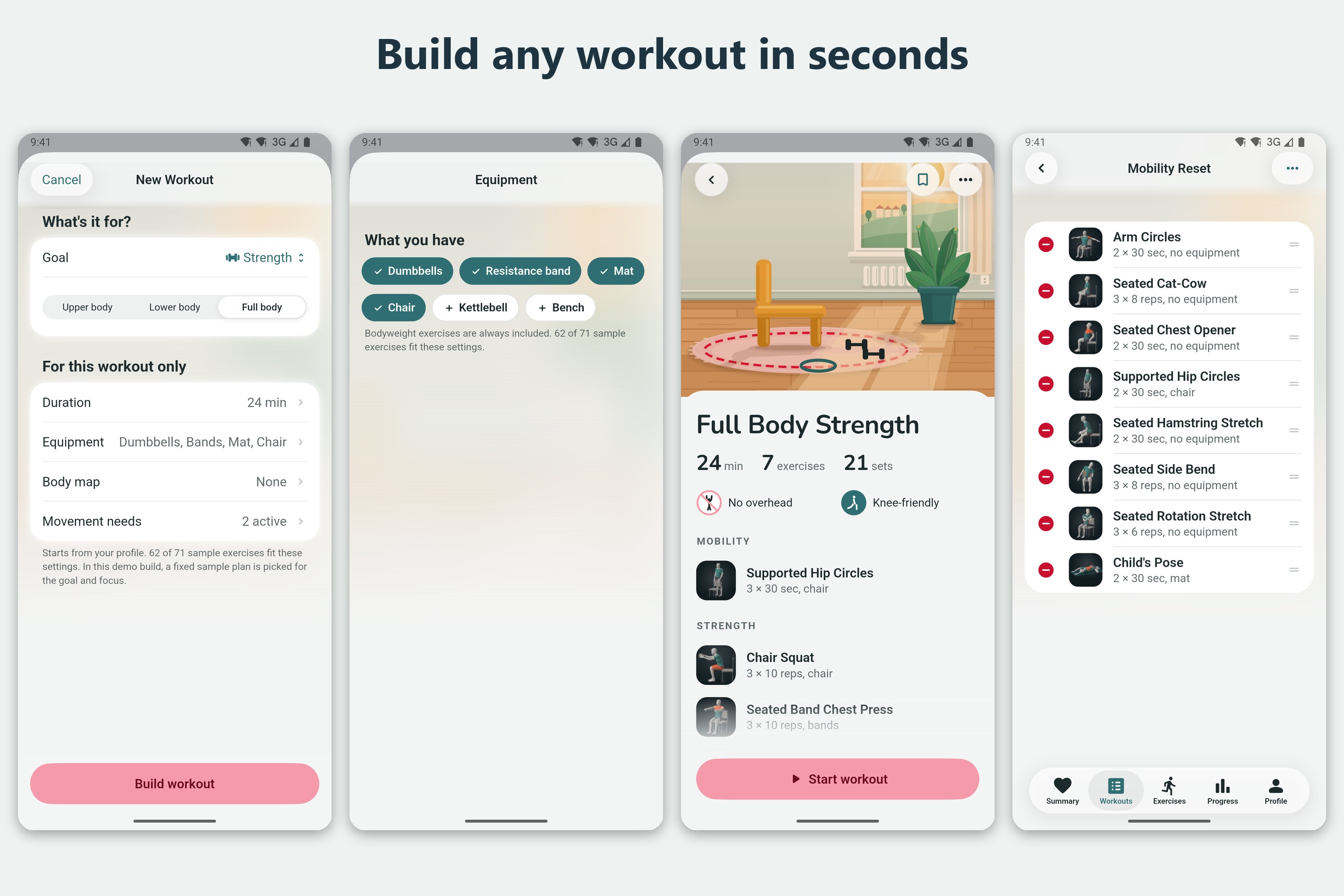
Android: build a new workout in seconds, then reorder or remove anything.
-
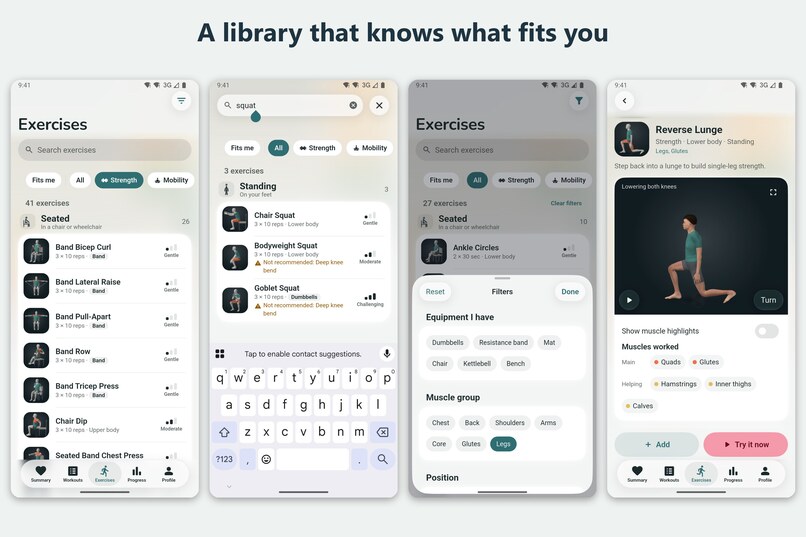
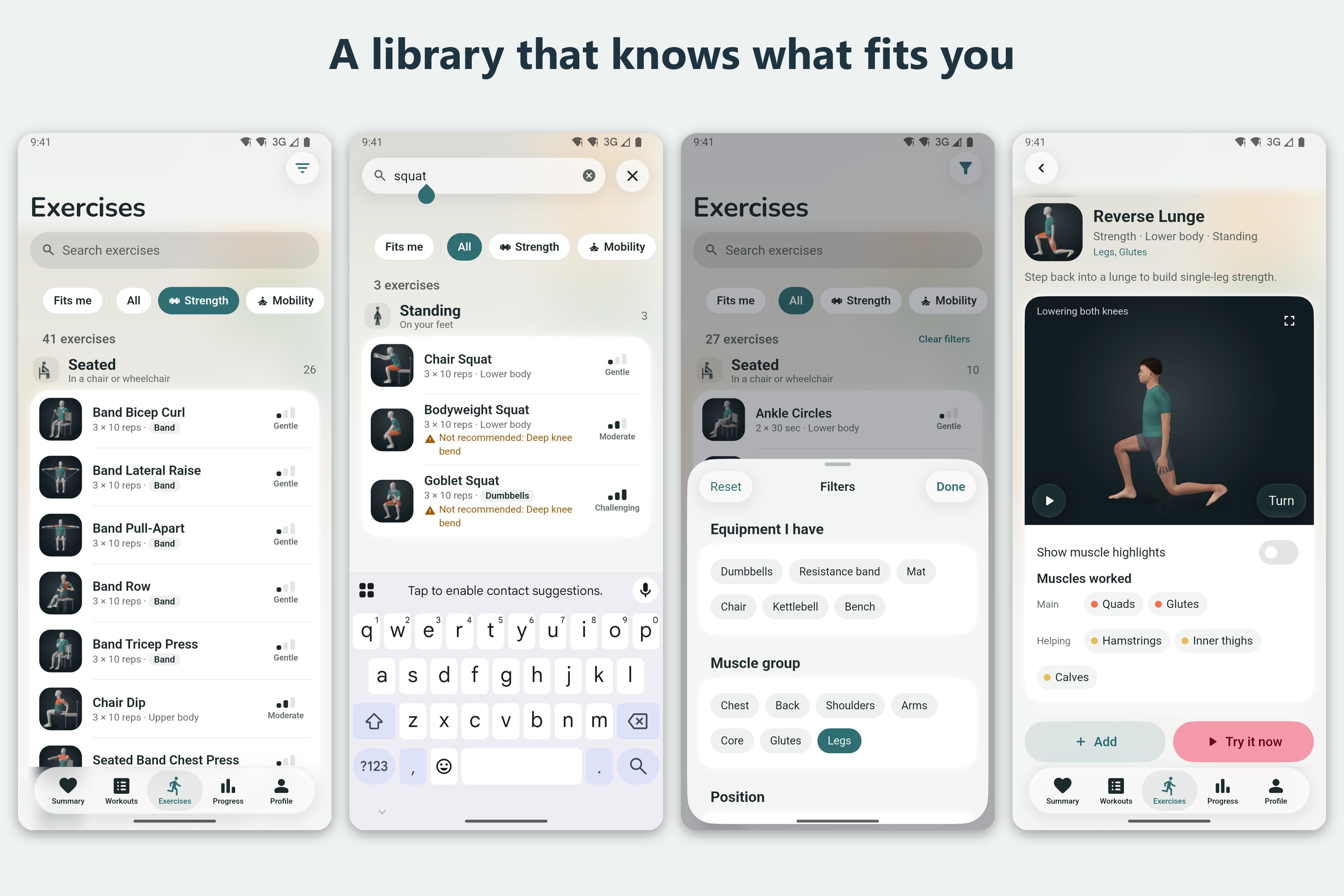
Android: browse, search and filter exercises. AdaptFit warns you when a move isn't right for you.
-
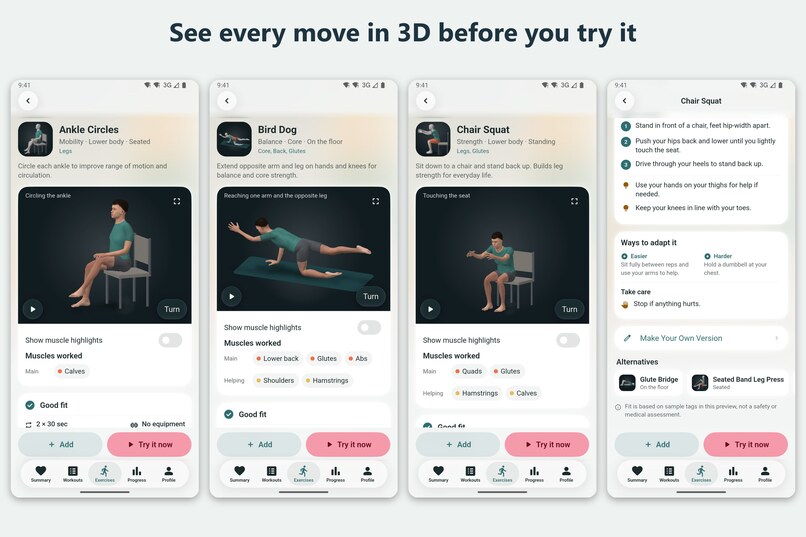
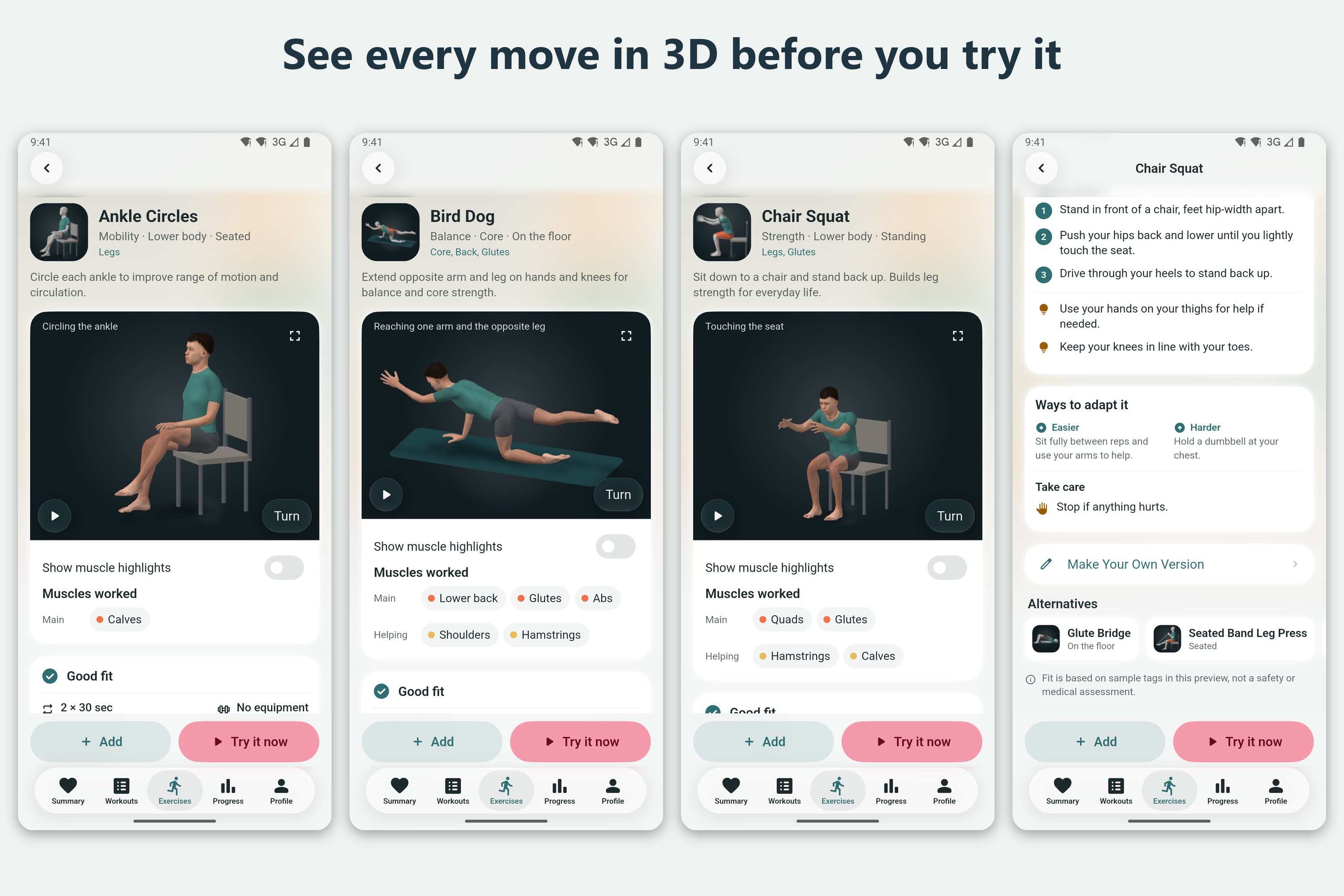
Android: every exercise has a 3D demo you can turn, with the muscles it works.
-
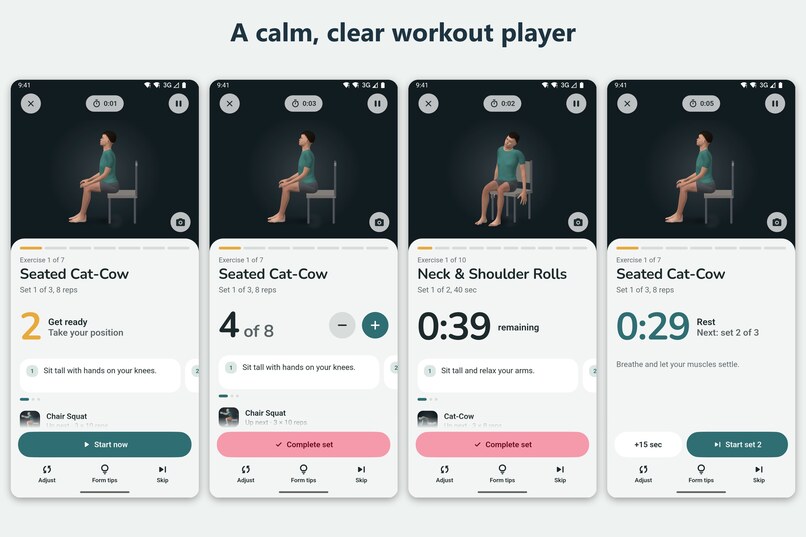
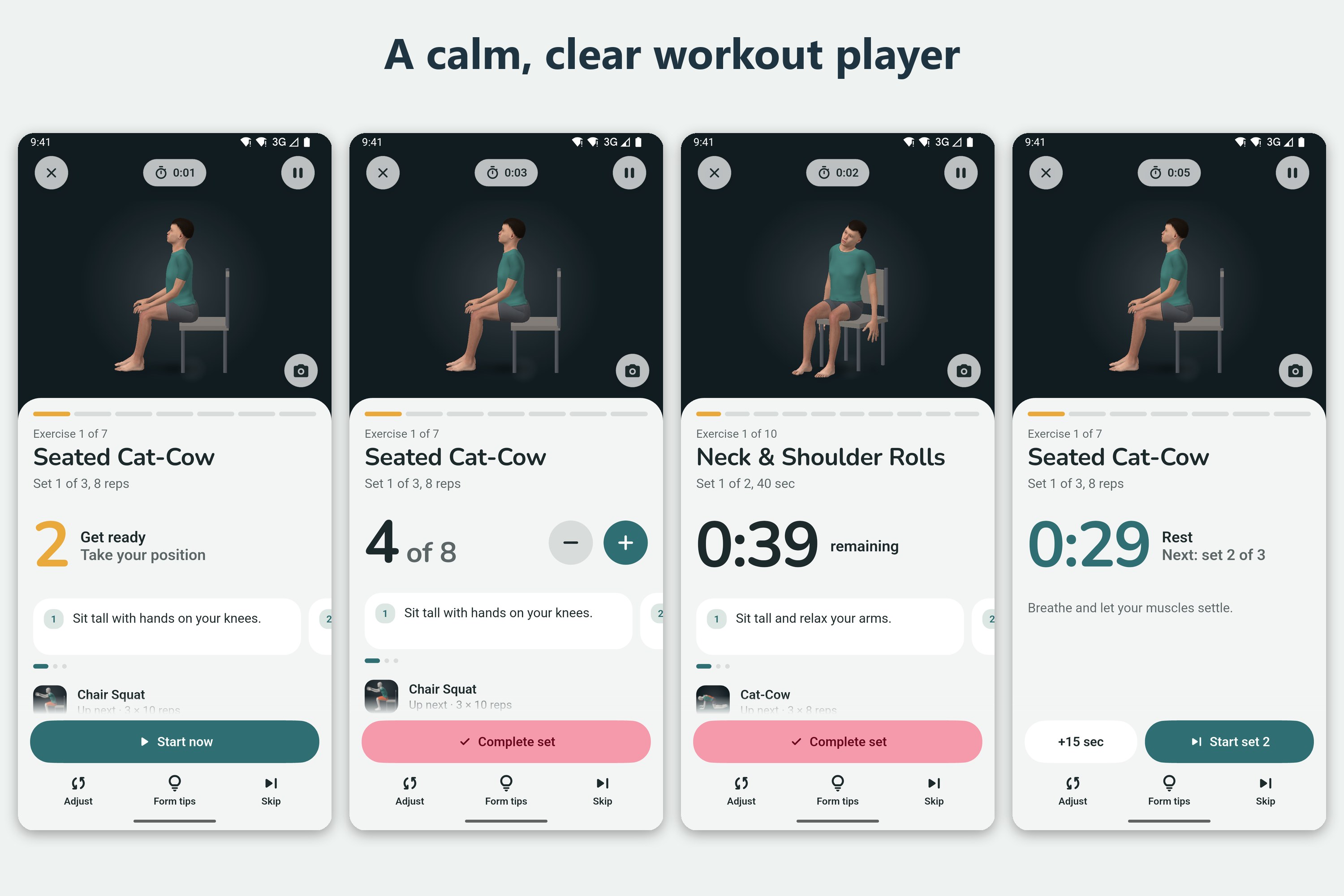
Android: get ready, count reps, time holds and rest, with clear steps on every screen.
-
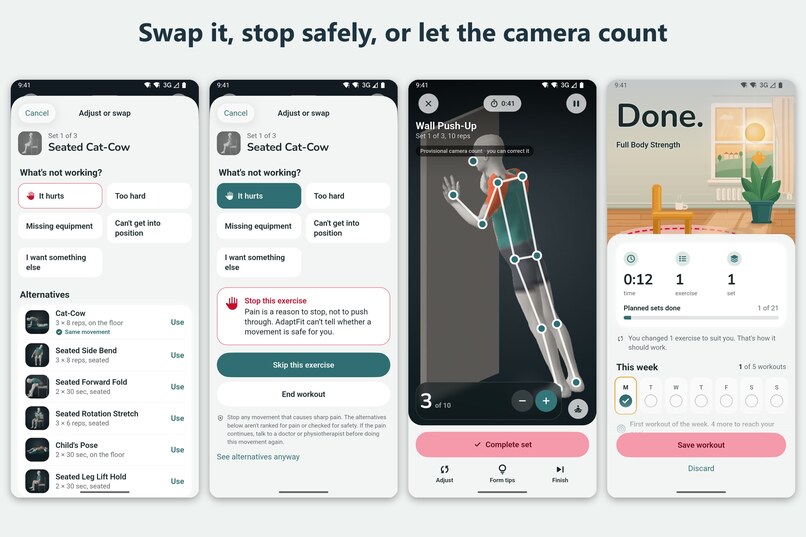
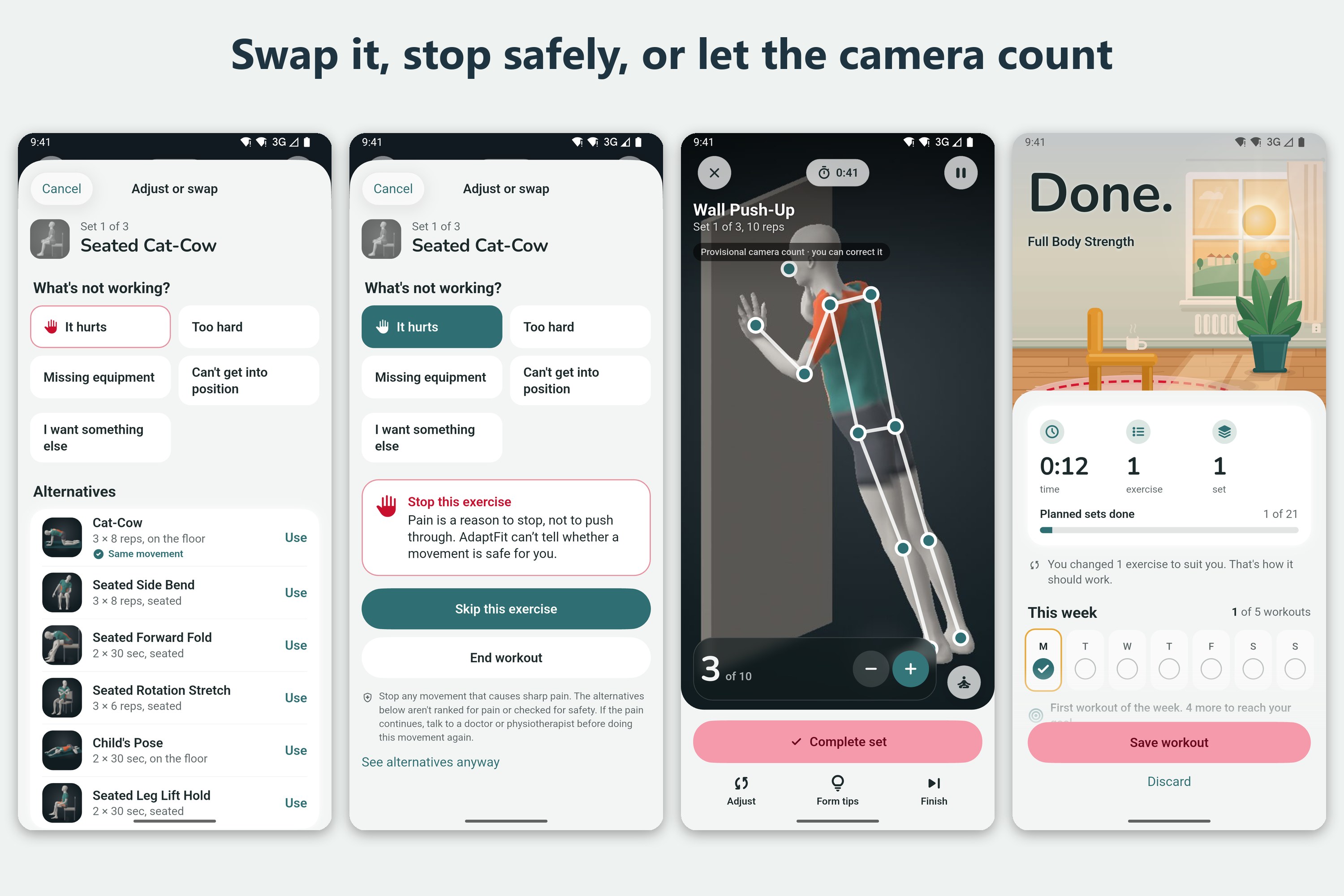
Android: swap any exercise, stop safely if it hurts, and let the camera count reps (you can correct it).
-
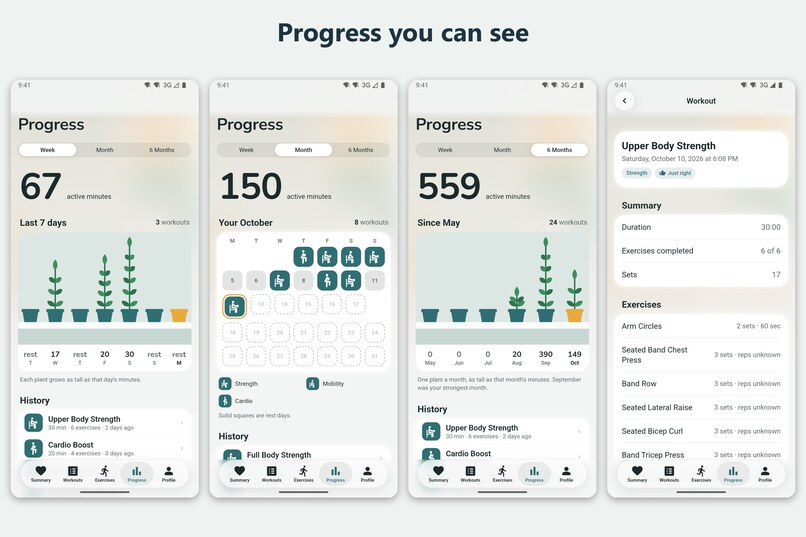
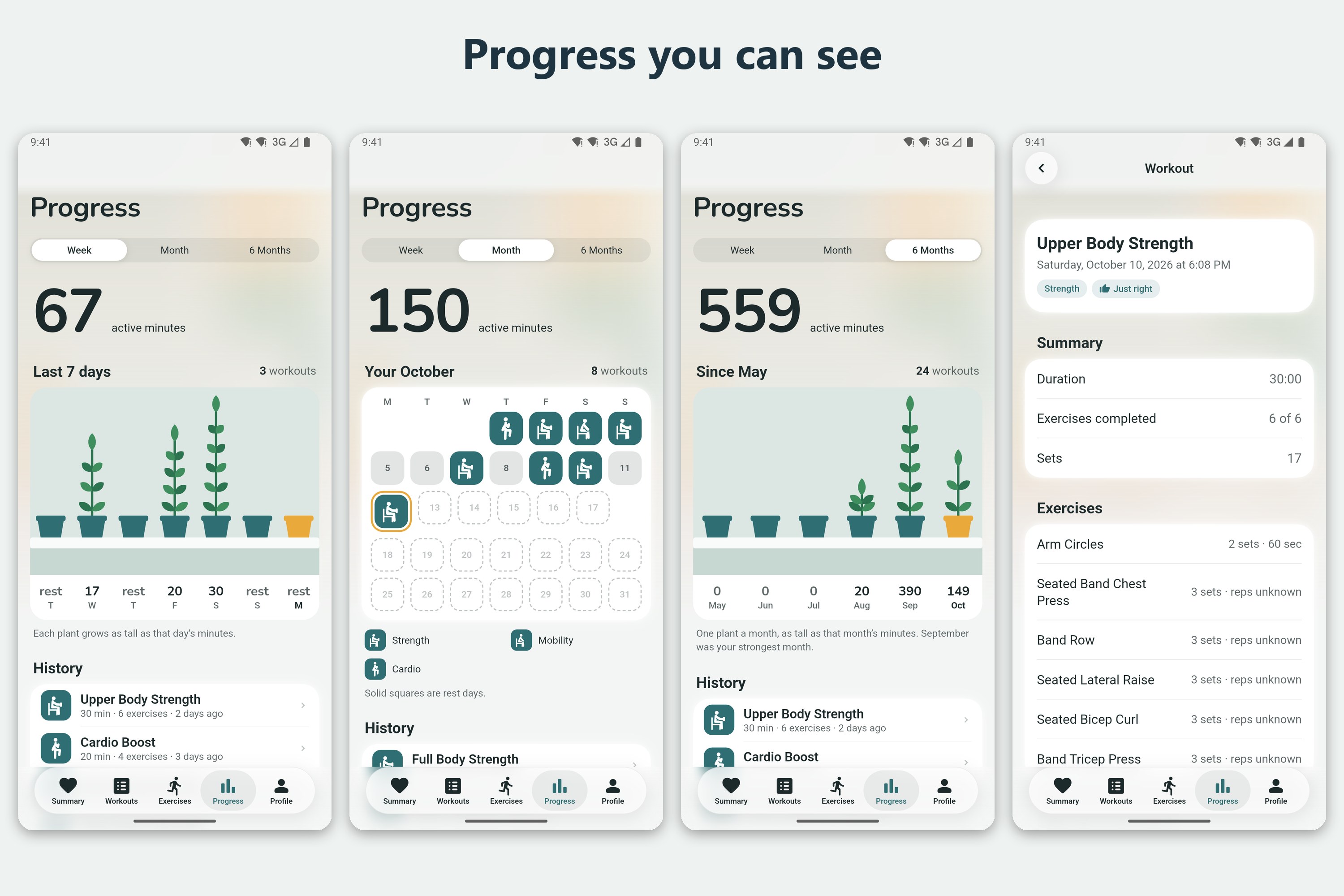
Android: weekly, monthly and six-month progress, plus details for every workout.
-
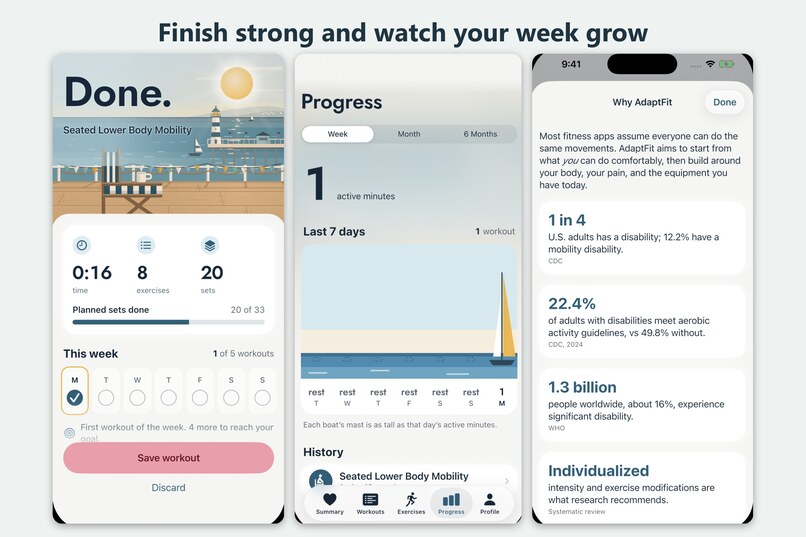
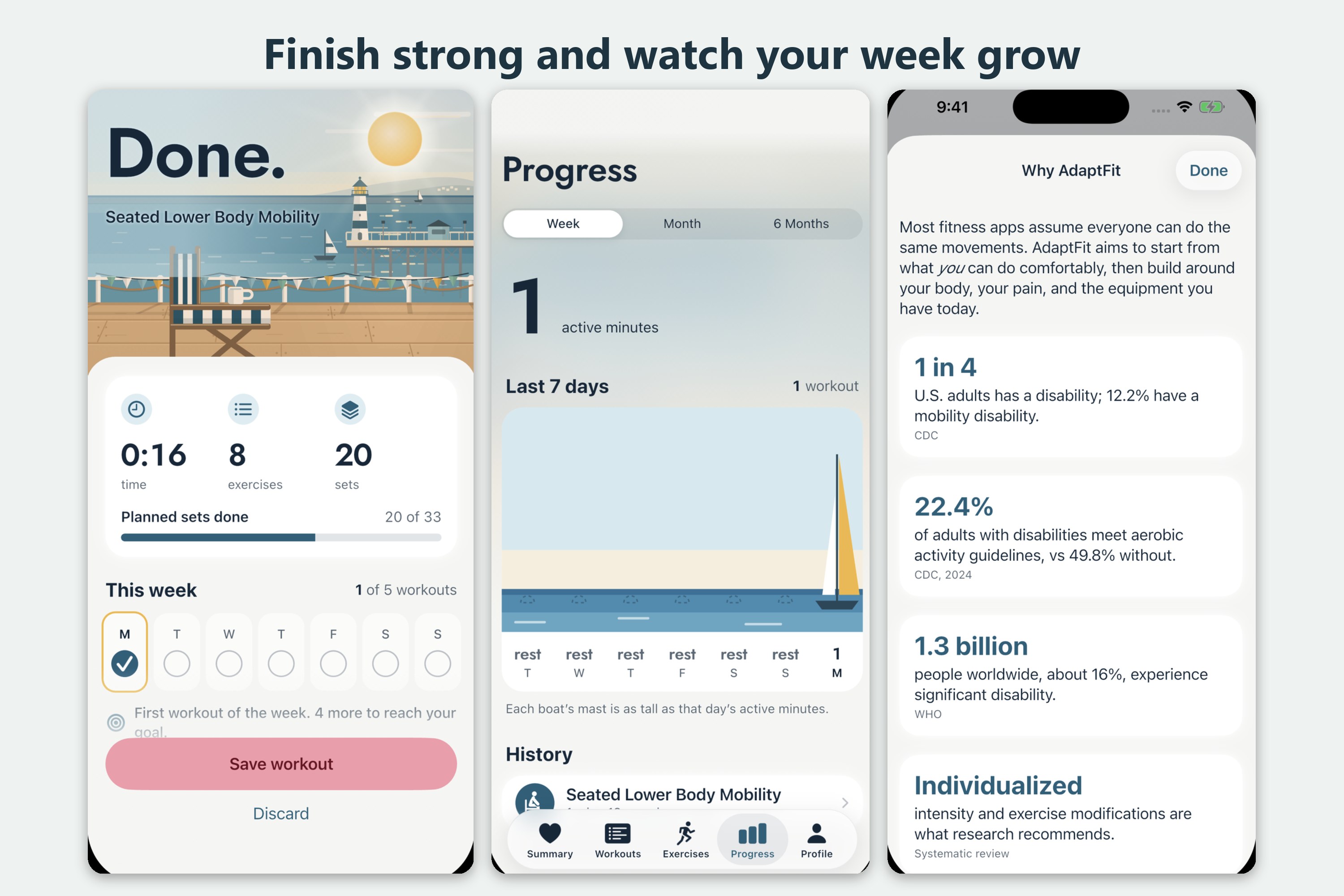
iPhone: finish a workout, watch your week grow, and see why AdaptFit exists.
-
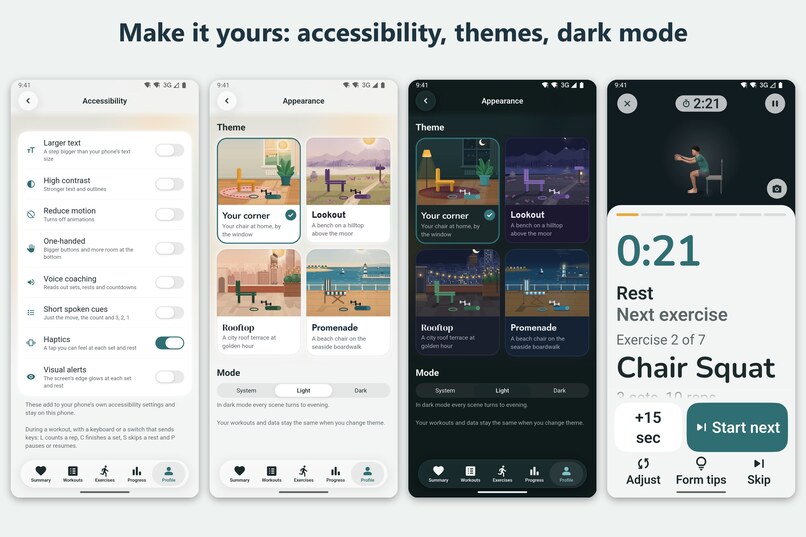
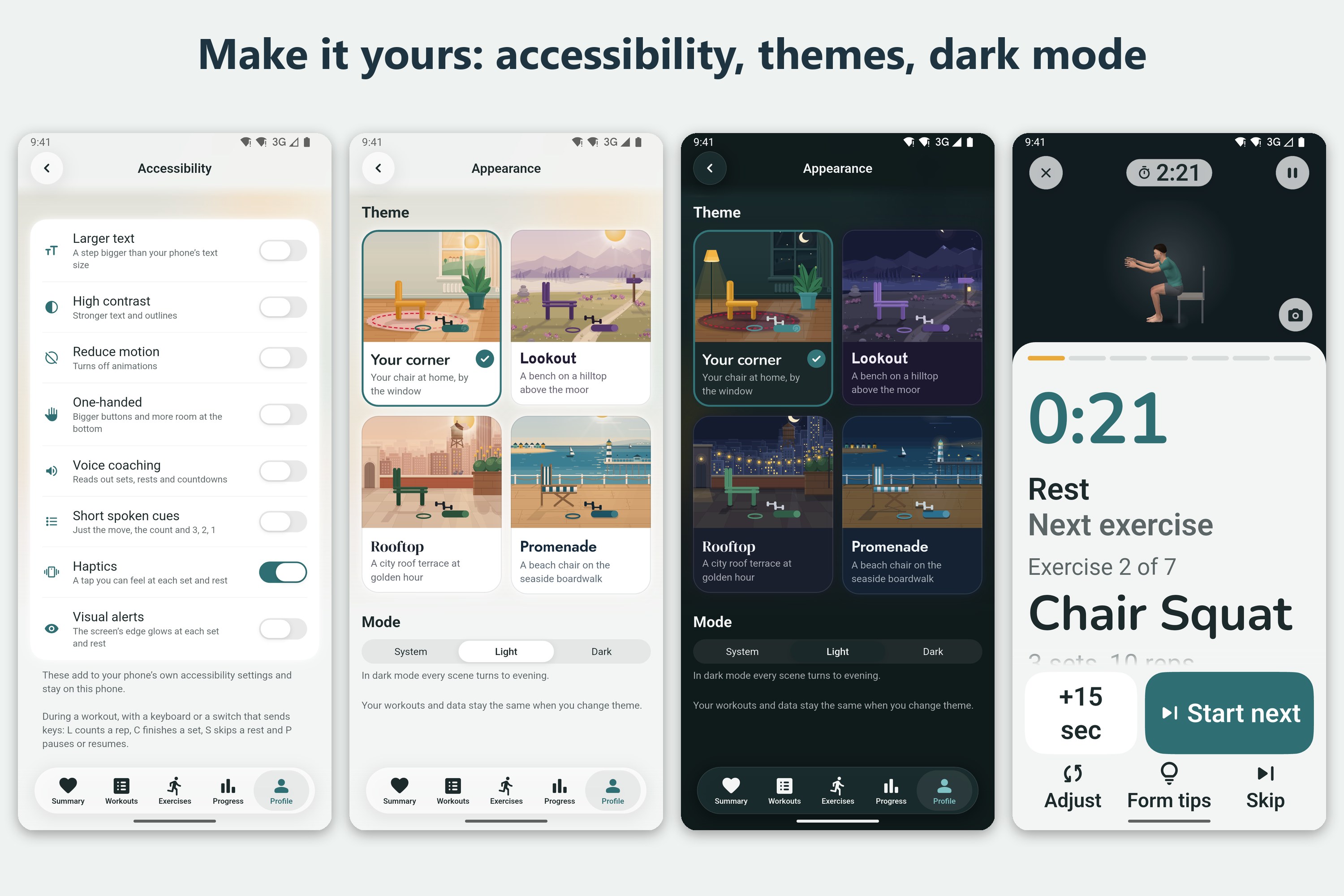
Android: larger text, high contrast, one-handed mode, voice coaching, themes and dark mode.
-
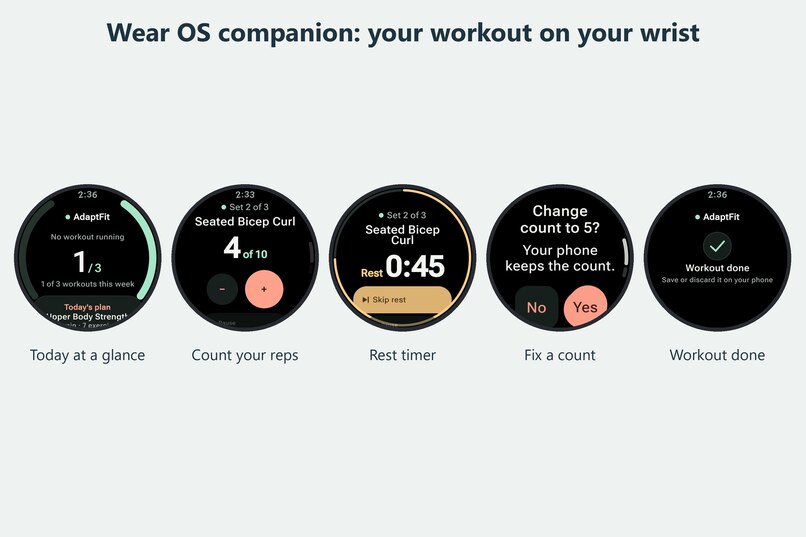
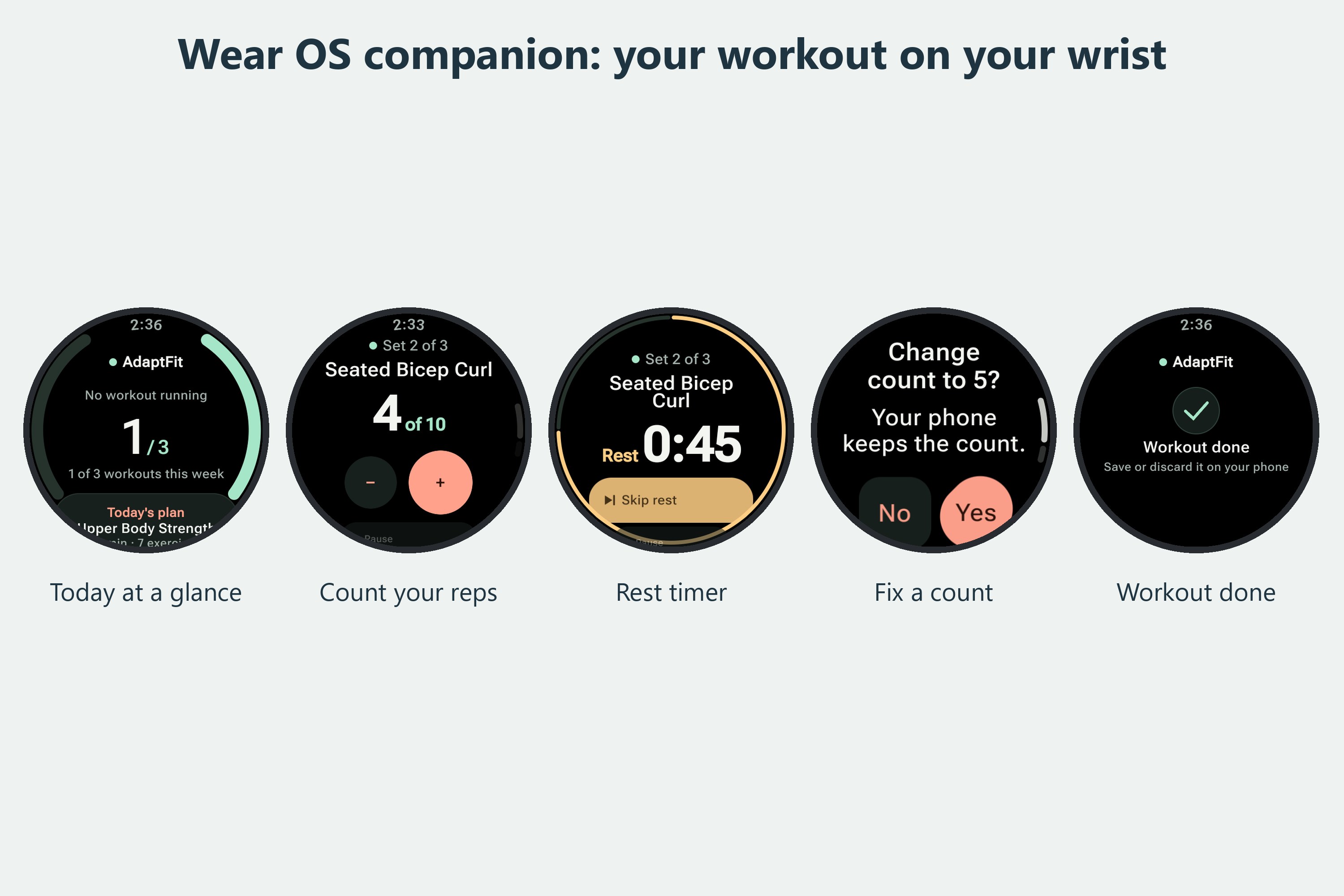
Wear OS: see your set, count reps, time your rest and fix a count from your watch.
Inspiration
About one in four adults in the U.S. has a disability. According to the CDC, only 22.4% of them get the recommended amount of aerobic activity. For adults without a disability, that number is 49.8%.
When we looked at popular workout apps, part of the reason was easy to see. Almost every routine assumes you can stand up, get down on the floor, jump, kneel, or lift your arms over your head. If you can't, the app tells you to "modify as needed" and leaves the rest to you. That's a lot to ask of someone who already isn't sure whether an exercise is safe for them.
We wanted to flip that around. Instead of starting with a standard workout and asking people to cut things out, AdaptFit starts by asking what you can do and builds from there.
What it does
Setup takes about two minutes. You tell AdaptFit what affects how you move (for example a wheelchair, a cane or walker, balance problems, limited use of an arm or hand, low energy, low vision, or trouble hearing), which parts of your body to focus on or protect, what equipment you have at home, and how much time you have. You can skip any question and change your answers later.
Then you get a workout for today that actually fits. If you use a wheelchair, every exercise is seated. If your knees need care, deep squats and lunges are left out. If all you have is a resistance band and 15 minutes, that's what the plan uses. Change any of those settings and the plan rebuilds right away.
During a workout, the app walks you through each exercise with a 3D demo, a rep counter or timer, rest breaks and short form tips. If something isn't working, you tap Adjust and say why: it hurts, it's too hard, you're missing the equipment, or you can't get into position. AdaptFit then suggests other exercises that work the same muscles. If you pick "It hurts", it tells you to stop instead of pushing through, and lets you skip the exercise or end the workout.
A few other things we're proud of:
- You can turn the 3D model around and switch on muscle highlights to see what each exercise works.
- You can make your own version of any exercise, with your own sets, timing, position and equipment.
- The camera can count your reps right on the phone. The count is marked as provisional, and you can always fix it.
- The Progress tab covers your week, your month and the last six months. Instead of plain bar charts, it draws little scenes, like boats whose masts grow with your active minutes.
- A Wear OS watch app shows your set, your count and the rest timer, and buzzes when it's time to move.
- Accessibility settings include larger text, high contrast, reduced motion, a one-handed layout, spoken coaching, visual alerts, and keyboard or switch control during workouts.
- There are four illustrated themes (Your corner, Lookout, Rooftop and Promenade), each with a light and a dark version.
How we built it
We started with a SwiftUI prototype on iPhone. That's where we designed the exercise library and the rules behind it. Each of the 71 exercises is tagged with what it asks of your body: reaching overhead, kneeling, impact, balance, grip, wrist load, spinal load and deep knee bends. Each one also has a position (standing, seated or on the floor), the equipment it needs, and a group of similar exercises it can be swapped with.
Once the logic worked, we wanted people with Android phones to be able to use it too, so we rebuilt the app in Flutter. We ported the workout generator to Dart for the app and to TypeScript for our backend, which runs on Fastify and SQLite. To make sure all three versions build exactly the same plan, we recorded results from the Swift version and test the other two against them.
Rep counting uses Google's MediaPipe pose tracking, running natively on the phone (Kotlin on Android, Swift on iOS). The watch app is written in Kotlin with Wear Compose. Everything is stored on the device, and backing up to the server is optional.
Privacy
Your camera video, pose data and personal notes never leave your phone. The app works without an account and without internet. If you choose to back up, only a small set of workout numbers is sent.
Challenges we ran into
Getting three versions of the same logic to agree took a lot of patience. A small difference anywhere would mean the same person gets a different workout on a different phone, so every change has to pass the recorded tests before it goes in.
Rep counting was the hardest part. Phone cameras can be rotated, frames get dropped, and sometimes there's someone else in the background. At one point our counter was throwing away 71% of the frames in a bicep curl video because it noticed a second person, so we added a rule to follow whoever is clearly the main person in the frame. We also built a tool that plays recorded videos through the app's real tracking code, so we could test each fix without doing hundreds of reps ourselves.
We also had to decide what the app should do when it doesn't know something. If you finish a set without entering your reps, the easy option would be to fill in the target number. We chose to save it as unknown, so your progress only shows reps you actually reported. For the same reason, we paused automatic syncing between two phones on the same account until we can merge changes without one phone wiping out the other's data.
The watch app went through a full redesign. Our first version used a light theme. After seeing it on a real watch, we switched to a black design with bigger numbers and brighter buttons, then checked 41 different screen states on a Pixel Watch at both normal and large text sizes.
Accomplishments that we're proud of
- AdaptFit runs on iPhone, Android and Wear OS, all from one set of workout rules.
- The Flutter app has more than 1,000 automated tests. They include accessibility checks for button size, labels and text contrast on every main screen, in every theme, in both light and dark mode.
- The pain flow puts safety first, and the app is careful not to promise more than it can do. AdaptFit is a fitness app, not a medical device, and it says so.
What we learned
Accessibility ended up touching everything. It changed our data, because every exercise has to describe what it asks of your body. It changed our logic, because a swap for pain should never add a new demand. And it changed our design, from big text and simple buttons to calm screens that don't rush you.
We also learned to like testing. Writing tests felt slow at first, but once the same rules lived in three languages, the tests were what let us change things without worrying that we'd broken something.
What's next for AdaptFit
- Testing the app with real users, and getting physical therapists to review our exercises and our pain and safety wording.
- Personal calibration, so rep counting adjusts to each person's range of motion.
- Safe syncing between devices.
- Releasing AdaptFit on the App Store and Google Play.
Built With
- android
- android-studio
- dart
- fastify
- flutter
- ios
- jetpack-compose
- kotlin
- mediapipe
- node.js
- python
- riverpod
- sqlite
- supabase
- swift
- swiftui
- typescript
- wear-os
- xcode

Log in or sign up for Devpost to join the conversation.