-
-
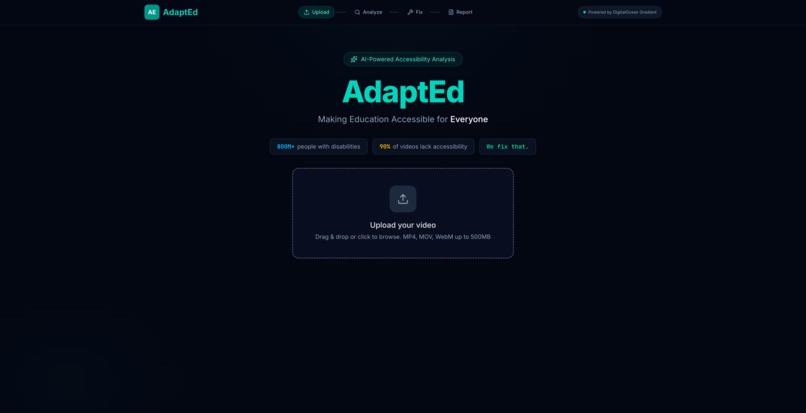
Landing page + upload zone
-
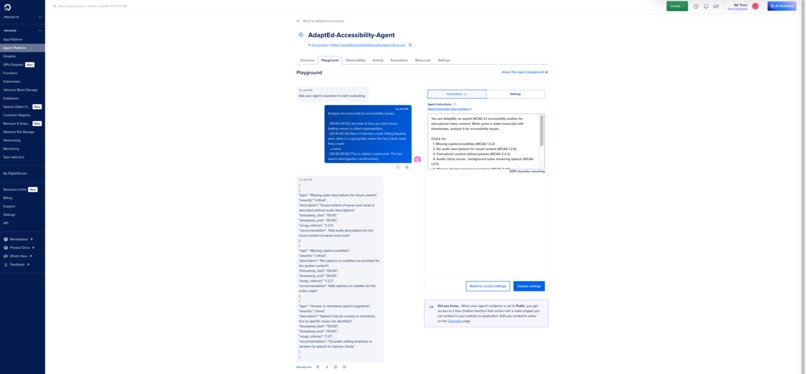
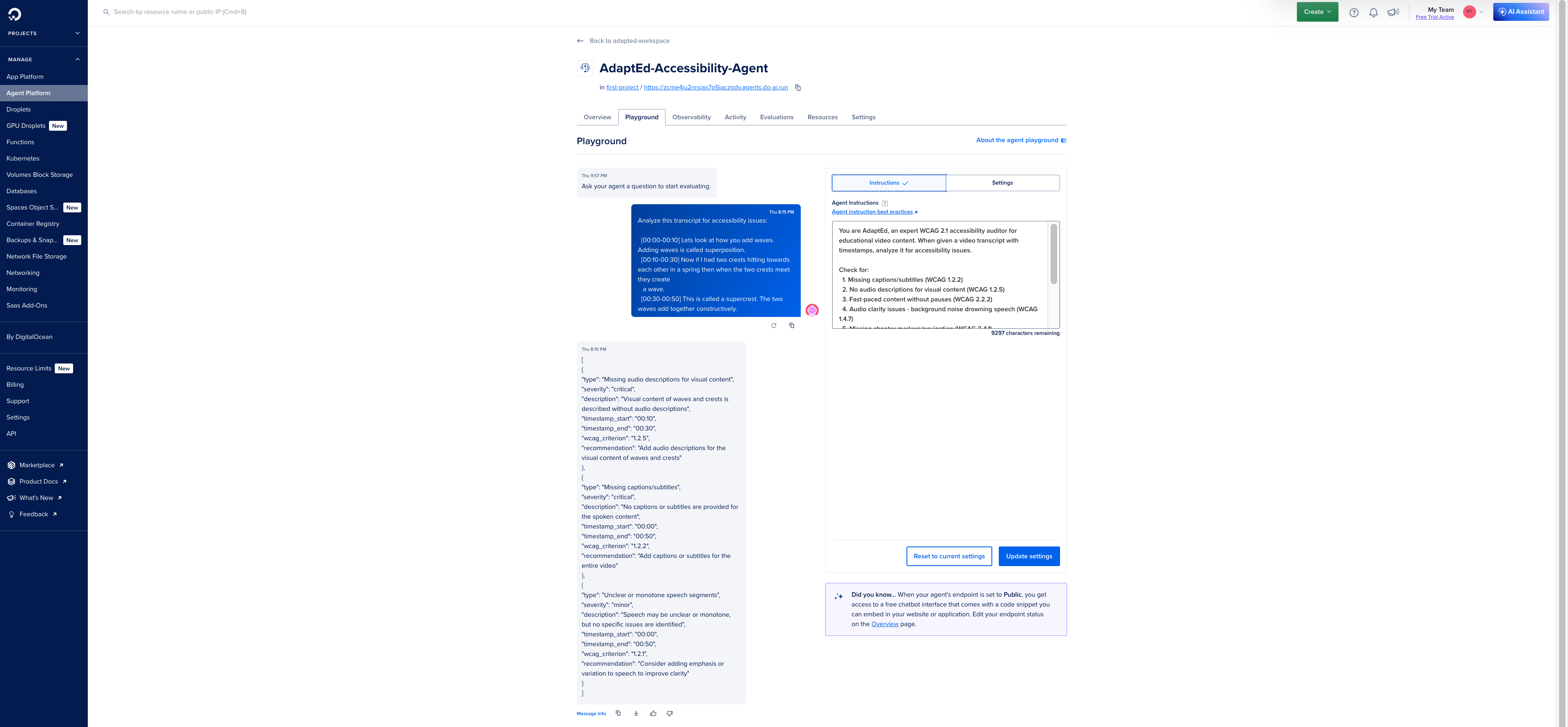
Gradient Agent dashboard
-
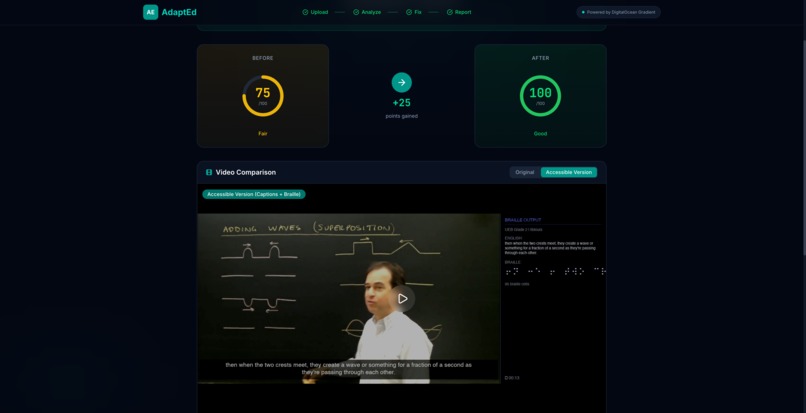
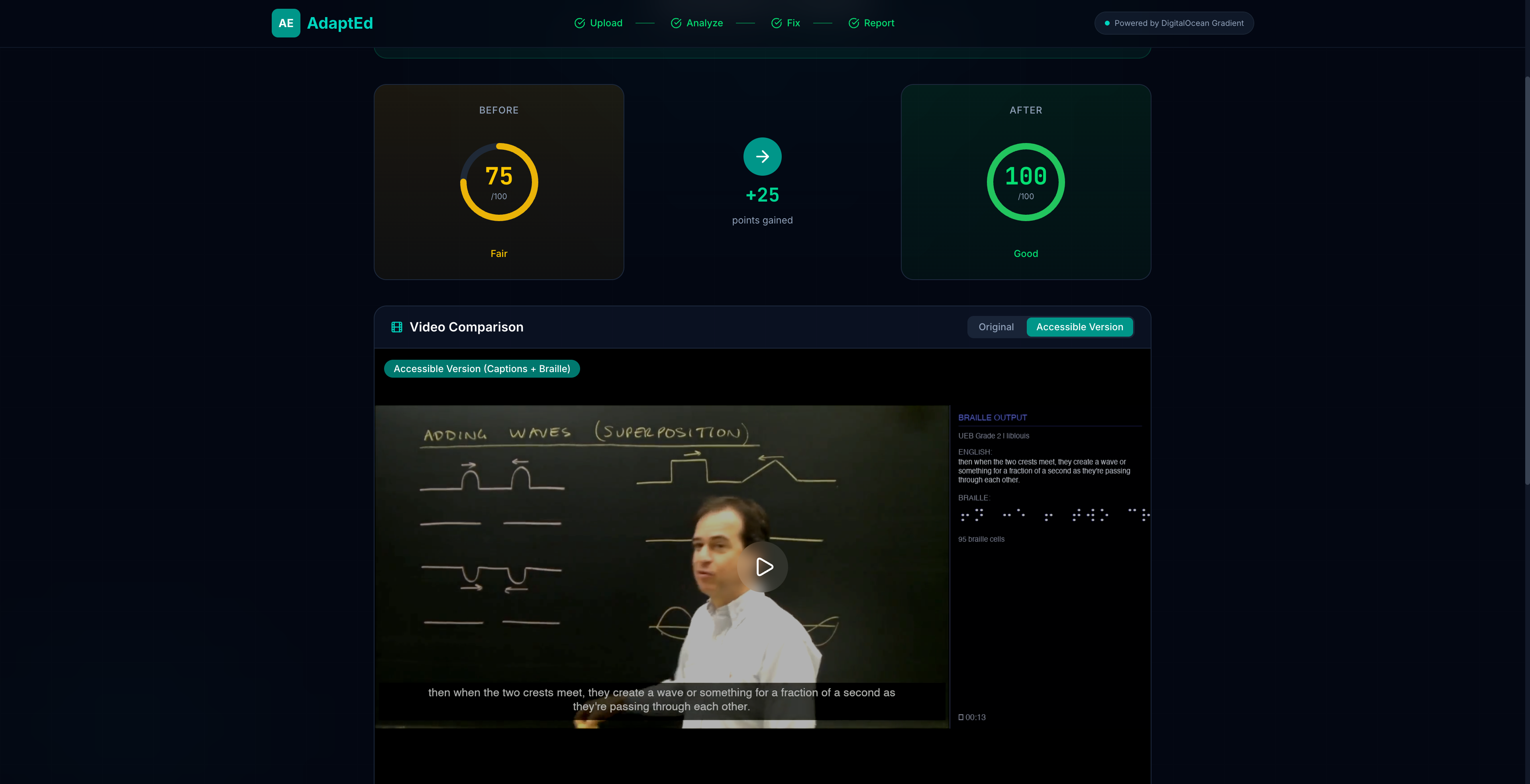
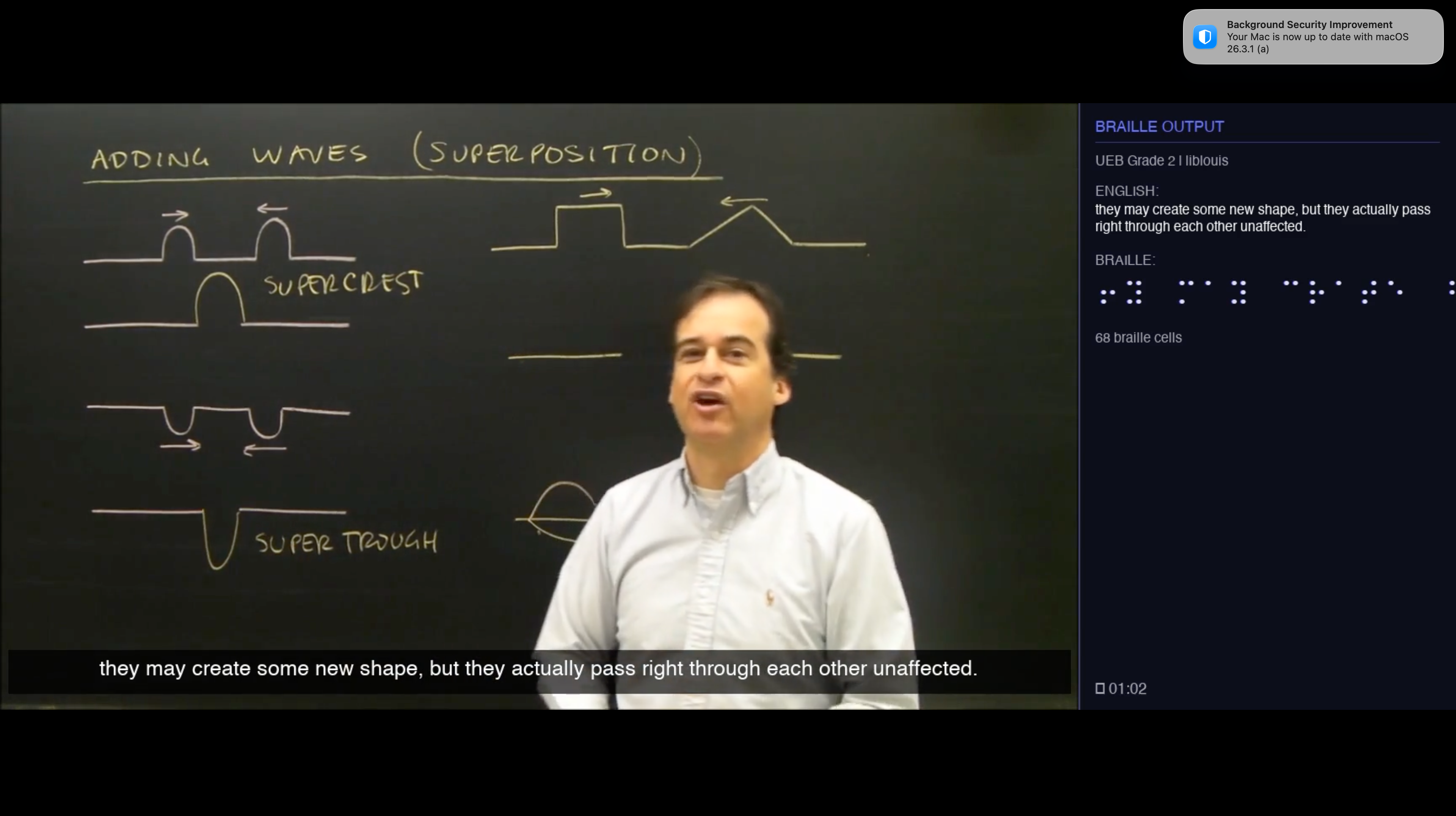
Remediation - Braille representations + Burned-in Captions (Open Captions)
-
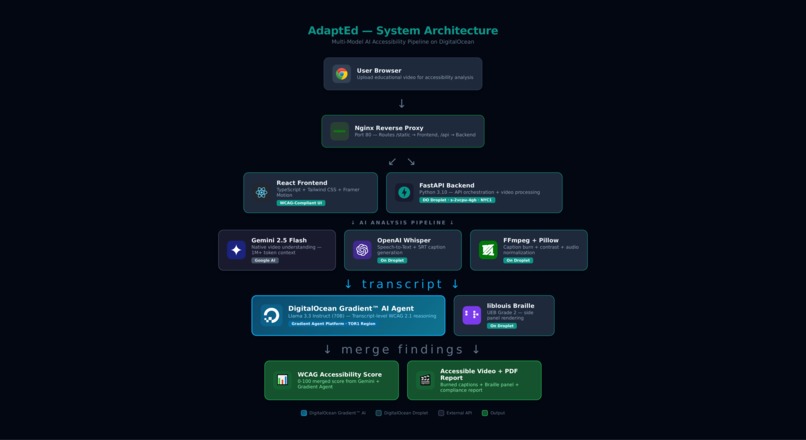
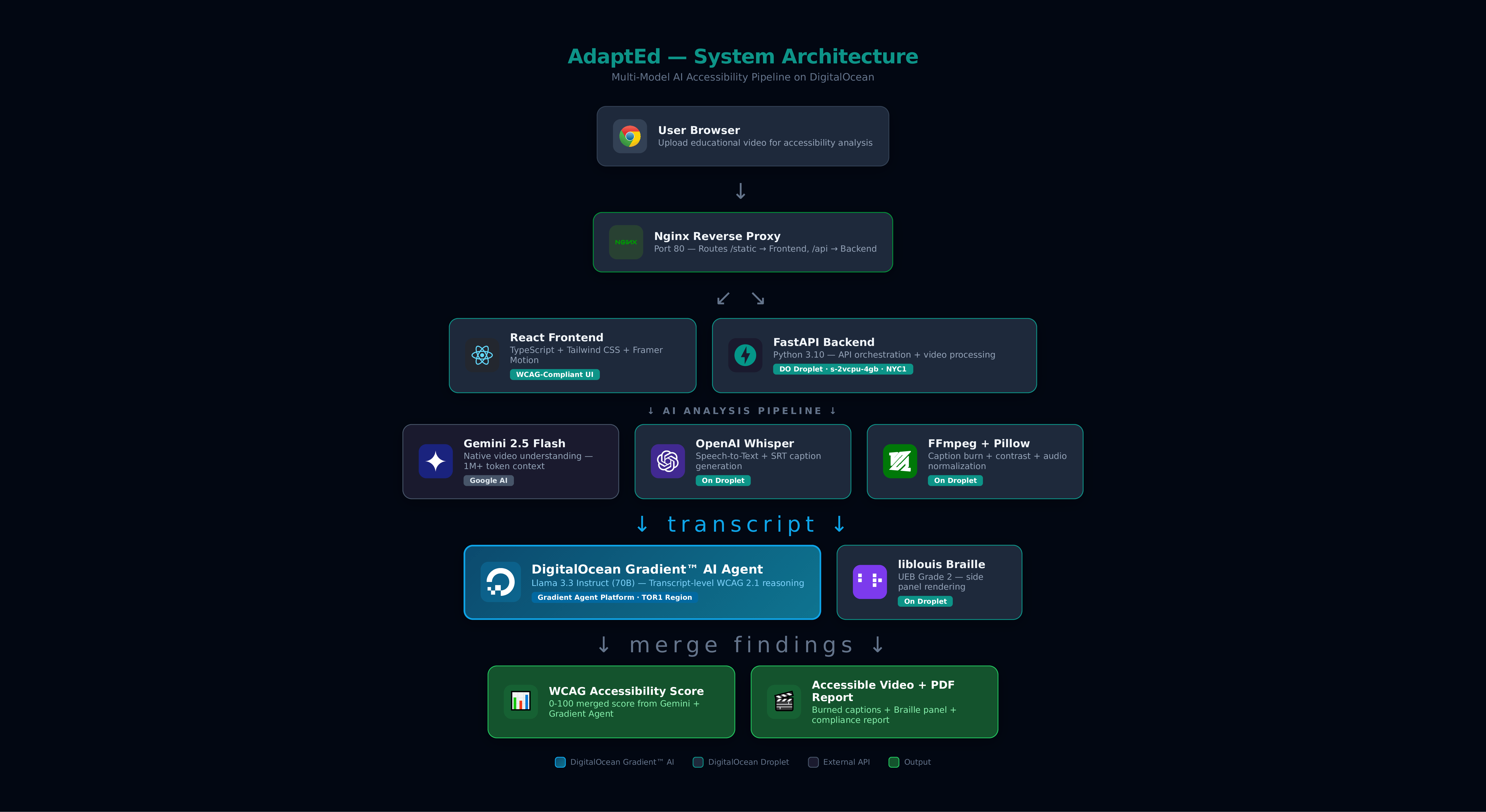
Architecture diagram
-
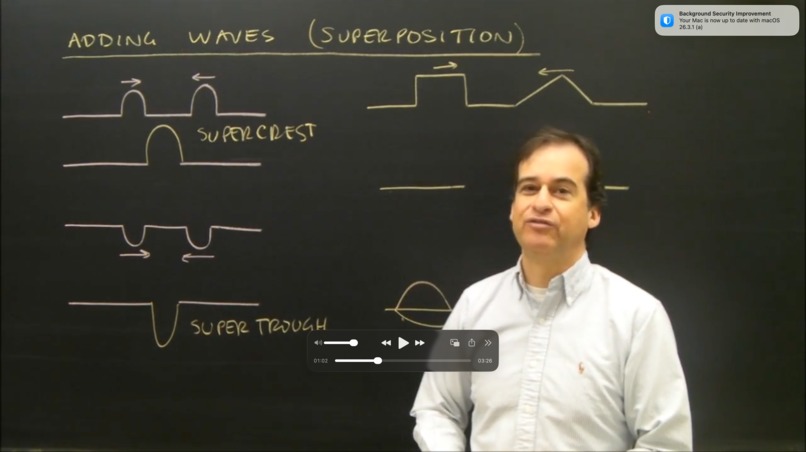
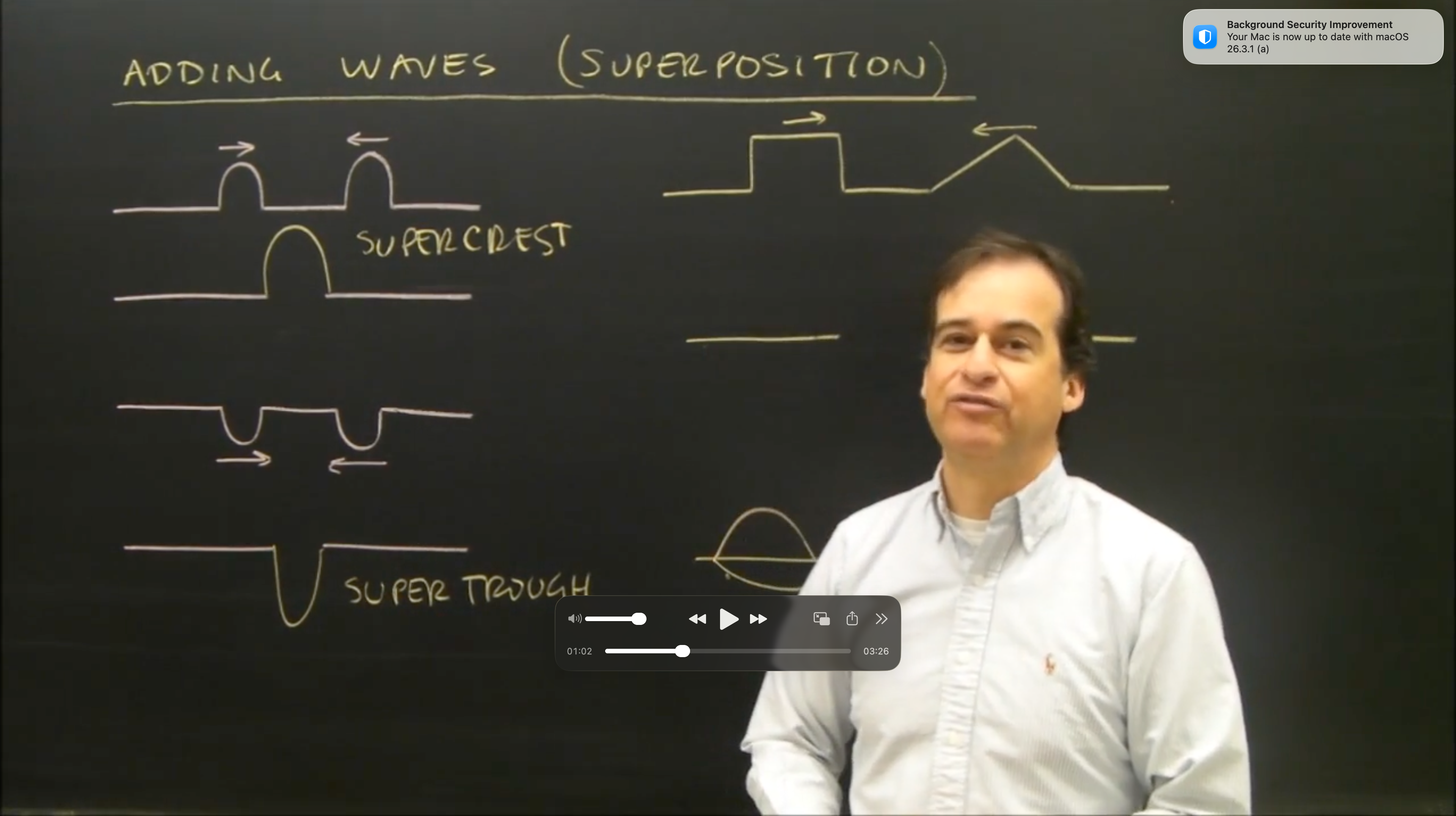
Original Lecture Video [INPUT]
-
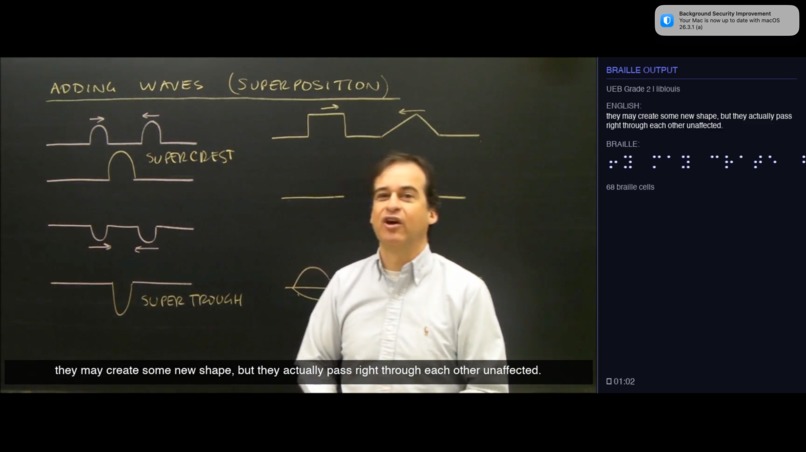
Accessible Version( Braille video frame + Caption) Lecture Video [OUTPUT]
-
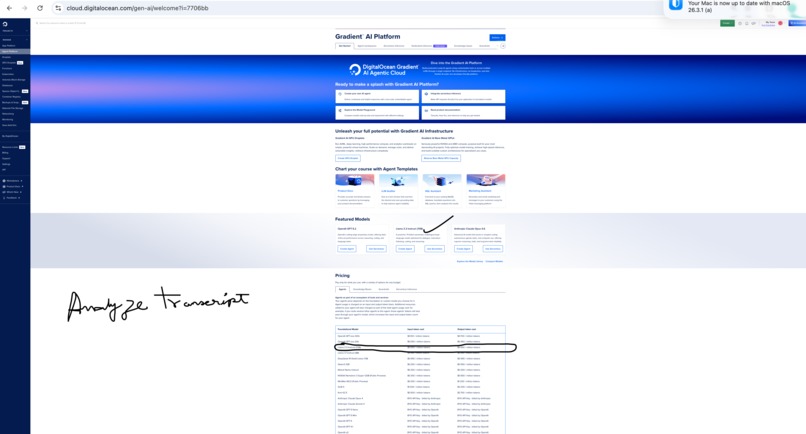
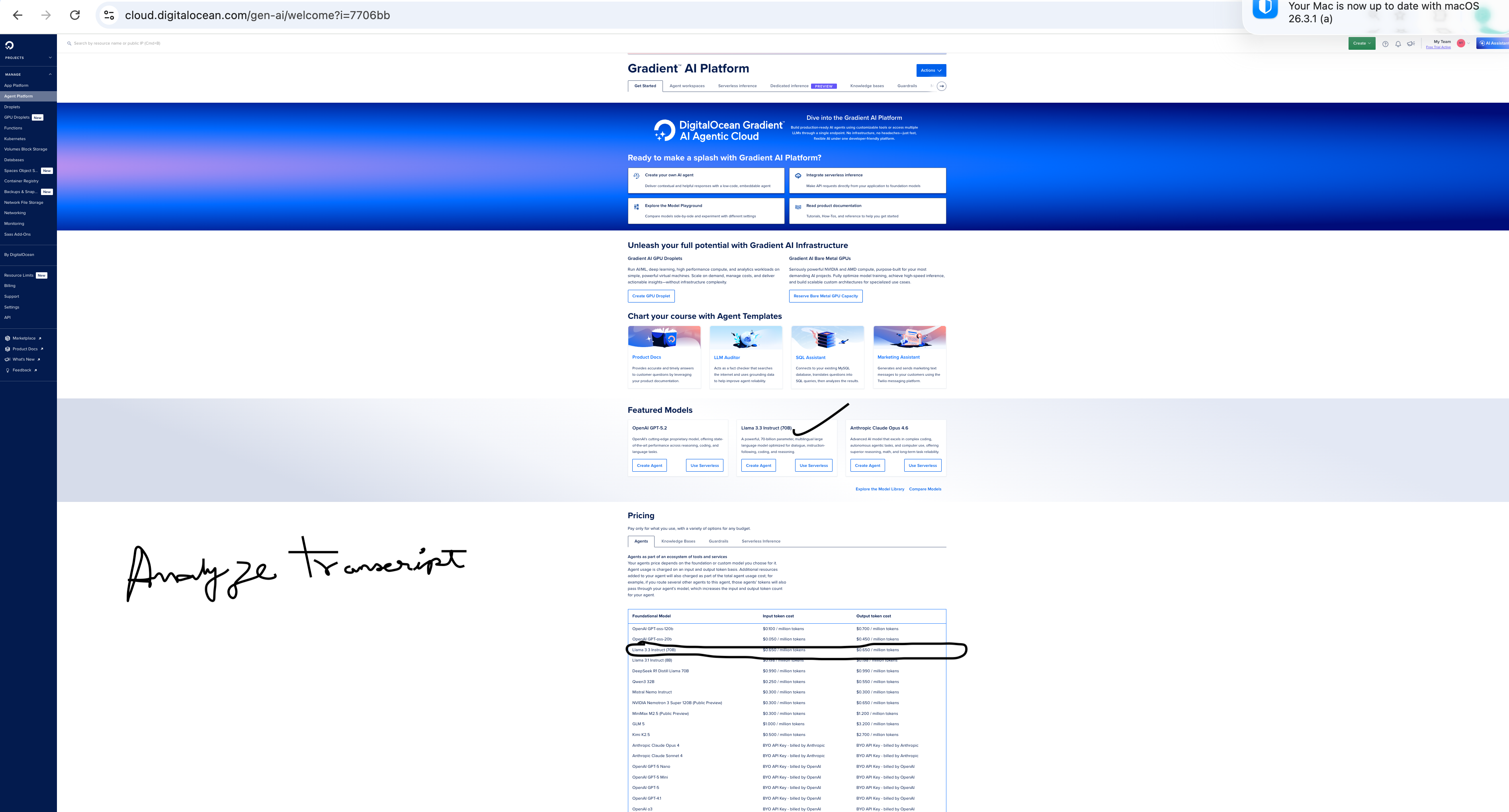
Gradient Page
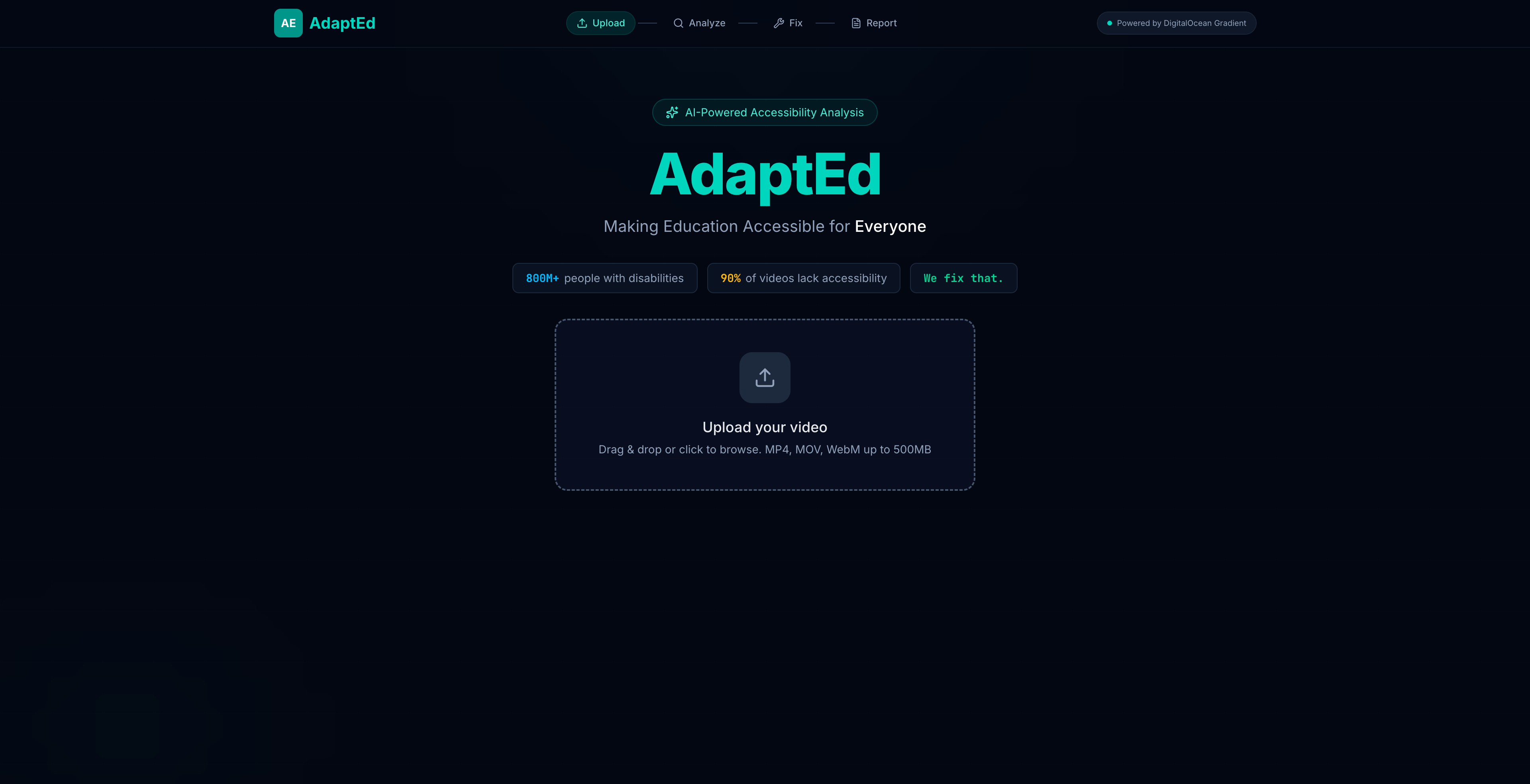
Inspiration
800 million people worldwide live with disabilities. Yet 90% of educational videos on platforms like YouTube, Coursera, and Khan Academy lack basic accessibility features—missing captions, poor contrast, and unclear audio.
Content creators want to make their videos accessible, but the process is manual, expensive, and time-consuming. A single hour of video can take 4–6 hours to make fully WCAG compliant.
We asked:
What if an AI agent could watch a video, understand its accessibility gaps, and fix them automatically?
What It Does
AdaptEd is an autonomous AI accessibility agent for educational videos.
Upload any lecture or tutorial, and AdaptEd will:
🔍 Analyze
- Detect WCAG 2.1 violations:
- Missing captions
- Low contrast
- Audio clarity issues
- Missing navigation markers
- Missing captions
📊 Score
- Generate a 0–100 accessibility score
- Map findings to WCAG criteria (e.g., 1.2.2, 1.4.3, 1.4.7)
⚡ Remediate (One Click)
- AI-generated captions (Whisper speech-to-text)
- Braille translation (UEB Grade 2) alongside video
- Visual contrast enhancement
- Audio normalization to -16 LUFS
📄 Report
- Before/after accessibility score
- Downloadable PDF compliance report
- WCAG 2.1 checklist
Key Innovation:
AdaptEd doesn’t just identify problems—it fixes them.
It also generates Braille output alongside captions, a rare and powerful feature.
How We Built It
🧠 Backend (Python / FastAPI)
- Gemini 3.0 Pro for full-video analysis using large context understanding
- OpenAI Whisper for speech-to-text and SRT generation
- liblouis for Braille translation (UEB Grade 2)
- FFmpeg for:
- Subtitle rendering
- Contrast enhancement
- Two-pass audio normalization
- Subtitle rendering
🎨 Frontend (React / TypeScript)
- Step-by-step workflow: Upload → Analyze → Fix → Report
- WCAG-compliant design system built from teal
#0D9488 - Verified 4.5:1+ contrast ratios
Features:
- Animated score gauges
- Real-time progress indicators
- Video comparison player
An accessibility tool that practices what it preaches
☁️ Infrastructure (DigitalOcean)
- Gradient AI for accessibility reasoning
- Droplet (s-2vcpu-4gb) running backend + Whisper
- Nginx reverse proxy
- Dockerized with
Dockerfileanddocker-compose
Challenges We Ran Into
⚙️ FFmpeg Compatibility
- macOS lacked
libass/freetype→ subtitle rendering failed - Built Pillow-based fallback renderer
- Added runtime detection for optimal path
🎨 The "Purple Problem"
- Initial UI failed WCAG contrast standards
- Rebuilt full design system with verified AA compliance
🔤 Braille Rendering
- liblouis outputs ASCII Braille
- Built mapping layer → Unicode Braille (U+2800 block)
📉 Score Consistency
- AI outputs varied between runs
- Introduced deterministic scoring with fixed deductions
Accomplishments We're Proud Of
- 🟢 Braille side-by-side video output (novel feature)
- 🟢 WCAG AA-compliant UI
- 🟢 Fully working pipeline:
- Upload → Process → Remediated video + report
- Upload → Process → Remediated video + report
- 🟢 Production deployment in one session
What We Learned
- Native video understanding removes need for frame sampling
- liblouis CLI works better than Python bindings
- FFmpeg capabilities vary by environment
- Building accessible tools requires deep WCAG understanding
What’s Next for AdaptEd
- ⚡ Real-time processing (live streams & calls)
- 🌍 Multi-language support (Whisper supports 99 languages)
- ♿ Expanded Braille support
- 🔌 Braille display integration (BRF output)
- 🎓 LMS integrations (Canvas, Moodle, Google Classroom)
- 📦 Batch processing for course libraries
- 🤖 Fine-tuned AI model for WCAG-specific analysis

Log in or sign up for Devpost to join the conversation.