-
-
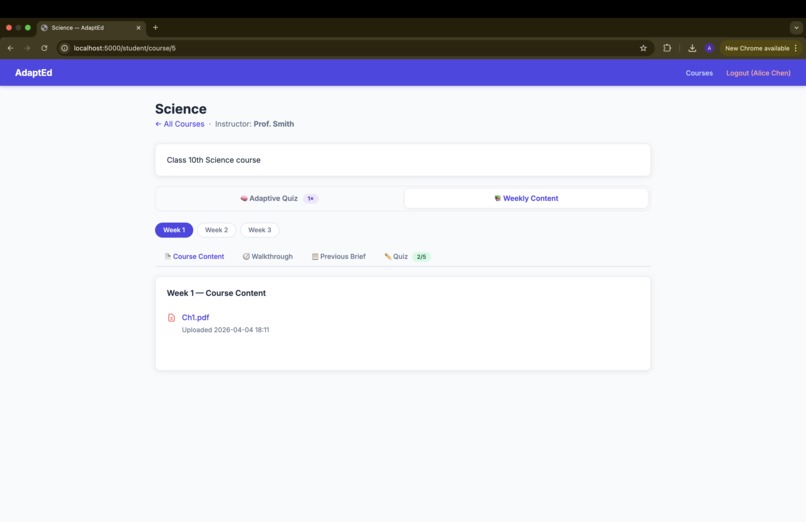
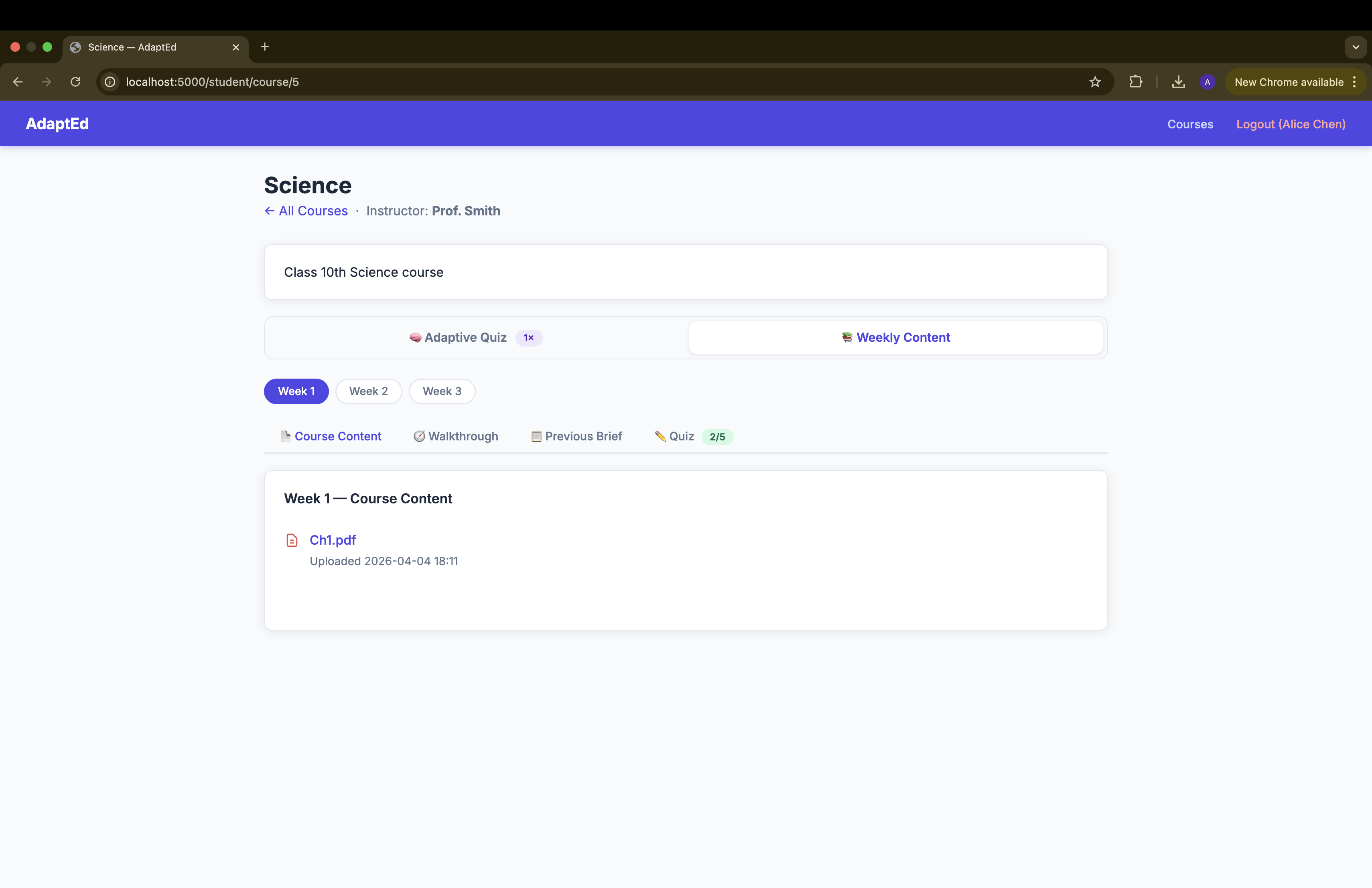
layout- student
-
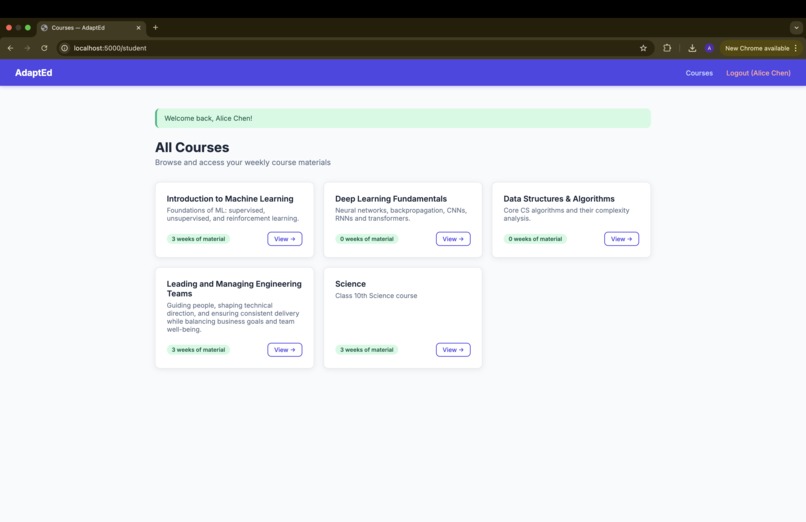
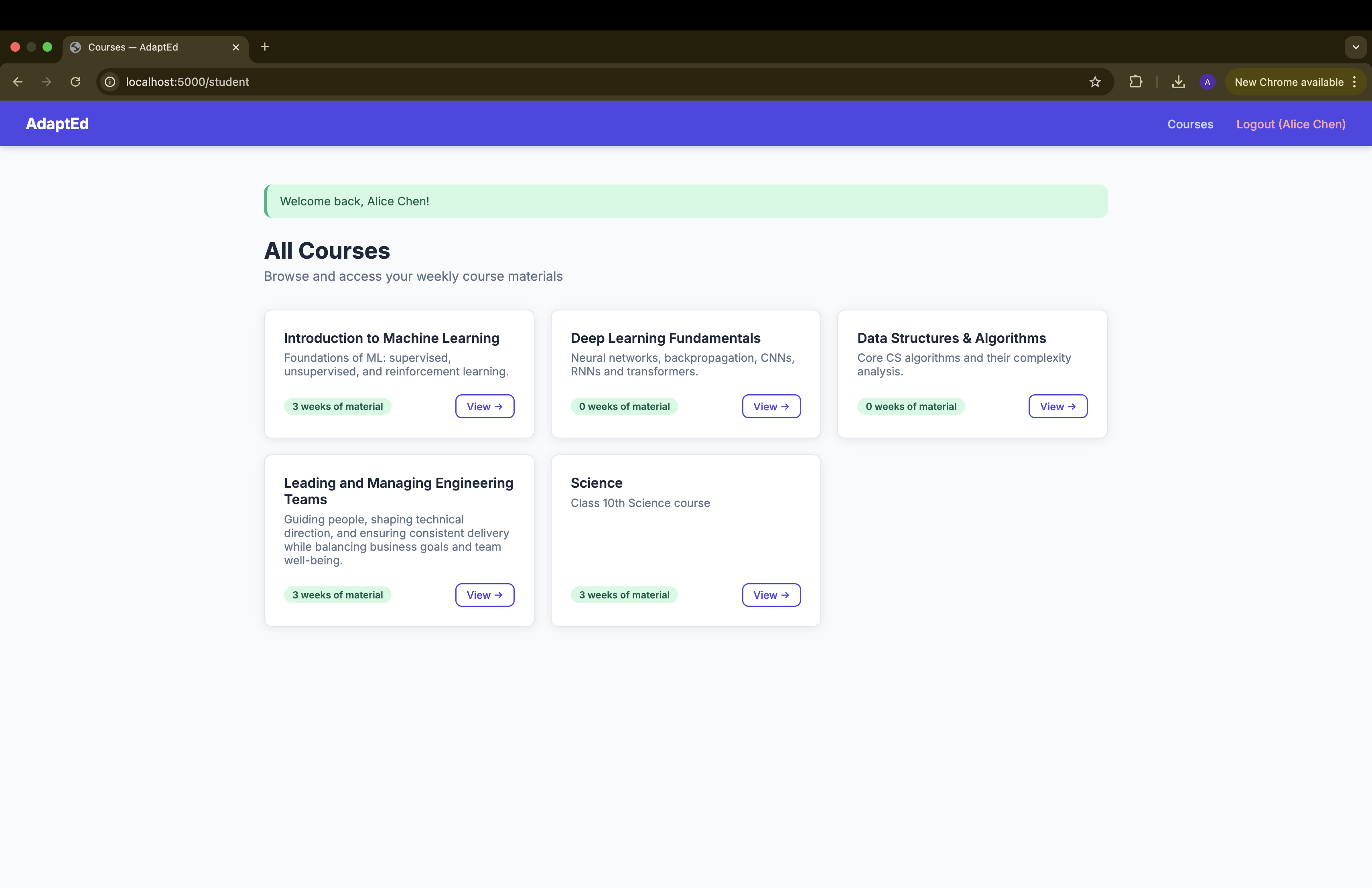
courses
-
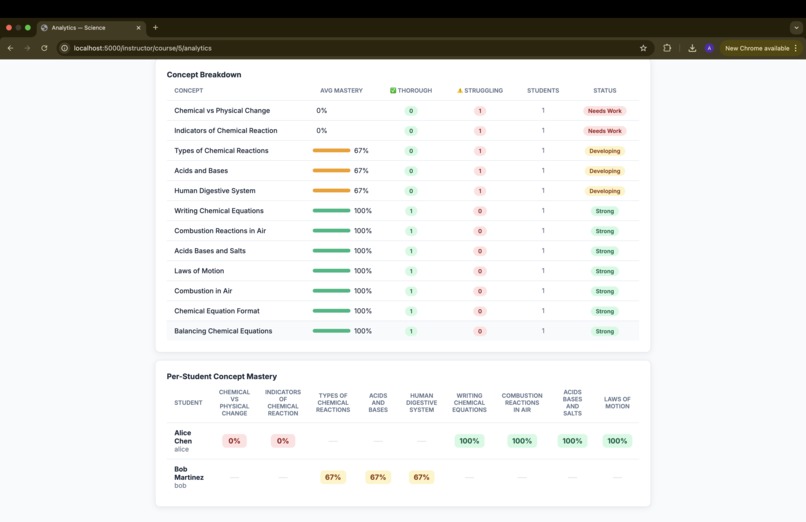
instructor dashboard- continue
-
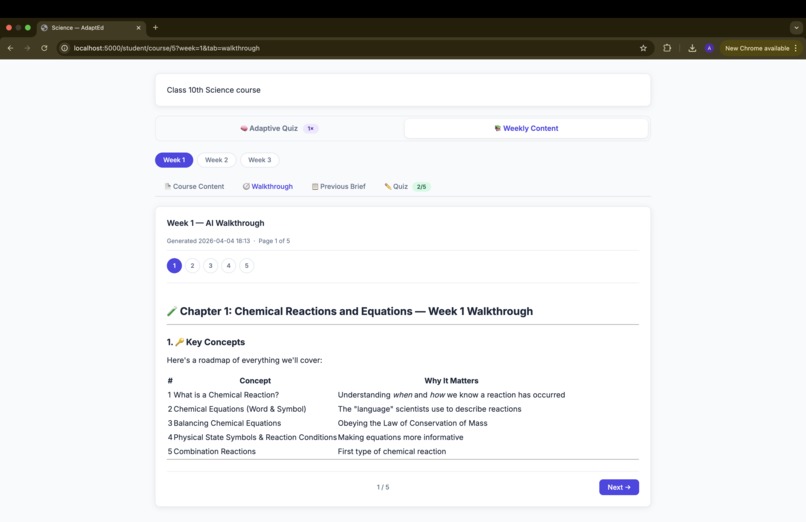
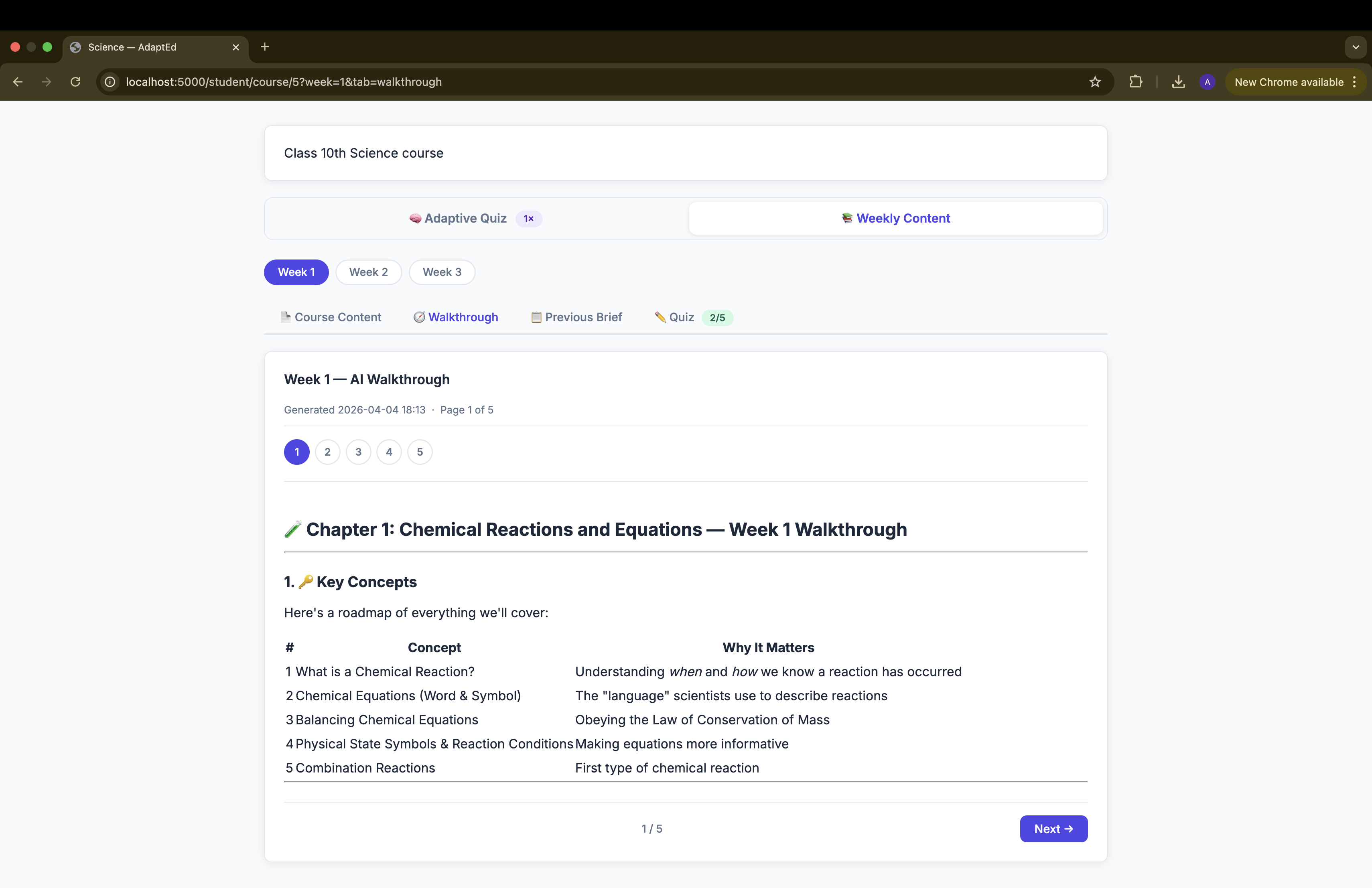
walkthrough of the course
-
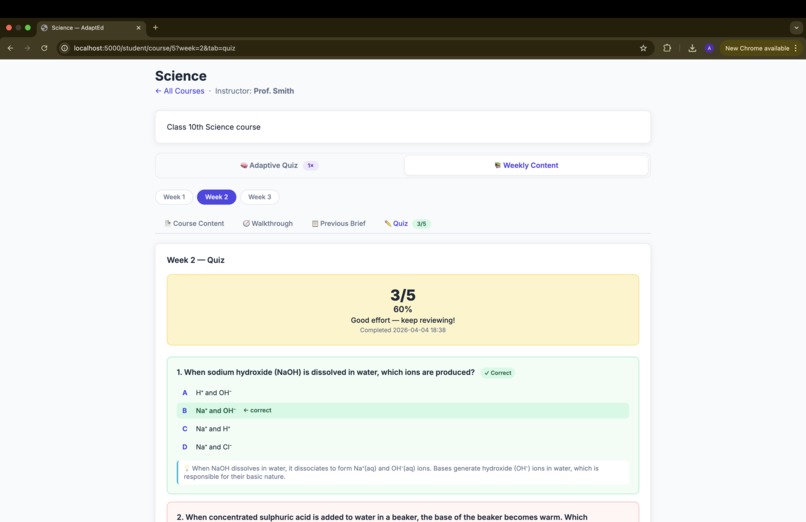
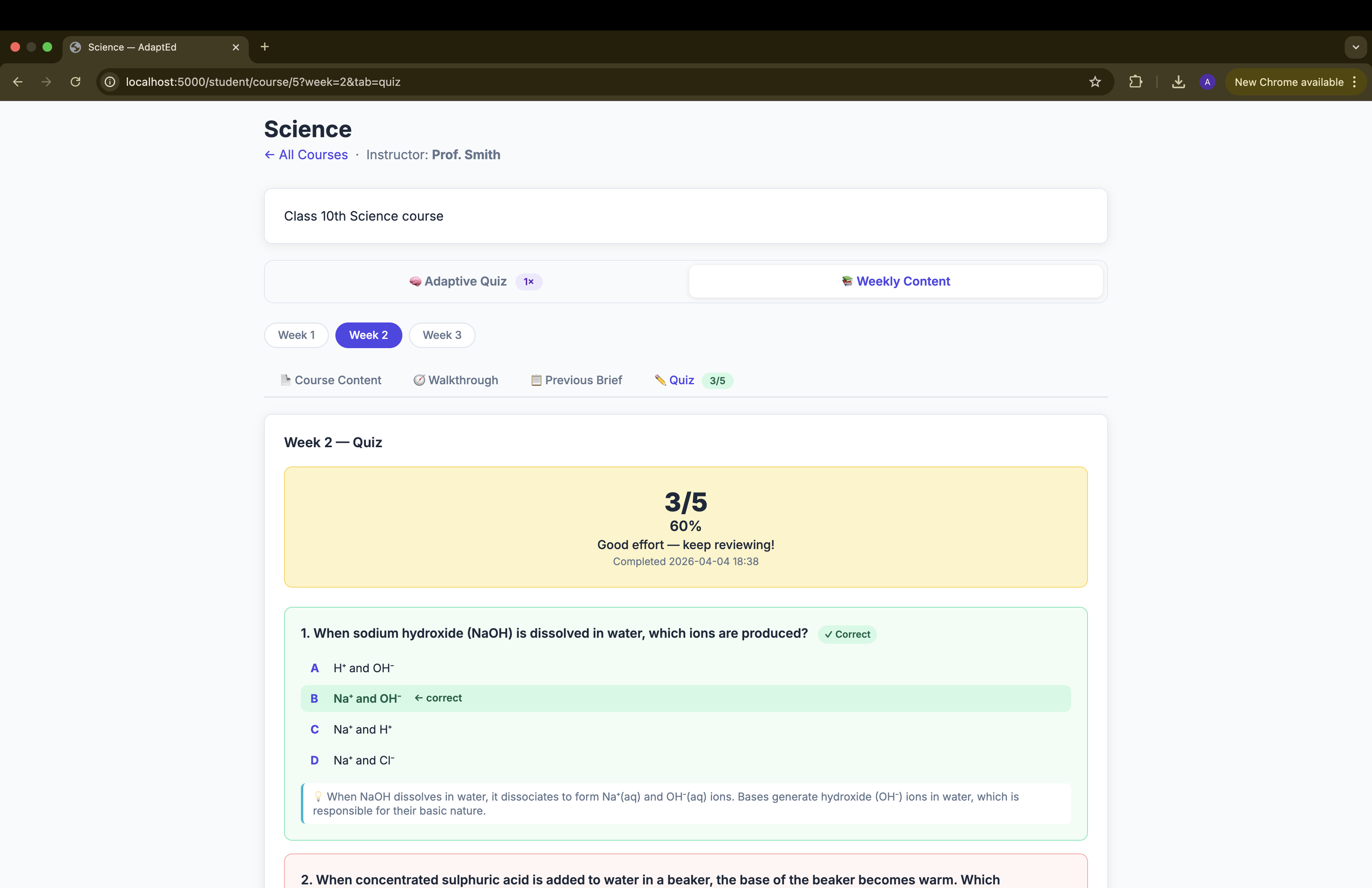
Weekly Quiz
-
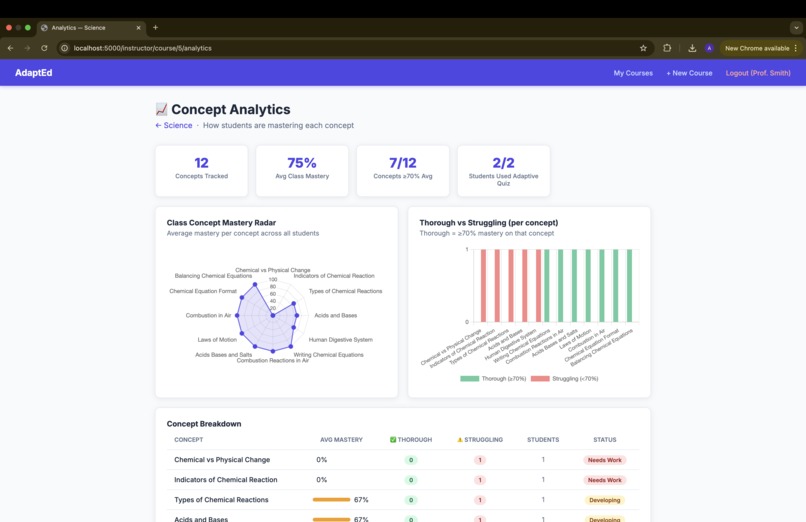
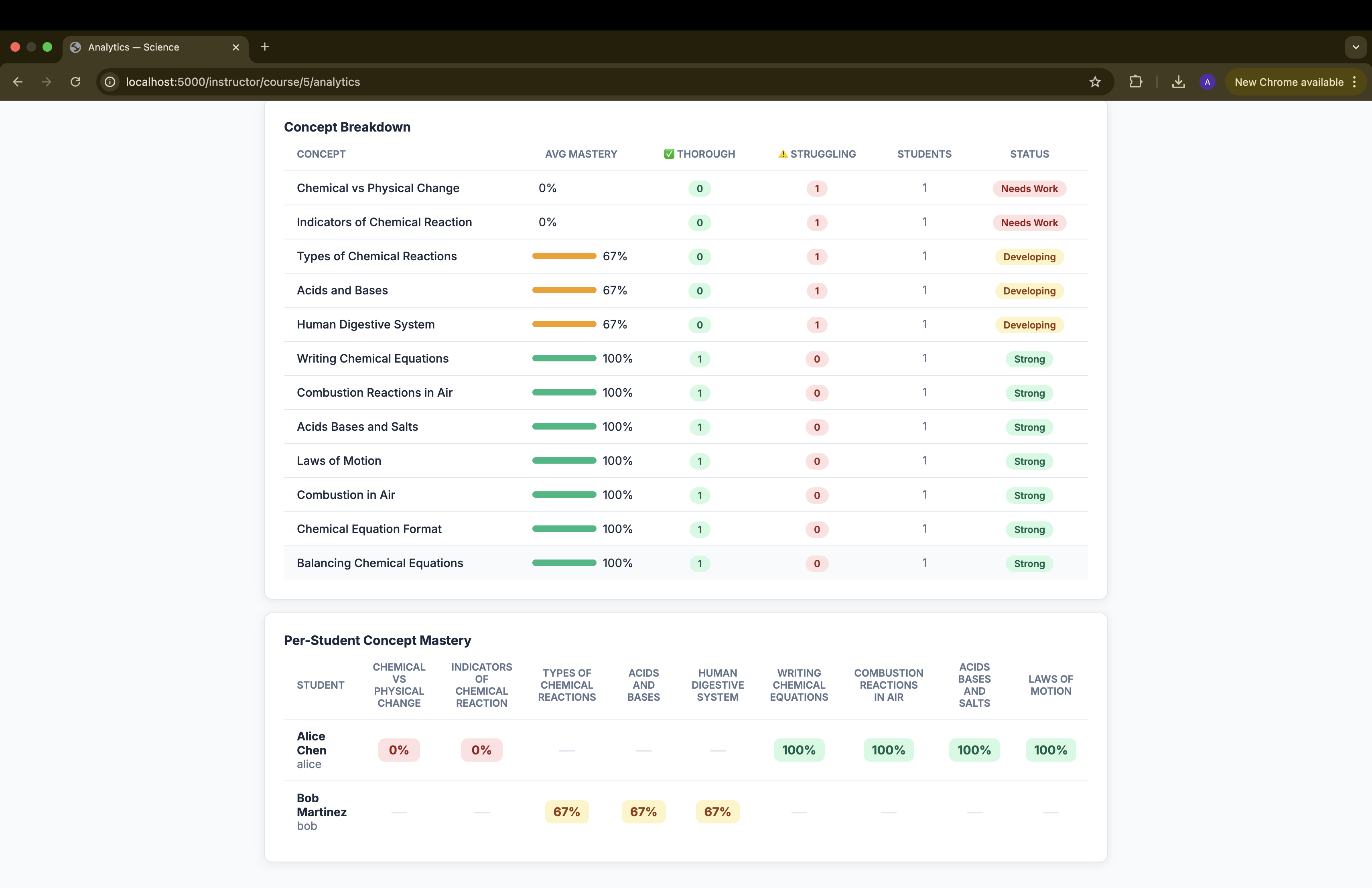
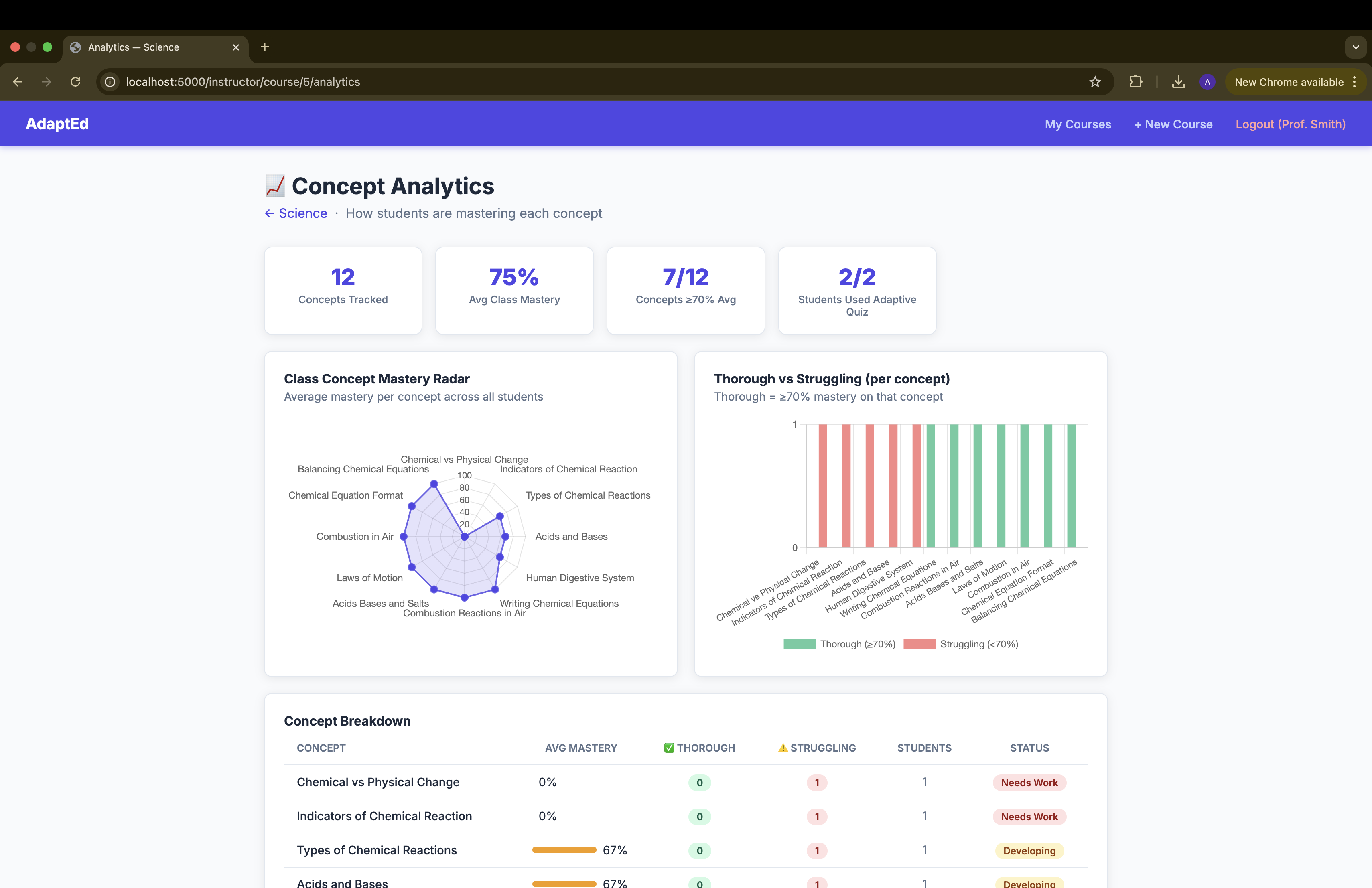
instructor dashboard
-
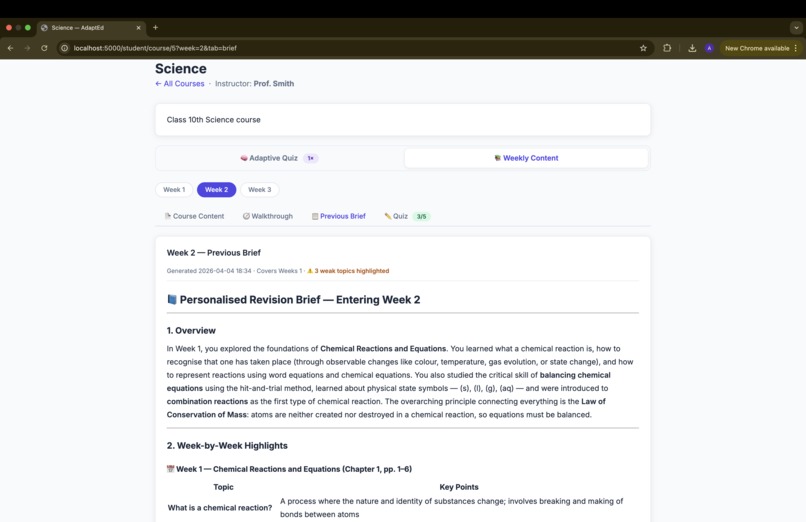
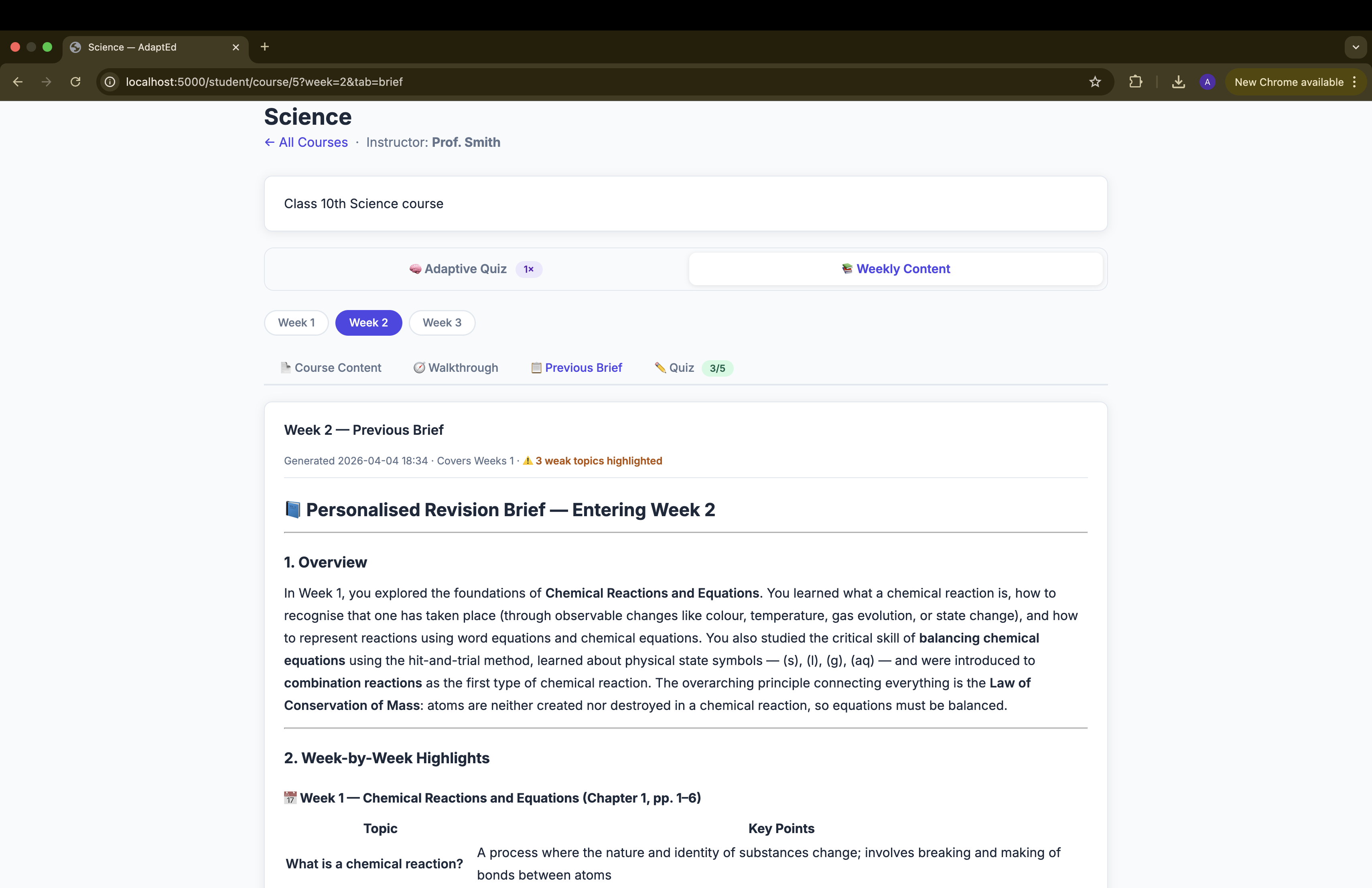
Previous Brief
-
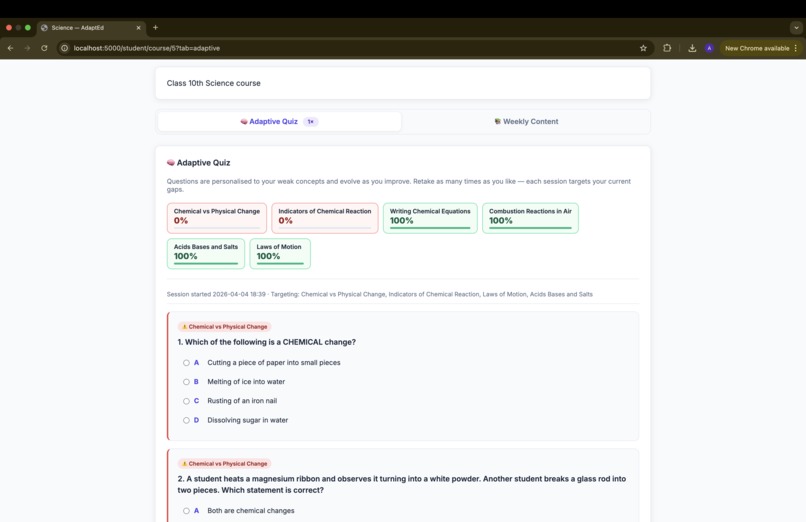
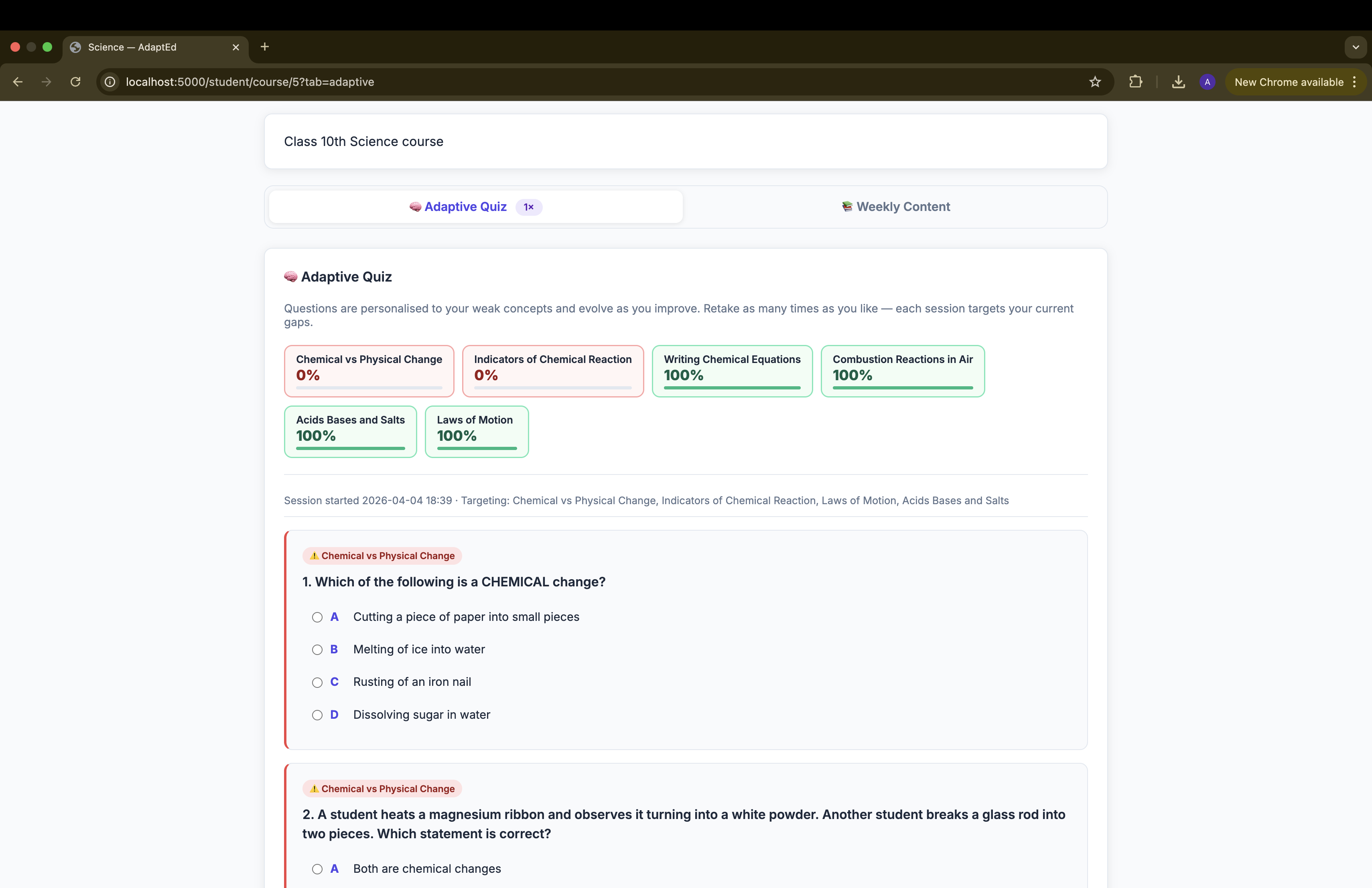
Adaptive Quiz
-
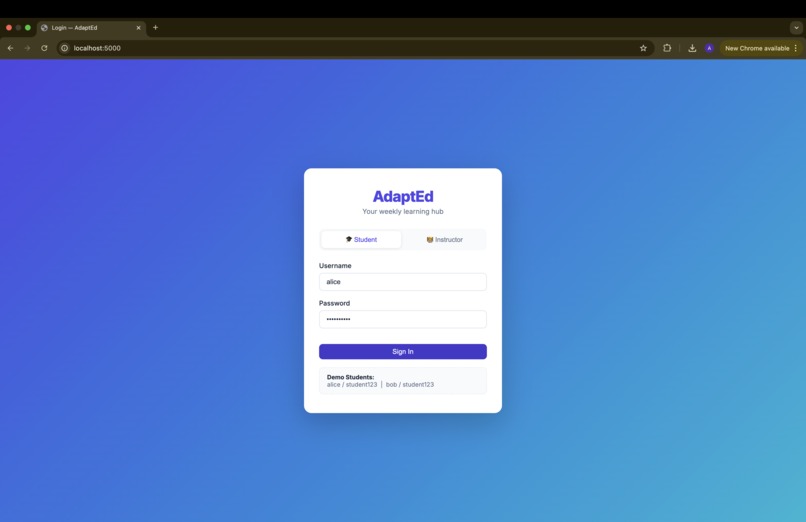
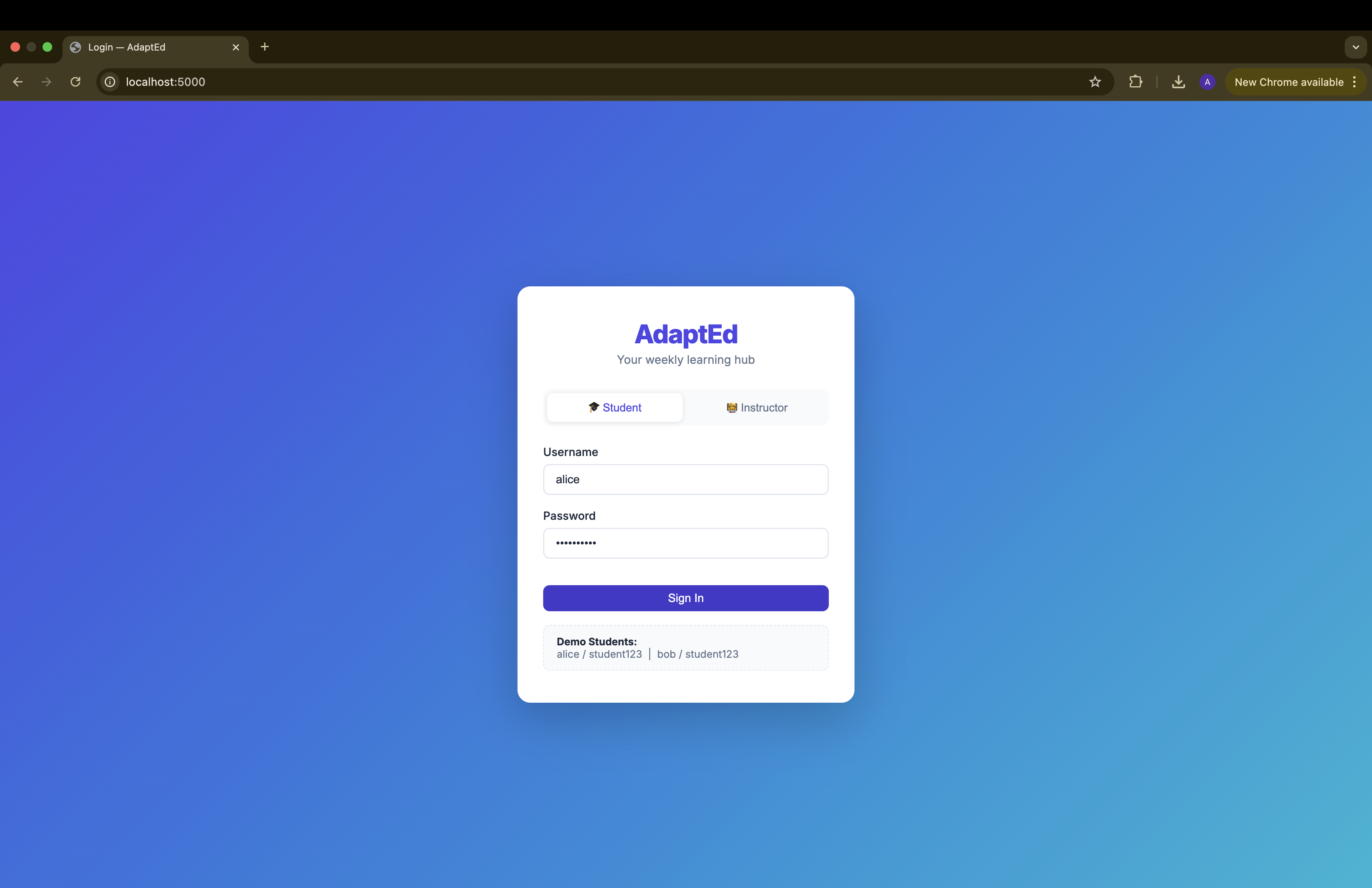
login
Inspiration
Students today are overwhelmed with dense course materials and often forget what they learn within days. Learning systems focus on delivering content—but not on ensuring retention. We wanted to solve this gap by building a system that adapts to each student’s understanding and reinforces learning over time.
What it does
AdaptEd is an AI-powered learning companion that turns course materials into personalized learning experiences. Instructors upload a PDF, and students get structured summaries, guided walkthroughs, and adaptive quizzes that evolve based on their mistakes—helping them retain concepts more effectively.
How we built it
AdaptEd is built as a lightweight, full-stack Python/Flask application designed to simulate an AI-powered learning layer on top of an LMS like Brightspace.
Frontend: A clean, intuitive web interface for both students and instructors, enabling seamless navigation across courses, weekly content, walkthroughs, quizzes, and analytics dashboards.
Backend: Handles course data, student progress tracking, and adaptive logic. We used in-memory storage to keep the system fast and simple for hackathon constraints.
File-based JSON database — all data (users, courses, quiz results, concept scores, walkthroughs, briefs) is stored in structured JSON files under data/. No SQL database or ORM is needed; this also makes the data fully human-readable and inspectable during development.
Claude ADK API (claude-opus-4-6) powers four distinct AI features, each with a carefully engineered prompt:
- Walkthrough — Claude reads the week's PDF(s) via base64-encoded document blocks and produces a structured, student-friendly explanation broken into logical pages
- Previous Brief — Claude summarises all prior weeks' PDFs, with extra emphasis on topics the student previously got wrong (pulled from quiz mistake logs)
- Weekly Quiz — Claude generates 5 MCQs from the week's PDF content, incorporating prior mistakes as targeted weak-area questions. One attempt per week per student
- Adaptive Quiz — Claude analyses the student's per-concept mastery scores and mistake history across all weeks, then generates questions targeting the weakest concepts and few more for general revision. Retakeable; each session updates concept mastery
-PDF ingestion — instructor-uploaded PDFs are sent to Claude as
base64document content blocks, so Claude reads the actual material rather than relying on filenames or summaries. -Concept tracking — every Adaptive Quiz answer is tagged with a concept label (returned by Claude in JSON). Correct/incorrect results update a per-student, per-course concept ledger stored inconcepts.json, enabling the instructor analytics view. -Analytics use Chart.js (CDN) to render a radar chart of class-wide concept mastery and a grouped bar chart of thorough vs. struggling students per concept — all computed server-side from the JSON store.
Challenges we ran into
Defining “Adaptivity” properly It was easy to generate quizzes, but harder to make them meaningfully adaptive. We had to design logic that identifies weak concepts and targets them effectively.
Prompt engineering for consistency Getting Claude to return structured, predictable outputs (for quizzes, explanations, and walkthroughs) required careful prompt design.
PDF content extraction at scale — sending multiple large PDFs per request as base64 blocks can push context limits. We worked around this by capping the number of documents per prompt and ensuring Claude's structured output (JSON for quizzes, markdown for walkthroughs) is reliably parseable even when the model wraps it in code fences.
Concept extraction from content Breaking course material into distinct “concepts” for tracking mastery was non-trivial.
Stable file IDs across requests — early uploads used a legacy single-file-per-week schema with no persistent file_id. Every page render generated a new UUID, so delete buttons silently failed. We fixed this by deriving the file_id deterministically from the UUID already embedded in the filename, and running a one-time migration at startup.
Logical page splitting for walkthroughs — naively splitting on every # heading produced pages that were just a title and a sentence. We built a merge-forward algorithm: if a section's body is under 50 words, it absorbs the next section, repeating until the page is substantive enough to stand alone.
Adaptive quiz cold-start — students with no prior quiz history had nothing to base personalisation on. We handled this gracefully by gating the Adaptive Quiz behind at least one completed weekly quiz, and progressively enriching the prompt as concept data accumulates.
Keeping the brief truly personalised — the Previous Brief needed to do two things at once: cover all prior material broadly, and go deep on the student's specific weak spots. Getting the prompt balance right — covering everyone's past content while spotlighting individual mistakes — required several iterations.
Accomplishments that we're proud of
End-to-end personalisation loop — a student's wrong answers in Week 1's quiz influence the Previous Brief for Week 2, the questions in Week 2's quiz, and every future Adaptive Quiz session. The system actually learns from each student individually.
Zero-database simplicity — the entire platform runs with no database server. Every piece of state lives in human-readable JSON files, making it trivially deployable anywhere Python runs.
Instructor analytics with real signal — the radar and bar charts on the Analytics page aren't synthetic — they're computed from actual student answers mapped to concept labels by Claude. Instructors can see at a glance which concepts the class has mastered and which need re-teaching.
Walkthrough pagination — rather than dumping a wall of AI-generated text, we split walkthroughs into logical pages at heading boundaries (merging thin sections forward), giving students a readable, chapter-like experience with prev/next navigation.
Polished loading UX — AI generation calls can take 10–20 seconds. We built a full-screen frosted-glass overlay with three concentric spinning rings, a pulsing context emoji, and bouncing dots, so the wait feels intentional rather than broken.
What we learned
Structured JSON output from LLMs needs defensive parsing — Claude occasionally wraps JSON in markdown code fences even when instructed not to. Stripping fences with a regex before
json.loads()is essential for reliability.Prompt framing shapes output quality dramatically — telling Claude why a student got something wrong (the explanation, not just the answer) produces far better targeted questions than passing raw wrong-answer labels.
File-based databases are underrated for prototypes — JSON files gave us instant schema flexibility, zero setup, and readable state for debugging. For a hackathon, the trade-off is completely worth it.
Concept tagging is a forcing function for clarity — requiring Claude to assign a short concept label to every quiz question made us realise how much implicit knowledge lives in course PDFs. Named concepts became the shared language between the AI, the student, and the instructor analytics.
What's next for AdaptEd
LMS integrations — connect AdaptEd to Brightspace via LTI so instructors can upload content from their existing workflow and students authenticate with their institutional credentials.
Multi-modal content — extend beyond PDFs to support lecture slide decks, video transcripts, and embedded code notebooks so the AI has richer material to reason over.
Student discussion threads — let students flag confusing walkthrough pages or quiz questions, creating a lightweight peer Q&A layer tied to specific weeks and concepts.
Voice-based walkthroughs — convert AI-generated walkthroughs to audio using a TTS API so students can listen while commuting or reviewing notes.


Log in or sign up for Devpost to join the conversation.