Inspiration
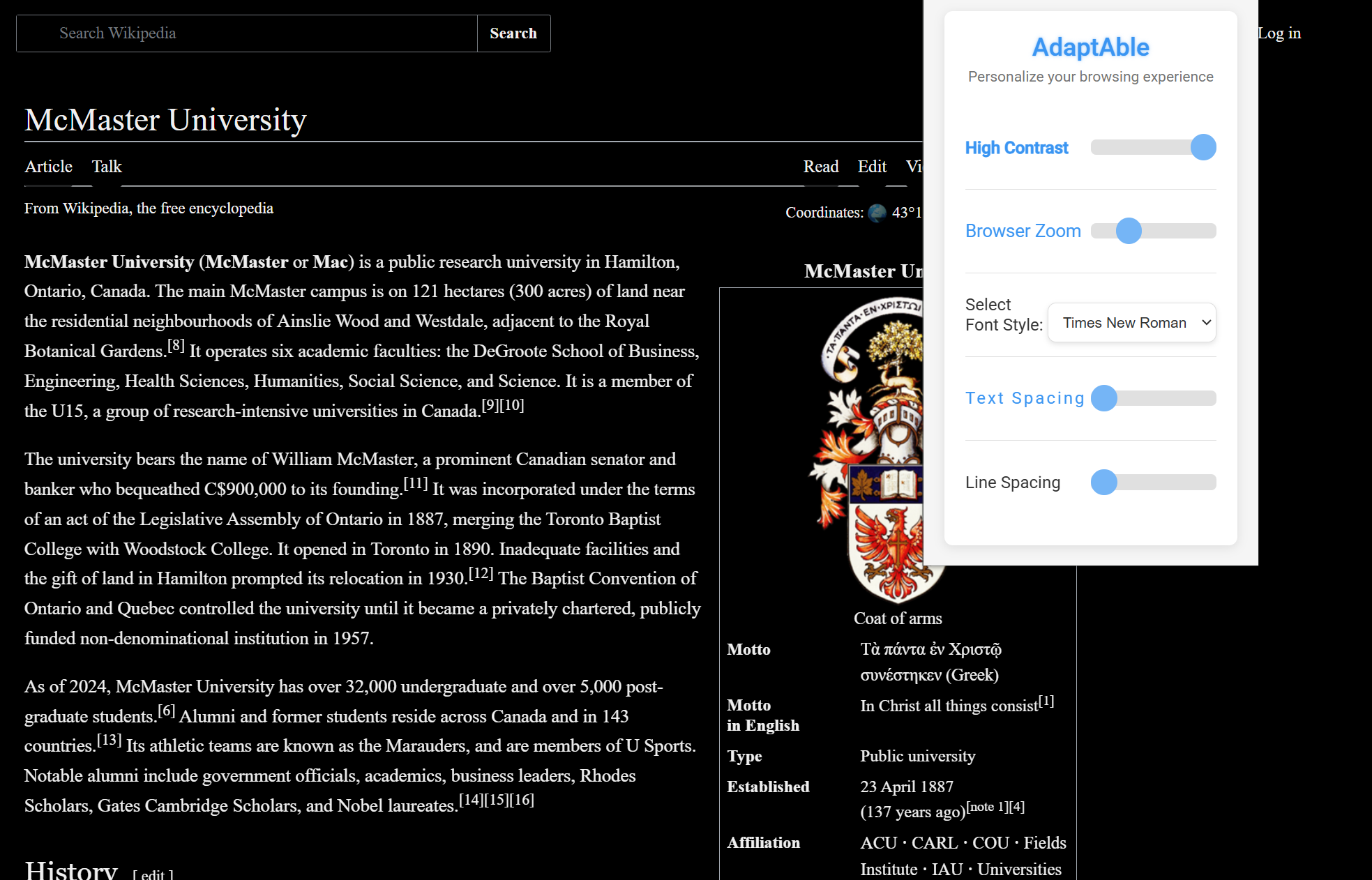
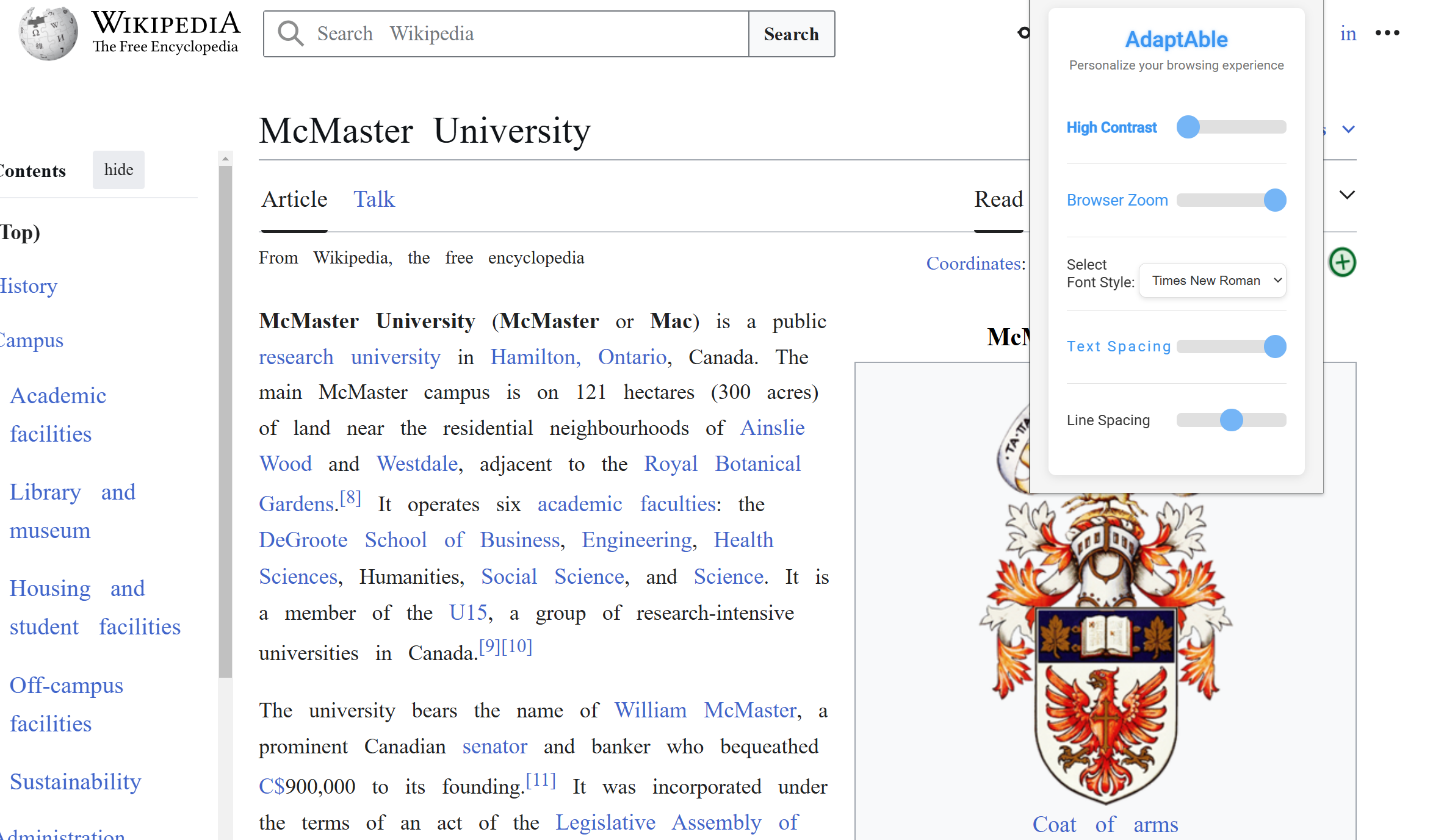
The inspiration for AdaptAble came from observing the struggles faced by our grandparents and others with accessibility needs when browsing the internet. Simple tasks like reading small text, navigating high-contrast websites, or interpreting unfamiliar fonts can become significant barriers for individuals with vision impairments, dyslexia, or cognitive challenges. We wanted to create a solution that empowers users to personalize their online experience, making the web a more inclusive and accessible space for all.
Statistics also fueled our drive:
According to UN.org, over 1 billion people globally live with some form of disability. According to the International Dyslexia Association, dyslexia affects 1 in 5 people, making it difficult to read standard text. As the global population ages, more people face challenges like reduced vision or cognitive decline.
What it does
AdaptAble is a Chrome extension that provides:
- High Contrast Mode: Enhances readability by switching to a high-contrast color scheme.
- Font Style Customization: Allows users to select from a range of accessible, easy-to-read fonts.
- Browser Zoom: Dynamically adjusts zoom settings for improved visibility.
- Personalization: Enables users to toggle these features seamlessly, tailoring their browsing experience in real time.
- Simple Usability: Provides a simple interface and immediate results that anyone can use, regardless of tech experience.
These features are designed to help individuals with visual, cognitive, and physical impairments interact with websites more comfortably and effectively.
How we built it
Languages and Frameworks:
- HTML/CSS: To design the extension’s user interface and ensure a clean, minimal look.
- JavaScript: To handle feature toggling, dropdown selection, and communication between the popup and content script.
Browser APIs:
- Leveraged Chrome’s Content Scripts and Messaging API to apply accessibility changes dynamically.
CSS Styling:
- Created font-specific classes to apply user-selected styles directly to websites.
SQLite (SQL.js):
- Integrated SQLite to track user interactions and analyze feature usage for future improvements.
Challenges we ran into
- CSS Conflicts: Ensuring the extension’s styles didn’t conflict with existing website styles was a challenge. We solved this by using specific CSS class names and the !important modifier for critical rules.
- Cross-Site Functionality: Making the extension work across different websites with varying structures required meticulous testing and debugging.
- User Experience: Balancing simplicity with functionality was tricky. We wanted the interface to be intuitive while offering meaningful customization options.
- Time Constraints: Building a fully functional prototype within the limited timeframe of the hackathon was a significant challenge.
What we learned
- Accessibility Principles: Gained a deeper understanding of accessibility standards and the diverse needs of users with disabilities.
- Technical Skills: Improved our knowledge of Chrome’s extension development framework, JavaScript APIs, and responsive CSS techniques.
- Empathy in Design: Learned how to design with empathy, putting the user’s experience at the center of our project.


Log in or sign up for Devpost to join the conversation.