-
-
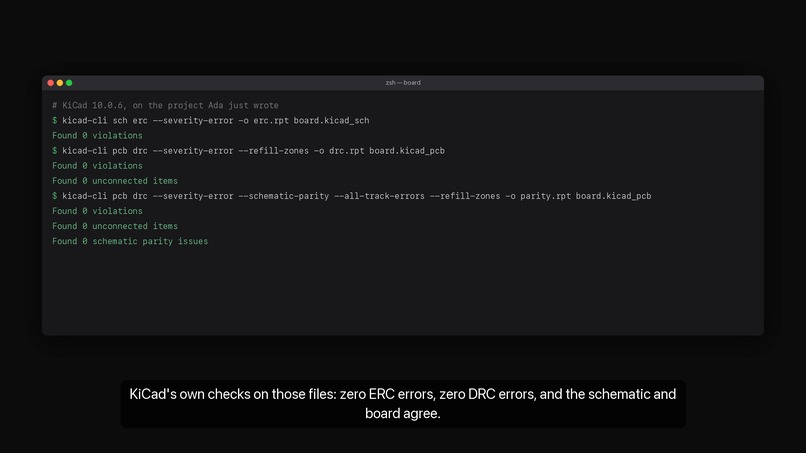
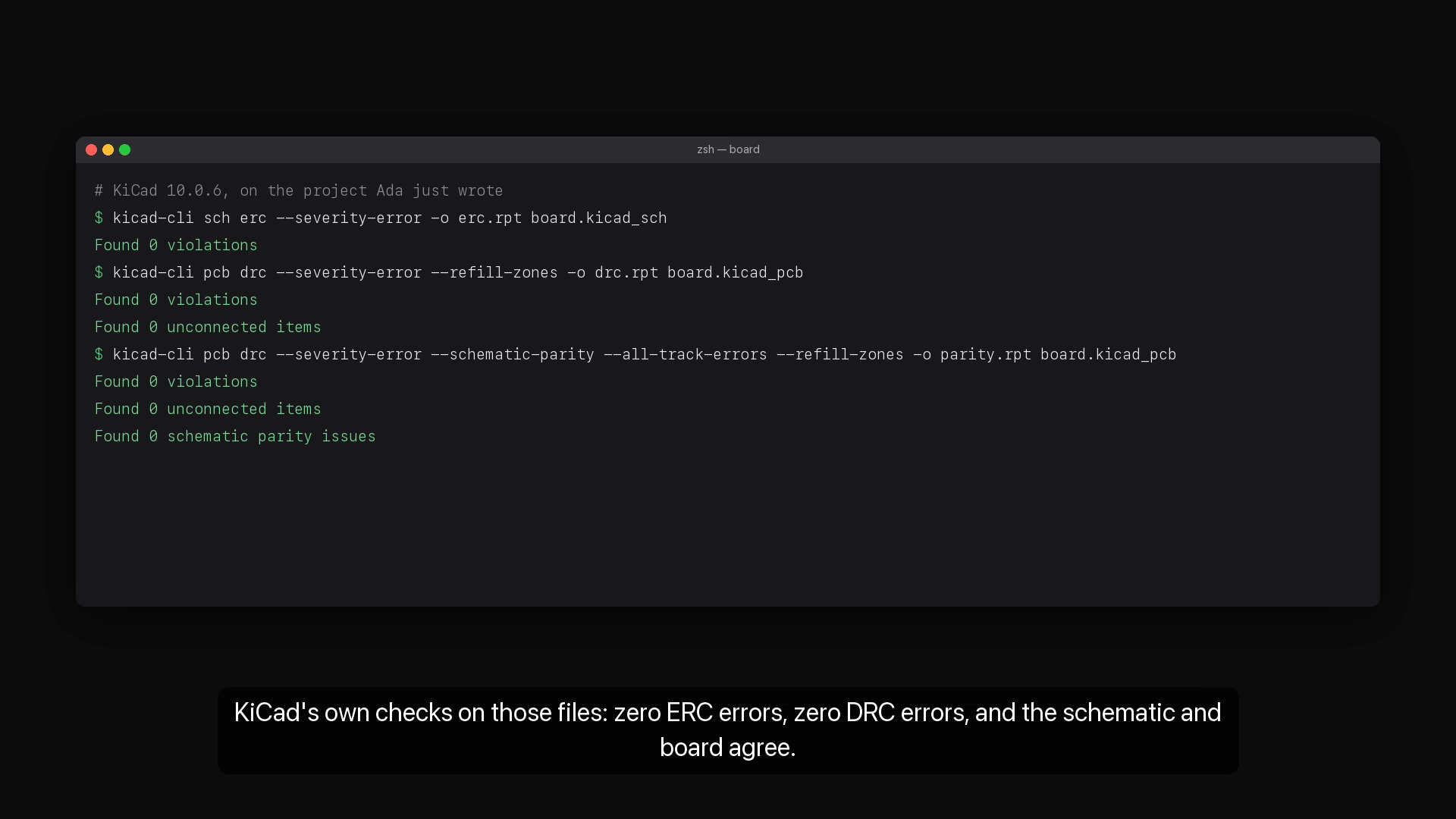
kicad-cli on the run's files: ERC 0, DRC 0, schematic parity 0
-
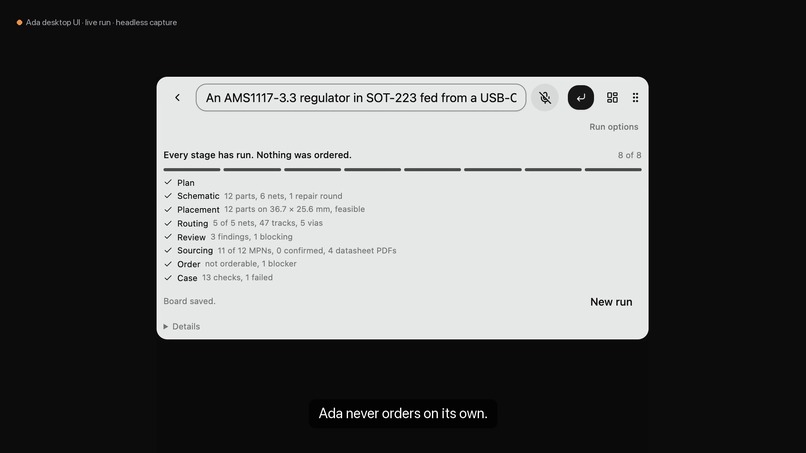
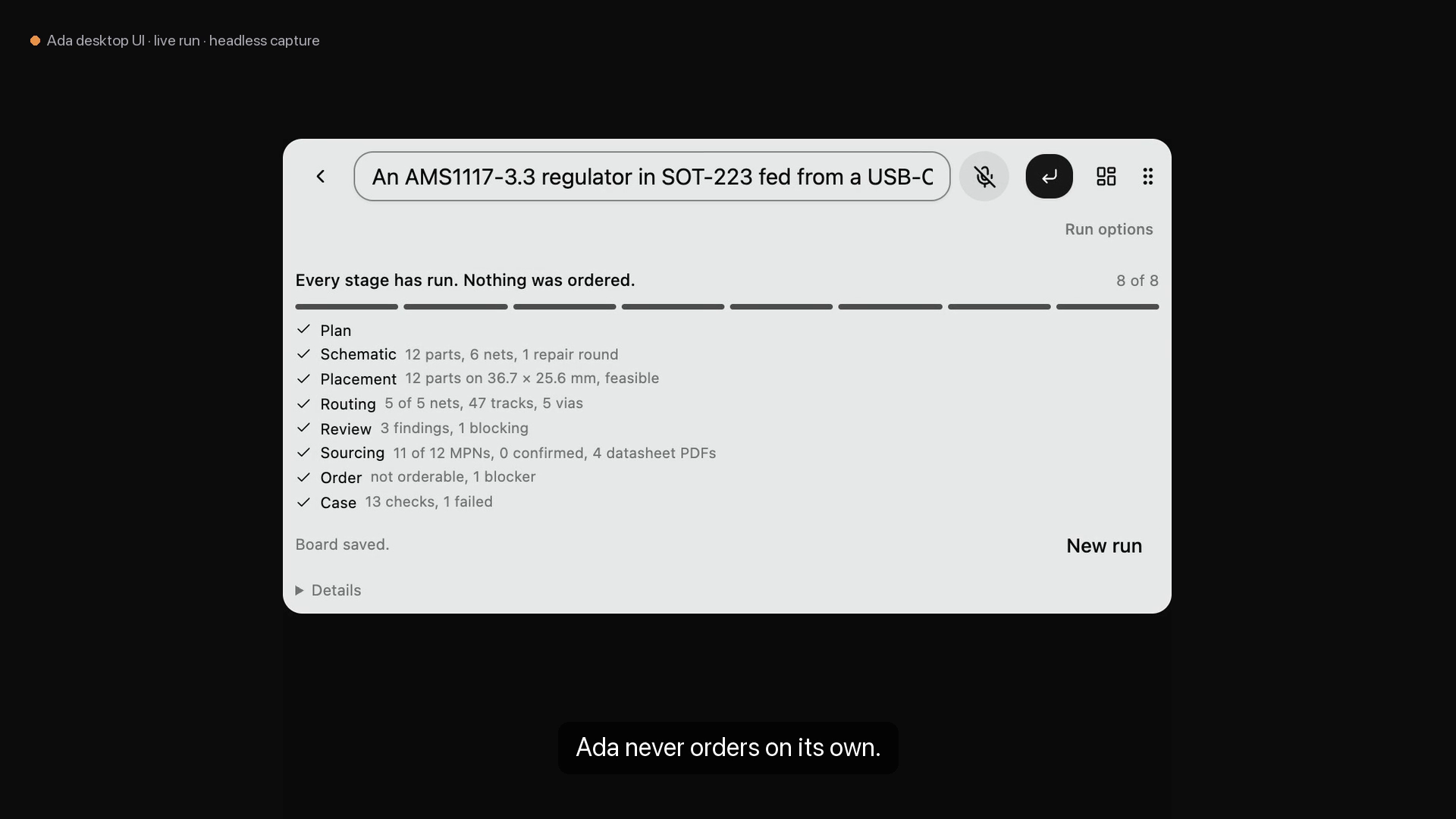
The order step: prepared, not orderable yet, and nothing was ordered
-
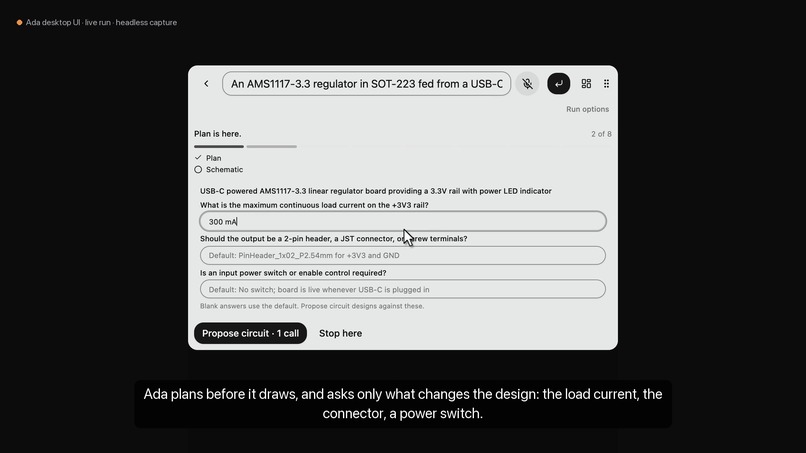
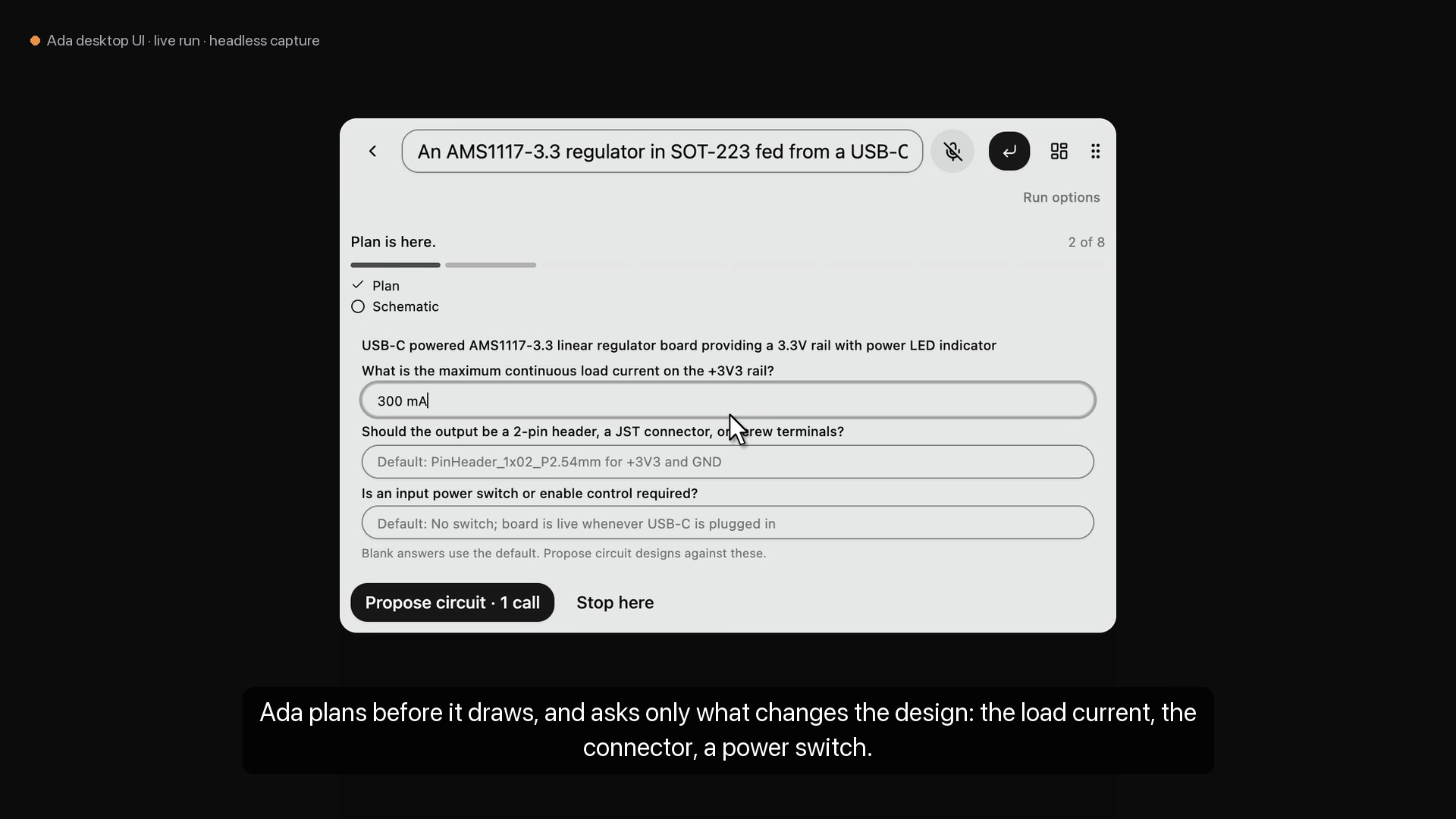
Plan: the questions that change the design, each with a stated default
-
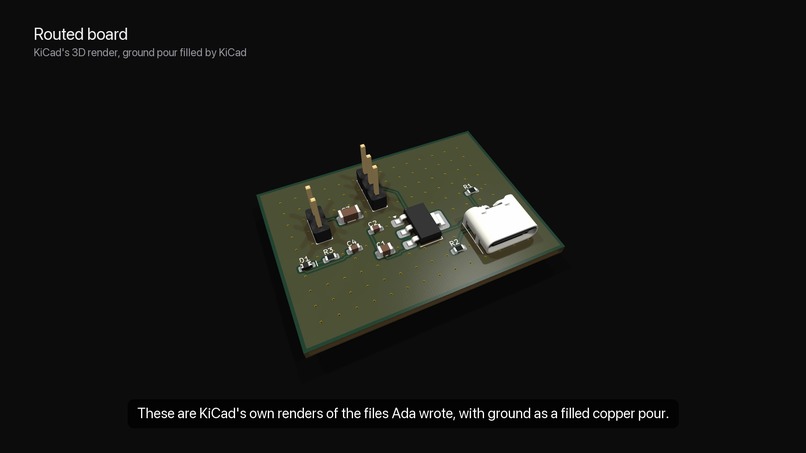
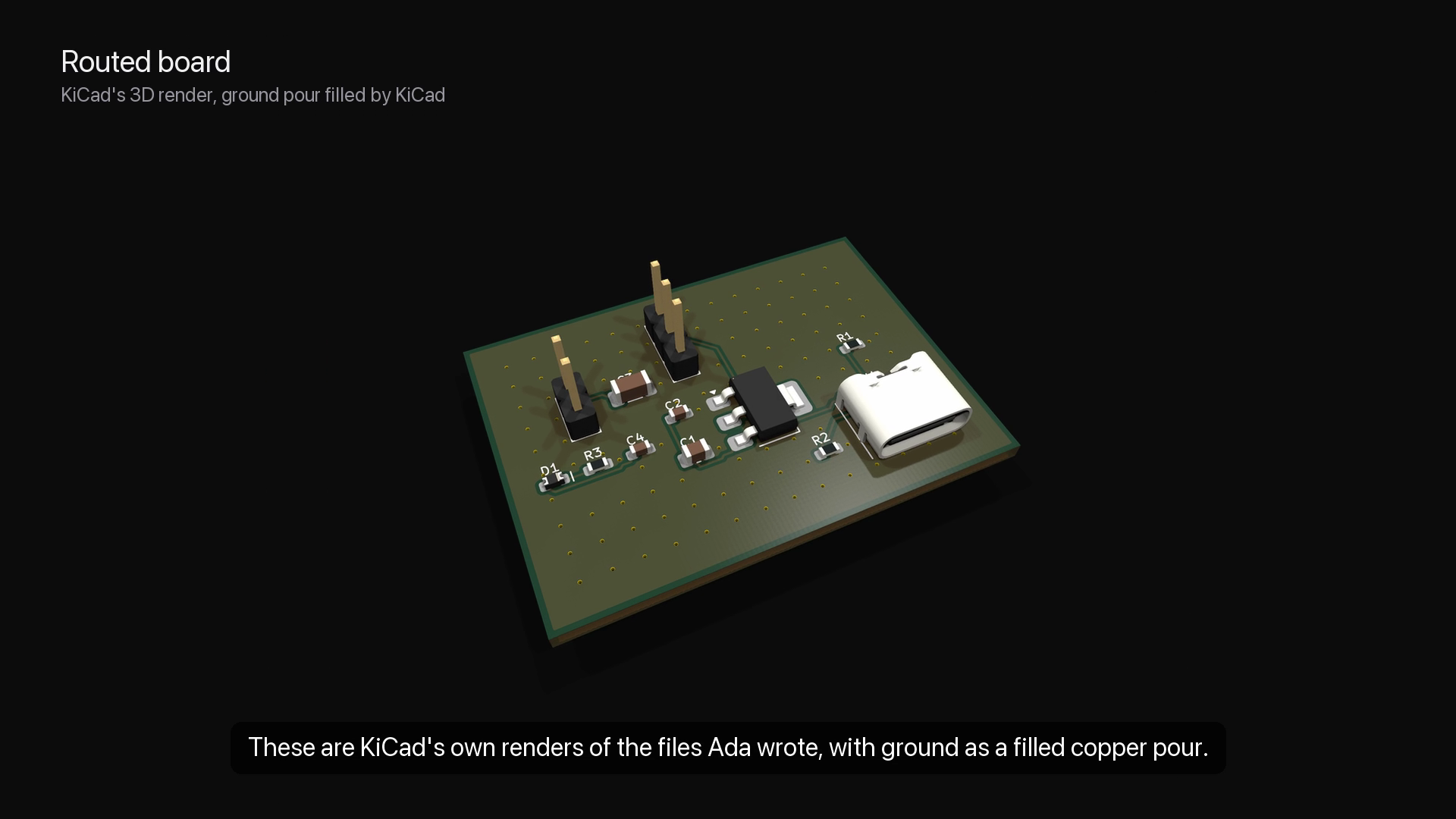
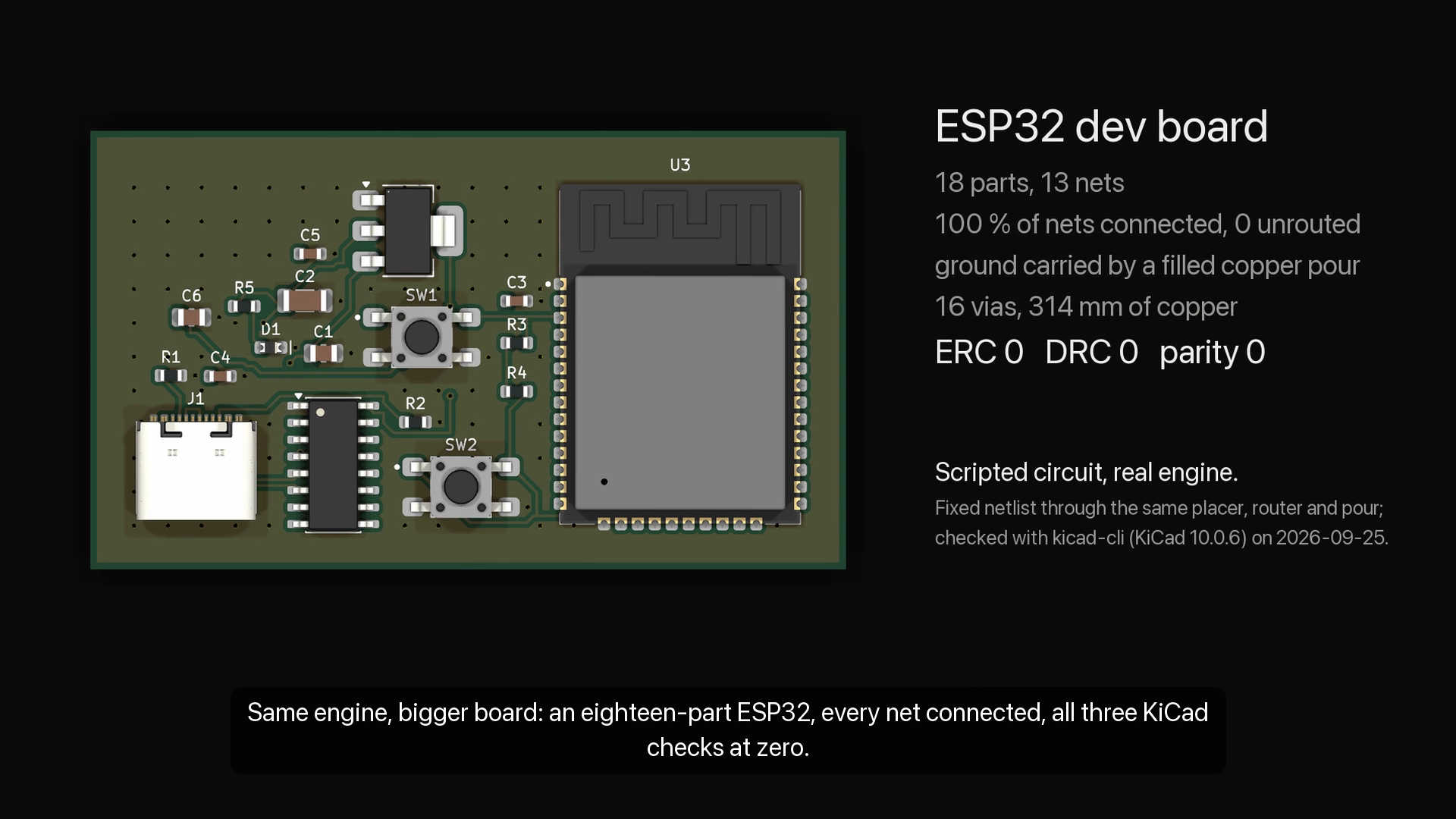
KiCad's own 3D render of the board Ada routed, ground pour filled
-
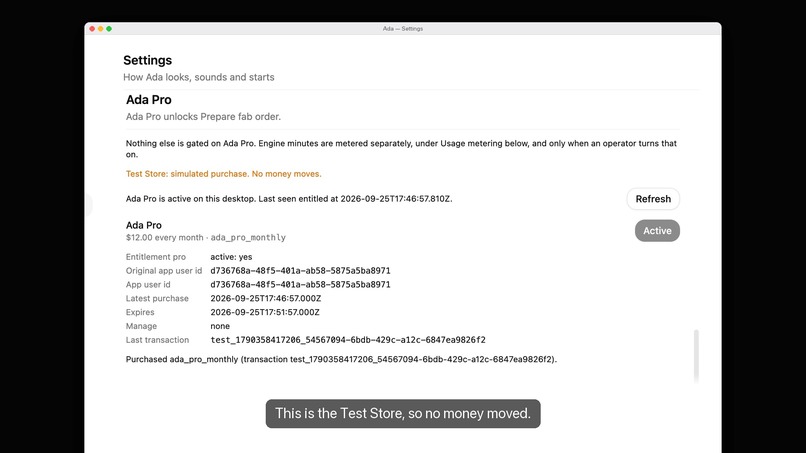
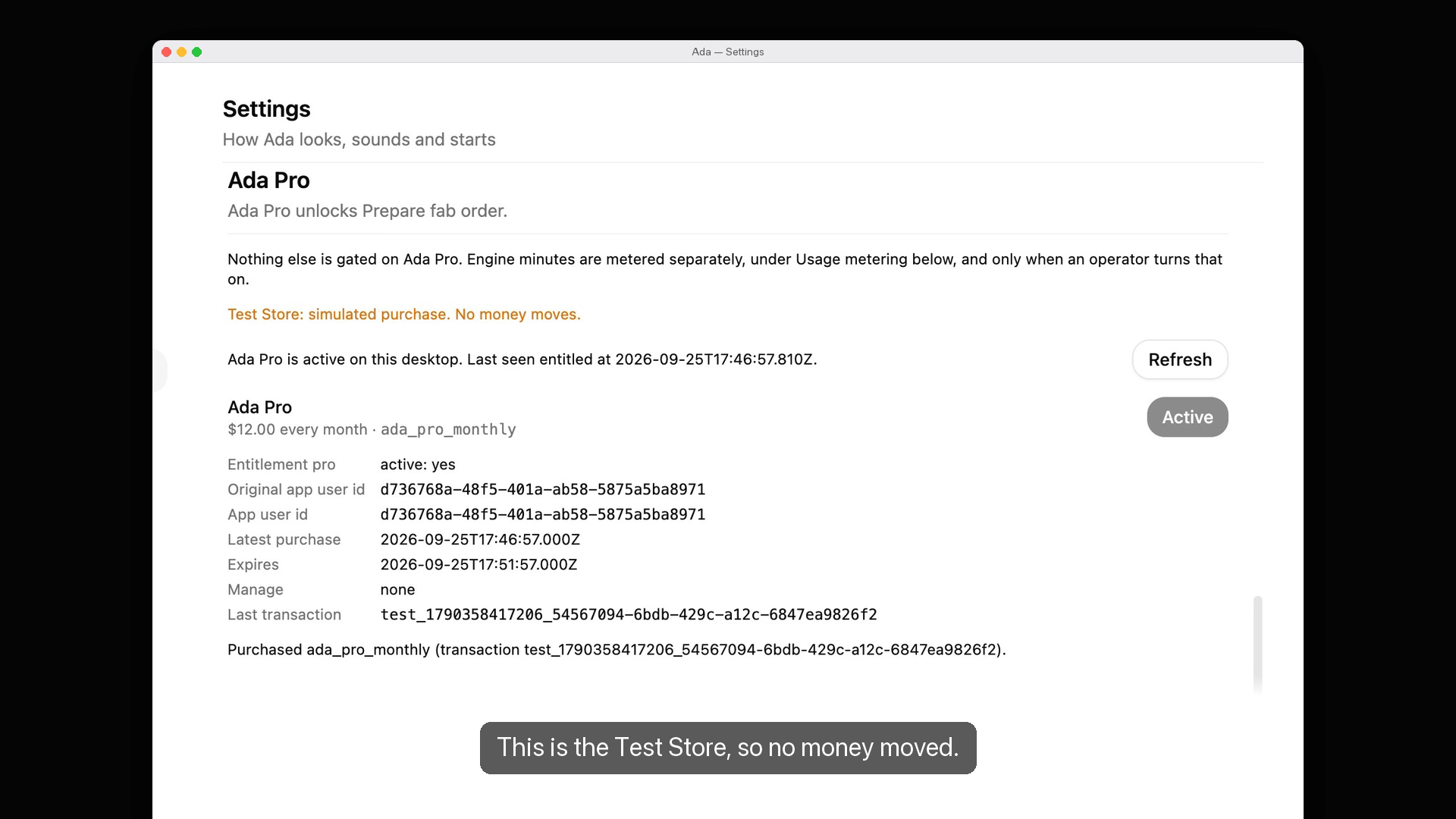
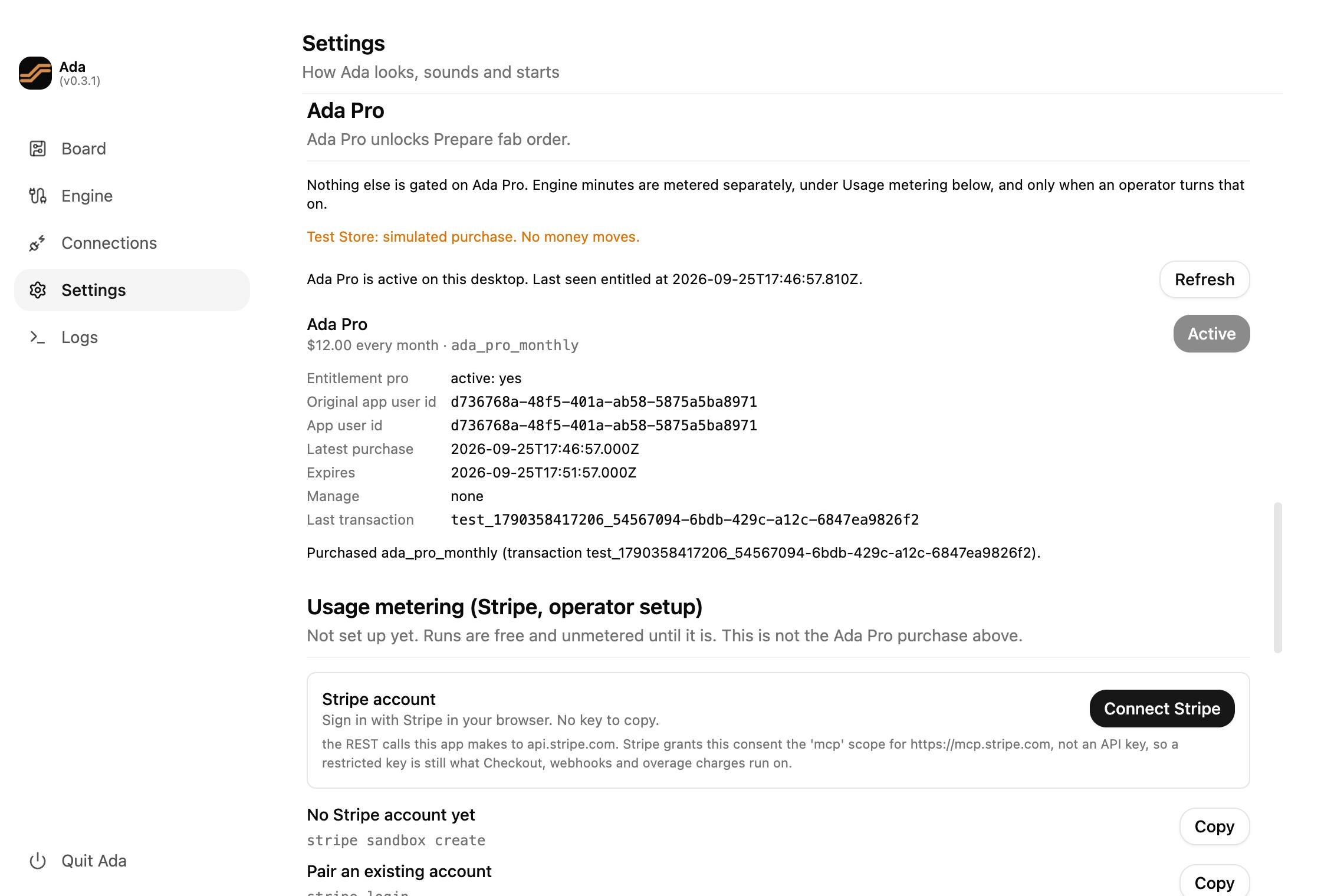
CustomerInfo after the purchase: the pro entitlement is active
-
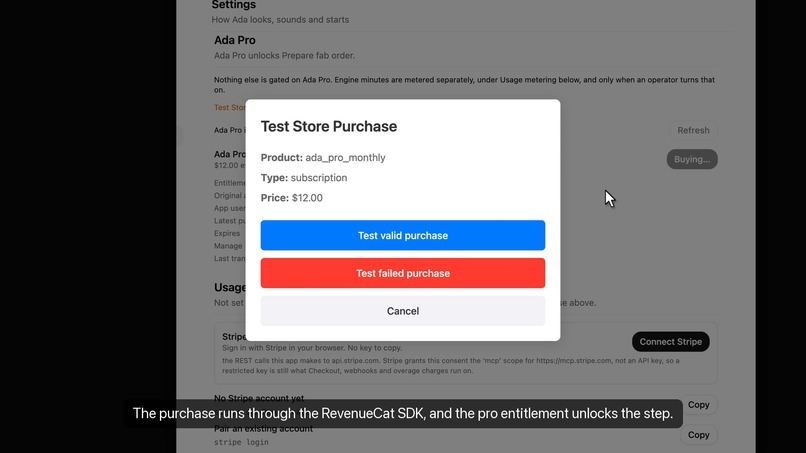
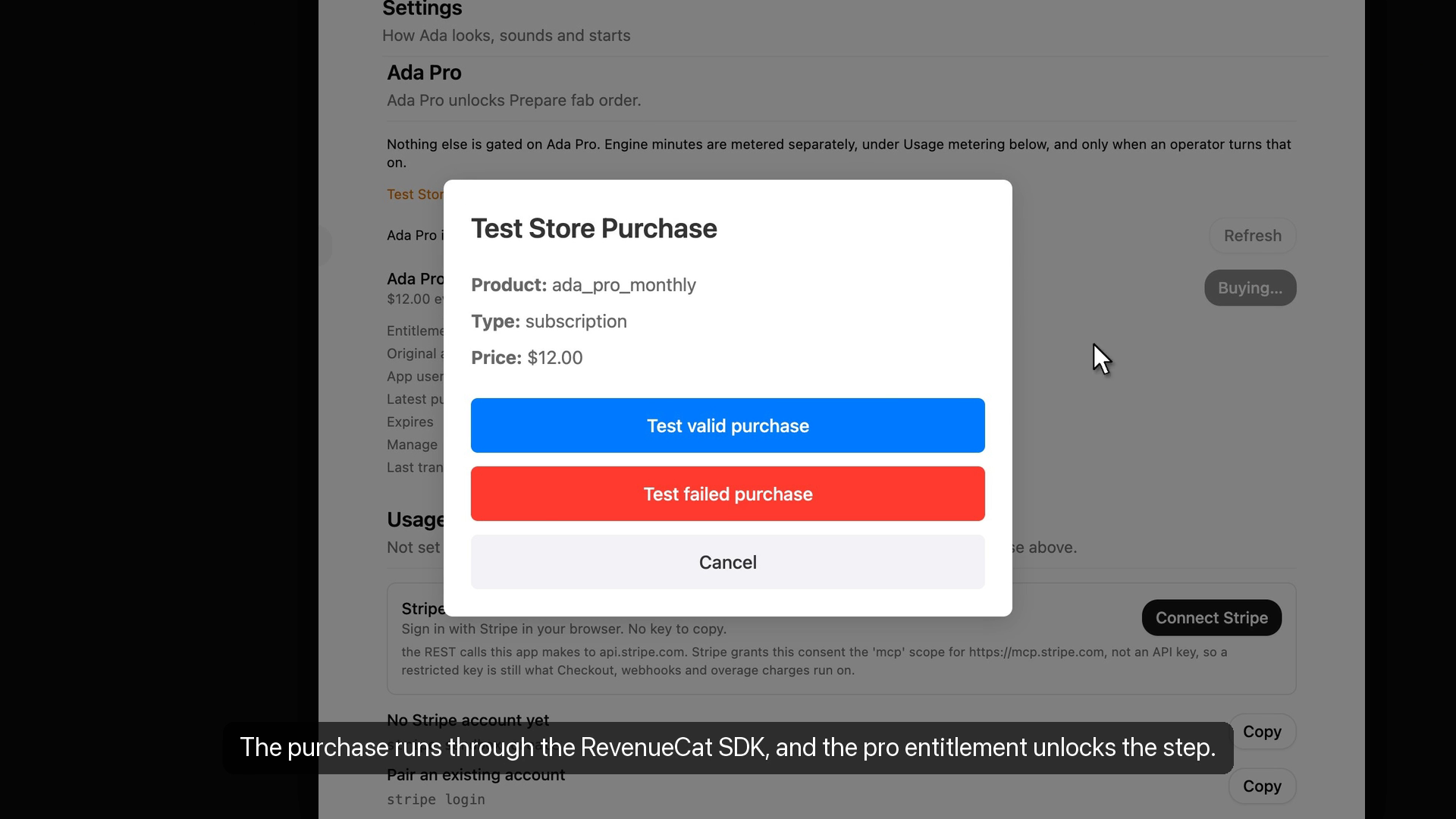
Ada Pro bought through the RevenueCat SDK's Test Store modal (no money moves)
-
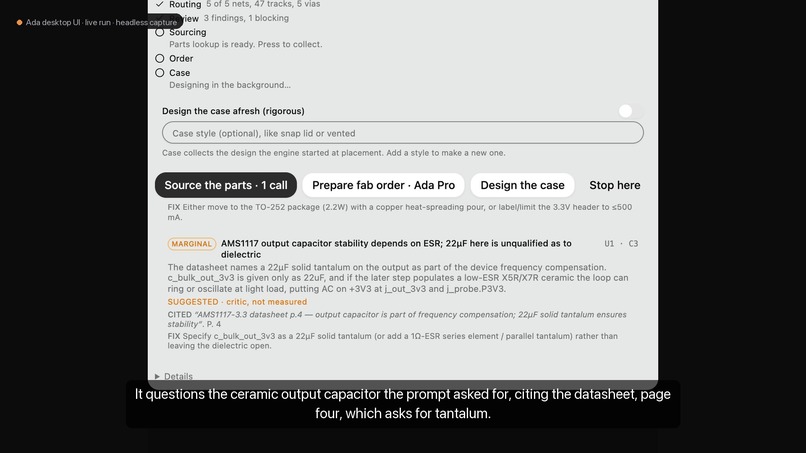
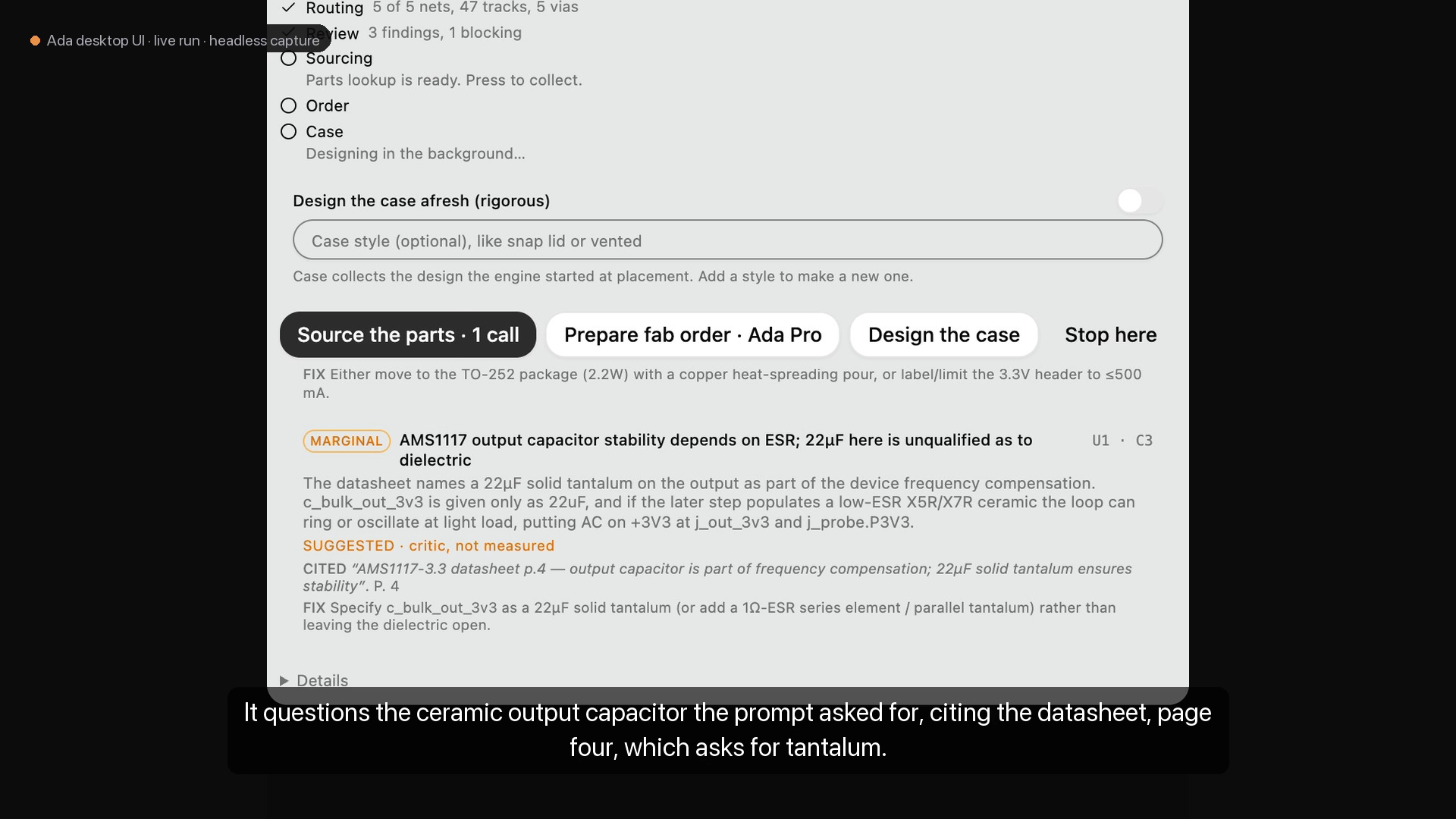
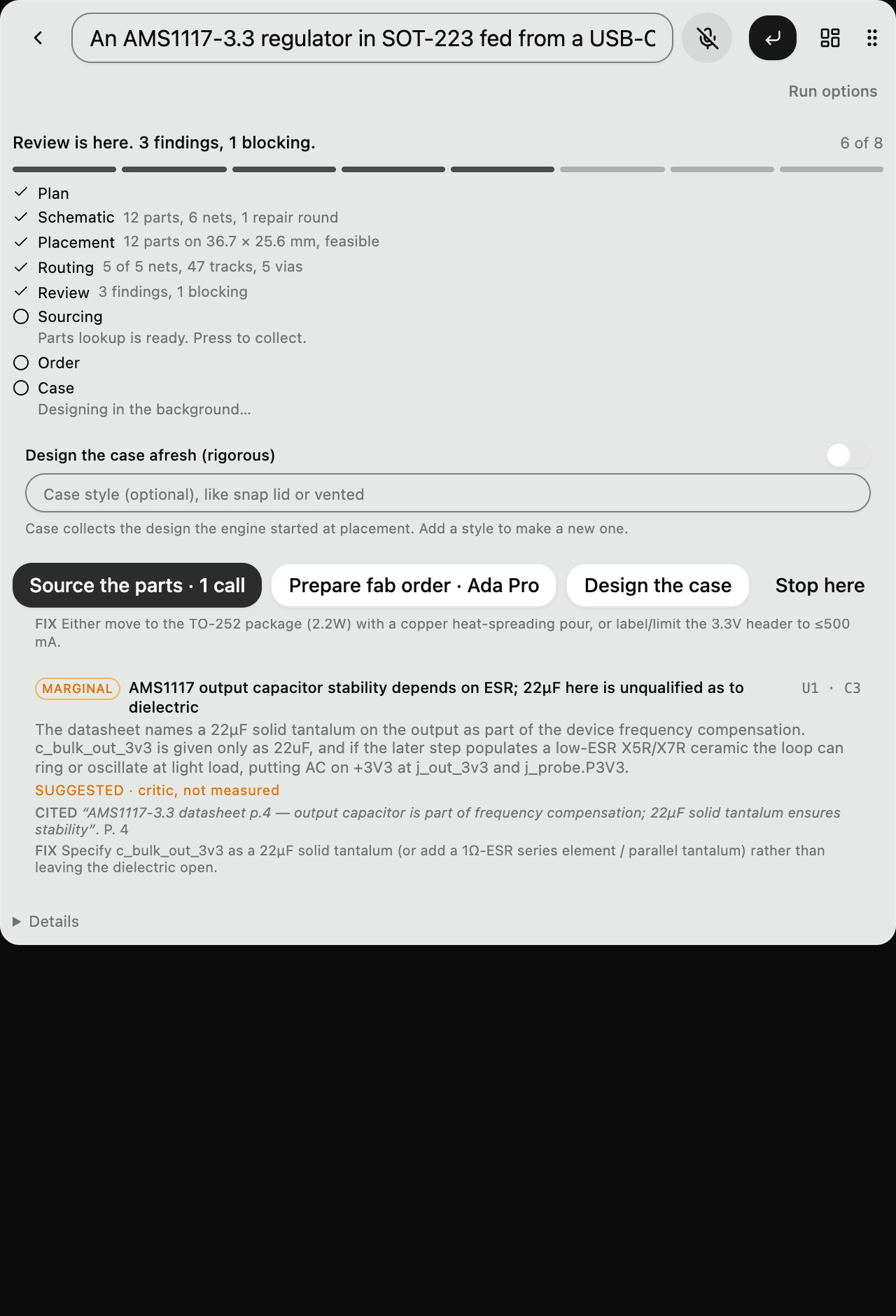
Review: the output-capacitor finding, citing the AMS1117 datasheet p.4
-
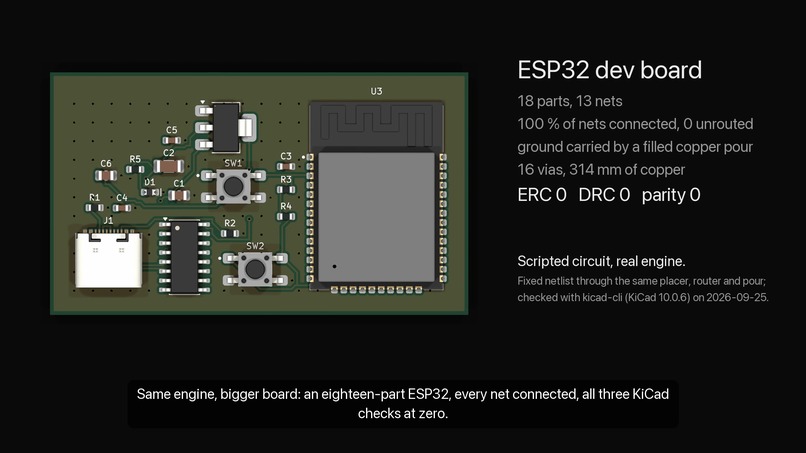
ESP32 dev board, a scripted circuit through the same engine: every net connected
-

Ada's app icon (1024 x 1024)
-
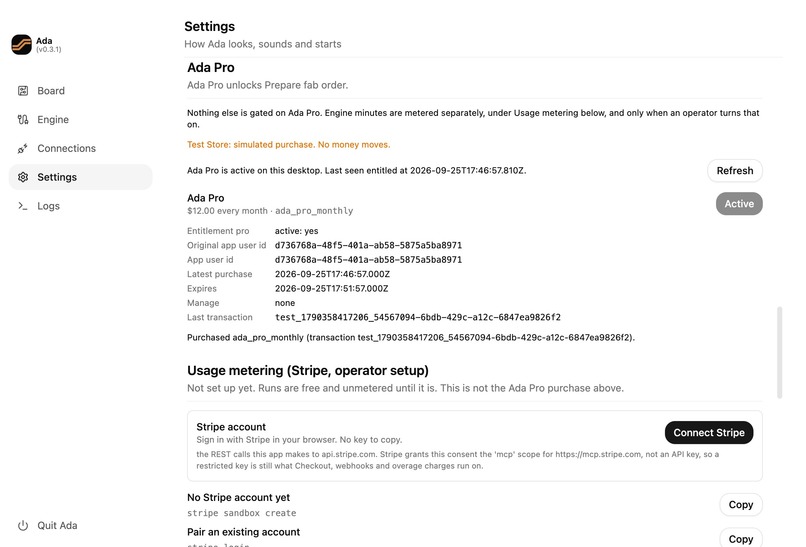
App screenshot, no device frame: Settings > Ada Pro after the purchase
-
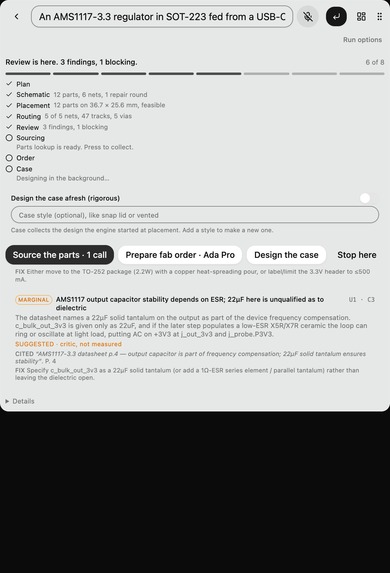
App screenshot, no device frame: the review on Ada's strip

Ada is an AI hardware engineer for students and makers designing circuit boards. Describe a board in one sentence and hand it a datasheet: Ada plans, draws the schematic, places and routes the board, argues with its own design citing datasheet pages, and hands back a KiCad project that passes KiCad's own ERC, DRC and schematic-parity checks. Everything up to the fab order is free and open source; Ada Pro ($12/month, the pro entitlement, bought in the app through the RevenueCat Web SDK) unlocks Prepare fab order: the board checked against three fab houses, priced, and packed for the fab. This entry runs on RevenueCat's Test Store, so no money moved.
Inspiration
I build boards for hackathons and clubs, and every one starts the same way: a day of reading a datasheet twice, drawing the schematic, placing, routing, and then finding out from KiCad's checks what I got wrong. The mistakes that kill a first board are usually written plainly in a datasheet: the wrong capacitor on a regulator's output, a part put in backwards. I wanted to say "a 3.3 V regulator off USB-C with a power LED" and get back a KiCad project that already passes KiCad's own checks, plus a second reader that argues with the design and cites the page.
What it does
Ada works beside KiCad. You describe a board in one sentence; Ada hands back a whole KiCad project. In the video, one sentence became an ESP32 dev board in four minutes:
- Plans, then designs the circuit. It asks only the questions that change the design, then writes a validated netlist: 26 parts, from the USB-C port through the AMS1117 regulator and CH340C USB-UART bridge to the ESP32. A circuit that fails validation goes back to the model with every failure in one repair prompt.
- Places and routes. A constraint solver (OR-Tools CP-SAT) places every part; a two-layer, 45° maze router lays all 16 nets, with ground as a copper pour.
- Checks itself with the real tools. KiCad's own
kicad-clijudges every file Ada writes: ERC 0 errors, DRC 0 violations with nothing unconnected, schematic/board parity 0. An adversarial reviewer reads the datasheets and files findings with page citations. - Checks function, not just geometry. Ada's SPICE verifier (ngspice) returns a pass/fail with a signed margin per clause: the 3.3 V rail holds at 3.28 V through a 350 mA Wi-Fi burst.
- Designs the case. A CAD kernel (build123d/OpenCascade) builds a printable enclosure around the board and checks it clause by clause on the solid: wall thickness, headroom over the tallest part, and every cutout admitting its plug.
- Orders, with Ada Pro. The fab order checks the board against OSH Park, JLCPCB and PCBWay, prices it where a house publishes a price (OSH Park: 3 boards, $27.32), and hands you the Gerbers and BOM. You place the order on the fab's own site; Ada never spends your money.
How Ada uses RevenueCat
Designing a board is free. The moment a design becomes money, sending it to a fab, that's Ada Pro. One entitlement, pro; one product, ada_pro_monthly ($12/month), in the default offering; one unlocked step, Prepare fab order.
Why the paywall sits exactly there
Ada's service prefetches the case design and parts sourcing the moment a board is placed, so a paywall on those steps would only hide model calls already spent. The fab order runs only when pressed. It's the one step where a gate actually decides whether the cost happens, so that's where RevenueCat sits.
What RevenueCat powers
- A paywall designed in RevenueCat's editor and shown with
presentPaywall()from@revenuecat/purchases-js1.64.0. Changing the pitch is a dashboard publish, not a release. Two custom paywall variables,{{ custom.board_name }}and{{ custom.part_count }}, are filled with the board you were ordering, so the paywall talks about your ESP32 board. - The Web SDK inside a desktop app. Ada is a Tauri app and RevenueCat has no Rust SDK; purchases-js in the webview gives it the full flow with no native bridge.
- Three states, not a boolean. The desktop's verdict is
entitled,freeorunknown.freelocks the step behind "Prepare fab order · Ada Pro".unknown(offline, no key, SDK error) never locks it, because an engineer on a plane shouldn't lose a paid feature to a check that couldn't run. - The engine asks RevenueCat too. Before building an order, the service calls REST API v2 (
GET /v2/projects/{project}/customers/{id}) and readsactive_entitlements. Missingprois a402 entitlement_requiredwith a sentence saying why; 5xx, 429 or no network fails open and says so. A 60 s per-customer cache keeps it inside the rate limit. - Honest Test Store. Whenever the key is a Test Store key or
isSandbox()is true, the pane says "Test Store: simulated purchase. No money moves." A production build refuses to ship atest_key (app/vite.config.ts). This entry runs on the Test Store, so no money moved.
What made this possible
Test Store is the reason a student desktop app could take part at all. Ada has no App Store or Play listing, and it still ran RevenueCat's real purchase flow end to end: paywall, checkout, entitlement active, and the customer's history in the dashboard, with no store account and no payment processor. Because Test Store keys start with test_, the "never ship a test key" rule became one line of build code. And the free tier (no charge up to $2,500 in monthly tracked revenue) acts as the startup program for student builders: there's nothing to apply for and no call to book. You start.
What building on RevenueCat taught us (feedback)
A freshly generated paywall is attached to no offering. What we did: generated Ada's paywall with the AI paywall editor. What happened: its properties read "Offering: No offering".
presentPaywall()andoffering.hasPaywallonly see a paywall once it's attached to the offering, so the new paywall rendered nothing in the app until we found that dropdown. Why it matters: it fails silently while the editor looks finished. Fix: when a project has exactly one offering, attach new paywalls to it by default. Otherwise, put "not attached to any offering" in the editor's issues badge.Paywalls are designed at phone width, and web apps aren't phones. What we did: showed the paywall in a wide desktop settings pane. What happened: it stretched across the pane, and the Free-vs-Pro comparison table got hidden and scrolled badly. We boxed it at 440 px on a dark backdrop, then used the AI editor to fix the scroll. Why it matters: purchases-js is exactly how desktop and web apps reach RevenueCat, and those surfaces are wide. Fix: a desktop/web-width preview in the editor, plus a max-width setting on the paywall itself.
normalPeriodDurationis ISO 8601, and it leaked into our UI. What we did: built a fallback package row from the product's price and period. What happened: it read "$12.00 every P1M" until we wrote our own map fromP1Mto "month". Why it matters: the paywall renderer already turns periods into localized words, so every web developer who builds their own row writes that map again. Fix: expose a localized period label (or a formatted "price per period" string) on the product in purchases-js.The customer id travels as a URL path segment. What we did: wrote the server-side check against
/customers/{id}, with an id the desktop sends. What happened: in review we saw that an id of only dots (..) survives URL quoting; behind a proxy that normalises dot segments it would fetch the project instead of a customer, a 200 with no entitlements. We didn't observe this against RevenueCat; we refuse dot-only ids. Separately,$RCAnonymousID:…didn't fit our ledger's id rule, so we mint a UUID. Why it matters: every server-side entitlement check puts a client-supplied string into this path. Fix: document the exact character set RevenueCat accepts for app user ids, and reject.and..at the API.In sandbox, Overview's cards disagree with each other; the Customers page is the proof. What we did: looked for one dashboard screen that proves the integration works. What happened: with sandbox data on, Overview showed $600 revenue and 28 customers next to $0 MRR and 0 active subscriptions and 0 active trials, with nothing on the page saying which cards count sandbox purchases. Each number is defensible; together they read like a bug on camera. The Customers page, with the purchase and its Test Store renewals, is what we filmed. Fix: label every Overview card with whether it includes sandbox, and for a project whose only activity is sandbox, lead with a "test purchases" timeline card, so the first screen a new developer sees confirms their integration.
What we'd keep exactly as it is: the
test_key prefix. It is the one design detail that made a build-time guard against shipping simulated purchases trivial.
How I built it
- Engine (Python, MIT): the
.kicad_pcbfile is the API. No KiCad plugin and no mouse automation, and the project opens on a machine with no KiCad libraries installed. Every dimension is an integer nanometre. OR-Tools CP-SAT for placement, a custom A* router,kiutilsfor KiCad files, build123d/OpenCASCADE for the case, ngspice as an optional SPICE verifier. - Models: Claude and Gemini behind one
Modelprotocol with provider failover. Every model answer is parsed into a validated structure, and a scripted model keeps the whole test suite offline, with no keys. - Desktop (Tauri 2 + React, GPL-3.0, a fork of Pluely): a floating strip where every stage is a button you press, a dashboard window, and the Ada Pro pane.
- RevenueCat:
purchases-js1.64.0 with a Test Store key from a git-ignored env file; a production build refuses atest_key.
Challenges
- A gate that was right for the wrong reason. While recording, the order step said GND had "no copper connecting" it. Ground is a copper pour, not tracks, and KiCad's DRC with the pour filled reports 0 unconnected, so I first let a poured net clear the gate. A review of the run caught that the pack's own Gerbers never draw the pour. The gate now blocks for the true reason and says to plot Gerbers from KiCad; drawing pours in Ada's Gerber writer is next.
- Checks that pass for the wrong reason. Until mid-September the schematic drew a no-connect flag on every unwired pin, so a regulator with its ground pin on no net passed ERC with zero violations. Now only pins the design declares open get the flag.
- Honest vocabulary.
verifiedis earned by a distributor or a PDF that actually downloads; a check that could not run saysunverified, never green.
What I learned
In hardware the demo is not the hard part; being checkably right is. The most useful thing the model does here is propose, and the most useful thing the engine does is refuse.
What's next
Pours in the Gerber writer, review blockers feeding the order gate, a signed macOS release, live billing through RevenueCat Web Billing, and typed datasheet facts checked in code.
About the video
One board, start to finish: the ESP32 dev board Ada made from the one sentence on screen (4 minutes, 26 parts, 16/16 nets routed; KiCad 10.0.6's own ERC 0, DRC 0 and schematic parity 0).
- KiCad: the schematic is KiCad's own export of the file Ada wrote; the 3D shots are KiCad's own raytracer; the routing animation draws that board's real copper in KiCad's colours; the terminal lines are real
kicad-clioutput. The KiCad window frames are drawn in the edit. - SPICE: ngspice through Ada's verifier on the board's power stage: the 3.3 V rail holds at 3.28 V through a 350 mA Wi-Fi burst.
- Case: the case Ada's CAD kernel built for that board, with the board seated inside.
- Ada Pro: recorded from the desktop app. The paywall is RevenueCat's own, designed in RevenueCat's paywall editor and shown in Ada with
presentPaywall(); the purchase is a real RevenueCat Test Store transaction that turns theproentitlement active. No money moved. - Order your board: the Pro-unlocked order panel, recorded from the desktop app with the step's response replayed. The house checks and OSH Park's $27.32 price for 3 boards were computed by Ada's
fabhouse.pyon the video's board; JLCPCB and PCBWay show quote links and no number, because they publish no price rule. - Narration is Kokoro text-to-speech. The video was edited as code with HyperFrames.
Built With
- build123d
- claude
- gemini
- kicad
- ngspice
- opencascade
- or-tools
- playwright
- python
- react
- revenuecat
- stripe
- tauri
- typescript

Log in or sign up for Devpost to join the conversation.