Inspiration
The idea for Acuvia was born from a real experience. One of our team members took a pickleball to the eye and ended up in the emergency room. Sitting in that waiting room, not knowing how serious the injury was or how long the wait would be, sparked a scary thought: what if waiting here makes this worse? What if the longer I sit, the more damage is done?
That moment of uncertainty is something millions of ER patients feel every day. And for some of them, the wait isn't just uncomfortable. It's also dangerous. Nurses are stretched thin, managing dozens of patients at once, and even the most experienced staff can struggle to accurately prioritize everyone under that kind of pressure. Patients with quietly critical conditions can slip through the cracks.
We built Acuvia because we believe no one should have to wonder whether waiting is costing them their health. Every patient deserves to be seen in the right order, at the right time — and every nurse deserves a tool that helps them make that call confidently, even on the hardest shifts.
What it does
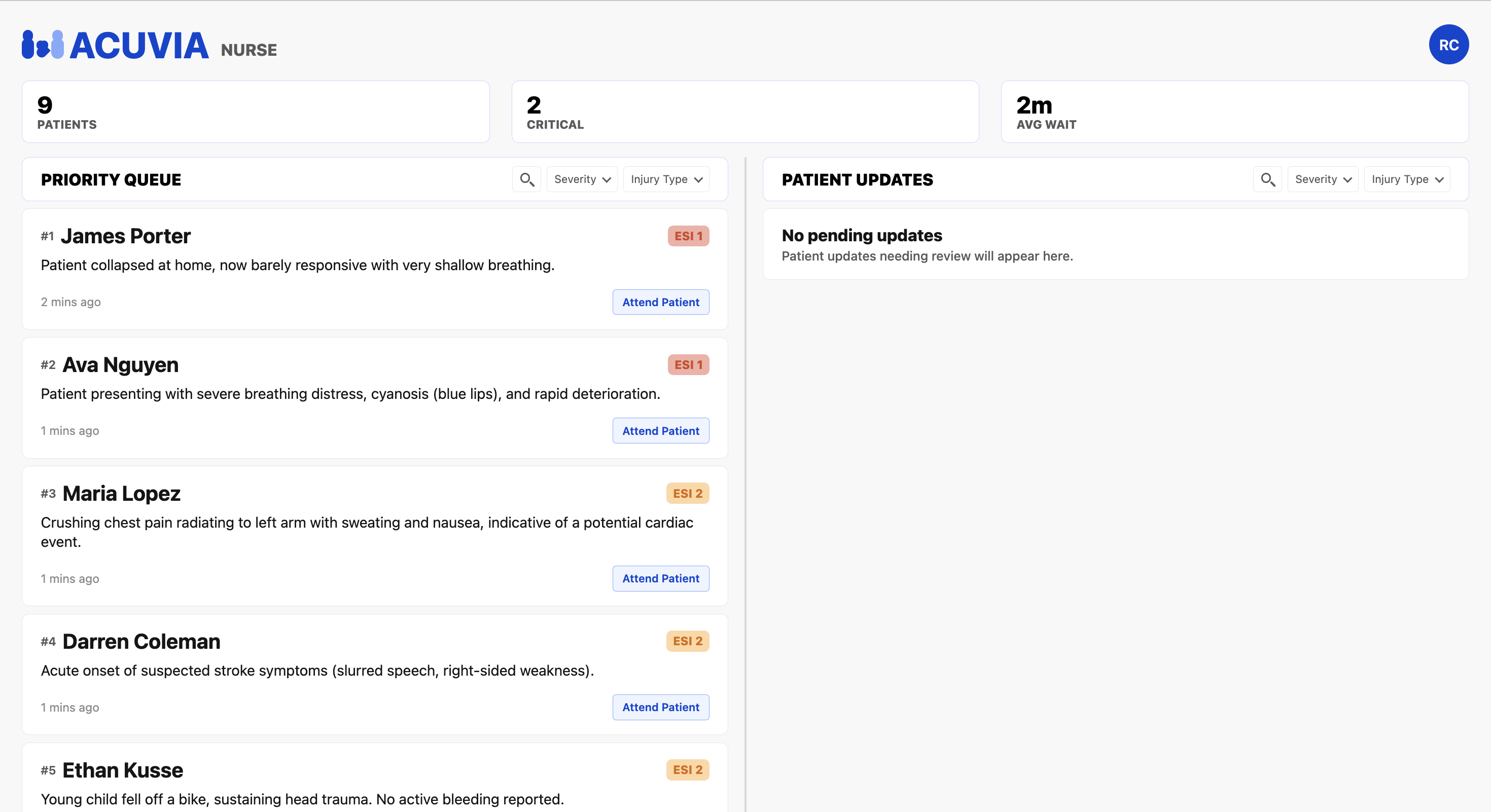
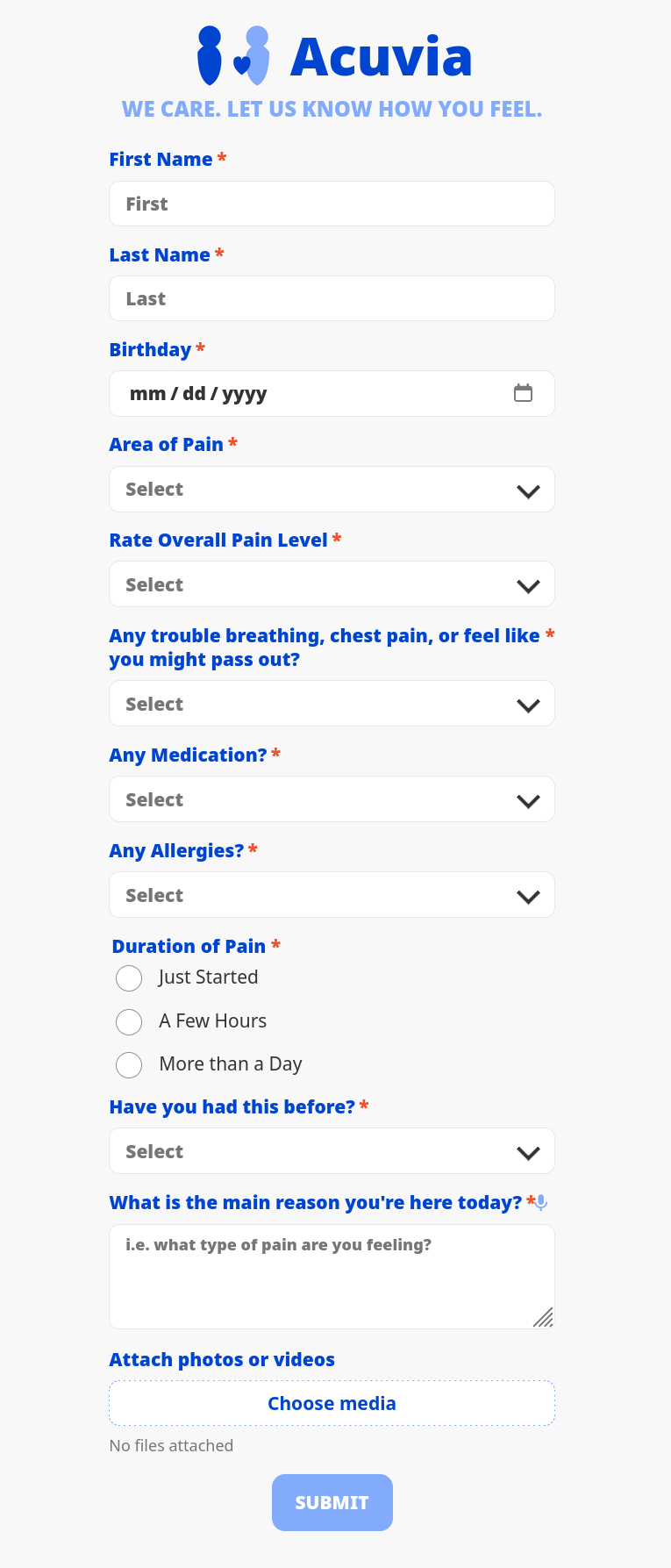
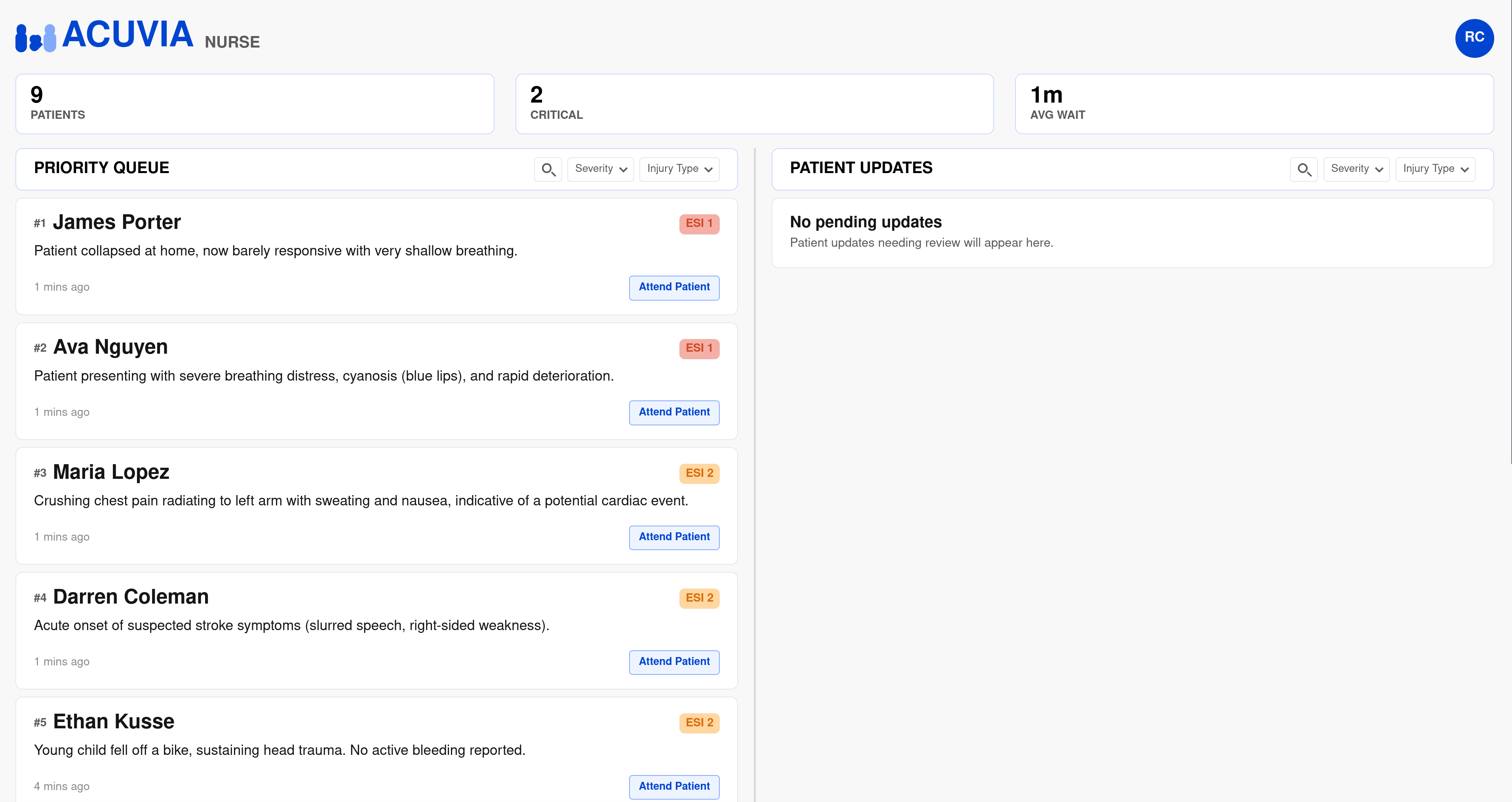
Acuvia is an AI-powered hospital triage assistant that helps nurses prioritize patients faster and more accurately. Acuvia is an AI-powered hospital triage assistant that helps nurses prioritize patients faster and more accurately. When a patient arrives, they scan a QR code and describe their symptoms through a simple mobile interface. Acuvia's AI analyzes their input, asks targeted follow-up questions, and assigns them a severity score. Then, instantly placed in a live, color-coded queue on the nurse's dashboard. As patients wait, they can submit real-time updates if their condition changes, and the AI will automatically re-evaluate their severity and re-rank them in the queue accordingly. Nurses always have full visibility into these changes and can manually override any ranking with one tap. By removing the guesswork from triage, Acuvia ensures the most critical patients get seen first, therefore, reducing errors, easing the burden on overworked staff, and making emergency care faster and fairer for everyone.
How we built it
We built Acuvia using React, React Native, Supabase, Expo, Node.js, and Gemini. The nurse-facing interface was created with React Native, allowing nurses to view the current patient queue, see patient status updates, and understand how changes in a patient’s condition should affect the order in which patients are seen.
We used Expo’s networking capabilities to generate custom QR codes. When scanned, each QR code launches a patient questionnaire website where patients can submit information about their current condition. Patients can also provide follow-up updates using both text and images. These updates are parsed and analyzed by Gemini, which assigns a new severity rating and helps reorder the queue so nurses can prioritize patients who need treatment the most.
We also implemented session-based logic to make the experience more secure and organized. Patients who submit the original intake form are directed only to the update form afterward, preventing duplicate intake submissions. In addition, each unique device receives a separate session and form, allowing multiple patients to use the system independently without interfering with one another.
Challenges we ran into
One of the main challenges we ran into while building Acuvia was optimizing the AI pipeline. Every time a patient submits a status update, their response is parsed by Gemini to evaluate the severity of their current condition. The harder part was determining where that patient should be placed in the queue compared to all other waiting patients.
A direct approach would have required many Gemini calls to compare each patient against the rest of the queue, which would be slow and inefficient. To solve this, we summarized each patient’s updates into a compact format, allowing all necessary comparisons to fit within a single Gemini context window. This made it possible to compare a new patient against the entire queue using only two LLM calls.
We also faced networking challenges during development. Slow Wi-Fi speeds caused parts of the app, such as the patient-facing form, to load inconsistently, which made testing functionality more difficult.
Accomplishments that we're proud of
In terms of design, we're extremely proud of the progress our nurse interface has made. With the help of Figma, which some of us were learning along the way, we were able to iterate quickly and turn what could've been a long, tedious process into something much more seamless and user-friendly.
What we learned
One of the biggest takeaways from this project was learning Figma from scratch. Going in with little to no experience, we quickly discovered how powerful it is as a design tool, and the more we used it, the faster our workflow became. Being able to visualize and iterate on our designs in real time was something that was extremely helpful.
What's next for Acuvia?
Looking ahead, we have a few features we would love to build out. First, we want to add text message notifications. Here, patients would have the option to input their phone number and receive an alert the moment a nurse is ready to see them, so they're not stuck staring at a waiting room screen and can get real-time updates on their status.
We also want to dive into analytics. By collecting data over time, Acuvia could give hospitals real insights into their efficiency. It could provide information like average wait times, triage accuracy, and bottlenecks in patient flow. The goal is to turn that data into actionable recommendations that help hospitals not just treat patients better, but fundamentally improve how they operate.
Built With
- node.js
- react
- react-native
- supabase

Log in or sign up for Devpost to join the conversation.