-
-
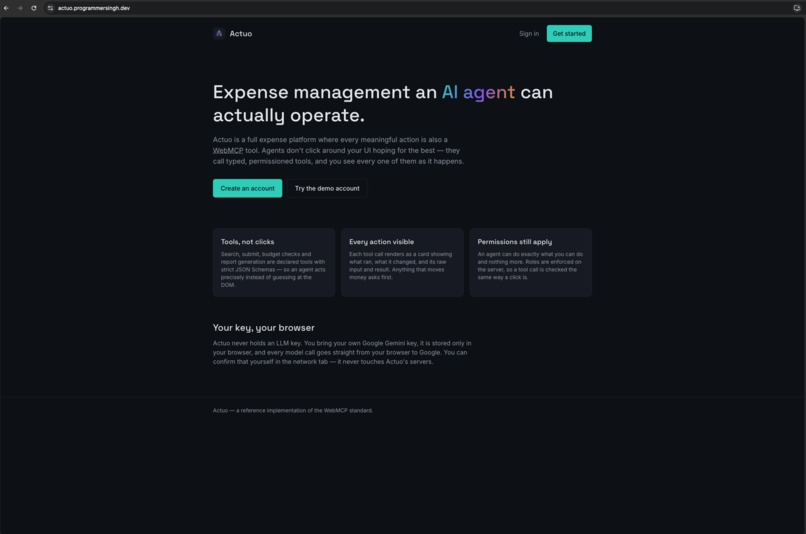
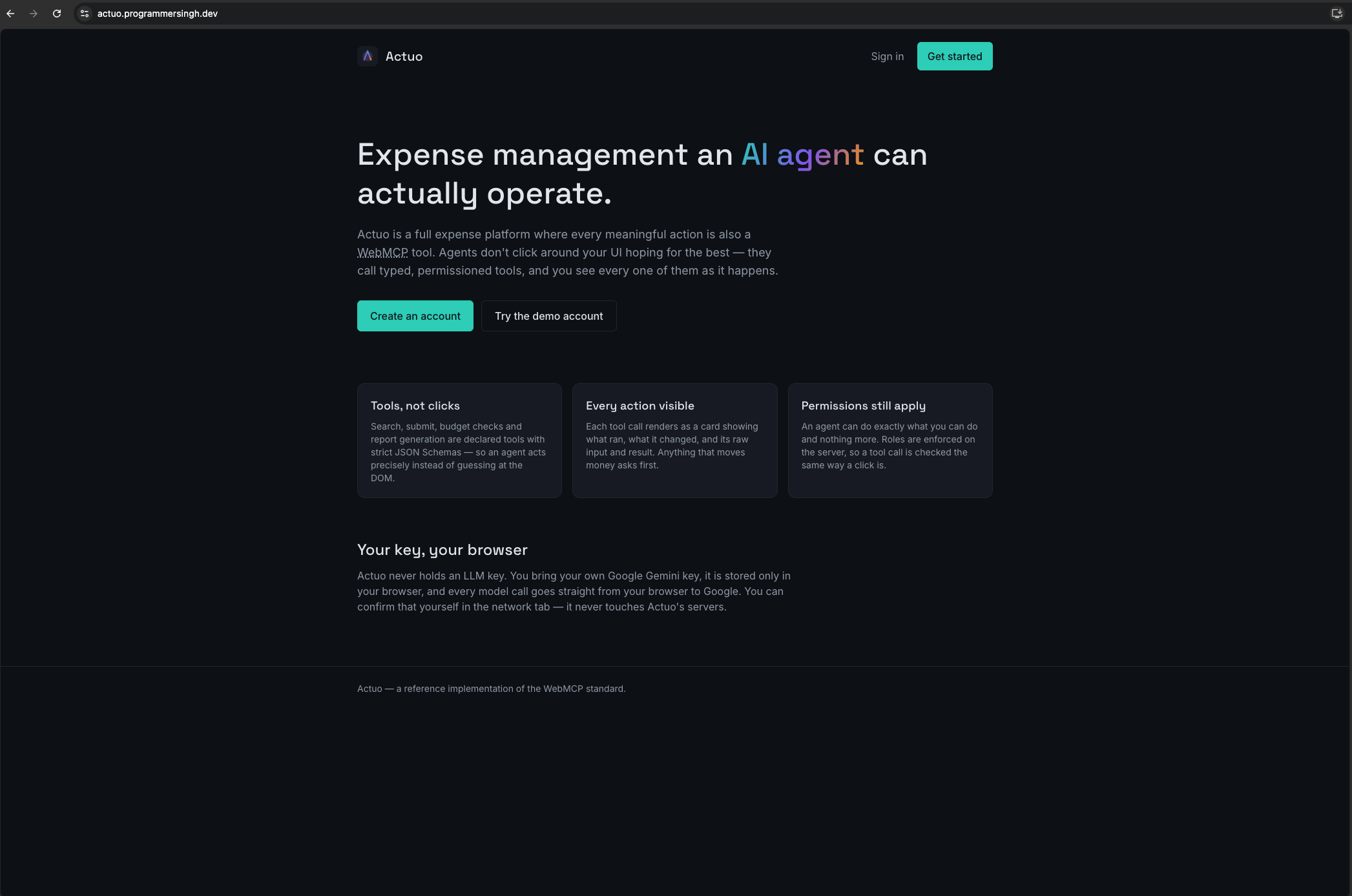
Landing page
-
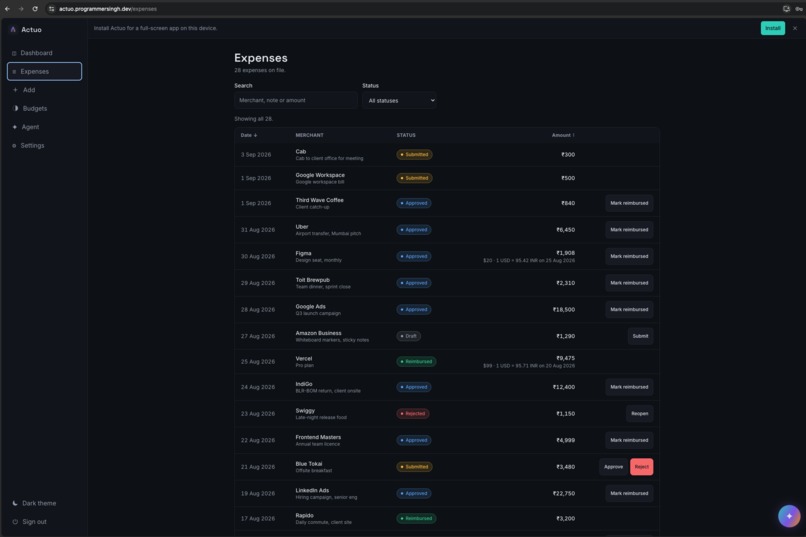
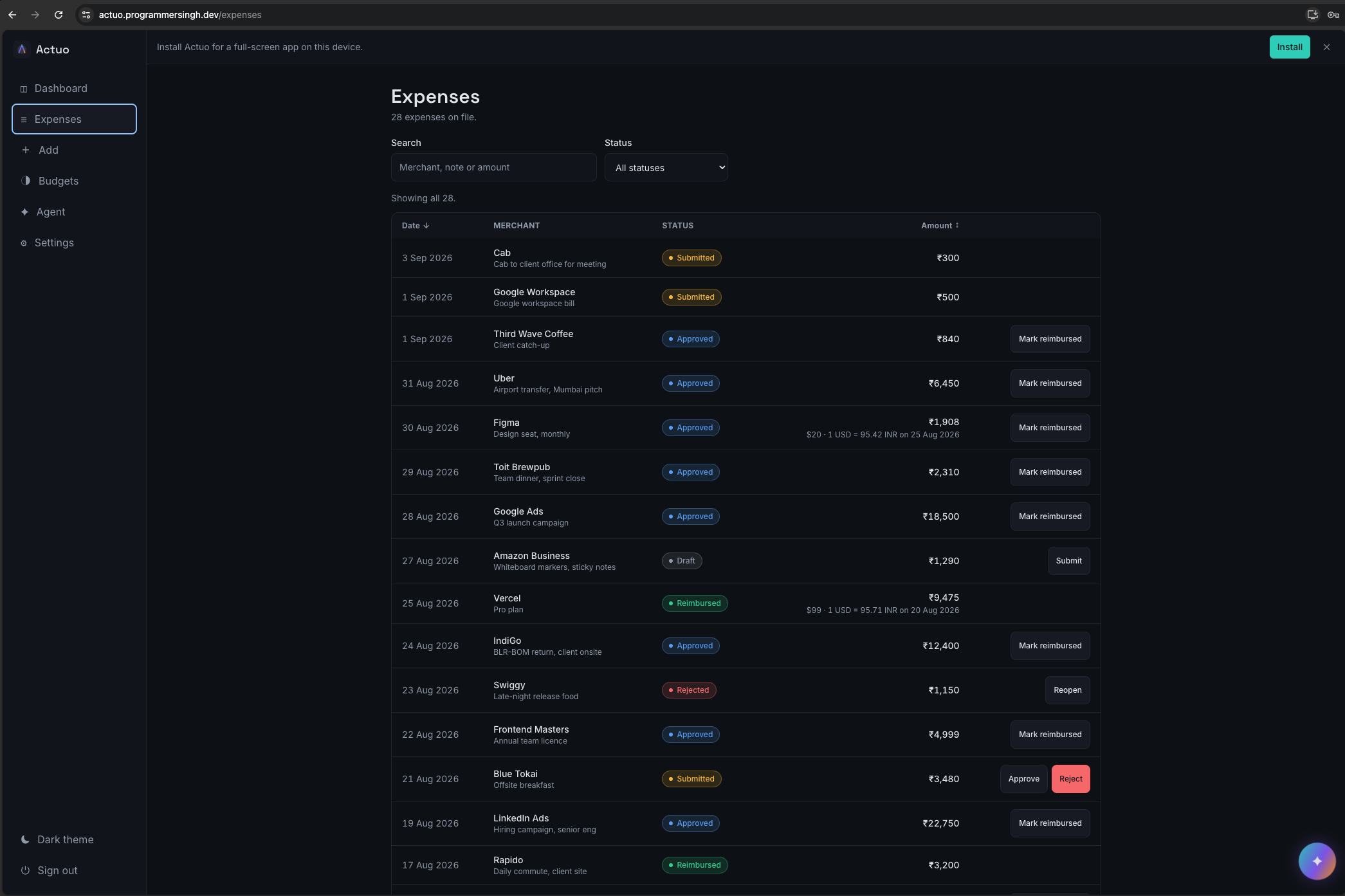
Expense List
-
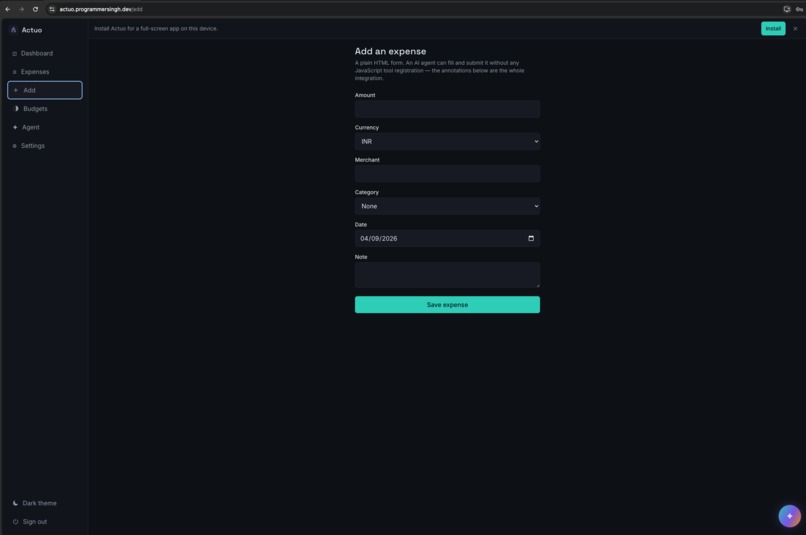
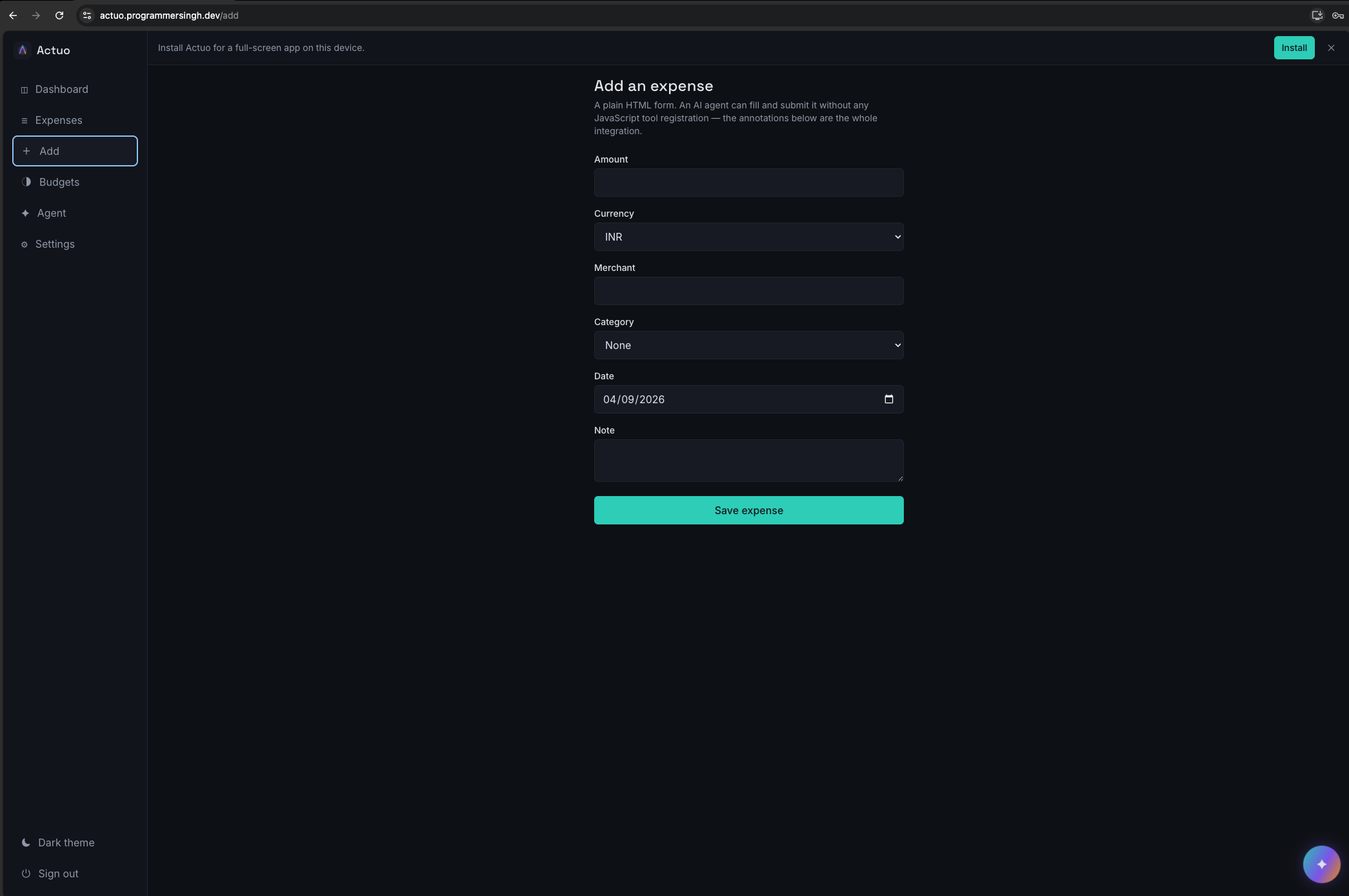
Add Expense Page
-
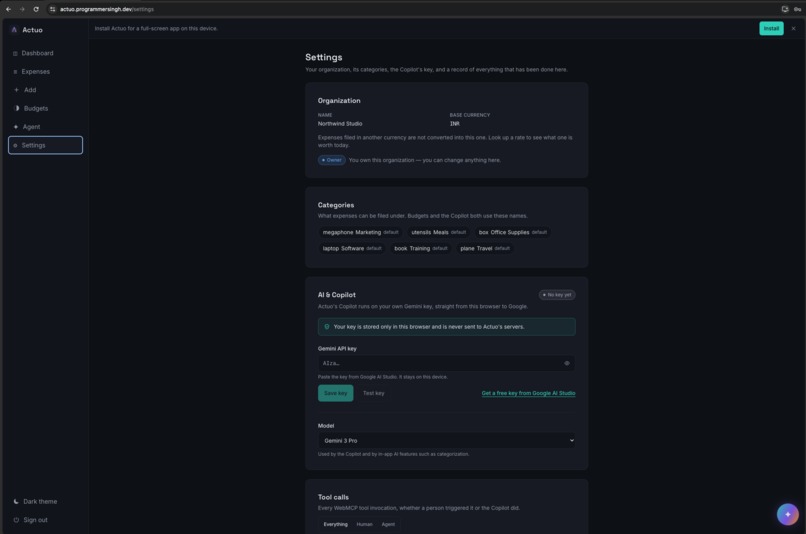
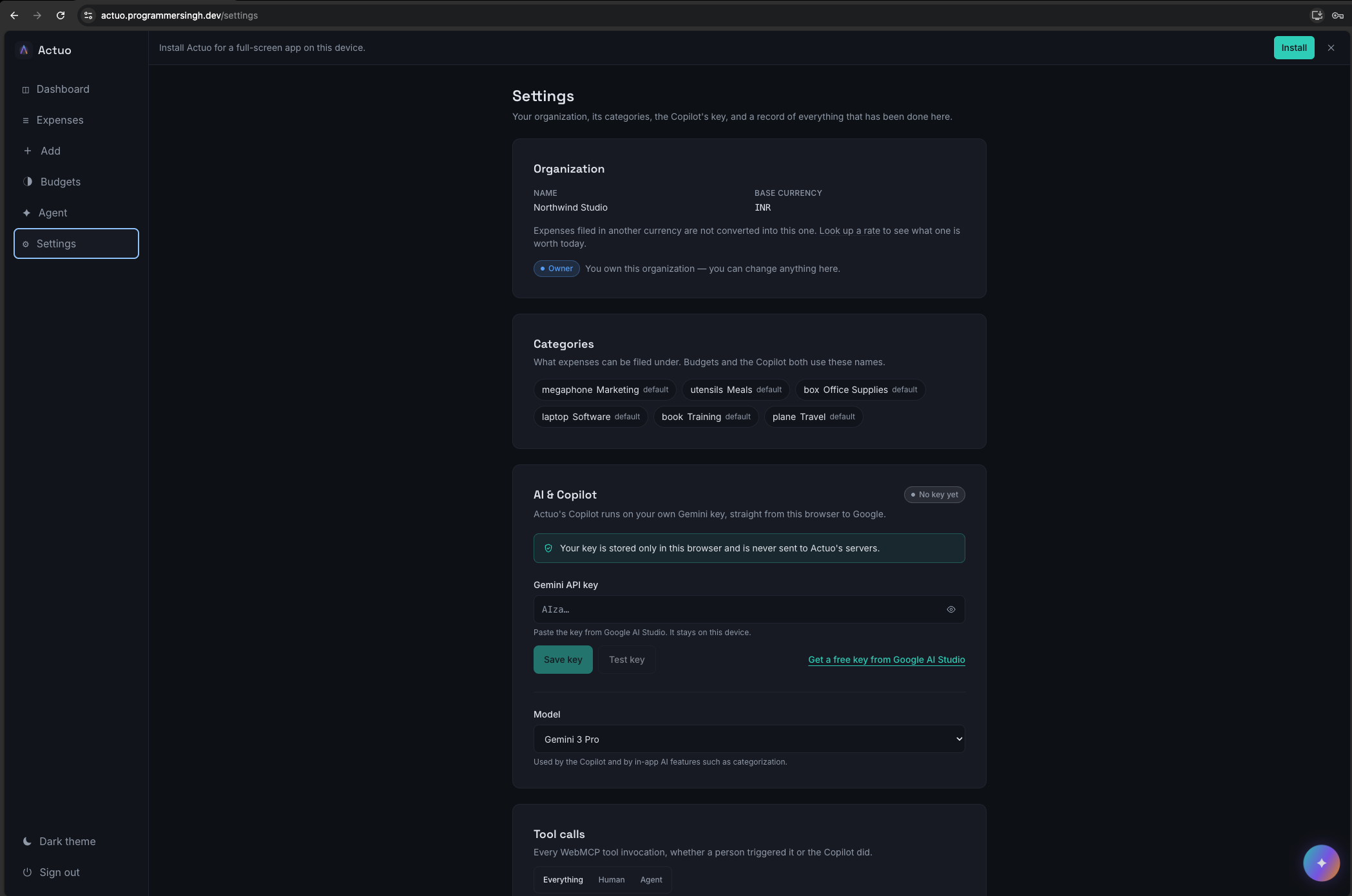
Settings page list all function calls history and settings for custom agent settings (Model selection and BYOK Config)
-
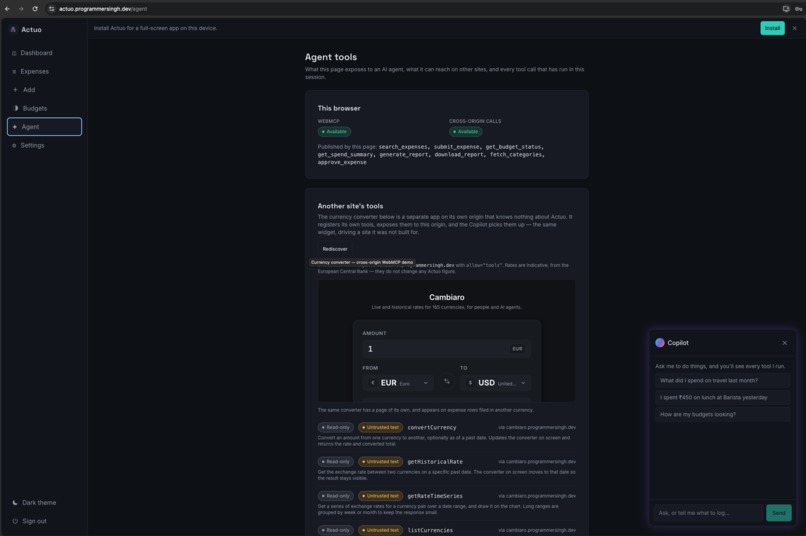
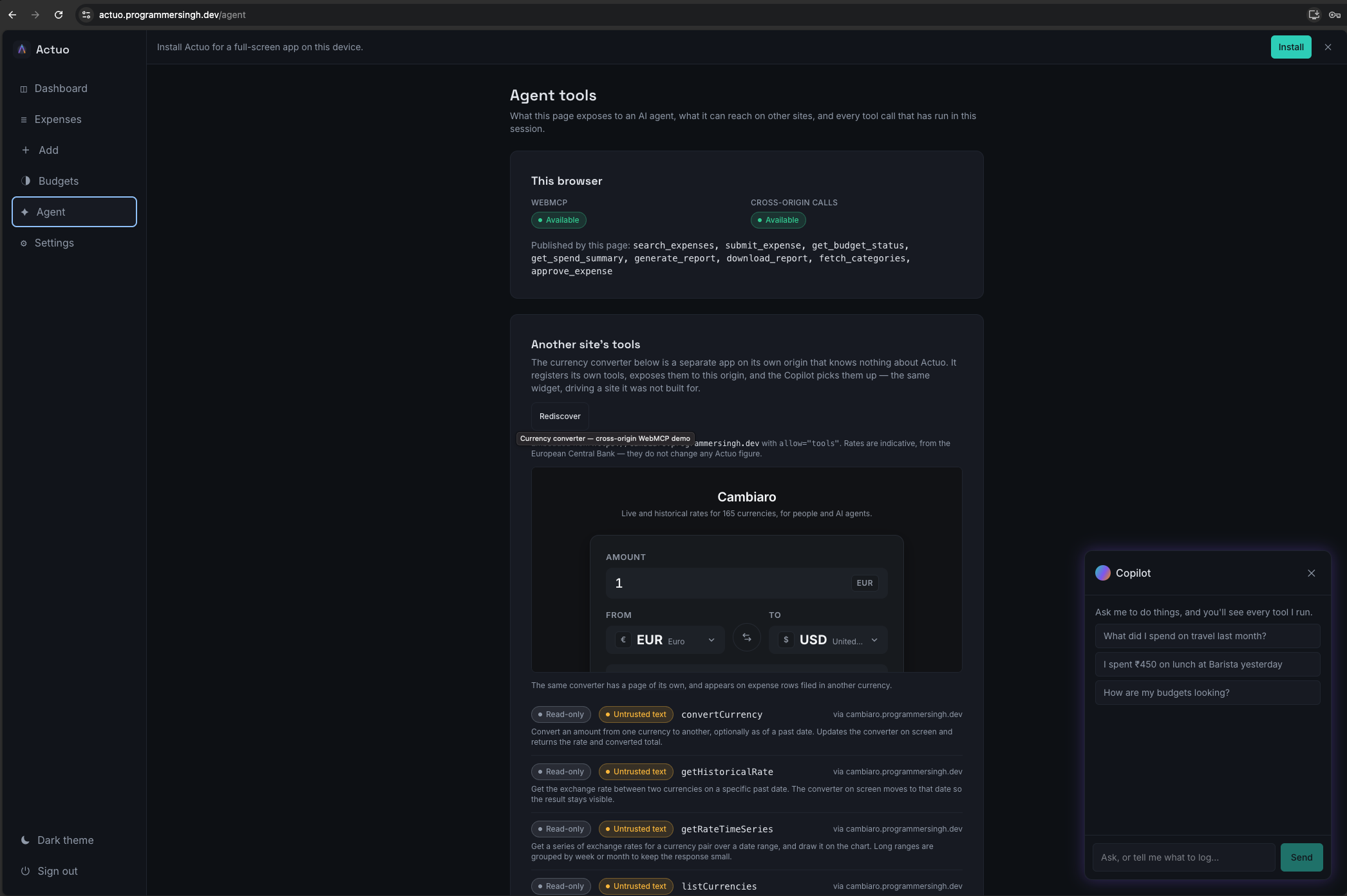
Agent Page listing all available tools and a custom chatbot agent that calls 3rd party app tools embedded with <iframe allow="tools">.
-
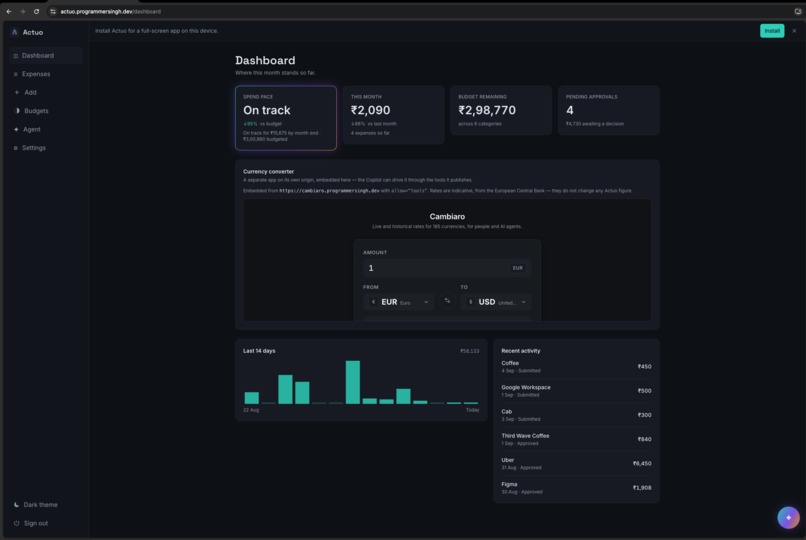
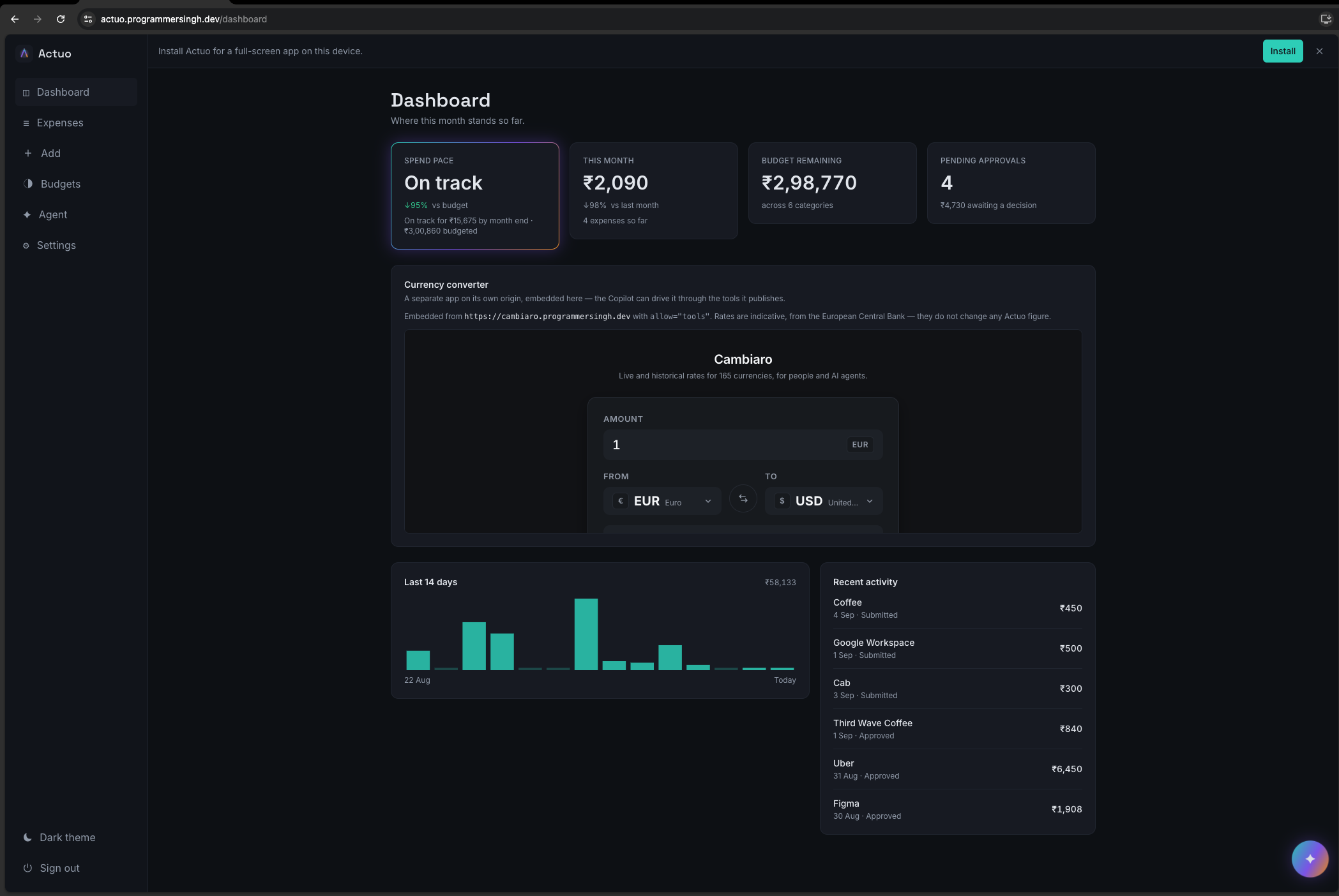
Dashboard page with a 3rd Party Utility with WebMCP enabled embedded with <iframe allow="tools"> for converting currencies
Inspiration
I deliver a lot of talks around new and upcoming features of web, across the Indian Developer Community, which involves me spending a great deal of time investigating new features of web platforms so that I can pass them on to our community. Recently I came across WebMCP, and a very simple concept drew my interest. An AI agent shouldn't have to work out what a button does by randomly clicking around a page; instead it should be able to carry out the same actions as a human user, using an actual contract and the same authentication and rules.
It seemed like a good idea to base a proper project on it rather than just go through the documentation. My aim was not to launch a well-polished startup; I only wanted to use the standard from beginning to end, discover its shortcomings on my own, and create something tangible to contribute back to the community. That exploration eventually became Actuo.
What it does
Actuo is a multi-tenant expense management application which includes features such as organizations, roles, budgets, approval workflows, and support for multiple currencies. I designed it in such a way that each significant action taken by a user through the user interface also corresponds to a real WebMCP tool that is registered directly via document.modelContext.
- Read-only tools: For example, there's
search_expenses,get_budget_status,get_spend_summary, andfetch_categories. I've also included agenerate_reporttool which can be cancelled during the process by means of anAbortSignal, the result being that the server actually gives up on the task rather than the browser simply ignoring the result. - Mutating tools: The
submit_expensetool has the ability to mutate data; I showed this by using the WebMCP declarative API with no JavaScript involvement, simply employing a regular HTML form on the Add Expense page and including the appropriate tool annotations. - State-gated tools: The
approve_expensetool appears in the list returned bygetTools()only when a signed-in admin has pending expenses that need approving; once the queue is empty the tool disappears. - Custom Agent powered by Gemini API: A custom agent can use a functions/tools from third party currency converter app embedded using
<iframe allow="tools">to convert the expense value to base currency. Following snippet can fetch those tools and we can use Gemini API function calling if we are building our own agent. - Navigation Tools: Built in navigation tools allowing agents to act exactly like human and navigate between pages while performing tasks.
Sample prompts to try
Sign in, open the Copilot orb, and paste any of these, each is chosen to hit a different tool or WebMCP aspect from the table below.
| Try this | What it exercises |
|---|---|
What did we spend on software this month? |
get_spend_summary — read-only, runs instantly, no confirmation |
How much budget is left for Travel this month? |
get_budget_status — read-only |
Show me all pending expenses from last week |
search_expenses — read-only, untrusted-content badge |
What categories do we have set up? |
fetch_categories — read-only |
File a ₹1,200 lunch at Barista |
submit_expense — mutating, stops for confirmation before writing |
Export last month's expenses as CSV — then hit Cancel while it runs |
generate_report — cancellable, AbortSignal end to end |
(as [email protected], with pending items) Approve all pending expenses under ₹2,000 |
approve_expense — state-gated, only registered for owner/admin with a non-empty queue |
(on /agent) Convert 200 EUR to INR |
Cross-origin: discovers and calls a tool from Cambiaro, an independently deployed converter app |
Sign in as [email protected] (member) and try the approval prompt again and
approve_expense won't even appear in the tool list, since it's gated server-side
by role, not just hidden in the UI.
// getting tools for own app
await document.modelContext.getTools();

// getting tools for 3rd party app embedded with <iframe allow="tools">
await document.modelContext.getTools({
  fromOrigins: ['https://cambiaro.programmersingh.dev']
});
The aspect that interested me most to develop was the /agent screen since it demonstrates interoperability between different origins rather than merely within a single application. It presents as an independent WebMCP-enabled site the currency converter I developed called Cambiaro. Actuo does not own the code for Cambiaro; instead, Actuo calls getTools({ fromOrigins }) on Cambiaro and receives back the actual tool descriptions across the origin boundary, together with all the security annotations remaining unaltered. I confirmed this in real time between two deployed URLs and as a result of calling Cambiaro's currency tool from Actuo the embedded widget on Cambiaro's side was actually updated.
How I built it
For the frontend I used Angular with support for SSR and PWA, on the backend I used NestJS and for the database I used Supabase. The specifications for each tool are defined just once in a common file as a JSON Schema. This same schema is registered on the client side and employed by the server when validating each incoming request. Thus there is a single source of truth regarding what a tool actually accepts.
I always followed one strict rule during the project. Anything that WebMCP makes available at the discovery level is solely for the purpose of improving the user experience and ensuring interoperability, not to serve as a security boundary. Although it is useful to hide the approve_expense function from the discovery level for a non-administrator, the backend still independently checks the caller's role in the database on each and every call, no matter what the client discovers.
Challenges I ran into
Definitely the most difficult aspect was getting the cross-origin feature to work. It took a great deal of trial and error to work out the settings for exposedTo, fromOrigins, and the iframe's allow="tools" permission policy between the two separately deployed applications. A tool remains invisible to origins other than its own unless its registration specifically lists the consuming origin; that is why Actuo has to pass along its own origin to Cambiaro when the frame loads if the handshake is to work.
A further difficulty consisted in making the state-gated tools genuinely secure rather than merely hiding them visually. It is one thing to hide a tool from a list, but much more effort is required to ensure that its disappearance is supported by an independently enforced check, and to prove this by writing tests for someone who is attempting to spoof a role claim.
What I learned
The most important thing I've learned is that looking at the examples in the specification does not prepare you for the kind of experience you'll actually have when developing a real application. It wasn't until I had gotten deep into the code that I realised how much of the fascinating WebMCP surface area only becomes available when you have actual users, genuine roles, and live data. Features such as state-gating, cancellation, cross-origin discovery, and security annotations simply don't appear in the single-page toy demonstrations. That's precisely the kind of insight I hope to bring back to my GDG talk; I don't just want to show the API, I want to demonstrate what happens when you actually try to use it.
Accomplishments that I'm proud of
- Making the cross-origin connection work in both directions. When you invoke the currency converter from Actuo's
/agentscreen, the currency converter doesn't simply return a fixed figure; you can actually see the state change on Cambiaro, which is a completely separate and independently deployed application. It was only when two applications with different codebases and release cycles started genuinely communicating with each other using just the WebMCP origin handshake that this stopped being merely a specification I was reading and became something real that I could demonstrate. - Creating state-gated tools that are truly secure, not just appearing so. While it's a pleasant user experience that the expense approval tool doesn't appear on the frontend when you're not an admin, I made certain that this wasn't just a visual illusion. Each time a request is made, the backend independently checks the user's role. I also prepared specific tests to detect anyone attempting to forge their role claim. My aim was to be able to state with confidence that the application is genuinely secure, not merely make it look secure for a presentation.
- Ensuring a single source of truth with no drift. The JSON Schema for each tool is located in just one place, and that single file contains the details that the client registers as well as those that the server uses for validation. As a result, there was never any situation in which the description of the tool to the user differed from what the API actually accepted.
- Implementing genuine end-to-end cancellation. The report generation tool respects the
AbortSignalthroughout the entire stack; if you cancel the request, then the client ends the operation, the polling is stopped and the server actually gives up on the job during processing. This is far more efficient than the conventional method in which the browser simply stops listening while the server continues to work in the background. - Proving that the declarative API works with absolutely no JavaScript. I was able to get the "Add Expense" form to appear as a real WebMCP tool by using only standard HTML annotations. There's not a single instance of a
registerTool()call anywhere in it. Although it was a minor thing to implement, it was very satisfying to see it immediately show up in the discovery layer. - Taking on the entire specification as a single developer. I didn't simply choose the easiest two or three features to demonstrate. Instead, I challenged myself to implement all the aspects of the specification such as the declarative and imperative APIs, state-gating, true cancellation, and cross-origin communication within one exploration project.
What's next
I would like to invite the community to look into this and to make additions to it. I hope to turn the knowledge I have gained from developing the cross-origin features into a separate talk or workshop since that section of the spec has the least amount of real-world documentation.
Regarding the app itself, the /agent panel is at the moment read-only and only displays the tools that have been discovered together with the results; it hasn't yet been given the facility to allow you to manually trigger one using custom arguments. The next specific step will be to add this interactive feature so that it becomes a better teaching tool for those who are learning WebMCP.
Built With
- angular.js
- nestjs
- react
- supabase

Log in or sign up for Devpost to join the conversation.