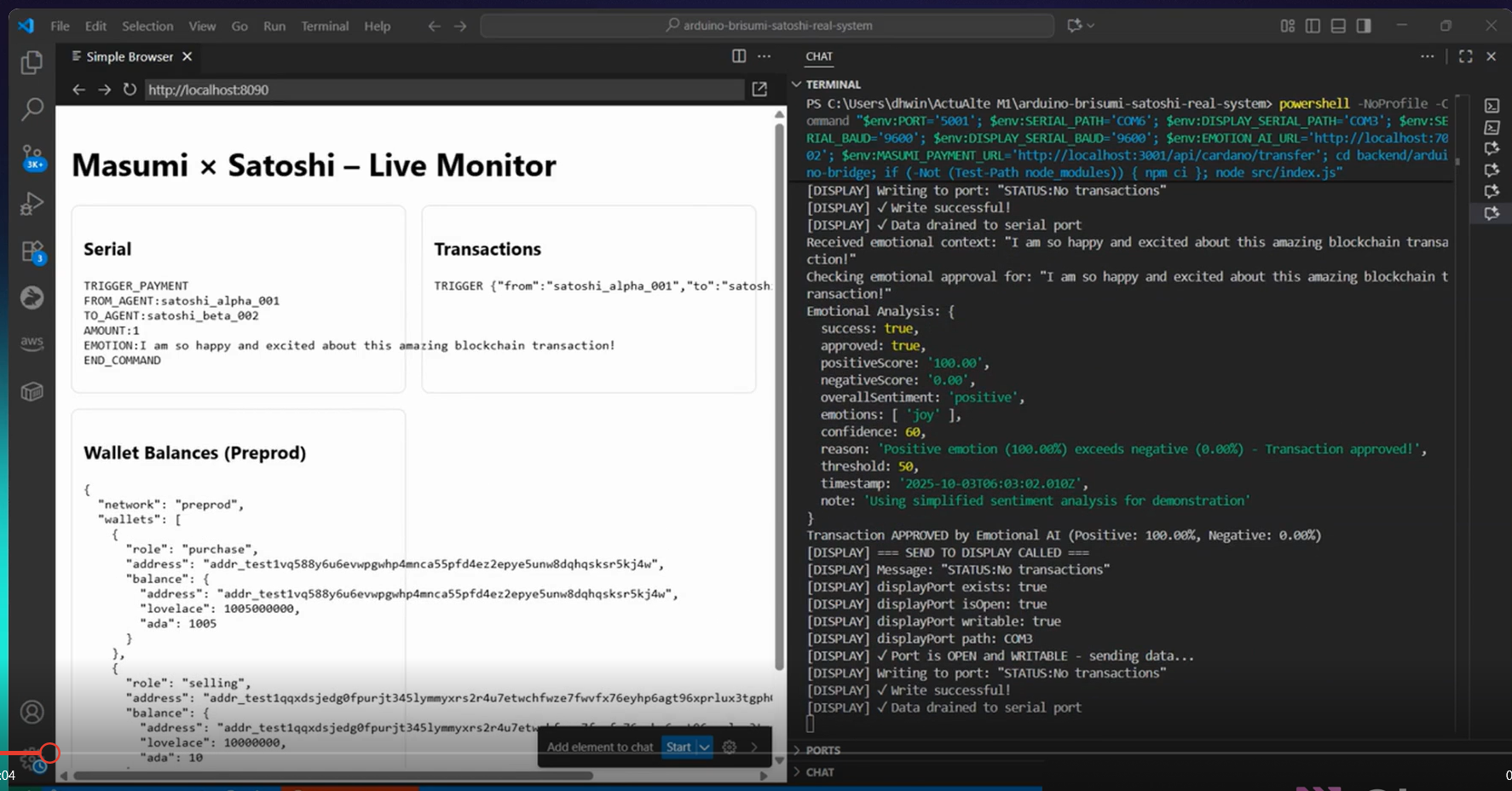
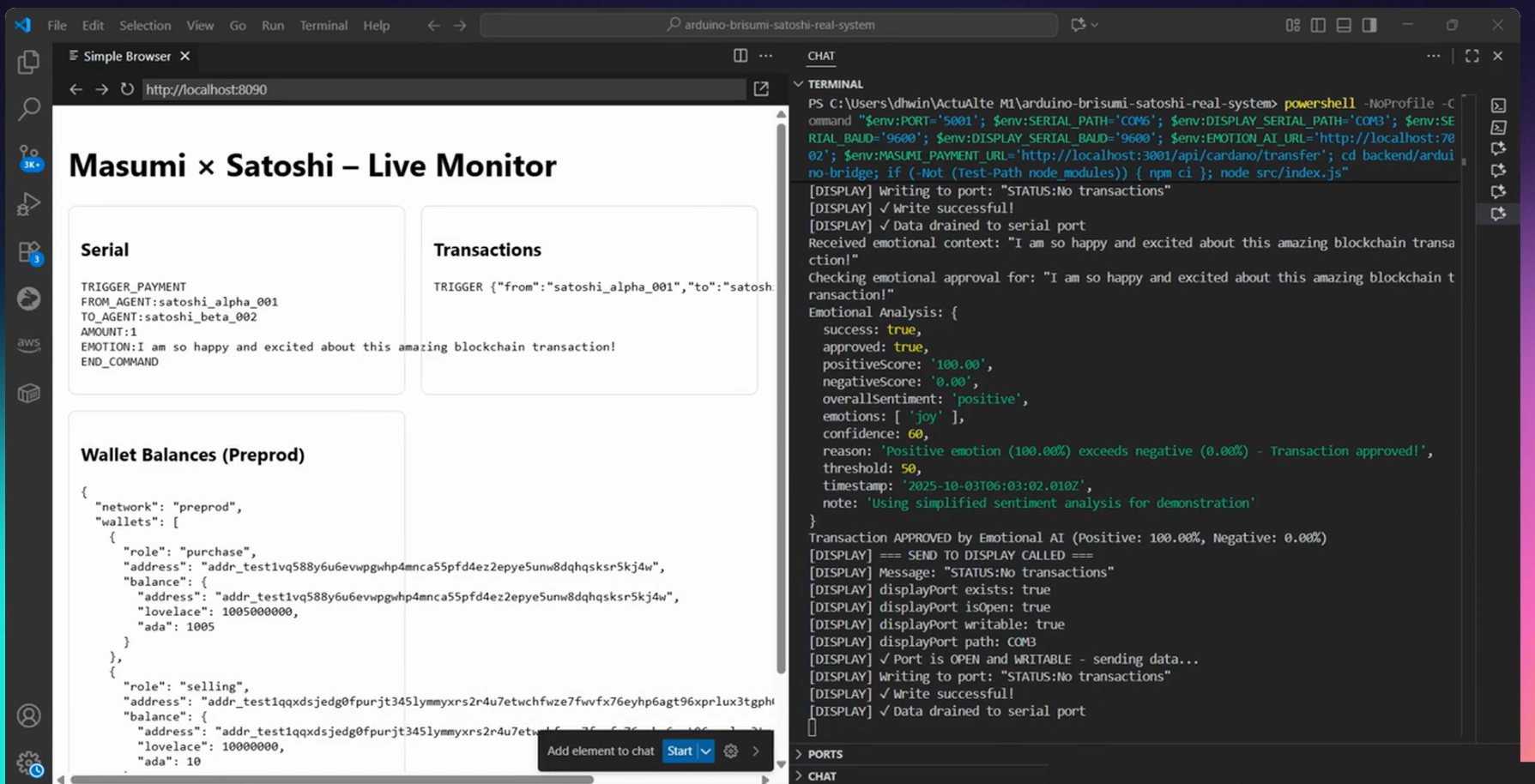
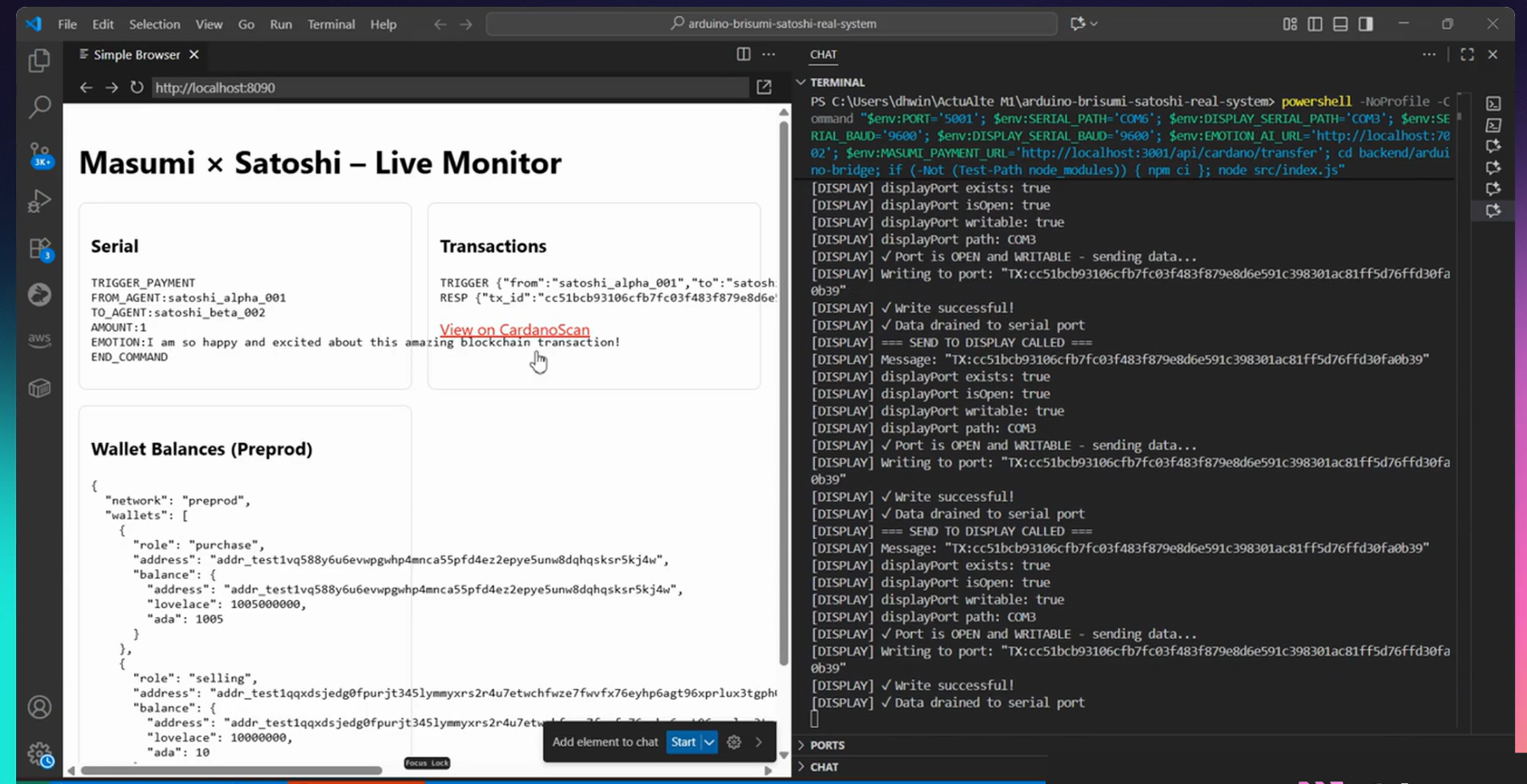
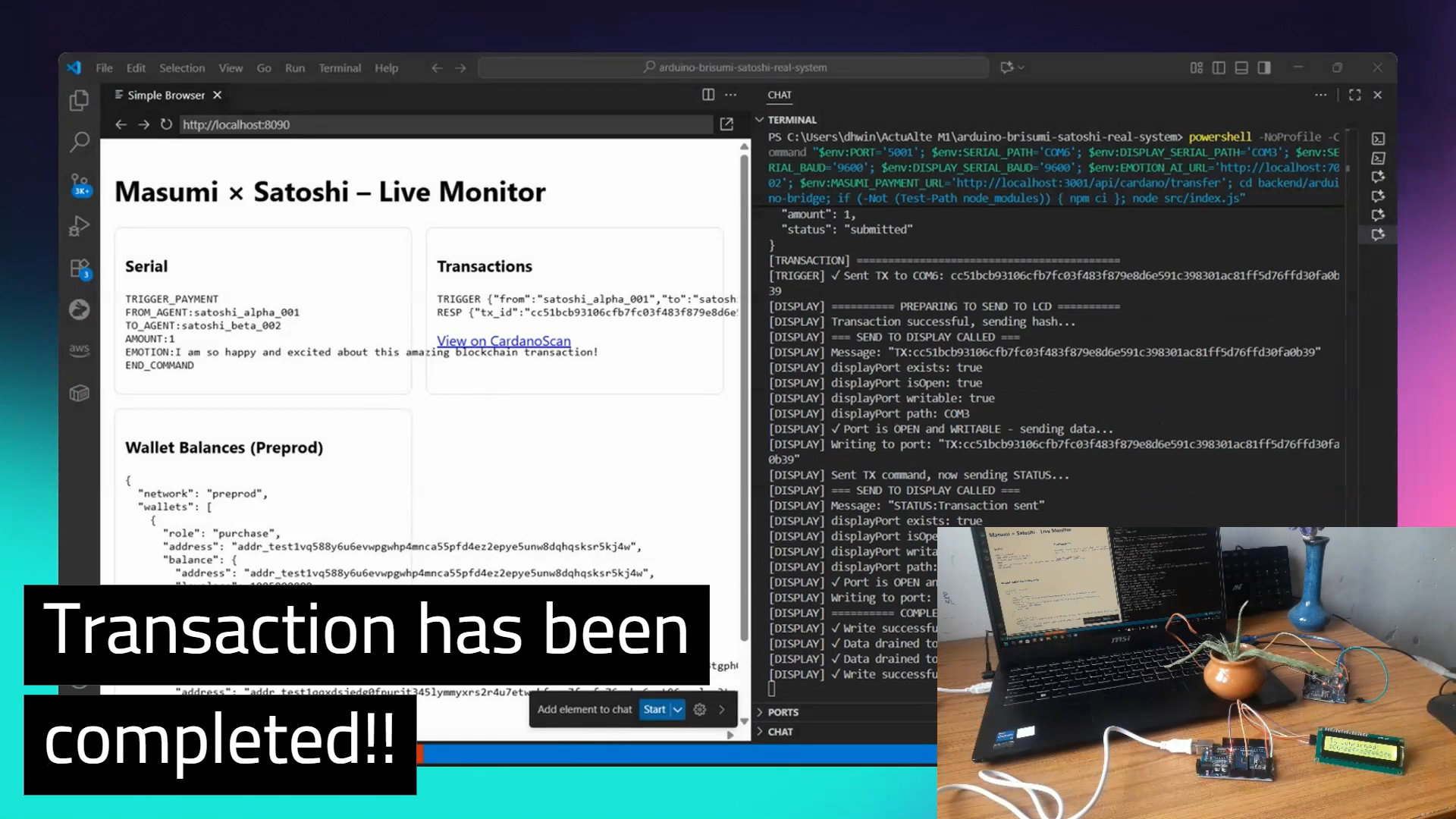
Arduino ↔ Cardano ↔ Masumi: AI‑Agent Orchestrated Machine‑to‑Machine Demonstration
IndiaCodex Hackathon 2025 Submission
🚀 A revolutionary hardware-to-blockchain integration where AI agents mediate machine-to-machine interactions on the Cardano blockchain





🎯 Project Overview
This project demonstrates AI-agent orchestrated machine-to-machine interaction where:
- One machine (Arduino) requests a payment/action
- An AI agent interprets intent and authorizes the request
- Masumi orchestrates policy, limits, routing, and execution
- Cardano blockchain records the transaction
- Another machine (Arduino LCD) displays real-time status
Machine (Arduino) → AI‑agent decision → Machine (Arduino)
- AI‑agent mediated interaction becomes an on‑chain Cardano transaction
- Masumi handles orchestration; Cardano handles settlement
🎥 Demo Videos
⭐ Main Hackathon Demo
Complete End-to-End System Demonstration
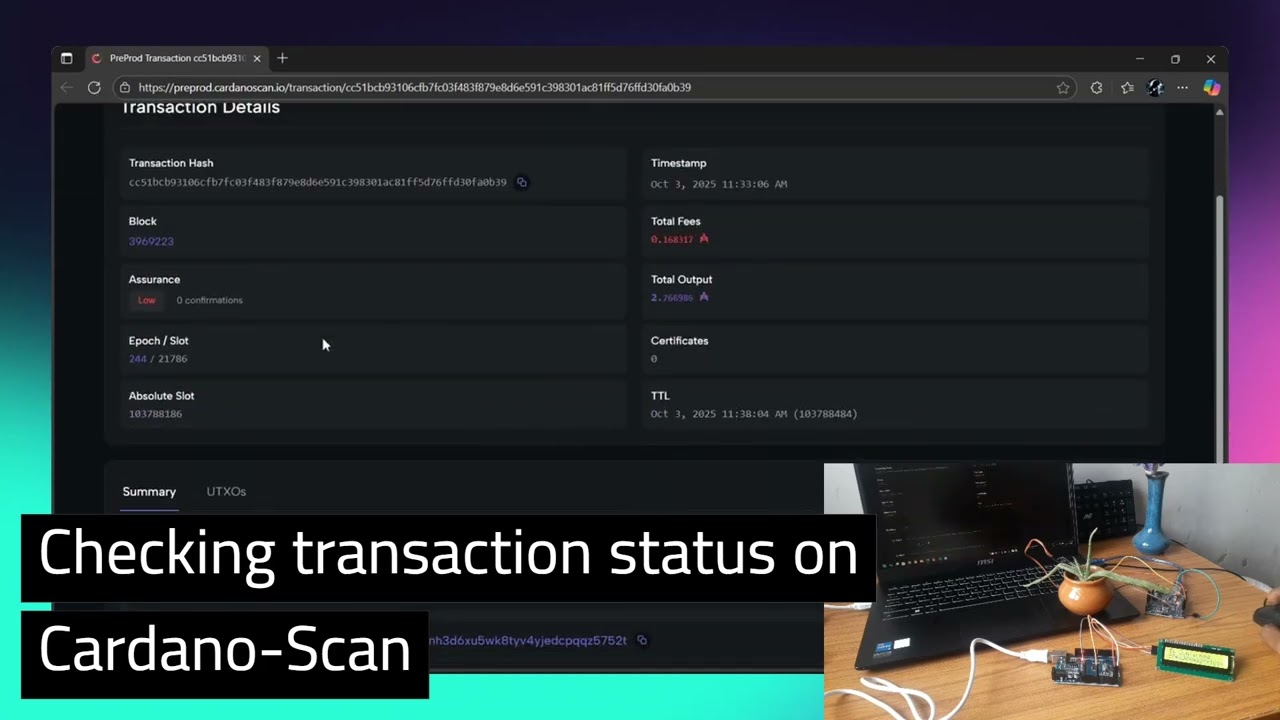
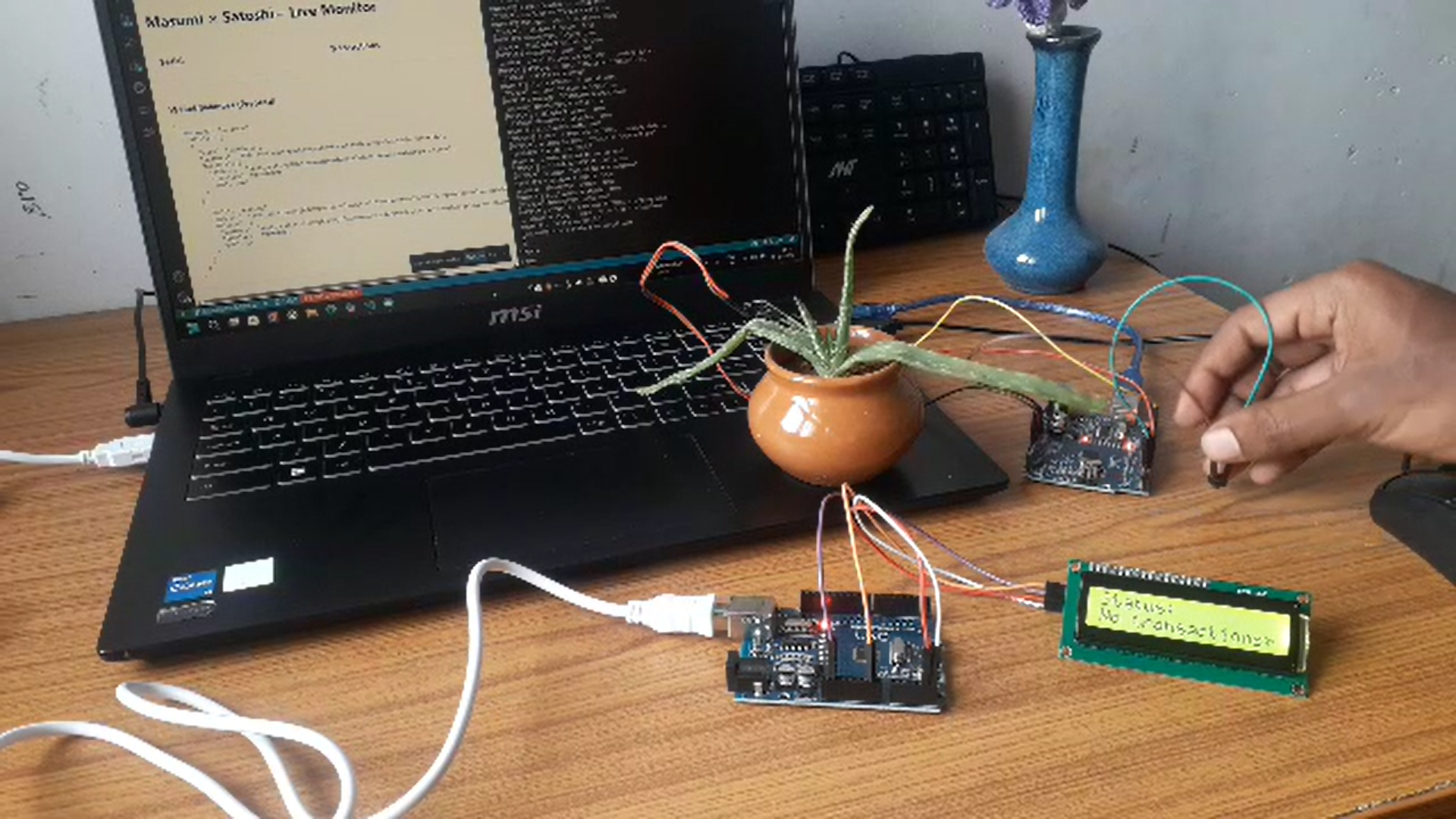
Click to watch: End‑to‑end Arduino → AI → Masumi → Cardano → Arduino flow
Watch on YouTube: https://youtu.be/QNzv-epkJTM
🏆 Hackathon Day Demo
Live Arduino-Cardano Integration System

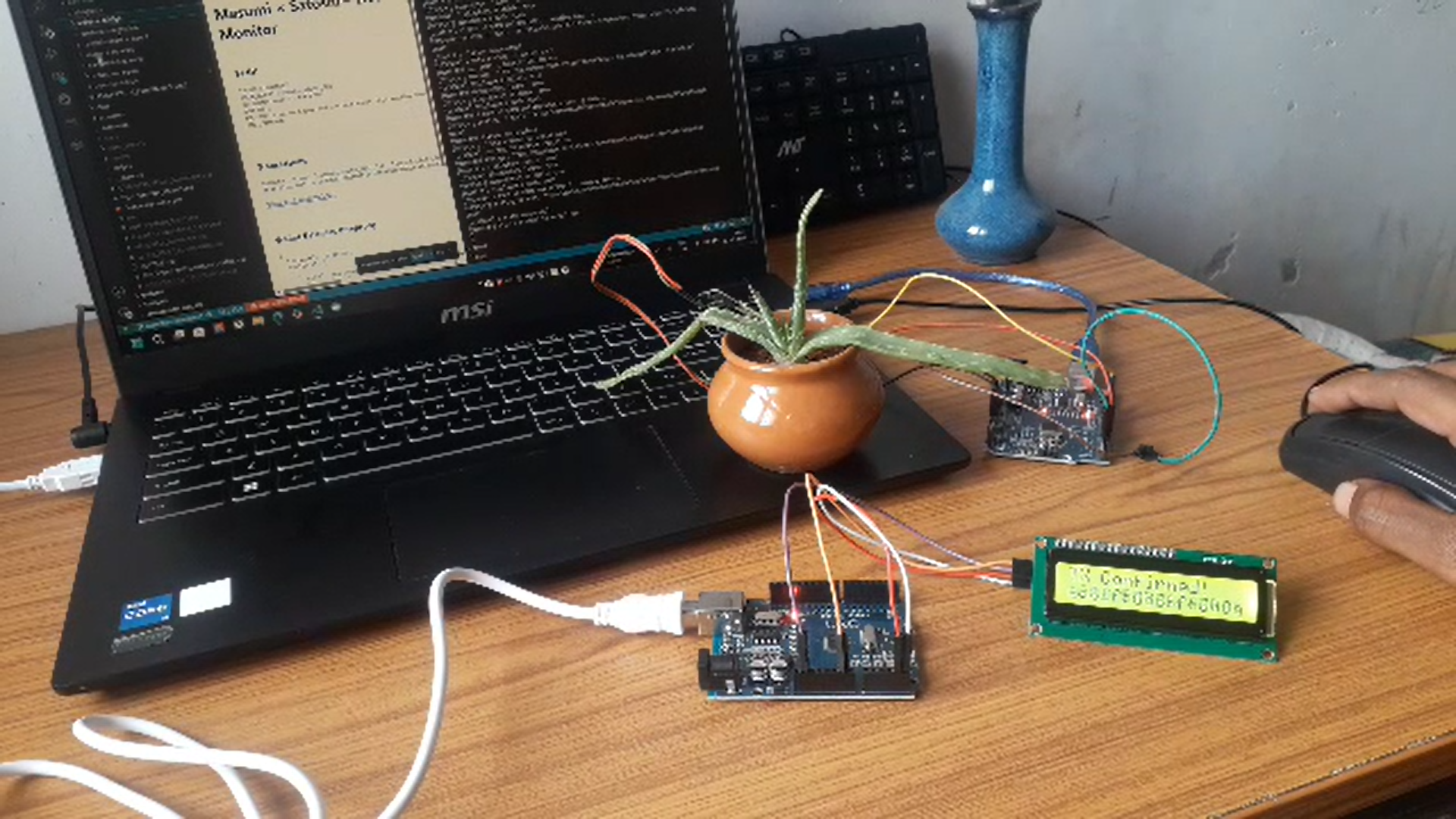
Click to watch: Arduino button press → Real Cardano blockchain transaction → LCD display → Live dashboard monitoring
Watch on YouTube: https://youtu.be/UafLTltfD5o
🚀 Future Vision Demo
Real-World Application Showcase
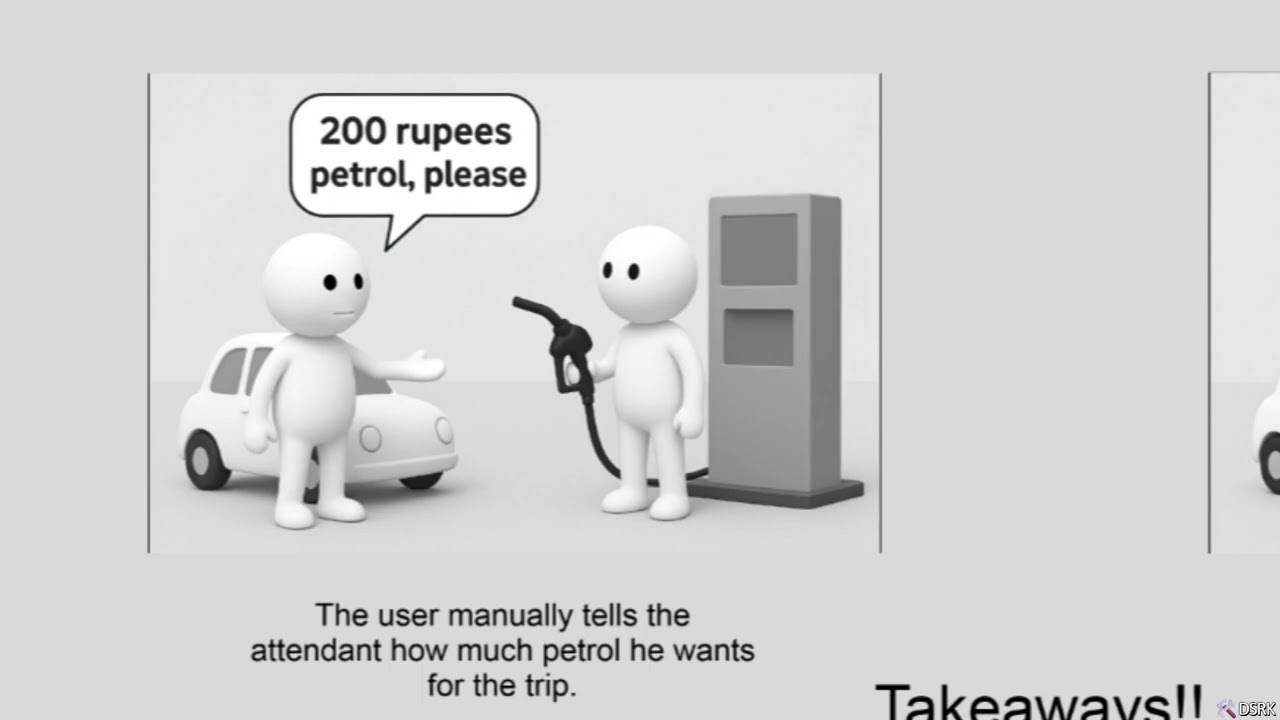
Click to watch: A fun representation showcasing how this technology will be used in real-world scenarios
Watch on YouTube: https://youtu.be/tLkZvUDTP0s
📸 Project Screenshots
Complete System Overview
Arduino-Cardano Integration System: Hardware setup, LCD display, and real-time dashboard
Hardware Setup - Arduino Boards
Dual Arduino setup: Payment Trigger (COM6) with button and LEDs, Transaction Display (COM3) with I2C LCD
Service Architecture & Logs
Microservices architecture with Arduino Bridge, Masumi Payment, and Cardano Integration services
Circuit Diagram - Arduino #1 (Transaction Display)
Arduino Uno #2 wiring: 16x2 I2C LCD connected to SDA (A4) and SCL (A5), Success LED on Pin 13, Processing LED on Pin 12, Error LED on Pin 11 pins
Circuit Diagram - Arduino #2 (Payment Trigger)
Arduino Uno #1 wiring: Button on Pin 2
🧩 What This Demonstrates
AI‑Agent Powered M2M Flow
- Arduino (button/sensor) requests a payment/interaction
- AI agent (Gemini/Sokosumi) interprets and authorizes intent based on context and policy
- Masumi orchestrates policy enforcement, limits, routing, and execution
- Cardano Integration service builds/signs/submits the on‑chain transaction
- Arduino (LCD) shows live status (Pending → Confirmed)
Key Innovations
- ✅ Tangible blockchain feedback on 16×2 I2C LCD
- ✅ End‑to‑end microservices from serial to blockchain
- ✅ AI-driven decision making for autonomous payments
- ✅ Real Cardano preprod testnet transactions
- ✅ Production-ready microservices architecture
🏗️ System Architecture
High-Level Flow
flowchart LR
    A[Arduino 1 Trigger] -->|Serial| B[Arduino Bridge]
    B -->|HTTP| C[Masumi Orchestrator]
    C -. AI policy .- D[AI Agent]
    C -->|HTTP| E[Cardano Integration]
    E -->|Blockfrost| F[(Cardano Network)]
    C -->|WebSockets| G[Web Dashboard]
    C --> H[Arduino 2 LCD]
Detailed Sequence (Button Press → Confirmation)
sequenceDiagram
    participant Trigger as Arduino_1_Trigger
    participant Bridge as Arduino_Bridge
    participant Masumi as Masumi_Orchestrator
    participant Agent as AI_Agent
    participant CardanoSvc as Cardano_Integration
    participant LCD as Arduino_2_LCD
    participant Dashboard as Web_Dashboard
    participant Chain as Cardano_Chain

    Trigger->>Bridge: Serial PAY {to, amount, credentials}
    Bridge->>Masumi: POST /api/cardano/transfer
    Masumi->>Agent: Decide(policy, limits, context)
    Agent-->>Masumi: Approve / Deny + rationale
    Masumi->>CardanoSvc: POST /transfer {from, to, amount, skey}
    CardanoSvc->>Chain: Submit tx
    Chain-->>CardanoSvc: txHash
    CardanoSvc-->>Masumi: txHash
    Masumi-->>LCD: show txHash (Pending)
    Masumi-->>Dashboard: ws transaction:new (Pending)
    Chain-->>Masumi: confirmation
    Masumi-->>LCD: update (Confirmed)
    Masumi-->>Dashboard: ws transaction:update (Confirmed)
Component Map
graph LR
    subgraph Hardware
      A1[Arduino 1 Trigger]
      A2[Arduino 2 LCD]
    end
    subgraph Backend
      B1[arduino-bridge]
      B2[masumi-services]
      B3[cardano-integration]
      B4[gemini-emotion-agent]
      B5[sokosumi-agent]
    end
    subgraph Frontend
      F1[web-dashboard]
    end
    A1-->B1
    B1-->B2
    B2-->B4
    B2-->B3
    B2-->F1
    B2-->A2
    B3-->C1[(Cardano Preprod)]
🔧 Hardware Components
Arduino #1 - Payment Trigger (COM6)
- Button: Pin 2 (with pull-up resistor) - Initiates payment
- LEDs:
- Pin 13: Success indicator (transaction confirmed)
- Pin 12: Processing indicator (transaction pending)
- Pin 11: Error indicator (transaction failed)
- Function: Triggers payment commands via serial with embedded credentials
- Credentials: Stores sender address, recipient address, and signing key (CBOR hex)
Arduino #2 - Transaction Display (COM3)
- LCD I2C Display: A4 (SDA), A5 (SCL) - Shows transaction status
- Function: Displays transaction hashes and status messages in real-time
- Display Modes:
- Pending transactions with truncated hash
- Confirmed transactions with full details
- Error messages and retry status
Optional: Plant Health Monitoring
- Soil Moisture Sensor: Analog pin A0
- Function: Monitors plant health for AI-based analysis
- Integration: Data analyzed by Gemini-based AI for recommendations
💻 Software Stack
Microservices Architecture
- Arduino Bridge (Port 5001): Serial communication gateway, handles COM6 & COM3
- Masumi Payment (Port 3001): Payment orchestration service with AI integration
- Cardano Integration (Port 4002): Blockchain transaction service (build/sign/submit)
- Gemini Emotion Agent (Port 7002): AI decision engine for plant health and context analysis
- Sokosumi Agent (Optional): Extended AI capabilities for research and complex decisions
- Web Dashboard (Port 8090): Real-time monitoring interface with WebSockets
Service Folders
backend/arduino-bridge— Serial ↔ HTTP gatewaybackend/masumi-services— Orchestration & policy enforcementbackend/cardano-integration— Cardano tx build/sign/submitbackend/gemini-emotion-agent— AI decision servicesbackend/sokosumi-agent— Extended AI capabilitiesfrontend/web-dashboard— Live tx and telemetry dashboardkeys/— Preprod addresses, CBOR, wallet infoscripts/— Wallet generation and test helpers
Technologies
- Backend: Node.js, Express, Socket.IO, SerialPort
- Database: PostgreSQL (transactions), Redis (caching)
- Blockchain: Cardano Preprod Testnet via Blockfrost API
- AI: Google Gemini API, Sokosumi AI Platform
- Hardware: Arduino Uno, I2C LCD, Serial Communication
- Containerization: Docker Compose
- Real-time: WebSockets for live monitoring
🚀 Key Features
✅ AI-Orchestrated Decision Making
- AI agent interprets transaction intent and context
- Policy-based approval/denial with rationale
- Emotion analysis for plant health monitoring
- Dynamic decision making based on environmental factors
✅ Physical Hardware Integration
- Real Arduino button triggers blockchain transactions
- LCD display shows transaction hashes in real-time
- LED indicators for transaction status
- Multi-COM port management for dual Arduino coordination
✅ Real-time Monitoring
- Live web dashboard showing serial communication
- Transaction status tracking with WebSockets
- Wallet balance monitoring
- Plant health telemetry (optional)
✅ Blockchain Integration
- Real Cardano preprod testnet transactions (not simulated)
- Proper wallet generation and signing with CBOR encoding
- UTxO management and transaction building
- Blockfrost API integration for reliable submission
✅ Microservices Architecture
- Scalable Docker-based services
- Health monitoring and auto-restart
- Service discovery and communication
- Environment-based configuration
✅ Credential Management on Arduino
- Arduino #1 stores and transmits sender credentials securely
- Signing keys embedded in Arduino code (testnet only)
- Serial protocol includes
FROM_ADDRESS,TO_ADDRESS,SKEY_CBOR - Bridge forwards credentials to Masumi → Cardano Integration
📱 Live Demo Flow
- Press Arduino Button → Physical button press detected on Arduino #1
- Serial Communication → Commands + credentials sent via COM6
- AI Decision → Gemini/Sokosumi AI interprets intent and approves/denies
- Payment Processing → Arduino Bridge forwards to Masumi Payment service
- Blockchain Transaction → Cardano Integration builds/signs/submits real tx
- Real-time Display → Transaction hash shown on LCD (Arduino #2) and dashboard
- Confirmation → LEDs indicate success/failure, LCD updates to "Confirmed"
⚙️ Setup A: Local (Windows)
Prerequisites
- Node.js 18+
- Arduino IDE
- Blockfrost Preprod API key (Get here)
- Two COM ports (e.g., COM6 for trigger, COM3 for LCD)
- Python 3.8+ (for wallet generation)
- Git
Hardware Setup
# Arduino #1 (Payment Trigger) - Connect to COM6
Button: Pin 2 → GND (with pull-up resistor)
Success LED: Pin 13 → 220Ω resistor → LED → GND
Processing LED: Pin 12 → 220Ω resistor → LED → GND
Error LED: Pin 11 → 220Ω resistor → LED → GND

# Arduino #2 (Transaction Display) - Connect to COM3
LCD I2C: SDA → A4, SCL → A5, VCC → 5V, GND → GND
I2C Address: 0x27 (default, adjust in code if different)
Software Setup (Local)
1. Clone and Setup
# Clone the repository
git clone https://github.com/DhanushKenkiri/IndiaCodexHackathon--25-Submission.git
cd IndiaCodexHackathon--25-Submission
2. Install Service Dependencies
cd backend\masumi-services
npm install
cd ..\arduino-bridge
npm install
cd ..\cardano-integration
npm install
cd ..\gemini-emotion-agent
npm install
cd ..\..
3. Configure Environments
# Copy environment templates
copy backend\arduino-bridge\.env.example backend\arduino-bridge\.env
copy backend\masumi-services\.env.example backend\masumi-services\.env
copy backend\cardano-integration\.env.example backend\cardano-integration\.env
copy backend\gemini-emotion-agent\.env.example backend\gemini-emotion-agent\.env
Edit each .env file:
Arduino Bridge (backend/arduino-bridge/.env):
SERIAL_PORT=COM6
BAUD_RATE=9600
MASUMI_PAYMENT_URL=http://localhost:3001/api/cardano/transfer
Cardano Integration (backend/cardano-integration/.env):
BLOCKFROST_PROJECT_ID=your_blockfrost_preprod_api_key
BLOCKFROST_URL=https://cardano-preprod.blockfrost.io/api/v0
CARDANO_NETWORK=preprod
Gemini Emotion Agent (backend/gemini-emotion-agent/.env):
GEMINI_API_KEY=your_google_gemini_api_key
4. Generate Cardano Wallet
cd scripts
python create_lucid_wallet.py
# Or use PowerShell script:
# .\generate-cardano-preprod-wallet.ps1
This creates a wallet in keys/new-wallet/:
address.txt- Your preprod addresscbor_hex.txt- Signing key in CBOR hex formatprivate_key_hex.txt- Private keywallet_info.json- Complete wallet details
5. Fund Your Wallet
Visit Cardano Testnet Faucet
- Use address from
keys/new-wallet/address.txt - Request test ADA (usually 10,000 tADA)
6. Configure Arduino #1 Credentials
Edit hardware/arduino-uno/payment_trigger.ino:
// Replace with your actual preprod addresses and signing key
const char* FROM_ADDRESS = "addr_test1..."; // From keys/new-wallet/address.txt
const char* TO_ADDRESS = "addr_test1...";   // Recipient address (can be same for testing)

// Option 1: Single-line CBOR (for shorter keys)
const char* SKEY_CBOR_SINGLE_LINE = "5820abcd1234..."; // From keys/new-wallet/cbor_hex.txt

// Option 2: Multi-line CBOR (for longer keys, remove SKEY_CBOR_SINGLE_LINE if using this)
// const char* SKEY_CBOR_START = "5820";
// const char* SKEY_CBOR_LINE1 = "abcd1234...";
// const char* SKEY_CBOR_LINE2 = "efgh5678...";
// const char* SKEY_CBOR_END = "";
Security Note: This is for hackathon/testnet demos only. Never embed mainnet keys in hardware.
7. Start Services
Open 4 separate PowerShell terminals:
Terminal 1 - Masumi Payment Service:
cd backend\masumi-services
npm start
# Should see: "Masumi Payment Service listening on port 3001"
Terminal 2 - Arduino Bridge:
cd backend\arduino-bridge
npm start
# Should see: "Arduino Bridge listening on port 5001" and "Serial port COM6 opened"
Terminal 3 - Cardano Integration:
cd backend\cardano-integration
npm start
# Should see: "Cardano Integration Service listening on port 4002"
Terminal 4 - Gemini Emotion Agent:
cd backend\gemini-emotion-agent
npm start
# Should see: "Gemini Emotion Agent listening on port 7002"
8. Upload Arduino Sketches
Open Arduino IDE:
- Upload
hardware/arduino-uno/payment_trigger.inoto Arduino #1 (COM6) - Upload
hardware/arduino-uno/transaction_display.inoto Arduino #2 (COM3)
Verify serial monitors show "Ready" messages.
9. Start Web Dashboard
cd frontend\web-dashboard
npm install
npm start
Open http://localhost:8090 in your browser.
10. Test the System
- Press the button on Arduino #1
- Watch the AI agent decision in Terminal 1 (Masumi logs)
- See transaction hash on LCD (Arduino #2)
- Monitor live updates on the web dashboard
- LEDs indicate: Processing (Pin 12) → Success (Pin 13) or Error (Pin 11)
🐳 Setup B: Docker Compose
Prerequisites
- Docker Desktop (Windows/Mac/Linux)
- Arduino IDE (for uploading sketches)
Note: On Windows, COM port access from Docker is limited. We recommend running arduino-bridge locally and containerizing other services.
Setup Steps
1. Configure Docker Compose
The repository includes a docker-compose.yml. Verify/edit if needed:
version: "3.9"
services:
  masumi-services:
    build: ./backend/masumi-services
    ports: ["3001:3001"]
    env_file:
      - ./backend/masumi-services/.env
    restart: unless-stopped

  cardano-integration:
    build: ./backend/cardano-integration
    ports: ["4002:4002"]
    env_file:
      - ./backend/cardano-integration/.env
    depends_on: [masumi-services]
    restart: unless-stopped

  gemini-emotion-agent:
    build: ./backend/gemini-emotion-agent
    ports: ["7002:7002"]
    env_file:
      - ./backend/gemini-emotion-agent/.env
    restart: unless-stopped

  web-dashboard:
    build: ./frontend/web-dashboard
    ports: ["8090:8090"]
    depends_on: [masumi-services, cardano-integration]
    restart: unless-stopped

  # Note: arduino-bridge runs locally on Windows for COM access
  # On Linux, uncomment and configure devices:
  # arduino-bridge:
  #   build: ./backend/arduino-bridge
  #   ports: ["5001:5001"]
  #   env_file:
  #     - ./backend/arduino-bridge/.env
  #   devices:
  #     - "/dev/ttyUSB0:/dev/ttyUSB0"  # COM6 equivalent
  #     - "/dev/ttyUSB1:/dev/ttyUSB1"  # COM3 equivalent
  #   group_add:
  #     - dialout
  #   depends_on: [masumi-services]
2. Build and Start Services
# Build all Docker images
docker compose build

# Start services in detached mode
docker compose up -d

# Check service status
docker compose ps

# View logs
docker compose logs -f masumi-services
docker compose logs -f cardano-integration
3. Start Arduino Bridge Locally (Windows)
cd backend\arduino-bridge
npm install
npm start
4. Upload Arduino Sketches
- Upload
hardware/arduino-uno/payment_trigger.ino→ Arduino #1 (COM6) - Upload
hardware/arduino-uno/transaction_display.ino→ Arduino #2 (COM3)
5. Access Services
- Web Dashboard: http://localhost:8090
- Masumi Payment API: http://localhost:3001/health
- Cardano Integration API: http://localhost:4002/health
- Arduino Bridge API: http://localhost:5001/health
Docker Management Commands
# Stop all services
docker compose down

# Restart a specific service
docker compose restart masumi-services

# View logs for a service
docker compose logs -f cardano-integration

# Rebuild after code changes
docker compose up -d --build

# Remove all containers and volumes
docker compose down -v
🔐 Serial Protocol & Credential Flow
Arduino → Bridge Serial Protocol
Arduino #1 transmits over serial:
TRIGGER_PAYMENT
FROM_AGENT:satoshi_alpha_001
TO_AGENT:satoshi_beta_002
AMOUNT:1
FROM_ADDRESS:addr_test1qv...
TO_ADDRESS:addr_test1qq...
SKEY_CBOR:5820abcd1234...
EMOTION:I am excited!
END_COMMAND
Multi-line CBOR variant (for long keys):
TRIGGER_PAYMENT
FROM_AGENT:satoshi_alpha_001
TO_AGENT:satoshi_beta_002
AMOUNT:1
FROM_ADDRESS:addr_test1qv...
TO_ADDRESS:addr_test1qq...
SKEY_CBOR_START
5820
abcd1234...
efgh5678...
SKEY_CBOR_END
EMOTION:I am excited!
END_COMMAND
Bridge → Masumi HTTP API
Arduino Bridge forwards to Masumi Payment:
POST http://localhost:3001/api/cardano/transfer
Content-Type: application/json

{
  "fromAgent": "satoshi_alpha_001",
  "toAgent": "satoshi_beta_002",
  "amountAda": 1,
  "fromAddress": "addr_test1qv...",  // Override from Arduino
  "toAddress": "addr_test1qq...",    // Override from Arduino
  "skeyCbor": "5820abcd1234...",     // Override from Arduino
  "emotion": "I am excited!"
}
Masumi → Cardano Integration HTTP API
After AI approval, Masumi calls Cardano Integration:
POST http://localhost:4002/transfer
Content-Type: application/json

{
  "fromAddress": "addr_test1qv...",
  "toAddress": "addr_test1qq...",
  "amountAda": 1,
  "skeyCbor": "5820abcd1234..."
}
Cardano Integration builds, signs, and submits the transaction, returning txHash.
📡 API Endpoints
Arduino Bridge Service (Port 5001)
GET /health- Service health checkPOST /simulate- Manual payment trigger (testing)GET /simulate- Alternative GET endpoint for browser testingGET /plant-status- Latest plant metrics (if Arduino sends sensor data)POST /request-plant-data- Request Arduino to send latest metrics- WebSocket events for real-time serial communication
Masumi Payment Service (Port 3001)
GET /health- Service health checkPOST /api/cardano/transfer- Create payment (with optional overrides:fromAddress,toAddress,skeyCbor)GET /api/latest-transaction- Get last submitted transaction summaryGET /api/cardano/balance/:address- Check wallet balance for an address- WebSocket broadcasting for transaction events
Cardano Integration Service (Port 4002)
GET /health- Service health checkPOST /transfer- Execute blockchain transaction (called by Masumi)- Request body:
{ fromAddress, toAddress, amountAda, skeyCbor } - Returns:
{ txHash, status }
- Request body:
GET /balance/:address- Get wallet balance from Blockfrost
Gemini Emotion Agent Service (Port 7002)
GET /health- Service health checkPOST /analyze- Analyze text for emotional context- Request body:
{ text, context } - Returns:
{ emotion, sentiment, recommendations }
- Request body:
POST /plant-health- Analyze plant health from sensor data- Request body:
{ moistureLevel, temperature, context } - Returns:
{ healthStatus, recommendations, wateringAdvice }
- Request body:
✅ Quick Test Commands
Manual Trigger (No Arduino)
# Trigger a test transaction
curl -X POST http://localhost:5001/simulate

# Or in browser
http://localhost:5001/simulate
Health Checks
curl http://localhost:5001/health  # Arduino Bridge
curl http://localhost:3001/health  # Masumi Payment
curl http://localhost:4002/health  # Cardano Integration
curl http://localhost:7002/health  # Gemini Emotion Agent
Check Wallet Balance
curl http://localhost:3001/api/cardano/balance/addr_test1qv...
View Latest Transaction
curl http://localhost:3001/api/latest-transaction
🏆 Innovation Highlights
🌟 AI-Orchestrated Hardware-Blockchain Bridge
First-of-its-kind integration where AI agents mediate between physical Arduino hardware and Cardano blockchain, making intelligent decisions based on context, policy, and emotional analysis.
🌟 Autonomous Decision Making
AI agents (Gemini/Sokosumi) interpret transaction intent, enforce policies, and provide rationale for approve/deny decisions without human intervention.
🌟 Real-time Dual Arduino Architecture
Separate boards for input (trigger with credentials) and output (LCD display) with coordinated serial communication and visual feedback.
🌟 Credentials on Edge Device
Arduino #1 stores and transmits wallet credentials securely over serial, demonstrating edge-based key management for IoT blockchain applications (testnet only).
🌟 Production-Ready Microservices
Complete Docker-based architecture with health monitoring, WebSocket communication, PostgreSQL persistence, and proper error handling.
📊 Technical Achievements
- ✅ Real Blockchain Transactions: Not simulated - actual Cardano preprod transactions with UTxO management
- ✅ Multi-COM Port Management: Simultaneous communication with two Arduino boards (COM6, COM3)
- ✅ AI-Powered Decision Engine: Gemini-based emotion analysis and policy enforcement
- ✅ Real-time WebSocket Communication: Live dashboard updates for transaction status
- ✅ Containerized Deployment: Full Docker Compose stack with auto-restart and health checks
- ✅ Proper Cardano Wallet Integration: CBOR key encoding, address derivation, transaction signing
- ✅ Edge-Based Credential Management: Arduino stores and transmits signing keys securely (testnet)
🔐 Security Features
- Environment-based Configuration: Sensitive keys in
.envfiles (not committed) - Testnet-Only Operations: Hardcoded testnet network prevents mainnet accidents
- Proper CBOR Key Formatting: Industry-standard Cardano key encoding
- Health Check Monitoring: Automated service health verification
- Admin Token Protection: Sensitive endpoints require authentication (optional)
- Serial Protocol Validation: Arduino Bridge validates all serial commands
- AI Approval Gate: Masumi requires AI agent approval before executing transactions
Security Note: The Arduino credential embedding is for hackathon/testnet demonstrations only. Production systems should use secure enclaves, HSMs, or remote signing services for mainnet operations.
🛠️ Troubleshooting
Common Issues
1. COM Port Issues
Problem: Arduino Bridge can't open COM6 or COM3 Solution:
- Close Arduino IDE Serial Monitor (it locks the port)
- Verify correct COM port in Device Manager (Windows)
- Update
SERIAL_PORTinbackend/arduino-bridge/.env - Check Arduino is powered and connected via USB
2. LCD Display Blank
Problem: Arduino #2 LCD shows no text Solution:
- See
docs/LCD_TROUBLESHOOTING.mdfor detailed wiring diagrams - Verify I2C address (default 0x27, check with I2C scanner sketch)
- Adjust LCD contrast potentiometer on I2C backpack
- Check SDA → A4, SCL → A5 connections
- Verify 5V and GND connections
3. No Transaction on Blockchain
Problem: Button press doesn't create transaction Solution:
- Verify
MASUMI_PAYMENT_URLin Arduino Bridge.env - Check Blockfrost API key in Cardano Integration
.env - Ensure wallet has sufficient test ADA (check faucet)
- View Masumi logs for AI approval status
- Check Arduino #1 has correct addresses and CBOR key
4. Docker Services Not Starting
Problem: docker compose up fails
Solution:
- Ensure Docker Desktop is running
- Check
.envfiles exist in each service folder - View logs:
docker compose logs -f service-name - Rebuild:
docker compose up -d --build - Check port conflicts (3001, 4002, 7002, 8090)
5. AI Agent Errors
Problem: Gemini Emotion Agent returns errors Solution:
- Verify
GEMINI_API_KEYin.env - Check API quota/billing at Google AI Studio
- Review logs:
docker compose logs -f gemini-emotion-agent - Ensure proper JSON formatting in requests
6. Serial Communication Issues
Problem: Arduino Bridge doesn't receive commands Solution:
- Open Arduino IDE Serial Monitor and send test command manually
- Verify baud rate matches (9600 in code and
.env) - Check Arduino #1 sketch uploaded correctly
- Review Bridge logs for parsing errors
- Test with
/simulateendpoint first
Debugging Commands
# Check Docker services
docker compose ps

# View real-time logs
docker compose logs -f masumi-services
docker compose logs -f cardano-integration

# Restart a service
docker compose restart masumi-services

# Check Arduino connectivity (Arduino IDE Serial Monitor)
# Open Serial Monitor on COM6 and COM3, send:
# TRIGGER_PAYMENT
# FROM_AGENT:test
# TO_AGENT:test
# AMOUNT:1
# END_COMMAND
Debug Endpoints
# Test Arduino Bridge
curl http://localhost:5001/health
curl -X POST http://localhost:5001/simulate

# Test Masumi Payment
curl http://localhost:3001/health
curl http://localhost:3001/api/latest-transaction

# Test Cardano Integration
curl http://localhost:4002/health
curl http://localhost:4002/balance/addr_test1qv...

# Test Gemini Emotion Agent
curl http://localhost:7002/health
curl -X POST http://localhost:7002/analyze -H "Content-Type: application/json" -d "{\"text\":\"I am happy!\",\"context\":\"test\"}"
👥 Team & Development
- Hardware Integration: Arduino programming, circuit design, serial communication
- Blockchain Development: Cardano wallet management, transaction building, Blockfrost integration
- AI Integration: Gemini API, emotion analysis, policy enforcement, Sokosumi platform
- Full-Stack Development: Microservices architecture, WebSocket communication, real-time dashboard
- DevOps: Docker containerization, service orchestration, health monitoring
📞 Contact & Support
For questions about this IndiaCodex Hackathon 2025 submission:
- GitHub: DhanushKenkiri
- Repository: https://github.com/DhanushKenkiri/IndiaCodexHackathon--25-Submission
- Documentation: See
docs/folder for detailed guides
📚 Additional Documentation
docs/setup-guide.md- Detailed setup instructionsdocs/api-documentation.md- Complete API referencedocs/hardware-wiring.md- Hardware connection diagrams and schematicsdocs/LCD_TROUBLESHOOTING.md- LCD display debugging guidedocs/LCD_WIRING_FIX.md- Common wiring mistakes and fixesdocs/SOIL_MOISTURE_WIRING.md- Plant sensor integration guideDEPLOYMENT_STATUS.md- Service deployment status and architectureSOKOSUMI_INTEGRATION_STATUS.md- Sokosumi AI platform integration details
🏅 Hackathon Submission Summary
This Arduino-Cardano integration system represents a breakthrough in AI-orchestrated machine-to-machine interactions on blockchain. By enabling AI agents to interpret intent from physical hardware, enforce policies, and execute blockchain transactions autonomously, we've created a tangible bridge between the physical world, artificial intelligence, and decentralized finance.
Key Achievements
- ✅ Fully functional AI-orchestrated hardware-to-blockchain integration
- ✅ Real Cardano preprod testnet transactions with proper wallet management
- ✅ Complete microservices architecture with Docker containerization
- ✅ AI-powered decision making with Gemini/Sokosumi agents
- ✅ Real-time monitoring with WebSocket communication
- ✅ Production-ready code with proper security and error handling
- ✅ Edge-based credential management on Arduino hardware (testnet demo)
Innovation Impact
This project demonstrates the future of autonomous IoT payments where:
- Machines can request and execute financial transactions
- AI agents mediate and approve based on context and policy
- Blockchain provides transparent, immutable settlement
- Physical feedback (LCD, LEDs) makes blockchain tangible
Demo the future of AI-orchestrated blockchain interaction - where pressing a button triggers an intelligent, autonomous payment flow! 🚀
🙏 Acknowledgments
We sincerely thank the IndiaCodex Hackathon 2025 organizers and judges for this incredible opportunity to showcase innovation at the intersection of blockchain technology, artificial intelligence, and IoT.
Special appreciation to:
- Cardano Foundation for excellent documentation and testnet infrastructure
- Arduino Community for robust hardware libraries and support
- Google Gemini Team for powerful AI capabilities
- Sokosumi Platform for advanced AI agent orchestration
- Anthropic for Claude and the MCP framework
- Blockfrost for reliable Cardano API services
- Open-source contributors whose libraries and tools made this project possible
This hackathon has been an inspiring journey in pushing the boundaries of what's possible when cutting-edge AI, blockchain, and IoT technologies converge to solve real-world challenges.
For license information, see the LICENSE file in the repository root.
Built With
- c++
- plutus
- python
- react
- typescript

Log in or sign up for Devpost to join the conversation.