What Problem ActivityStream Solves and Why I Built It
Every day, knowledge workers switch between 15+ apps. Notion for notes. Gmail for email. Google Calendar for scheduling. Figma for design review. Slack for chat. Zoom for meetings. Each app has its own interface, its own login, its own friction. The cognitive cost of context switching destroys deep work.
I built ActivityStream because I watched my team spend 30 minutes setting up a Q3 roadmap: open Notion, create page, add table, link to calendar, draft email, schedule meeting, notify Slack. Thirty minutes of setup for 5 minutes of actual thinking. The tools were supposed to help us work. Instead, we worked for the tools.
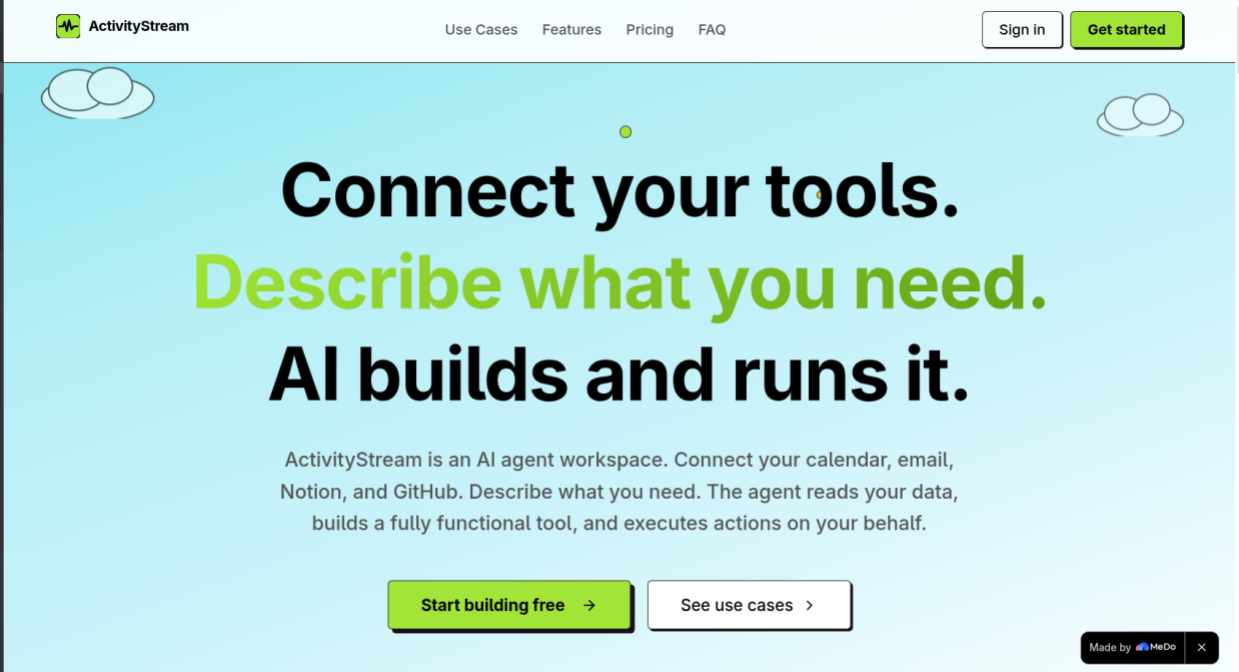
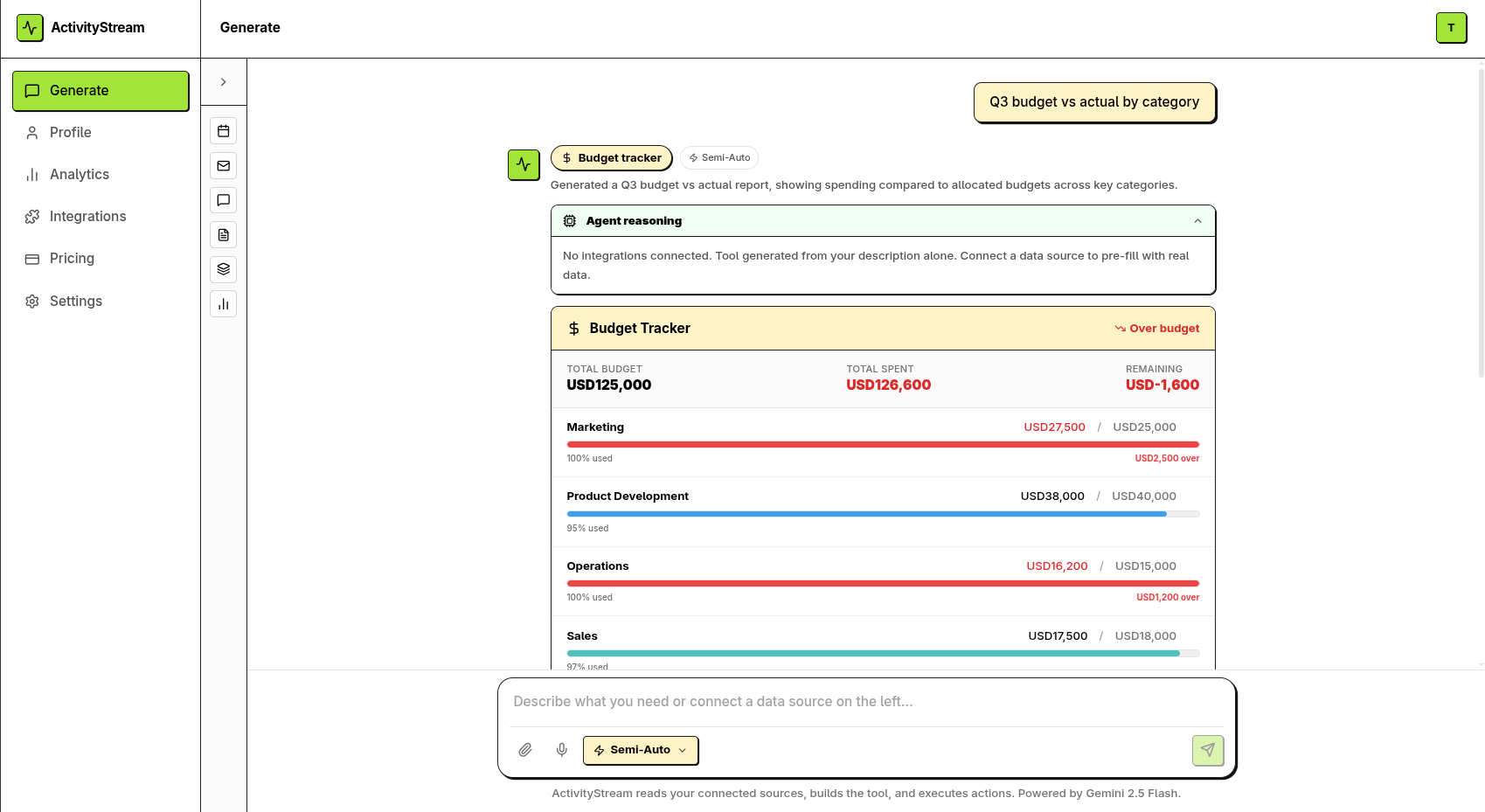
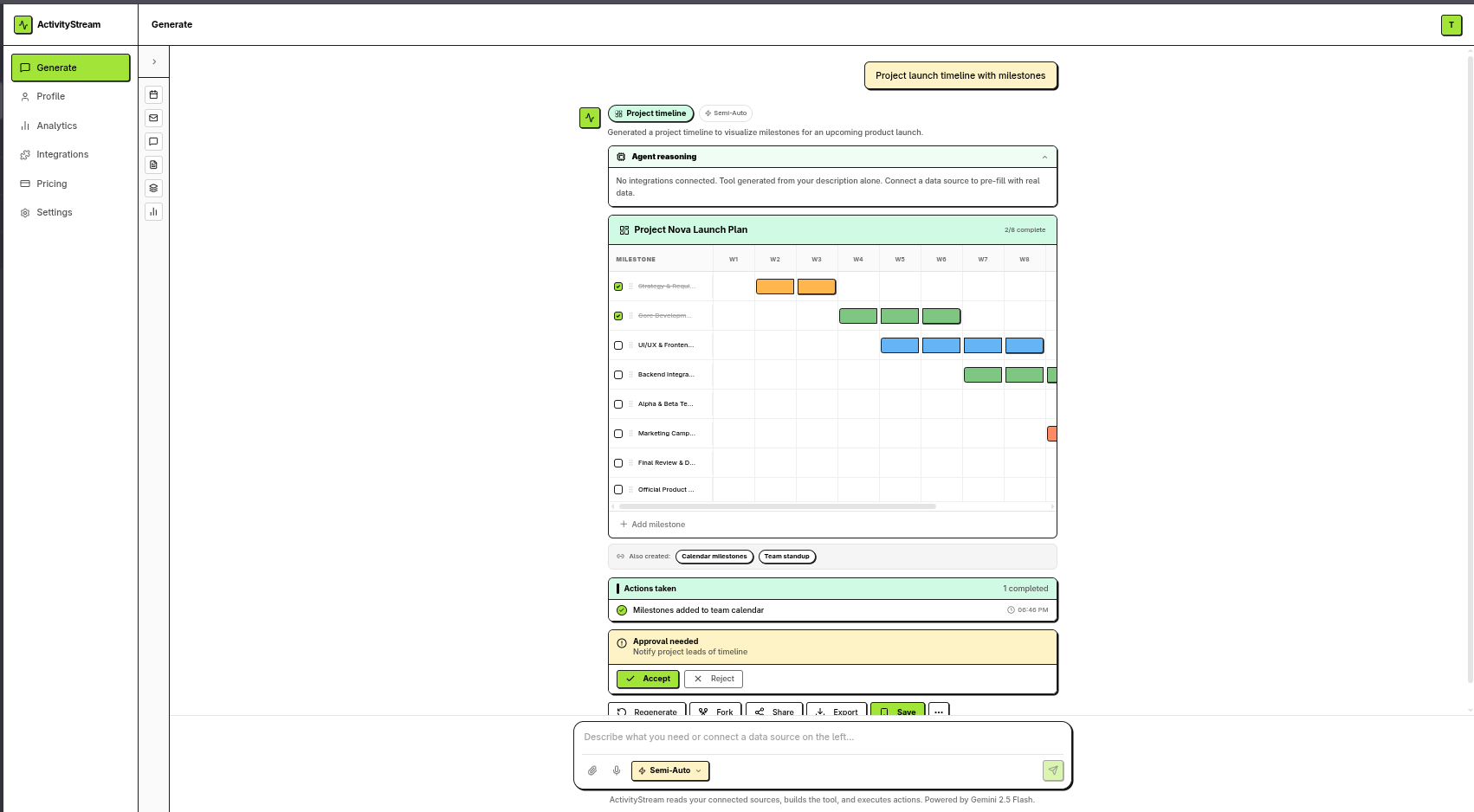
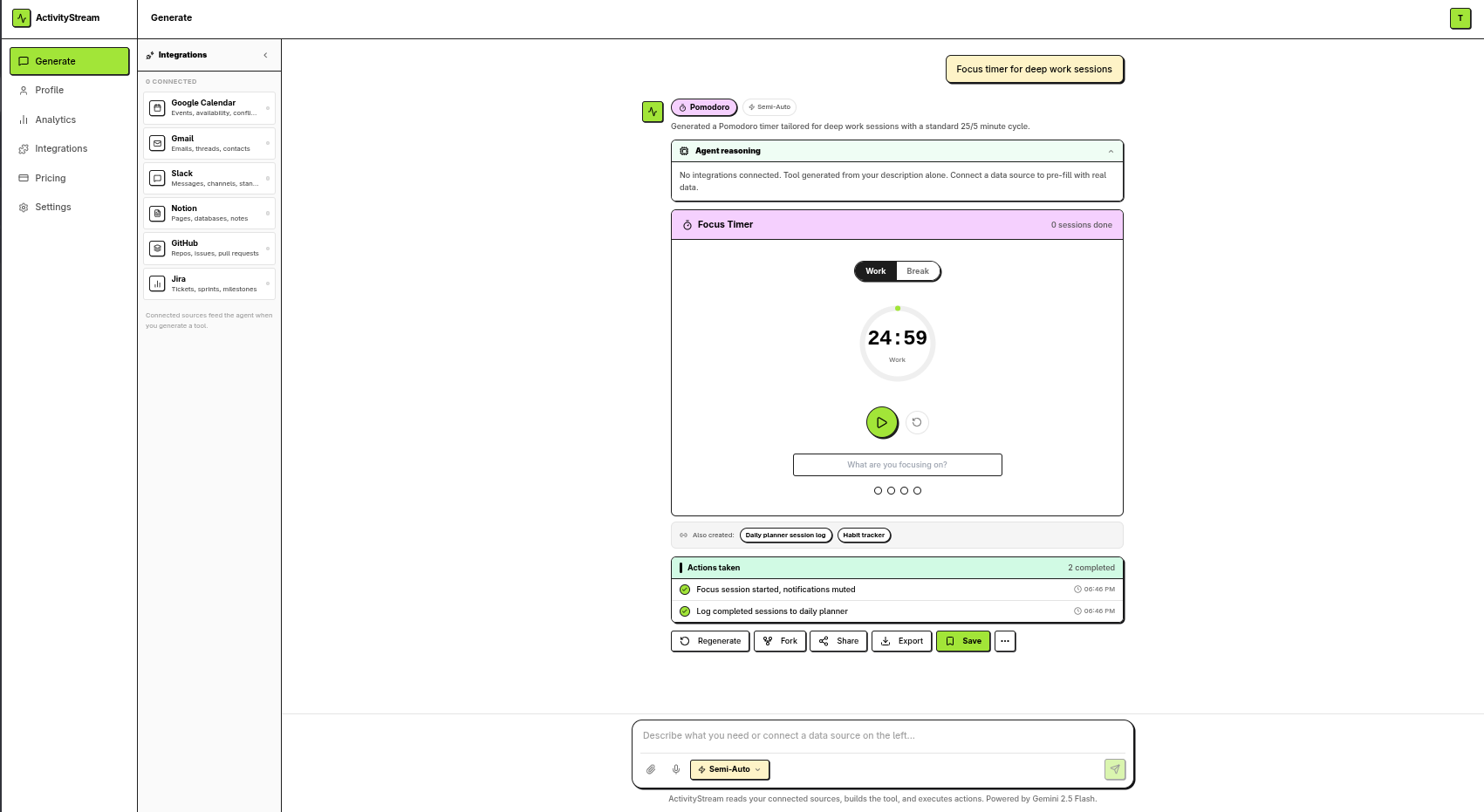
ActivityStream is a generative UI platform where you type anything into a single chatbox and instantly get the exact app interface you need. Not a chatbot response. Not a static template. A fully functional, interactive, editable interface that looks and works like the real app. One input. One interface. Zero setup.
How I Structured Conversations with MeDo to Build ActivityStream
I built ActivityStream entirely through natural language conversations with MeDo.
Phase 1: Core Concept and Architecture
I started with the core insight: users should not switch apps. The interface should come to them. I told MeDo: "Build a generative UI platform where a single chatbox produces fully functional app interfaces. Not mockups. Not prototypes. Real interactive components with state management."
MeDo generated:
- The intent analysis pipeline using Large Language Model skill
- The interface generation engine that maps intent to 10 interface types
- The component library with 50+ interactive elements (checkboxes, date pickers, drag handles, inline editors)
- The state management system using Supabase with real-time sync
- The profile architecture where every generated interface is saved, versioned, and editable
Phase 2: The 10 Interface Types
I defined 10 interface types that cover 90% of knowledge work. For each type, I described the real app's layout and functionality, and MeDo built the interactive equivalent:
- Notion-style Workspace: Rich text editor, toggle lists, embedded databases, linked pages, inline comments
- Gmail-style Inbox: Thread view, compose with auto-fill, labels, archive, smart reply suggestions
- Calendar-style Scheduler: Day/week/month views, drag-to-reschedule, auto-find slots, conflict detection
- Maps-style Explorer: Interactive pins, route lines, location cards, street view toggle
- Spreadsheet-style Grid: Formula bar, cell editing, conditional formatting, auto-suggested charts
- Figma-style Canvas: Infinite zoom, layers panel, comment pins, version history, properties panel
- Slack-style Chat: Channel list, message threads, reactions, file shares, @mentions
- TikTok-style Feed: Full-screen cards, swipe navigation, auto-play, like/comment/share
- Zoom-style Video: Video grid, screen share, mute/video controls, chat panel, recording
- Recorder-style Capture: Waveform visualization, real-time transcription, speaker labels, timestamp markers
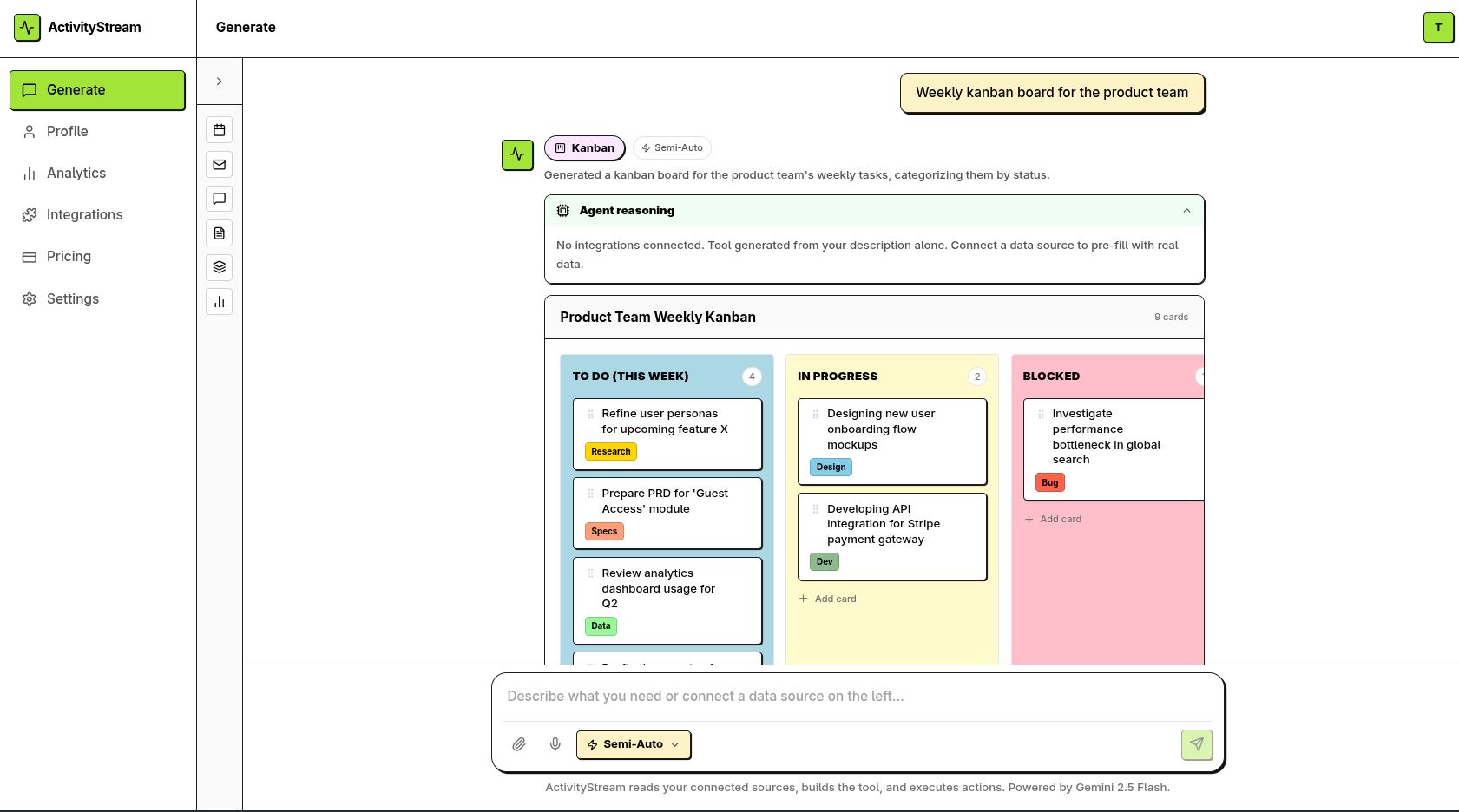
For each interface, I iterated with MeDo on interactivity: "The Kanban board needs drag-to-reorder between columns." "The spreadsheet needs formula calculation on cell blur." "The calendar needs click-to-create-event with inline editing."
Phase 3: The Auto-Execute Engine
I built the Auto-Execute toggle with three modes:
Manual Mode: ActivityStream generates the interface and suggests actions, but waits for user click on every action.
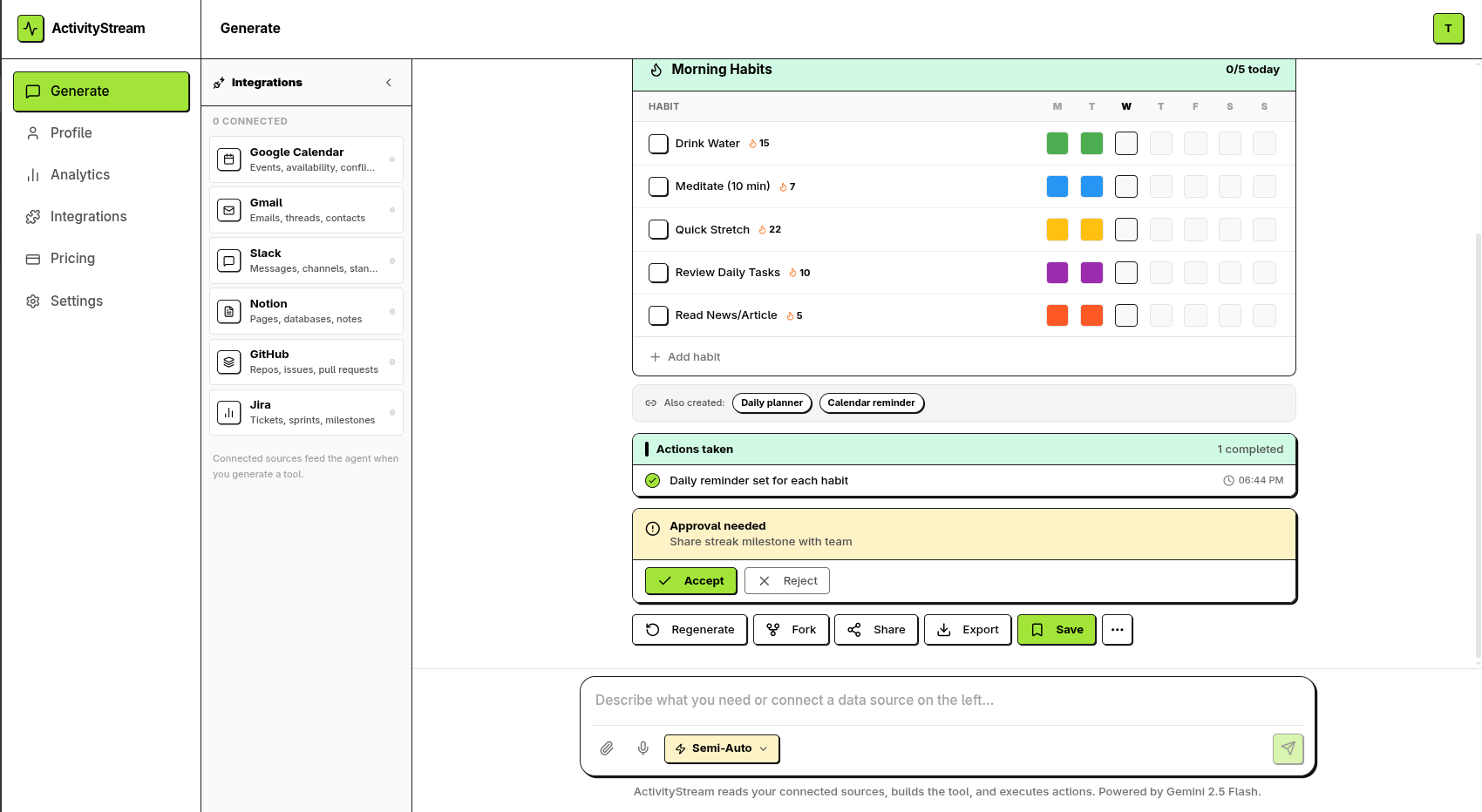
Semi-Auto Mode: Routine actions execute automatically (create tasks, draft emails, schedule meetings). High-stakes actions display Pending Approval Cards (send emails, budget changes, design approvals).
Full Auto Mode: Everything executes immediately. All actions are logged. Alerts fire for review. Undo is available within 1 hour.
The breakthrough was the Action Planner skill. I described the logic to MeDo: "Analyze user intent, determine interface type, identify required data sources, plan actions, classify each action as auto/semi/manual based on stakes, pre-fill interface with real data, execute according to Auto-Execute level." MeDo built the entire pipeline.
Phase 4: Real Data Integration
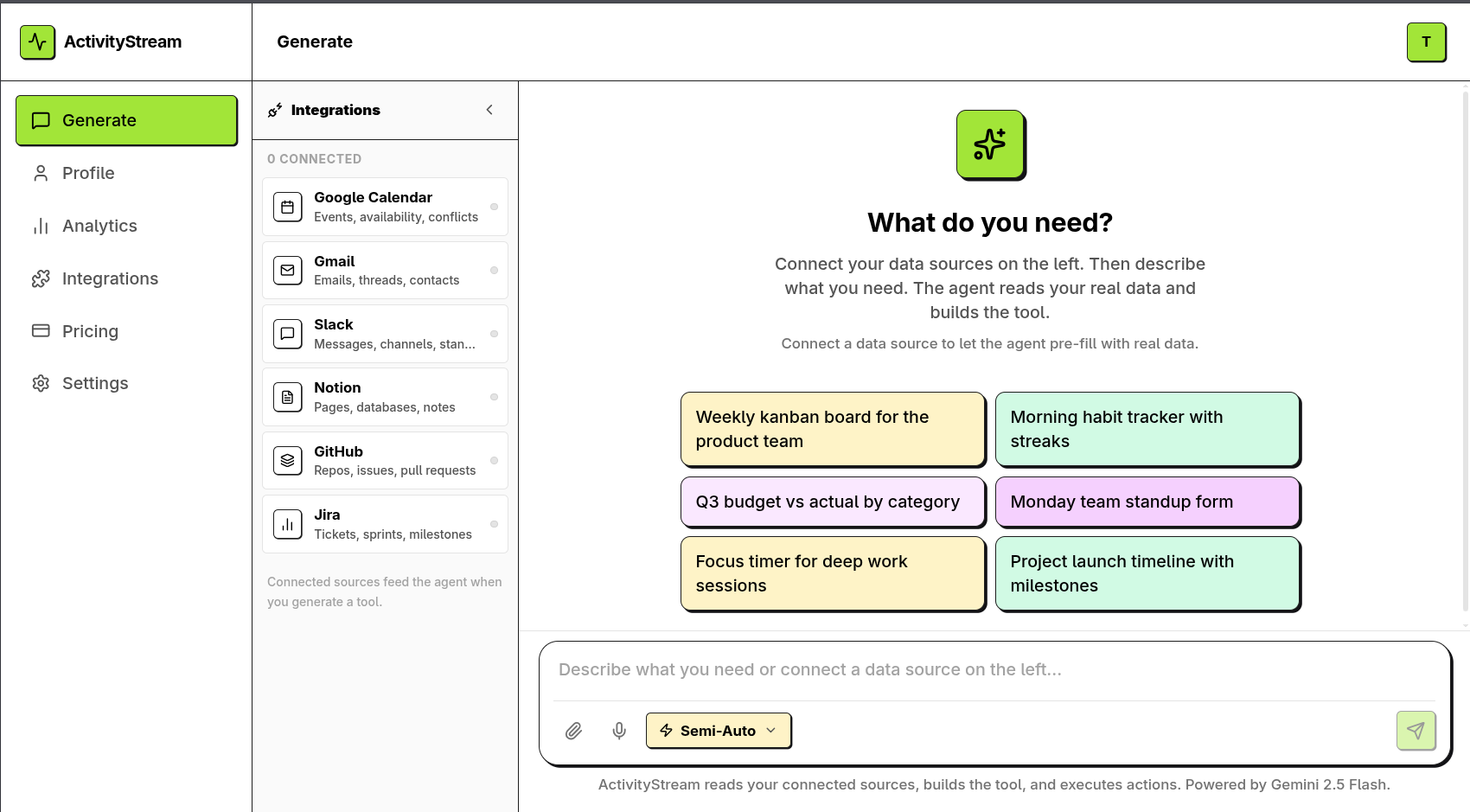
I integrated real data sources so interfaces are pre-filled, not empty. Google Calendar events populate the Calendar interface. Gmail threads populate the Inbox. Notion pages populate the Workspace. GitHub issues populate the Dashboard. Jira tickets populate the Tracker. Slack messages populate the Chat.
I used Web Search and AI Search to populate interfaces with external data when no connected source exists. The Scout Agent finds relevant information and pre-fills fields before the user sees the interface.
Phase 5: Collaboration and Polish
I added real-time collaborative editing via Supabase Realtime. Multiple users see live presence avatars, cursor positions, and inline comments. I added offline caching of the last 10 interfaces. I added export as PNG and PDF. I added voice input via Text-to-Speech. I added language switching via Google Text Translation. I added the automation rules engine where users define triggers in natural language.
The Most Impressive Feature MeDo Helped Me Create
The Generative UI Engine is the feature that makes jaws drop.
A user types "plan my week" into a single chatbox. Within 3 seconds, ActivityStream:
- Analyzes intent using Large Language Model skill: "This is a calendar + task management request"
- Reads connected Google Calendar data: "15 events this week, 3 conflicts on Wednesday"
- Generates a Calendar-style interface pre-filled with all 15 events
- Generates a Task Manager panel alongside showing 8 suggested tasks based on email content
- Highlights the 3 conflicts in red with "Resolve" buttons
- Suggests: "I found 2 hours of focus time Thursday morning. Block it?"
- All interfaces are fully interactive: drag events to reschedule, click tasks to check off, edit any text inline, add new events with one click
- Every edit persists to Supabase in real-time
- If Auto-Execute is Semi-Auto, the system already created 4 tasks and drafted 2 emails, waiting for approval on the 3 high-stakes actions
The user goes from "plan my week" to "fully organized week with resolved conflicts, created tasks, and drafted emails" in under 30 seconds. No app switching. No manual data entry. No setup.
The second most impressive feature is the Auto-Connection Engine. When the user creates a "Q3 Roadmap" in the Notion-style interface and mentions "deadline Friday," ActivityStream automatically:
- Creates a Calendar-style event for Friday
- Creates a Task Manager entry with Friday deadline
- Drafts a Gmail-style announcement email
- Links all four interfaces in the Connections tab
- Notifies the team via Slack-style message
The user never manually linked anything. The system understood the semantic relationships and created the connections.
The third most impressive feature is the Profile System. Every generated interface, every executed action, every automation, every connection is saved to the user's personal profile. The user can edit any interface, regenerate it with modified intent, fork it for a different audience, share it via link, archive it, or replay all actions with new data. The profile becomes a living history of the user's work, searchable and reusable forever.
How I Used Plugins or API Integrations to Extend Functionality
ActivityStream integrates 11 official MeDo skills and 4 custom skills I built via Skill Creator.
Official Skills Used
| Skill | How I Used It |
|---|---|
| Large Language Model | Powers the Intent Analyzer that determines interface type from natural language. Drives the Interface Generator that produces component structures. Runs the Action Planner that classifies actions as auto/semi/manual. Enables natural language automation rules. |
| Text-to-Speech | Captures voice input in the chatbox for hands-free interface generation. Reads interface content aloud for accessibility. Transcribes meeting recordings in the Recorder interface. |
| Web Search | Populates interfaces with external data when no connected source exists. Finds competitor pricing for Spreadsheet analysis. Discovers locations for Maps exploration. |
| AI Search | Deep pattern analysis for personalization. Suggests interface types based on user history. Generates smart reply suggestions in Gmail-style interface. |
| Login | Handles authentication with email/password and OAuth. Manages role-based access: Free, Pro, Team, Admin. Stores user preferences and language settings. |
| OCR | Extracts text from uploaded documents and images to inform interface generation. Scans whiteboard photos into Notion-style pages. Reads receipts into Spreadsheet-style expense reports. |
| Google Text Translation | Translates the entire UI and all generated interfaces into 6 languages: English, Spanish, French, German, Japanese, Chinese. Enables multilingual teams to collaborate in their native language. |
| File Storage | Stores generated interface states, uploaded documents, meeting recordings, exported PNG/PDF files, and user avatars. |
| Kling Image Generation | Creates visuals, diagrams, and covers within interfaces. Generates presentation slides from text. Produces design mockups for Figma-style review. |
| Kling Video Generation | Converts long reports into 60-second video summaries for TikTok-style feed. Generates meeting recap videos from transcripts. |
| Skill Creator | The foundation for building the 4 custom skills that power ActivityStream's unique functionality. |
Custom Skills I Built via Skill Creator
IntentActionPlanner
Analyzes user intent, current context, connected data sources, and Auto-Execute level to determine the optimal interface type, required components, planned actions, and pre-fill data. Input: user intent string, current interface context, recent actions, connected tools, user preferences, auto-execute level. Output: interface type, component list, action queue with approval requirements, pre-filled data payload.
InterfaceStateManager
Manages the complete lifecycle of generated interfaces: creation, real-time editing, versioning, forking, archiving, and replay. Handles Supabase real-time sync for collaborative editing. Manages offline caching via IndexedDB. Tracks edit history with undo/redo. Input: user ID, interface ID, action type, state changes. Output: updated interface state, new version ID, sync status, auto-connections created.
AutoConnectionEngine
Scans generated interfaces for shared entities (dates, names, projects, locations) and automatically creates links between related tools. Determines connection type: references, triggers, updates, creates. Confidence scoring for each detected link. Input: source interface, user activity, executed actions. Output: detected connections with confidence scores, auto-linked status.
ActionExecutor
Executes planned actions according to Auto-Execute level. Handles routine actions automatically, queues high-stakes actions for approval, logs all executions, sends notifications, and manages undo within 1-hour window. Input: action queue, user approvals, execution context. Output: executed actions, pending approvals, failed actions, notifications sent.
External API Integrations
- Supabase: Primary backend with 11 tables (users, interfaces, action_log, automation_rules, interface_connections, edit_history, templates, comments, integrations, subscriptions, platform_stats). Row Level Security enforced. Real-time sync via Supabase Realtime for collaborative editing.
- Google APIs: OAuth integration for Calendar, Gmail, and Drive data access. Reads events, emails, and documents to pre-fill interfaces.
- Notion API: OAuth integration for workspace pages and databases. Pulls structured content into Notion-style interface.
- GitHub API: OAuth integration for repositories, issues, and pull requests. Populates GitHub Dashboard interface.
- Slack API: OAuth integration for channels and messages. Populates Slack-style Chat interface.
- Jira API: OAuth integration for tickets and sprints. Populates Jira Tracker interface.
- Stripe: Payment processing for Pro ($12/month) and Team ($39/month) subscriptions. Subscription status stored in users table.
- IndexedDB: Browser-side offline caching for last 10 viewed interfaces. Action queuing when network is unavailable. Auto-sync on reconnection.
Why ActivityStream
ActivityStream is not a chatbot. It is not a template library. It is not a dashboard builder. It is a generative workspace where the interface adapts to the work instead of the work adapting to the interface.
The average knowledge worker switches apps 15 times per hour. Each switch costs 23 minutes of refocusing time. ActivityStream eliminates switching by generating the exact interface needed, pre-filled with real data, ready for immediate action.


Log in or sign up for Devpost to join the conversation.