Inspiration
Our inspiration for ActiveBreaks came from observing the challenges of maintaining healthy work habits in modern work environments, especially with the rise of remote work. Prolonged screen time leads to physical and mental fatigue, and many people, including ourselves, struggle to maintain a balanced routine. We aimed to create a tool that encourages breaks while ensuring users can still track and maintain their focus. Inspired by the Pomodoro Technique and the 20-20-20 rule, we wanted to build a practical solution that seamlessly integrates software and hardware to improve well-being and productivity.
What it does
ActiveBreaks tracks keyboard and mouse activity to monitor continuous computer usage. After a configurable focus period (e.g., 20 minutes), it reminds users to take a break through:
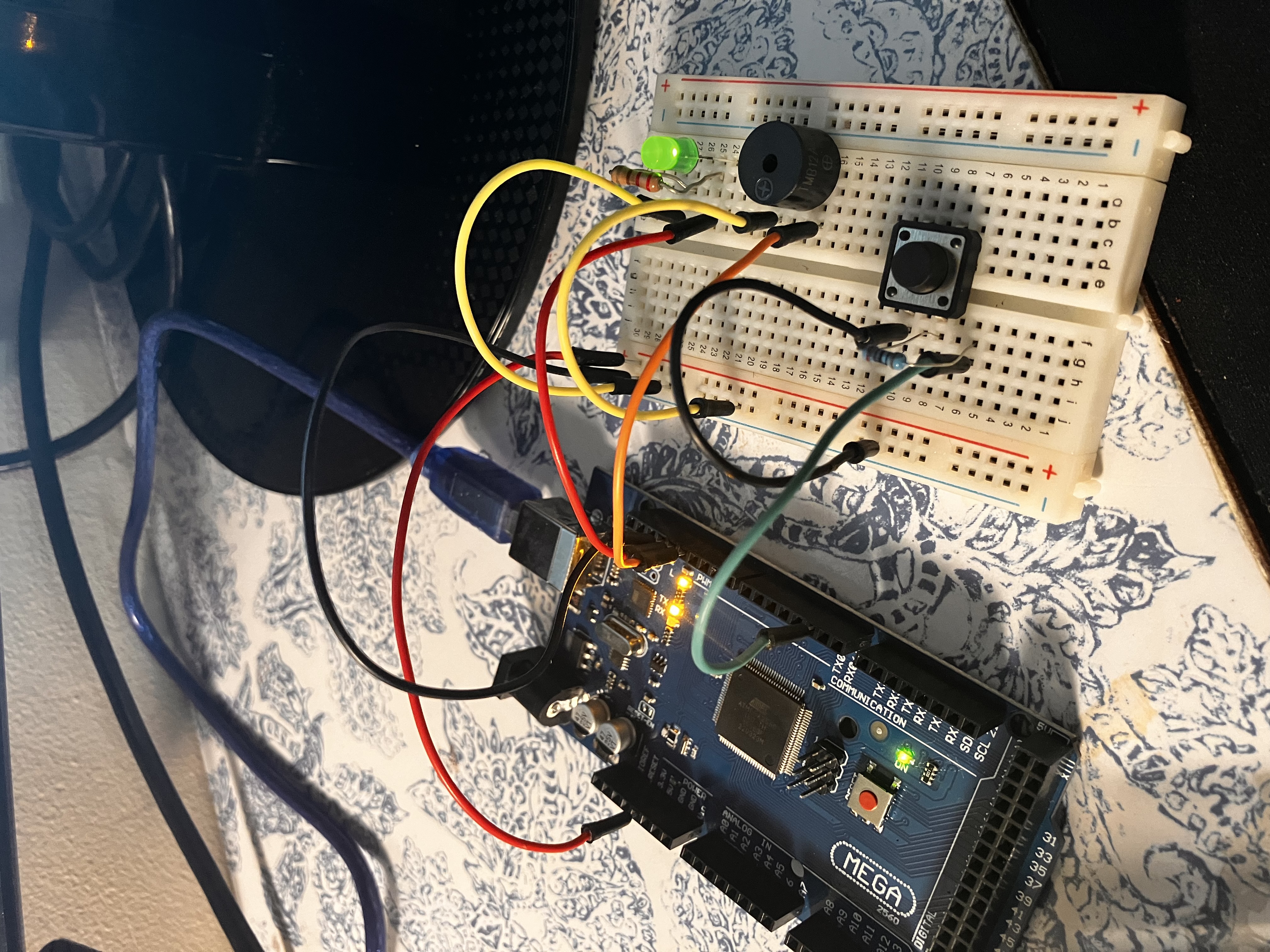
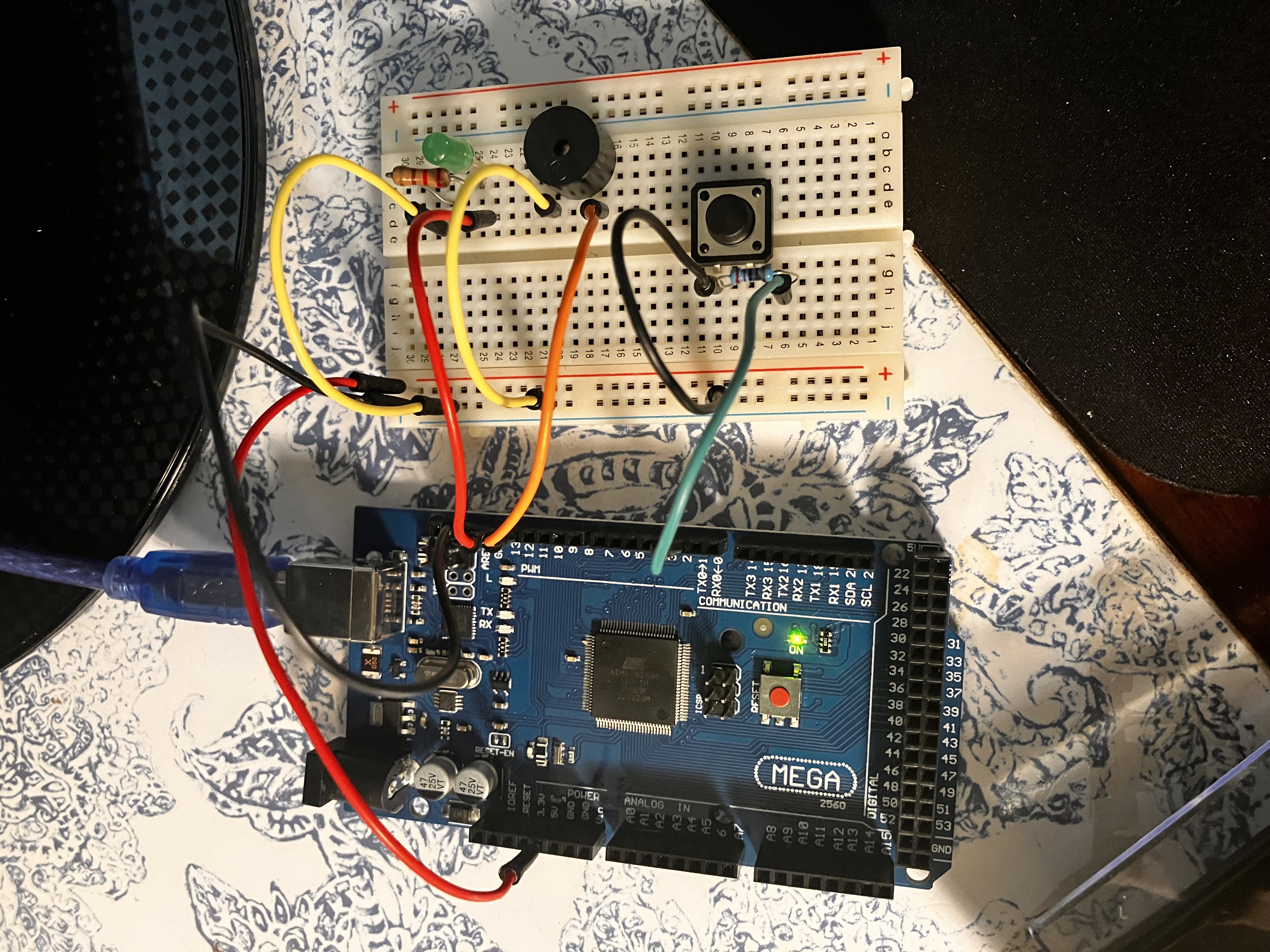
Software alerts: Pop-up reminders or notifications. Hardware alerts: Buzzers or LEDs connected via a microcontroller. The system provides an optional snooze feature to delay reminders if the user is in the middle of an important task. ActiveBreaks encourages regular movement, reducing the risk of burnout and fatigue.
How we built it
Software: Developed a Python script using the pynput library to track keyboard and mouse activity. Set up logic to trigger alerts after 20 minutes of continuous activity. Added a snooze option to delay reminders by 1 minute.
Hardware: Used the Arduino Mega 2560 to control an LED and buzzer for physical alerts. Connected a push button to allow users to snooze reminders. Established serial communication between the computer and the Arduino via USB to coordinate the alerts.
Challenges we ran into
- Serial Communication: Synchronizing the Python script with the Arduino through serial communication required careful tuning of the baud rate and proper port configuration.
- Intrusive Alerts: Designing alerts that were helpful but not disruptive was tricky. We implemented a snooze feature to balance reminders and uninterrupted focus time.
- Tracking Meaningful Breaks: Detecting true rest versus non-productive screen time (like social media) was a challenge. We considered additional presence sensors but limited them due to time constraints.
- Hardware Troubleshooting: Wiring and testing the Arduino Mega took time, as issues like loose connections occasionally caused malfunctions.
Accomplishments that we're proud of
- Successfully integrated software and hardware to provide both digital and physical reminders.
- Built a tool that promotes healthier work habits, which aligns with modern productivity strategies.
- Overcame communication issues between the Python script and Arduino, gaining valuable experience in hardware-software integration.
- Developed a snooze feature that gives users control over reminders, ensuring the tool is practical and user-friendly.
What we learned
- We gained deeper knowledge of hardware-software communication, specifically using Arduino with Python.
- We learned the importance of user experience design, particularly in balancing helpful reminders with non-intrusive alerts.
- The project gave us insights into habit formation and how small changes, like regular breaks, can improve well-being and productivity.
- We improved our skills in troubleshooting hardware and working with microcontrollers.
What's next for Active Breaks
- Cloud Integration: Using an ESP32 microcontroller to upload break statistics to a web dashboard for better insights.
- Mobile App: Building a mobile app to sync with the desktop tool and send reminders across devices.
- AI Enhancements: Leveraging machine learning to track not just activity but also productivity patterns to optimize break schedules.
- Advanced Sensors: Incorporating proximity sensors to detect when the user leaves their workspace for a meaningful break.
- Customization Features: Adding more personalization options, such as different alert types (audio, visual) and break schedules based on individual needs.

Log in or sign up for Devpost to join the conversation.