-
-
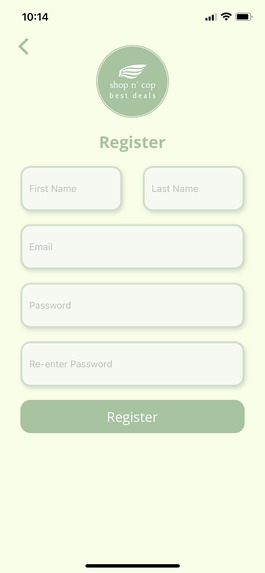
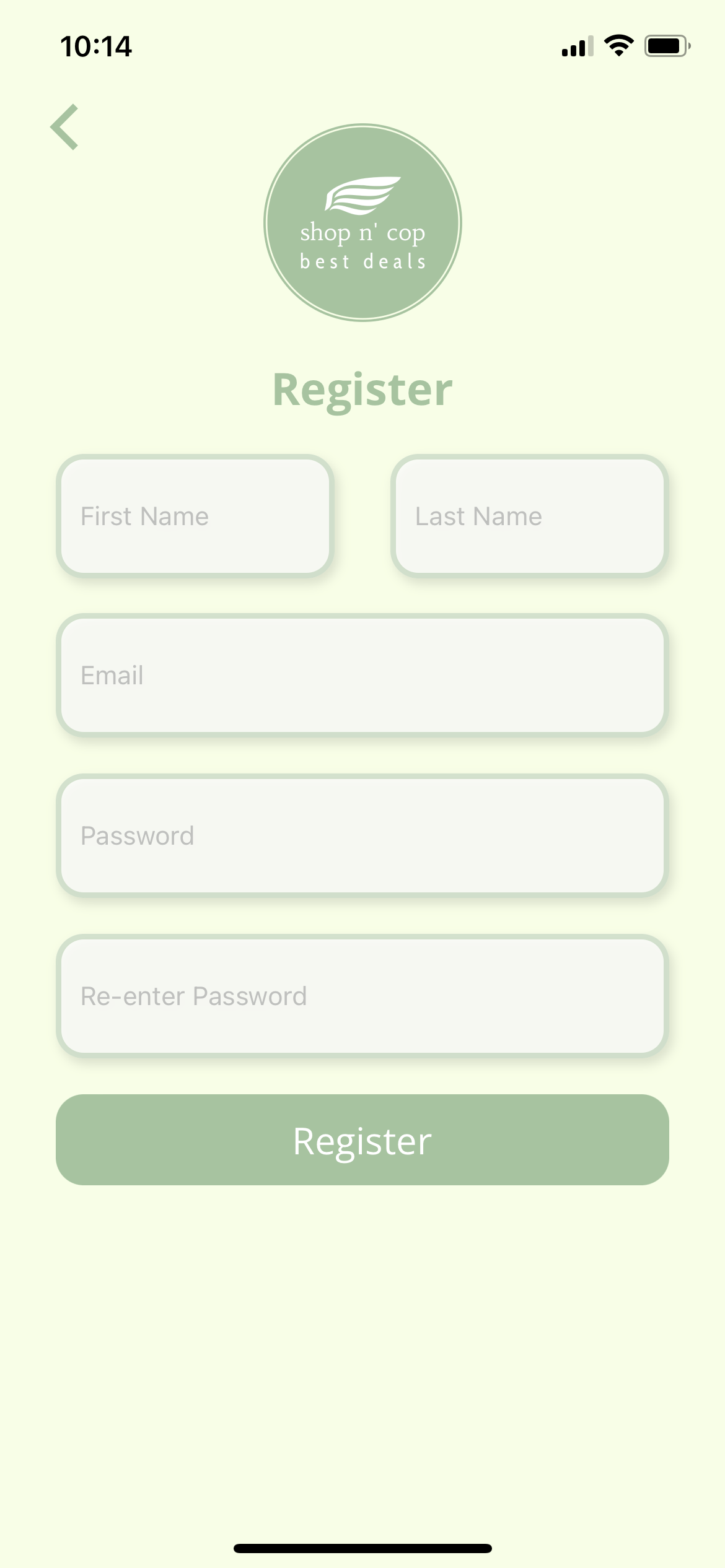
Register screen
-
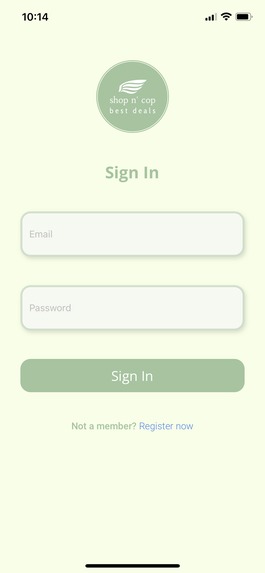
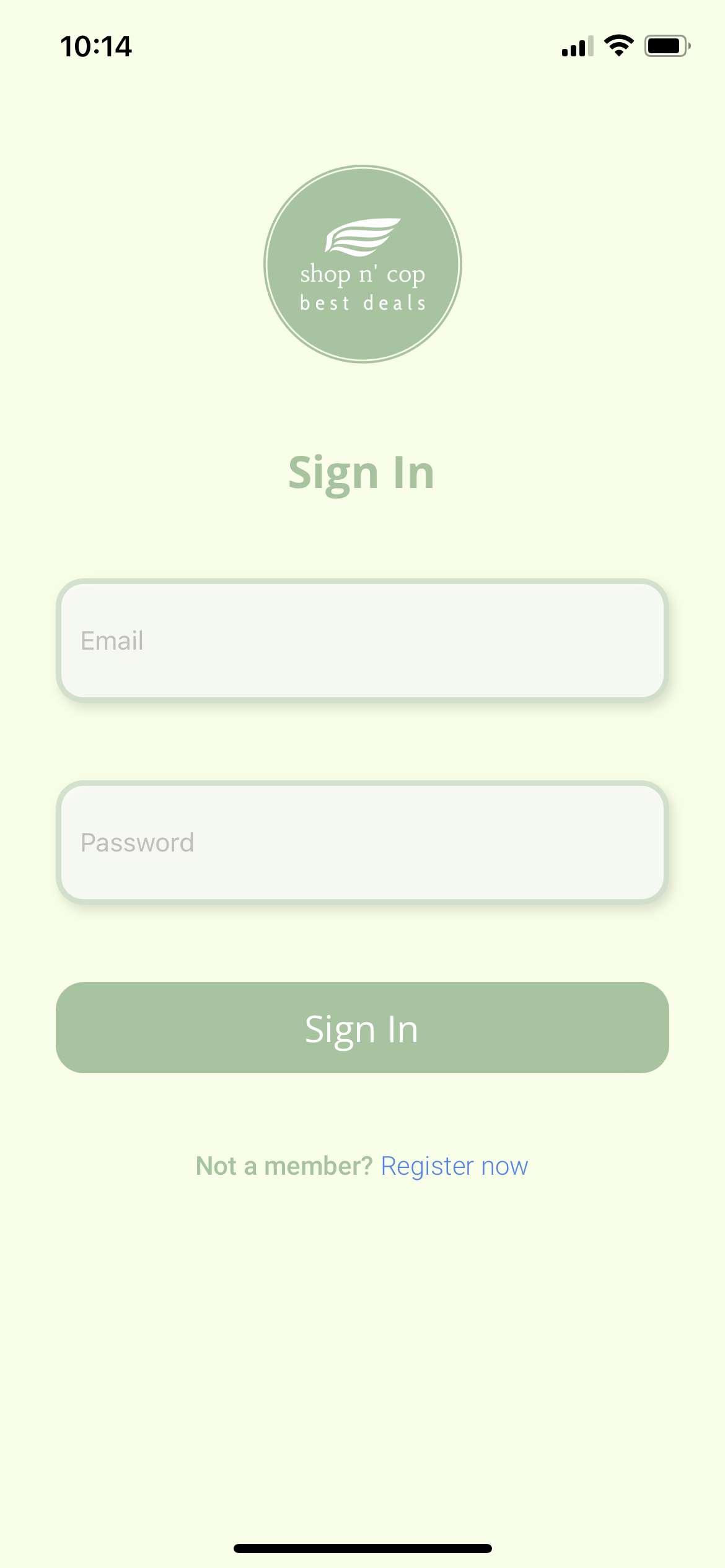
Sign-in screen
-
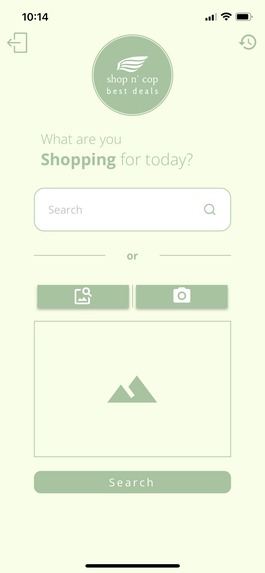
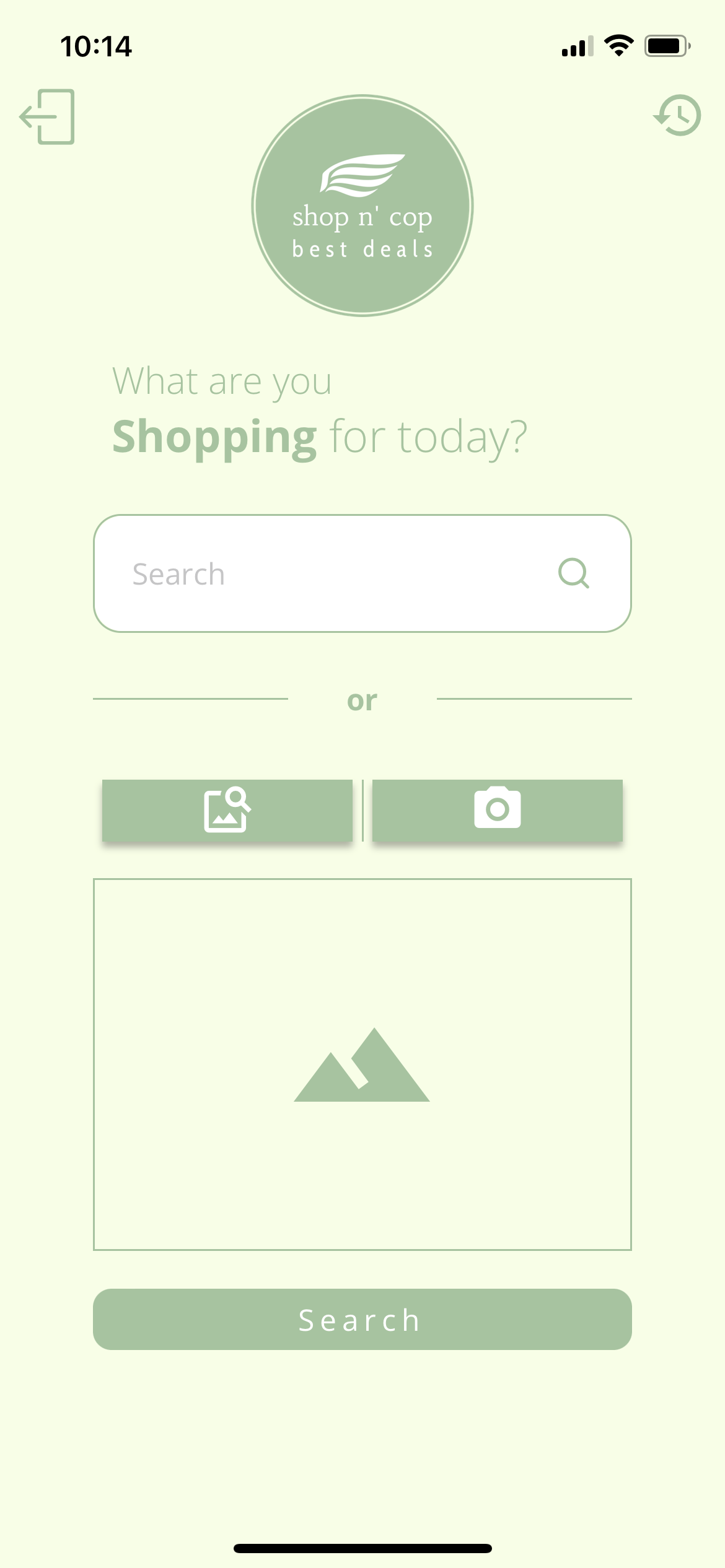
Search screen
-
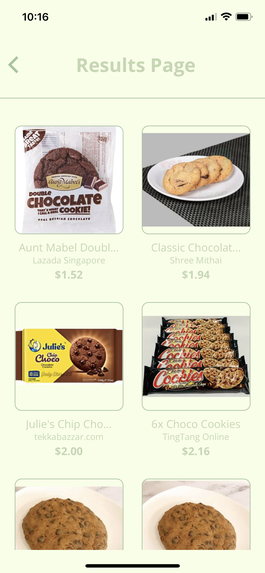
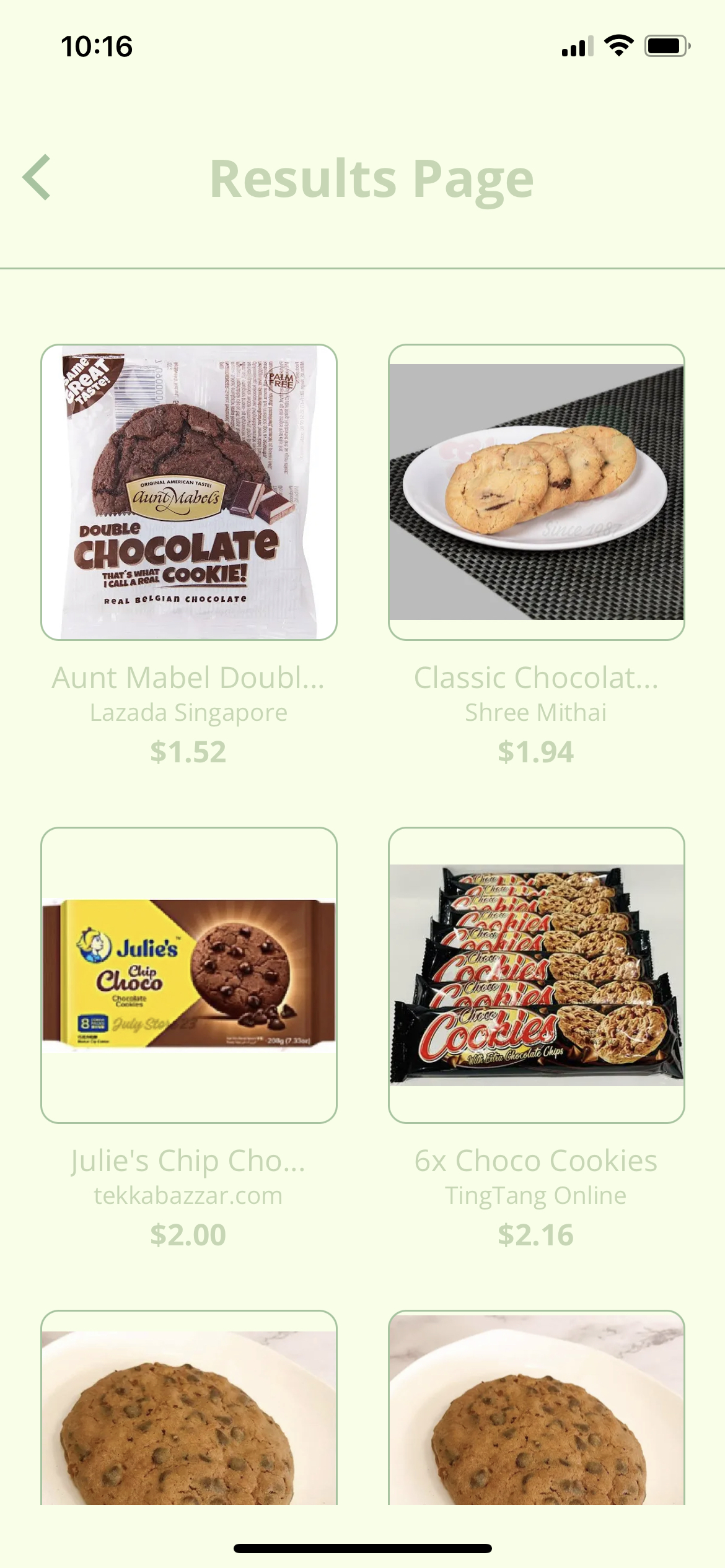
Search results screen
-
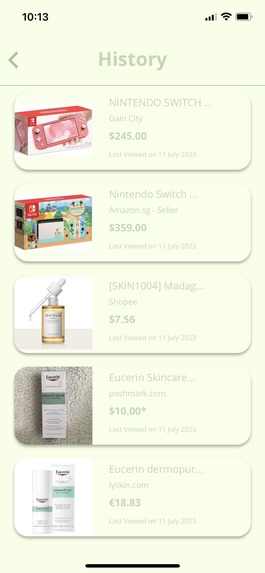
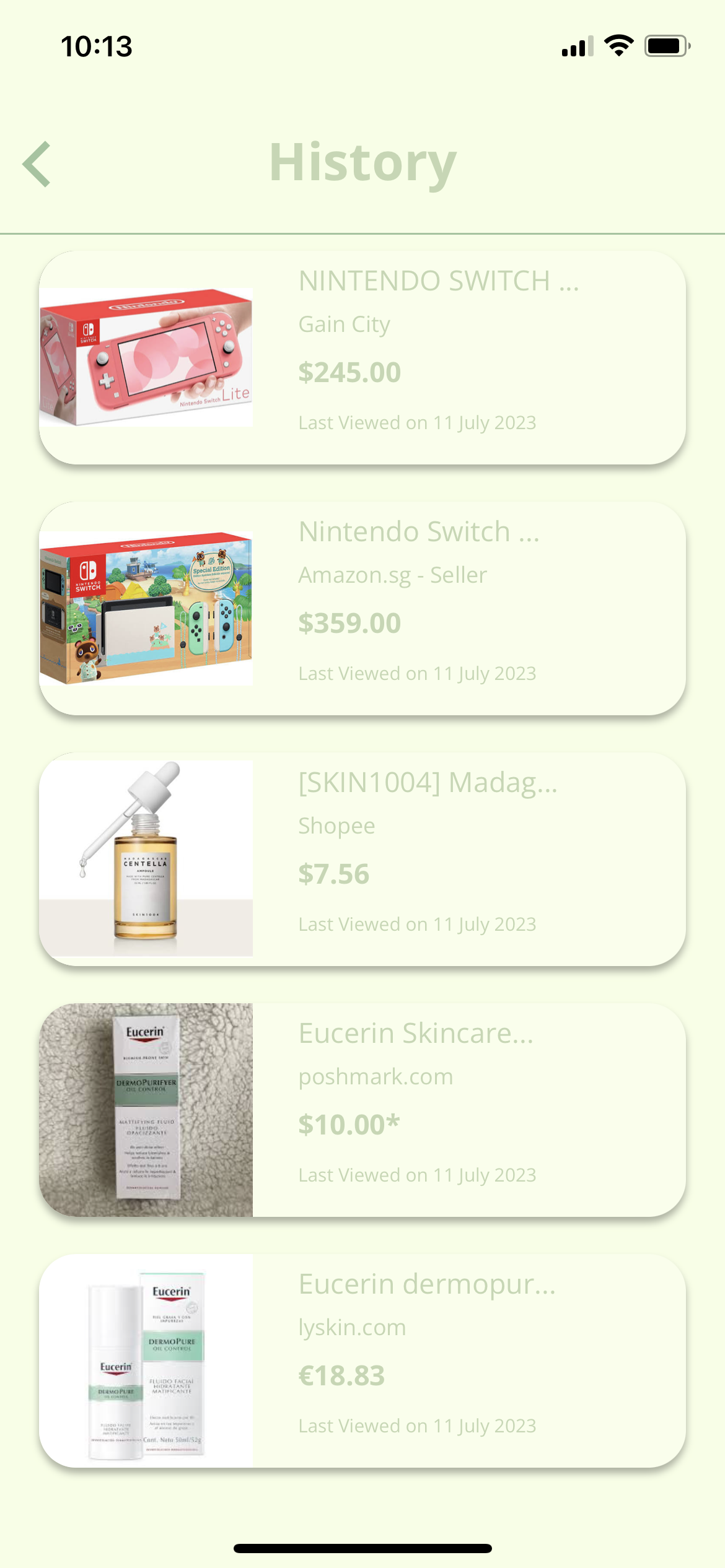
Last-clicked links screen
-
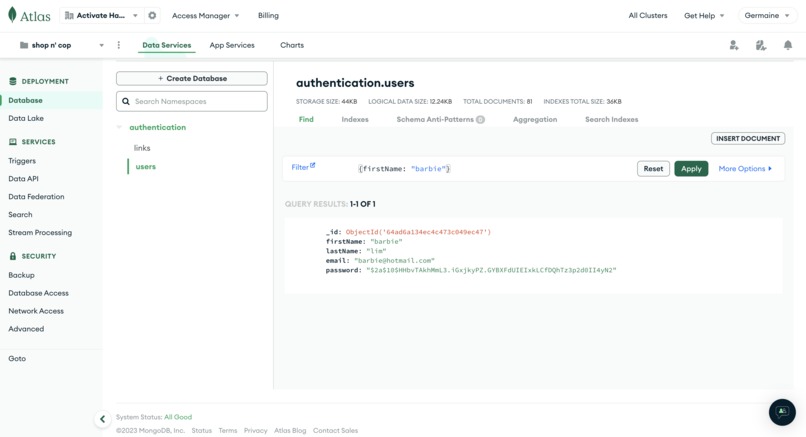
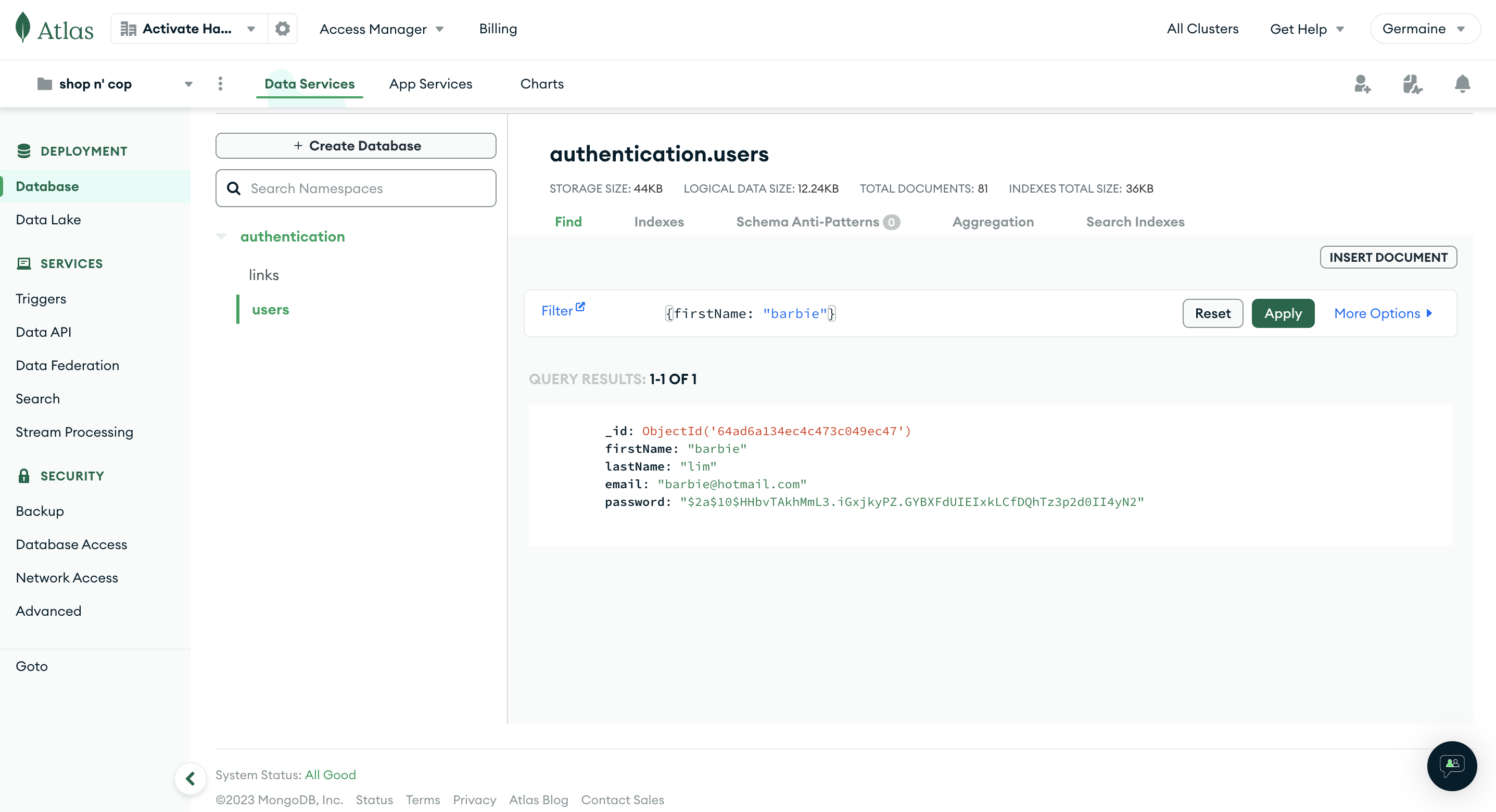
Last-clicked links and user authentication stored in MongoDB Atlas
-
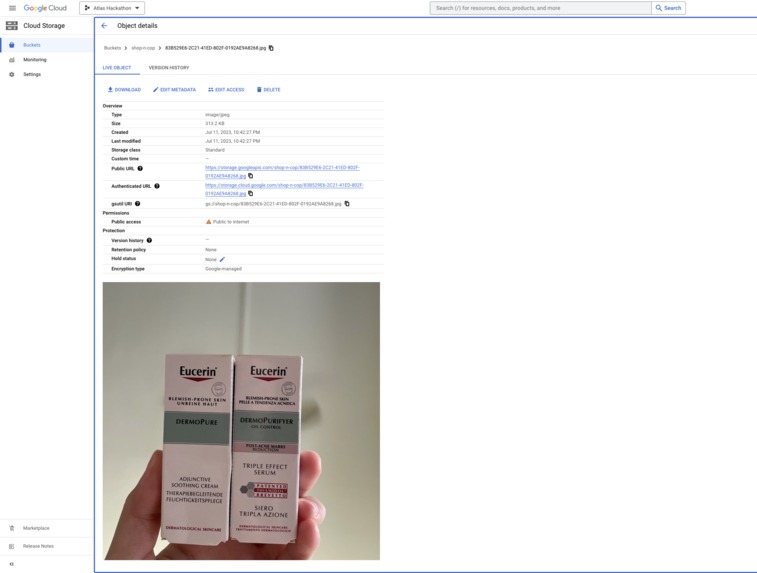
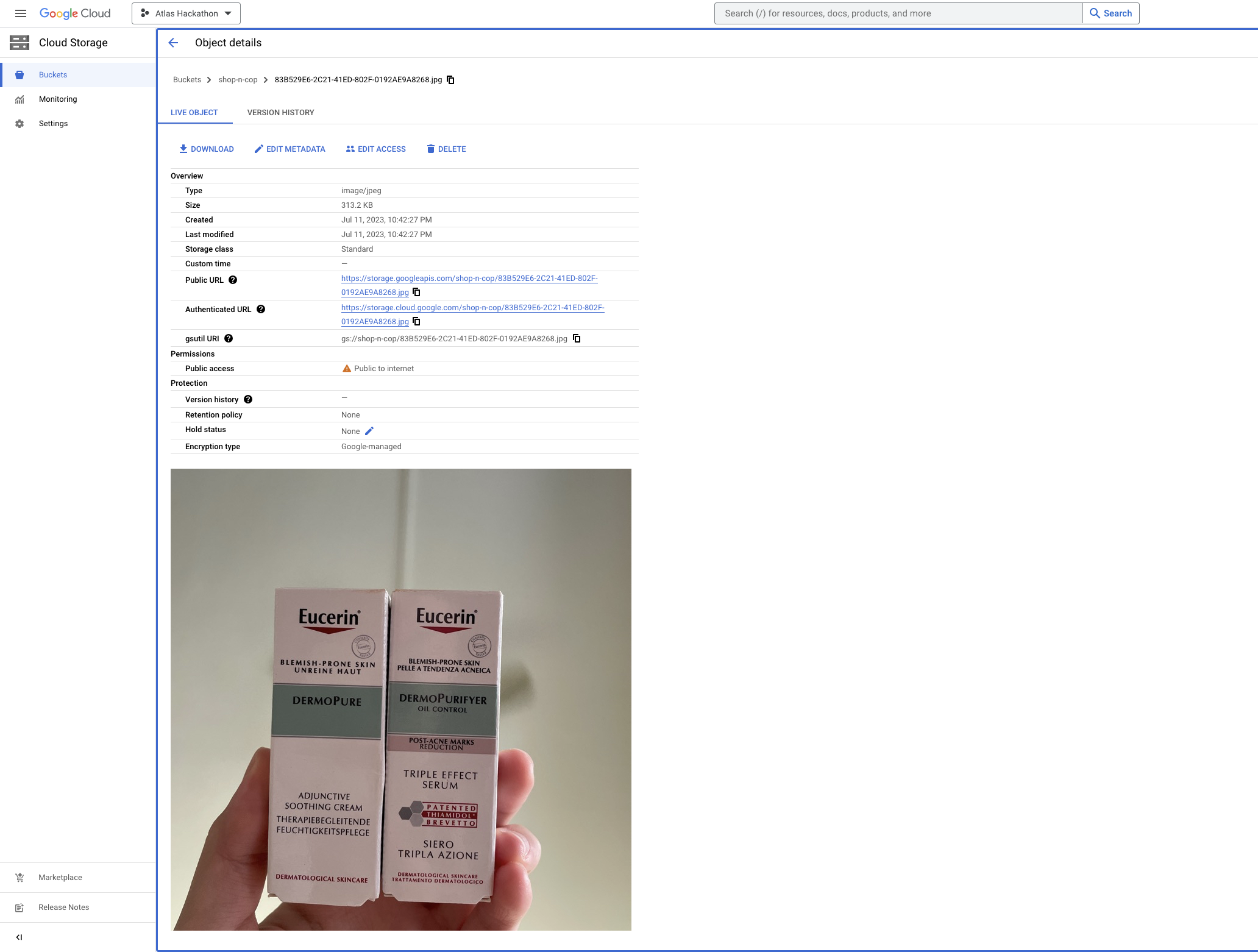
Images uploaded to Google Cloud Storage
Shop N Cop
Introduction:
Have you ever wanted to buy a pair of shoes, and then surf through multiple shopping sites to find a good one at an affordable price? Look no further, because ShopNCop is here to save your day! ShopNCop aims to enhance shopping experiences. Integrated with real time product data, users can easily search for products, view detailed information, and compare prices across different online retailers simply by uploading an image or typing in keywords!
Inspiration:
ShopNCop was born from the desire have a fuss-free way to seeing the best available option, that can help one to get the best deal for the cheapest price. Traditional text based searches, on search engines such as Google, can be time consuming and often provide limited information about the desired product.
Hence, leveraging on Google Lens, the integration with SerpAPI can further enhance the search process. SerpAPI provides a unified interface to access real-time product data from various e-commerce platforms, allowing users to conveniently compare prices and make informed purchasing decision.
What it does
Image Recognition: The core feature of the application is the image recognition capability powered by Google Lens. Users can simply take a photo of a product using their mobile device's camera or upload an existing image to initiate the search process. Then, users will then be able to view all similar products across various online retailers, as well as their prices.
Real-time Product Data: Through the integration with SerpApi, the application fetches up-to-date product information, including product title, description, images, pricing, availability, and more. This data is displayed in an intuitive and user-friendly card view, making it easy for users to browse and evaluate their options.
Price Comparison: The application allows users to compare prices across multiple online retailers at a glance! This empowers them to find the best deal for a particular product. The price comparison feature saves time and effort by eliminating the need to manually visit individual websites to check prices.
Detailed Product View: Upon selecting a specific product from the search results, users will then be redirected to the link of the product. Then, they can have a detailed view of the product that provides comprehensive information that can include specifications, customer reviews, related products, and additional images. Such a feature allows the users to be able to get an in-depth understanding of only the products they are interested in, without being overwhelmed with too much information at a glance.
Last-clicked links: Upon clicking the link on the product, links clicked by the user will be saved as history. This feature enables users to easily track their recent products that were searched and to organize their shopping preferences efficiently.
How we built it
Frontend: React Native
The frontend of our application was developed using React Native. React Native allowed us to write a single codebase that could be deployed on both iOS and Android platforms, saving development time and effort. We utilized React Native's component-based architecture to create a responsive and intuitive user interface that is both user friendly and aesthetically pleasing.
Backend: Express Node.js
For the backend, we leveraged Express.js, a fast and lightweight web application framework for Node.js. Express provided a robust foundation for building the server-side logic and RESTful APIs. It allowed us to handle HTTP requests and manage routes effectively. Express, with its simplicity and extensive ecosystem, enabled efficient development and easy integration with other components of the application.
Database: MongoDB Atlas
To store and manage user data, including authentication details, we utilized MongoDB, a popular NoSQL database. MongoDB's flexible document-based structure allowed us to store user profiles, hashed passwords, and other relevant information. The scalability and performance of MongoDB made it an ideal choice for handling user data in our application. The network whitelisting in MongoDB also provided an added layer of security for the safeguarding of sensitive data, such as user passwords.
User Authentication: JSON Web Tokens (JWT)
For user authentication, we implemented a JWT (JSON Web Tokens) based authentication system. When users successfully login or register, the backend generates a JWT containing a unique token. This token is then sent to the frontend and stored securely. On subsequent requests, the frontend includes the JWT in the request headers, allowing the backend to verify the token's authenticity and identify the user.
Authentication Middleware: Express Async Handler
To handle authentication in a secure and efficient manner, we utilized the Express Async Handler. This middleware intercepts incoming requests and verifies the provided JWT. It ensures that only authenticated users can access protected routes. By leveraging this middleware, we were able to implement a seamless and secure authentication flow.
Deployment:
The backend API for our application has been successfully deployed using Google Kubernetes Engine (GKE). GKE is a powerful container orchestration platform provided by Google Cloud, which allows us to manage and scale our application's containers efficiently. By utilizing GKE, we can take advantage of features like automated scaling, load balancing, and easy deployment management. To ensure the security of our backend infrastructure, we have opted to host the API on a private cluster within GKE. A private cluster restricts access to the cluster's nodes and control plane, allowing us to establish a more secure environment. This setup helps protect our API and data from unauthorized access. To maintain strict control over the outgoing IP address that connects to MongoDB Atlas, we have implemented Google Cloud NAT (Network Address Translation). Google Cloud NAT allows us to control and standardize the outgoing IP address that communicates with external resources such as MongoDB Atlas. By having a consistent and predefined IP address, we can easily manage the access control and whitelist this IP address in MongoDB Atlas. This ensures that only authorized connections from our backend API are allowed to access the database, strengthening the security measures.
Due to the monetary limitation we faced from using GKE, we decided to utilise a hosting platform called render.com, which allowed us to host our backend service in a few simple steps in a cost effective manner.
User Registration and Login:
We implemented user registration and login functionalities using secure hashing and encryption techniques. When users register, their passwords are securely hashed using Bcrypt before being sent to the backend to be stored in the MongoDB database. During login, the backend compares the hashed password with the provided credentials, ensuring secure authentication. Successful login results in the generation of a unique JWT, which is then used for subsequent authenticated requests.
Image Uploading:
In the Search Screen, users have the option to upload a photo from their gallery or take a photo with their camera. When they click the Search button, the images are securely stored in Google Cloud Storage. After uploading, the URL of the stored images in the cloud is returned to the frontend. This URL can then be used to call another API that utilizes SerpAPI Google Lens.
Challenges we ran into
Integration Complexity:
Integrating multiple technologies, such as React Native, Express, Google Cloud Storage, Google Lens API, SerpApi, and MongoDB Atlas, can be challenging. Coordinating the communication between these components, handling data flow, and ensuring compatibility can require careful planning and implementation.
Image Processing and Recognition:
Whilst working on the image processing and recognition feature, we came across some obstacles processing the image for image recognition as we had to configure a way which could obtain the images that user’s uploaded from their devices or captured using their devices. Another hassle we faced from configuring this function is the conversion of the image into a file which could be sent to the server side to be uploaded into Google Cloud. Initially we decided to utilise javascript File to convert the image into a file to be sent to the backend. However since the backend could not recognise the type of data we were sending, we decided to utilise Expo Image Picker to obtain the image and send it to the backend, which will then run a middleware function first to convert the image to a file using multer. Afterwards, the image will be uploaded to Google Cloud.
Authentication and Security:
As we were storing sensitive information in MongoDB Atlas, we had to ensure that this information was stored securely. Hence, we decided to encrypt the passwords in the frontend, before passing it anywhere else. Using Bcrypt, the encrypted passwords also cannot be decrypted, and can only be compared. Such a mechanism reduces the chances of sensitive information being leaked and exposed. Additionally, network access to our MongoDB is restricted to only selected IP addresses. This ensures only authorized connections are made to our database that contains sensitive information.
Accomplishments that we're proud of
One of the key accomplishments we're proud of is successfully integrating multiple technologies and APIs to create a seamless and powerful product search application. Bringing together React Native for the frontend, Express & Node.js for the backend, Google Cloud Storage for image storage, and integrating with the Google Lens API and SerpApi API was a significant achievement.
A notable feature which we take great pride in configuring is the implementation of an image recognition functionality utilising the Google Lens API. We were able to overcome the obstacles that came with image processing, by accurately extracting information from user-uploaded or captured images and integrating it into the search functionality successfully.
Furthermore, implementing user authentication with MongoDB and JWT-based authentication added an essential layer of security to the application. Safeguarding user data, implementing secure password hashing, and ensuring a smooth and secure login and registration process required careful attention to detail and rigorous testing.
The successful integration of these technologies, along with the ability to retrieve real-time product data from various e-commerce platforms through the SerpApi integration, provides our users with a comprehensive and efficient product search experience. We take pride in delivering a user-friendly interface, accurate product recognition, real-time data updates, and efficient price comparison features.
By achieving these accomplishments, we have created a robust and reliable product search application that simplifies the online shopping experience and empowers users to make well-informed purchasing decisions. We are excited about the positive impact our application can have on users' shopping journeys and look forward to further enhancing and refining our product in the future.
What we learned
Throughout the development process, we have gained valuable insights and learnings that have contributed to our growth as a team. Here are some key learnings from our journey:
Technology Integration:
We have gained expertise in integrating various technologies, such as React Native, Express Node.js, Google Cloud Storage, Google Lens API, SerpApi, and MongoDB. We have learned how to effectively bring these components together to create a cohesive and functional application.
Image Processing and Recognition:
Through implementing image recognition functionality using the Google Lens API, we have learned about the complexities and challenges involved in processing and extracting information from images. We have gained a deeper understanding of image recognition algorithms and techniques, and how they can be applied in real-world scenarios.
Authentication and Security:
Implementing user authentication with MongoDB and JWT-based authentication has taught us the importance of data security and privacy. We have learned about best practices for securely storing user credentials, implementing encryption and hashing techniques, and protecting against common security vulnerabilities. We now have a deeper understanding of the authentication process and its significance in ensuring a secure user experience.
API Integration and Data Retrieval:
Integrating with external APIs, such as the SerpApi API, has provided us with hands-on experience in working with third-party services. We have learned how to interact with APIs, send requests, handle responses, and extract relevant data. This knowledge is valuable for future projects that require integrating with external services.
Collaboration and Teamwork:
Building a complex application requires effective collaboration and teamwork. We have learned how to communicate effectively, divide tasks efficiently, and synchronize our efforts to meet project goals. We have experienced firsthand the importance of clear communication, proper project management, and a supportive team environment.
User-Centric Design:
Our focus on creating a user-friendly interface and seamless user experience has taught us the value of user-centric design. We have learned to empathize with users, understand their needs and pain points, and iterate on our designs based on user feedback. This user-centered approach has enhanced the usability and overall satisfaction of our application.
Problem Solving and Adaptability:
Developing a complex application inevitably comes with challenges and obstacles. Through overcoming these challenges, we have developed strong problem-solving skills and adaptability. We have learned to analyze issues, explore alternative solutions, and make informed decisions to keep the project moving forward.
These learnings have not only contributed to the success of our current project but have also equipped us with valuable skills and knowledge for future endeavors. We are proud of the growth and expertise we have gained throughout this journey and look forward to applying these learnings in future projects to create even more innovative and impactful solutions.
What's next for Activate Hackers
We plan to continue refining and improving the solution, we will analyze the strengths and weaknesses of the project and work to improve its functionality, usability and performance.
Once user’s traction picks up, our next step will be to scale it to support a higher number of users. This could include optimising the architecture, using load balancing, and making sure the solution can support more traffic and usage. We’ll also work on rolling out our solution to production environments, taking into account things like security, scalability, and reliability.
As part of our commitment to the tech community, we aim to share our learnings, insights, and experiences with others. We will actively participate in conferences, meetups, or workshops, where we can present our solution, share our journey, and engage in discussions with like-minded individuals. Additionally, we will contribute to open-source projects, write technical blog posts, or create tutorials to give back to the community and inspire others.
Built With
- docker
- express.js
- google-cloud
- google-lens
- jwt
- mongodb
- node.js
- react-native
- render
- serpapi
- typescript
- typescript-jsx


Log in or sign up for Devpost to join the conversation.