-
-
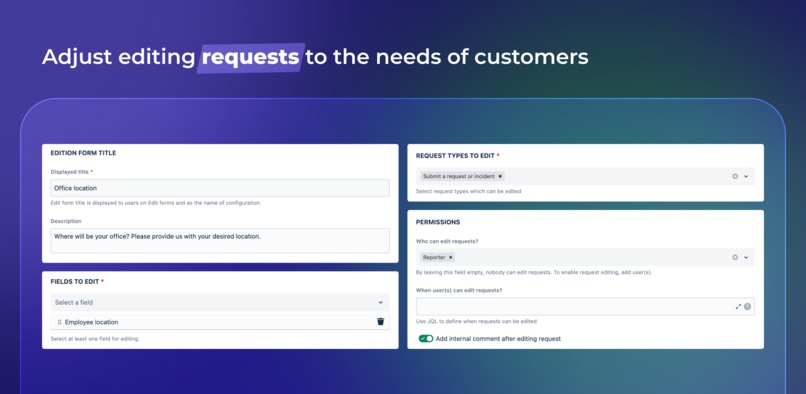
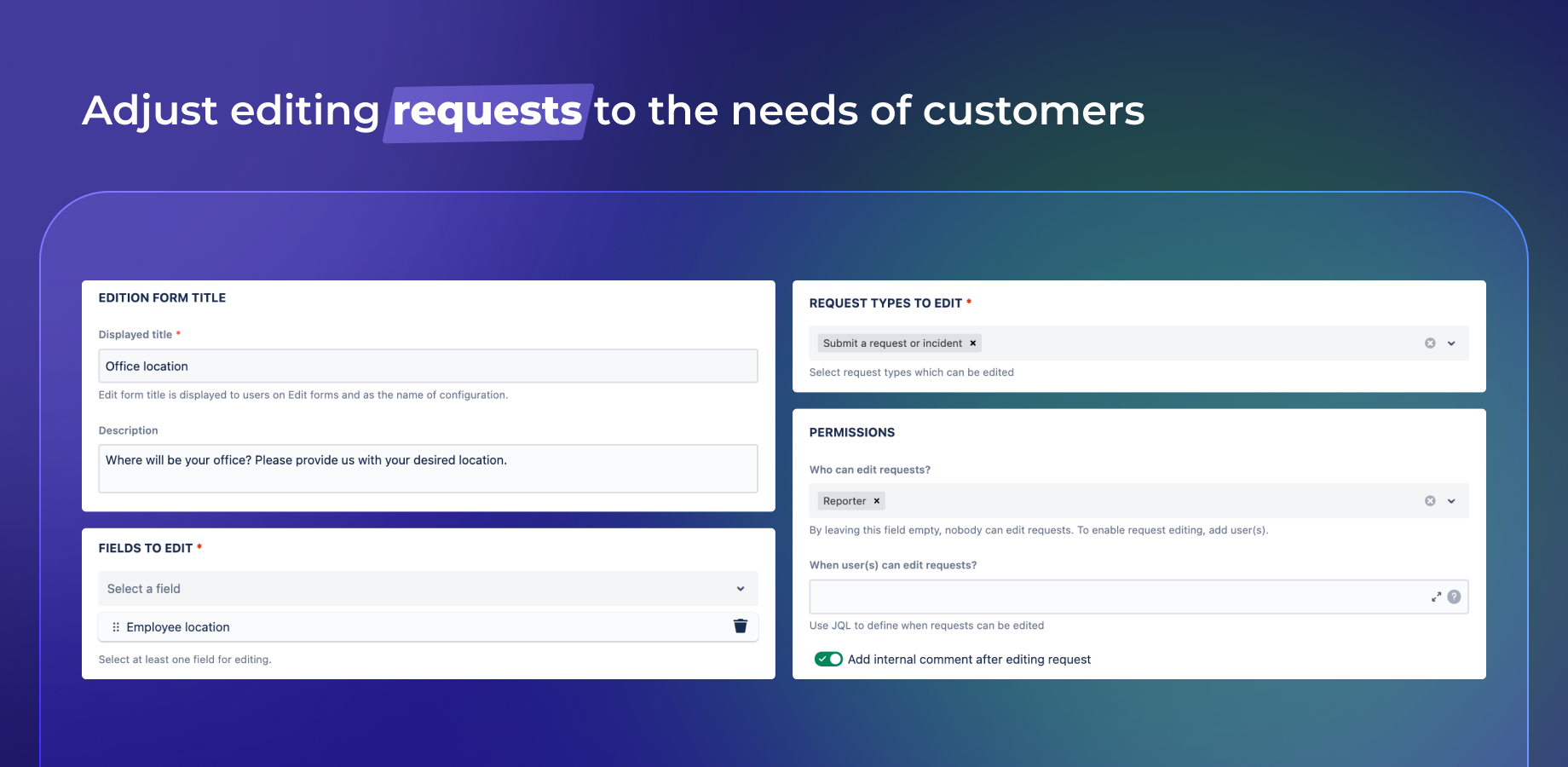
Design the customized configuration of Edit forms feature
-
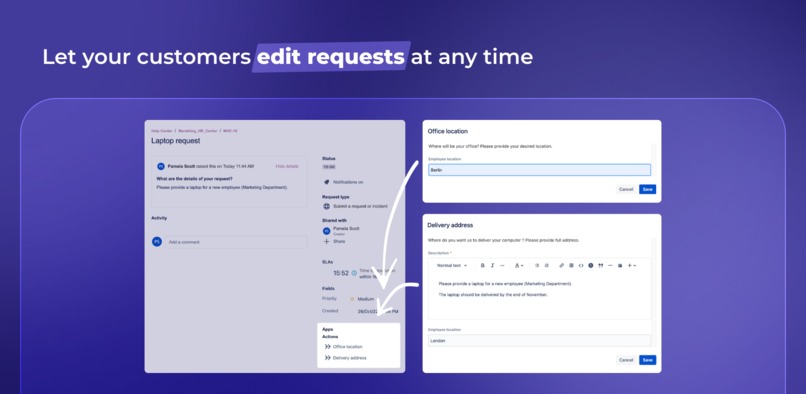
Upgrade your Customer Portal with requests editing options
-
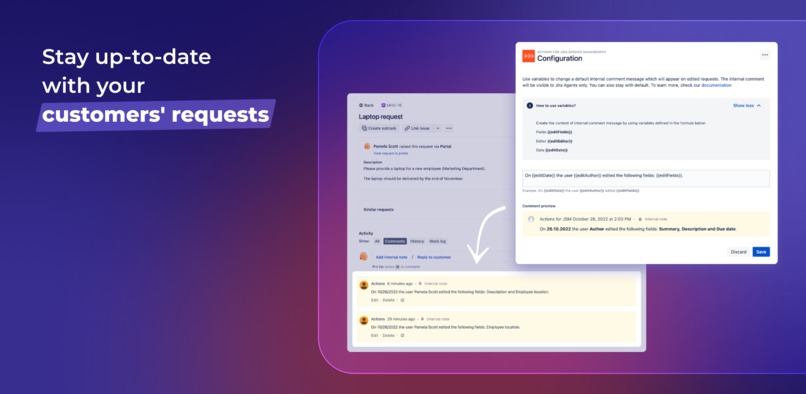
Keep track of requests updates
Inspiration
As experienced Jira users we’ve reached the conclusion that working on requests without updated information can be truly ineffective for service desk agents who need precise data to timely resolve issues, and deeply frustrating for customers who often bother with the request changes processes. In an ambition to facilitate workflows in Jira, we’ve decided to make every Customer Portal experience functional so that we provide users with more interActions!
What it does
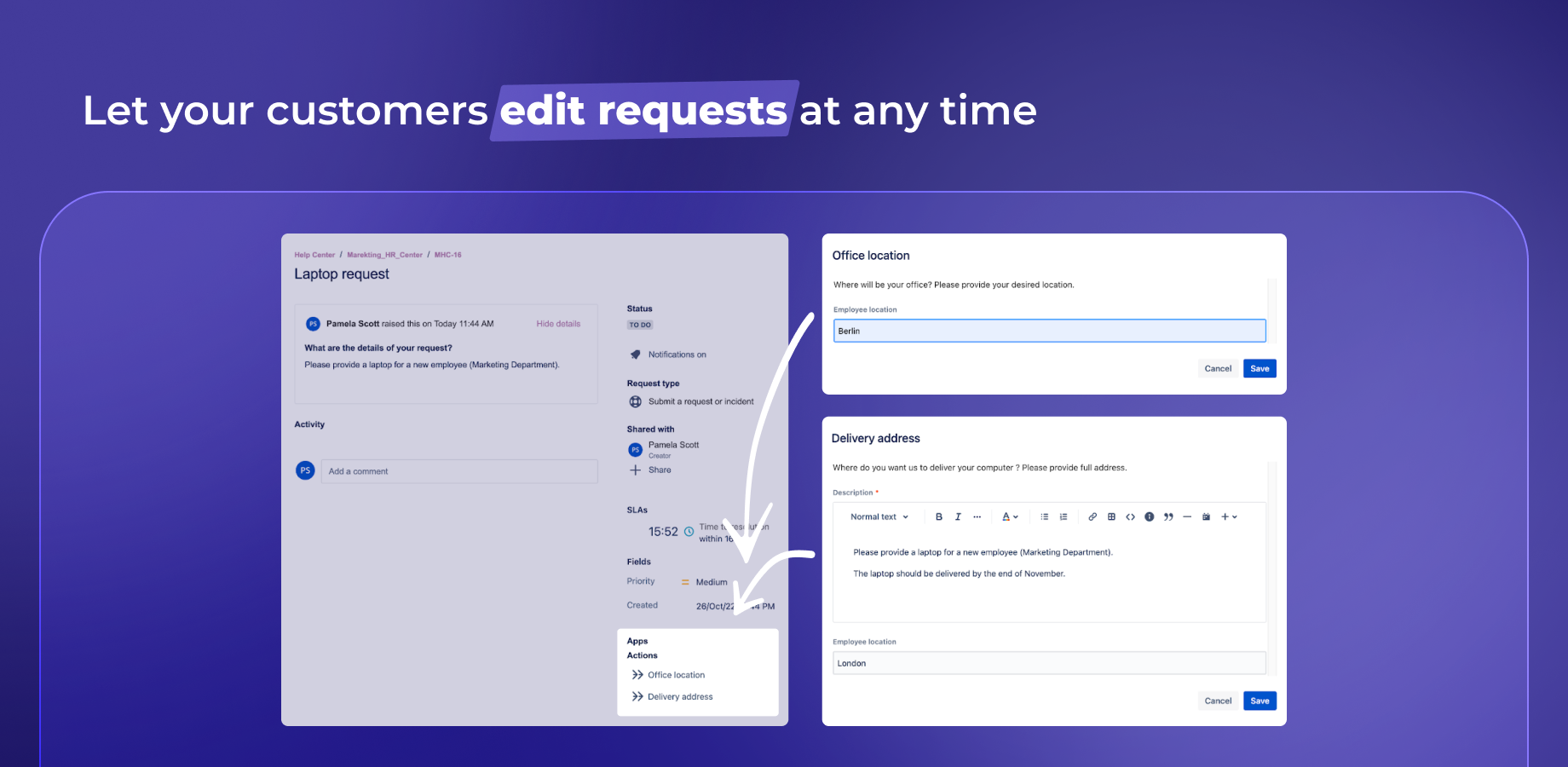
Actions Cloud for Jira Service Management makes it possible to move the Customer Portal to the highest level of usability. With this application, your customers have more opportunities to interact as they can edit their requests and change data freely at any time.
- Editing requests: Gain your users' engagement by allowing them to easily edit their requests.
- Edit forms: Enhance customers’ service experience by designing multiple customized edit forms which can be precisely adjusted to your customers’ needs. Use a single view to manage all created forms and display multiple Edit forms on your Customer Portal in order to allow customers to edit their requests quickly and efficiently.
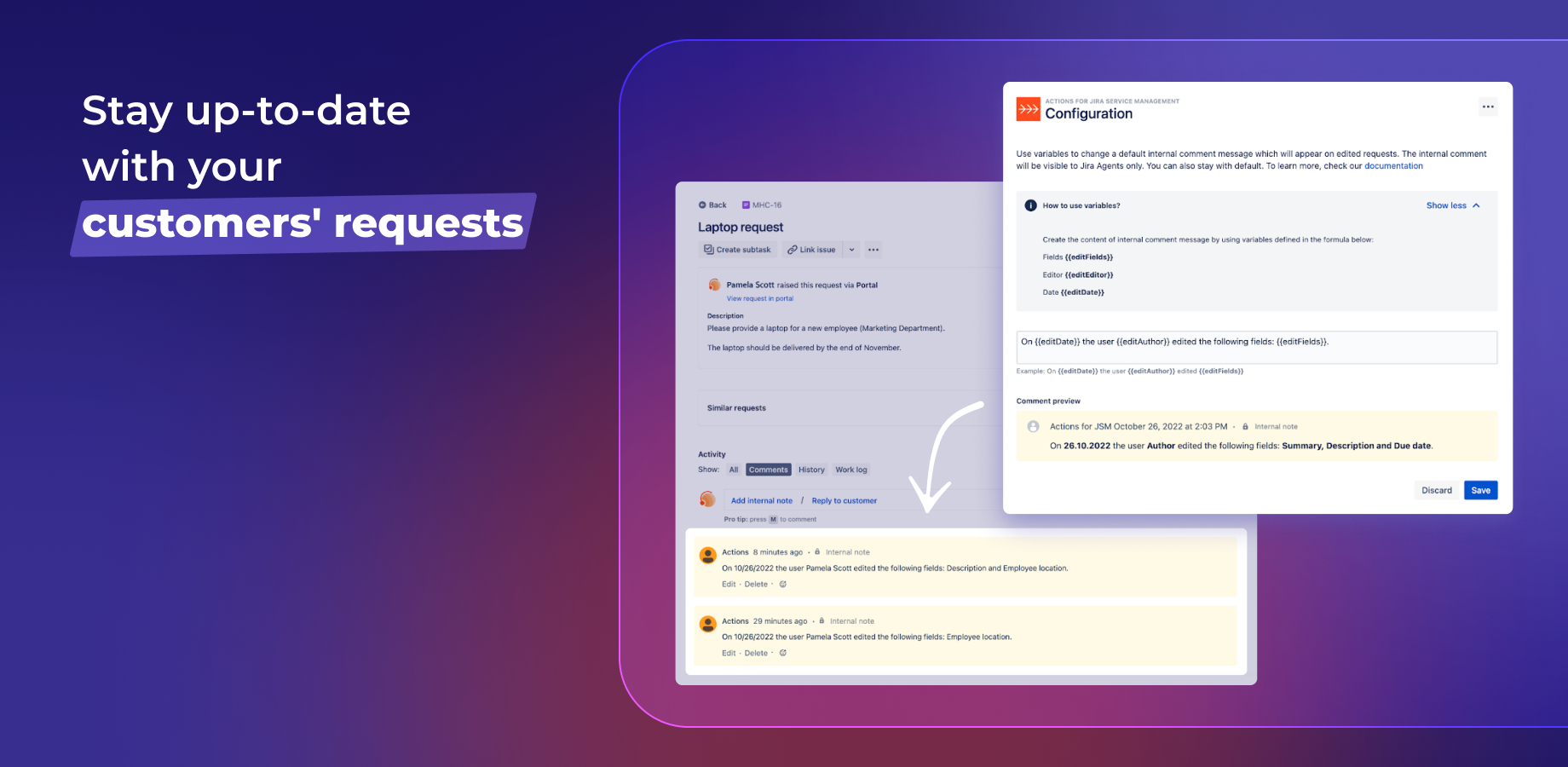
- Comments: Track all updates of customers’ requests! By using the comment option, every request’s editing will be followed by an internal comment with details
How we built it
Bearing in mind numerous users who continuously build their massive success by using Actions for Jira Service Management Server and Data Center, we’ve become inspired by the idea of giving customers more opportunities to interact. We’ve managed to build Actions Cloud with the use of Forge CustomUI as well as Jira Core and Jira Service Management API.
Challenges we ran into
Our work on the application was focused on allowing users to design multiple Edit forms for editing requests. The first problem that we came across, pertained to adding relevant items to the Request Details page. Although it was possible to define Portal Request View Actions, it was not feasible to display them dynamically (based on configuration). The described cases convinced us to use Portal Request Detail Panel despite its less user friendly location on the Customer Portal. Additionally, we experienced minor obstacles which concerned the modal’s layout. It was not possible to add a fixed header and footer. However, to solve the mentioned obstacles, we successfully devised a relevant layout by ourselves. Despite the challenges which we faced, we were able to continue working and successfully achieve our goals.
Accomplishments that we're proud of
Facilitating work continues to be our priority so at some point we’ve decided to build an app which can engage customers in workflows. We are proud of the fact that by exploiting Atlassian Forge technology we’ve managed to build an app in a relatively short period of time by solving several challenges and achieving our main objectives.
What we learned
We certainly improved our Forge proficiency. We had a chance to observe the dynamic development of this technology thanks to which apps creators can satisfy more and more customers’ needs. We are especially glad to see new Jira Service Management modules which allow us to increase Customer Portal’s possibilities. We look forward to further developments and improvements within this area.
What's next for Actions for Jira Service Management
We’ve submitted Actions for Jira Service Management for publication on the Atlassian Marketplace recently.
In the near future we’re going to concentrate on app’s development in a multidimensional manner:
- by deeply identifying the problems of the existing and future app’s users in order to fully adjust new features to their needs
- by adding additional supported fields to increase the usability of Actions for different user groups so that they can take advantage of more use cases
- by giving customers the possibility to control issue workflows
Built With
- atlaskit
- figma
- forge
- forge-custom-ui
- jest
- msw
- react
- storybook
- typescript


Log in or sign up for Devpost to join the conversation.