🎯 Inspiration
The inspiration came from a simple frustration: context-switching kills flow.
When coding in VS Code, designing in Figma, or writing in Google Docs, every time we need AI assistance, we break our mental state—reaching for the keyboard, typing prompts, waiting for responses in a separate window. We realized the most human way to control AI isn't typing. It's intention.
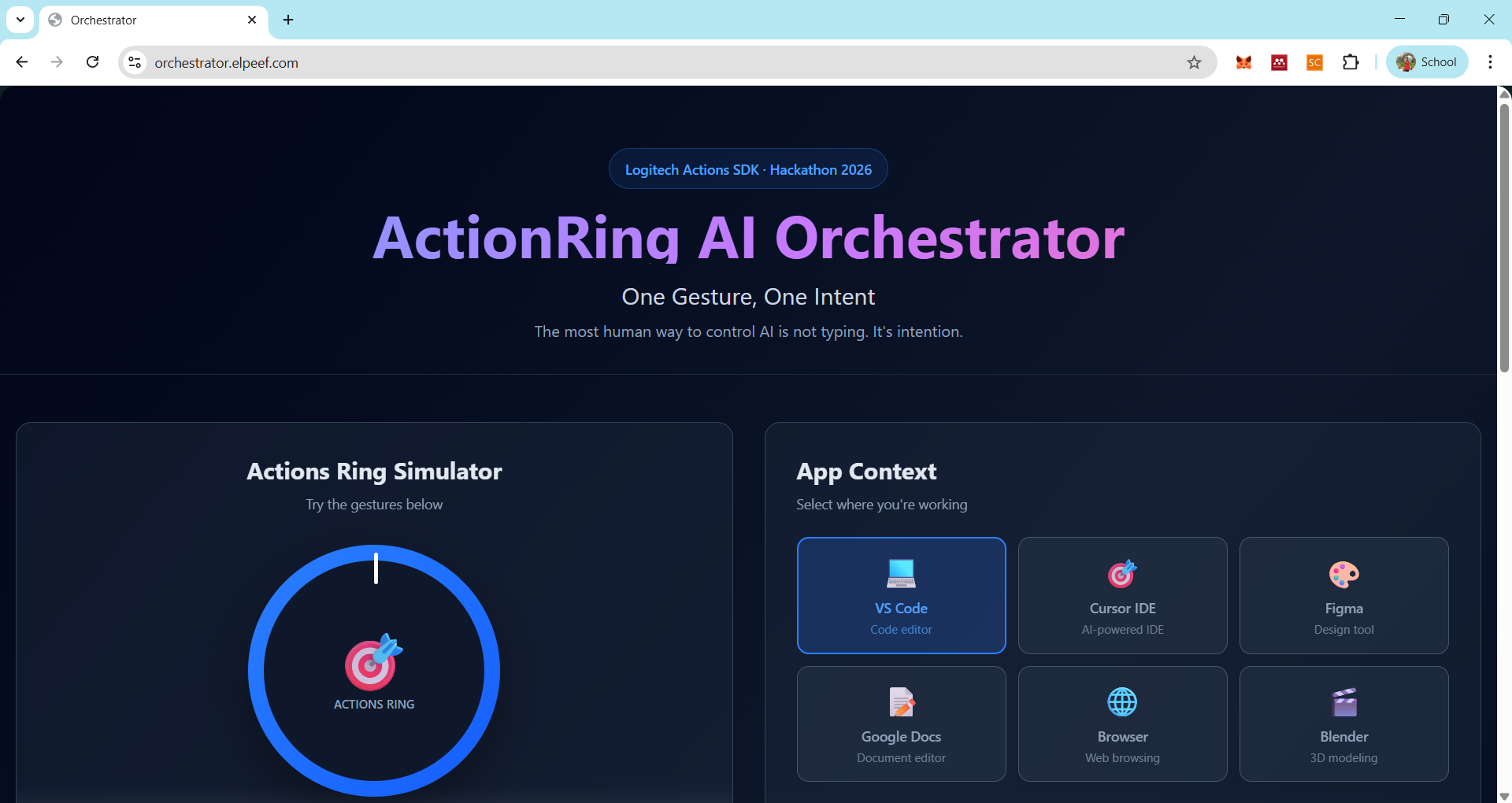
Logitech's MX Master 4 ActionRing opened a door: what if gestures could become a universal language between humans and AI? What if rotating your thumb could mean "summarize this," and a long press could mean "what should I do next?" Context-aware, friction-free, intent-driven AI assistance.
💡 What It Does
ActionRing AI Orchestrator transforms your Logitech MX Master 4 into an AI command center. It:
🧠 Context-Aware Recognition
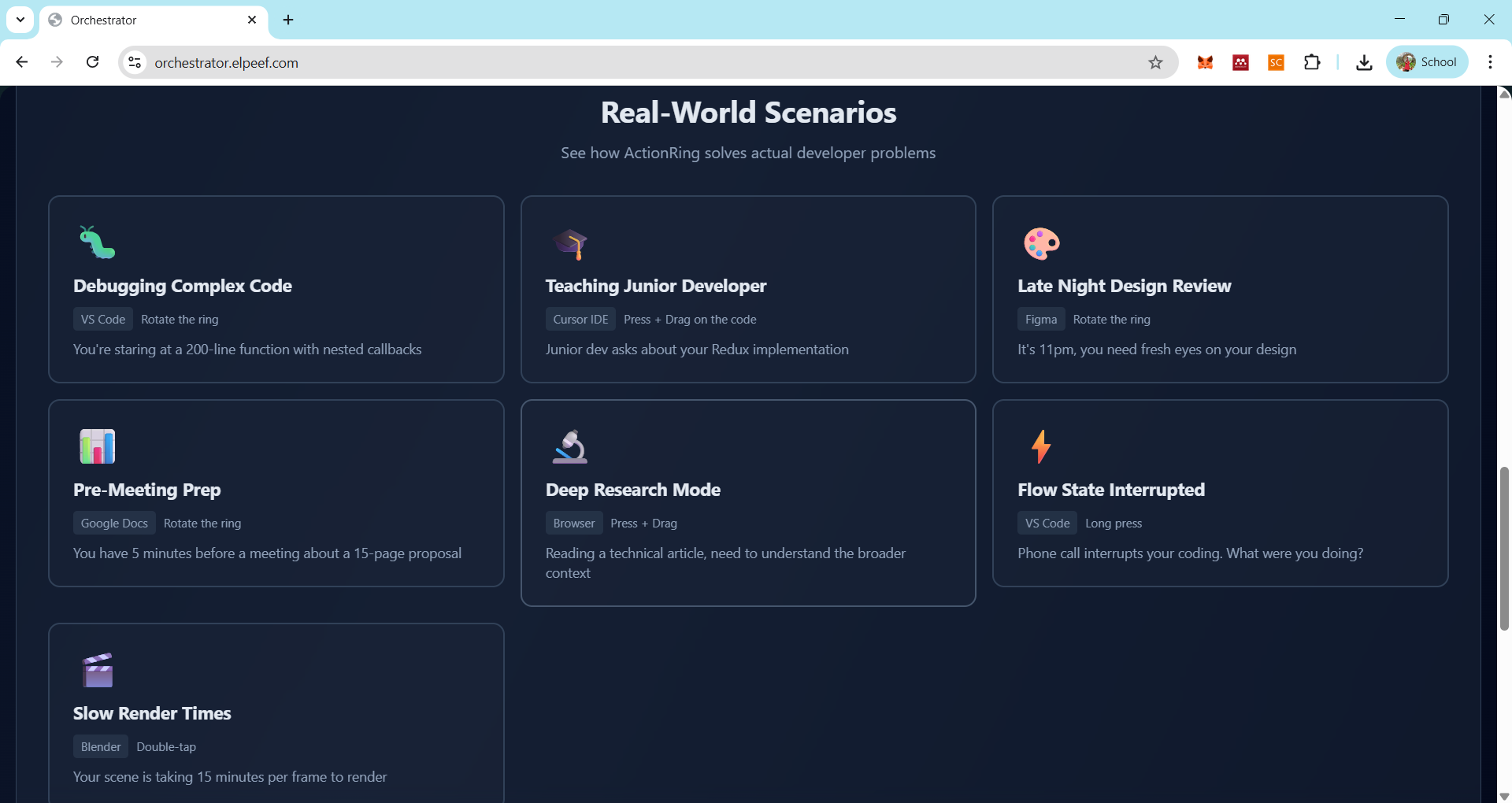
Automatically detects which application you're using (VS Code, Cursor, Figma, Google Docs, Browser, Blender) and adapts AI responses accordingly.
🎭 Gesture-to-Intent Mapping
- Rotate: Summarize code, review designs, extract key points
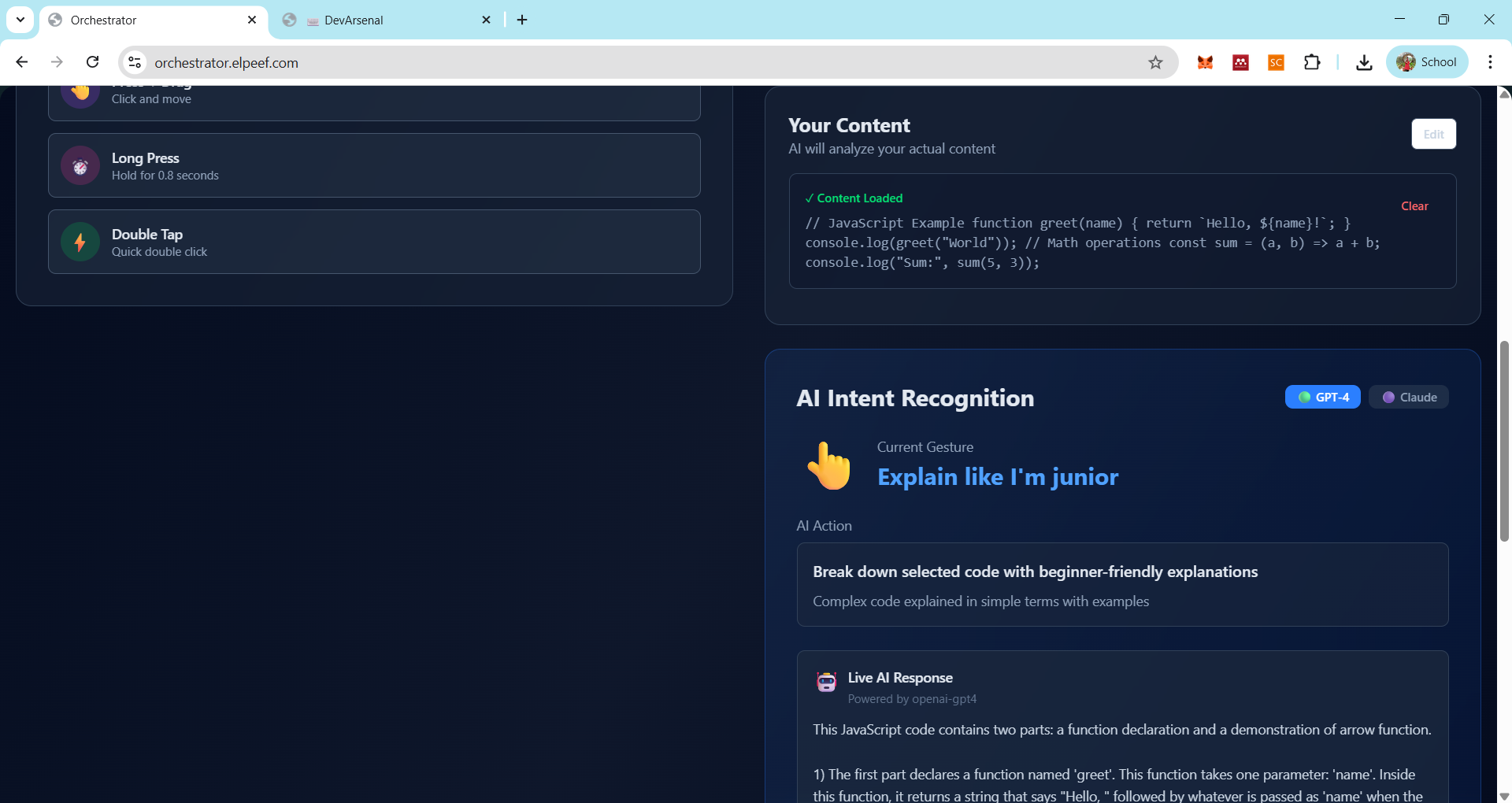
- Press + Drag: Explain like you're junior, generate variations, improve writing
- Long Press: Suggest next action, anticipate workflow, provide guidance
- Double Tap: Fix errors, optimize assets, format documents
🤖 Multi-Model AI Orchestra
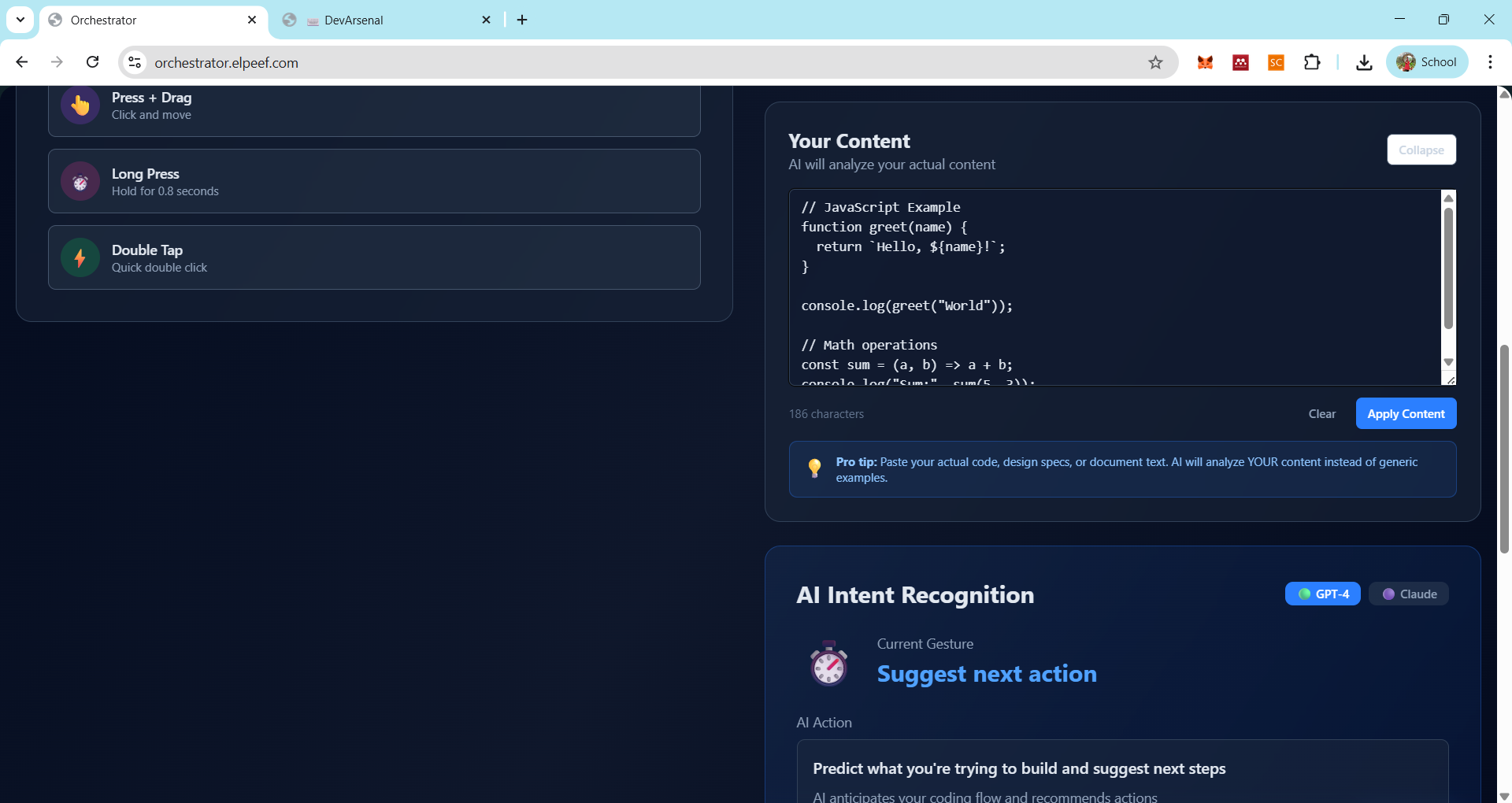
Integrates multiple AI models (GPT-4, Claude 3.5 Haiku) to demonstrate diverse capabilities and let users experience different AI personalities.
⚡ Zero-Friction Workflow
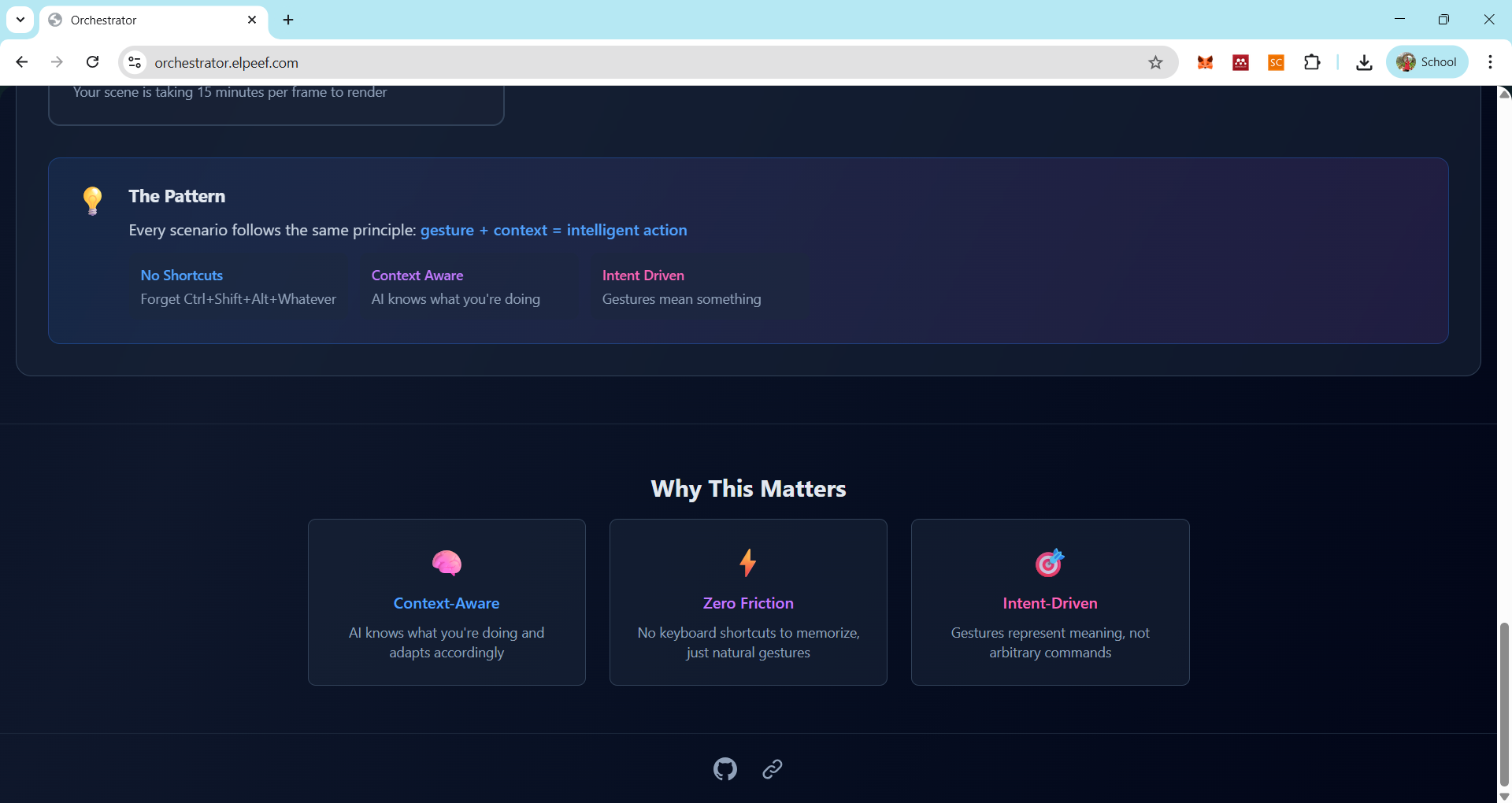
No keyboard shortcuts to memorize. No alt-tabbing. Just natural gestures that represent meaning, not arbitrary commands.
🛠️ How We Built It
Technology Stack
- Frontend: Next.js 15 with React 19, Tailwind CSS for responsive design
- Gesture Simulation: Logitech Actions SDK (simulated for demo purposes)
- AI Integration: OpenAI GPT-4 and Anthropic Claude 3.5 Haiku via API routes
- Animation: Framer Motion for smooth, delightful interactions
- Deployment: Vercel for instant global availability
Architecture
- Context Detection Layer: Monitors active application and adapts intent mapping
- Gesture Recognition: Captures ActionRing input (rotate, press-drag, long-press, double-tap)
- Intent Translation Engine: Maps gesture + context → specific AI action
- AI Orchestration: Routes requests to appropriate model and formats responses
- Real-Time Feedback: Visual cues and live response streaming
Key Implementation Decisions
- Client-side gesture simulation for demo accessibility (real implementation would use Logitech SDK plugins)
- API route proxies to securely handle AI model calls without exposing keys
- Modular component architecture for easy extension to new contexts and gestures
- Content-aware analysis: Users can paste real code/text to get contextual AI responses
🏔️ Challenges We Ran Into
1. Context Detection Complexity
Initially struggled with how to simulate authentic context-awareness without desktop-level access. Solved by creating a manual context switcher for the demo, with a clear path to real OS-level integration.
2. Gesture Ambiguity
Early versions had overlapping gesture meanings across contexts. We refined the intent mapping to ensure each gesture-context pair had a distinct, meaningful action.
3. AI Response Timing
Balancing response speed vs. quality. GPT-4 is thorough but slower; Claude is faster but sometimes less detailed. We designed the system to let users experience both models and choose their preference.
4. Mobile vs. Desktop UX
The ActionRing is a desktop peripheral, but we wanted a demo that worked everywhere. We optimized for mobile-first design while explaining that the real experience leverages hardware gestures.
5. Avoiding Over-Engineering
Resisted the temptation to add every possible feature. Focused on one core insight: gestures as intent, not commands. Kept the interface clean and the concept clear.
🏆 Accomplishments That We're Proud Of
✅ Shipped a working prototype in record time with real AI integration
✅ Demonstrated genuine value: users immediately understood the "aha!" moment
✅ Cross-application flexibility: same hardware, different meanings based on context
✅ Clean, intuitive UX: no tutorial needed—gestures feel natural
✅ Multi-model AI orchestration: showcased how different AIs excel at different tasks
✅ Production-ready architecture: modular, extensible, and deployable
📚 What We Learned
Technical Insights
- Gesture design is language design: Each gesture must carry semantic weight
- Context is everything: Same input, different meaning—that's intelligence
- AI model diversity matters: Different models for different cognitive tasks
Product Insights
- Hardware + AI = untapped potential: Physical interfaces can be smarter than screens
- Reducing friction > adding features: One smooth gesture beats ten keyboard shortcuts
- Demo authenticity: Users connect with real use cases, not hypothetical scenarios
Team Insights
- Rapid prototyping reveals unknowns: Building exposed edge cases we never anticipated
- Constraints breed creativity: Limited to ActionRing gestures forced clearer thinking
- User empathy first: We kept asking "would I actually use this?"
🚀 What's Next for ActionRing AI Orchestrator
Phase 1: Real Desktop Integration
- Build native Logitech Actions SDK plugins for VS Code, Figma, Chrome
- Implement OS-level context detection (active window monitoring)
- Add clipboard integration for seamless content capture
Phase 2: Adaptive AI Learning
- Learn user preferences: which gestures they use most, which AI models they prefer
- Personalized intent mapping: same gesture, different meaning per user
- Context prediction: anticipate what you need before you gesture
Phase 3: Expanded Context Universe
- Support for Slack, Notion, Linear, Arc Browser, Cursor AI
- Custom gesture creation: users define their own intent mappings
- Multi-device sync: same preferences across all Logitech peripherals
Phase 4: AI Model Marketplace
- Let users choose AI models per context (Gemini for docs, Claude for code, etc.)
- Fine-tuned models for specific professional workflows (legal, medical, creative)
- Community-shared intent configurations
🎨 Design Philosophy
"The best interface is no interface."
We believe the future of human-AI interaction isn't chat boxes or voice commands. It's embodied cognition—using our hands, our spatial awareness, our muscle memory. The ActionRing is your finger's direct line to intelligence. No mediation. No translation. Just intent.
🙏 Credits
Built with ☕ and ⚡ by @mrbrightsides
Website: rantai.elpeef.com
GitHub: github.com/mrbrightsides
Powered by:
- Logitech Actions SDK
- OpenAI GPT-4
- Anthropic Claude 3.5 Haiku
- Next.js & Vercel
📄 License
This project is a hackathon submission and proof-of-concept. Logitech Actions SDK and hardware trademarks are property of Logitech International S.A.
"One gesture, one intent. The most human way to control AI."
Built With
- claude
- openai
- typescript

Log in or sign up for Devpost to join the conversation.