-
-
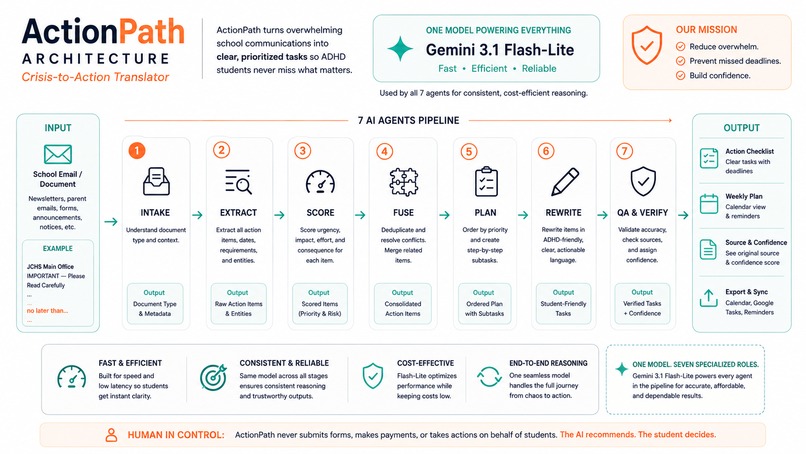
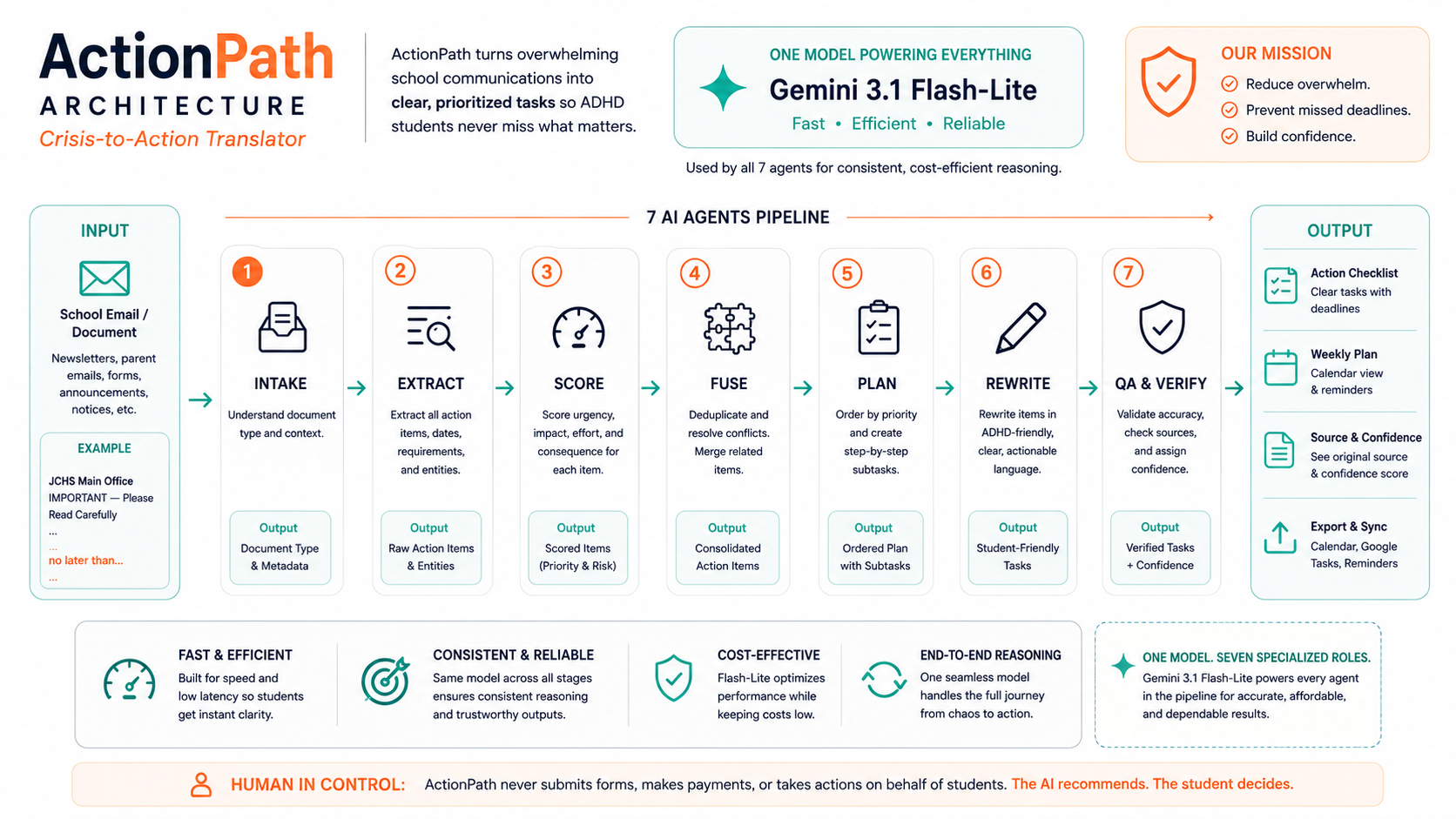
Architecture Diagram
-
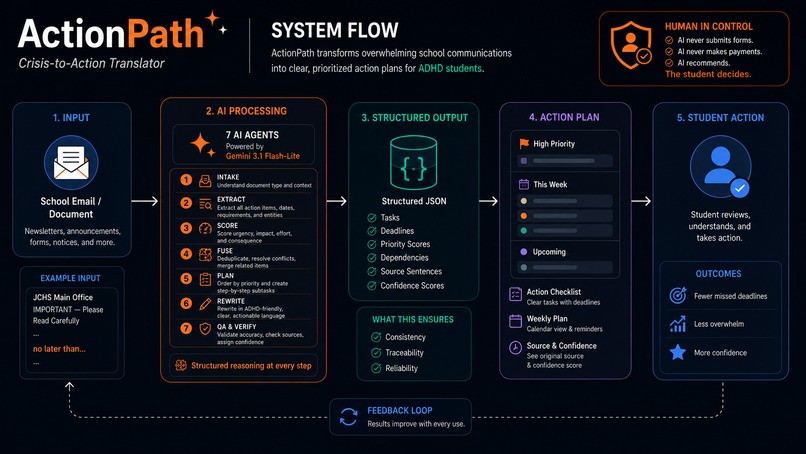
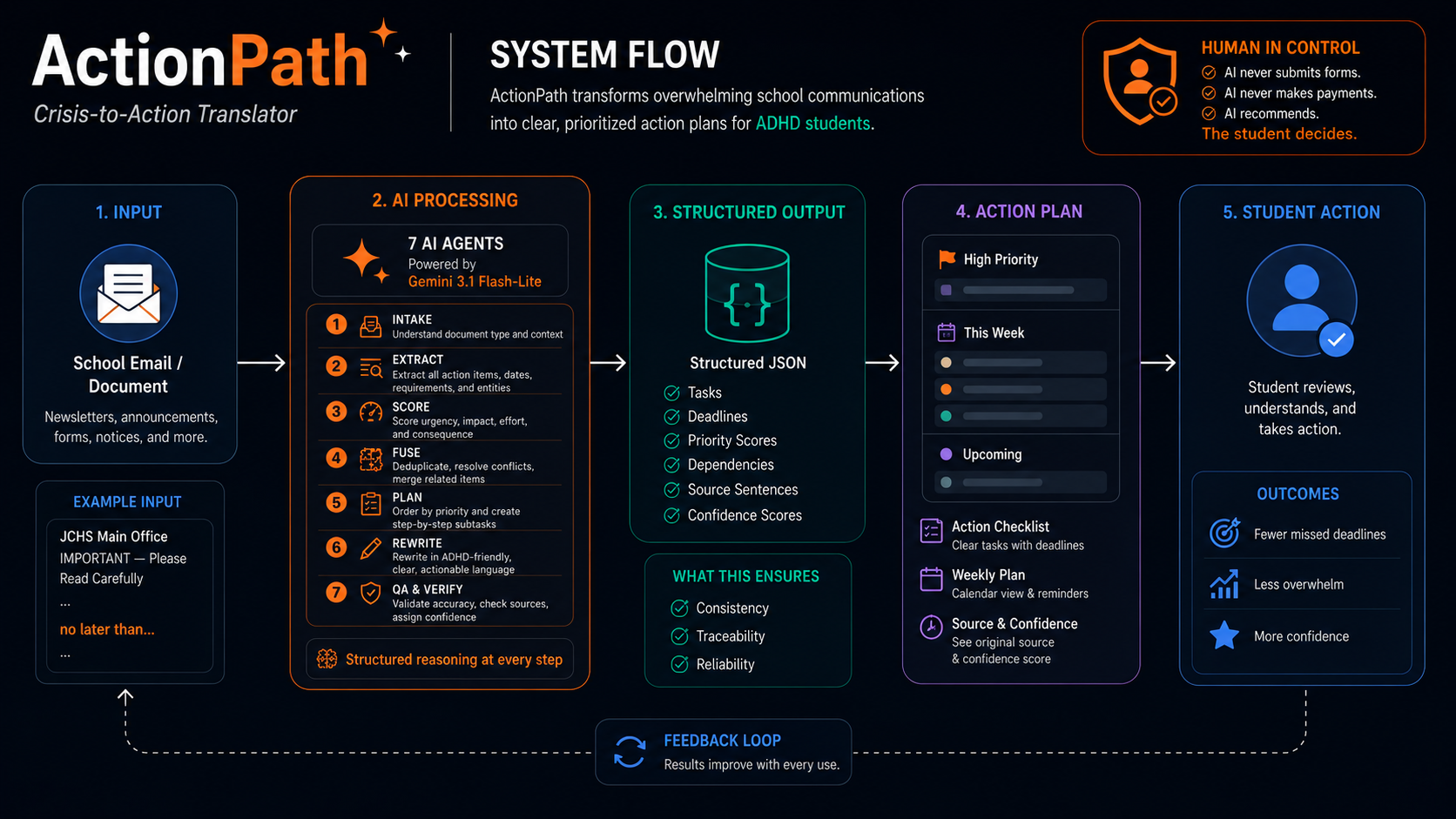
System Flow
Inspiration
You are a high school student with ADHD. It is Sunday night.
Your inbox has 14 unread messages. Three of them are from teachers. One is a permission slip. One mentions a fee. One has a deadline buried somewhere in paragraph four. You know this because you skimmed it last Thursday and then closed it, telling yourself you would deal with it later.
You open the first email. It is 380 words long. Your eyes land on the middle of the second paragraph, skip to the signature, and stop. You cannot find the action item. You know it is there. You cannot make your brain pull it out. You close the tab.
Wednesday arrives. The permission slip was due Tuesday. The field trip leaves without you.
This is not a failure of effort. This is not a failure of intelligence. This is the executive dysfunction failure cascade: the neurological gap between receiving information and being able to act on it. For 129 million children and adolescents worldwide, roughly 7.2% of every student on earth, this gap is not an occasional inconvenience. It is the defining obstacle of their academic lives.
No calendar app solves this. No color-coded planner solves this. You cannot organize information you were never able to extract in the first place.
We built ActionPath because the tool that should exist did not. And because we knew exactly what it needed to do: not remind you about deadlines, but find them for you, before you ever had to.
What It Does
ActionPath is a Crisis-to-Action Translator purpose-built for high school students with ADHD.
You paste in a school email, a PDF announcement, an LMS update, or a counselor notice. Within seconds, ActionPath processes that raw, unstructured communication and delivers back something completely different: a clean, prioritized, actionable checklist with every deadline surfaced, every task short enough to start, and a specific first physical action attached to each item.
Not "write your essay." "Open your laptop. Create a new Google Doc. Type the title."
That distinction is everything. The most common reason students with ADHD do not begin a task is not that they do not want to. It is that the cognitive cost of figuring out how to start is too high. ActionPath eliminates that cost entirely.
Here is what a single dense school email becomes inside ActionPath:
Input: A 300-word announcement about a field trip, a lab fee, and a textbook chapter. All mixed together, no clear structure, no due dates highlighted.
Output:
[Wednesday]Sign the Wetland Preserve permission slip and hand it to Ms. Rivera in Room 204. Start cue: open your backpack and look for the blue form right now.[Thursday]Pay the $15 lab fee on the student web portal. Start cue: open your phone and go to the school payment page.[Before lab]Read Chapter 14 of Campbell Biology. Start cue: open your textbook to the table of contents and find Chapter 14.
Every task is tagged to its subject. Every deadline is visible. Every item traces back to the exact sentence it came from, so you, a parent, or a counselor can verify it instantly.
Core capabilities, all fully operational today:
- Multi-Format Input: Paste text directly, or drag and drop PDF files,
.txt,.eml, and.htmlfiles. - Start Cues on Every Task: The first physical action for each item, not a vague summary of the task.
- Source Sentence Tooltips: Hover over any task to see the exact original sentence it was extracted from.
- Confidence Scoring: Every task displays its extraction confidence. Items below 0.70 are flagged for manual review, in red, before they ever reach your checklist.
- Deadline Collision Detection: When three or more deadlines cluster on the same day, ActionPath flags the collision and suggests redistribution automatically.
- 7-Day Interactive Timeline: A visual weekly grid showing task load per day, with overloaded days marked in red and amber.
- ICS Calendar Export: One click generates a standard calendar file that imports directly into Google Calendar, Apple Calendar, or Outlook.
- Voice Dictation Input: Speak assignments aloud and the system transcribes and processes them through the same pipeline.
- Mood Check-In and Daily Budget Scaling: Rate your energy (1 to 5) each day, and the maximum task count adjusts automatically to protect against burnout.
- Pomodoro Focus Timer: An integrated 25-minute timer lives directly on each task card and checks the task off automatically upon completion.
- Parent and Counselor View: A shareable, read-only URL lets a parent or school counselor see the current checklist without ever seeing the raw private communications.
- Streak Tracker: Consecutive days of completing the Today list builds a positive momentum indicator to reinforce executive function habits over time.
How We Built It
ActionPath runs on a 7-stage multi-agent pipeline powered by the Google Gemini API (gemini-3.1-flash-lite) via the official @google/genai SDK. Each agent has exactly one job. No agent knows what the next one will do with its output. This isolation prevents compounding errors and makes every stage independently auditable.
The Pipeline:
Stage 1 - Intake Classifier: Reads the raw input and scores its cognitive load on a 0 to 10 scale. Identifies whether the text is a deadline notice, a newsletter, a syllabus, or a general update. Routes it to the correct downstream template. Outputs a structured JSON object.
Stage 2 - Entity and Context Extraction: The most critical stage. Isolates every individual task, every date, every person mentioned, and every URL referenced. For every extracted item, it links the verbatim source sentence from the original text. This grounding is what makes hallucination verification possible.
Stage 3 - Scoring and Collision Detection: Assigns each task an urgency score (1 to 10), an effort level (low / medium / high / very high), a consequence severity (academic / social / financial), and a composite priority score. Flags any calendar day with three or more tasks as a collision day.
Stage 4 - Context Fusion: Merges the new items with the student's prior task history stored in localStorage. Detects recurring items (like weekly newsletter boilerplate), deduplicates repeated alerts, and matches subjects against the student's known academic profile.
Stage 5 - Day-by-Day Planning: Distributes tasks across four time horizons: Today, Tomorrow, This Week, and Later. Enforces a maximum of three high-effort tasks per day. Estimates time budgets per day (e.g., "Today: ~35 minutes total").
Stage 6 - Language Rewriter: Converts every task into an active-voice sentence of 12 words or fewer. Generates a "Start Cue," the specific first physical action, and a "Why It Matters" explanation tuned to consequence awareness.
Stage 7 - Quality Assurance: Validates the complete output. Confirms all extracted tasks are present in the final plan. Flags any rewritten task exceeding 12 words. Flags any item with a confidence score below 0.70. Only tasks that pass QA are delivered to the frontend.
Technical Stack:
- Frontend: Next.js 16 (React 19) with App Router
- Styling: Tailwind CSS v4 with native dark mode
- AI: Google Gemini API via
@google/genaiSDK - PDF Parsing:
pdfjs-dist(fully client-side) - Calendar Export:
ics+file-saver - Voice Input: Web Speech API
- Storage: Browser
localStorageonly
All AI computation runs through a server-side API route, meaning the architecture never exposes the Gemini API key to the client. All personal student data (task history, mood logs, streaks) lives exclusively in the student's own browser.
Challenges We Ran Into
Prompt engineering at scale across 7 agents. Each stage needed to receive the prior stage's JSON, process it, and return clean JSON reliably, every single time. A single malformed output from Stage 3 would cascade through Stages 4, 5, and 6 and produce garbage at the end. We solved this by enforcing strict output schemas at every stage and using the QA agent as a hard gate before any data reaches the UI.
The "start cue" problem. Writing a start cue sounds simple: just tell the student what to do first. In practice, this was the hardest prompt to get right. Generic cues like "begin working on this task" were useless. We went through many iterations before the Language Rewriter agent consistently produced cues that were physical, specific, and achievable in under 10 seconds.
Confidence scoring that actually means something. Early versions of the pipeline surfaced confidence scores but did not use them to change the UI. We realized this was a missed safeguard. We redesigned the frontend so that low-confidence items are visually distinct, with red borders and review warnings, and require active student acknowledgment before they are marked actionable.
Scope control. ActionPath started with a larger feature surface than what shipped. We cut features during the build window that were interesting but not core. The Google Classroom integration and the email forwarding panel are real UI surfaces but run in clearly labeled sandbox mode. We made that call deliberately: a working core is more valuable than a broken end-to-end system.
Accomplishments That We're Proud Of
We are most proud of something that does not appear on a feature list.
When the pipeline runs on a real dense school email, one of the ugly 400-word ones with three buried action items and no formatting, and the output comes back as three clean task cards with deadlines, start cues, and source links, the reaction from people who have never heard of ActionPath is always the same: "I didn't think that was possible."
That reaction is the product working.
Beyond that:
- A fully operational 7-stage AI pipeline that processes real input in real time.
- Source sentence verification that makes hallucination checking possible without any technical knowledge. You just hover and read.
- A responsible AI architecture where the AI never takes action autonomously. It only recommends. The student controls everything.
- A parent and counselor sharing system built without a backend database. The system compresses and serializes the entire task list into a URL-safe Base64 string.
- An accessibility-first build delivering high contrast mode, keyboard navigation, and larger text scaling from day one.
What We Learned
The hardest part of building for users with executive dysfunction is not the AI. It is the interface.
A perfect JSON output with correctly extracted deadlines, accurate confidence scores, and ADHD-optimized language still fails if the task card is too visually cluttered, if the start cue is one click too deep, or if the checklist requires reading three lines before understanding what to do. The friction does not need to be large. For a student mid-paralysis, one extra tap is enough to abandon the flow entirely.
"Responsible AI" is not a checkbox you fill in after building. The confidence scoring system, the source sentence tooltips, the QA agent, the human-in-the-loop constraint on autonomous action: all of these were design decisions that shaped the pipeline architecture from the beginning. They made the product better, not just safer.
AI is not magic. The reason ActionPath needs a 7-stage pipeline instead of a single prompt is that each stage enforces a constraint the previous stage cannot. Extraction is different from scoring. Scoring is different from planning. Planning is different from writing. Splitting these into isolated agents produced dramatically more reliable output than any single-shot prompt we tested.
What's Next for ActionPath
Real Google Classroom and Canvas LMS integration. The simulated sandbox inside ActionPath today demonstrates the exact UX flow that a real OAuth integration would produce. The next step is replacing the mock data with live API calls, so students can connect their school account and have their actual coursework processed automatically.
A school counselor dashboard. The parent and counselor view today is read-only and shareable via URL. The next version allows counselors to add notes, flag tasks for follow-up, and monitor which students in their caseload have high deadline collision rates. This gives support staff an early warning system before a student falls behind.
Longitudinal pattern detection. Over time, ActionPath accumulates data about which subjects generate the most task overload for a specific student, which days of the week tend to be most collision-heavy, and which types of communications are consistently misread. A pattern layer on top of the existing pipeline could surface insights like "Your Biology teacher sends deadline-heavy emails on Thursdays. Check ActionPath every Thursday afternoon."
Broader applicability. ActionPath was built for ADHD students navigating school communications. But the underlying problem, dense and stressful information that must be translated into clear action, appears everywhere. Hospital discharge instructions. Housing assistance eligibility documents. Government benefit forms. The pipeline architecture is domain-agnostic. The student version of ActionPath is the proof of concept for something much larger.
The gap between receiving information and taking action is one of the most human problems there is. ActionPath exists to close it, one email at a time.
Built With
- css3
- file-saver
- gemini-api
- html
- ics
- javascript
- localstorage
- next.js
- node.js
- pdfjs-dist
- postcss
- tailwind-css-v4
- typescript


Log in or sign up for Devpost to join the conversation.