Inspiration
Every team has felt it. The meeting ends, everyone closes their laptops, and within 48 hours nobody remembers who committed to what.
We calculated the real cost of this problem:
$$\text{Wasted time} = \text{employees} \times 18 \frac{\text{meetings}}{\text{week}} \times 10 \frac{\text{min}}{\text{meeting}} = 3 \frac{\text{hours}}{\text{person/week}}$$
At a 50-person company, that's 150 hours lost every single week — roughly $15,000/month in unrecovered productivity, vanishing into poorly written Slack messages and forgotten email threads.
We built Actionizer AI because the fix shouldn't require discipline or better habits. It should be automatic.
What it does
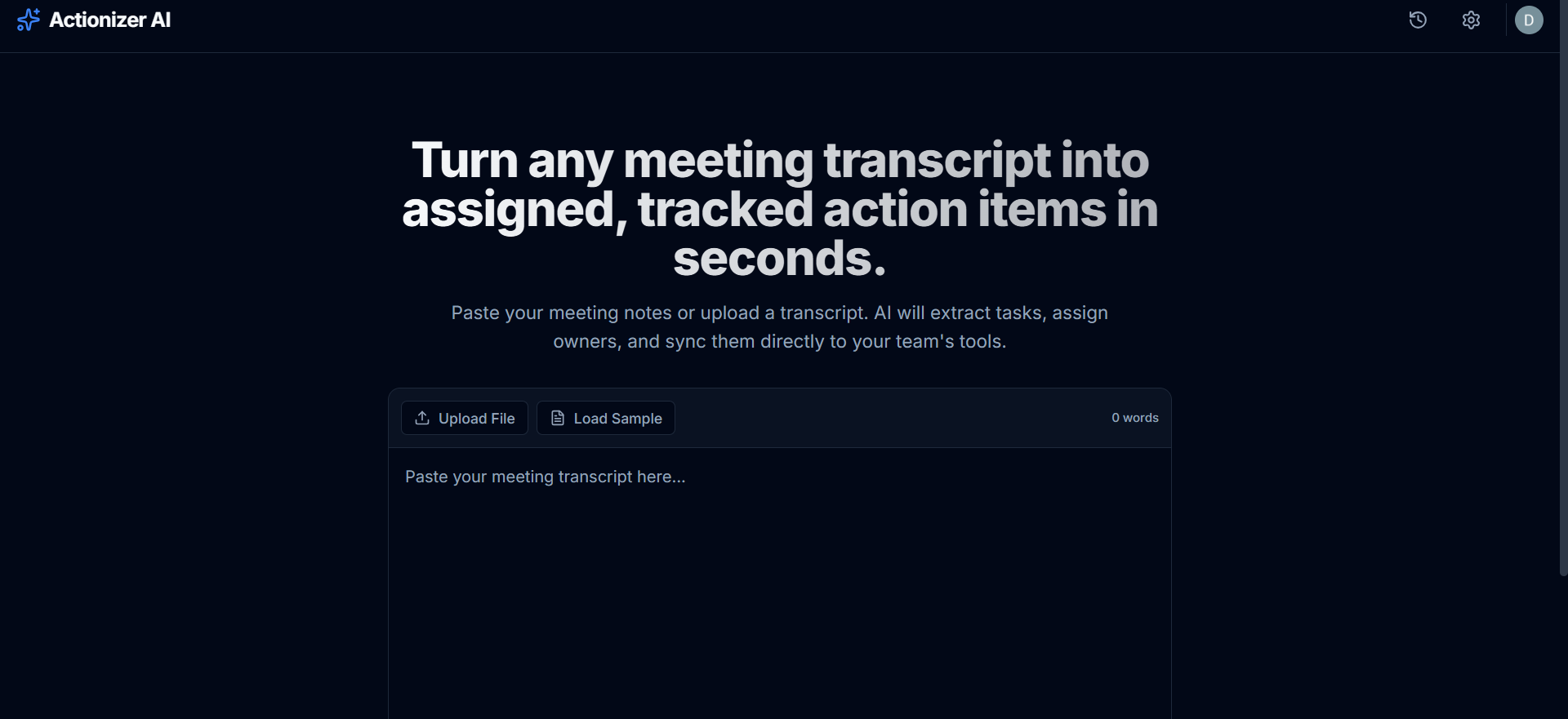
Actionizer AI converts any meeting transcript into a fully structured, assigned, and integrated action plan in under 10 seconds.
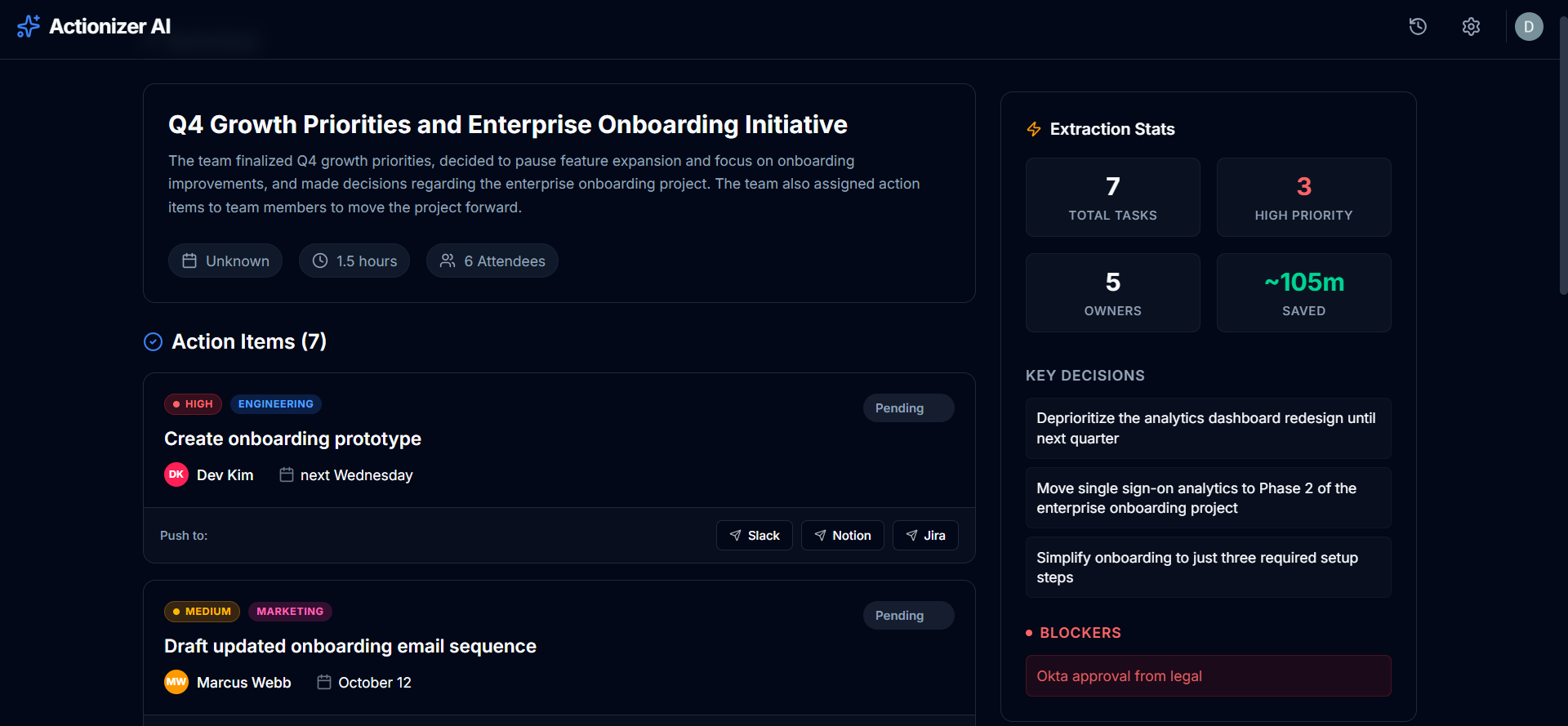
Paste or upload a transcript → Grok AI extracts:
- ✅ Every action item with a clear, specific task description
- 👤 The responsible owner (named from the conversation)
- 📅 A deadline inferred from context
- 🔴 A priority level — high, medium, or low
- 🏷️ A department tag (engineering, marketing, design, etc.)
Results are displayed on a live dashboard where your team can:
- Track status from pending → in progress → done
- Push any task directly to Slack, Notion, or Jira in one click
- Export a clean markdown report to share with stakeholders
- Review past meetings from a full meeting history log
How we built it
| Layer | Technology |
|---|---|
| Frontend | Next.js 14 (App Router) + Tailwind CSS |
| AI Engine | xAI Grok API (grok-3-mini) via OpenAI-compatible SDK |
| Database | Supabase (PostgreSQL) |
| Auth | Clerk |
| Integrations | Slack Block Kit API, Notion API, Jira REST API |
| Deployment | Vercel |
The core extraction pipeline is a single API route that sends the raw transcript to Grok with a strict system prompt, receives structured JSON, validates it, and persists it to Supabase — all in one round trip.
We chose Grok specifically for its strong instruction-following on structured output tasks and its generous free tier, making Actionizer accessible without infrastructure cost for small teams.
Challenges we ran into
Extracting implicit commitments. People don't always say "I will do X by Friday." They say "yeah I'll handle that" or "send it over and I'll take a look." Prompt engineering Grok to catch these soft commitments without hallucinating fake ones took significant iteration.
Deadline inference without explicit dates. When someone says "by end of week" or "before the launch," the AI needs meeting context to resolve that to a real calendar date. We solved this by injecting the meeting date into the prompt and asking Grok to resolve relative dates explicitly.
Making integrations work in demo conditions. Real Slack/Notion/Jira credentials aren't always configured during a live demo. We built a full mock mode where every integration simulates a real push with a 1.5 second delay and success confirmation — so the demo never breaks.
Accomplishments that we're proud of
- End-to-end flow working in under 10 seconds from paste to structured results
- Grok correctly extracting implicit commitments — not just explicit ones — from natural conversational language
- A single transcript from our sample meeting generates 8 action items across 5 owners with zero manual input
- The Slack Block Kit integration produces genuinely beautiful, actionable messages that teams would actually want to receive
- Zero-config demo mode — judges can experience the full product without any API keys
What we learned
Structured output prompting is an art. Getting an LLM to return consistent, parseable JSON every time requires explicit negative constraints ("no markdown, no backticks, no preamble") as much as positive ones.
The real problem is follow-through, not note-taking. Most teams already have meeting notes. What they're missing is accountability infrastructure. That realization shaped everything about how we designed the ownership and status-tracking features.
Mock-first integration design saves enormous demo-day stress. Building the UI against mocked APIs first meant the real integrations were a drop-in swap with no frontend changes.
What's next for Actionizer AI
- Calendar sync — connect Google Calendar or Outlook to automatically pull meeting invites and match transcripts to events
- Audio input — accept meeting recordings directly and transcribe
via Whisper before extraction, removing the copy-paste step entirely
- Automated reminders — ping owners on Slack as deadlines approach, with a direct link back to their action item
- Analytics dashboard — track completion rates by owner and department, surface patterns like chronic blockers or missed deadlines
- CRM integration — for sales teams, push action items directly into HubSpot or Salesforce deal records
- Team-wide deployment — SSO + org-level settings so an entire company can connect their Slack workspace once and every meeting automatically flows through Actionizer
Built With
- clerk
- css
- grok
- grok-3-mini
- jira
- next.js
- node.js
- notion
- openai
- pdf-parse
- postgresql
- react
- rest
- sdk
- slack
- supabase
- tailwind
- typescript
- vercel
- xai
