-
-
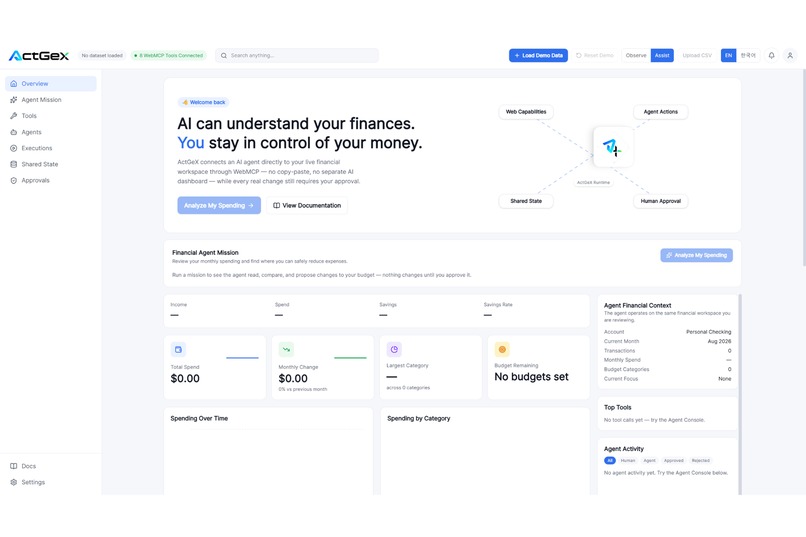
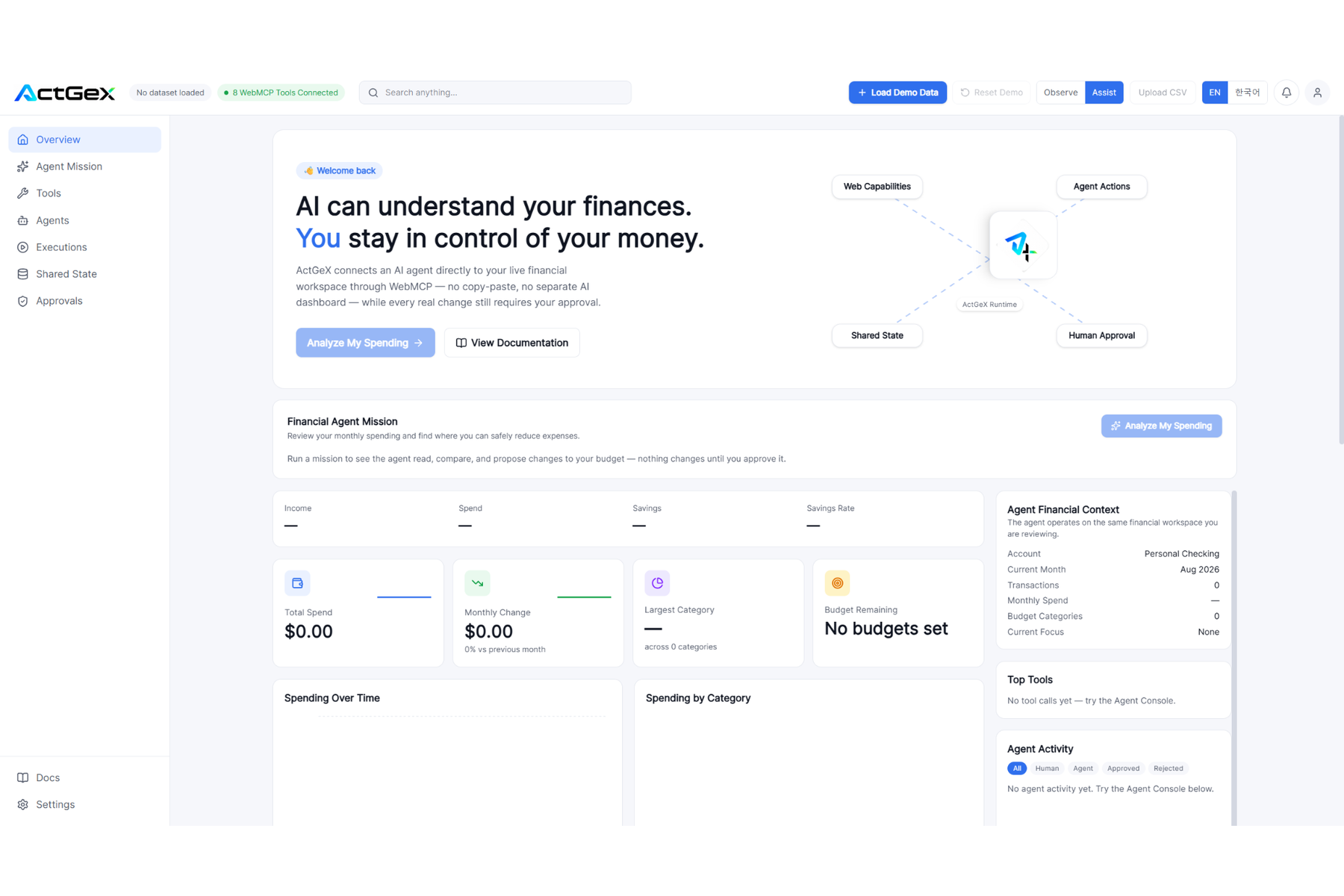
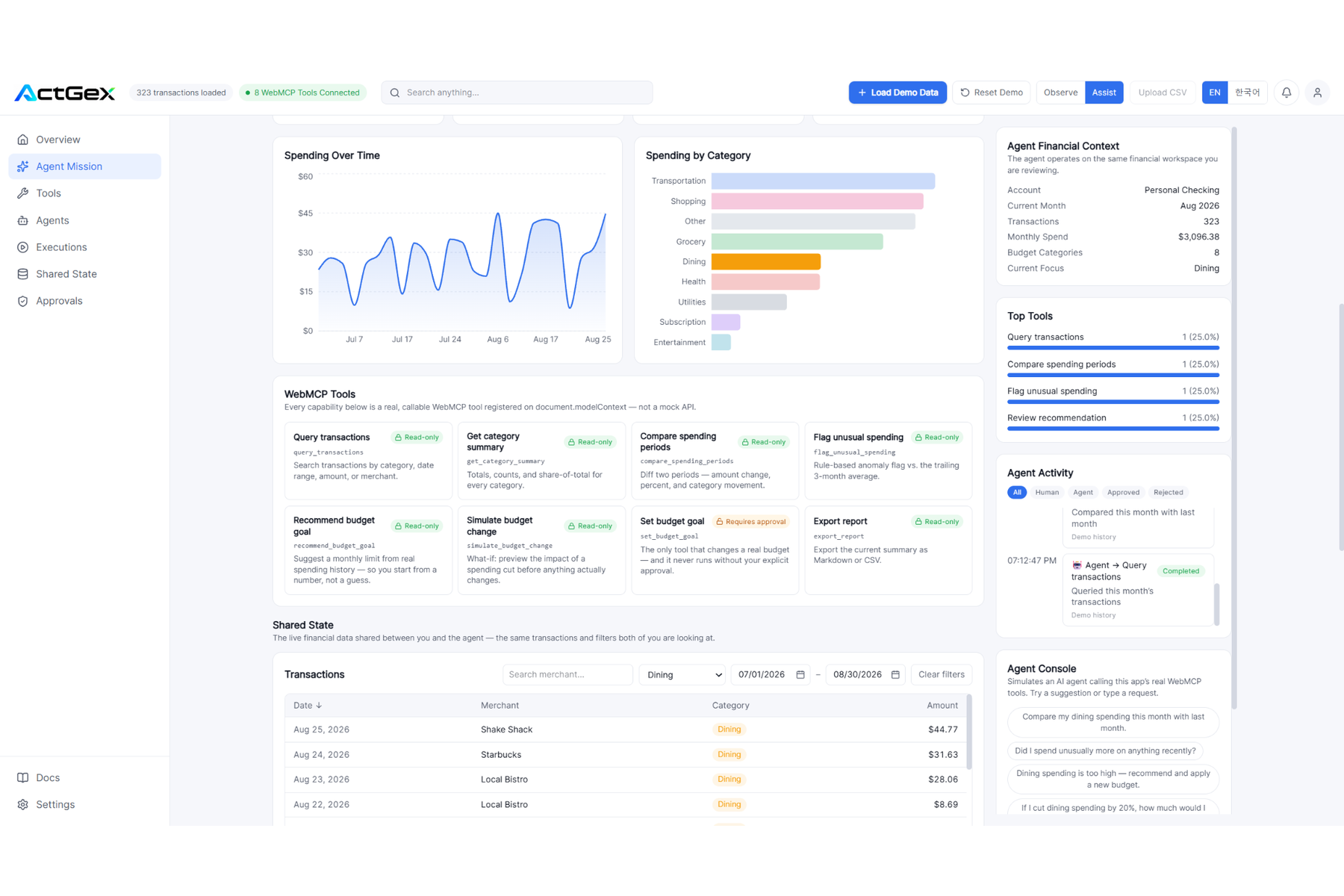
ActGeX overview: a shared financial workspace with live WebMCP tools, agent context, and human control.
-
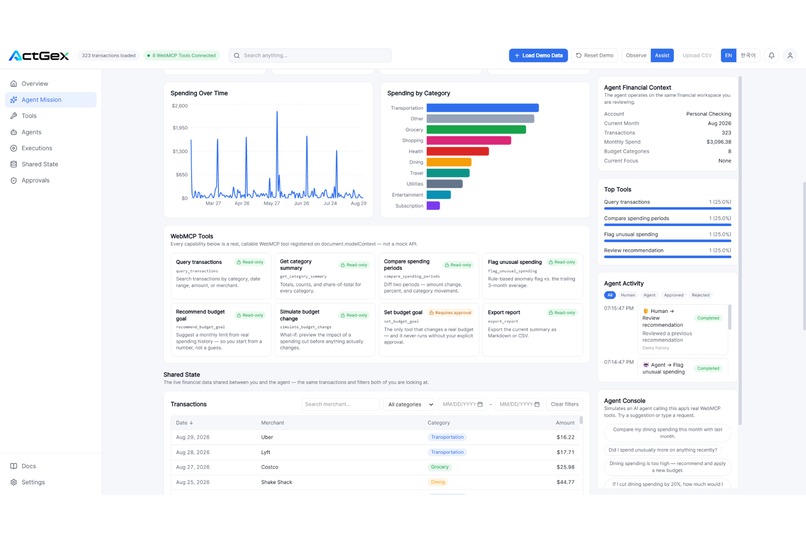
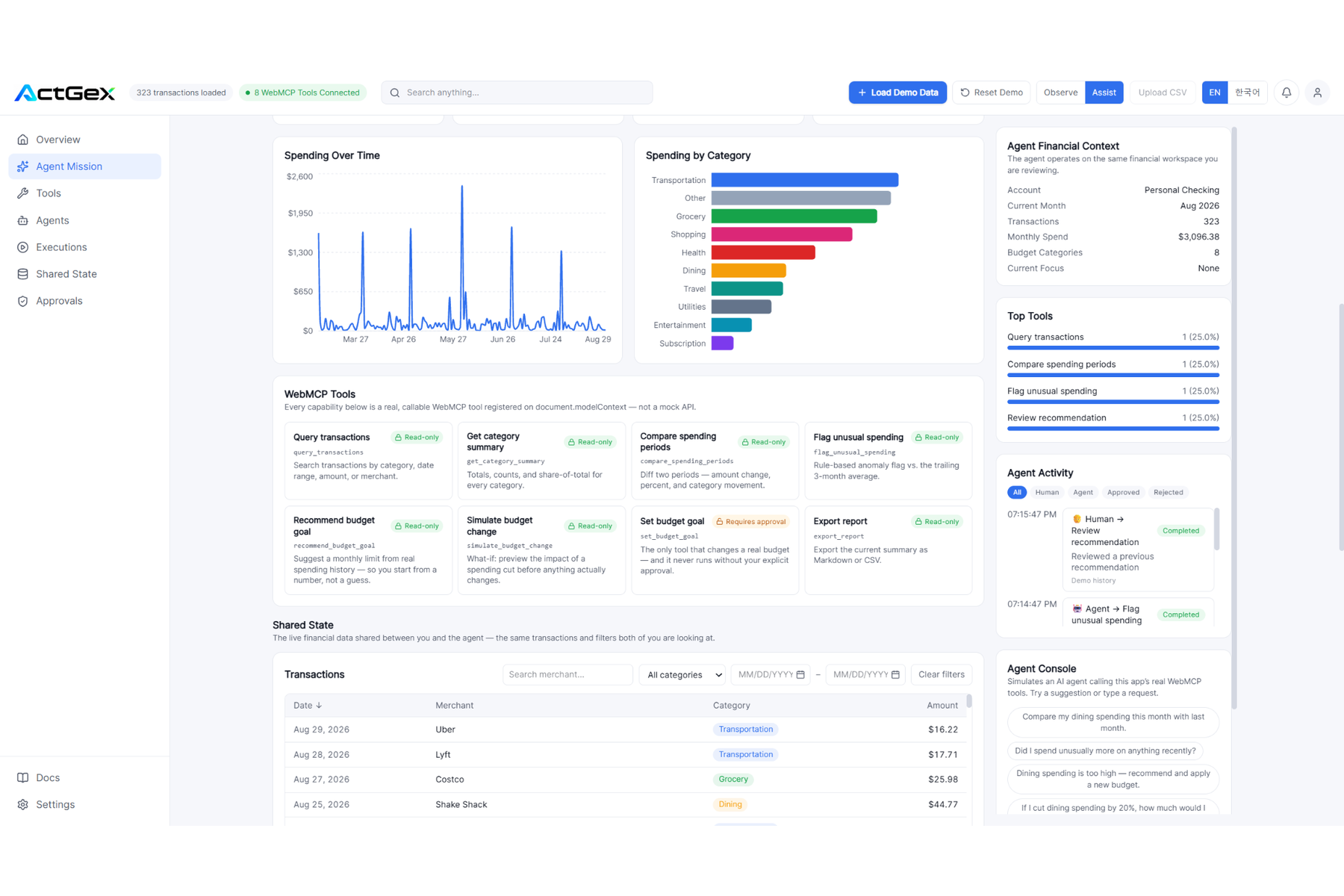
Agent Mission analyzes live spending data with charts, typed WebMCP tools, and shared financial context.
-
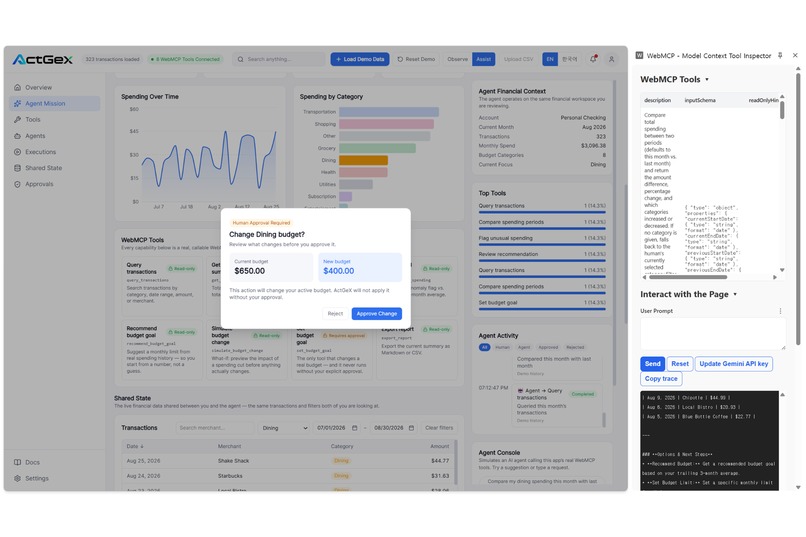
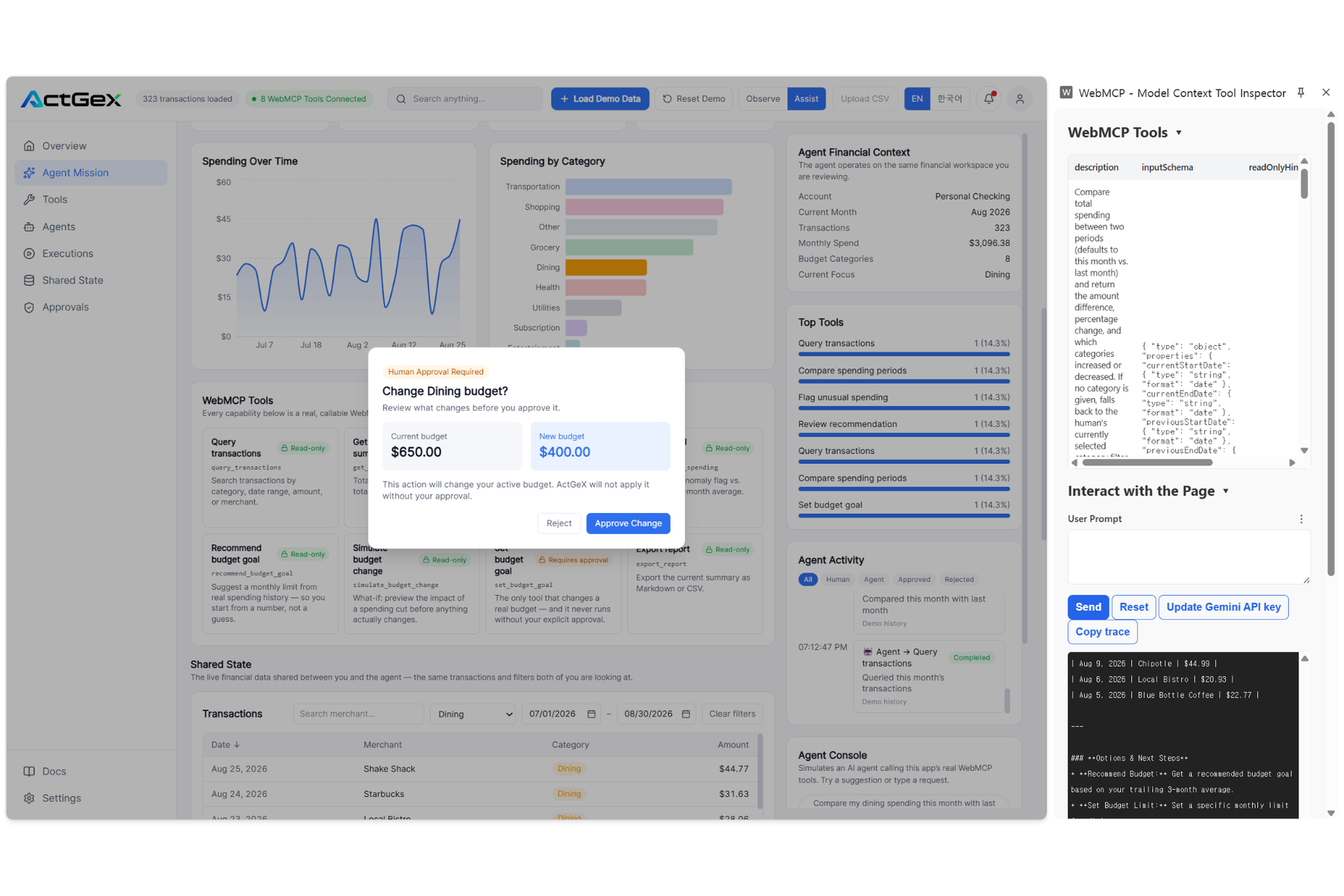
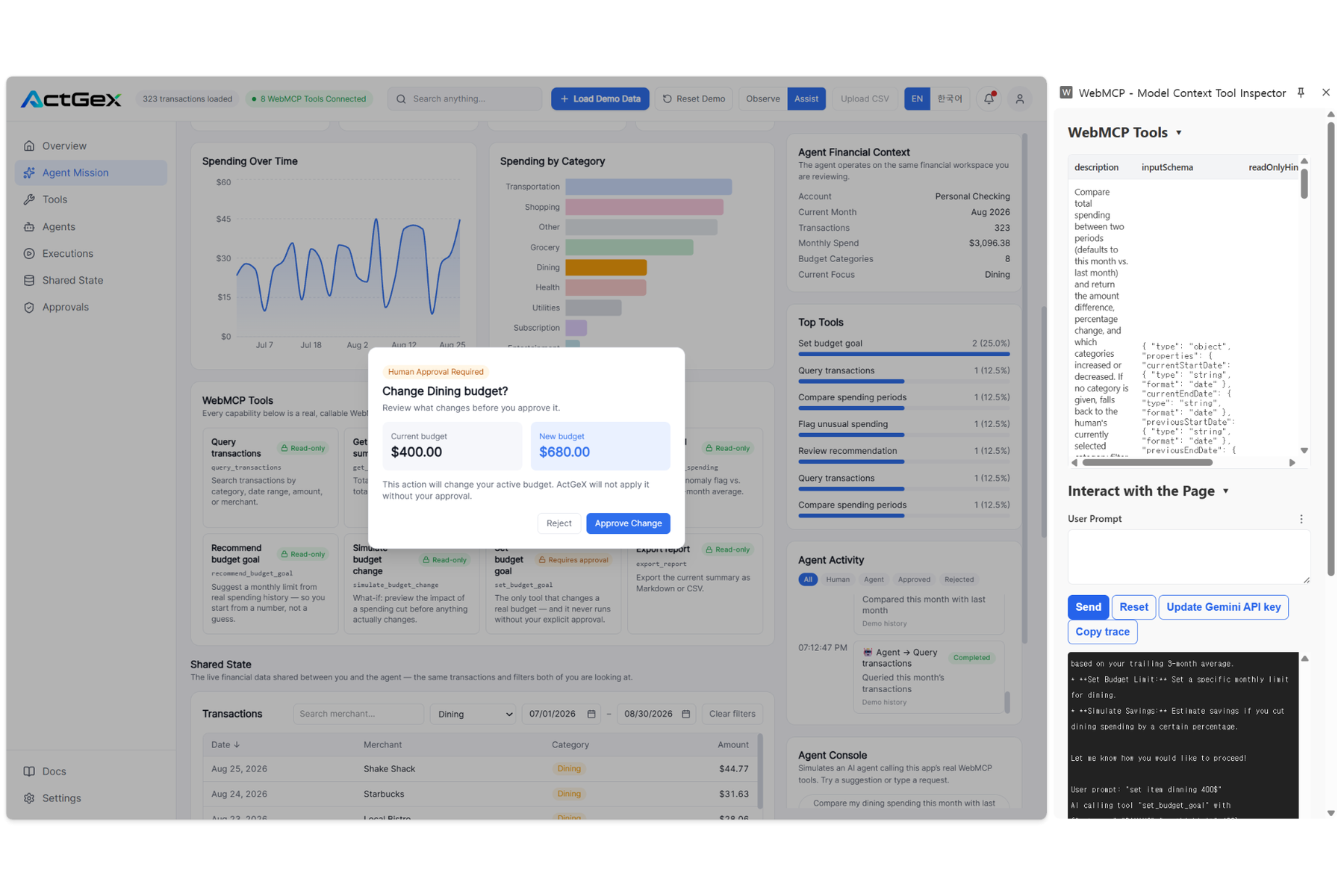
A real budget-change request pauses for human approval before ActGeX applies any financial change.
-
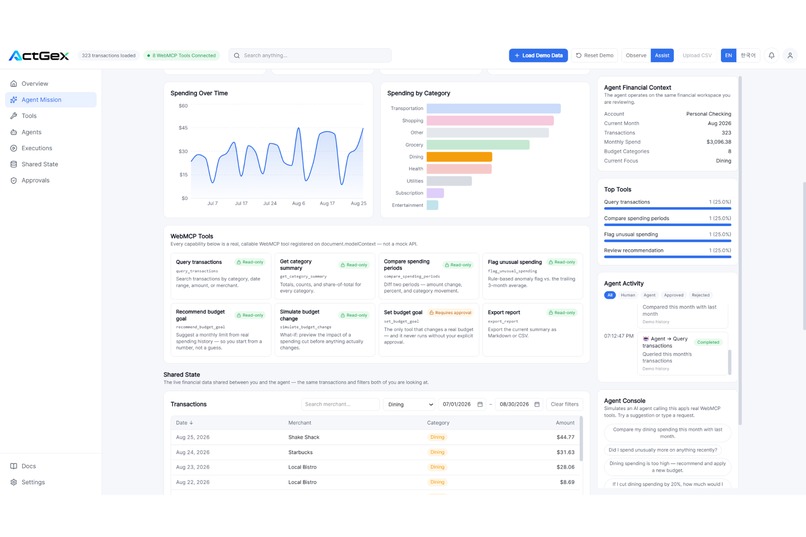
Shared financial state filtered to Dining, showing the same live data the human and agent both use.
-
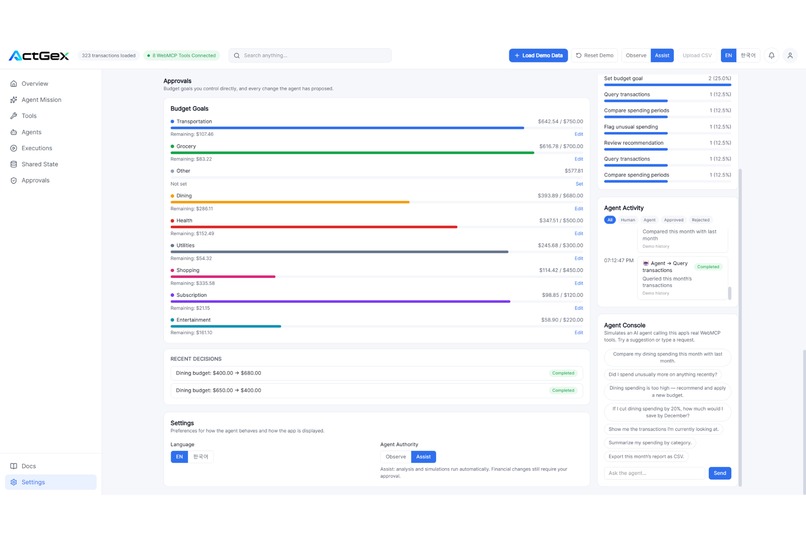
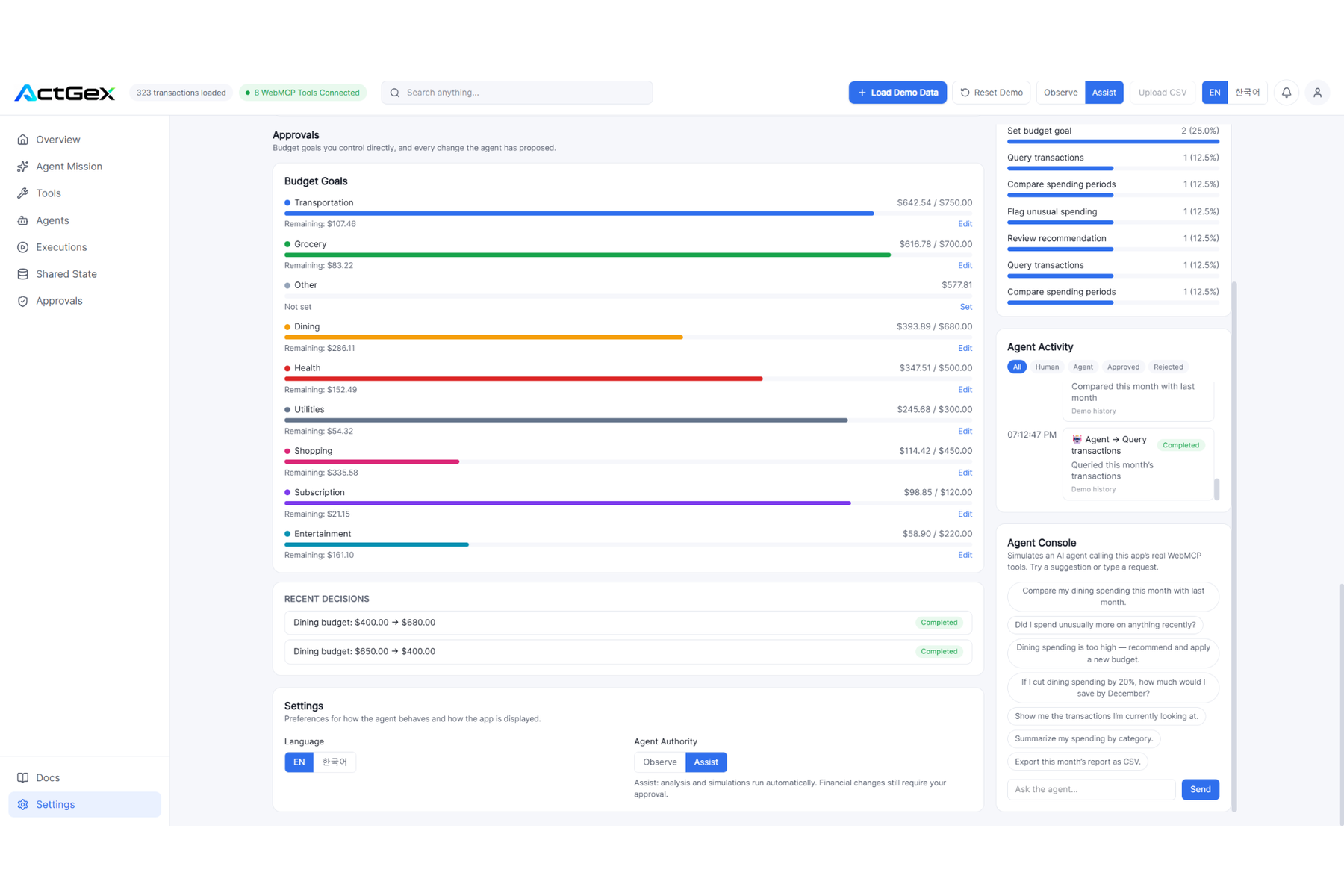
The Approvals workspace tracks budget goals, recent decisions, and agent-requested changes in one view.
-
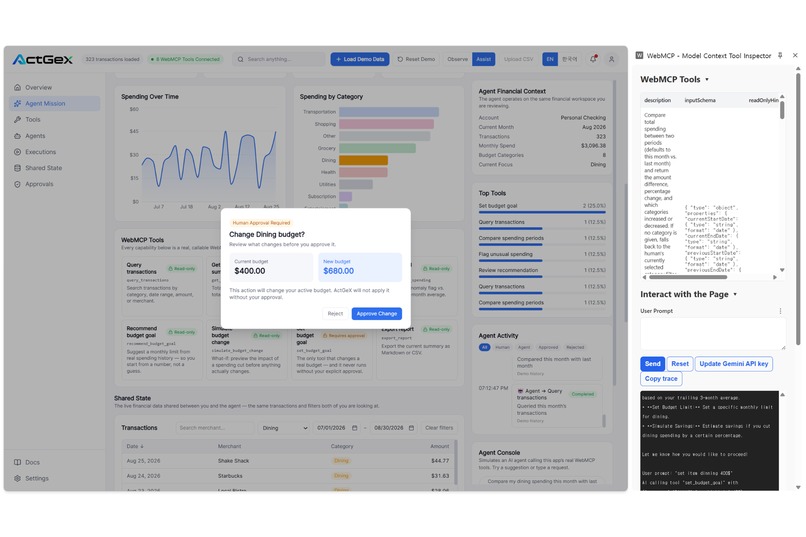
WebMCP can request a budget change, but ActGeX requires human approval before the live state is updated.
-
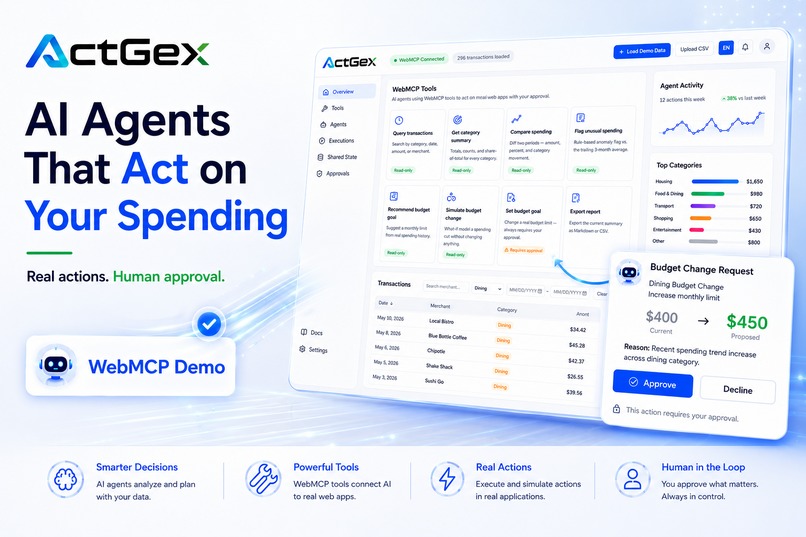
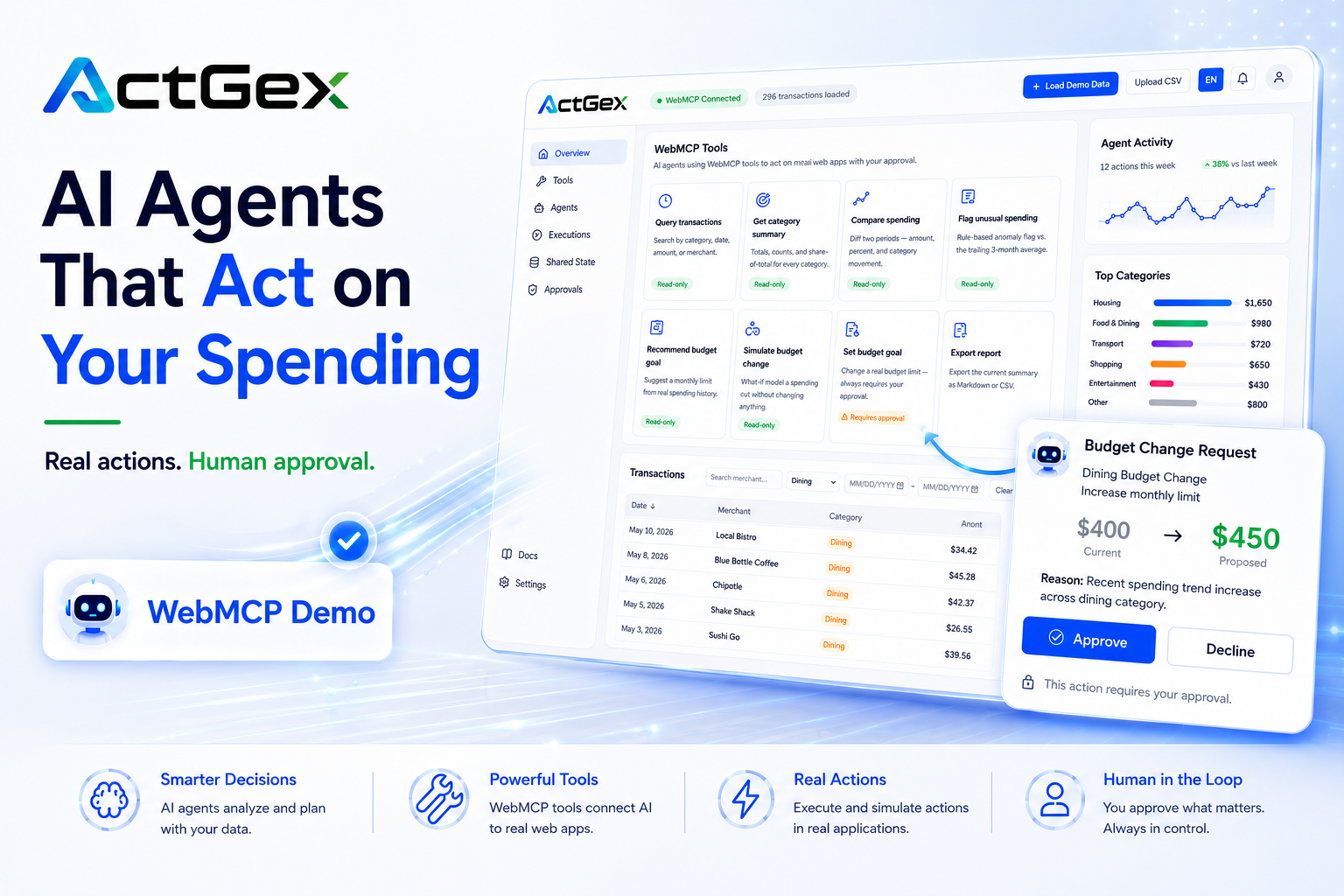
ActGeX connects AI agents to live financial data through WebMCP, with human approval for sensitive actions.
-
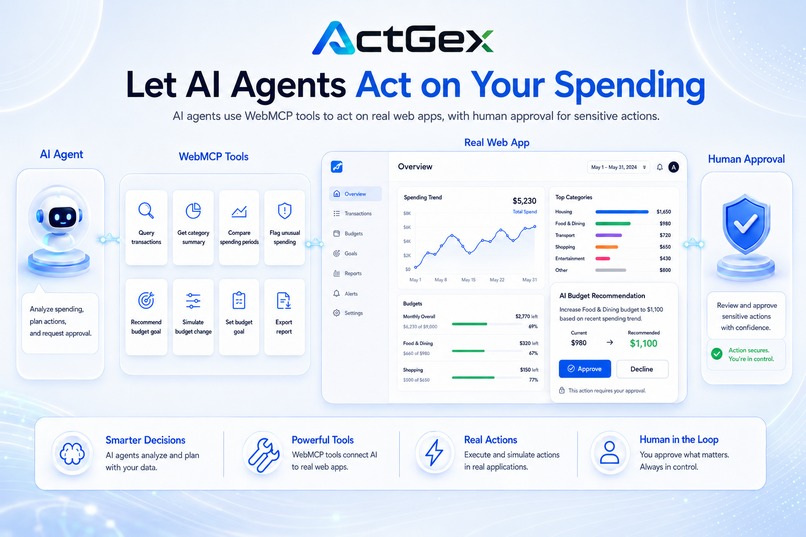
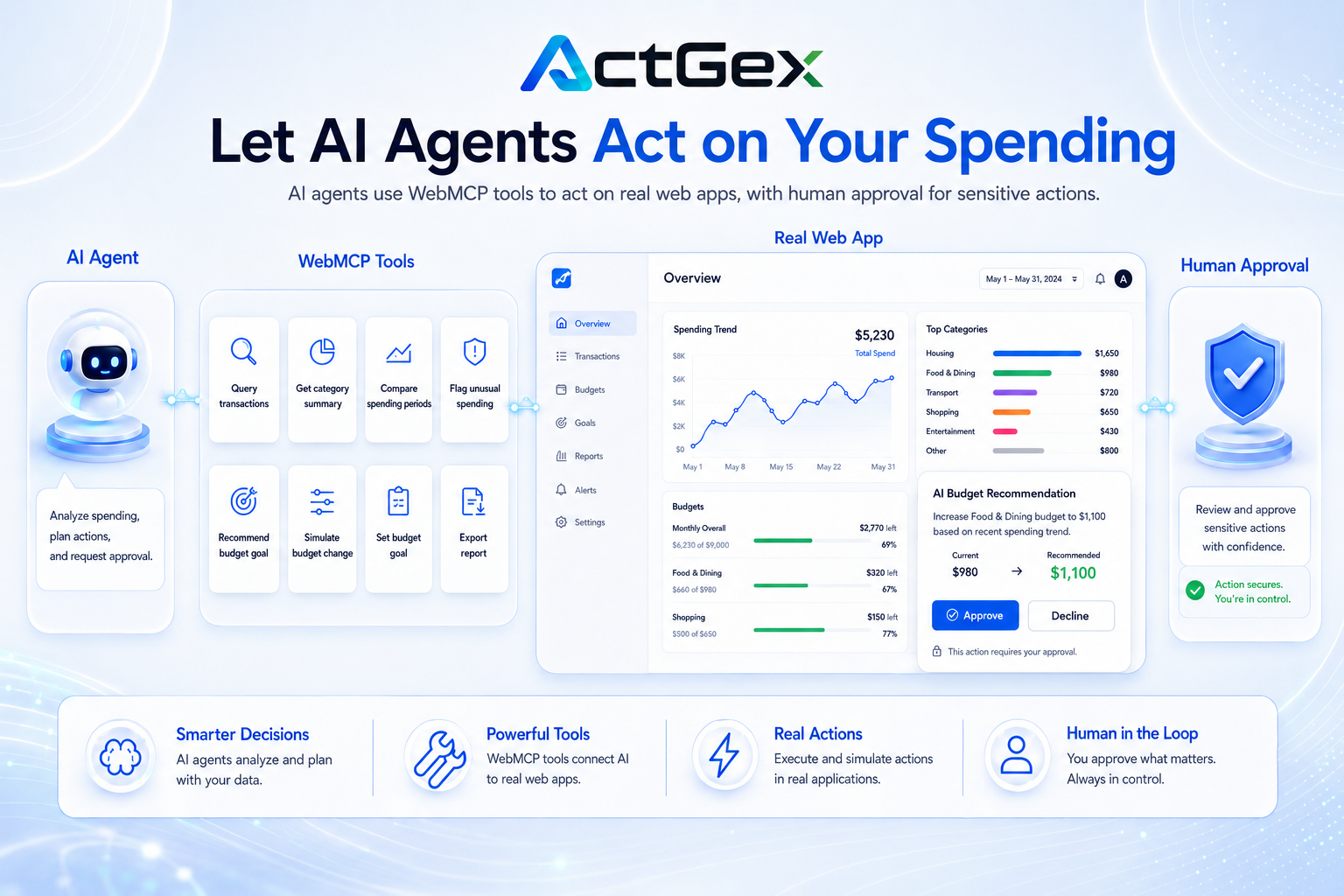
ActGeX shows AI agents using typed WebMCP tools on a real web app while humans stay in control.
-
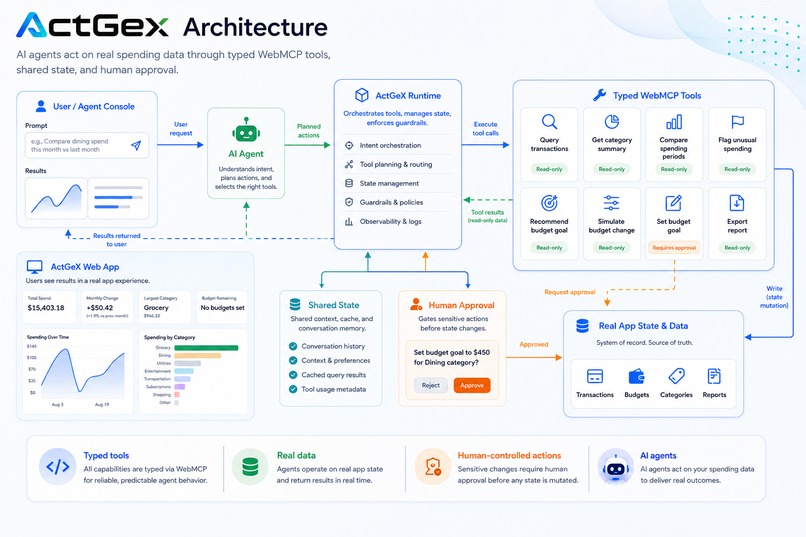
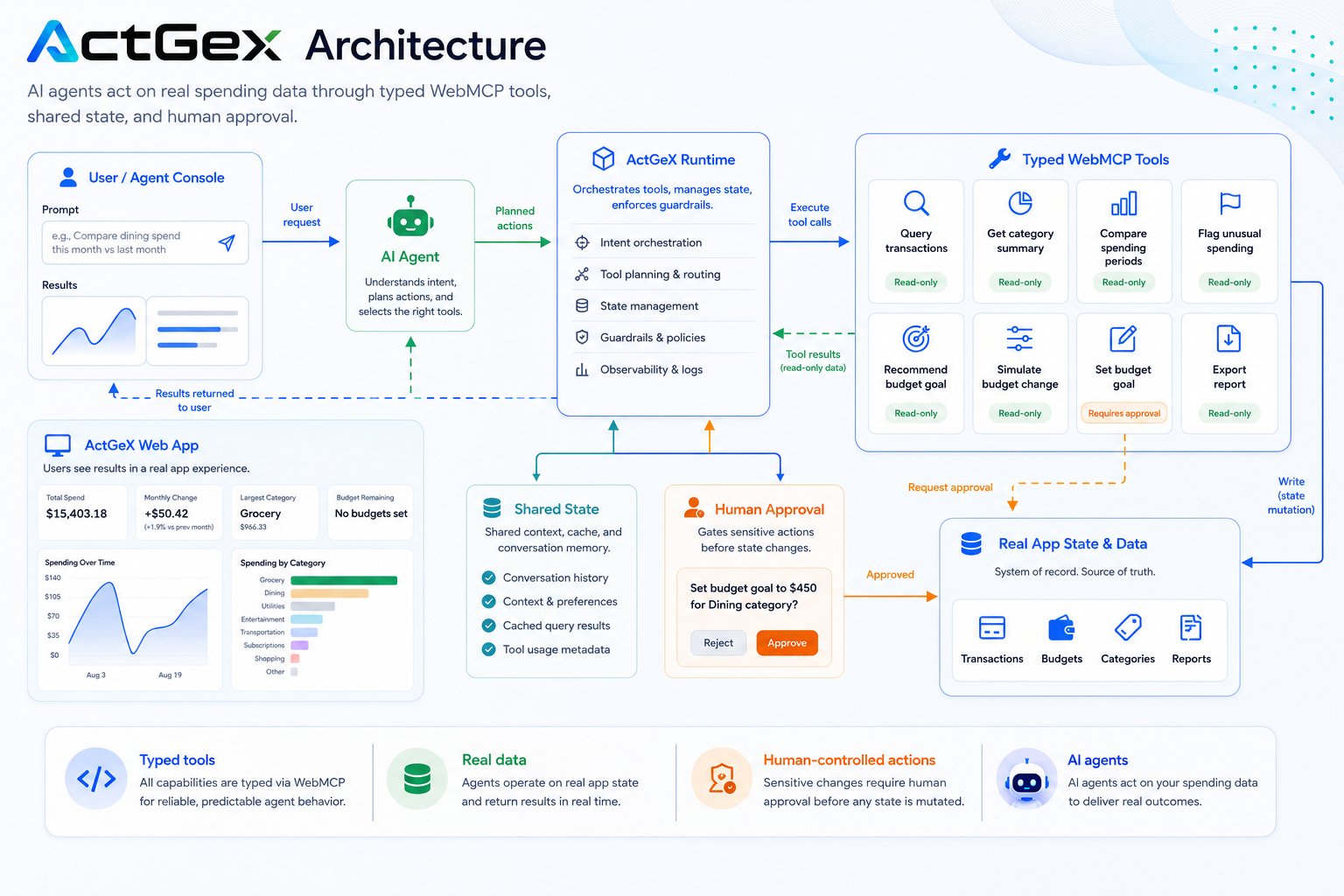
ActGeX architecture: user intent flows through an agent runtime, typed WebMCP tools, and human approval.
-
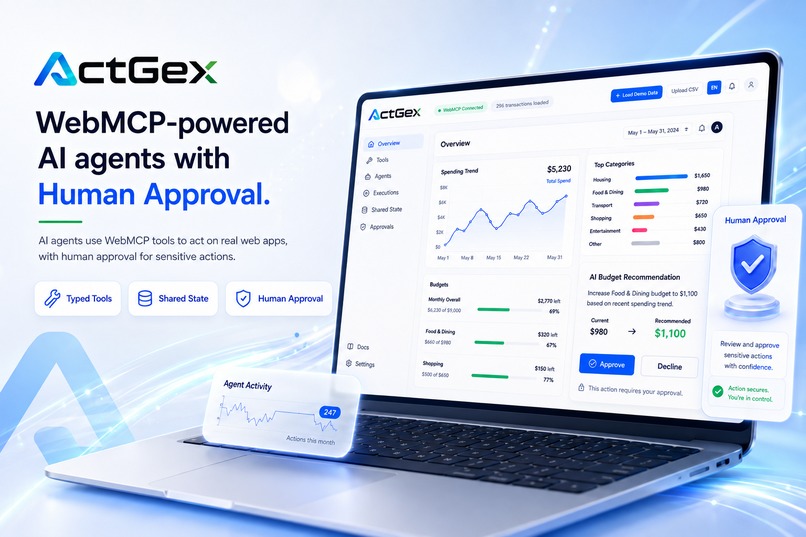
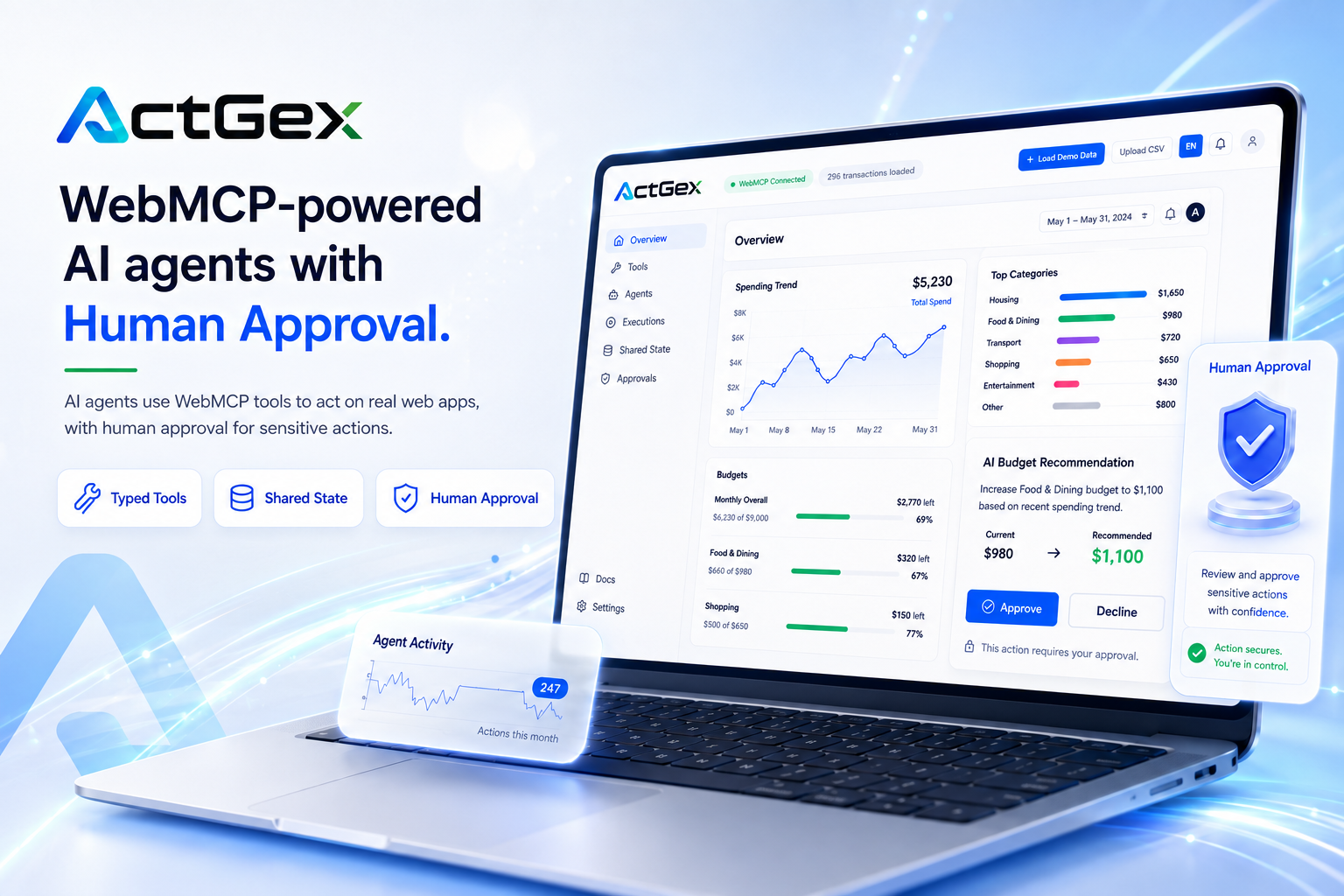
A WebMCP-native financial workspace where typed tools, shared state, and human approval work together.
Inspiration
Most browser agents still have to inspect a page, infer what controls mean, and simulate clicks. That approach is fragile, and it gives the web application very little control over how its capabilities are exposed to an AI agent.
At the same time, giving an agent unrestricted permission to change real application state creates another problem: useful autonomy can quickly become unsafe autonomy.
ActGeX explores a different contract between humans, agents, and web applications:
AI agents should be able to analyze, recommend, and act — while humans remain in control of consequential changes.
Personal finance is our demonstration environment because it makes that trust boundary easy to understand. An agent can safely analyze spending, but changing a real financial goal should remain a human decision.
What it does
ActGeX is a WebMCP-native financial workspace where a human and an AI agent operate on the same live application state.
The application exposes eight typed WebMCP capabilities:
query_transactionsget_category_summarycompare_spending_periodsflag_unusual_spendingrecommend_budget_goalsimulate_budget_changeset_budget_goalexport_report
These tools support a complete agent workflow rather than isolated tool calls.
ActGeX's Agent Mission can:
- read transaction data
- summarize spending
- compare periods
- detect unusual spending
- recommend a budget goal
- simulate its financial impact
- present the proposed change to the human
- apply it only after explicit approval
For example, the agent can identify that Dining spending increased, recommend a new target, and simulate how that target would affect monthly savings.
But the recommendation itself does not silently change the application.
When set_budget_goal is requested, ActGeX opens a Human Approval Required dialog showing the proposed change and its Before/After impact.
Only after the human explicitly approves does the real application state change.
The agent recommends. The human decides.
How we built it
ActGeX exposes application capabilities through WebMCP using:
document.modelContext.registerTool(...)
Each tool has:
- a stable semantic tool name
- a clear description
- typed input parameters
- validation
- execution logic connected to real application state
The application is built with:
- React
- TypeScript
- Vite
- Zustand
- DuckDB-Wasm
- WebMCP
The human UI and WebMCP tools operate on shared application state.
There is no separate agent-facing copy of the financial workspace.
ActGeX also exposes an Agent Financial Context so the agent-visible context is understandable from the human interface itself.
The workspace includes dedicated sections for:
- Overview
- Agent Mission
- Tools
- Shared State
- Approvals
- Executions
- Agents
- Settings
Shared State makes the live financial data visible as the common state used by both the human and the agent.
Approvals surfaces human-owned budget goals and recent approval/rejection decisions.
Why WebMCP matters
Without WebMCP, an AI agent often has to reason about visual controls or DOM structure and simulate user interaction.
ActGeX changes that model.
Instead of asking the agent to locate the correct button or infer the meaning of a UI element, the application exposes semantic capabilities directly.
The agent calls capabilities, not pixels.
That improves reliability, but more importantly, it lets the application define its own trust boundary.
ActGeX can explicitly decide:
- what the agent may read
- what the agent may analyze
- what can be simulated safely
- what requires human authorization before mutation
WebMCP therefore becomes more than an automation interface. It becomes part of the application's permission and collaboration model.
Human + Agent collaboration
ActGeX is designed around a shared financial state.
The human sees the same transactions, budgets, summaries, recommendations, and decisions that the agent operates on.
The core interaction loop is:
Shared State → Agent Analysis → Recommendation → Simulation → Human Approval → State Change → Activity History
This is visible directly in the product.
The Agent Mission shows the agent's analysis sequence.
The Recommendation explains:
- What should change
- Why the agent recommends it
- What impact the change may have
The Approval dialog shows the Before/After financial effect.
The Activity Timeline records agent executions and human decisions.
The goal is not invisible automation.
The goal is visible collaboration with explicit authority boundaries.
Human authority
ActGeX provides human control over agent behavior.
The application supports Observe and Assist authority modes.
In Observe mode, the agent can inspect and analyze financial state without making consequential changes.
In Assist mode, the agent can perform analysis and prepare recommendations, while consequential state changes still pass through the human approval boundary.
The most important example is set_budget_goal.
The agent may request the change, but it cannot silently commit it.
The user sees the recommendation and simulated impact before choosing whether to approve or reject it.
This makes human authority part of the application workflow rather than an external safety policy.
Challenges we ran into
One of the hardest problems was deciding where agent autonomy should stop.
Reading transactions, comparing periods, identifying anomalies, and simulating scenarios are fundamentally different from changing a real financial goal.
We therefore separated analysis from mutation and created an explicit approval boundary for consequential changes.
Another challenge was keeping every part of the product consistent around one notion of financial time and state.
For a finance demo, inconsistent months, date ranges, or unrealistic generated spending can undermine trust immediately.
We centralized the demo reference date, corrected timezone handling, aligned tool queries and UI periods, and rebalanced the demo dataset so the financial story remains internally consistent.
We also worked through several UX problems:
- keeping Agent Financial Context understandable
- making Shared State and Approvals real navigable sections
- distinguishing seeded demo Activity from real execution history
- making recommendation impact visible before approval
- keeping sidebar navigation synchronized with the actual section being viewed
These details mattered because WebMCP should feel native to the product, not bolted on as a developer demo.
Accomplishments that we're proud of
We are most proud that ActGeX demonstrates a complete WebMCP collaboration loop.
A judge can see the application:
- read real application state
- analyze spending
- compare periods
- identify unusual behavior
- generate a budget recommendation
- simulate its impact
- request a real state change
- pause for human authorization
- apply or reject the decision
- preserve the interaction in Activity history
The WebMCP tools are not hidden behind a mock interface.
They are connected to the same application state the human sees.
ActGeX also demonstrates that agent-native software does not have to choose between useful autonomy and human control.
It can support both.
What we learned
The biggest lesson was that agent UX is not just about giving an AI more tools.
The application must also communicate:
- what state the agent can see
- what analysis it performed
- why it recommends an action
- what effect the action would have
- which actions still require a human decision
WebMCP provides the technical foundation for semantic agent capabilities.
But building trustworthy agent-native applications also requires visible state, clear permissions, simulation, and meaningful approval boundaries.
We came away viewing WebMCP not simply as a replacement for browser clicking, but as an interaction layer for a new class of software where humans and agents share the same application surface.
What's next
Personal finance is the demonstration environment, not the architectural limit.
The same interaction model can extend to:
- CRM systems
- project management
- commerce
- enterprise administration
- procurement
- content publishing
- workflow systems
- other applications where agents need to perform meaningful actions safely
Future ActGeX work could also include:
- persistent multi-user financial workspaces
- richer agent permission policies
- more advanced anomaly detection
- additional simulation tools
- server-side state and audit history
- organization-level agent authority controls
- additional WebMCP clients and agents
ActGeX demonstrates a reusable pattern for the agent-native web:
Typed Tools · Shared State · Simulation · Human Approval
AI can act. Humans stay in control.
Built With
- cloudflare
- css3
- docker
- duckdb-wasm
- html5
- javascript
- nginx
- react
- typescript
- vite
- vitest
- webmcp
- zustand

Log in or sign up for Devpost to join the conversation.