-
-
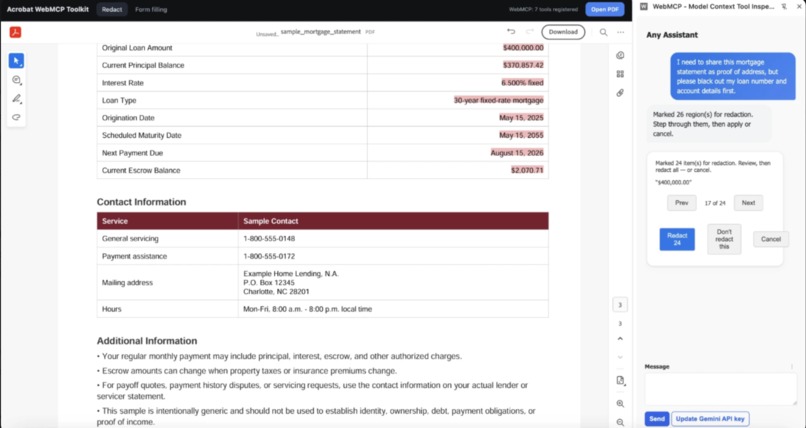
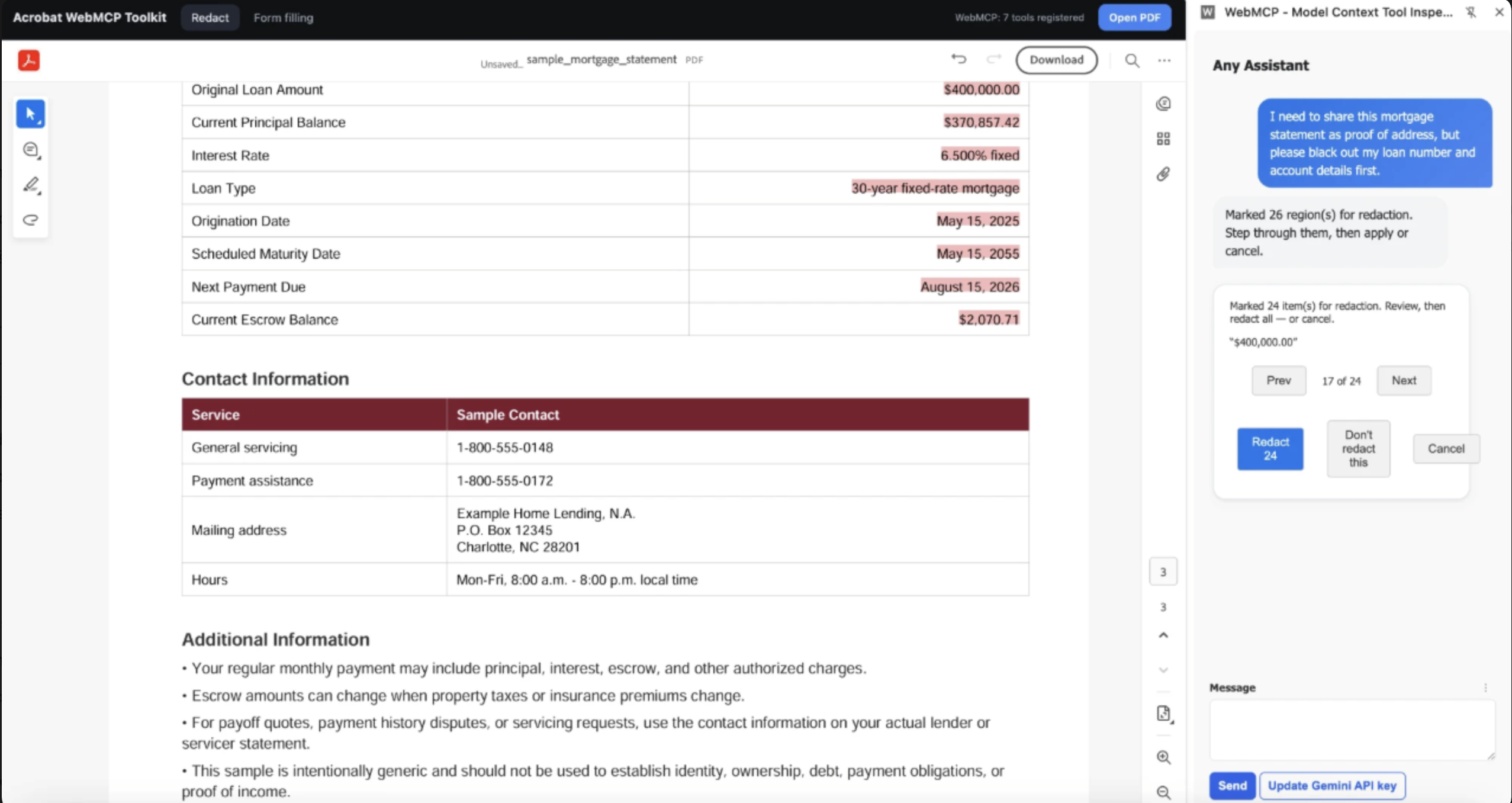
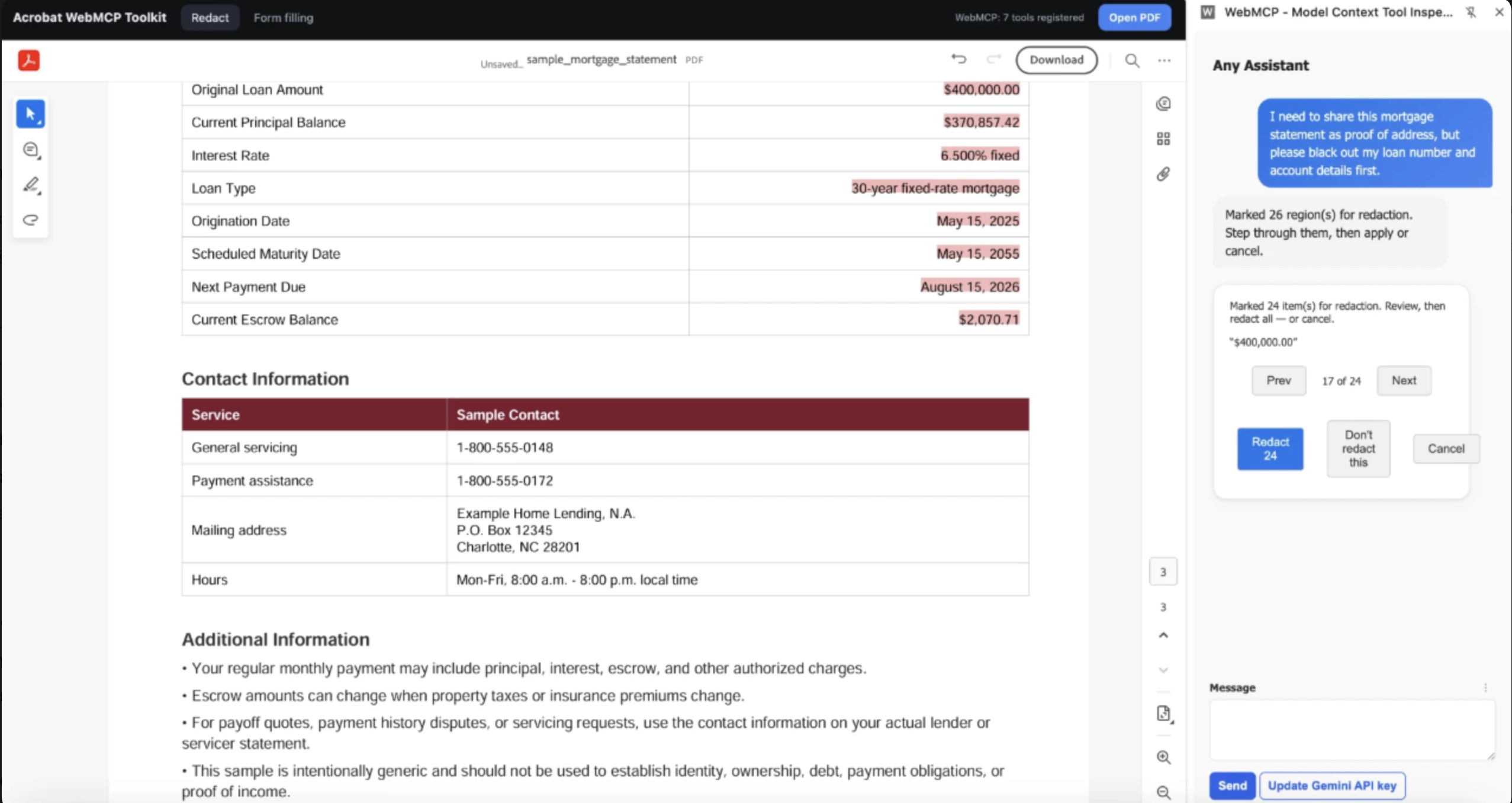
"Black out my loan number and account details." The agent finds every match, marks them in red, and waits for your review
-
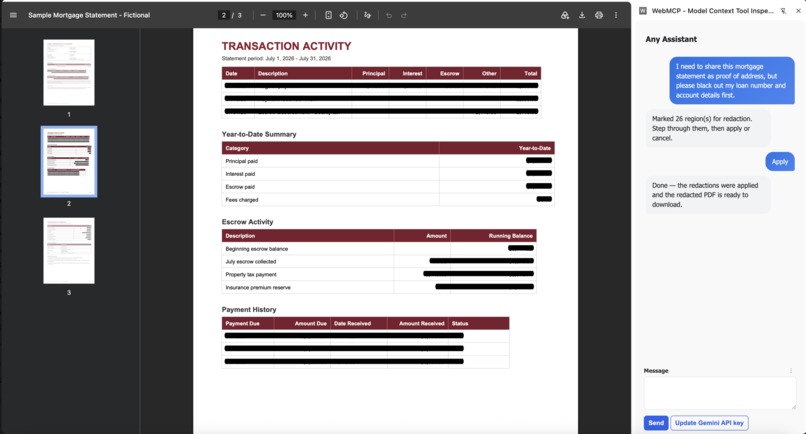
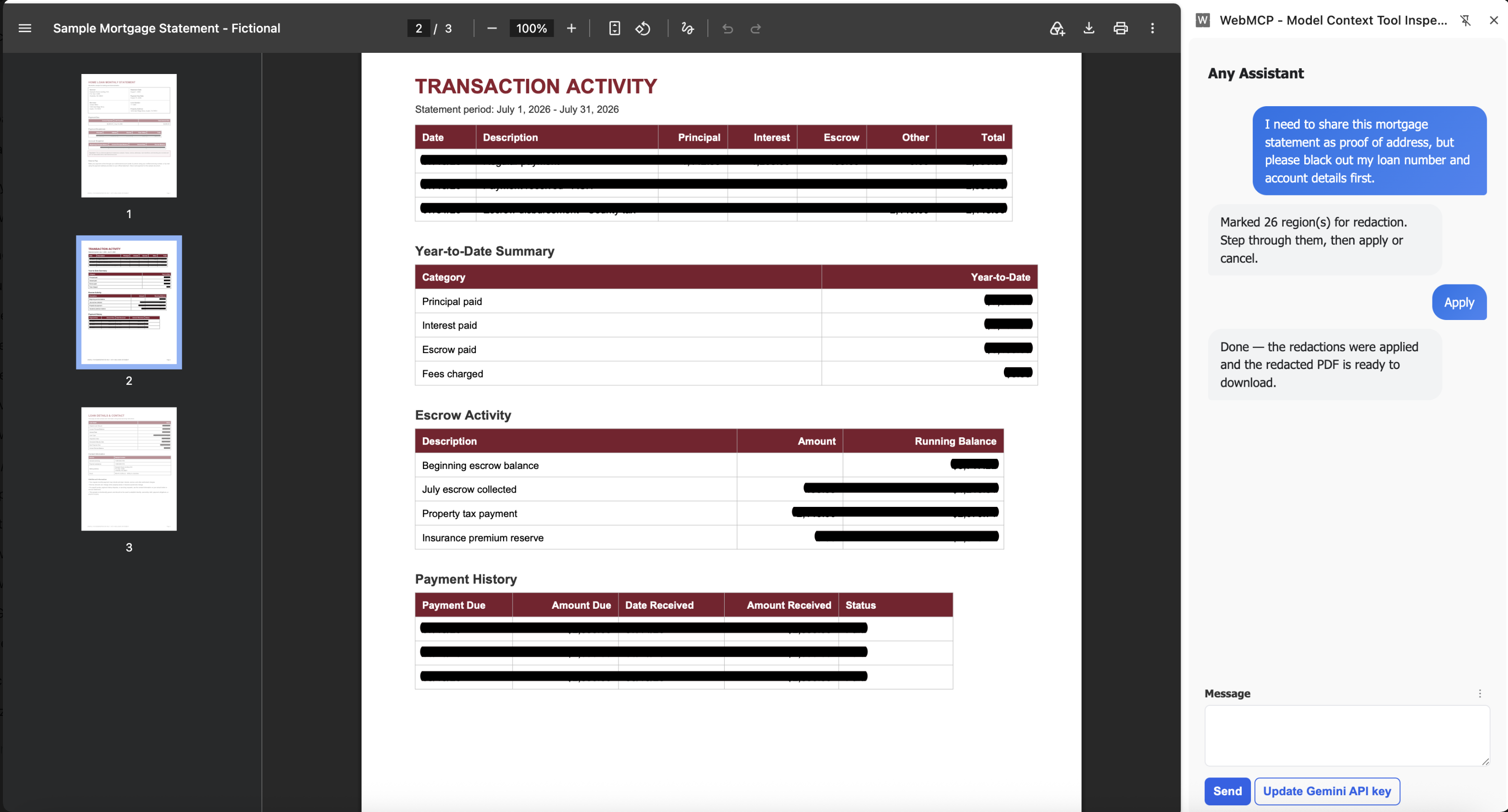
Hit Apply and the redactions are baked into a fresh PDF. 100% client-side, your document never leaves the tab
-
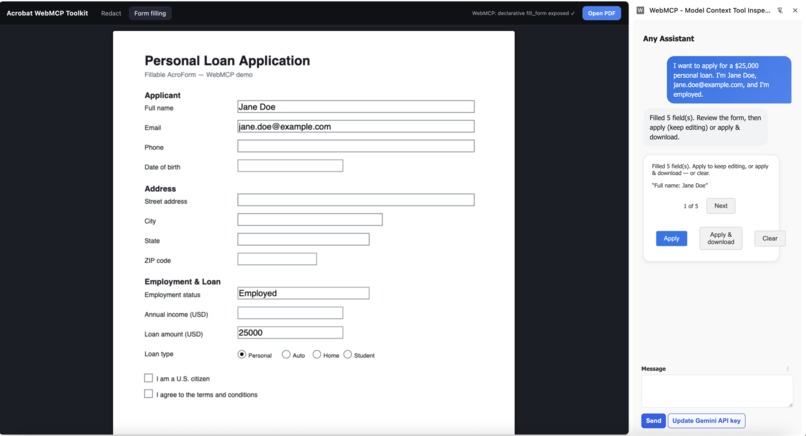
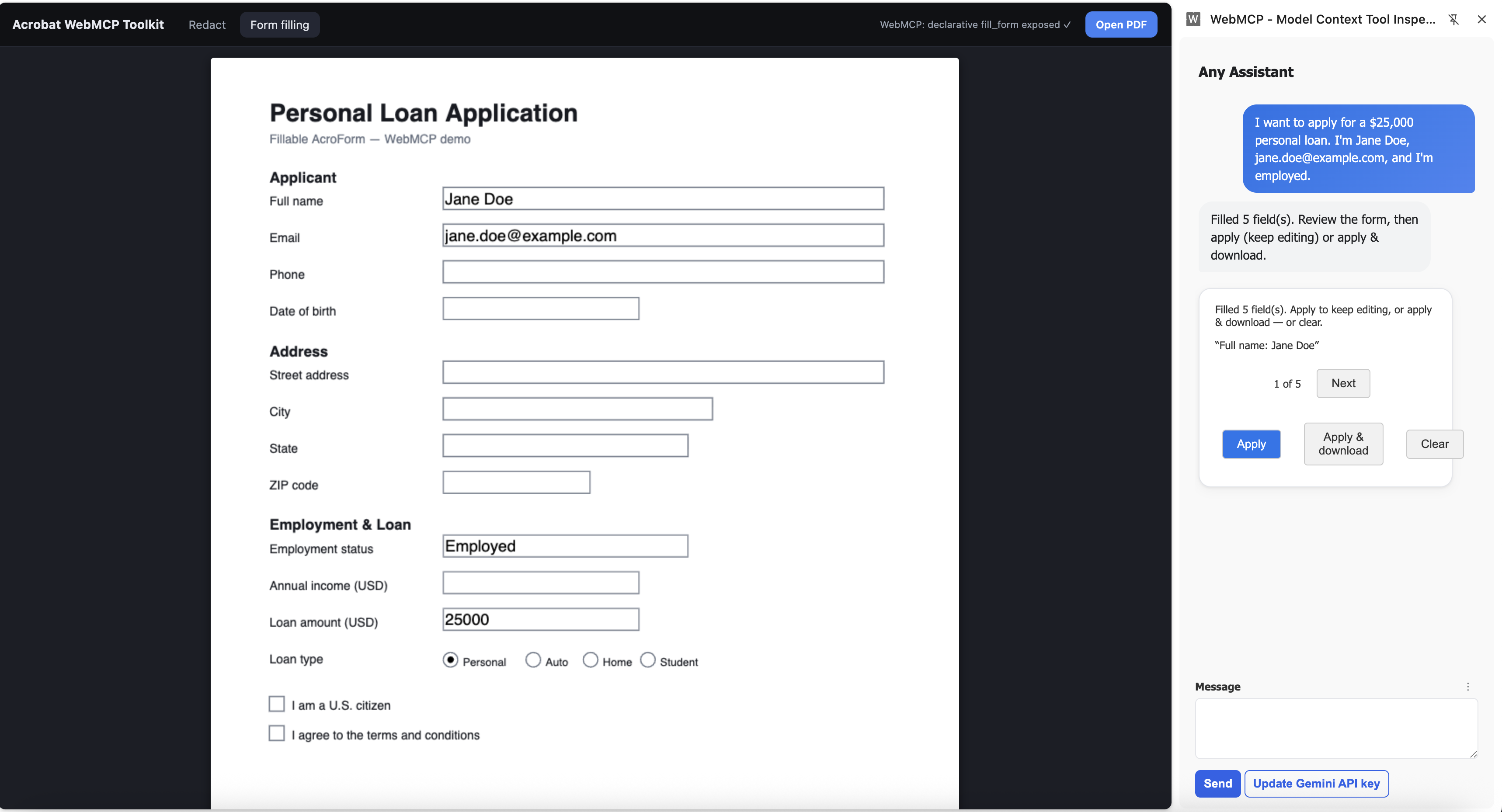
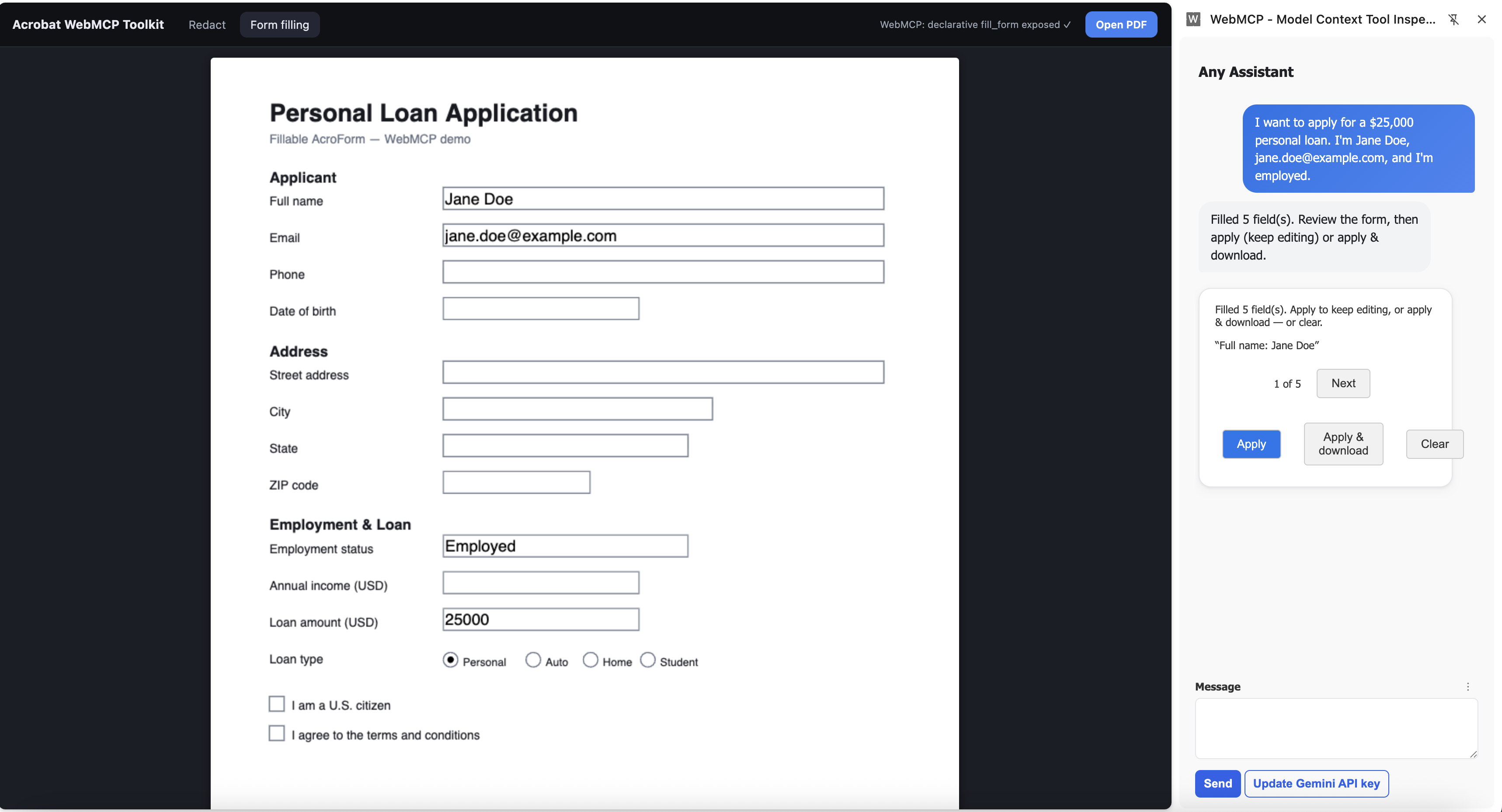
"I'm Jane Doe, applying for a $25k loan." The form fills live, using only what you said. It leaves the rest blank, never invented.
-
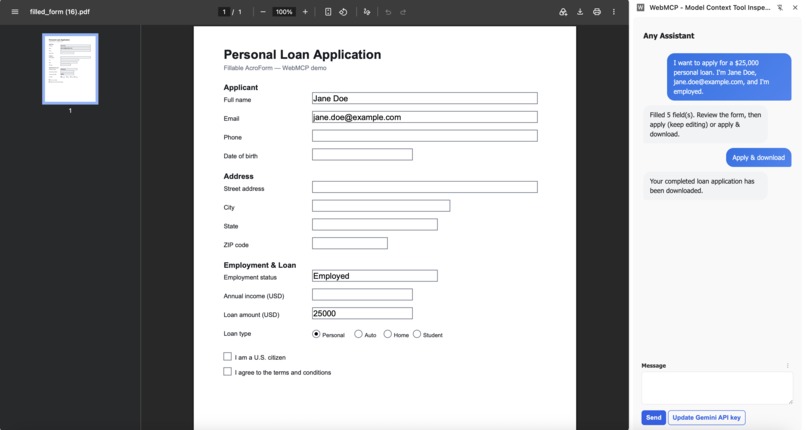
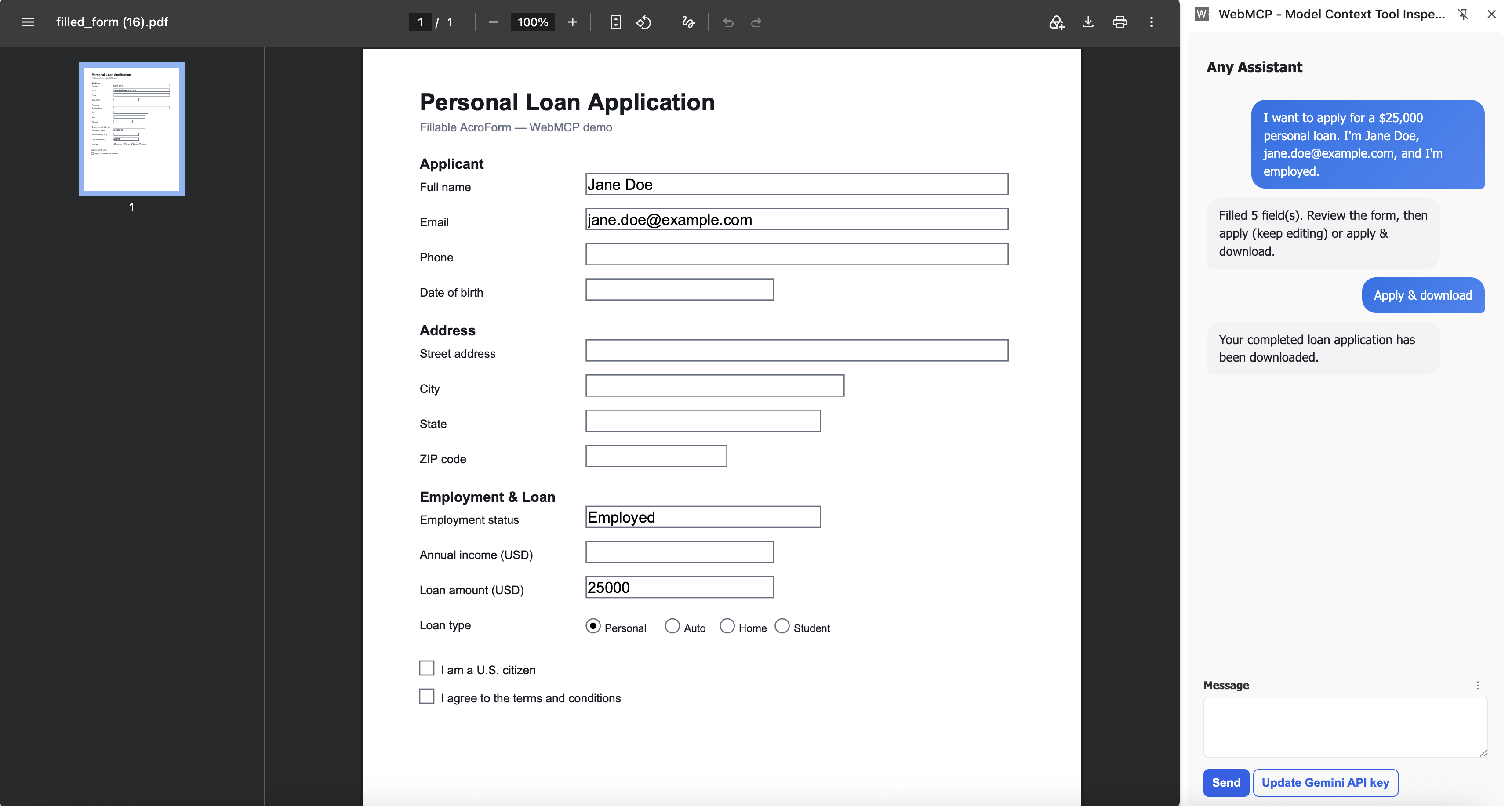
Apply and download: the finished loan application, filled entirely by chat and flattened into a shareable PDF.
Inspiration
Today's browser AI can read a PDF and tell you what's in it. It still can't do anything to it. You're the one squinting at a mortgage statement, manually blacking out your account number before emailing it, or retyping the same details into yet another loan form. We wanted to give the agent hands: let it act on the document, safely, without shipping your file to some server.
WebMCP made that click. A page can publish its own capabilities as tools on document.modelContext, and any WebMCP-aware agent can call them. So we turned real =PDF workflows into tools an agent can drive, entirely in the browser.
What it does
DoPDF with WebMCP lets an AI agent run two real PDF workflows by chat, 100% client-side:
Redact. Say "black out my loan number and account details" and the agent finds every match, marks them in red, and shows a review card. You confirm, and it flattens the boxes into a downloadable PDF.
Fill forms. Describe yourself in plain language and watch a fillable PDF populate live, field by field. It fills only what you actually said and never invents a value you left out.
Your document never leaves the tab. The only network call is the extension talking to your chosen model.
How we built it
- The hands (the page): Adobe PDF Embed API renders and provides core PDF capabilities. Each page registers its tools on
document.modelContext. - The brain (the extension): a Chrome side-panel chat that discovers whatever tools the active tab exposes and calls them, using Google Gemini or any OpenAI-compatible gateway (bring your own key).
- Two flavors of WebMCP, on purpose: redaction uses the imperative API (
registerTool), while form-fill also demos the declarative API, injecting an annotated<form toolname="fill_form">that the browser turns into a tool automatically. - Human in the loop: every destructive action returns a review card, so nothing is redacted, written, or downloaded without a click.
Challenges we ran into
- PDF Embed on reload. A repeat
previewFile()can silently stall and leave a blank viewer. We now race it against a timeout and fall back to another render, so the document always shows. - Declarative timing. Chrome registers an injected
<form>as a tool asynchronously, and its submit handler must callevent.respondWith(...)synchronously. We poll for the tool, respond in place, and fall back to an imperative tool if the browser does not surface the form. - No hallucinated data. LLMs love to "complete" a form. We bake anti-fabrication into the tool descriptions and the system prompt so the agent fills only user-provided fields.
- HITL Trust needs UI, but WebMCP tools return data, not interfaces. A tool call hands back a result; it can't show the user a redaction preview and wait for a yes/no. So confirmation would have fallen back to plain chat text — easy to skim past, and a poor fit for a destructive action. We solved it with an agent-to-UI (A2UI) layer in the extension: the tool returns a structured payload, and the side-panel renders it as an interactive review card — highlighted matches, confirm/cancel — before anything is redacted, written, or downloaded. The agent proposes; the human disposes, in a real interface, not a wall of text.
What we learned
Field name is the perfect join key: the agent maps values to them, and PDF library writes them straight back, with no fuzzy matching. We also learned when to reach for declarative vs imperative WebMCP, and how much a simple review-card pattern buys you in trust.
What's next
Voice-driven fills, more tools (edit, compress, export, combine), and driving a PDF that is already open on any site, not just our page.
Built With
- a2ui
- adobe-pdf-embed-api
- chrome
- document.modelcontext
- google-gemini
- html
- javascript
- openai-compatible-api
- pdf-lib
- pdf.js
- webmcp


Log in or sign up for Devpost to join the conversation.